· 18 min read
Best Event Registration Platforms

Choose an event registration platform by what you need to sell and what your team must know about each attendee. A workshop may only need payment and a ticket. A conference may also need group bookings, individual delegate details and reservations for limited-capacity sessions.
Loopyah is our first recommendation for paid-event businesses that want ticket sales, returning-customer marketing and event finances connected. RegFox suits forms that change with an attendee's answers. Eventleaf and Cvent deserve a closer look for complex conferences. Below, we compare seven platforms by their strongest use case, the relevant plan and the full cost of taking a registration.
The best event registration platforms at a glance
Prices checked on 24 November 2026. US rates are shown unless stated otherwise. A platform fee that excludes processing is not directly comparable with one that includes it; annual plans also need a separate calculation.
Platform | Best fit | Relevant published price | Main limitation |
|---|---|---|---|
Loopyah | Repeat paid events, customer follow-up and finances | US$1.15 + 4.75% per paid ticket, processing included | Not the lowest fee in our example; specialist conference needs require a demo |
RegFox | Forms and prices that change with attendee answers | Standard US$0.99 + 1%; Premium US$1.99 + 1% per registration, plus processing | Badges and payment plans require Premium |
Eventbrite | Public events seeking marketplace discovery | US$1.79 + 3.7% per ticket, plus 2.9% processing per order | Highest transaction fee in our US example |
Ticket Tailor | Simple admission with attendee questions | US$0.85 per paid ticket Pay as you go, plus processing | Seating adds fees; external marketing tools add costs |
Eventzilla | Conferences with multiple agenda tracks | Plus 2.9% + US$1.50 per registration, plus processing | Conditional forms require Plus; onsite extras need pricing |
Eventleaf | Managed group bookings and session access | Professional from US$2,000/year for 1,000 attendees | Annual fee excludes registration-sales charges |
Cvent | Tailored registration and onsite services | Quote for required solutions and services | Cost depends on licenses, equipment and support |
How we selected these platforms
This is a comparison of published pricing, product pages and help documentation, not a hands-on test of all seven platforms. We selected tools for businesses selling places at workshops, public events and conferences. Generic form builders and casual RSVP apps are outside the shortlist.
We compared what the buyer and attendee must do, which plan supports the required forms, how payment fees work, and what reaches the team handling check-in. We also considered group administration, session access, badges and marketing the next event.
Our ticketing versus registration guide explains when admission sales need a more detailed registration process. If your main concern is selling tickets, start with the ticketing platform comparison.
1. Loopyah: best for growing a paid-event business
Loopyah is our first choice for operators running paid events repeatedly. A registration creates a buyer record you can use for the next launch, while event finances help you assess revenue against your costs. That connection matters when the business depends on bringing people back.
Loopyah's pricing is US$1.15 + 4.75% per paid ticket in the US, or A$0.95 + 4.25% in Australia, including ordinary card processing. There is no platform subscription, setup fee or minimum. Additional email sending and other chargeable services have their own rates.
For a paid workshop, create ticket types and price releases, then let buyers pay through guest checkout with Apple Pay, Google Pay or card. Their confirmation links to QR tickets, which door staff can scan for admission. The ticketing page explains the purchase flow.
For a seated event, Loopyah's seating charts let you reuse a venue layout, price sections separately and let buyers choose seats. Conference session reservations are a separate requirement and need their own demonstration.
The event CRM keeps each buyer's spend, event history and marketing permission across events. For the next workshop, select previous buyers who opted into marketing and email that segment. The first 500 marketing emails a month are included; larger allowances are paid. This records the buyer relationship, so check attendee-level requirements separately when one person buys for a group.
Add your event costs to compare them with recorded revenue and plan break-even. Weekly payouts help with cash planning, although money received and profit are different figures. If your conference depends on delegate approvals, accreditation or session-specific admission, include those requirements in a demo before choosing Loopyah.
2. RegFox: best for conditional forms and registration rules
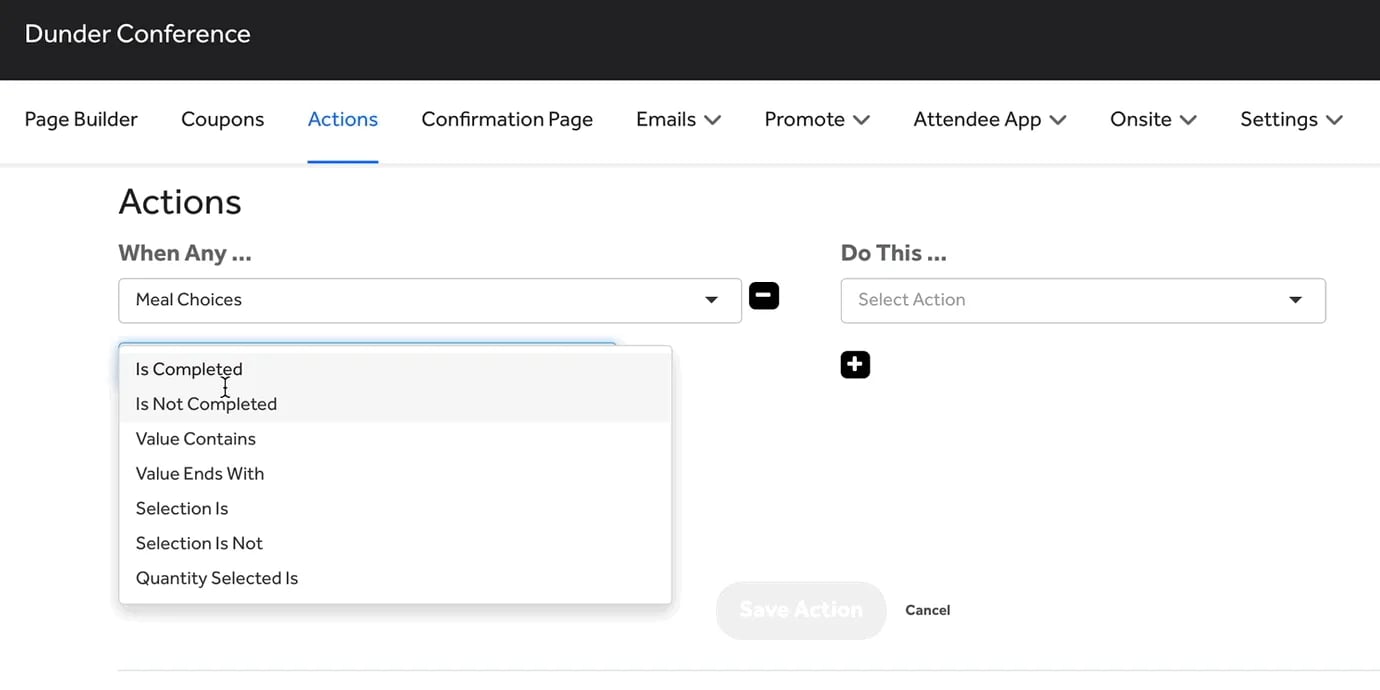
RegFox suits events where an attendee's answers change the questions, available options or price. A member and a non-member can follow different registration paths, while someone choosing a practical activity can receive the relevant follow-up questions.
Standard costs US$0.99 + 1% per registration, with the platform fee capped at US$4.99. Premium costs US$1.99 + 1%, capped at US$5.99. Both have no monthly subscription. Webconnex card processing adds 2.9% + US$0.30 per transaction; the platform cap does not cap processing.
Conditional logic is included on Standard. Its value is keeping each form relevant: someone booking a lecture should not have to answer questions intended for a practical workshop. Build your actual attendee categories in a demo, then change an earlier answer to check that the questions and price update correctly.
Premium adds payment plans, badge printing and digital waivers. For a higher-priced course, you can set a deposit and final-payment deadline, with the balance collected using a card on file. Decide what happens to the booking if a later payment fails, including when the place can be released for someone else.
Standard includes a check-in app; Premium supports advance or on-demand badge printing. Budget for compatible printers and badge supplies as well as the registration fee. Choose RegFox for registration rules you need to enforce. If everyone is buying the same admission, those rules offer less reason to choose it over a simpler checkout.
3. Eventbrite: best for registration with marketplace discovery
Eventbrite belongs on the shortlist when its public marketplace could bring you buyers. Its registration forms also distinguish the person paying from the people attending, which matters when an employer buys several places.
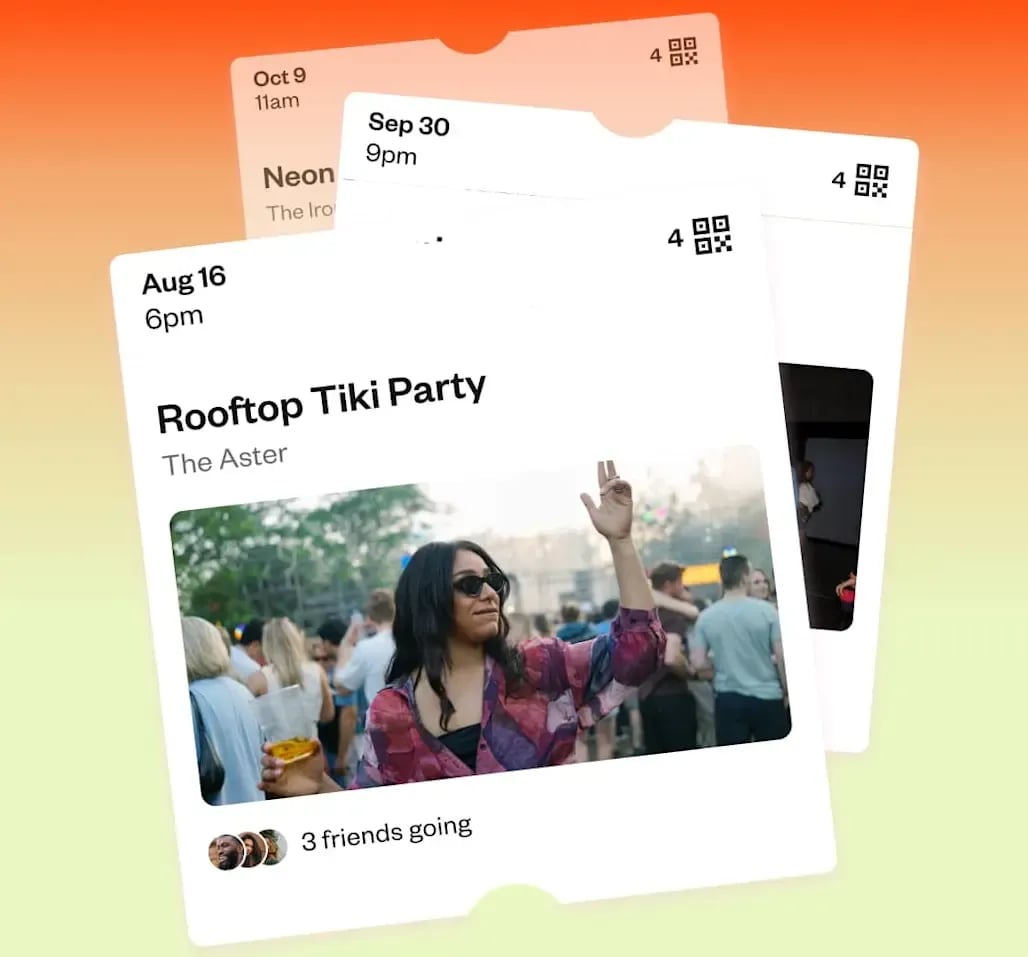
Its published US rate is a US$1.79 + 3.7% service fee per paid ticket, plus 2.9% payment processing per order. Free tickets have no ticketing fee. Other countries have different schedules, and optional promotion or email services can add costs.
The order form can collect information once from the buyer or separately for each ticket holder, with required and optional questions. Use attendee-level collection when you need a named delegate list. Recording only the employer's contact details leaves your team without individual attendee records.
Eventbrite collects additional questions after checkout by default; a setting lets you require answers before payment. Its guidance says buyers cannot access tickets until required answers are complete, and automated emails remind them to finish. If you need information to approve a booking or prepare materials, collect it before payment or set an earlier completion deadline. A paid order may still have missing details.
The marketplace is the reason to consider paying Eventbrite's higher fee in our US example. Assess how many buyers it brings to events like yours, and compare that contribution with what you pay. A listing does not guarantee sales. Our Loopyah versus Eventbrite comparison covers the wider choice, including the customer relationship after purchase.
4. Ticket Tailor: best for economical admission with attendee questions
Ticket Tailor suits operators who already reach their audience and need admission sales with attendee questions. It has the lowest transaction cost in our US example, using the stated processor rate. The buying decision is whether its registration tools and your existing marketing setup cover the work.
The ordinary US Pay as you go usage rate is US$0.85 per paid ticket, plus your payment processor's charges. Prepaid credits can lower the usage price. A reserved seat adds another usage charge; paid seated tickets consume two prepaid credits. Confirm the rate for your currency and setup.
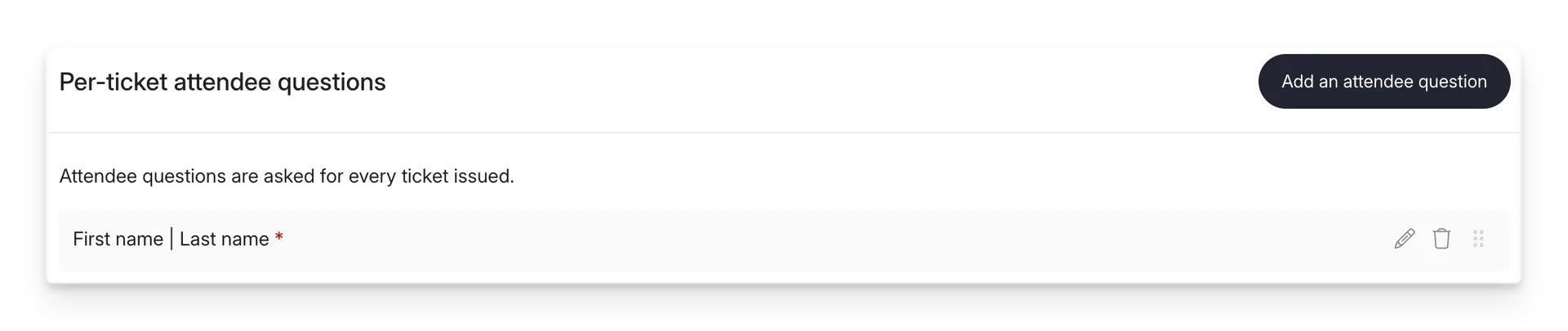
Buyer questions are asked once per order; attendee questions are asked for each ticket. You can target attendee questions to selected ticket types. For example, collect the employer's purchase details once and each participant's workshop information separately. Ticket-type targeting does not, by itself, establish that a form can change in response to any earlier answer.
Customizable confirmations and email broadcasts handle event communications. Connections to external CRM and email tools support marketing for future dates. If those tools already hold your customer records and campaigns, keeping them may be economical. Include their charges and any work needed to maintain the connection in your comparison.
The check-in app supports QR scanning, manual admission, staff profiles and offline use on iOS and Android. Download and prepare the guest list before relying on offline access. For straightforward admission, compare the lower fee with the cost of the other tools you need. Our Loopyah versus Ticket Tailor comparison covers that broader decision.
5. Eventzilla: best for registration connected to a conference agenda
Eventzilla suits a conference where registration needs to connect with a programme of sessions and tracks. Its plan choice matters: Pro covers a customized registration form and agenda, while Plus adds forms that change according to attendee answers.

In the US, Pro costs 1.9% + US$1.50 per registration, while Plus costs 2.9% + US$1.50, both before processing. Plus is the relevant plan for conditional forms. Eventzilla Payments adds 2.9% + US$0.99 per transaction; other supported processors have their own terms.
Use your attendee categories to decide between Pro and Plus. If every delegate completes the same form and chooses a ticket, Pro may cover the requirement. If an answer must reveal another question or change the registration path, evaluate Plus. Price that plan before comparing Eventzilla with other providers.
The agenda tools support multiple days, tracks and attendee schedules. For an optional practical workshop, ask the provider to show how a registration becomes a reserved session place. Saving a session to a personal schedule may not reserve capacity. Check what the attendee sees when the session is full and what happens when they cancel.
Mobile check-in, name badges and broader onsite services address different amounts of work. Specify whether you need badges prepared in advance, printing on arrival, or equipment and staff support. Eventzilla is worth evaluating when the agenda and registration need to work together; a single-session workshop gives you less reason to pay for the additional setup.
6. Eventleaf: best for group bookings and session-based conference access
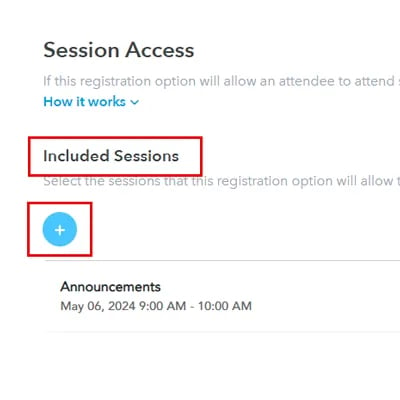
Eventleaf is worth shortlisting when an employer needs to manage a group of delegates and each person needs access to the correct sessions. Its group manager can administer registrations without attending, and registration options can be linked to session access.
Professional starts at US$2,000 a year for 1,000 attendees, with additional attendees priced at US$2. It lists session check-in and on-demand badge printing. Basic starts at US$500 a year for 500 attendees. Registration-sales charges and payment processing need a separate calculation; neither annual price is the full cost of selling places.
A group registration manager can add or remove attendees. This matters when an employer pays for several places and later replaces a colleague: the person administering the booking needs a way to maintain the delegate list. Check who can make changes, any deadline you can set and which confirmations update.
Different registration types can show different forms and packages. You can also associate registration options with allowed sessions. For a paid practical workshop, follow the purchased option through to the session admission record, then test a cancellation and a change of delegate. The record staff use at the room should reflect the current booking.
Eventleaf also supports receipts, QR codes, reminders and waitlists. When a place becomes available, a waitlisted person can receive a time-limited opportunity to register. Set that window deliberately so an unclaimed offer does not keep a saleable place unavailable for longer than you intend.
Professional includes event and session check-in plus on-demand badging. Its annual minimum is easier to justify across a conference programme than for one small event. Compare the complete annual bill with RegFox Premium if forms and badges cover your needs; include Eventleaf when group administration and session access are central to delivery.
7. Cvent: best for tailored conference registration and onsite services
Cvent suits conferences where registration, attendee communications and onsite delivery need a tailored setup. Consider it when delegate categories, session admission, badges and equipment support must work together. Ask for a quote listing the products and services your event requires.
Cvent prices Registration, Attendee Hub and OnArrival through quotes, with licensing that varies by edition. Ask for separate costs for registration, attendee tools, onsite software, hardware and services. Products described together on the website may require separate purchases.
Registration supports personalized paths, branded websites and agenda management. Ask Cvent to configure your delegate categories and session choices, then change a category partway through a booking. Check the resulting price, available sessions and attendee record against your rules.
Email and reporting tools support reminders and registration management. If another CRM or marketing system must receive the records, specify the fields that need to transfer, including payment status, session choices and permissions. Ask to see the resulting record in that system, rather than accepting an integration logo as sufficient evidence.
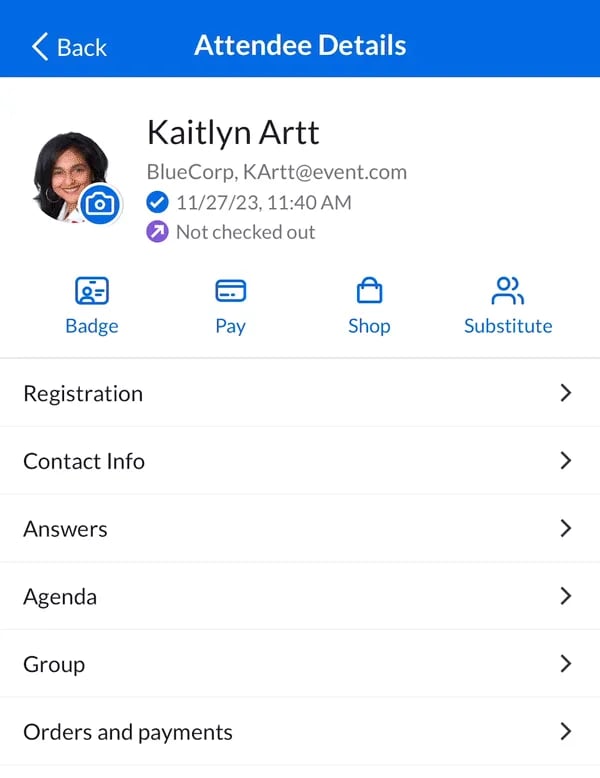
OnArrival supports badges and session admission. Identify the required edition, printers, scanners and support in the quote. Prepared check-in and badge functions can work offline, but payments and synchronization need connectivity. For a straightforward workshop, this setup may exceed your needs. For a conference that depends on it, the equipment and support plan are part of the purchase.
Test the booking before choosing a platform
Give each finalist the same test: a conference with 200 admission places, an optional practical workshop limited to 20 people and an employer buying several registrations. Follow the booking through payment, attendee details, a delegate replacement and admission. This shows whether the software handles the event you intend to run.
Can your team identify and manage each attendee?
In a test booking, have one person purchase for the group before every delegate's name is known. Complete the missing details and replace one attendee. Check who receives each email, who can edit the booking and whether the change reaches the check-in list. Include any manual updates to other systems in your cost comparison.
Require a field only when your team needs its answer to accept or deliver the booking. A badge name or a workshop choice has a clear purpose. Information that can wait may be collected later, provided someone owns the follow-up. Our event registration form template separates buyer details, attendee details and later questions.
Does selecting a session actually reserve a place?
For the practical workshop, decide whether admission includes a place, requires a separate purchase or only lets someone request one. Then book the last available place and try another booking. The system should apply your chosen rule and explain the result to the buyer.
Cancel that workshop booking and check whether capacity becomes available again. A free-text answer saying "practical workshop" records a preference; it does not establish a reservation or control entry. A seat chart handles where someone sits in a room, which is a separate requirement from access to a session.
Do confirmations and check-in reflect the current booking?
Check the messages for a paid booking, an unpaid deposit balance, a pending approval and a waitlist offer. Each should tell the attendee what they have secured and what they still need to do. Staff should be able to distinguish those states without interpreting notes or searching email threads.
Finally, admit the delegate whose name you changed. Use the devices, permissions, printer and connectivity conditions planned for event day. Check that the badge and door list match the updated record. Our registration testing guide provides a fuller launch check.
What does registration cost on the same booking?
US example: one attendee pays US$100
Each row is a calculated example: one US$100 general-admission registration in one order, paid with a standard US domestic card. You absorb platform and processing fees, so the buyer pays exactly US$100. Figures exclude taxes, refunds, disputes, foreign cards, extras, discounts and negotiated rates. The amount retained is before event costs.
Platform and setup | Platform and processing fees | Organizer keeps before event costs |
|---|---|---|
Ticket Tailor Pay as you go + modeled Stripe | US$4.05 | US$95.95 |
RegFox Standard + Webconnex | US$5.19 | US$94.81 |
Loopyah | US$5.90 | US$94.10 |
RegFox Premium + Webconnex | US$6.19 | US$93.81 |
Eventzilla Plus + Eventzilla Payments | US$8.29 | US$91.71 |
Eventbrite US schedule | US$8.39 | US$91.61 |
Ticket Tailor uses a modeled Stripe charge of 2.9% + US$0.30. RegFox uses Webconnex's 2.9% + US$0.30; Eventzilla uses Eventzilla Payments' 2.9% + US$0.99. Loopyah includes ordinary card processing. Each processor's terms must match your account and payment method.
RegFox Standard includes conditional forms; Premium adds the badges and payment plans discussed above. Eventzilla's row uses Plus for conditional forms. The right comparison is the plan that handles your booking, including processing.
At 500 separate US$100 orders, the same assumptions leave US$47,975 on Ticket Tailor and US$47,050 on Loopyah, a US$925 difference before other costs. That is the amount to weigh against the customer, email and finance tools you would otherwise use. Count actual software costs and work you can remove; do not assume extra sales or staff savings.
Annual plans need a different calculation. If you buy Eventleaf Professional's US$2,000 minimum allowance and use only 200 registrations during the year, the plan alone costs US$10 per used registration, before registration-sales and processing charges. At 1,000 registrations it is US$2. Cvent requires a quote for your selected products and services. Our full ticketing-cost guide covers the other charges to include.
Australian example: one attendee pays A$100
This is a separate Australian comparison with the fee absorbed. The figures use ordinary published card rates, before any added taxes on fees. They exclude optional services and are not a conversion of the US table.
Platform | Base fee before added fee tax | Organizer keeps before fee tax and event costs |
|---|---|---|
Loopyah | A$5.20 | A$94.80 |
Eventbrite Australian schedule | A$6.54 | A$93.46 |
Confirm applicable invoice taxes, payout country and payment method before budgeting. A quoted US processor rate cannot be reused for an Australian registration simply by changing the currency symbol.
Free places, deposits and money in the bank
Include complimentary places in the budget. RegFox lists US$0.99 per free registration on Standard and US$1.99 on Premium; Loopyah charges no fee for free tickets. Speakers, sponsors and crew can also use an annual attendee allowance, so check how your provider counts them.
For deposits, count the number of payment transactions. Repeated fixed processing charges can increase the total, and the booking still has a balance to collect. Agree the installment schedule, failed-payment process and cancellation terms before comparing it with a fully paid registration.
Check when proceeds can reach your bank against the dates your suppliers need paying. Ask about eligibility conditions and reserves as well as the advertised payout schedule. A cheaper registration fee does not solve a cash shortfall before the event.
Which event registration platform should you choose?
Choose Loopyah for recurring paid events where you want customer follow-up and finances connected to ticket sales. Ticket Tailor is the lower-fee candidate in our US example if your existing marketing tools cover the rest. Eventbrite is worth its higher fee when marketplace sales justify the difference.
Choose RegFox when attendee answers need to change the form or price. Include Eventzilla for a multi-track agenda, Eventleaf for managed groups and session access, and Cvent for tailored registration with onsite equipment and support.
Take two finalists through the booking test, then compare the complete cost of the plan that passed. Get the required features, payment charges, payout terms and onsite costs in writing. If you're replacing an existing system, use our switching guide before moving an active event.

Author: By the Loopyah Content Team
The Loopyah Content Team shares expert insights, practical guides, and industry updates to help event organizers create unforgettable experiences and stay ahead in the event planning world.