· 22 min read
7 Best Event Ticketing Platforms Compared

Your ticketing platform affects more than the fee on each sale. It shapes how people find your event, how they pay, when you can use the money and whether you can bring those buyers back next time. Those differences matter when events are your business.
Our first recommendation for paid-event operators is Loopyah, because ticketing, customer history, marketing and event finances work together. Eventbrite deserves consideration when its marketplace is a priority. Ticket Tailor can cost less if you bring your own audience and already have your marketing tools. The seven platforms below cover those choices and several specialist needs.
The best event ticketing platforms at a glance
Prices below are published US rates unless marked otherwise, checked on 6 November 2026. Applicable taxes, optional services and negotiated terms can change the bill. The detailed reviews explain the scope of each rate.
Platform | Best fit | Relevant published price | Main limitation |
|---|---|---|---|
Loopyah | Operators growing a paid-event business | US$1.15 + 4.75% per paid ticket, card processing included | Less established marketplace reach; lower-fee options exist |
Eventbrite | Public events seeking marketplace exposure | US$1.79 + 3.7% per ticket, plus 2.9% payment processing per order | Higher modeled costs here; early payouts have eligibility conditions |
Ticket Tailor | Own-audience sellers prioritizing ticketing cost | US$0.85/ticket Pay as you go + processing; prepaid option | Payment processing is separate; reserved seats incur extra usage |
Humanitix | Operators who value the booking-fee charity model | 5% + US$1.29/ticket on its gateway, plus tax | Percentage fees still grow with ticket price |
TicketSpice | Configurable admissions and sales workflows | Standard US$0.99; Premium US$1.49 per paid ticket, plus processing | Relevant features and messaging costs depend on plan |
DICE | Music events with an audience using its discovery app | US self-sign-up: 13% on face value, processing included | App-led ticket delivery and market-specific commercial terms |
Posh | Socially driven events, nightlife and attendee referrals | 10% + US$0.99/ticket, processing included | Higher percentage fee; messaging and payout extras need checking |
How we selected the platforms
This guide is for organizers selling admission to their own paid events, including recurring shows, workshops, festivals and conferences. We considered costs, access to proceeds, checkout, discovery, repeat-buyer marketing, event-day operations and reporting. Resale-only marketplaces and customer-support ticketing software solve different problems and are outside this shortlist.
We reviewed the providers' published product pages, pricing and help documentation. We have not run live events on all seven systems. The cost examples use stated assumptions; the reviews identify the operator each alternative suits.
One event to compare them against
Imagine you run a monthly paid show. For the next date, you need to sell tickets, invite previous buyers who opted into marketing, pay the venue before doors open and give staff a reliable way to admit guests. Afterward, you want to know what the event earned once its costs are paid.
We use that illustrative event throughout the reviews. Specialist requirements, such as timed admission, music discovery or season-seat renewals, show where the shortlist changes.
1. Loopyah: best for running a paid-event business
Loopyah is our first choice when you want to understand and improve the business behind your events. You can connect each ticket sale to the buyer and the promotion that brought them in, then assess that revenue alongside the event's costs.
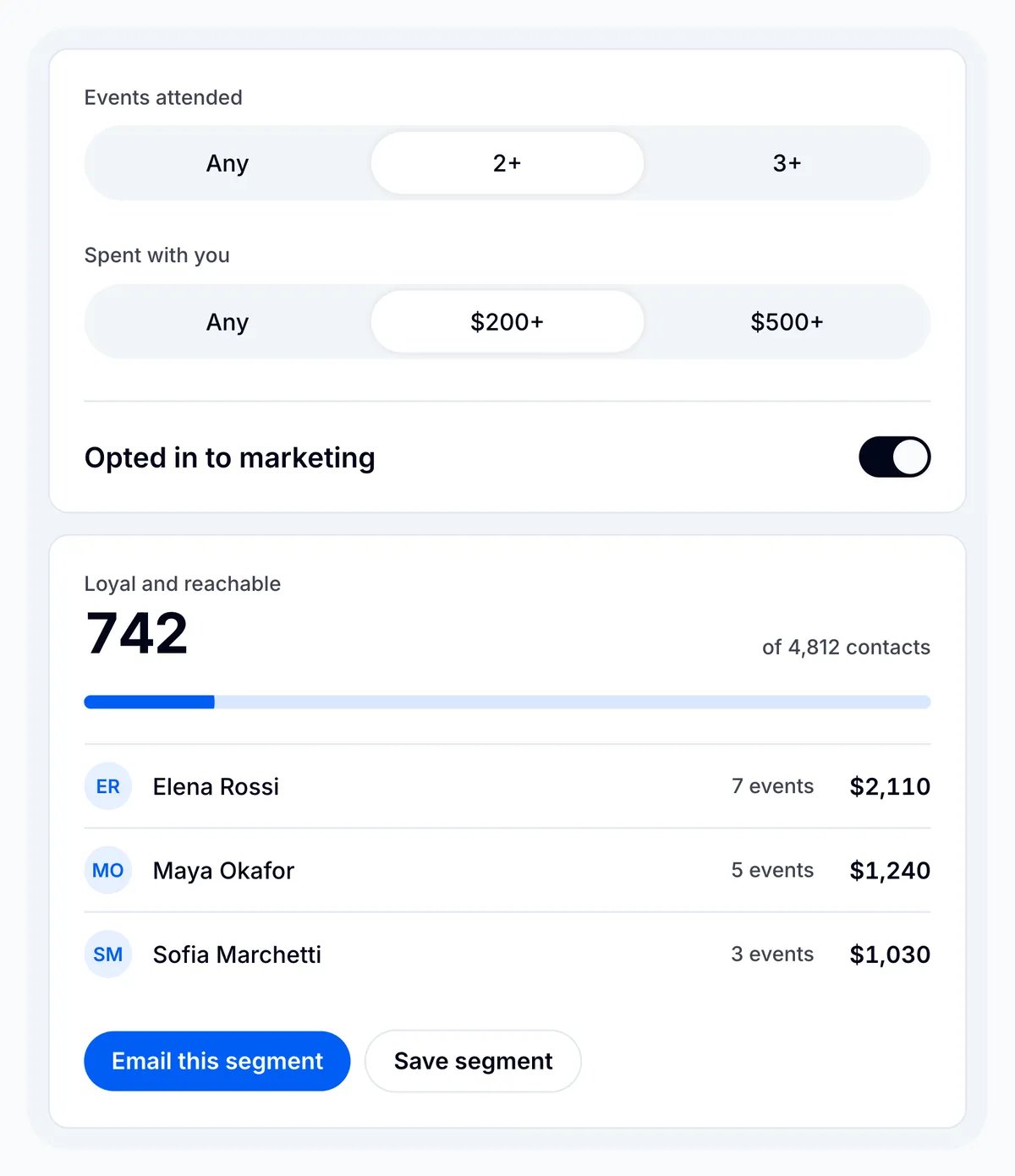
Loopyah's pricing is US$1.15 + 4.75% per paid ticket in the US and A$0.95 + 4.25% in Australia, including card processing. There is no mandatory platform subscription. Additional email, sponsorship transactions and Tap to Pay sales are charged separately when used; advertising spend is your own budget.
Selling tickets. For the monthly show, buyers can use guest checkout with Apple Pay, Google Pay or card. Afterpay is available in Australia at a different rate. You can add reserved seating if the event needs it, without introducing a separate seating plan subscription. The ticketing page explains the current purchase options.
Reaching buyers. The event CRM keeps one buyer record across events, including spend and marketing permission. You can build a segment of previous buyers for the next announcement; 500 marketing emails a month are included, with paid plans above that allowance. The AI Ads Manager manages Meta, Google and TikTok campaigns against ticket-sale data. You supply accounts, creative and budget. Tracked promoter links provide another route to buyers.
Getting paid. The published payout schedule is weekly, with no payout fee. In the same CRM, ticket revenue and other recorded income can be assessed against the costs you enter, so the monthly show's gross sales are not mistaken for profit. Sponsorship transactions and Tap to Pay sales have their own charges. Compare the weekly cash arriving with the dates your venue and suppliers need payment.
Running the event. Admins and door managers can scan tickets or search for a guest by name, according to the check-in guide. Customer records and sales reporting then remain available for the next event. Loopyah's advantage is this connection across events; its discovery reach is less established than Eventbrite's, and flat-fee alternatives can cost less on an individual sale.
2. Eventbrite: best for broad public-event discovery
Eventbrite belongs on a shortlist when reaching people already looking for events is part of the purchase decision. Its marketplace is a real distribution channel to investigate, especially if you are entering a new city or selling a format people browse for locally.

Eventbrite's published ticketing fees are 3.7% + US$1.79 per sold ticket in the US, plus 2.9% payment processing per order. The Australian listed rate is 5.35% + A$1.19 per ticket, with no separate processing charge in that schedule. Confirm the rate attached to your account and payout country.
Selling tickets. You can publish the monthly show's event page and use embedded checkout on your own site. Compare the full buyer journey on a phone, including questions, fee visibility and how guests retrieve their tickets. Embedded selling and marketplace discovery serve different parts of that journey.
Reaching buyers. Eventbrite's marketplace puts the show where people browse for local events. Its promotional tools also include email campaigns, tracking links and advertising. For a recurring show, that means you can work on previous attendees as well as new discovery. Check the email allowance and ad budget you need; a marketplace listing does not guarantee new sales.
Getting paid. Eventbrite's payout guidance distinguishes standard post-event payments from scheduled payouts. Early scheduled payouts require eligibility and have a 20% net-sales reserve. If the monthly show's venue invoice is due before the event, establish which schedule you qualify for and how much will remain available after the reserve.
Running the event. The Organizer app supports onsite sales and order management. Check the event-day payment charges as well as the online fee, and establish staff access before doors open. Eventbrite is most compelling when its marketplace contributes useful demand; for an established mailing list or promoter network, compare the cost and customer workflow in our Loopyah versus Eventbrite breakdown.
3. Ticket Tailor: best for cost-conscious sellers with their own audience
Ticket Tailor is a strong option when people already come to you through a website, email list or established brand, and you want a ticketing charge that does not rise as a percentage of the ticket price. You can keep the payment-processor relationship separate from the ticketing software.
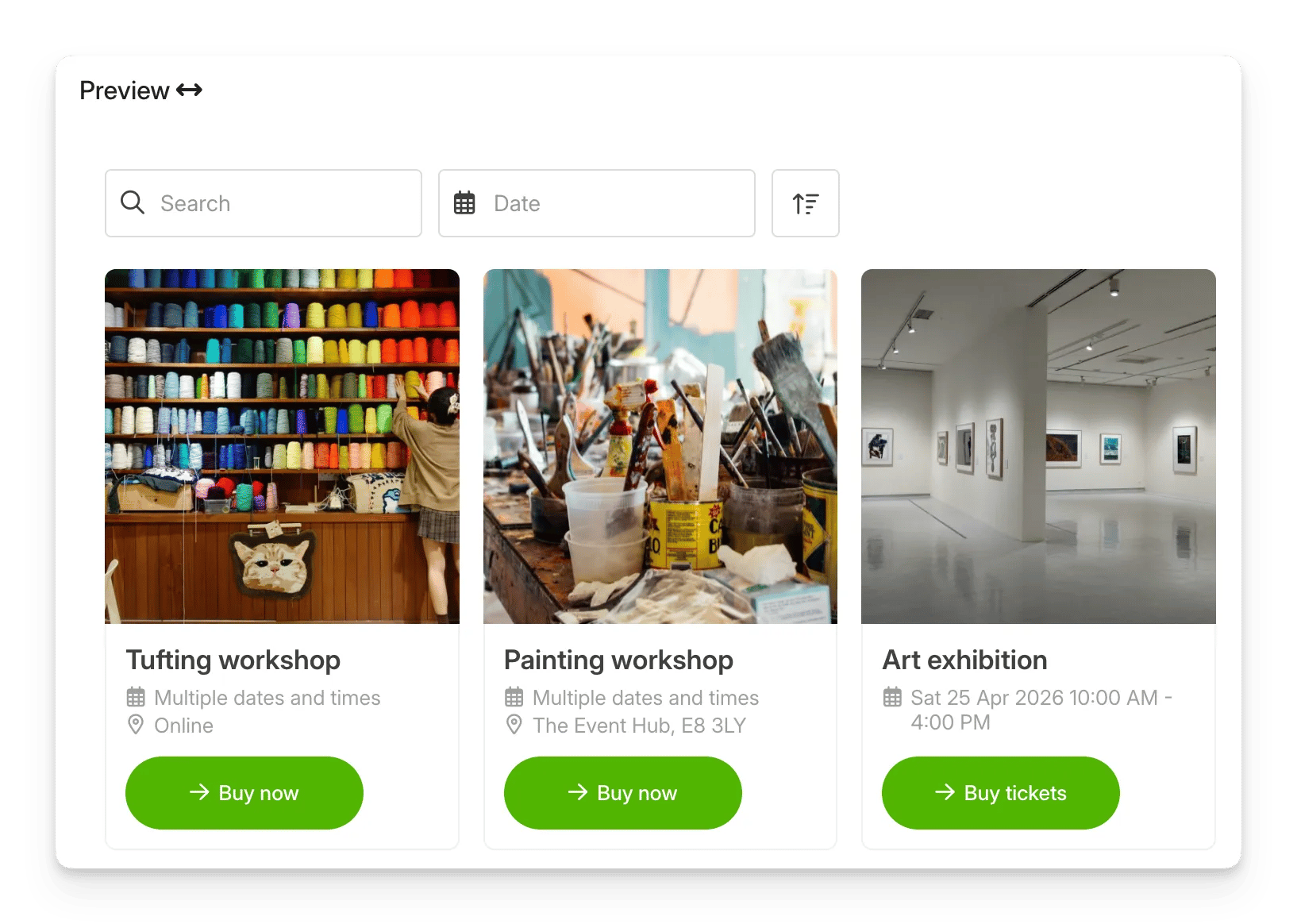
Ticket Tailor's pricing separates its usage fee from payment processing. Its current seating-fee guidance identifies the ordinary Pay as you go rate as US$0.85 or A$1.10, and charges that usage again for a reserved seat. Lower-cost prepaid credits are also available.
Selling tickets. The monthly show can sell through an embedded box office on its own website. A higher ticket price does not increase Ticket Tailor's ordinary fixed platform fee, although the processor's percentage charge still rises. General admission and reserved seating need separate calculations: a paid reserved seat incurs additional usage.
Reaching buyers. Ticket Tailor provides attendee updates and connections to email and CRM tools. For the next monthly announcement, you can sync buyer data into tools such as Mailchimp or ActiveCampaign and use their segments and campaigns. That is an integration with another account, whose charges and setup belong in the comparison; it is useful if that account already runs your marketing.
Getting paid. Its payments setup routes transactions through your connected processor, so bank timing depends on that provider and account. Prepaid credits can reduce the platform rate, but do not cover processing. A standard sold ticket uses one credit; a paid reserved seat uses two. Price the volume and seating you will actually sell.
Running the event. Ticket Tailor's check-in app includes offline scanning and staff profiles. For the monthly show, this can cover admissions while your existing email and finance tools handle the wider business. That combination can be economical when it already works well. The Ticket Tailor comparison explores the choice against Loopyah.
4. Humanitix: best for operators who value its charitable model
Humanitix combines broad ticketing functionality with a charitable model: booking-fee profits go to its charity partners after operating costs. That is a reason to consider it if the model matters to your event's identity. The entire booking fee is not a donation, and the product still needs to fit the way you sell and run the show.
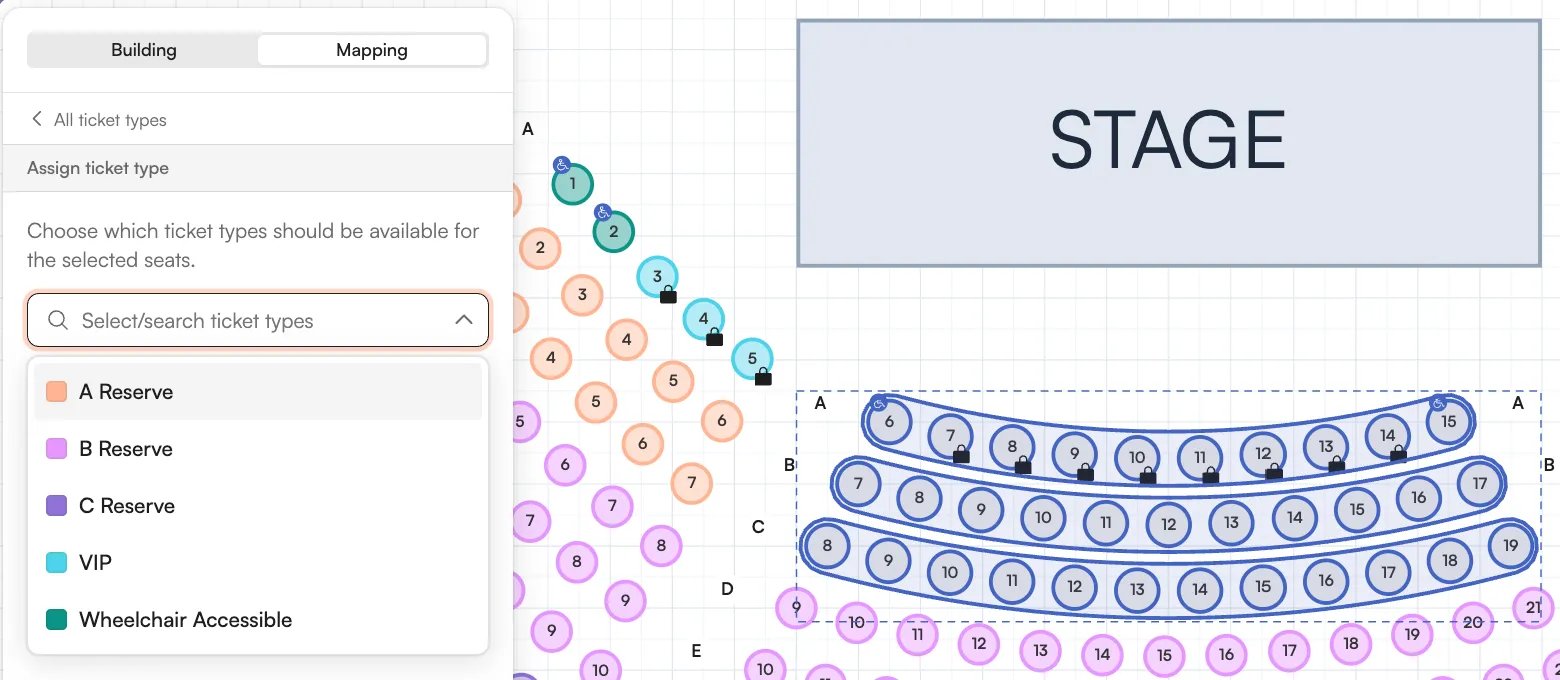
Humanitix's fee schedule lists 5% + US$1.29 per paid ticket in USD, plus applicable taxes, and 4% + A$0.99 in AUD, plus 10% GST. These rates include processing on the Humanitix payment gateway. Other gateway arrangements and currencies need their own calculation; eligible charities and schools receive different rates.
Selling tickets. Humanitix's published features include ticket types, embedded selling, reserved seating and merchandise. For the monthly show, you could start with general admission and evaluate seating if the venue later changes. Those capabilities deserve consideration alongside the charity model.
Reaching buyers. Built-in email campaigns and a Mailchimp integration are both listed. For the next event, decide whether you want to send through Humanitix or use an external marketing account, then confirm audience selection and sending limits. Having an integration does not make the external account or its work disappear.
Getting paid. The Humanitix gateway normally pays after the event, with a payout after each recurring date. Early requests need approval. Connecting Stripe changes the payment route and lets that account control payout schedules, but introduces separate processing terms. If the venue needs paying before the show, settle this gateway choice before comparing fees.
Running the event. A scanning app, team permissions and reporting are included in the published feature set. Check how the door team would use them for your layout and devices. Humanitix can suit the monthly show operationally; the remaining decision is whether its charitable model, customer workflow and total charges fit better than the alternatives. See the Loopyah and Humanitix comparison.
5. TicketSpice: best for configurable admissions workflows
TicketSpice is worth researching when the difficult part is configuring what someone can buy: timed admission, multiple dates, add-ons or a more involved sales page. Its plan structure makes it important to price the workflow you need.
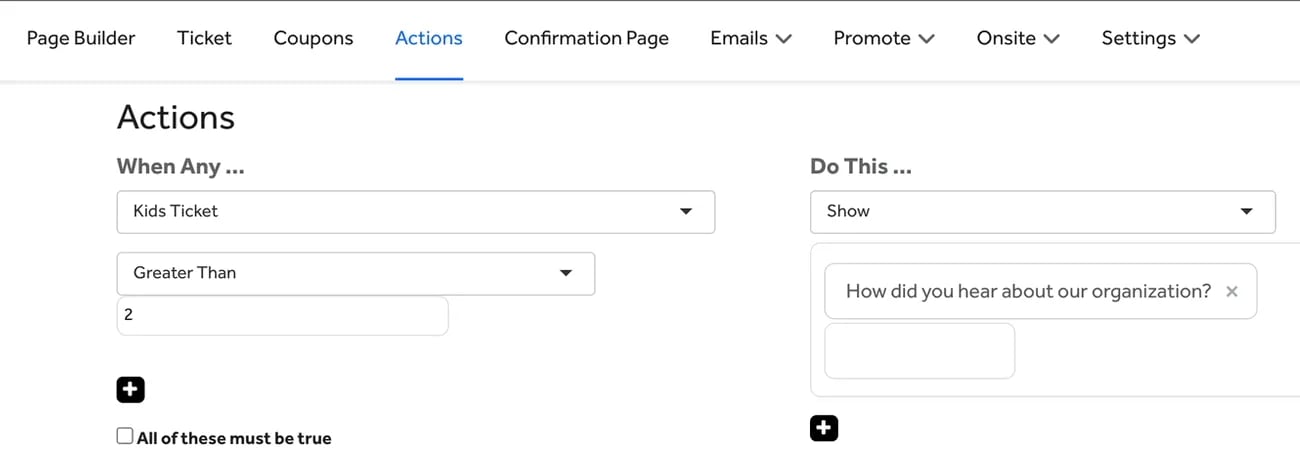
The current pricing page lists Standard at US$0.99, Premium at US$1.49 and Pro at US$1.99 per paid ticket, plus card processing. Published Webconnex processing is 2.9% + US$0.30 per transaction. Premium is the relevant starting point for the reserved-seating, season-pass and payment-plan features discussed here, rather than Standard's headline rate.
Selling tickets. A page builder and conditional logic let the purchase path reflect a buyer's selections. For our monthly show, Standard covers ordinary and recurring admissions. If it expands into timed sessions, Standard also lists timed entry; reserved seating, season passes and payment plans move the comparison to Premium.
Reaching buyers. The published plans include customer records and email tools. More involved winback, drip and SMS workflows have different bundles or charges by plan. For next month's announcement, compare your required audience and send volume on the plan you would actually buy, rather than assuming the lowest ticket fee includes every campaign.
Getting paid. The published standard payout schedule is weekly; daily payouts are listed as available on Pro. The fee documentation also lists an additional 1% charge for a custom payment processor, on top of that processor's own fees. For a recurring show's cash budget, establish both the settlement schedule and the gateway cost.
Running the event. TicketSpice's Box Office app supports onsite sales and check-in, with staff-operated and self-service modes. Its current device guidance specifies iPhone or iPad, not Android. That is a practical constraint if your monthly door team brings mixed devices. Price the relevant plan, onsite transactions and any equipment before choosing the setup.
6. DICE: best for music discovery and app-based ticketing
DICE is a specialist option for promoters and venues whose audience discovers music and keeps tickets in its app. The attraction is the relationship between music interests, recommendations and the ticket, rather than simply another checkout link.
DICE's US self-sign-up terms list a 13% service fee on face value, described as an outside commission, including processing. Partners with separate ticketing agreements have their own terms. Confirm which agreement and market apply before comparing its price with the other platforms.
Selling tickets. DICE's app-based delivery keeps tickets linked to the buyer's phone, with alternatives for access problems. For a monthly music show, an audience already using DICE may find that familiar. Ask how the journey works for a first-time buyer who expects an emailed ticket.
Reaching buyers. Its app guide describes music-interest recommendations, artist and venue follows, and reminders. Those are useful channels to evaluate for the next show. They are different from selecting an opted-in customer segment for your own email campaign; confirm the organizer marketing and export arrangements you need.
Getting paid. The US self-sign-up terms describe settlement within five business days after the event, subject to their conditions. Advances can be agreed separately. A monthly promoter whose venue needs paying before the show should confirm an advance or arrange another source of cash, rather than assume ticket proceeds will arrive in time.
Running the event. The waiting list lets eligible ticket holders offer tickets back to other fans, where enabled. A return is not a guaranteed sale or refund. Include ticket transfers and phone-access problems in the door-team demonstration; the comparison with Loopyah covers the broader delivery tradeoff.
7. Posh: best for socially driven events and attendee referrals
Posh is a useful option for operators whose events grow through people inviting other people: parties, nightlife, cultural events and recurring communities. Its marketplace, messaging and referral tools address that pattern directly.
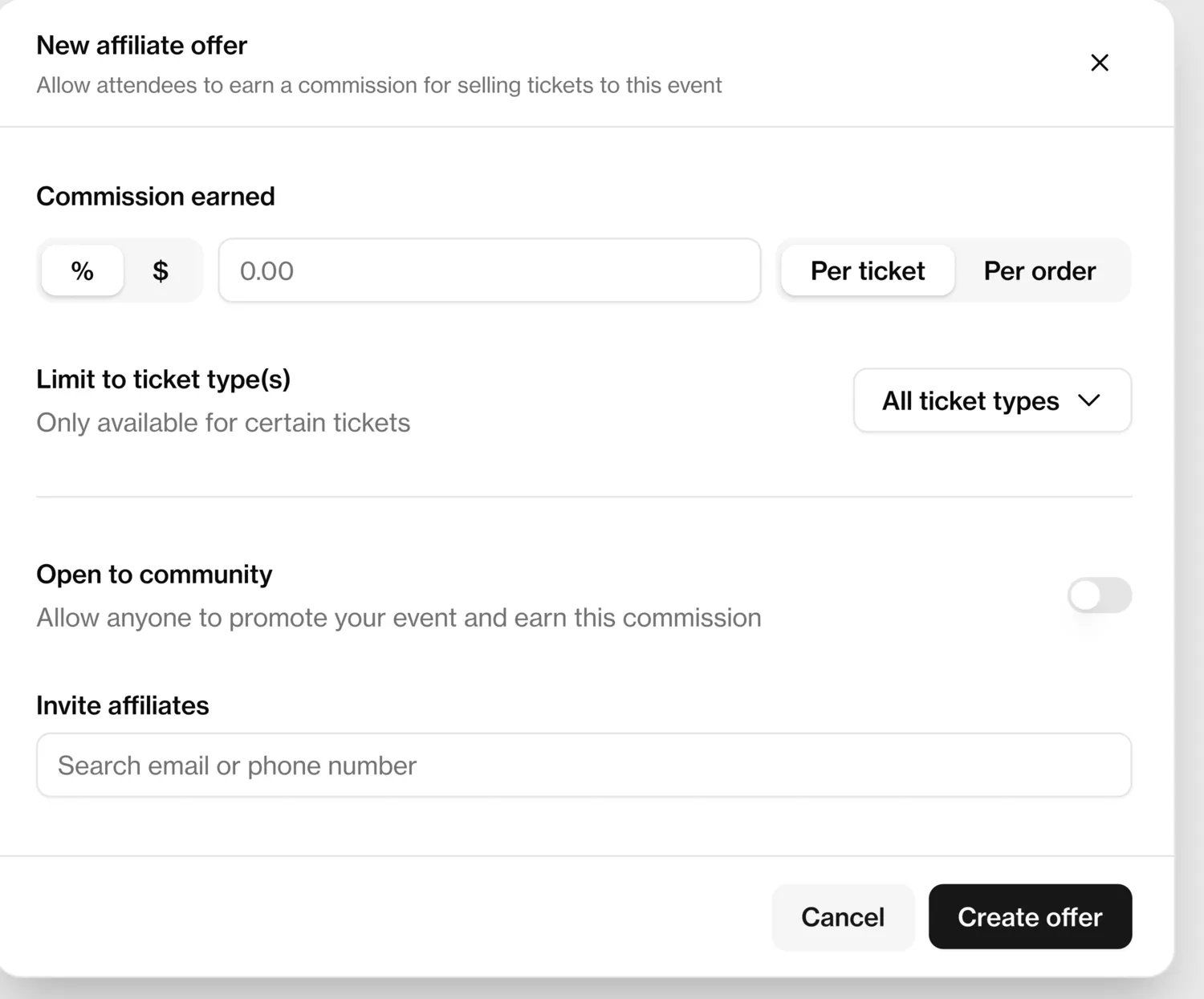
Posh's published payment explanation gives a paid-ticket rate of 10% + US$0.99, including processing, with a choice to absorb or pass on the fee. Its payout documentation distinguishes free standard payouts from an optional 5% instant-payout fee with eligibility requirements. Confirm the currency and onboarding available to your business.
Selling tickets. Posh's organizer platform combines event pages with a social marketplace. For the monthly show, check the full mobile purchase and ticket-access journey in the currency you will use. The percentage fee becomes a larger dollar amount on higher-priced tickets, so include the buyer's final total in that check.
Reaching buyers. Kickback links can pay attendees or promoters for referred sales. Ordinary tracking links measure referrals without earning that commission. The SMS guide limits organization-wide blasts to ten per rolling 30 days; event-level messages have a different allowance and end three days after the event. For email, Posh documents a Mailchimp integration, so evaluate that account too.
Getting paid. Its payout guide separates pending sales, cleared balances and bank withdrawals. Standard payouts are free; instant payouts cost 5% and require eligibility. For the monthly show's venue payment, check when proceeds clear and when the bank transfer arrives. An available platform balance is not the same as cash already in the bank.
Running the event. Door staff can use a Scanner PIN or Doorperson role. A PIN can grant temporary scanning access without giving the person your financial dashboard. This suits a monthly show using different door staff, provided you manage their access. See the Loopyah versus Posh comparison for the direct choice.
Compare the work beyond checkout
The same monthly show needs new buyers, returning customers, money for the venue and a functioning door. These tables separate those jobs. Built-in means a workflow is in the product; it does not mean unlimited free use. Integrations use another account. Paid extras and unverified details are stated where they affect the choice. Sources and conditions are in each review above.
Reaching new buyers and bringing previous buyers back
Platform | Reach new buyers | Bring previous buyers back |
|---|---|---|
Loopyah | Built-in ad management and promoter links; you fund the ads | Cross-event CRM and segments; 500 emails/month included, more paid |
Eventbrite | Marketplace discovery and advertising options | Built-in email campaigns; confirm sending allowance |
Ticket Tailor | Sell through your site and your marketing channels | Attendee updates built in; segmented marketing through CRM/email integrations |
Humanitix | Embedded selling and promotion tools | Built-in email campaigns; Mailchimp integration also available |
TicketSpice | Configurable pages and marketing tools | Customer records and email; advanced campaigns/SMS depend on plan |
DICE | Music recommendations and social discovery | Artist/venue follows and reminders; confirm organizer email/export workflow |
Posh | Marketplace and commission-bearing Kickback links | Built-in SMS with limits; Mailchimp integration for email |
For the monthly announcement, Loopyah's segment, Eventbrite's campaign tools and an external email integration are different ways to do the job. Compare the audience you can select, its permission records, the send allowance and any second software bill. A follow notification or marketplace recommendation is another channel, not proof that you can send your own customer campaign.
Access to money and the event-day setup
Platform | Access to ticket proceeds | Running the door |
|---|---|---|
Loopyah | Weekly published schedule; no payout fee | QR scanning, name search and door-manager access |
Eventbrite | Post-event by default; eligible scheduled payouts have a reserve | Organizer app for onsite sales and order management |
Ticket Tailor | Your connected processor controls bank timing | Check-in app with offline scanning and staff profiles |
Humanitix | Default gateway pays after each date; early requests need approval, or use a different gateway | Scanning app and team permissions |
TicketSpice | Weekly standard schedule; daily available on Pro | Box Office app is iOS-only; scanning and onsite costs depend on setup |
DICE | US self-sign-up settlement after the event; separate advances can be agreed | App-based tickets; confirm staff setup and access-problem handling |
Posh | Cleared balance before withdrawal; free standard or paid eligible instant option | Scanner PIN or Doorperson role |
If your venue invoice falls due before the show, a low transaction fee does not answer whether ticket money will be in your bank in time. Compare the schedule, eligibility and reserves with that deadline. Likewise, offline scanning, temporary staff access and device compatibility are practical differences even when every platform describes a check-in feature.
What do the ticketing fees look like on the same sale?
US example: the buyer pays $60 and you absorb all fees
Each row assumes one US$60 general-admission ticket in one order, a US domestic card and ordinary published rates. The buyer pays US$60 in every row. Taxes on tickets or fees, refunds, disputes, extras and negotiated discounts are excluded. The organizer's remainder is before event costs. These are calculated examples, not checkout quotes.
Platform and setup | Platform + processing fees | Organizer keeps before event costs |
|---|---|---|
Ticket Tailor Pay as you go + modeled Stripe | US$2.89 | US$57.11 |
TicketSpice Standard + Webconnex | US$3.03 | US$56.97 |
TicketSpice Premium + Webconnex | US$3.53 | US$56.47 |
Loopyah | US$4.00 | US$56.00 |
Humanitix standard gateway | US$4.29 | US$55.71 |
Eventbrite US schedule | US$5.75 | US$54.25 |
Posh paid-ticket rate | US$6.99 | US$53.01 |
Ticket Tailor's total includes a modeled Stripe card-processing charge, using its US processor-fee guidance. TicketSpice's processing rate comes from its fees page. The other rates are linked in the platform reviews above.
These totals assume you cover the fees. If you add fees to the buyer's bill, recalculate the total. Eventbrite also applies its processing charge to service fees and any tax.
Ticket price changes the gap. Under the same US assumptions, one US$20 ticket costs US$1.73 on Ticket Tailor and US$2.10 on Loopyah. At US$120, those modeled fees become US$4.63 and US$6.85. A fixed platform fee stays fixed as face value rises; the percentage-based parts of either bill increase.
At 1,000 of these single-ticket orders, modeled proceeds are US$56,000 on Loopyah and US$57,110 on Ticket Tailor. That US$1,110 difference is worth taking seriously. Decide whether the other workflows you would use justify their cost; do not assume software savings or extra sales that you have not established.
Basket size matters too. Two US$60 tickets in one Ticket Tailor order cost US$5.48 under the same model, compared with US$5.78 across two separate orders. The fixed processor charge is paid once. A fixed per-ticket charge still applies to both tickets.
Australian base-rate example: the buyer pays A$60
This separate example uses one A$60 ticket, the published Australian standard rates and all fees absorbed. The base figures exclude added taxes on fees. Read the tax column with the base charge: Humanitix explicitly adds GST, so its A$3.39 base is not the final booking fee.
Platform | Base fee before added tax | Organizer remainder before fee tax | Tax on the fee |
|---|---|---|---|
Humanitix | A$3.39 | A$56.61 | Add A$0.34 GST: fee A$3.73, remainder A$56.27 |
Loopyah | A$3.50 | A$56.50 | Check applicable invoice tax |
Eventbrite | A$4.40 | A$55.60 | Check applicable invoice tax |
Humanitix's GST figure is rounded to the nearest cent. Confirm the applicable tax on each provider's invoice before using the figures in your event budget. All remainders are before event costs.
The source schedules are Humanitix's currency table and Eventbrite's country table. Loopyah's Australian rate is on our pricing page.
DICE needs a separate calculation using its commission, face-value definition and your agreement. Obtain that figure before comparing its proceeds with the examples above.
Absorb or pass on: what changes for the buyer?
On a US$60 Loopyah ticket, with the same assumptions and no added taxes:
Fee treatment | Buyer pays | Ticketing fee | Organizer keeps before event costs |
|---|---|---|---|
Absorb the fee | US$60.00 | US$4.00 | US$56.00 |
Add the fee to the ticket | US$64.00 | US$4.00 | US$60.00 |
Passing on the fee preserves the face value for the organizer but raises the buyer's bill. Compare both totals with what your audience is willing to pay, using our full ticketing-cost guide.
Before you choose
For the monthly show, first confirm your business can receive payouts in the country and currency you need. Then take the same ticket order, opted-in customer group and venue-payment deadline to your two finalists. Add seats or passes only if the actual event needs them.
Ask each finalist to show the purchase, the next-event announcement and the door workflow. Include a refund, a missing ticket and the export you would take if you left. Check whether required work happens inside the product, through an integration or as a paid extra. A list of feature names does not settle those questions.
For event-day support, ask who handles an urgent issue and during which hours in your timezone. For finance, compare cleared cash with the venue invoice date, then compare profit reporting with the costs you still need to enter. Those are separate tests of whether the software fits your business.
Which ticketing platform should you choose?
Use your main requirement to narrow the seven options to two. For the recurring event business described here, start with Loopyah and compare the alternative that addresses your most important tradeoff.
Your main requirement | Start with | What should decide between them? |
|---|---|---|
Customer history, marketing and event finances together | Loopyah and Ticket Tailor with your current tools | Will you use the connected workflows, or does your existing setup already work at lower total cost? |
Broad public-event discovery | Eventbrite and Loopyah | Is the marketplace relevant to your city and audience, versus the channels you bring yourself? |
Music-led discovery | DICE and Loopyah | Does the app audience and delivery model fit, and do settlement terms meet your cash needs? |
Attendee referrals and SMS | Posh and Loopyah | Compare commission setup, messaging allowances and the total buyer fee |
A charitable booking-fee model | Humanitix and Loopyah | Decide how much that model matters alongside marketing, payouts and total cost |
Choose the system that handles your required event setup, gives you a workable way to reach buyers and fits your cash budget. If you are replacing an existing platform, use our switching guide to plan the move before transferring an active event.
What if your event needs more than ticketing?
That depends on the work involved. Check whether your ticketing choice handles the communications, finance and onsite requirements you need. A conference with speaker submissions and a complex agenda may still need specialist software. Avoid paying for duplicate tools, but establish the actual capability before removing one.

Author: By the Loopyah Content Team
The Loopyah Content Team shares expert insights, practical guides, and industry updates to help event organizers create unforgettable experiences and stay ahead in the event planning world.