· 16 min read
Event registration form template: what to ask before checkout
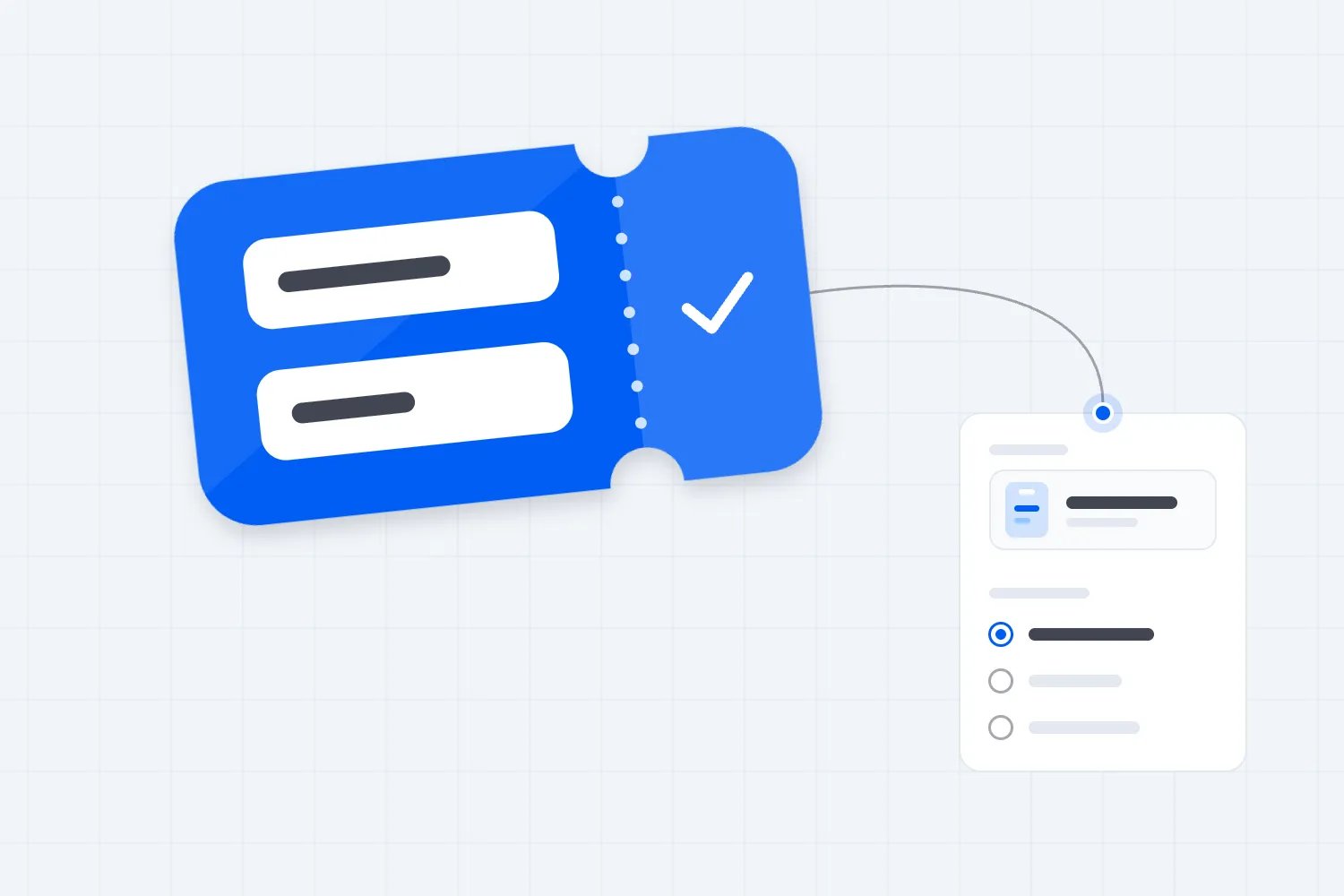
Your event registration form should collect what you need to complete the booking, deliver the ticket and prepare for the person attending. Ask for the buyer's contact details at checkout, keep attendee details separate, and move questions that can wait into a clear follow-up after payment.
That sounds obvious until everyone on your team adds a question. Marketing wants a job title. Catering wants a meal choice. Your sponsor wants a company name. Someone adds a mandatory phone number because it might be useful. Now a person who wanted two tickets has a questionnaire to finish.
The fix isn't to remove every question. It's to give each one a purpose, a person responsible for using the answer, and a sensible time to ask it. Below is a copyable event registration form template, followed by how to adapt it for group bookings, access requests and your own checkout.
Start by separating the buyer from the attendee
The buyer pays for the order. The attendee uses a ticket. Sometimes they're the same person. Often they aren't.
A manager might buy conference passes for colleagues. A friend might book a group for a gig. A parent might pay for a workshop they won't attend. If your form treats the buyer's answers as everyone's answers, the wrong name ends up on a badge or the catering team gets one meal preference for an entire group.
Keep information about the transaction with the order. That includes the buyer's name, receipt email and payment status. Keep information about someone's experience with that attendee, where you need it. A preferred badge name belongs to the person wearing the badge.
Don't make a group buyer invent missing details. Where your event allows it, let them complete the booking and arrange attendee details afterwards. Explain the deadline before they pay if completing those details is a condition of attendance.
For a straightforward general-admission show, you may not need a separate attendee questionnaire at all. A ticketing system can handle the booking and entry. Your form should solve a real gap, rather than duplicate the information that already exists.
Copy this event registration form template
Use the wording below as a starting point. Keep only the sections your event needs, replace the braces with your details, and check that your chosen software supports the flow. These are suggested fields and messages, not a promise that every ticketing platform lets you add them.
Opening message
Book your place at {event name}.
Choose your tickets and enter the details for the person making the booking. We'll send the order confirmation to that email address. If we need anything else to prepare for your visit, we'll explain it after payment.
Need help before booking? Contact {monitored email or telephone number}. Read our {access information} before choosing your tickets.
Put the date, venue, ticket inclusions, full price and relevant booking terms where the buyer can see them. Those are facts you provide, not questions the customer should have to answer.
Buyer details at checkout
Your name. Required. The name of the person making this booking.
Email for this booking. Required. We'll send your receipt, ticket information and essential booking messages here.
Ticket choice and quantity. Required. Use the ticketing system's available ticket types, prices and quantities.
Phone number. Include only if you have a defined operational use. Explain the use beside the field, such as contacting the booking lead about a transport change. Otherwise leave it out.
Invoice information. Show only where relevant and supported. Ask a business buyer for the billing details needed for their invoice, without putting unrelated company questions in everyone's way.
The payment step belongs to your ticket checkout. Don't add card-number, expiry-date or security-code fields to a general registration questionnaire. Don't ask buyers to email those details if payment fails. The PCI Security Standards Council's guidance on payment card numbers in messaging explains that PCI DSS prohibits sending unprotected card numbers through email, SMS, chat and similar channels.
Attendee details, only when needed
Name to show on your badge. Use this for an event that actually prints badges. Let the attendee provide the name they want displayed.
Company or organisation. Optional unless essential to the event's agreed registration purpose. Say if it will appear on the badge. Don't quietly turn a display field into a sponsor mailing list.
Session or activity choice. Ask only where the choice affects what the attendee can join. Handle limited availability through a supported booking process, not an unmonitored text answer.
Meal choice. Show this only to people whose ticket includes a meal. Give the real available choices and a route to discuss requirements those choices don't cover.
Preparation information. Ask for the answer that changes what you provide. For a practical workshop, that might be the equipment someone will bring, rather than their full employment history.
Where possible, show the attendee's ticket or booking reference alongside these questions so they can tell which place they're updating. Avoid asking them to retype details you can reliably associate with their booking.
Access and support requests
Is there anything you'd like to discuss so you can access and take part in this event? Optional.
Tell us what would help, or contact {named team or monitored contact} privately. You don't need to describe a diagnosis in this form. We'll contact you about the arrangements. Our published access information explains what's already available.
If an arrangement needs advance planning, explain that alongside the request. A planning date helps your team prepare; don't present it as an automatic refusal of later requests. Give the reader a person to contact if they're booking close to the event.
Optional marketing choice
Yes, email me about future events and ticket offers from {organiser name}. I can unsubscribe at any time.
Use an unticked choice if you're asking for consent. Keep it separate from accepting booking terms, and allow the person to buy without selecting it. Don't use vague wording such as "news from us and selected partners" if the actual purpose is sponsor marketing.
After the booking
Your booking is confirmed.
Your confirmation explains how to access your tickets. If attendee details are still needed, please complete {specific task} by {date and time zone}. For help or corrections, contact {support route} and quote your booking reference.
Only show this message once the ticketing system confirms the booking. Submitting a separate questionnaire is not proof that someone has paid or holds a ticket.
Decide what really has to be required
For every proposed question, finish this sentence: "We need this answer before payment because..."
"It might help marketing" isn't enough. "We need to know which paid workshop place to reserve" is a much stronger answer. The first is research you could ask later. The second can affect the product being purchased.
Give each field a simple decision:
Required now. You cannot complete this booking correctly without it.
Required later. The event needs it, but payment can happen first and you have a reliable follow-up process.
Optional. The buyer can leave it blank without losing the service they bought.
Remove. Nobody can name a decision or task the answer supports.
These labels need to describe what actually happens. A meal preference isn't optional if your caterer refuses to prepare anything without it. Equally, a job title isn't required just because your form builder has a switch that makes it compulsory.
For organisations subject to UK GDPR, this is also a data-protection issue. The ICO's data minimisation guidance says personal information should be enough for the stated purpose, relevant to it and limited to what is necessary. Define the purpose before collecting the field.
A useful internal record is one line per question: what you're asking, why, who uses it, when they need it and when you'll review or remove the answer. That record forces a practical conversation. If nobody owns the response, don't make the customer responsible for supplying it.
A worked example of cutting the form
Imagine you're selling tickets for an evening industry talk with a networking session. Your first draft asks for a name, email, telephone number, employer, job title, postal address, dietary requirements, social profile and a question for the speaker.
Now work through the actual event. Tickets arrive by email. There is no posted item, so remove the postal address. Nobody has an operational reason to call every buyer, so remove the phone field. The event serves drinks but no meal, so remove the dietary question and publish the relevant venue information instead.
You do print badges. Ask attendees for their display name after purchase, with company as an optional addition. A question for the speaker is useful but not essential to admission, so make it an optional part of the preparation email. Ask for a job title only if you can explain how you'll use it; don't collect a social profile simply because it looks useful.
The result still gives your team what it needs. You've changed when some answers arrive and removed others entirely. Before approving the shorter form, check with the person printing badges and the person briefing the speaker. They should know where their answers will arrive and when to expect them.
Move questions after payment without losing the answers
Post-purchase collection works when somebody owns the follow-up. Moving a question doesn't make the underlying job disappear.
Take a hypothetical paid conference with named badges and lunch. The buyer can choose and pay for their passes first. The confirmation then explains how each attendee supplies their badge name and meal choice. Your operations lead checks outstanding responses before the print and catering deadlines.
Work backwards from those actual deadlines. Don't choose a date because another event used it. Tell late buyers what still can be changed, and avoid promising a choice your supplier can no longer deliver.
Your follow-up needs to answer these questions:
Which booking or attendee does this request concern?
What information is still missing?
Why do you need it, and when?
Can the buyer provide it, or should the attendee respond privately?
How does someone correct an answer or get help?
Use an appropriate collection tool and limit access to its responses. Keep the ticketing platform as the source of truth for payment and ticket availability. A questionnaire should not create a second sales ledger or imply that a sold-out workshop still has places.
Loopyah's attendee email tools let you send and schedule these requests. Tell attendees where to submit the missing details and what happens after they respond. Before sending, check that their answers will reach the person responsible for acting on them.
Plan for corrections and changed bookings
An attendee changes their badge name. A colleague takes their place. A buyer cancels under your booking terms after submitting meal details. These are normal changes, and they can leave a separate questionnaire out of step with the ticket record.
Give attendees one clear correction route and tell your team which version of an answer to use. Don't ask a person to complete the entire questionnaire again when only their display name changed. If the software supports editing an existing response, test that process; otherwise assign the correction to a named member of staff.
Before sending final information to a supplier, compare the relevant responses with current bookings. Remove cancelled places from the delivery list where appropriate, resolve duplicates and flag missing answers for follow-up. Share the operational information the supplier needs, rather than exporting every field by default.
This doesn't mean keeping a second inventory of paid tickets. It means checking that the additional information still belongs to a valid booking before you act on it. Keep refunds, transfers and ticket status inside the ticketing process. If an attendee changes, review any personal preparation details instead of copying the previous person's answers to the replacement.
Make access information easy to find before purchase
Don't hide basic access facts behind a question asking whether someone has "special needs". Describe the event and venue arrangements clearly so people can decide whether to book and what they want to discuss.
Your access contact should be able to explain the step-free route, seating arrangements, communication support and any known limitations relevant to the event. If they need to check something with the venue, tell the attendee when to expect an answer. Read our event accessibility checklist for the wider preparation beyond registration.
Ask about the arrangement someone needs, not for a medical history. Avoid turning a free-text access box into information visible to every volunteer, sponsor or exhibitor. Route requests to the staff who can act on them, and share only what each delivery team needs.
The form itself also needs attention. W3C's accessible forms guidance covers clear labels, related controls, instructions and understandable feedback. A field name that disappears when someone starts typing isn't a substitute for a proper label.
Test the journey using a keyboard and a small screen. Mark required fields with words, not colour alone. Make errors specific enough to fix, and keep the person's earlier answers when something goes wrong. An accessible alternative contact route is useful, but it doesn't excuse leaving an avoidable barrier in the main booking path.
Explain what happens to the information
A short sentence beside a field can answer an immediate question. A proper privacy notice covers the wider use of the information. You need both to match what your team actually does.
For example, "We'll use this to print your badge" is helpful beside a badge-name field. It becomes misleading if the same information also feeds a public attendee directory without a clear explanation or appropriate choice.
For UK GDPR purposes, the ICO's privacy information guidance covers matters including who collects the information, the purposes and lawful basis, recipients, retention and individual rights. It also addresses information obtained from someone else, which matters when a group buyer supplies colleagues' details. Use the requirements that apply to your organisation and audience; this template isn't a complete privacy notice.
If access or dietary answers reveal health information, UK GDPR treats that as special category data. Before collecting it, identify both a lawful basis for using personal information and an Article 9 condition, the additional legal requirement for using this sensitive information. Keeping the answers private is only part of the job.
Separate essential event communication from promotion. Telling a ticket holder that doors have moved is a different task from selling them your next show.
Under the UK's PECR rules, unsolicited email marketing to individual subscribers needs consent or a qualifying exception. The ICO's electronic mail marketing guidance explains consent and the limited soft opt-ins. A purchase alone doesn't mean every future campaign is allowed. When you rely on consent, keep the choice separate, affirmative and recorded.
Decide who can view each kind of response. Your badge printer needs approved badge text. A catering contact needs relevant meal arrangements. Neither automatically needs everyone's marketing preference or private access correspondence.
Set a review date for the information you collect. Some records serve ongoing booking, accounting or dispute purposes; a temporary badge preference may have a different useful life. Don't pick one blanket deletion date without checking the purpose and applicable requirements. Equally, don't keep a duplicate spreadsheet indefinitely because nobody remembered it existed.
Adapt the template to the event you're selling
For a general-admission performance, start with the shortest version. The buyer chooses tickets, gives their contact details and pays. Publish useful arrival and access information on the event page. You probably don't need employer, job title or preferred badge name.
For a paid conference, attendee names may matter for badges or access to particular sessions. Ask only for the details your delivery process uses. If the attendee directory is optional, make that visible and keep its settings separate from the basic booking.
For a practical workshop, identify genuine prerequisites before selling. Explain what participants need to bring and any suitability requirements on the event page. If a question determines whether someone can take part, resolve that before payment rather than collecting it afterwards and discovering you sold the wrong place.
For a group booking, give the booking lead a clear way to pass preparation instructions to attendees. Don't ask them to guess colleagues' access requirements or agree to marketing on their behalf. Make private contact possible for information an attendee doesn't want to share through their manager.
Loopyah's ticket checkout handles ticket selection and payment with guest checkout. Start there for a paid event. If you need further preparation details, choose a collection method that supports those questions and test how you'll match the answers to the right booking.
Test the complete booking, not just the first screen
Before opening sales, follow the entire journey with realistic bookings. Use your platform's supported test process, and make sure any test orders are clearly identified and handled appropriately.
Try someone buying for themselves, a buyer booking for a group, an attendee who leaves optional fields blank and a person who needs to ask about access before purchasing. Watch where each person has to guess.
Then check the handoff to your team:
Does the right email receive the confirmation and ticket instructions?
Can the buyer tell whether the booking succeeded?
Does a separate form submission avoid claiming payment or entry is confirmed?
Can an attendee correct their own information without exposing someone else's answers?
Do operational requests reach a monitored inbox or responsible person?
Are optional questions still optional when the form is submitted?
Do staff know which system holds the current ticket and payment record?
Read the messages out loud. "Registration successful" can mean several things. "Your ticket booking is confirmed" and "We've received your meal choice" tell people exactly what happened.
After sales begin, review support requests and incomplete follow-ups. If buyers repeatedly ask why you need a field, improve the explanation or remove it. If operations keeps chasing the same missing answer, check its timing and owner before making the entire checkout longer.
Your event registration form is ready when each required answer has a job, each optional answer can be skipped and every follow-up has someone responsible for it. Keep the purchase clear, collect preparation details at the right time, and let attendees understand what you're asking before they hand over their information.

Author: By the Loopyah Content Team
The Loopyah Content Team shares expert insights, practical guides, and industry updates to help event organizers create unforgettable experiences and stay ahead in the event planning world.