· 21 min read
How to use Google Analytics 4 to understand ticket buyer journeys
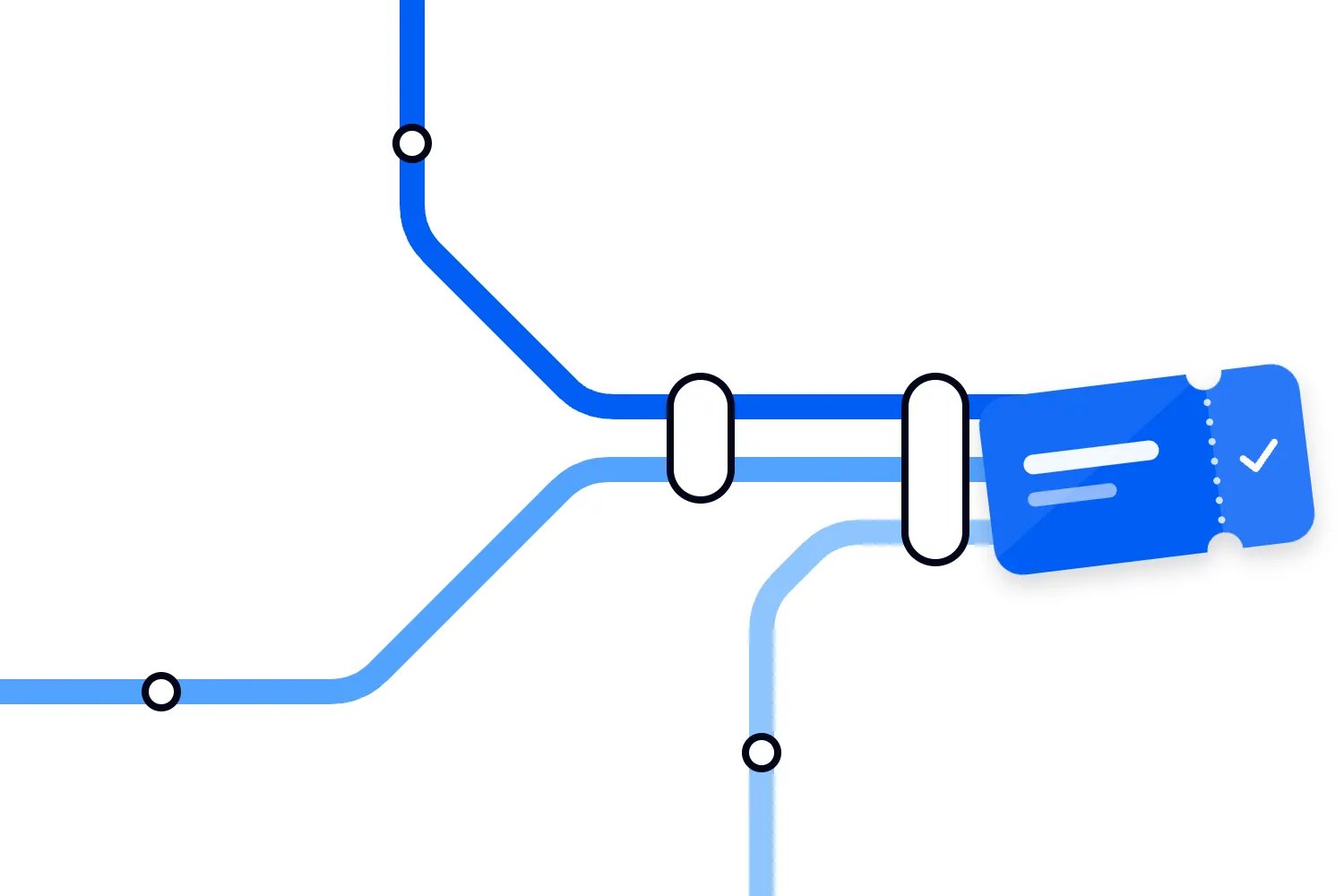
Your ads are getting clicks. People are opening the event page. Tickets are selling, but you're still wondering why so many visitors leave before buying and which marketing actually helps people make up their minds.
Google Analytics 4 can help you answer that. Use it to follow the actions people take before a confirmed ticket purchase, compare where those actions stall, and investigate the pages or campaigns involved. Then check what you find against your ticketing records. The sales record tells you what happened to the order; GA4 helps explain the parts of the online journey it could observe.
The first thing you want to do is decide which question would change your next decision. "Where do mobile buyers stop?" is useful. So is "Does our reminder email bring people back to buy?" A dashboard full of traffic numbers won't answer either question unless the purchase journey is measured properly.
This guide walks through that process for a paid event. We'll use a hypothetical evening show as our example, with buyers arriving through ads, email and search. There are no industry benchmarks here. Your audience, ticket offer and selling period determine what a sensible result looks like.
Start with the journey your buyers actually take
Think about someone considering your show. They see a short video during lunch, open the event page on their phone, check the date and send the link to a friend. That evening, they open your reminder email, choose two tickets and pay. They may have needed the second visit because they were waiting for an answer, not because anything went wrong with checkout.
Someone else lands directly on the ticket selection screen through a promoter link. Another reads the venue information before deciding whether getting home will be awkward. A returning customer might already know the venue and go straight to buying.
These are useful differences. If you assume everyone starts on your homepage and follows the same route, your report can make perfectly normal purchases disappear from the journey you're analysing. Before setting up reports, buy a ticket yourself through the routes you promote. Ask someone unfamiliar with the event to do the same and explain what they need to know.
Write down the meaningful actions in plain words. For our show, those are viewing the event, choosing tickets, starting checkout and completing a paid order. Venue information and ticket terms are supporting pages. They help explain a decision, but nobody should have to visit them to qualify as a buyer in your main report.
Keep this description close to the commercial question. You're trying to learn whether people understand the offer, can select the tickets they want, and can pay without unnecessary trouble. Measuring every small interaction won't automatically make the answer clearer.
You also need to know which parts you can observe. Your website may show the event information while another domain handles tickets and payment. Ask whoever manages your ticketing setup which steps send data to your GA4 property. A measurement gap halfway through checkout can look exactly like people abandoning it.
Make confirmed purchases the basis of your measurement
GA4 records actions as events. A page view is an event, and a completed purchase can be one too. For ticket journeys, use the established ecommerce event names when your implementation supports them. Google documents `view_item` for viewing an item, `add_to_cart` for adding it, `begin_checkout` for starting checkout and `purchase` for buying in its ecommerce measurement guide.
You don't need to pretend your checkout has a shopping cart if it doesn't. A buyer might select a ticket quantity and continue directly to checkout. Measure that actual action consistently, then build a report around the steps that exist. Otherwise, you'll introduce a cart step that nobody completes and spend time investigating a problem you created in the report.
Ask your provider or developer to show you the event definitions. "Purchase fires on the confirmation page" is incomplete. What confirms payment? Can an unpaid order reach that page? What happens if the buyer refreshes it? Your required outcome is a confirmed paid order, with a stable identifier that lets you match it to your ticketing records.
That distinction matters when payments fail or take time to resolve. Clicking the pay button expresses intent. It doesn't prove that you received money. A pending payment should not become a completed purchase simply because the buyer reached the end of a form. Agree how your setup handles delayed confirmation before judging campaign performance.
For our hypothetical show, one buyer purchasing two tickets creates one order. The order contains two ticket units. Keep purchases, buyers and ticket quantities separate when you review the results. Selling more tickets per order can improve revenue even if the number of buyers stays flat, while repeated event notifications can inflate an event count without adding a single ticket.
GA4 purchase value also needs a clear definition. Google specifies the sum of item prices multiplied by quantities, excluding tax and shipping, and requires a currency when value is supplied. Have your implementation follow that definition and explain how it represents ticket fees. Compare the same amount in your sales records rather than assuming GA4 revenue equals your payout.
Check the data before looking for lost buyers
Run a test purchase using the same route a real buyer would use. Watch the events arrive in your testing tools, then check the completed order in your ticketing system. You want the right actions in the right sequence, with the correct event, ticket type, quantity, currency and order value.
Next, repeat the situations that usually expose mistakes. Go back to ticket selection and change the quantity. Refresh the confirmation page. Use an unsuccessful payment, then try again successfully. Test a purchase that leaves your website for payment and returns. If you sell through an embedded checkout, test that route separately from the standalone ticket page.
The person running the test should keep a short record of what they did and which paid order resulted. This makes a disagreement easier to investigate. "The report is wrong" gives your provider little to work with. "This paid order appeared twice after I refreshed its confirmation page" tells them what to reproduce.
Google's guidance on avoiding duplicate purchases with transaction IDs requires a unique identifier for each order. For web streams, GA4 uses matching transaction IDs to deduplicate purchases. Don't send an empty ID, reuse one across unrelated orders, or include customer identifying information in it. This safeguard does not apply to app streams in the same way.
Still test your implementation rather than treating that safeguard as a guarantee. Two pieces of tracking might send different identifiers for the same purchase, or one might omit the identifier entirely. Your provider needs to resolve those mistakes where the data is sent. A reporting filter that hides duplicates won't fix the purchase data other reports use.
Then review a normal selling period alongside your ticketing records. Check the timezone, date range, currencies, refunds, complimentary tickets and purchases made outside the measured website. You should expect some differences when tracking is unavailable or people withhold consent. What needs investigation is an unexplained change in those differences, especially after a checkout or tracking update.
Keep the journey connected across websites
Hosted checkout is a common source of confusion. A person arrives through your campaign, leaves your event website to buy tickets, then returns after paying. If the websites don't share the right measurement setup, GA4 may fail to connect those actions into the journey you expected to see.
Google's cross-domain measurement instructions explain how to connect supported domains using the same web data stream. The setup carries identifiers between those domains. Redirects that remove the linking information can break it. Ask your provider whether you can configure and test both the event website and ticket checkout; adding a domain name in your own settings isn't sufficient by itself.
A payment service appearing as a referral deserves a separate check. That service may have processed the payment without introducing the buyer to your event. Google's unwanted referral guidance specifically covers third party payment processors. Use that setting where appropriate, but don't mistake excluding a referral for measuring the checkout steps that were missing.
For our show, test the full route from a labelled campaign link to a paid order. Check whether the original source remains understandable after the payment return. If your checkout provider can't expose the intermediate actions, record that limitation. You can still compare traffic to your event page and confirmed sales, but you cannot calculate a reliable loss rate for an invisible checkout step.
This is also why a technical change needs a date in your notes. Suppose cross-domain measurement starts working midway through the selling period. The apparent improvement in checkout completion may reflect better measurement. Comparing the period before the fix with the period after it as if nothing changed would give you the wrong answer.
Choose the right source report for your question
A buyer journey often contains several visits. The source that introduced someone to your event can differ from the source that brought them back before purchase. GA4 has different traffic source dimensions for those questions. Google explains the distinction in its guide to traffic source scopes.
First user source describes the source associated with acquiring the user. Session source describes what originated a visit. Event scoped source information is used when assigning credit to key events under the applicable attribution settings. The scope tells you which level the information describes; the attribution model determines how eligible sources receive credit. They are separate choices.
For our show, a person first discovers you through search and later returns through email. First user source can help you understand discovery. Session source helps you investigate the returning visit. Attribution reporting asks how the tracked sources receive purchase credit. There is no reason those reports must tell the same story.
Choose your question before comparing channels. If you're deciding where new audiences come from, look at acquisition and the subsequent quality of those audiences. If you're assessing a reminder, examine the visits it generated and the purchases associated with the relevant analysis. If you're reallocating campaign budget, consider purchase attribution alongside spend and confirmed sales.
Use clearly labelled campaign links for marketing you control. Give the show one consistent campaign name, distinguish the channel and distinguish different messages where that comparison will help. Agree the naming with everyone sending links. "Newsletter", "newsletter" and an unrelated abbreviation make a simple email comparison harder than it needs to be.
Keep those labels out of links between pages on your own site. Internal navigation should help a buyer move through the event information, not introduce a new marketing source. Also remember that an unlabelled visit doesn't prove someone has no previous relationship with your event. Your reports describe the information GA4 received, rather than everything the person remembers seeing.
Build a funnel that matches your checkout
A funnel compares how many users complete a defined sequence of actions. It is useful when you already know the route you want to inspect. For our show, start with viewing the event, beginning checkout and purchasing. Add ticket selection if you can measure it reliably and if it helps separate uncertainty about the offer from difficulty paying.
In Explore, choose Funnel exploration and define the steps using your verified events or page conditions. Give the exploration a name that includes the event and the question. Someone opening it later should understand whether it measures the whole event page journey or only checkout completion.
Google's funnel exploration documentation explains that a closed funnel requires entry at the first step, while an open funnel allows entry at a later step. Users must still follow the defined sequence. The exploration counts a user's first qualifying sequence in the selected period, so its user totals aren't interchangeable with order totals.
Use a closed funnel when you want to inspect the journey beginning on your event page. Use an open funnel to understand routes where buyers legitimately enter later, such as a link straight to checkout. Keep their names distinct. Otherwise, a teammate can compare the two completion rates and conclude performance changed when the inclusion rule changed.
Also decide how much time the journey can take and whether intervening actions are allowed. A buyer who checks venue information before paying should usually remain part of your event journey. Someone returning much later to buy a different event shouldn't silently become evidence about this show's checkout. Apply event specific conditions wherever your data supports them.
Test those conditions against known journeys before using the funnel for decisions. Shared checkout pages can contain purchases for several events. A page condition that includes every checkout might combine unrelated buyers, while a condition tied to an old URL can miss the new ticket page entirely.
Start with a broad view, then compare one useful difference. Device category is a sensible first choice if buyers arrive on phones but purchases appear to happen elsewhere. Channel can help when different campaigns promise different things. Splitting by several dimensions immediately often leaves groups too small to explain anything confidently.
Read the drop between steps carefully
The denominator is the group you're dividing by. Write it down whenever you discuss a completion rate. Checkout completion among people who started checkout is a different measure from purchases among people who viewed the event. Both can be useful, but they answer different questions.
Imagine a hypothetical closed funnel containing one thousand observed users who viewed our show, two hundred who began checkout and one hundred who purchased in the qualifying sequence. That gives twenty percent reaching checkout and fifty percent completing it from there. Ten percent of the original group reached purchase. These are invented teaching figures, not customer results or targets.
| Label | Users |
|---|---|
| Viewed the event | 1000 |
| Began checkout | 200 |
| Purchased | 100 |
The largest numerical drop occurs before checkout. It doesn't follow that checkout is fine or that the event page is broken. People may be checking availability, discussing plans or comparing ticket options. You need to look at what they saw and whether the remaining buyers can complete payment before deciding which problem deserves attention.
Don't multiply the nonbuyers by the ticket price and call the result lost revenue. That assumes every visitor intended to buy and every order would contain the same tickets. It can make an ordinary browsing audience sound like a financial emergency. Use the funnel to identify an investigation, then estimate commercial impact using evidence about actual purchase intent and orders.
If mobile checkout completion looks worse, inspect the experience on the devices involved. Check whether the payment screen is usable, whether the buyer can see the full amount, and whether returning from payment preserves the order. Our guide to factors affecting ticket sales conversion covers the practical checkout questions that can explain those losses.
The next useful step may be a checkout fix, clearer pricing or a campaign change. It depends on where the problem occurs. Increasing advertising spend while a confirmed payment problem remains unresolved sends more people into that problem and makes the measurement harder to interpret.
Use paths to investigate the unexpected routes
A funnel checks a route you specify. Path exploration lets you inspect observed actions around a starting or ending point. Google explains how to work forward from an event or backwards from a purchase in its path exploration guide. Paths can span multiple sessions within the selected date range, so don't read every branch as a single uninterrupted visit.
Start a forward path from your event page to see where people go next. Change the displayed node type to pages when a stream of event names obscures the question. You're looking for patterns that suggest a useful follow-up, such as repeated trips between ticket selection and the pricing information.
Then work backwards from purchase. Which pages or actions appear before successful orders? If venue information appears frequently, it may be answering a question buyers need resolved. Read that page and check whether the same information should be clearer on the event page.
Be careful with the conclusion. Buyers who read venue information may simply be more interested. Their higher likelihood of purchasing doesn't prove the page caused the purchase. Moving useful transport information closer to the ticket choice is a reasonable test, but you still need to measure what happens after the change.
Repeated actions can also have innocent explanations. A buyer might switch between ticket types while checking what their friends want. Repeated page views might come from a refresh or from tracking that fires unnecessarily. Compare the observed route with a real purchase attempt before describing the report as evidence that people are stuck.
Keep purchase and nonpurchase paths separate when that helps. A popular route among successful buyers may be harmless, while the same route among people who stop could reveal unclear availability. Read the event page, ask support what buyers are asking, and use those conversations to narrow the explanation. The report alone won't tell you what someone was thinking.
Treat privacy and missing data as part of the answer
Some buyers won't appear in the journey you can observe. Consent choices, browser restrictions, device changes and an unmeasured payment return can affect the record. A person opening your event on a phone and later buying on a laptop may not appear as one connected user. Avoid describing your report as a complete account of every buyer's behaviour.
Google's behavioural modeling guidance explains that consent modeling requires an eligible implementation and sufficient observed data. Eligibility isn't guaranteed, and some exploration features don't support modeled behavioural data. Don't assume modeling reconstructs every missing ticket journey or explains every difference between GA4 and your sales records.
When the banner or tracking setup changes, note when it happened. A drop in observed purchases alongside stable paid orders may be a measurement change. The right response is to investigate collection and consent behaviour before cutting a campaign that still appears to be selling tickets in the order records.
Also keep personal buyer information out of your analytics setup. Google prohibits sending information it recognises as personally identifiable, including email addresses and phone numbers, and warns that URLs, page titles and campaign parameters can expose it in its guidance on avoiding personal information. Check confirmation URLs and custom events rather than assuming only form fields can cause trouble.
You can analyse ticket types, event identifiers and aggregate behaviour without uploading the guest list into ordinary analytics events. Ask your implementation owner to explain any identifier they propose using and how they protect it. Your event privacy notice should describe the measurement you actually use. Adding more tracking because a report feels incomplete is a poor reason to collect more buyer data.
Give your team a question they can answer
If an agency or developer manages measurement, ask for evidence you can review. You don't need to understand every line of code. You do need a written description of the purchase trigger, the domains being measured and the source of the order identifier. Ask them to demonstrate one successful order and one unsuccessful attempt against that description.
Then ask which report they would use to answer your actual question. If they propose changing the homepage because purchases look low, ask whether the report includes interested people entering directly on the event page. If they say email performed poorly, ask whether they are describing first discovery, returning sessions or purchase credit. Those details determine whether the proposed action makes sense.
Agree who owns the next check. A checkout problem needs the person responsible for payment and ticket selection. An unclear premium ticket description needs whoever owns the offer and copy. A broken campaign label needs the person sending the link. Assigning everything to marketing can leave the most expensive problem unresolved because marketing cannot change the screen causing it.
Keep the first review narrow enough that someone can finish the investigation. One verified purchase journey and one explained discrepancy are more useful than another collection of reports nobody trusts.
Account for refunds and purchases outside the website
A completed purchase is an important milestone, but your event business also needs to know what happened afterwards. A refunded order can remain part of the historical purchase journey even though it no longer contributes the same revenue. Keep that distinction clear when evaluating a campaign against the money your event ultimately retained.
Google's ecommerce guidance supports a refund event tied to the original transaction identifier, with item details where you need item level refund reporting. Ask your provider whether refunds are sent, including partial refunds. If they aren't, label the GA4 revenue view accordingly and use the ticketing records for the retained sales amount. Don't quietly assume the two reports include the same adjustments.
For our show, a buyer could buy several tickets and later receive a refund for one. The original journey still describes a successful purchase. The order's later financial position is different. Looking only at the purchase report could hide that difference, while deleting the purchase would remove useful information about the original buying experience.
Walk-up orders, manual sales and complimentary tickets need their own treatment too. Decide which comparison includes them before reconciling totals. Your website funnel can help you improve online selling without representing every ticket issued for the show.
Turn one finding into a commercial decision
Suppose you discover that many interested buyers leave ticket selection to read the description of a premium ticket. Support also receives questions about whether that ticket includes access to the main show. That combination gives you a specific change to try: explain the inclusion next to the ticket option and make the total price easy to understand.
Write down the expected result before making the change. You expect fewer unresolved questions and more eligible buyers continuing to checkout. You aren't promising a particular uplift. Record the launch date, keep the tracking definitions stable, and compare periods with similar selling conditions wherever possible.
For an event business, those conditions matter. A lineup announcement, a price tier ending or approaching showtime can alter buying behaviour even when the page stays the same. If all of those happen while you edit the page, you won't know which change explains the result. A controlled comparison is useful where you have enough traffic; otherwise, be honest about the uncertainty.
Check the outcome against paid orders and the economics of those orders. A change that encourages more purchases through a large discount may increase conversion while reducing the money available to cover your event costs. Compare ticket mix, refunds and order value as well as the proportion continuing through checkout.
For your ongoing sales view, use the records your ticketing platform already provides. Loopyah's online ticketing tools include ticket sales and channel analytics. That gives you an operational sales view to compare with the online behaviour you investigate. Confirm which GA4 events your particular checkout sends before building the journey reports.
For recurring events, save the definitions you used so the next edition starts with a comparable report. Keep the same meaning for event views and confirmed purchases, then change the event filters to the new show. If the checkout itself changes, test it again. A copied report can still be measuring an action that no longer exists.
Review the buying window as well. Comparing an announced show with one approaching its final available tickets mixes different reasons to visit. Buyers might explore the first and make urgent decisions about the second. When you compare shows, consider the stage of selling and the available ticket types, along with the traffic source.
When numbers are small, read the individual operational evidence before ranking channels. A few group orders can change revenue substantially, and one failed payment can make a short period look alarming. Ask whether the apparent pattern persists when you extend the period without mixing unrelated announcements or offers.
Your review notes can stay simple. Record the question, the report definitions, the confirmed order comparison, the suspected cause and who will investigate it. Update those notes when the investigation returns an answer. That makes the next meeting about a decision people can act on.
Choose one question for your next selling period and make sure the required steps are measured before the campaign starts. When you review it, bring the journey report, confirmed order figures and the change you tested. You should be able to explain what buyers did, what remains uncertain and what you'll change next without asking the team to interpret a dashboard for you.

Author: By the Loopyah Content Team
The Loopyah Content Team shares expert insights, practical guides, and industry updates to help event organizers create unforgettable experiences and stay ahead in the event planning world.