· 21 min read
How to compare first-click and last-click ticket sales attribution
Your ads introduced someone to the event. Your email reminded them tickets were going up in price. They searched for the event name, opened the ticket page and bought. So which channel sold the tickets?
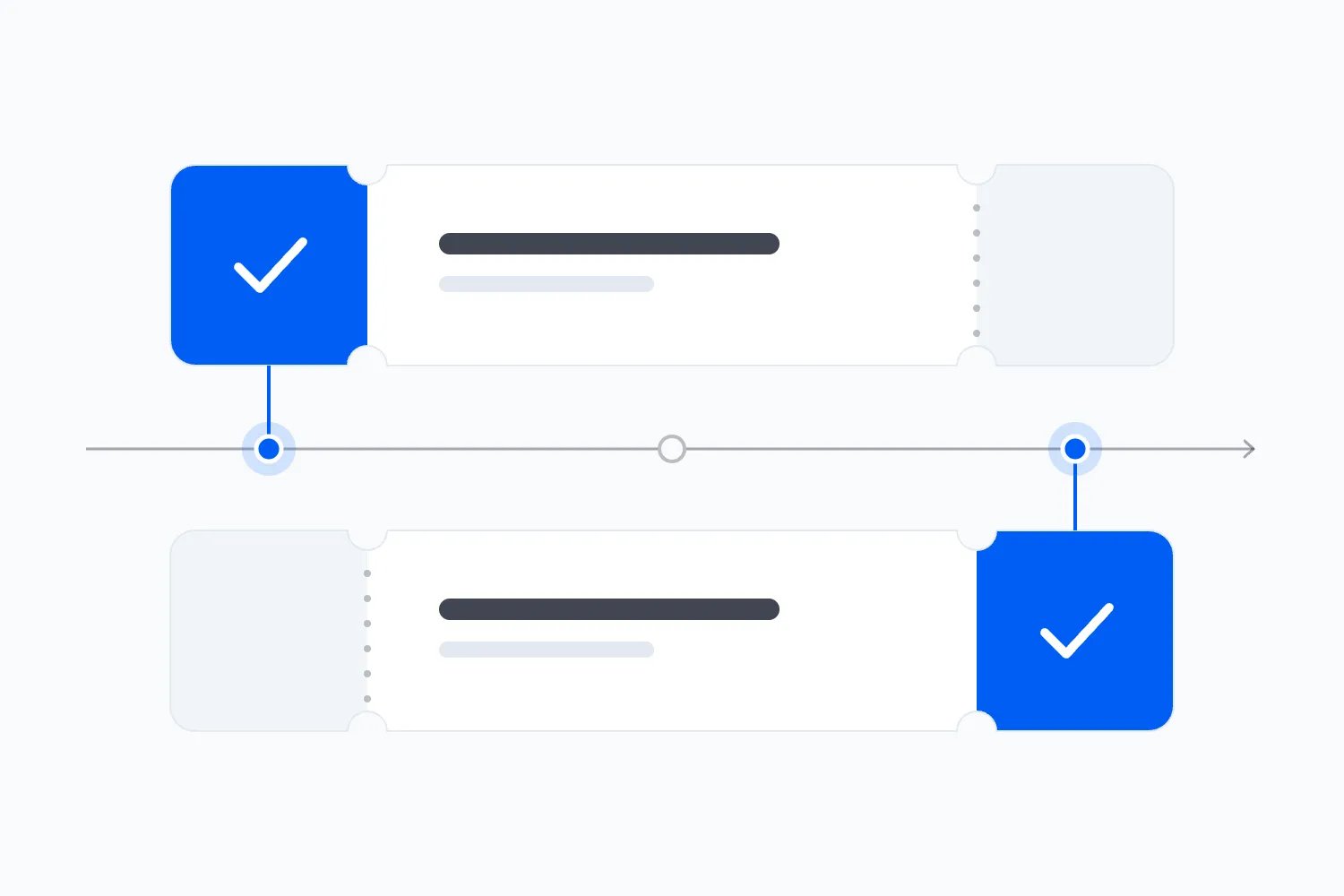
First-click and last-click attribution answer that question by assigning the sale to different points in the recorded journey. Compare them using the same paid orders, the same observation period and the same revenue definition. The difference tells you which channels tend to introduce buyers and which tend to appear near checkout. It doesn't prove which activity created additional demand.
That's a useful distinction when you're deciding whether to keep an announcement campaign running, spend more on search or send another email. A channel can look weak because it rarely receives the final click, even when it regularly introduces people who eventually buy. Another can collect plenty of credit by reaching people who already intend to attend.
We'll work through a hypothetical ticket campaign, explain the reporting traps and turn the comparison into a spending decision. Every quantity and dollar amount in the worked example is invented for teaching. None is an industry benchmark or a Loopyah customer result.
What first-click and last-click actually mean
For this comparison, first-click attribution gives the entire value of an order to the earliest eligible click you've recorded for that event within your chosen observation period. Last-click attribution gives it to the latest eligible click before the purchase. An eligible click is one your reporting rules allow to receive credit. You need to write those rules down because two reports can use the same label differently.
Imagine one buyer clicks an announcement ad, returns through a partner newsletter and finally clicks your reminder email. Under our first-click rule, the announcement ad receives the order. Under our last-click rule, your reminder email receives it. The partner newsletter appears in the journey but receives no credit under either rule.
There is still one order. You haven't discovered three separate sales or three separate pots of revenue. You've described the same purchase using two different rules. A campaign review can add together the sales claimed by several channels and report a total higher than the ticketing system.
Also notice the word recorded. Someone might hear about the event from a friend before clicking your ad. Your first recorded click wouldn't be their first encounter with the event. Treat the report as a description of the interactions you can observe, and you'll be much less tempted to make claims the data can't support.
My preference is to compare both views when the sales period gives buyers time to return. Use the comparison to investigate how people move toward a purchase. Choosing whichever model makes your preferred channel look best will produce a persuasive presentation and a poor budget decision.
Don't mistake a Google report for this exact comparison
If you're using Google Analytics, check what the report actually measures before following an old tutorial. Google's attribution documentation says first-click, linear, time-decay and position-based attribution models stopped being available in November 2023. You cannot simply switch a current attribution report between first-click and last-click as those older instructions suggest.
Google's paid and organic last-click model also ignores direct traffic when an eligible earlier channel exists. Its rules include an engaged YouTube view in some paths. That makes it different from a strict comparison of clicks. Use the exact model name in your report rather than quietly treating all final interactions as identical.
Google Analytics has another distinction worth understanding. Its traffic-source scope guide separates information about a user's initial acquisition, a session's acquisition and individual events. A First user source describes how the observed user was first acquired. Session source describes the source associated with a particular visit. Neither automatically means the first or final eligible click for the specific ticket order you're studying.
Suppose someone first visited your website for last year's festival. This year's announcement email could be their first recorded interaction with this year's event. Their original user source and their first click for the current event can legitimately differ. Labeling the first user report "first-click ticket attribution" would hide that distinction.
Ask whoever prepares the report whether they can compare the actual purchase paths under your agreed rules. If they can only show user acquisition and session acquisition, those reports can still answer useful questions. Present them under their real names and explain their limits. Don't manufacture a model comparison by putting two unrelated source columns next to each other.
Start with the orders you really sold
The first thing you want to do is settle the purchase total. Use the paid ticket orders in your ticketing system as the starting point, then compare how the eligible recorded interactions receive credit. Newsletter signups and visits to the checkout don't belong in that total. They're useful earlier actions, but they haven't paid for a place at your event.
Keep orders, tickets and buyers separate. One person can buy four tickets in one order. Another can place two orders. If your advertising report counts purchase events, dividing spend by that count gives you cost per attributed order, assuming those purchases were recorded correctly. Calling the result cost per ticket would make acquisition look more expensive or cheaper according to the basket size.
Choose the money definition as carefully. You might compare ticket revenue after discounts and refunds, excluding taxes and buyer fees. You might need an initial comparison before refunds are final, followed by a later update. Either can work if you explain it. A gross checkout total in one model and retained ticket revenue in the other won't isolate the effect of attribution.
Separate comps, unpaid reservations and cancelled orders. If an order contains both admission and merchandise, decide whether your comparison includes the full basket or the ticket portion. Keep sponsorship receipts elsewhere. The purpose is to explain ticket purchases, so combining unrelated revenue can make a channel look valuable for the wrong reason.
Use order references to reconcile differences rather than arguing over rounded dashboard totals. A missing order, a duplicated purchase and an excluded source are different problems. Each needs a different fix. For the practical relationship between credited revenue and what your business keeps, our guide to ad return and event profit develops the calculation.
Make the comparison fair before reading the winners
Both attribution views need the same set of purchases. If one includes orders placed during launch week and the other includes the final weekend, you're comparing different phases of the campaign. Announcement activity and deadline reminders have different jobs, so the resulting differences would tell you very little about the models themselves.
Agree on a purchase date range, an event identifier and a currency. Keep the same ticket types and refund treatment. Then agree how far back you'll look before each purchase for an eligible interaction. This is your lookback window, the period in which an earlier interaction can receive credit.
Google's attribution settings guide explains that lookback windows control which earlier touchpoints qualify for attribution. Check the settings available for the event you're measuring rather than assuming every platform uses the same window. Your custom first-click comparison must also specify its own observation period and eligible interactions.
For a long conference sales campaign, a short observation period might exclude the announcement that first brought someone to the event page. For a weekly club night, extending the period too far could include interactions with another edition. Match the records to the actual event and buying decision. A longer period isn't automatically more accurate.
Decide how to treat direct visits too. A buyer typing your address or opening an untagged bookmark may arrive without a useful campaign source. You can include that final direct visit as the last interaction, or use a defined last non-direct rule. Those answer different questions. For our worked example, we use eligible identified clicks and exclude direct visits from competing for credit.
Document these choices once, in ordinary language, and keep them with the comparison. That small amount of preparation stops the team from interpreting changes in settings as changes in buyer behaviour.
A worked comparison for one ticket campaign
Imagine a paid evening event with 100 completed orders, covering 200 tickets and $10,000 in ticket revenue after discounts. Each order contains two $50 tickets. There are no refunds in this example, and revenue excludes taxes and buyer fees. We observed eligible clicks during the event's sales period and assigned each order once under each model.
Sixty orders have a complete observed path that starts with paid social and ends with email. Twenty start with a partner newsletter and end with paid search. Ten start and finish with email. The remaining ten have no eligible identified click, so we record them as unknown under both models. These invented paths are deliberately simple so you can follow every calculation.
Under first-click attribution, paid social receives 60 orders and $6,000. The partner newsletter receives 20 orders and $2,000. Email receives ten orders and $1,000. Paid search receives no orders. Unknown accounts for the remaining ten orders and $1,000. Together these rows equal the actual 100 orders and $10,000.
Under last-click attribution, email receives 70 orders and $7,000. Paid search receives 20 orders and $2,000. Paid social and the partner newsletter receive no orders. Unknown still accounts for ten orders and $1,000. The total remains exactly the same because we're assigning the same purchases under a different rule.
| Label | First click | Last click |
|---|---|---|
| Paid social | 6000 | 0 |
| Partner newsletter | 2000 | 0 |
| 1000 | 7000 | |
| Paid search | 0 | 2000 |
| Unknown | 1000 | 1000 |
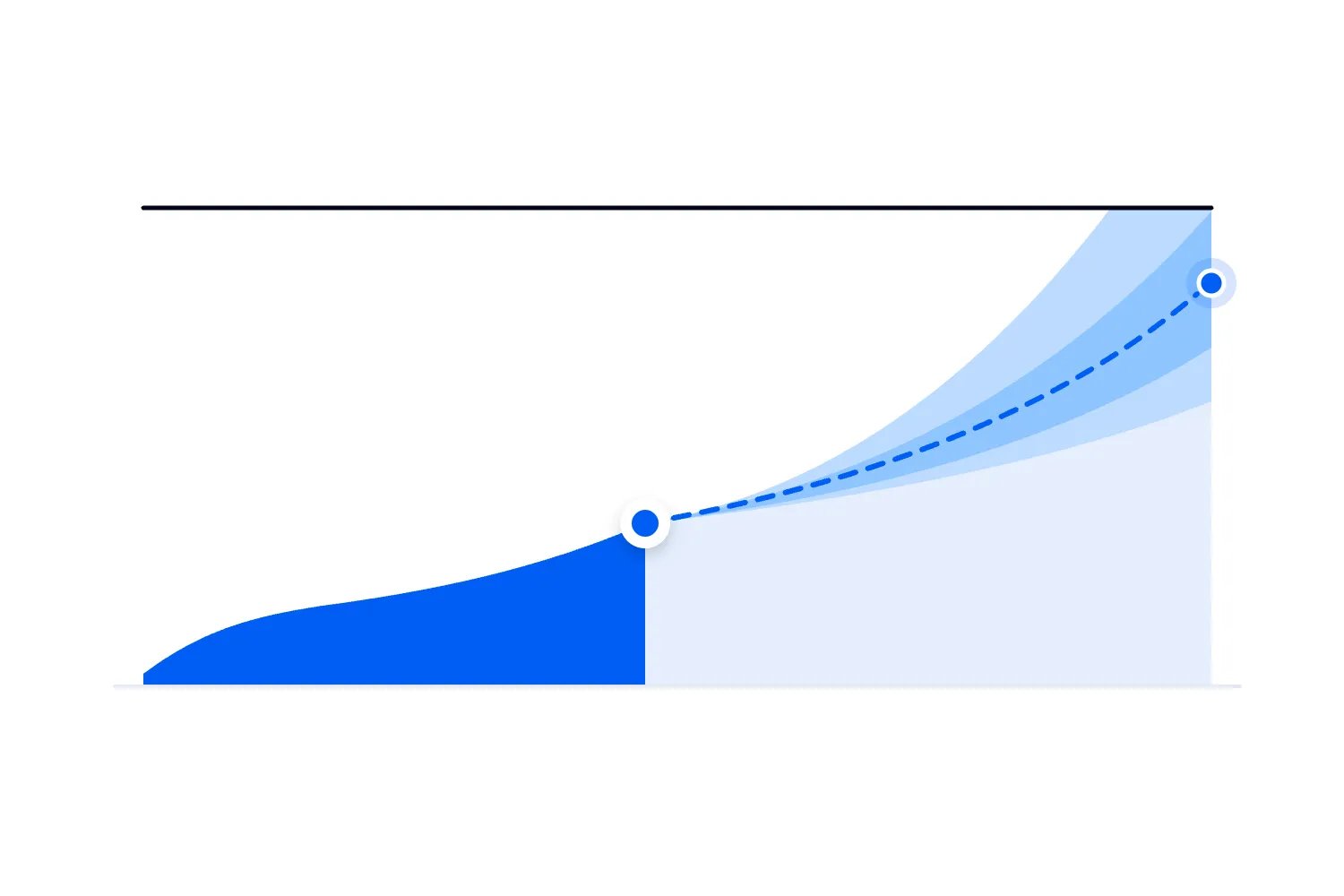
The chart uses the hypothetical order paths described above. It shows assigned revenue, not revenue independently generated by each channel. The two series each total $10,000, and combining them would double the same money. Keeping unknown visible also prevents the identified channels from appearing to explain every sale.
Here's what's interesting about this example. Email looks dominant under last-click because it finishes the journey for buyers who initially arrived through paid social. That gives you a reason to investigate the relationship between announcement ads and reminders. It doesn't give you a reason to turn off paid social and assume email will keep producing the same purchases.
Paid search has the opposite pattern to its apparent first-click result. It receives no initial credit but closes the partner newsletter's observed journeys. Before increasing search spend, check whether those clicks came from people searching for the event name or people discovering the event through broader searches. The marketing decision depends on who you reached and what they already knew.
Read the gap as a question about the buyer
When a channel receives more first-click credit, ask what brought those people there. Was it a clear lineup announcement, a relevant partner audience or a video that explained the experience? Then inspect what happened before they bought. If most returned through another channel, that tells you the first message usually didn't complete the purchase on its own.
You can respond by improving the event page, explaining an unresolved objection or coordinating a later reminder. For a workshop, people may need to understand the level of experience required. For a festival, they may wait for friends to commit. The recorded path helps you find the question to investigate; it can't tell you the buyer's reason without further evidence.
When a channel receives more last-click credit, check whom it is reaching. Email to past buyers has a different commercial role from an announcement shown to people unfamiliar with your event. Search for your exact event name also differs from a search for something to do next weekend. Grouping those activities together can hide the distinction between finding an audience and helping an interested person pay.
A channel that appears in the middle can matter too. Neither model credits the partner newsletter in our opening example. That doesn't establish that the newsletter was useless. Read a sample of full paths before judging an activity solely by its first or last position. You may discover that the same partner repeatedly helps buyers return between discovery and purchase.
Take care with one-click journeys. If someone clicks an email and buys immediately, both models credit email. That agreement supports the observation that email was the only eligible recorded click. It doesn't establish that the person had never seen the event elsewhere. They may have heard about it offline or arrived through an interaction your tracking couldn't connect.
Use spend without pretending credit proves profit
Let's add another explicit assumption to our hypothetical campaign. Paid social cost $1,200 and paid search cost $400. We haven't assigned a cost to email or the partner newsletter yet. Those costs still need accounting for in a real event, whether they involve sending charges, creative work, a paid placement or a partner commission.
Under first-click, paid social's credited revenue divided by its spend is $6,000 divided by $1,200, or 5x. Under last-click, it is zero. Paid search receives $2,000 under last-click against $400 in spend, also 5x, while its first-click result is zero. Nothing about the actual campaign expenditure or ticket income changed between those calculations.
This is why I wouldn't use either ratio alone to decide which budget to cut. Each ratio describes revenue assigned under a rule. A strong figure can include people who would have bought anyway. A weak figure can exclude activity that helped introduce eventual buyers.
Also work out what the tickets leave after refunds, absorbed fees and attendance costs. A channel closing discounted group orders may generate more tickets and less money toward the venue than another channel closing full-price orders. Our equal basket values simplify the teaching example; real orders rarely justify assuming that every sale contributes the same amount.
A campaign can receive credit for useful purchases while the event loses money overall. Conversely, additional sales can reduce an event's expected loss even when fixed costs remain unpaid. Connect your next spending decision to remaining capacity and expected revenue after costs, using your event marketing budget. An attribution report can't decide how much your business can afford.
What would happen if you stopped the channel?
Attribution assigns credit to observed interactions. The harder question is whether an activity produced sales that wouldn't otherwise have happened. Those additional purchases are often called incremental sales. Switching between first-click and last-click doesn't measure them because neither view includes the outcome without the activity.
Google's Conversion Lift guidance describes comparing people exposed to advertising with a control group held back from seeing it. A suitable controlled experiment can provide evidence about additional purchases. Availability, sample size and the particular advertising setup matter, so don't assume every event can run a useful lift study.
For a smaller event, you may need to make a cautious decision with imperfect evidence. Compare similar editions, keep records of price changes and announcements, and look at whether new buyers continued arriving after a spending change. Treat that as practical monitoring. Different weather, a different lineup or payday can change demand, so the comparison won't isolate advertising's effect by itself.
Don't split an email audience into tiny groups and celebrate a difference of one order. Decide in advance what you can learn at your scale, how long people need to buy and what would change your next action. If the result is uncertain, say so. You can still make a limited, reversible budget change without claiming scientific proof.
For our example, the useful next question is whether reducing paid social would reduce new interested buyers who later purchase through email. That suggests examining new buyer acquisition and, where feasible, testing a controlled change. Cutting the whole campaign because last-click shows zero would skip the question that matters most.
Keep missing journeys visible
Your reporting can't always connect a person's interactions across devices, browsers and visits. A buyer may discover the event on a phone and buy on a laptop. Someone may forward an email link to a friend, who then purchases. If your setup can't connect the records reliably, the resulting path is incomplete.
Keep unknown purchases as unknown. Don't distribute them across the named channels just to make the report look complete. In our example, unknown is $1,000 out of the full $10,000 revenue, so it is 10% of the total. If you calculate channel shares only among identified purchases, say that the denominator is $9,000 instead.
This denominator choice affects the story. Paid social's $6,000 is 60% of all revenue under first-click, but roughly 66.7% of the $9,000 with an identified click. Both calculations are correct. Presenting the second as its share of all sales would overstate what you know.
Ask buyers how they heard about the event when an appropriate opportunity exists, especially if offline partners or word of mouth matter. Their answers can explain gaps in tracking. Keep survey answers separate from automatically recorded click credit, because a remembered recommendation and a tracked link answer different questions. A short answer collected after purchase also avoids adding unnecessary work before payment.
Avoid solving missing information by collecting everything you possibly can. Work within the consent and privacy requirements that apply to your event and tools. Ask your implementation team which interactions are actually available for this report. An honest comparison with a visible unknown category is more useful than an apparently complete account built on guesses.
Make links consistent and test the purchase route
Campaign tags help you identify the links people clicked. Google's campaign URL guidance explains the source, medium and campaign parameters used to describe referral traffic. Parameter values are case sensitive, so inconsistent names can split one activity into several reporting rows.
Agree a small naming convention before the campaign begins. Identify the event, the source and the activity so that another person can understand them later. A partner newsletter and your own newsletter need separate source names. Announcement creative and a deadline reminder should also be distinguishable when that distinction supports a decision.
Start with the tracking your platform already provides. Don't create a parallel spreadsheet for work it handles, or replace promoter links with custom tags without checking how commission credit works. Where you need extra campaign tags, add them consistently and verify that your reports recognise the values. A well named link is useful only if the purchase route preserves the information you need.
Test the actual journey, including the link in the email, the destination page and checkout. If you use your own website before sending people to another checkout, ask your team to verify how those visits connect. A purchase that appears to come from a payment service may reflect a tracking problem rather than a genuine source of demand.
Check a test order in both ticketing and analytics, then follow the appropriate cancellation or refund process. Confirm that the order appears once and that its value matches your definition. If you find a fault, record when you fixed it. Comparing periods before and after a tracking repair as though buyer behaviour changed would create another misleading campaign story.
Give recent clicks time to become purchases
If your announcement went out yesterday, many interested people may still be deciding. Comparing yesterday's spend with yesterday's completed purchases can make a discovery campaign look ineffective before its buyers have had a chance to return. Meanwhile, a reminder may receive immediate purchases from people who have been considering the event for weeks.
Review completed purchase journeys together, then separately watch the recent visitors who haven't bought. Those visitors don't yet belong in your attributed sales total. They can help you understand whether interest is arriving, but don't add expected purchases to actual revenue. You need to know what happened and what you're waiting to learn.
Choose a review delay based on the buying times you actually observe. If people commonly need several days, a next morning verdict is premature. Near the event date, that waiting time becomes a commercial constraint. A campaign reaching new people too late may leave them interested but unable to organise their evening before doors open.
Also record when you produced the comparison. A later export can contain purchases or refund information unavailable in the earlier review. When the totals change, establish whether new orders arrived, previous orders changed or the reporting rules changed. Each explanation implies a different response.
Separate existing buyers when the decision needs it
A repeat buyer already has experience of your event business. A new buyer may need more explanation before committing. If your records reliably identify that distinction, compare their journeys separately using the same attribution rules. You may find that email closes returning buyers while announcement activity introduces people you haven't sold to before.
Don't assume every customer unknown to your database is genuinely new to the event. They might have attended on a ticket another person bought. Describe the group as buyers without a previous recorded purchase when that's what your records establish. That wording keeps the commercial insight without inventing a complete history.
This distinction matters when your email list is strong but the event needs more people than it can supply. A reminder can sell efficiently to existing contacts while leaving the need for new demand unresolved. Judge the announcement campaign against that need, then follow whether those newly observed buyers return for a future edition. Keep the same buyer definition so the later comparison remains useful.
Use the ticketing tools without assuming their model
Loopyah's ticket sales reporting shows sales by source so you can review which posts and emails are associated with ticket purchases. Use that existing view before asking your team to rebuild sales reporting elsewhere. You still need to understand the report's rules before comparing it with a separate analytics platform.
Our event email marketing connects campaign reporting to the tickets and revenue from people who clicked, alongside the sending cost. That makes it easier to discuss actual purchases instead of treating opens as revenue. It doesn't mean an email report proves every credited buyer would have stayed home without the message.
If you need a first-click versus last-click comparison for individual orders, check whether your reporting setup supports it and which historical interactions it can include. Ask for a sample before planning the review around an unavailable report. Where the exact comparison isn't available, you can still reconcile sales and investigate channel roles using the supported reports and their actual definitions.
For a recurring event, preserve the campaign decisions with the final order totals so the next edition starts with useful context. Record the introduction activity you kept, the reminder you changed and whether the expected purchases arrived. That history helps you avoid repeating an argument settled months earlier. It also makes unexpected results easier to explain when the lineup, ticket price or available audience changes.
Be careful about promoter commissions during these reviews. A payment agreement may specify which link receives commission under a particular rule. Your analytical first-click view should not silently change the money someone is owed. Assess the marketing journey separately, then pay according to the agreed terms and the verified transaction records.
Run a campaign review that leads to a decision
Prepare the actual order total, the two attribution views and the settings that make them comparable. Include spend where it is relevant, and keep unknown purchases visible. Then select the largest meaningful difference and inspect the journeys behind it. You don't need to investigate every small movement before making a useful decision.
For our hypothetical event, the review should explain why paid social introduces buyers who later return through email. Check whether those buyers are new to your event business, whether the campaign reaches the audience you intended and whether the reminder answers a real obstacle to booking. Agree what evidence would justify continuing or reducing the announcement spend.
Give each change a review date and a spending limit. Avoid changing the offer, the audience and every channel budget at once if you want to learn which change helped. Keep the ticket deadline in view too. A patient measurement plan has little value if it prevents you from acting while there are still seats to sell.
Write the decision in a sentence your team can use next week. You might keep the announcement campaign within its current limit while testing a clearer reminder, then review new buyer purchases after allowing for the normal buying delay. That is an actionable response to the evidence. Declaring one channel the winner isn't.
Before your next budget change, ask your team for the same paid orders under both definitions and a few journeys that explain the largest difference. If those records aren't available, establish what the existing reports can show. Then choose one spending or messaging change you can afford, with a date to review the ticket purchases it produces.

Author: By the Loopyah Content Team
The Loopyah Content Team shares expert insights, practical guides, and industry updates to help event organizers create unforgettable experiences and stay ahead in the event planning world.