· 15 min read
How to promote a paid event on LinkedIn and sell tickets
To promote a paid event on LinkedIn, give a specific professional audience a reason to attend, get speakers and relevant partners to explain that value in their own words, and send interested people to a clear ticket checkout. Measure completed purchases and the money left after promotion, because accepting a LinkedIn event invitation doesn't mean someone has bought a ticket.
This matters when you're selling conference passes or professional workshops. A post can collect supportive comments from people who will never travel to your city, get their manager's approval, or spend the ticket price. Those comments aren't useless. They just can't tell you whether the campaign is paying for the room.
Here's how to build the offer, set up the event, plan the posts, involve other people, and decide whether paid promotion earns its budget.
Start with the person who can actually buy
The first thing you want to do is write down whose working problem the event solves. "Business professionals" is too broad to guide a campaign. "Operations managers at growing hospitality businesses who need to improve staff scheduling" gives you something to work with.
That description tells you which examples belong in the programme, which speakers have useful experience, and which companies might buy several places. It also gives your posts an obvious subject. You can discuss scheduling decisions before you ask anyone to buy a workshop about them.
Separate the attendee from the person approving the expense. A practitioner may want practical instruction. Their manager needs to understand the cost, time away from work, and what the employee can apply afterwards. Give both people enough information to say yes.
Write a short buying case that covers:
The work problem the attendee will tackle.
Who the session suits and what experience they need.
The practical outcome, such as a completed plan or a method they can use.
The date, location, total ticket price, and time commitment.
What the ticket includes and what it doesn't.
Avoid promising a business result you can't control. You can promise supervised practice with a budgeting method. You can't promise every attendee will cut their costs by a particular percentage afterwards.
For a conference, this work belongs beside the wider conference marketing plan. LinkedIn should carry the same offer as your email and event page. A different promise in each channel makes approval harder and creates disappointed buyers.
Build the purchase route before you invite anyone
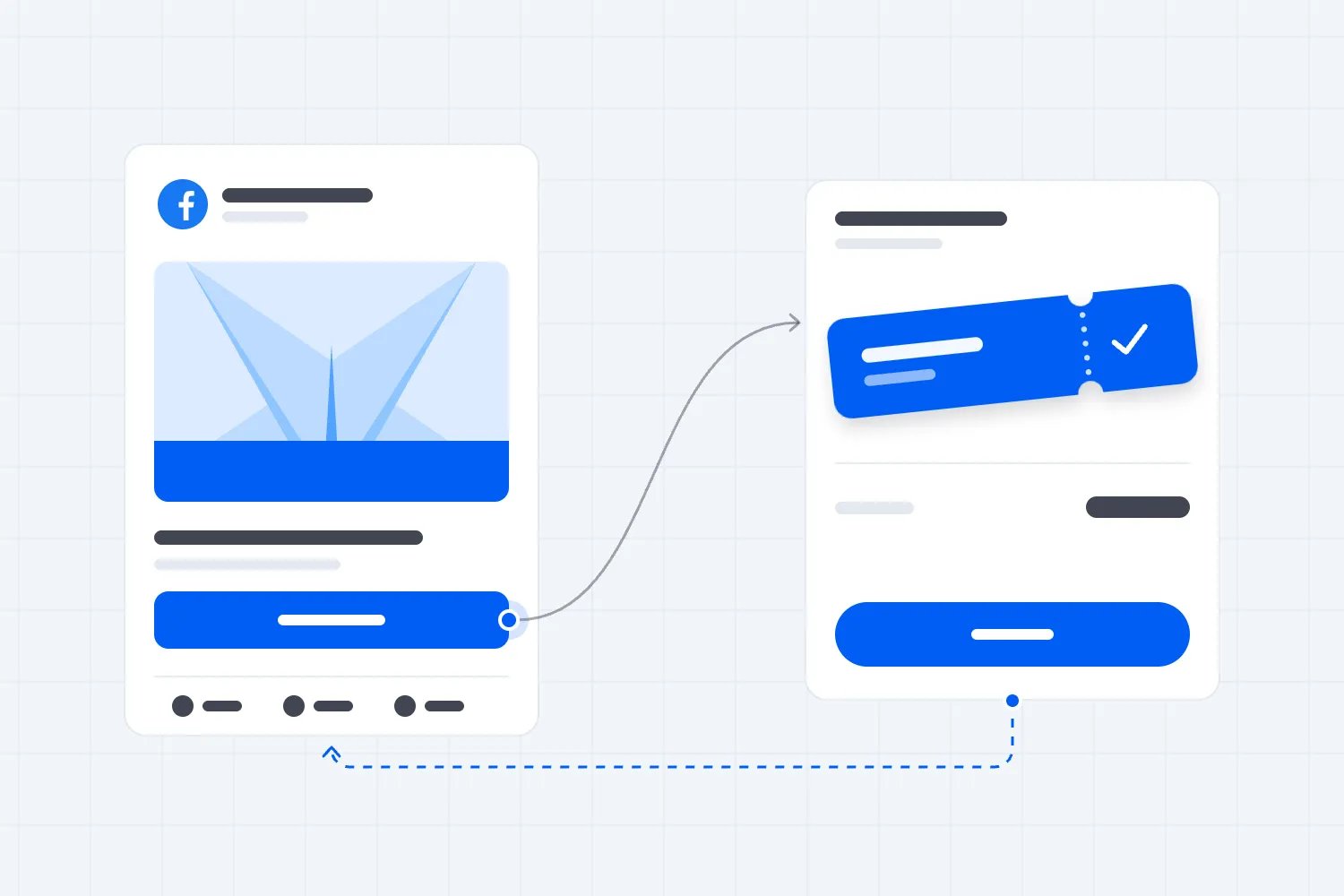
Treat the LinkedIn event page as a place to explain and discuss the event. Your ticket page completes the transaction. People should understand that relationship without having to ask in the comments.
LinkedIn's FAQ for events organised by individuals advises organisers of paid events to add the external ticketing link and explain the paid ticket requirement in the description. Put the buying instruction near the beginning, where someone scanning the page can find it.
For example, your description might say, "This is a paid, in-person workshop. Buy your ticket through the link below to secure a place. Joining this LinkedIn event alone doesn't reserve a seat." Follow that with the actual ticket price and what the buyer receives.
Send people to the relevant event page, not a homepage where they must search again. The headline, date, speaker names, and offer should match the post they just read. If you advertised a practical workshop, don't make them scroll through a general company story before finding the programme.
Your event landing page should answer the objections you already hear in conversations. Can someone attend without prior experience? Is lunch included? Can a colleague take their place? What happens if the organiser changes the date? Clear answers save your team repetitive messages and help buyers decide.
With Loopyah's ticket checkout, buyers can check out without creating an account, pay by card or supported mobile wallets, and receive a confirmation email linking to their QR tickets. That gives your LinkedIn campaign a defined finish. Test the route on a phone before asking speakers to share it.
Choose the right LinkedIn organiser
A recurring event business usually benefits from having its company Page own the event. Staff can change, while the Page remains associated with the event series. A personal profile can still do much of the explaining and conversation around it.
LinkedIn's Page event guidance says super and content admins can create and manage Page events. An event created under an individual profile remains under that individual's management. Choose the organiser deliberately; LinkedIn says it can't be changed after the event is created.
The same guidance makes a useful distinction about invitations. Page admins invite their first-degree connections. A Page follower who isn't connected to an admin cannot simply be invited as though they were on an email list. Share the event through the Page to reach followers, and ask relevant people to participate voluntarily.
Check the event type and format before publishing too. LinkedIn's event creation instructions distinguish in-person events from online events, including LinkedIn Live and externally hosted online formats. Some choices can't be changed after creation. A physical workshop needs its venue details; a paid online workshop needs an accurate explanation of where access happens.
Appoint one person to keep the LinkedIn description and ticket page consistent. Give another person the access needed to help if the first is away. Record who will answer questions about tickets, accessibility, the programme, and company bookings. Silence under a buying question is a poor use of the attention you worked to earn.
Sell the substance of the event in your posts
Repeatedly posting the event poster gives people very little new information. Build posts around the decisions your programme helps attendees make.
For a workshop, show a small piece of the method. Explain a common mistake and walk through how to spot it. Give enough useful detail that a reader can judge the teaching, then explain what the paid session adds through guided work, feedback, or access to the instructor.
For a conference, make individual sessions understandable. A session called "The future of operations" could mean almost anything. Explain which operating decision it covers, what experience the speaker brings, and who should put it in their diary.
You can use several approaches without repeating the same sales paragraph:
An organiser's post explaining why this particular programme exists.
A speaker's worked example or clear opinion on the session's subject.
A short excerpt of useful material, with permission to share it.
A buyer question answered in public, such as the expected skill level.
A practical note about team attendance, travel, or approval paperwork.
End each post with the next action that suits its content. Someone reading a session explanation may be ready to inspect the programme. Someone comparing ticket options may be ready to buy. Link directly to the relevant page and say the event is paid.
There is no need to build the plan around claims about an ideal posting hour or a supposed algorithm penalty for links. Your own audience and sales results should guide timing and format. Start with material you can produce well, then use the response to decide what deserves more work.
Give speakers and partners a useful job
A speaker announcement isn't a distribution agreement. Confirm what each person is willing to share, when they can do it, and what you will supply. Some speakers enjoy writing a substantial post. Others can record a short explanation but will never finish the suggested caption sitting in their inbox.
Send a compact pack with the confirmed session title, ticket link, event details, a usable visual, and a few accurate points they can draw on. Ask them to explain why their own audience would care. Identical copy across several profiles wastes the different reasons people follow those speakers.
Make requests specific. "Would you explain the decision participants will work through in your session and share the ticket link?" gives someone a clear task. "Please help us promote" pushes the planning back onto them.
Partners need a similarly relevant angle. A professional association might explain how the programme fits members' work. A participating employer could describe the questions its team wants answered. A sponsor should be clear about its commercial relationship and should only promise benefits the event will deliver.
For company bookings, prepare a short approval note the attendee can forward. Include the programme link, total price, hours away from work, and the practical reason to send a team. Make the booking contact easy to find. If a company requires an invoice or other procurement steps, explain your actual process before someone starts a purchase they can't complete.
Keep the outreach personal and relevant. Invite existing connections whose work fits the programme. Answer people who ask for details. Don't turn an attendee list into permission to send repeated sales messages, and don't make access to useful information conditional on public engagement.
Work backwards from the buying deadline
Your campaign needs enough time for the buying process the event demands. A local evening workshop and a conference requiring flights and employer approval shouldn't use the same calendar.
Start by recording the real deadlines. These may include a ticket release ending, a catering commitment, the last useful date for team bookings, and the event itself. Then schedule explanations early enough that someone can act on them. A travel guide published the night before a conference has missed its commercial purpose.
For an illustrative four-week local workshop campaign, the first week could introduce the problem and programme. The second could show the teaching through speaker posts. The third could answer practical objections and support company bookings. The final week could communicate the remaining availability and the genuine booking deadline.
This is a planning example, not a claim that four weeks is enough for every event. Use your previous sales history and approval cycle to extend it. Our event marketing timeline guide covers how the channel work fits into the wider launch.
Keep room in the schedule for questions you didn't predict. If several people ask whether the material suits beginners, that is a useful post and a signal to improve the ticket page. It is more valuable than another generic reminder that the event is approaching.
Measure the steps between attention and payment
Start with a small measurement plan your team will actually use. Record LinkedIn activity, visits to the ticket page, completed orders, tickets sold, revenue, and promotion cost. Orders and tickets are different when one buyer purchases several places.
Label your campaign links consistently. Google's campaign URL guidance explains how source, medium, campaign, and content parameters identify traffic in Analytics. Use a consistent LinkedIn source, distinguish organic posts from paid ads, and give speakers or individual posts different content labels when that distinction will inform a decision.
Those labels don't install analytics or guarantee that every sale can be traced to its first post. Confirm what your website and checkout actually record. A buyer might read on a work computer and pay on a phone, or forward a link to a colleague who completes the order.
Loopyah's ticketing reports show sales by source. Use the available sales reporting alongside your campaign links and order records. Verify the reporting detail before promising a partner that every sale from their personal post will appear in a separate row.
Consider a deliberately simple planning example. Suppose your LinkedIn activity produces 600 measured ticket-page sessions, with one ticket per completed order. If 2% of sessions purchase, that is 12 tickets. At 4%, it is 24; at 6%, it is 36. These are illustrative assumptions, not LinkedIn conversion benchmarks or a forecast for your event.
| Label | Tickets sold |
|---|---|
| 2% rate | 12 |
| 4% rate | 24 |
| 6% rate | 36 |
The calculation is sessions multiplied by the purchase rate. It shows why sending more people to a confusing ticket page may be an expensive response to weak sales. If people arrive but don't buy, examine the offer, price, logistics, and checkout before increasing promotion.
Don't treat these stages as a perfectly observed chain. A LinkedIn event response is a separate signal of interest. Your campaign report should never label it a paid registration unless a completed order supports that label.
Put a spending limit on paid promotion
Paid LinkedIn promotion deserves the same commercial test as any other channel. Decide how much a new ticket sale can afford to cost before you spend, using your actual ticket receipts and the extra cost of serving that attendee.
Here's an illustrative workshop example in USD. The organiser receives $240 per ticket after taxes and selling fees. Catering, materials, and other attendance-dependent costs total $60. Each ticket therefore contributes $180 towards promotion, fixed event costs, and profit.
Suppose a pilot costs $600 in ads and $200 in staff time, making $800 in total. For this calculation, assume its sales are genuinely additional purchases that wouldn't otherwise have happened. Four extra tickets contribute $720 before promotion, leaving a loss of $80 on that campaign. Eight contribute $1,440, leaving $640. Twelve contribute $2,160, leaving $1,360. Fixed event costs still need paying from those remaining amounts.
| Label | Contribution USD |
|---|---|
| 4 extra tickets | -80 |
| 8 extra tickets | 640 |
| 12 extra tickets | 1360 |
These figures show a hypothetical result under an explicit assumption. A real campaign's attributed sales may include people who would have bought anyway. Without a suitable comparison, attribution cannot prove how many sales the ads caused. Keep that uncertainty visible when you decide whether to repeat the spend.
For this example, five genuinely additional tickets cover the $800 pilot because four are insufficient. Five attributed sales alone wouldn't prove that. Nor does covering promotion make the whole event profitable. If the campaign must also leave a planned contribution towards the venue and instructors, its acceptable cost per sale needs to be lower than $180. The event marketing budget guide helps connect that limit to the full budget.
If you use LinkedIn ads, choose a campaign objective and destination that match the buying action. LinkedIn's conversion tracking documentation explains the supported data sources and how conversions are associated with campaigns. Have the person responsible for analytics verify a completed purchase event, permissions, and the reporting setup. Don't assume your checkout supports a particular tag or integration.
Set the pilot's maximum spend, review date, and stopping condition in advance. Don't increase the budget because the impressions look impressive. Increase it when the sales evidence supports your costs and there is enough remaining demand and capacity to justify the risk.
Change the part that is failing
When a campaign is weak, diagnose the point where buyers stop. "LinkedIn doesn't work" is too broad to be useful, just as "we need more content" may be the wrong repair.
If the right people aren't seeing or responding to the offer, reconsider the audience, subject, and speaker participation. If they engage but rarely visit the ticket page, make the relevance and next action clearer. If visits arrive but purchases don't, inspect the buying case and checkout.
When sales happen but the campaign loses money, revisit spending, ticket contribution, and the audience you are paying to reach. A popular campaign can still be a bad use of an event's budget.
Change one substantial element at a time where possible, and record when it changed. Small event campaigns rarely provide clean experiments, but changing the audience, offer, page, and budget together makes learning harder still.
Keep a weekly report you can act on
The campaign review should end with a decision. Record the reporting dates, what went live, what it cost, and the purchases you can reasonably associate with it. Put missing tracking information in a separate note so the team doesn't confuse an unmeasured sale with no sale. Keep attributed sales labelled that way.
Bring the buyer questions into that review. Comments asking about the workshop level suggest a different problem from messages saying the date clashes with an industry conference. The first may need clearer copy. The second may be a scheduling problem that no amount of rewriting will solve.
Compare the same definitions each week. If last week's figure was orders and this week's is tickets, a group booking can make performance look better than it is. Similarly, record whether revenue is before or after refunds, taxes, and selling fees. Use the receipts that actually belong to the organiser when evaluating the spending limit.
Assign the next change to one person and give it a deadline. That might mean correcting a ticket-page ambiguity, asking a speaker for a practical example, or stopping an ad that has spent its agreed allowance. A report with plenty of numbers and no decision has become another task the campaign has to pay for.
Keep the previous version of the offer and the date of the change. When the event ends, you want to know which explanation was in front of buyers when they purchased, not simply which post collected the most reactions across the whole campaign.
Follow through after people buy
Once someone holds a ticket, the conversation changes. They need arrival details, preparation instructions, and programme updates. Don't make them keep checking LinkedIn to find out where to go.
With Loopyah's attendee email tools, you can communicate with ticket holders and review the ticket sales associated with promotional email campaigns. Keep event information separate from future-event promotion, and use the appropriate audience and permissions for each message.
After the event, compare the campaign with the actual outcome. Which subjects led to buying questions? Which partners sent buyers? How much did promotion cost, including people's time? Record refunds as well as sales so a strong on-sale week doesn't hide revenue you later returned.
Keep useful speaker material, with permission, for the next edition. Update what the programme delivered and what attendees can expect next time. The next campaign should start with a better buying case and better evidence than this one.
Promoting a paid event on LinkedIn comes back to that buying decision. Show the right professionals why the event is worth their time and money, make the paid ticket requirement unmistakable, and keep checking whether the campaign produces purchases at a cost your event can carry.

Author: By the Loopyah Content Team
The Loopyah Content Team shares expert insights, practical guides, and industry updates to help event organizers create unforgettable experiences and stay ahead in the event planning world.