· 21 min read
Event Marketing Timeline: A Step-by-Step Schedule to Promote Your Event
67.6% of event attendees buy earlier when early-bird discounts exist. But when exactly should you offer it? That's why a timeline matters beyond “planning” — it directly controls discovery, friction, and revenue.
Our recent study uncovered that 32.6% of attendees buy tickets 1+ month ahead and 22% buy within 2 - 4 weeks. Nailing your event marketing timeline is one of the most critical parts of event success.
This guide gives you a practical, phase‑based event marketing timeline—what to do and when—so you can build early awareness, handle the inevitable last‑month surge, and maximize registrations.
Plan like a project manager, market like a revenue team, and expect a late surge. Your event marketing timeline turns uncertainty into momentum.
Why You Need an Event Marketing Timeline
A shared, date‑driven schedule is the difference between scrambling and scaling. Here’s what a strong timeline delivers:
Improved organization and coordination: align marketing, sales, speakers, and sponsors around milestones and SLAs.
Better resource allocation: lock budget, content cadence, and channel mix early to avoid last‑minute waste.
Increased marketing effectiveness: consistent storytelling across email, social, paid, and partners boosts conversion.
Reduced stress and missed windows: plan early‑bird, standard, and last‑chance waves instead of reacting to dips.
Without a timeline, teams over‑index on ad hoc posts, forget crucial deliverables (like email authentication or UTMs), and struggle to pivot when the late surge arrives.
Overview on what an event timeline looks like
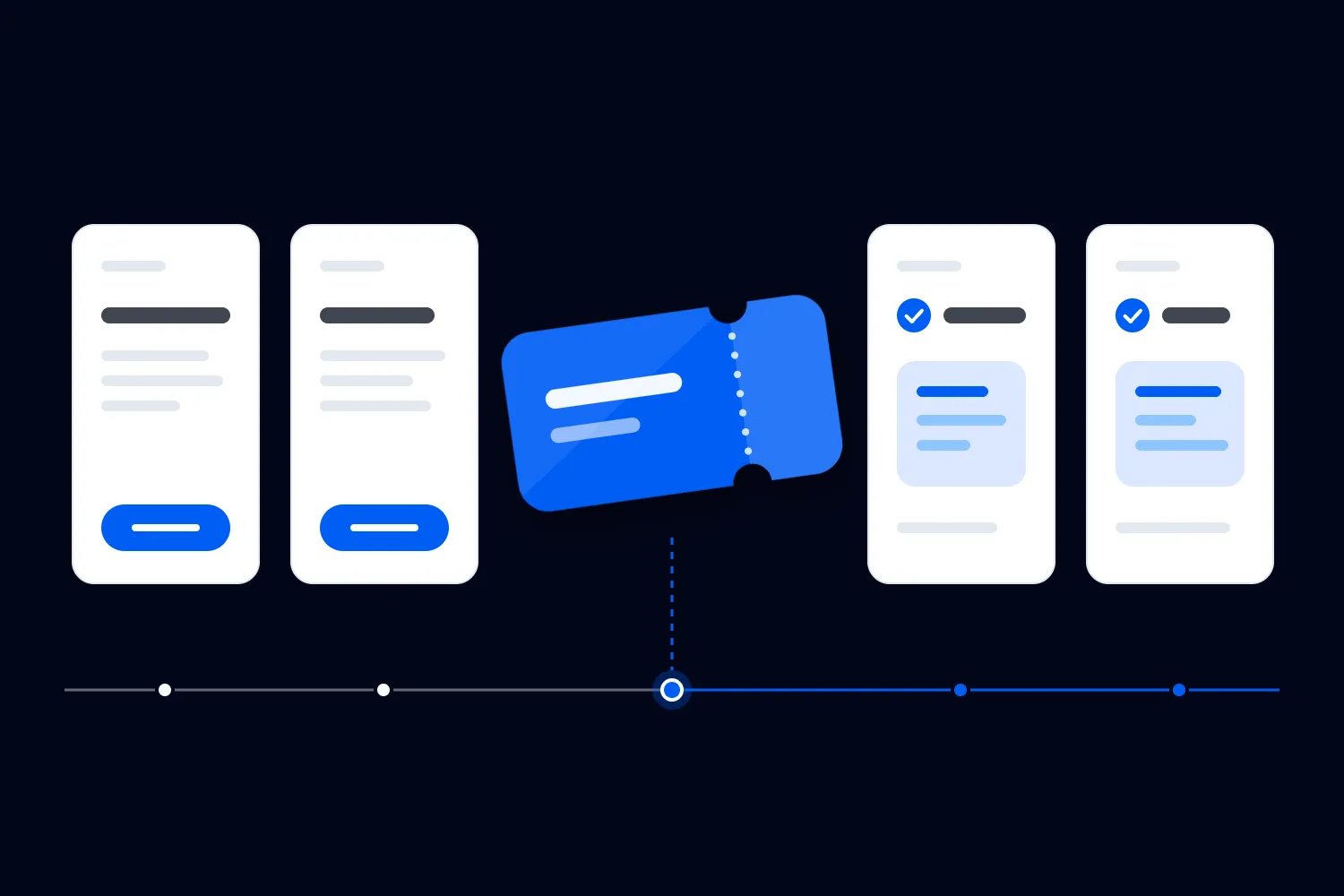
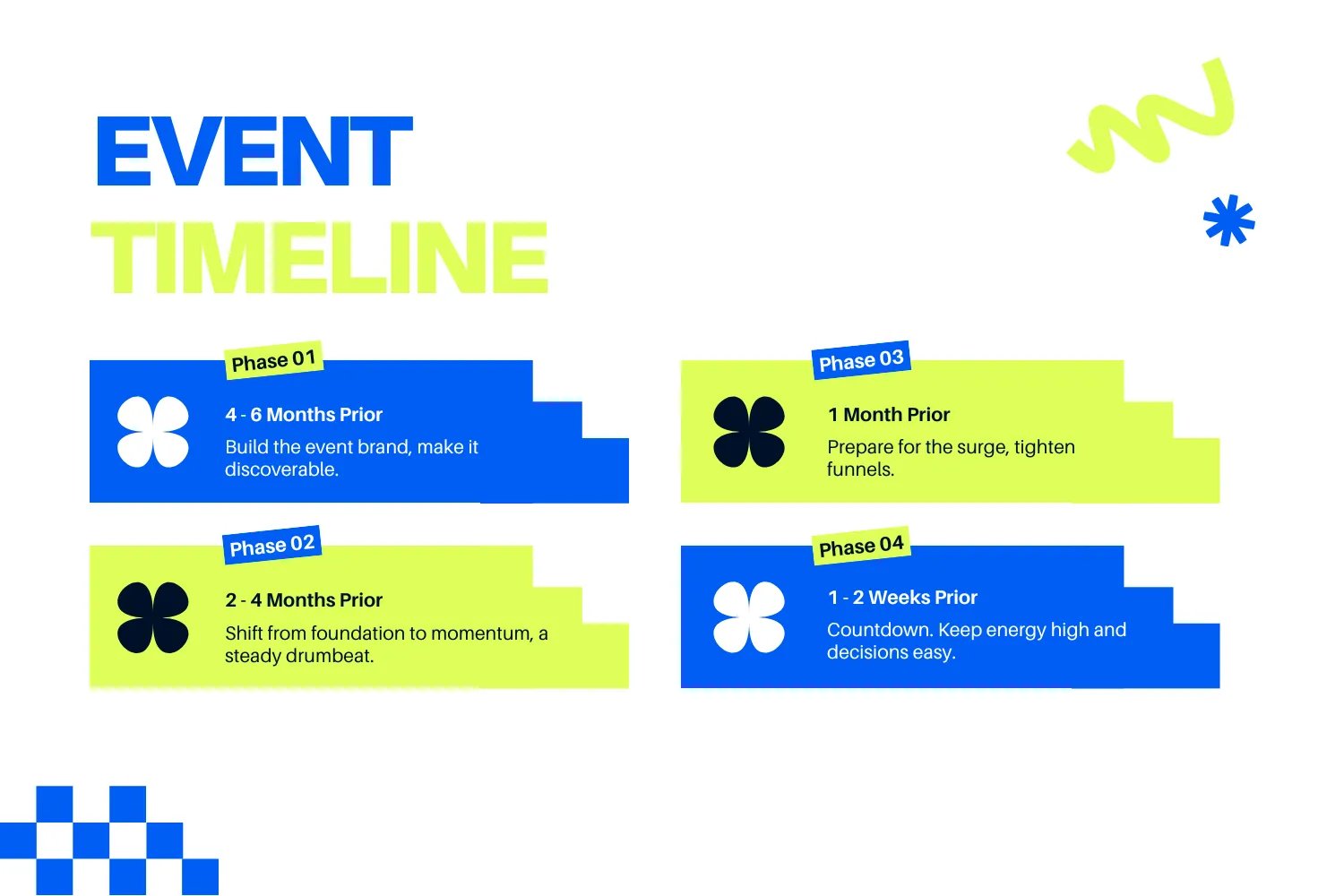
The below table, is quick snapshot of your entire event marketing timeline—what to do, when to do it, and why it matters. Use this as your at-a-glance roadmap to build momentum from day one through post-event.
Before you dive into each phase, make sure your foundations are solid. If you’re still mapping out your prep timeline, grab our comprehensive event planning checklist to pair with this marketing schedule.
Phase | What Happens |
|---|---|
6+ Months Out | Lock goals, audience, venue, budget, value prop, and registration strategy. Build the foundation your whole campaign will lean on. |
4–6 Months Out | Launch brand, messaging, landing page, UTMs, early-bird sales, sponsors, and your content engine. Make the event discoverable. |
2–4 Months Out | Ramp content, email, social, partners, and paid. Build steady momentum with consistent, helpful, trust-building comms. |
1 Month Out | Push urgency: higher frequency, social proof, paid scale, contests, ops alignment, and funnel tightening. Prepare for the surge. |
1–2 Weeks Out | Countdown mode: BTS content, FAQs, final reminders, speaker confirmations, and all materials locked. Keep decisions friction-free. |
During Event | Go live: real-time social, attendee support, UGC capture, and agile updates. Turn the event into a content engine. |
Post-Event (48–72 Hours) | Send thank-yous, publish highlights, recap content, surveys, and kick off next-event nurture. Convert momentum into retention. |
Recommended Timeline Windows by Event Type
The above timeline is a reference starting point. Different events have different buying behaviours — and that shapes how early you need to plan, announce, and market. Use this as your high-level benchmark to decide when to lock your strategy, launch ticketing, and scale promotion.
Important to note, event where you high profile speakers, artists, performers, might require you to start way ahead. The below table points more towards the average planning and execution time needed by event type.
Event Type | Typical Marketing & Planning Window |
|---|---|
Conferences / Business Summits | 6–12 months — long lead times for budgets, travel, and sponsorship commitments. |
Festivals & Large Concerts | 4–8 months — lineup drives early demand; travel and group planning extend the window. |
Workshops / Masterclasses | 2–4 months — shorter cycle; decision-making is fast but content needs early clarity. |
Food & Drink Festivals | 3–5 months — depends on vendors, seasonality, and city-based audiences. |
Community / Cultural Events | 2–4 months — local audiences need clarity early but commit closer to the date. |
Sports Events | 3–6 months — schedule-based, with early committed fans and late casual buyers. |
Comedy Shows | 1–3 months — big names sell further out; emerging acts rely on late attention. |
Theatre / Performing Arts | 3–6 months — depends on run length and ticket type (season passes vs. single shows). |
Pop-up Experiences | 4–8 weeks — intentionally short; rely heavily on social discovery and urgency. |
Local Parties / Nightlife Events | 2–6 weeks — younger audiences buy late; content + hype matter more than long lead time. |
How to coordinate marketing timelines for multiple events
If you run several paid events each quarter, put their marketing timelines on one shared calendar. Include ticket launches, price changes and final sales pushes, with an owner for each campaign. Check whether your team can deliver the work before adding more activity.
When events share an audience, review the promotional emails each person will receive across all campaigns, including automated sends. A quiet week for one event can still be a busy inbox for its buyers.
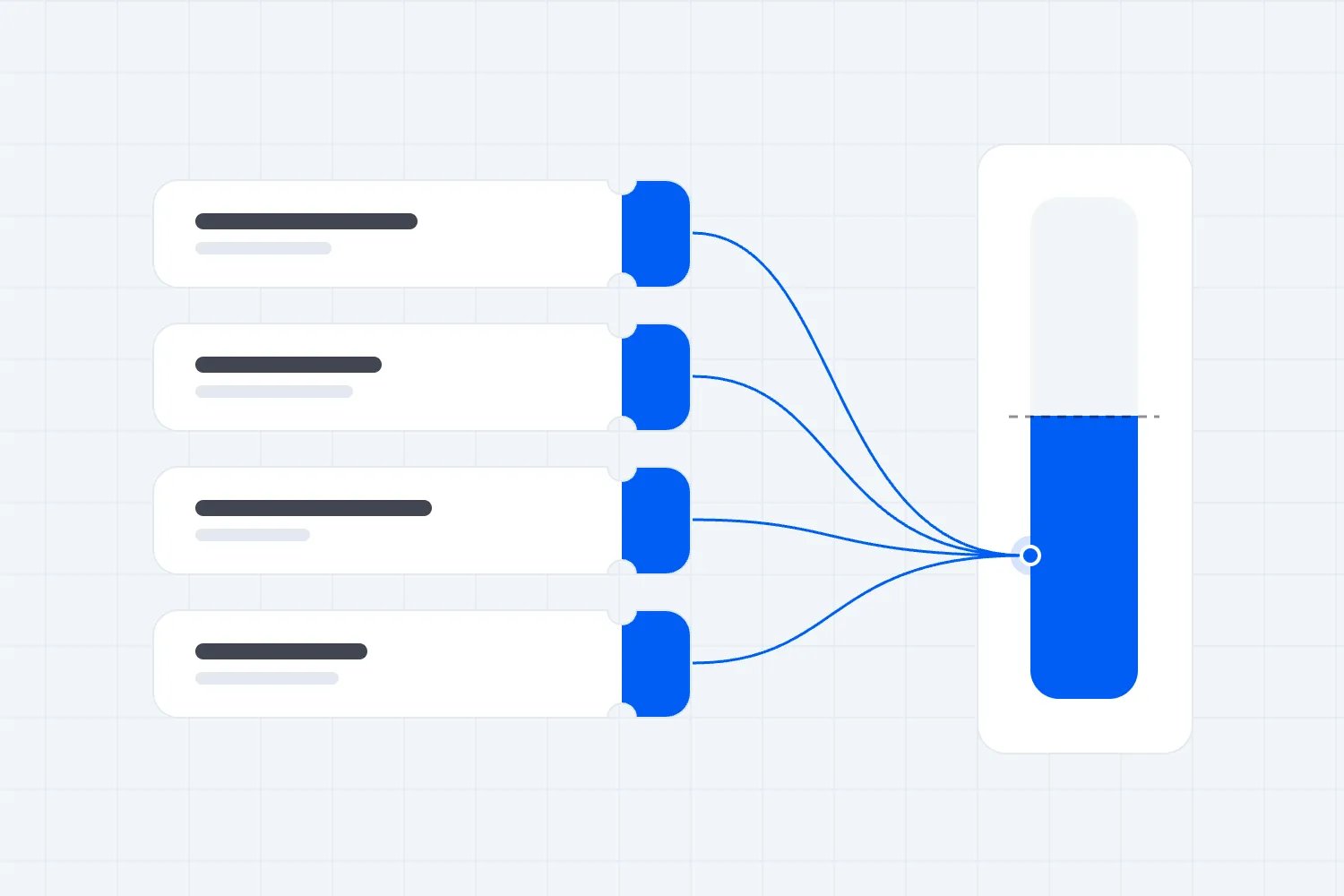
Review ticket sales weekly against each event's target. Give extra promotion to events that need it and still have tickets to sell. Before moving advertising budget, check recent results and what you can afford to pay for each sale while covering costs and keeping the profit you need.
For a worked quarterly calendar, guidance on shared audiences and budget decisions, read our guide to coordinating marketing across multiple events.
Now, let's have a deeper look at each phase and what it entails.
Phase 1: 6+ Months Before the Event
Lay the foundations that everything else depends on. At this stage, clarity beats complexity.
Define goals and audience: revenue targets, headcount, priority personas, and what success looks like for everyone.
Identify and prioritise sponsor targets early: based on your audience personas, content themes, and event format. Build a short, high-fit list and map what each sponsor actually values — leads, visibility, connection time, or thought leadership. This lets you design smarter packages and start conversations long before budgets lock. For more tips on securing sponsors, check our guide on event sponsors.
Set a marketing budget: allocate by phase (awareness, consideration, urgency) and by channel (email, social, paid, partners). Check this guide on budget planning to build a solid budget foundation.
Choose your date and venue: secure contracts and map room capacities to registration targets.
Position around connections: design formats that create intentional networking (roundtables, hosted buyer meetings, curated lounges).
Model pacing: plan early‑bird windows and pricing knowing a large percentage will buy in the final month; set flexible policies.
Content / Communication Checklist
Event value proposition (1-liner + 3 supporting benefits)
Audience personas + messaging angles
Event name + preliminary branding kit
Event landing page draft (schedule teaser, location, CTA)
Registration strategy (pricing tiers, early-bird rules, refund policy)
Sponsor pitch deck + benefits sheet
Initial UTM structure + analytics setup
Internal comms to align team (timeline, deliverables, SLAs)
Ticket Management Checklist
Define your ticket structure: tiers, capacity limits, VIP options, add-ons.
Lock early-bird rules and deadlines (attendees buy earlier when incentives exist).
Finalise refund, transfer, and resale policies before sales open.
Map ticket pricing to venue capacity and revenue targets.
Confirm your platform supports fast checkout, flexible policies, and official resale.
Mini‑example: SaaS Summit set a 1,200‑seat goal and defined two core personas (RevOps leaders and product marketers). They secured a venue with modular rooms for curated networking, then framed their positioning as “Where pipeline meets product,” shaping content and sponsorships from day one.
Phase 2: 4–6 Months Before the Event
Make the event discoverable and credible. Build the brand wrapper and tracking you’ll rely on later.
Brand and messaging: finalize your event name, value proposition, and visual system; define 3–5 audience‑centric themes.
Launch a lightweight site/landing page: include schedule teasers, speaker criteria, venue city, and clear CTAs. Tag everything with UTMs and set analytics goals on day one.
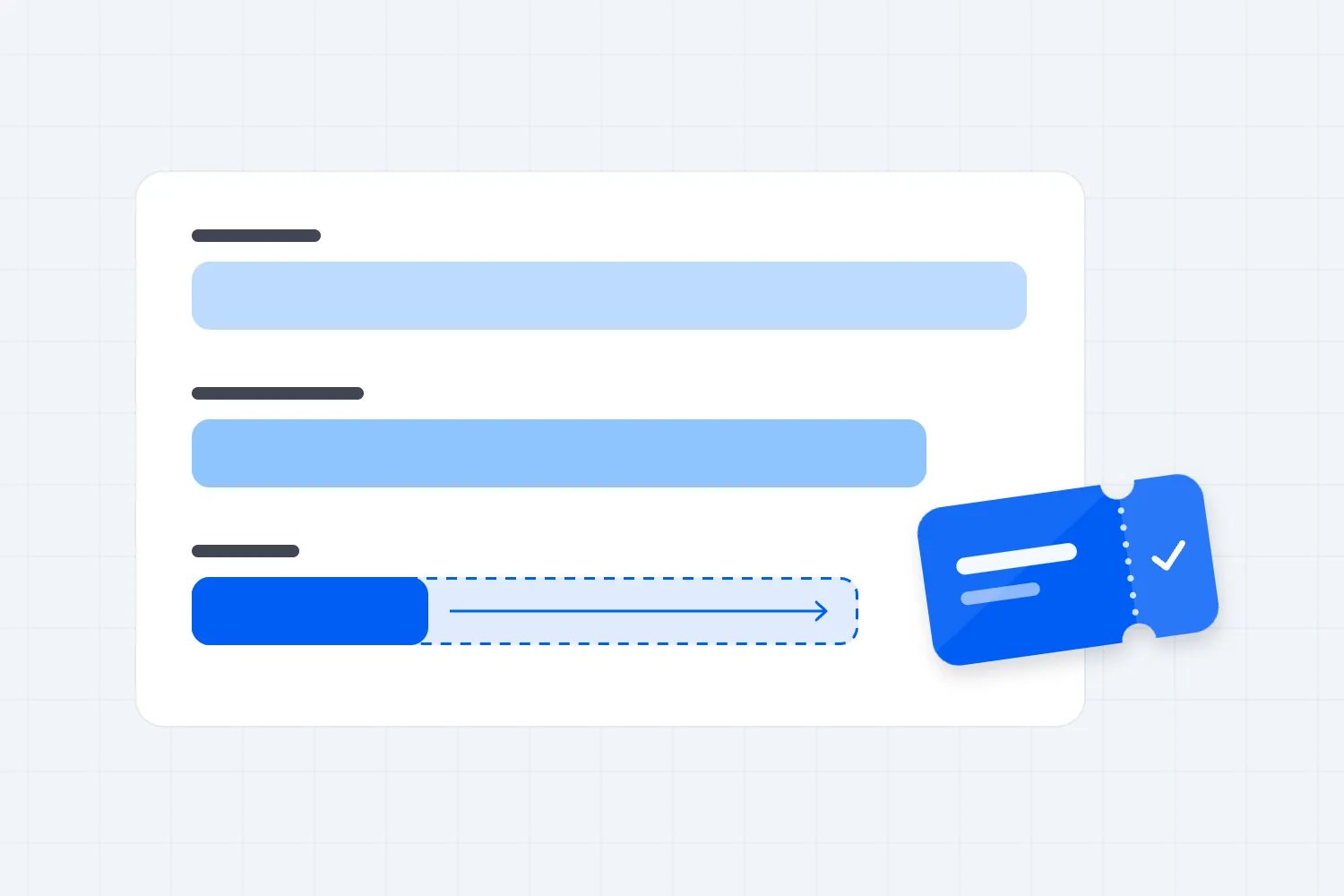
Open early‑bird sales: publish deadlines, price steps, and refund/transfer policies aligned to late‑buyer behavior.
Secure sponsors: use audience data and content themes to pitch packages that align to your editorial calendar and release schedule.
Plan your content engine: outline weekly posts, social series, and email arcs tied to key announcements (speakers, agenda drops, hotel block, price changes).
Content / Communication Checklist
Final event branding (logo, color system, typography)
Website/landing page v1 live with: CTA + clear pricing, Venue info, Early-bird countdown, Speaker criteria (if names not announced yet)
Early-bird launch announcement (email + social)
Sponsor outreach kit + sales one-pager
Content calendar (6–8 weeks mapped)
Social templates (static + video frames + speaker cards)
Press release (if needed)
Partner/media kit + trackable links
Blog #1: “Why This Event Exists / What You’ll Learn”
Initial paid ad creative (awareness-focused)
Ticket Management Checklist
Launch early-bird tickets with clear deadlines and transparent pricing.
Add all ticket types, bundles, promo codes, and access levels into the system.
Enable promoter/influencer tracking if using affiliates or partners.
Test your checkout flow across mobile + desktop for friction.
Implement UTMs and conversion tracking for ticket sales.
Phase 3: 2–4 Months Before the Event
Shift from foundation to momentum. This is your channel ramp—move from a trickle to a steady drumbeat.
Content creation: publish 1–2 helpful blog posts per week, short videos, and speaker spotlights. Map topics to buyer questions and FAQs.
Email marketing: authenticate your sending domain (SPF, DKIM, DMARC), clean lists, and run segmented sequences for personas, speakers, and partners. Cadence: 1 primary newsletter + 1 segmented email weekly.
Social + creators: share original clips, attendee tips, and authentic behind‑the‑scenes. If you use influencer codes, ensure clear disclosures; brief creators on desired outcomes (registrations, hotel block picks). If you’re working with creators, ambassadors, or partners at this stage, streamline everything with your promoter management tools — track sales, share assets, and automate payouts without spreadsheets.
Paid media: run message‑matched ads to fast pages. Retarget site visitors and cart abandoners. Refresh creative every 10–14 days and scale toward price increases.
If you want fresh, proven ways to boost mid-funnel momentum, check out our creative event promotion ideas — packed with formats you can deploy without reinventing your whole campaign.
Content / Communication Checklist
Weekly blog posts (how-tos, previews, speaker insights)
Speaker spotlights (graphics + short videos)
Attendee FAQs content block for landing page
Weekly email cadence: newsletter + segmented send
Social rhythm templates (countdowns, clips, testimonials)
Influencer/creator brief + compliance copy (#ad, etc.)
Retargeting ads (site visitors, checkout abandoners)
Agenda teaser content
Hotel/travel info announcement
Community engagement prompts (polls, Q&A, “What are you excited about?”)
Ticket Management Checklist
Review ticket pacing weekly and compare to your projected sales curve.
Introduce segmented ticket offers (locals, VIP upgrades, groups, past attendees).
Activate abandoned-cart emails + retargeting ads.
Refresh promo codes or incentives to maintain mid-funnel momentum.
Optimise your seat map (open new sections, refine pricing zones, fix confusion points).
Phase 4: 1 Month Before the Event
Prepare for the surge. Many buyers finalize travel and tickets now—accelerate urgency and reduce friction.
Increase frequency: shift to twice‑weekly primary emails plus reminder nudges to non‑openers; scale paid with “last‑chance” and “hotel block closing” creatives.
Activate social proof: announce sell‑outs of workshops, share attendee testimonials, and highlight sponsor exclusives.
Run contests and giveaways (if appropriate): require clear terms, eligibility, and disclosures. Keep mechanics simple (comment to enter, share a story, etc.).
Finalize logistics: signage, print runs, run‑of‑show, AV checks, and vendor confirmations. Align ops updates with attendee comms (travel, badge pick‑up, access).
Tighten funnels: enable fast checkout, add cart‑abandon emails/retargeting, and shorten forms for mobile buyers.
Content / Communication Checklist
Urgency series (email + social): “Prices rise soon”, “Workshops nearly full”, “Hotel block closing”
Social proof assets (attendee quotes, past event clips)
Giveaways/contest announcement (if running)
Operations comms: travel info, arrival guide, badge pickup, venue map
Final paid ad wave: urgency creatives
Funnel optimization: Shorter forms, Abandoned-cart emails, Clear pricing visuals
Speaker final confirmation posts
Sponsor highlight posts
Event week countdown series locked + scheduled
Ticket Management Checklist
Increase visibility of price increases, deadlines, and limited availability.
Streamline checkout: shorter forms, fewer distractions, faster load times.
Push urgency messages across all channels (“Final tickets”, “Last chance”).
Enable official resale for sold-out tiers to keep seats filled.
Ensure mobile checkout is friction-free — most last-minute buyers convert on phones.
Phase 5: 1–2 Weeks Before the Event
This is the countdown window. Keep energy high and decisions easy.
Countdown urgency: add countdown timers to ads and emails tied to price changes and registration close.
Behind‑the‑scenes (BTS): share load‑in clips, speaker arrivals, and venue sneak peeks. Address FAQs (parking, badge hours, Wi‑Fi) to reduce support volume.
Materials ready: finalize signage, programs, session slides, QR codes for check‑in and feedback.
Confirm speakers and staff: share comms timelines and promotion assets with speakers, sponsors, and creators.
Content / Communication Checklist
Daily countdown graphics
Load-in BTS content (short videos)
Final “What to Expect” email (parking, Wi-Fi, agenda, food, accessibility)
Mobile-first essentials (QR codes for check-in, maps, schedules)
“See you soon” SMS/email reminders
Speaker arrival posts
Staff/sponsor comms pack (roles, timelines, assets)
Real-time support guide (FAQ responses, escalation process)
Attendee engagement prompts (“Drop your questions”, “Who’s coming?”)
Ticket Management Checklist
Freeze pricing to avoid confusion + last-minute questions.
Send reminders to people with incomplete purchases or abandoned carts.
Publish final availability updates (“X seats left”, “Registrations closing”).
Sync QR codes, badge types, and access permissions to your platform.
Test on-site ticket sales setup (POS, tap-to-pay, devices).
Phase 6: During the Event
Treat social as both a broadcast channel and a help desk. Staff a live desk to monitor comments, repost attendee content, and deploy pre‑approved assets in real time.
Live coverage: Instagram Stories, LinkedIn posts, X live threads, and short Reels/TikToks for speaker highlights.
Real‑time engagement: answer FAQs, direct attendees to sessions, and resurface schedule changes quickly.
Capture social proof and feedback: set “ask points” for testimonials, NPS, and user‑generated content. Assign owners by time block.
Content / Communication Checklist
Live Stories/Reels/TikTok clips
Live X/LinkedIn updates
Session highlight posts (quotes, datapoints, moments)
Real-time FAQ responses
User-generated content curation + reposting
Testimonial collection points (video + written)
Sponsor shoutouts + booth highlights
Emergency/ops updates ready-to-send templates
End-of-day recap posts
Engagement questions (“Best session so far?”, “What surprised you today?”)
Ticket Management Checklist
Enable fast check-in with QR codes and clearly marked entry lanes.
Track real-time attendance vs. ticket types sold.
Support on-site purchases and upgrades (tap-to-pay ready).
Monitor session capacity and adjust access where needed.
Log no-shows for forecasting and future timeline planning.
Phase 7: After the Event
Move quickly while enthusiasm is high. The 2–4 weeks post‑event are crucial for pipeline, community, and re‑bookings.
Thank‑you wave: send tailored messages to attendees, no‑shows, sponsors, speakers, and media with relevant next steps.
Highlights and recaps: publish a photo album, top session takeaways, and on‑demand videos. Use momentum stats to open interest lists for next year.
Measure ROI: attribute UTMs to registrations and revenue; review channel performance and CAC by phase.
Gather feedback: survey attendees, debrief with sponsors, and capture internal lessons to feed the next timeline. Check our full guide on post event surveys.
Content / Communication Checklist
Thank-you emails (attendees, speakers, sponsors, no-shows)
Highlights post (photo album + short recap reel)
Blog recap (“Top Lessons + Key Moments”)
Post-event survey announcement
On-demand sessions content (if applicable)
Early access sign-up for next year
UGC roundup post
Sponsor recap deck + metrics
Internal ROI review doc (UTMs, CAC, sales pacing)
Follow-up nurture sequence (4–6 touchpoints)
Ticket Management Checklist
Export attendance data and compare against ticket sales by tier.
Analyse no-show rates, VIP uptake, bundle performance, and pacing.
Review refund/resale activity to improve next year’s policies.
Segment attendees for follow-up campaigns and future event invites.
Use insights to refine pricing, pacing curves, and ticket structure for your next timeline.
Understanding Attendee Buying Behaviour (and How It Shapes Your Timeline)
If your marketing timeline doesn’t match how people actually buy, you’re planning in the dark. The truth? Ticket buyers don’t move in a straight line—they move in waves. And your strategy needs to ride those waves, not fight them.
According to the Event Attendee Insights Report 2025–2026, 32.6% of attendees buy one month or more in advance, while another 22% purchase in the 2–4 week window. After that, you get the classic late decision-makers: the people who buy 1–14 days out, group-chat deciders, and last-minute risk-takers.
Here’s what this means for your timeline:
Front-load clarity, not hype. Early buyers want information, pricing, and reassurance—not noise. Give them clean details, an early-bird incentive, and a strong value prop.
Middle phase = momentum. This is where content, creators, ads, and partnerships need to work together. Buyers are comparing, talking to friends, and checking logistics. Make their decision easy.
Final month = controlled urgency. This is the surge zone. Buyers want speed, trust, and social proof. Reduce friction everywhere.
Building Your Cross-Channel Campaign Framework
The best event marketing timelines run on systems, not vibes. Before you map dates, map the channels that will actually carry the weight of your promotion.
A solid campaign framework covers four pillars:
1. Email as your revenue engine
Email still converts better than any social platform when it comes to ticket sales. Build sequences for:
early-bird announcements
speaker/agenda drops
price-increase reminders
last-chance nudges
segmented messages for VIPs, returning attendees, and locals
Authenticate early (SPF/DKIM/DMARC), warm your domain, and protect deliverability like your revenue depends on it—because it does.
2. Social as your discovery machine
With 65% of attendees discovering events through social, this channel is non-negotiable. Create repeatable formats: clips, testimonials, countdowns, behind-the-scenes, speaker quotes, and “reason to attend this week” content.
3. Paid as your precision tool
Use paid campaigns to reach people who don’t follow you yet. Run:
prospecting ads early
warm retargeting mid-funnel
urgency creatives in the last month
Refresh creatives every 10–14 days so your frequency doesn’t turn into fatigue.
4. Web + landing pages as your conversion layer
Your site should answer questions fast and convert faster. Keep it:
mobile-first
fee-transparent
UTM-tagged
designed for skimmers
This framework keeps each phase of your timeline consistent, measurable, and scalable.
Top 5 Tips to Stay on Track With Your Event Timeline
Sticking to an event marketing timeline isn’t about being “organized.” It’s about protecting your revenue, your team’s sanity, and your attendees’ experience. Here are five rock-solid ways to keep everything moving — even when things get chaotic.
1. Lock Your Non-Negotiables Early
Deadlines aren’t suggestions. Set your fixed dates — early-bird window, price increases, sponsor cutoffs, content drops — and make them visible to everyone. A timeline only collapses when dates are “flexible.” Don’t leave room for debates.
Pro tip: Add reminders 48 hours before every milestone so nothing sneaks up on you.
2. Run Weekly Timeline Stand-Ups (10 Minutes Max)
A quick weekly check-in keeps every team aligned and accountable. No long meetings. Just:
What’s done
What’s blocked
What’s launching this week
When everyone knows the plan, content gets approved faster, speakers stay responsive, and campaigns hit on time.
3. Keep Assets Centralised (Seriously, No More “Where’s the Final File?”)
Most timeline delays come from messy assets, not bad planning. Centralise everything:
Graphics
Emails
Speaker bios
Schedules
Promo codes
UTM sheets
One workspace, one version of the truth. You save hours — and avoid embarrassing mistakes.
4. Automate Reminders, Approvals, and Launch Triggers
Use automation to handle the boring but crucial stuff:
Price-increase reminders
Cart-abandon nudges
Speaker approval deadlines
Social posts scheduled in advance
Email sequences tied to dates
Automation keeps your timeline running even when your team is buried in logistics.
5. Build Buffer Time Into Every Phase
Everything takes longer than you think — sponsorship approvals, speaker confirmations, creative feedback, venue details. Add a realistic buffer to each phase so surprises don’t derail your entire schedule.
If something slips, your timeline survives.
Compliance, Policies, and Operational Prep
So Your Marketing Doesn’t Blow Up Later!
Strong marketing falls apart fast if your systems aren’t compliant or your policies aren’t clear. This section protects your campaign from avoidable fires.
Influencer & partner compliance
All creators and promoters should use:
proper disclosures (“#ad”, “paid partnership”)
brand-approved messaging
accurate ticket links
This ensures posts stay live and platforms don’t penalise you.
Policy clarity
Buyers hate surprises. Make your:
refund policies
transfer rules
resale options
fee structure
clear and accessible from day one.
Accessibility & inclusivity
Make your event accessible—clear signage, mobility options, alt text, readable fonts, and transparent venue information. It’s not just ethical; it’s good marketing.
Operational readiness
The best marketing in the world can’t fix on-site chaos. Align teams early on:
badge pick-up
arrival routes
Wi-Fi details
safety procedures
seating layouts
check-in tools
When operations and marketing move together, you get fewer complaints, faster entry, and happier attendees.
Tools and Resources for Effective Event Marketing
Use tools that match your cadence and compliance needs. Here’s a quick stack to support your event marketing timeline:
Email marketing software: Mailchimp, HubSpot, Campaign Monitor, or similar. Prioritize deliverability features (SPF/DKIM/DMARC) and segmentation.
Social media management: Hootsuite, Sprout, Buffer—scheduling, approvals, and listening are key for live support.
Event management platform: registration, ticketing, seating, and comms in one place streamline ops and reporting. Try Loopyah’s event software for a unified workflow.
Attendee communications: automate reminders and updates with Loopyah’s email event attendees tools to keep everyone informed.
Analytics: GA4 with strict UTM naming conventions by phase (awareness, consideration, urgency, post‑event) to measure what actually moves tickets.
If you’re still mapping your prep milestones, grab our comprehensive event planning checklist to pair with this marketing timeline.
Top 5 Tools to Build (and Actually Stick To) Your Event Marketing Timeline
A strong event marketing timeline isn’t just strategy—it’s structure. You need tools that help you map dates, assign responsibilities, spot bottlenecks, and keep every moving part on schedule. These five tools make the planning side faster, cleaner, and way less chaotic.
1. Gantt Chart or Timeline Planning Tools (e.g. Asana, Monday.com)
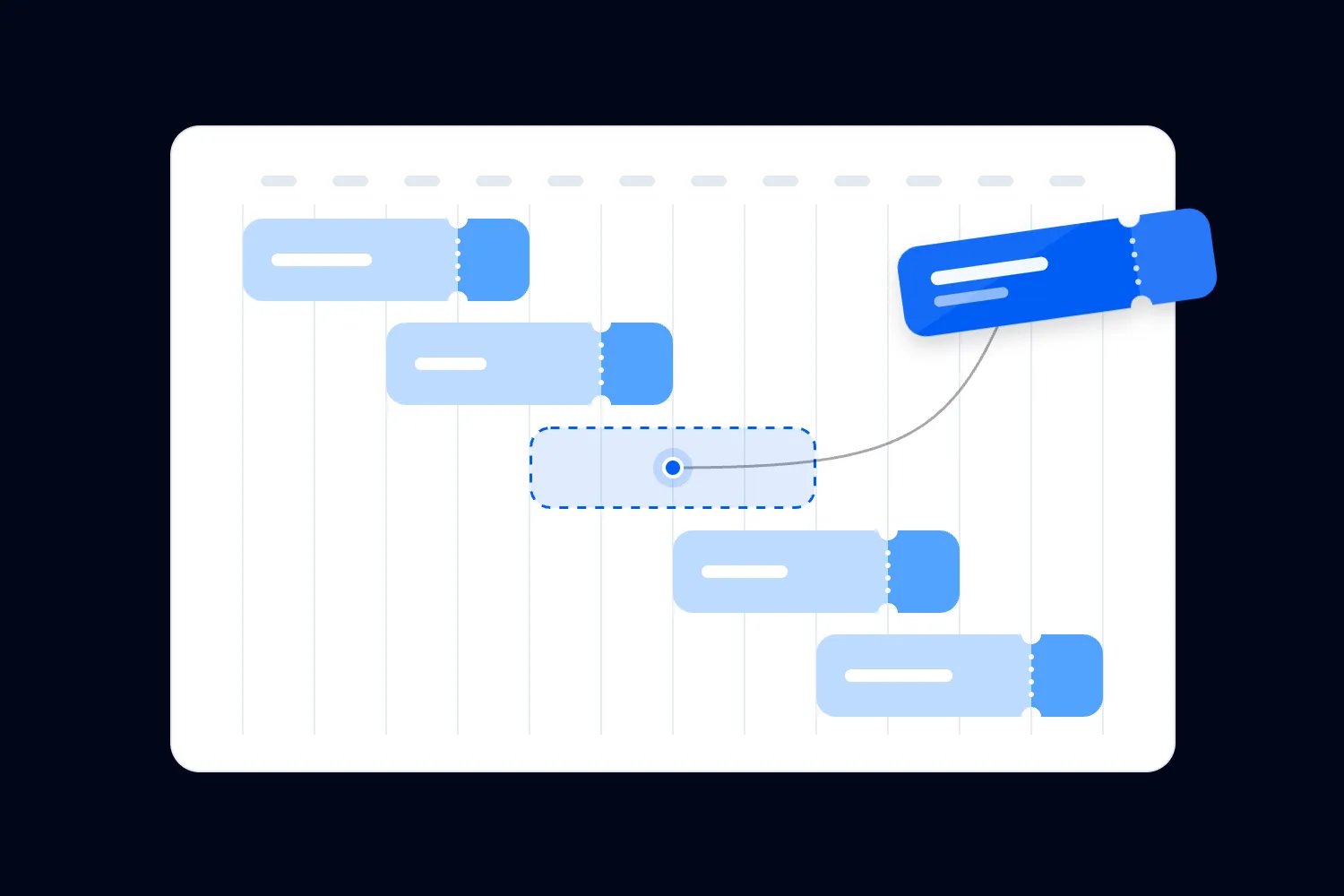
Gantt charts give you a visual snapshot of every milestone from early-bird launch to post-event recaps. Perfect for spotting overlaps, dependencies, and gaps before they become problems.
2. Calendar & Deadline Management (Google Calendar, Outlook, Notion Calendar)
Your marketing timeline lives and dies by dates—early-bird cutoffs, price increases, sponsor deadlines, content drops. A well-structured calendar keeps your whole team synced and accountable.
3. Project Management Boards (Trello, Notion, Linear, Jira)
For teams that move fast, boards keep tasks bite-sized and trackable. Ideal for content workflows, speaker coordination, and email sequencing—all mapped against your timeline.
4. Automated Reminder & Workflow Tools (Zapier, Make, Slack Reminders)
Automations keep your timeline running even when you’re buried in logistics. Trigger reminders for price increases, campaign launches, or approval deadlines.
5. File & Asset Organisation (Google Drive, Dropbox, Notion Workspaces)
Your timeline collapses fast when assets are scattered. Centralising graphics, email copy, speaker bios, and schedules means your team always knows where to find the latest version.
Quick Comparison: Tools That Help You Build and Manage Your Timeline
Tool Type | How It Supports Your Planning |
|---|---|
Gantt / Timeline Planners | Map every phase visually, manage dependencies, and keep long-range planning tight. |
Calendars | Anchor key dates like launches, announcements, and deadlines so nothing slips. |
Project Boards | Break the timeline into tasks and workflows your team can actually execute. |
Automation Tools | Remove manual follow-ups with reminders and workflow triggers tied to timeline dates. |
File Organisation Tools | Keep all assets centralised and version-controlled to move quickly across phases. |
Conclusion
A thoughtful event marketing timeline aligns your whole team, protects budget, and builds momentum right up to showtime—when many of your buyers finally act. Plan your phases, tag everything, and communicate with consistency and heart.
Ready to put this into action? Build your schedule, plug in the milestones above, and let Loopyah help you promote, sell, and communicate every step of the way.
Create Your Next Event
Author: By the Loopyah Content Team
The Loopyah Content Team shares expert insights, practical guides, and industry updates to help event organizers create unforgettable experiences and stay ahead in the event planning world.