· 30 min read
Mastering Event Digital Marketing: Strategies to Grow Your Event Online
You're selling tickets, posting regularly and watching the advertising bill grow. But you still need to know which activity will help you fill the event at a cost the budget can support. Event digital marketing starts with that decision. Work backwards from the tickets you need to sell, choose channels your buyers actually use, and make the next step clear wherever someone finds you.
Deloitte's 2025 Digital Media Trends report describes the competition for attention between social video and traditional entertainment. It's useful context for why your event content needs to explain its appeal quickly. It doesn't tell you which platform will sell tickets for your particular event. For that, start with your own buyers and the questions they ask before paying.
This guide covers audience research, channel choice, event pages, email and measurement. It also shows how to set an affordable acquisition cost, brief partners and decide what to change when sales fall behind. The aim is a repeatable way to sell paid tickets without spending the profit you need to keep.
Source: Deloitte, 2025 Digital Media Trends.
Understand who is likely to buy
Start with people who paid for a similar event, including your own previous edition. What made them choose it? When did they book? Did they bring someone? A returning buyer who knows the venue needs a different explanation from someone deciding whether the experience is worth the journey. Those differences should shape the message and the information you send.
Where to find reliable audience insights:
Registration and ticketing data: past attendance, purchase windows, upgrade patterns, promo code usage.
Website analytics: landing pages that convert, drop-off points, device mix, geography.
Comments and messages: questions about the event, requests for particular artists or sessions, and recurring objections.
Surveys and polls: ask what influenced the booking, what almost stopped it, and what the attendee would change.
Advertising estimates: use them to understand potential reach, while remembering that reachable accounts are not confirmed buyers.
Customer records: previous purchases, relevant interests people shared, and the permission you have to contact them.
Build useful audience groups
Start with a few groups you can recognise in your records, such as returning buyers, first-time visitors and people travelling from outside the city.
Describe what each group wants from the event and what might prevent the purchase.
Check which sources brought previous buyers. Avoid choosing a platform solely because of an age stereotype.
Follow the full purchase experience, from the first post or email through the event page, payment and confirmation.
Choose a relevant explanation for each group. Returning buyers may want the new lineup; first-timers may need help understanding the format.
Write the buyer's reason for attending in ordinary language and use that wording when briefing the copy.
Agree how you will judge each group, including completed orders, tickets sold and the cost of acquiring those orders.
Choose digital marketing channels for the job
Your website and email list let you communicate directly with people. Social posts, partners and press help new people hear about the event. Advertising pays for additional distribution. Start with the channels you can run properly, then add another when you can explain what it should contribute.
Social media marketing
Social media can introduce the event to people who weren't searching for it. Show enough of the actual experience for someone to decide whether it's for them. A performer clip, a useful speaker explanation or an attendee describing the atmosphere can do this more clearly than a poster alone. For more on briefing creators, see our guide to event influencer marketing.
Social content to test:
Short vertical clips that identify the event, explain the appeal and show where to buy.
Speakers explaining a specific question their session will help attendees answer.
Past attendees describing what they enjoyed, with their permission to publish the clip.
Attendee posts you have permission to share, with enough context for a new buyer to understand them.
Real ticket deadlines and availability updates, checked against the current inventory.
Preparation clips that explain a meaningful part of the event, such as the layout or what a ticket includes.
For paid social, test the message and audience together. A low-cost video view is useful only if the people watching could realistically attend. Refresh content when the offer changes or performance gives you a reason to, rather than replacing every ad on a fixed weekly schedule.
Email marketing
Email lets you ask previous buyers back and answer questions for people who requested updates. Give each send a clear purpose, such as announcing a presale or explaining a new ticket option. Loopyah's email marketing feature lets you select buyer segments, schedule messages and see the tickets and revenue associated with people who clicked.
Messages to plan:
A welcome message explaining what someone signed up to receive and when they'll next hear from you.
Early access for previous attendees who agreed to receive marketing.
An accurate price-change reminder with the deadline and the next price.
An abandoned-checkout reminder, where your tools and permissions support it, which stops after a purchase.
Lineup or programme announcements relevant to the audience receiving them.
A final sales reminder for people who haven't bought, separate from ticket-holder instructions.
A post-event thank-you and an invitation to the next event when its details are confirmed.
Judge the send by delivery, clicks, completed purchases and revenue. Review unsubscribes and complaints too. Opens can offer limited context, but don't treat them as a reliable count of people who read the message.
SEO for discoverability
Help people searching for the event find a current page with the date, location and ticket information. Google's event markup can make an eligible page suitable for event search features, although it doesn't guarantee their appearance. Read the requirements for Event structured data from Google Search Central.
Page fundamentals: clear titles (with event name + city + year), meta descriptions with CTAs, scannable H2s, alt text on images.
Event schema: include name, startDate/endDate, location, offers (pricing/availability), and organizer markup.
Relevant pages: explain real ticket options or programme tracks without producing near-identical pages for every keyword.
Content hub: publish speaker spotlights, "what to expect," travel guides; internally link to the main registration page.
Practical answers: explain refunds, transfers, accessibility and parking on the page, regardless of whether a search engine displays them separately.
Page performance: check loading, responsiveness and visual stability on phones as well as desktop computers.
Local information: keep the venue address and directions accurate across the pages and listings you control.
Backlinks: coordinate speaker and sponsor cross-links; submit to relevant event directories.
Media hygiene: descriptive file names, compressed images, captions that add context.
Measurement: connect Search Console and annotate key site changes to correlate with traffic lifts.
Paid advertising (PPC)
Search ads can reach people already looking for the event or a relevant experience nearby. Social ads can introduce the event to people with a plausible reason to attend. Both need a clear offer, working checkout and an affordable cost per purchase. Start with a controlled test before committing the rest of the budget.
Search structure: separate searches for your event name from broader category searches, so their costs and results remain visible.
Audiences: define the location you can realistically sell to and use permitted customer or visitor audiences where appropriate.
Creative: show the reason to attend, the event details and a truthful ticket offer.
Bidding: choose a purchase goal you can measure and an acquisition cost the ticket economics can support.
Checks: verify campaign links, purchase tracking, geographic settings and exclusions before increasing spend.
Content marketing
Useful content helps someone understand the event before asking them to buy. A workshop organiser can publish a short teaching example. A music promoter can show the artist performing the kind of set audiences should expect. Choose material that makes the ticket easier to assess, then link to the relevant event page.
Preparation videos explaining something buyers care about, such as the programme format or venue layout.
Short speaker demonstrations with a clear explanation of what the paid session adds.
First-timer guides answering common questions about arrival, timings and attending alone.
Recaps with specific, verifiable details. Don't promise business results or personal outcomes you can't substantiate.
Make the event website easy to buy from
Open the event page as if you've never heard of the organiser. Can you tell what the event is, where it happens, when it starts and why you'd attend? Then try buying on a phone. Questions left unanswered here can waste the traffic you've already paid to attract.
Must-have elements:
First screen: event name, date, venue, a clear reason to attend and an obvious ticket button.
Simple pricing and policies: tiers, deadlines, bundles, refund/transfer info to reduce checkout anxiety.
Evidence buyers can assess: approved partner logos, specific testimonials and attendee material you have permission to publish.
Programme information: confirmed speakers, artists or activities, with a clear explanation of what each ticket includes.
Venue and travel info: map embeds, hotels, transit tips, ADA/accessibility notes.
Mobile buying: compressed media, pages that respond quickly and buttons you can tap comfortably.
A buyer should be able to check the essential details and understand the total price before committing to a purchase.
Plan social promotion around the sales period
Use the real sales window to plan announcements, explanations and reminders. The example below suits an event with several months to sell. A recurring club night or a high-price conference will need a different schedule. Adjust it using your own purchase history.
Twelve to eight weeks out: confirm the offer, prepare the event page, brief partners and test purchase tracking.
Eight to six weeks: announce the programme and open sales. Compare different reasons to attend before producing lots of similar posts.
Six to four weeks: answer first-timer questions, publish useful attendee material and review which sources are producing purchases.
Four to two weeks: explain genuine ticket deadlines and use partner content with agreed permissions.
Final two weeks: publish clear practical answers and accurate availability updates. Keep the buying link current and easy to find.
During the event: capture approved material for the next edition while keeping attendees informed about today's event.
After the event: thank attendees, review results and announce the next edition only when its details are ready.
Assign an owner and a deadline to each item so announcements don't depend on someone finding time that morning. For a fuller planning example, see our event marketing timeline.
If you run a giveaway, check the promotion rules and consider whether the prize attracts likely paid attendees:
A relevant upgrade or event-specific prize may attract a more useful audience than a general cash prize.
Publish entry terms, judging or draw details and the date the winner will be contacted.
Keep the entry action separate from optional marketing permission. Don't assume an entrant agreed to ongoing promotional emails.
Write email that gives someone a reason to book
Explain why someone should join your list and what they'll receive. A presale invitation makes sense when you have a confirmed event to announce. A generic downloadable guide may produce more email addresses without producing people who want your tickets.
At the venue, link a QR code to a signup page that explains the next event or updates on offer.
When testing lead ads, compare the eventual ticket purchases with the full cost of collecting and contacting those leads.
Ask speakers and partners to link to a relevant signup or event page, using accurate information about the offer.
Match the message to the buyer's situation. A previous VIP buyer may want to know what changed in that ticket. A traveller may need the finish time before booking transport. Only use interests you actually know, and avoid implying that every recipient has the same reason to attend.
Write the email around a useful, specific announcement.
Use a subject line that identifies the news, such as 'Friday's workshop: the final early-bird day'.
Use preview text to explain the price change or one relevant detail the subject couldn't include.
Use a clear ticket button with supporting details nearby. Test the destination and the mobile email before sending.
Choose an email service that handles delivery, authentication and opt-outs, then follow its setup instructions. Your job is to maintain a clear reason to email the recipient and supply accurate content. Don't buy a list to make the audience look larger.
Measure purchases and decide what to change
Use completed purchases as the main sales measure, with tickets per order and revenue alongside them. Visits, video views and checkout starts help explain the result. They don't replace it. Confirm which actions your analytics and advertising systems actually record before using them to make spending decisions.
Key metrics to track across the funnel:
Website: useful visits by source, event-page questions, checkout starts and completed orders.
Social: relevant reach, link visits and the purchases those visits can be connected to.
Email: delivery, ticket-link clicks, purchases, unsubscribes and complaints.
Paid: total spend, completed orders, cost per order and the ticket revenue retained after refunds and direct costs.
Implementation checklist:
Agree a consistent definition of a purchase, including whether the report counts orders or individual tickets.
Confirm a test purchase appears correctly in the ticketing records and the measurement tools you rely on.
Use consistent source, medium and campaign names in campaign links so you can compare the same activity over time.
Check for duplicate purchase signals and document the attribution period each report uses.
Review sales against spend and the remaining inventory. Investigate weak results before assigning more budget.
During the sales period, review results often enough to act before the next planned spend. Look at what changed, including price, programme news and audience size. A weak day doesn't automatically mean an ad has failed, especially when buyers take time to decide.
How the approach changes for different events
These are planning examples, rather than customer case studies or forecasts. Each shows how the event's buying decision should change the campaign.
A paid professional workshop
Show the question the workshop helps someone answer, the level of experience expected and the work they'll complete. Let the instructor explain part of the method in a useful clip. Send people to a page with the full format and ticket price. Judge the campaign by paid bookings, including whether people need employer approval before buying.
A music event with a returning audience
Ask previous attendees back with a confirmed lineup and a clear explanation of what's different this time. Use artist content with permission and give partners consistent buying links. Keep the venue, age rules and timings visible. When sales slow, check whether the problem is the lineup, price, travel or missing information before assuming another video will solve it.
A recurring food or culture event
Explain what the ticket covers and what attendees pay for separately. Show the activities a group can actually plan around, including any timed sessions. Review which local partners bring buyers who attend, and retain those relationships for the next edition. A large view count is less useful than understanding which audience wants to come back.
Set the marketing budget before choosing the ads
The first thing you want to do is work out what you can afford to spend to sell a ticket. If you start with a platform's suggested budget, you can end up running a campaign that looks successful in the advertising report and still leaves the event short of profit.
Use the amount you keep from a ticket, rather than its advertised price. Deduct any tax you must remit, the fees you pay and costs that increase with each attendee. Then allow for the event's fixed costs and the profit you need. Marketing has to fit inside what remains. If sponsorship is helping cover those costs, count confirmed money rather than a conversation that sounds promising.
Here's a simplified planning example in US dollars. Suppose the amount retained from a ticket after tax and transaction costs is $60, and each extra attendee costs another $10 to serve. That leaves $50 per paid ticket before fixed costs, marketing and profit. At 300 paid tickets, you have $15,000 available. If fixed costs are $9,000 and your target profit is $3,000, the whole marketing allowance is $3,000. It includes production, partner payments and advertising, not just what the ad accounts spend.
Now suppose production and partner costs use $900 of that allowance. You have $2,100 for advertising. If you expect paid campaigns to account for 150 tickets, the planned advertising cost is $14 per ticket. That's a planning limit based on these assumptions, not an industry benchmark or a prediction that the campaign will achieve it.
Orders complicate the calculation in a useful way. If an average paid order contains two tickets, a $28 advertising cost per order corresponds to $14 per ticket. But don't assume every new audience will buy in pairs because your returning customers did. Keep the ticket count and order count visible so you can spot that difference before increasing spend.
Recalculate when the offer changes. A group discount changes what you retain. A VIP upgrade may add service costs. A reduced capacity changes how many tickets can contribute to fixed costs. Your spending limit should reflect the event you're actually selling.
Use audience research to narrow the channel choice
A common temptation is to look at the platform with the most exciting recent campaign and decide you need to be there too. Start with the people you can plausibly sell to. A local evening event needs people who can make the journey on that date. A specialist workshop needs people with the relevant problem and the willingness to pay to solve it.
The chart below adds context from Loopyah's Event Attendee Insights Report. It shows the platforms respondents said influenced their decision to attend events. That is a different question from where they bought their ticket or which advertising platform produced the cheapest sale.
| Label | Respondents (%) |
|---|---|
| 52.8 | |
| Google Search | 40.6 |
| YouTube | 39.2 |
| 37.6 | |
| TikTok | 30.6 |
| X (Twitter) | 14.8 |
| 10.2 | |
| Snapchat | 9.2 |
| Other | 5.6 |
Source: Loopyah's Event Attendee Insights Report 2025/2026, question 17. Pollfish surveyed 500 US respondents on 11 November 2025. Respondents could select up to three answers. The figures are unweighted shares of all respondents, so they do not add to 100%.
Use this as a reason to investigate, rather than a reason to copy the ranking into your budget. The full sample includes different event types and different buyers. Your own event may have a very different audience. Check purchase sources, ask past attendees and test a channel with a defined offer before treating it as a reliable source of sales.
For a small team, a sensible starting plan might be one email campaign to reachable past buyers, one primary social channel and a tightly controlled paid test. That gives you enough activity to learn from without creating a calendar you can't maintain. Add more distribution when you have evidence of demand and someone who can manage it.
Connect the post, event page and ticket offer
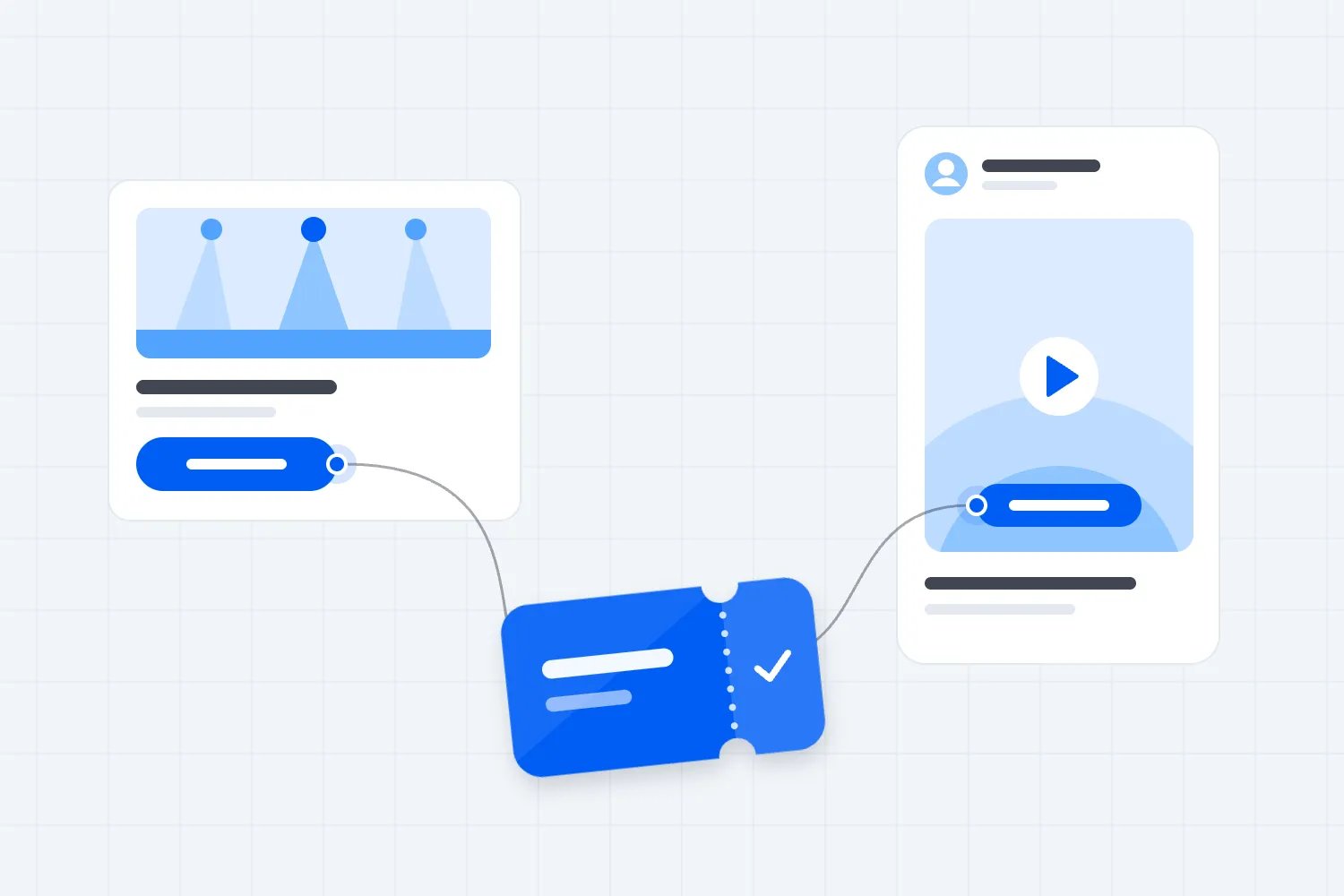
Imagine someone sees a video advertising a hands-on photography workshop. They tap through because they want help taking better portraits. The event page opens with a general description of a creative community, the practical exercises are buried below the venue history, and the ticket names don't explain which session they include. The video did its job. The page has made the decision harder.
Carry the reason for clicking through to the destination. If the ad promises portrait practice with an instructor, make that session easy to find. Explain the required experience, equipment and session length. Someone should be able to connect the thing they liked in the ad with the ticket they're about to buy.
That doesn't mean making a separate website for every message. Often you can improve one event page by putting the essential offer first and organising the detail under useful headings. Send the buyer to the most relevant section when your site supports it. Check the link on a phone, including inside the social app's browser, rather than assuming it behaves like a desktop tab.
Look at the final price as part of the same experience. If the promotional message gives a price, someone shouldn't have to guess what that amount includes. Explain mandatory charges, optional extras and ticket restrictions clearly. A cheaper-looking ad that creates confusion at checkout can waste both your budget and the buyer's time.
Before launch, ask someone who hasn't helped build the event to complete the journey. Don't coach them. Watch where they hesitate and ask what information they needed. Their questions are often more useful than another internal discussion about which button colour looks best.
Test reasons to attend, then test the presentation
An event can be attractive for several different reasons. A professional workshop might offer a useful skill, direct access to an instructor or the chance to meet people doing similar work. If every ad says the same thing with a different photograph, you're mostly testing photographs. You still haven't learned which reason matters to the buyer.
Start with distinct explanations you can deliver honestly. One workshop ad could show the task participants will practise. Another could show the instructor answering a difficult question. Keep the event, ticket and destination consistent so the results are easier to interpret. Give each version a name that describes the actual difference.
Decide what a useful result would look like before spending. If the test is supposed to sell tickets, compare completed purchases and their cost. If the audience needs time to decide, allow for that delay. A version with more cheap clicks may simply attract people who like the clip but have no intention of attending.
Small events often won't generate enough purchases to settle a test neatly. You can still learn from the quality of enquiries, the page sections people visit and the objections they mention. Be honest about the uncertainty. One order doesn't establish a winning message, and a few hours without an order doesn't establish a losing one.
Once a message looks promising, vary the presentation. Try a clearer opening, a different speaker clip or a simpler visual. Keep a record of what changed and what you learned, including tests that didn't justify further spending. Otherwise the next edition starts with the same guesses because nobody remembers why last year's creative was chosen.
Make partner promotion specific enough to use
A partner agreeing to help promote the event is only the beginning. They still need accurate information, usable material and a reason to contact their audience. Sending a folder full of posters with 'please share' transfers the planning problem to them.
Brief the partner on the people you want to reach and why the event matters to those people. For a speaker, that might mean explaining the session to their professional audience. For a venue, it might mean showing regular visitors what the evening will involve. Let the partner use language their audience recognises while keeping the event facts consistent.
Agree the actual deliverables. A feed post, an email mention and permission to advertise a video are different commitments. Confirm the timing, the buying link, any payment or commission, and who approves factual details. If you want to use a creator's material in paid ads, discuss that permission specifically rather than assuming it comes with an organic post.
Give each partner a link you can identify in the sales report. A discount code can be useful, but remember that codes get forwarded. It won't show you every person the partner influenced, and it may reach people outside the intended audience. Treat the reported orders as one part of the review alongside the work delivered and its cost.
Where a creator has a paid or other material relationship with the organiser, make the relationship clear. For US-facing campaigns, the FTC's guidance on influencer disclosures explains how disclosures should accompany endorsements. Check the rules relevant to your campaign rather than hiding the relationship in a brief nobody in the audience will see.
After the campaign, share the useful results with the partner. Explain which material brought qualified interest and which questions the audience asked. That gives both sides a better starting point next time than a thank-you followed by the same generic request a few months later.
Build email sequences around actual buyer behaviour
Suppose you've opened sales for the next edition and want previous attendees to return. A relevant first email explains the confirmed event and why it might interest them again. A follow-up can address a common question or a real deadline. Someone who has already bought needs a different message, because asking them to buy again suggests you haven't noticed their order.
This is where connected ticketing and email can remove repetitive work. With Loopyah's attendee email tools, contacts include their purchase history, and you can build segments around what people bought. Automations can start from buyer actions, wait for a chosen period and end when the person purchases or unsubscribes. You still decide what to say, who the message is for and whether the offer deserves another reminder.
Keep the first version simple enough to inspect. You might welcome new subscribers, send a relevant event announcement and follow up before a genuine price deadline. Check what happens when someone purchases between those messages. Then check what happens if they unsubscribe. A sequence that looks tidy on paper can feel careless if it ignores what the recipient just did.
Google's email sender guidelines cover authentication, subscription practices and unsubscribe requirements for mail sent to personal Gmail accounts. Use your provider's setup process to meet the requirements that apply to your sending volume. Delivery work belongs in the setup, before the final ticket reminder needs to go out.
Make each email readable without the images. The text should identify the event, explain the news and show the next step. Send yourself a test, tap the ticket link and read it on a phone. For an event with travellers, check the time zone in the message and the destination. A beautiful email with the wrong booking deadline is still the wrong email.
Track sources without pretending you can see everything
Use campaign links that tell you where a visit came from. Google explains how source, medium and campaign parameters work in its campaign URL guidance. You don't need elaborate names. You need names your team can apply consistently.
For example, use the same event campaign name for launch activity, then distinguish a partner newsletter from your own attendee email. Name the creative when you're comparing messages within a channel. Decide whether you use lowercase names before people start sending links, because inconsistent naming makes the report harder to read later.
The practical check is whether the information survives the journey. Follow a campaign link, open the event page and complete a test purchase through the supported test process. Check the records you will actually use during the campaign. Don't discover after launch that every partner link redirected to an untracked destination.
Keep personal information out of those links. A campaign name should describe the activity, not identify a buyer. The goal is to compare distribution and messages, not publish customer details in URLs that can be copied and stored in several places.
Accept that some buyers will see one thing, discuss it with friends and return through another route. A ticket bought after searching your event name may have been prompted by a creator's post days earlier. That doesn't make search useless or prove the creator deserves all the credit. It means the reports describe different parts of the purchase.
Use the ticketing record for the total number of orders. Use channel reports to investigate which activity appears to contribute, with their reporting rules understood. When several platforms each claim the same buyer, don't add those claims together and describe the result as additional sales.
Diagnose a slow campaign before changing the budget
When sales fall behind, first establish where the problem appears. Are enough suitable people reaching the event page? Are visitors starting checkout? Are completed orders matching the number of tickets you expected? Different answers need different changes.
If relevant reach is low, the distribution may be too narrow or the message may not be clear enough to attract attention. Check geography, audience size, delivery and the first few seconds of the creative. Ask whether the person seeing the ad can immediately understand the event. Increasing spend on an unclear offer may buy more of the same weak response.
If visits are healthy but purchases are weak, read the page and the enquiries together. You may have omitted the finish time, made ticket options difficult to compare or advertised an experience the page barely explains. Compare the message people clicked with what they find. You may need a better explanation before you need more traffic.
If buyers start checkout and stop, test the checkout. Check whether the intended ticket is available, whether the price is understandable and whether the payment process works on the devices your audience uses. Some people will simply need to check with friends. Others may be encountering a problem you can fix. The report alone won't tell you which.
If orders arrive but the average order contains fewer tickets than planned, revisit the budget calculation. A campaign can sell at an acceptable cost per order while costing too much per ticket. Similarly, sales concentrated in a lower-price tier can leave less money for marketing than you expected. Review the money retained as well as the headline sales total.
Write down the reason for the change you choose. 'Explain the equipment requirement because buyers keep asking whether they need a camera' is something the team can act on and assess. 'Optimise the campaign' leaves everyone guessing what should happen next.
Give automated advertising a clear brief
When software manages advertising, you still own the event's offer and spending decision. The software can't make an unconfirmed speaker confirmed or make an unsuitable travel radius sensible. Your inputs need to describe the event you can actually deliver.
Loopyah's AI Ads Manager connects Meta, Google and TikTok accounts. You set a total budget and an end date, then add your creative. It builds and manages the campaigns, records its changes and explains why it made them. You can review those decisions and pause the advertising from the dashboard.
That changes where you should spend your attention. Rather than manually reproducing every campaign adjustment, review the offer, the creative inputs, the budget and the recorded decisions. If the ticket price or programme changes, make sure the campaign reflects the new facts. Keep the financial limit clear even when day-to-day adjustments happen automatically.
Automation also doesn't remove the need to reconcile results. Check the actual orders and ticket revenue against the advertising cost. If a campaign appears to perform unusually well or badly, investigate the measurement before treating that result as a reason to spend much more or abandon the channel.
Plan the final sales days without inventing urgency
The closer the event gets, the more practical questions matter. People need to know whether they can still buy, what the ticket includes and whether they can get there and home. Put those answers where a late buyer will look, including the event page and the current social posts.
Use urgency that comes from the real event. A price deadline, a booking cutoff or a genuinely limited ticket allocation is useful information. Keep it current. If a tier sells out, stop advertising it. If more tickets become available, explain the new availability rather than leaving yesterday's final-ticket claim in circulation.
Be careful with late discounting. It may help when the remaining capacity would otherwise go unsold, but it changes what you retain and what previous buyers think of your pricing. Calculate the result before launching the code. Consider a clearly defined group offer or an added benefit you can afford, rather than making a broad price cut because sales feel uncomfortable.
Keep promotional messages separate from the instructions ticket holders need. Someone who paid should be able to find their arrival time, venue details and ticket access without sorting through another sales pitch. Good event communication protects the experience you've sold and reduces avoidable support questions during the busiest days.
Set a final spending decision in advance. Know how much remains, which ticket inventory it is intended to sell and when you'll stop. The fact that the event is tomorrow doesn't make every extra advertising dollar affordable. Sometimes the useful final action is fixing the event page, answering buyer questions and contacting relevant people who already asked to hear from you.
Review the campaign while the details are still fresh
After the event, compare the plan with what happened. Count paid tickets, refunds and the revenue you kept. Bring together advertising, production and partner costs so a campaign doesn't look inexpensive simply because part of the bill was recorded elsewhere.
Then ask what you would repeat. Which audience understood the offer quickly? Which questions appeared repeatedly? Did partner posts arrive on the agreed dates? Did an email bring returning buyers back? Record enough detail that someone planning the next edition can use the answer.
Keep the conditions attached to each conclusion. A strong lineup announcement may coincide with payday or a price deadline. A low-cost campaign to past attendees may not scale to strangers at the same cost. You can use those results without claiming they prove more than they do.
Finish by choosing the next change. That could be collecting a clearer preference at signup, preparing partner material earlier or testing a different ticket explanation. A useful review produces a decision the team can put into the next event plan, while the buyer questions and campaign details are still easy to remember.
Start with the next sales decision
Choose the decision your next campaign needs to resolve. That might be whether previous buyers will return, which explanation persuades new visitors, or whether a paid channel can sell at an affordable cost. Run the activity with working links and clear measurement, then use the result to decide what happens next.
When you're ready to put the plan into practice, connect the event page, ticket sales and attendee communication so you're judging promotion against the bookings it produces.
Start selling tickets with LoopyahFor more on the purchase decision and the changes you can make to improve it, read how to sell more tickets for an event.

Author: By the Loopyah Content Team
The Loopyah Content Team shares expert insights, practical guides, and industry updates to help event organizers create unforgettable experiences and stay ahead in the event planning world.