· 14 min read
Post-event social media post examples that help sell your next event
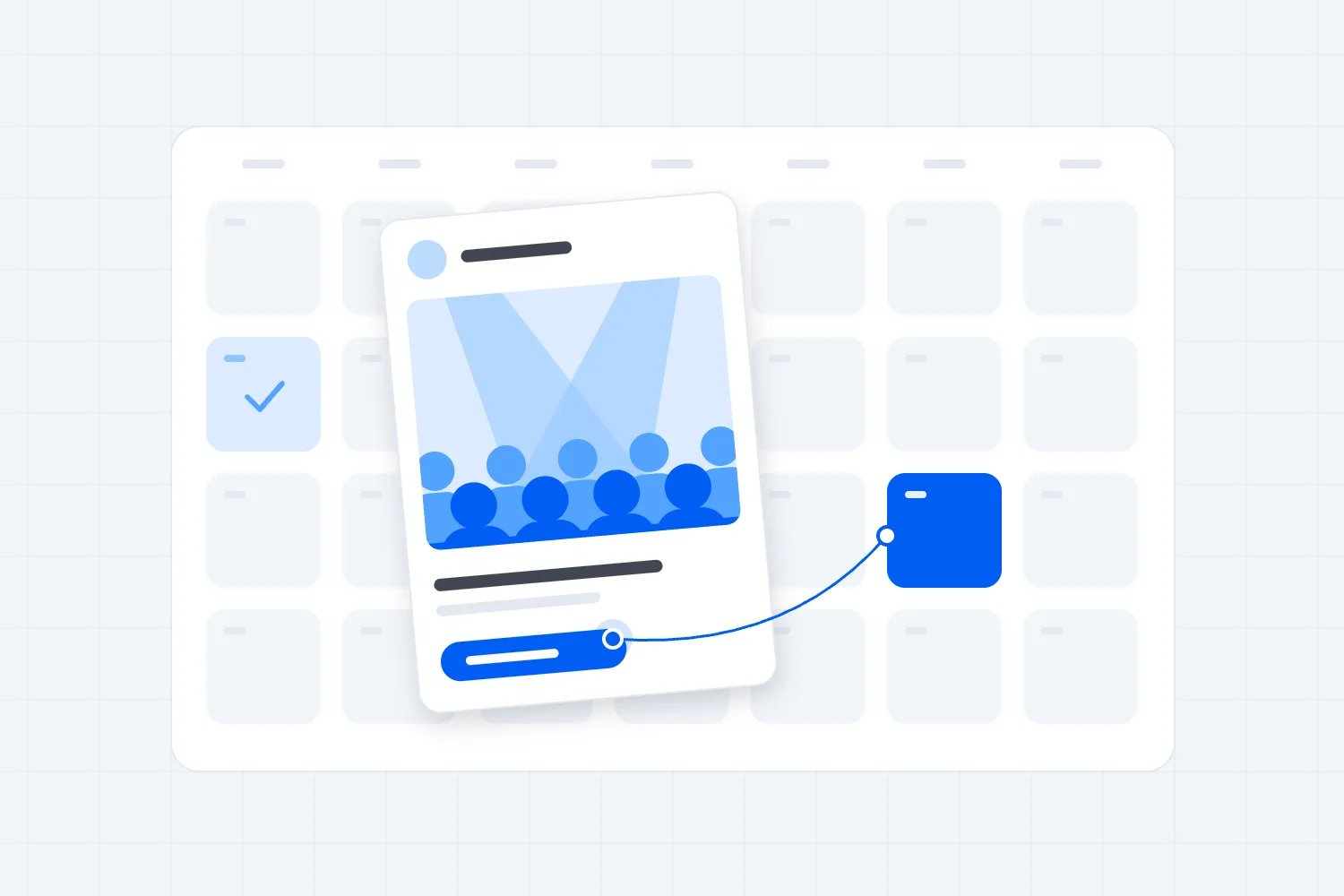
After your event, post something that shows why people enjoyed it, then tell them how to come to the next one. A great moment, a useful takeaway or an attendee's own words can all do that job. If tickets aren't on sale yet, ask people to sign up for the announcement or follow your account for the next date.
So you've packed up the event. Now you've got photos, clips and another date to fill. Where do you start? Choose something that helps someone picture being there. For a gig, that might be the crowd singing along. For a workshop, it could be what a beginner managed to make.
Below are seven after-event social media post examples, followed by a complete worked example, a posting sequence and a way to check the bookings. Our content marketing guide covers the wider plan.
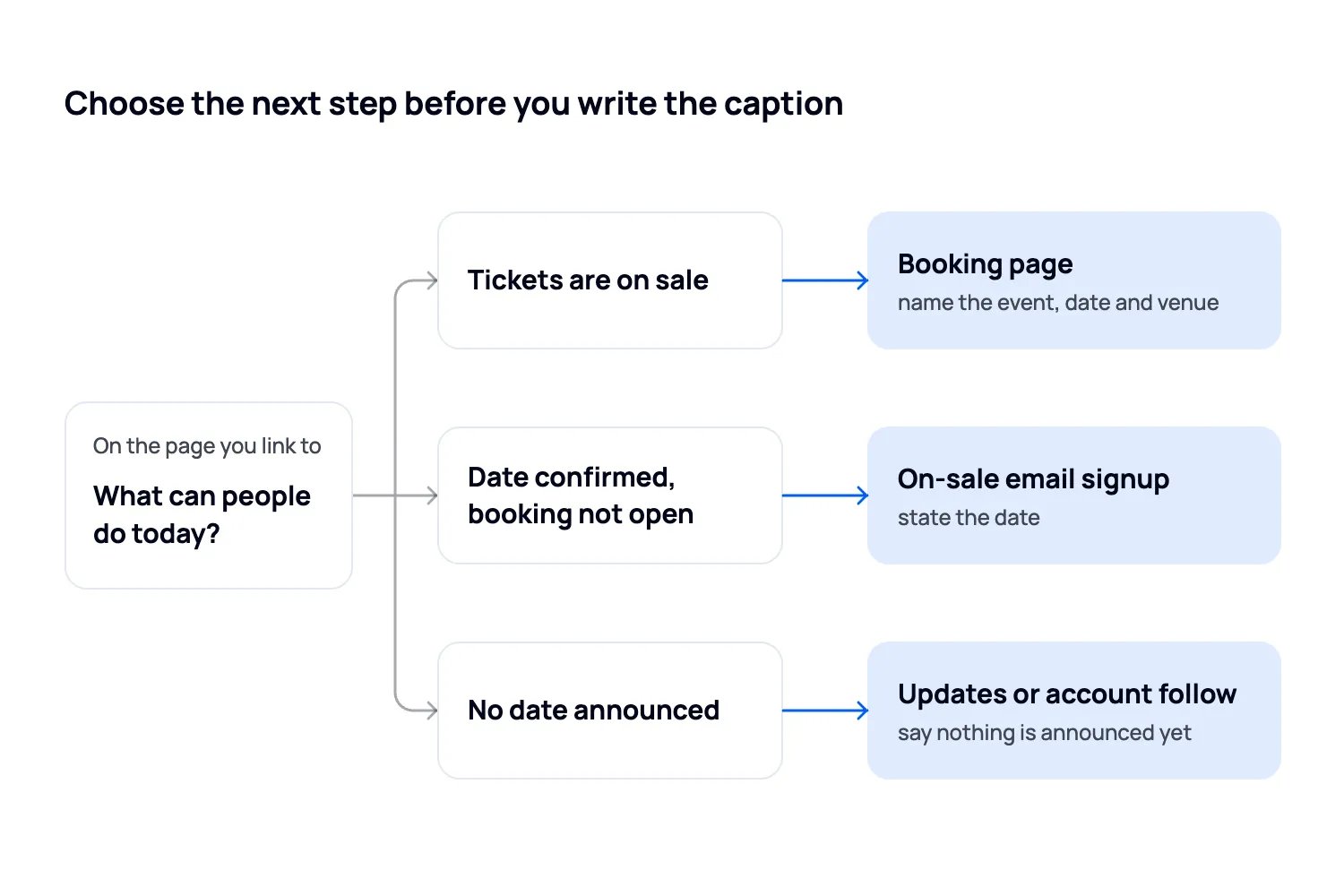
Choose the next step before you write the caption
Open the page you plan to send people to. What can they actually do there today?
Tickets are on sale. Name the next event, date and venue, then send people to its ticket page. Make the booking instruction match the link location available on your account.
The date is confirmed, but booking hasn't opened. State the date and tell people how to receive the on-sale announcement. Only promise early access if you will provide it.
Nothing is announced yet. Say so. Use an existing email signup page, or ask people to follow the event account. A signup for news does not reserve a ticket.
Don't ask someone to buy tickets, leave a review, tag friends and complete a survey in the same caption. Choose the action that matters most for that post.
Seven post-event social media captions to adapt
These examples are written for hypothetical paid events. Replace the bracketed details with your own, and check the programme, inclusions and arrangements before posting. Use genuine attendee comments and get permission for the photos, clips and quotations you share. Each example tells you when to use it and what to show alongside it.
In each caption, replace [ticket route] or [signup route] with an instruction people can follow on that platform. Test it on a phone before posting.
1. A thank-you that opens the next sale
Use this when the next event is already on sale and the finished event gives people a clear reason to return.
Caption to adapt
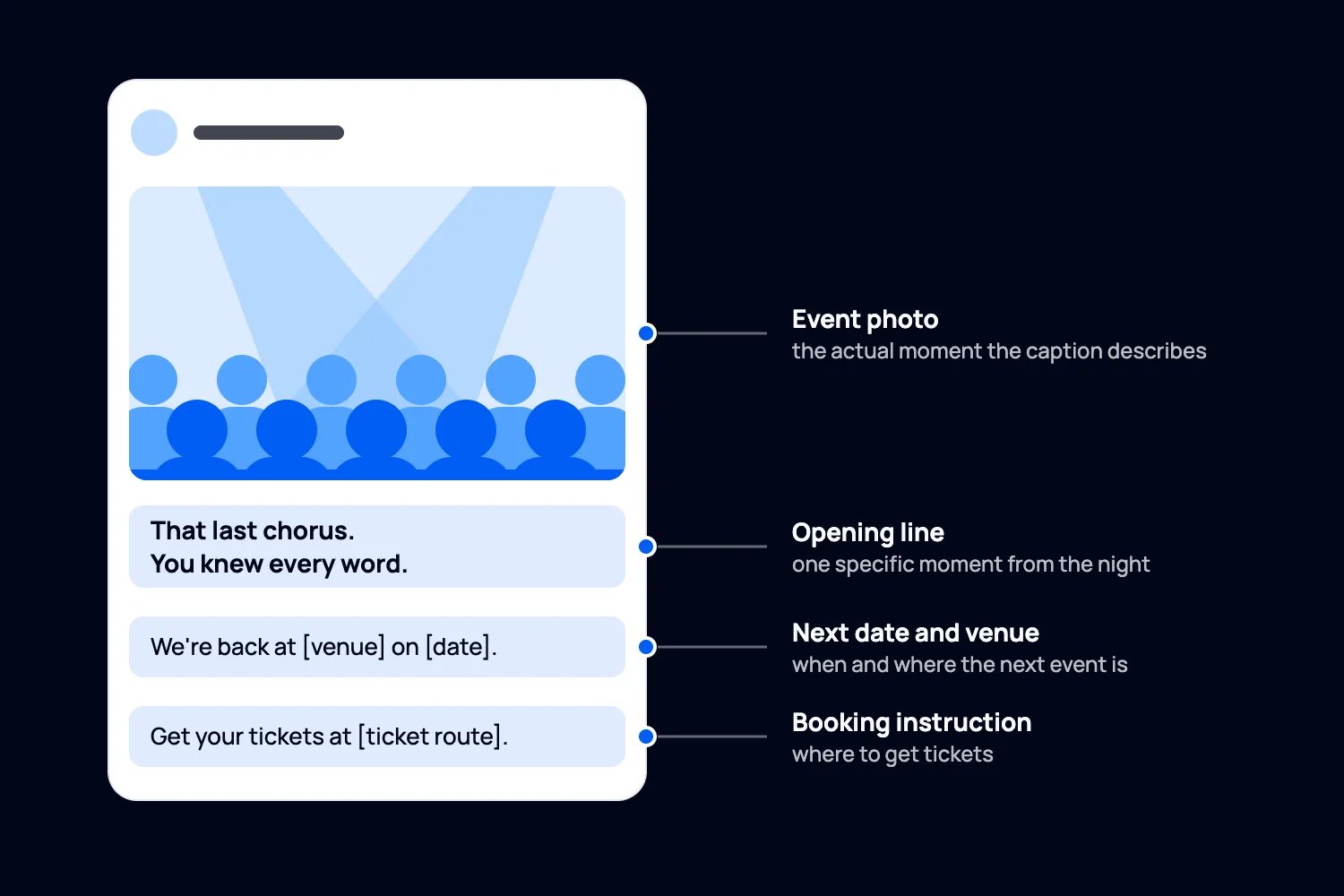
That last chorus. You knew every word.
Thank you to everyone who came to [event name], and to [artist] for giving us that finish. If this clip has you planning another night out, we're back at [venue] on [date] with [confirmed lineup]. Doors open at [time]. Get your tickets at [ticket route].
For the visual, use the actual moment the caption describes. Start with the chorus or audience response, then add a final frame with the next date. Make it clear which footage is from the finished event and which lineup is coming next.
A clip of a previous headliner can mislead if the next show has different performers. State the change. The next event has to make its own promise.
2. A recap when the next date isn't ready
You don't need to invent urgency to keep interested people close. This example suits a paid ceramics workshop with another edition planned but no confirmed date.
Caption to adapt
The tables are clear. Your bowls are drying. There's probably still clay on somebody's sleeve.
Thanks for spending the afternoon making things with us at [workshop name]. Here are a few pieces taking shape before firing. We're planning the next workshop, but haven't confirmed a date yet. Join our email updates at [signup route] and we'll let you know when booking opens.
Show the work in progress, the instructor helping someone and the finished session. Ask permission before featuring identifiable participants or their work.
If you don't have a working signup page, replace the last sentence with a follow request. Don't call it a waitlist unless there is a real process for offering places to the people on it.
3. A useful takeaway from a paid conference
Choose a moment when someone in the room learned how to do something. What could a reader try at work tomorrow? Put that in the post. A speaker's name and a photo of the stage won't give them the same reason to care.
Caption to adapt
Still thinking about the question [speaker] asked at [conference name]: [accurate question from the session].
Their practical advice was to [specific action they recommended]. The example about [actual example] made it much easier to see where to start.
We're continuing that conversation at [next event] on [date], with a session on [confirmed topic]. The programme and tickets are at [ticket route].
Use a short approved clip that includes enough context to make the advice understandable. For a photo post, put the idea in the caption and show the relevant speaker or demonstration.
Keep the takeaway narrow. Don't turn a speaker's opinion into a guaranteed business result. If the next programme isn't confirmed, use an announcement signup instead of promising a topic you haven't booked.
4. An invitation for someone who would come alone
Your recap can answer a question that stopped someone buying last time. For a hosted social event, that might be whether arriving alone will feel awkward.
Caption to adapt
Thinking of coming to [event name] on your own? Here's what the start of the evening looks like.
Our host meets you at [meeting point], explains the format and introduces you to your first group. You don't need to bring a friend or arrive knowing everybody.
These photos are from [previous date]. The next event is [next date] at [venue]. See what's included and book at [ticket route].
Show the welcome, the host and the room layout, with participants' permission. A distant crowd shot won't explain how the greeting works.
5. An attendee's words, kept in context
Choose a comment that explains what someone valued. In Loopyah's February 2026 Worth It survey, 225 of 500 US respondents, or 45%, selected positive past reviews when asked what makes an event feel worth it before buying. People could select several answers. That supports making genuine feedback visible; it doesn't tell us how many extra tickets a testimonial will sell.
Caption to adapt
"[Paste the attendee's genuine words here.]"
[Approved name or description] shared this after [event name and date]. They were talking about [the specific part of the experience].
At our next [event format], you can expect [verified feature that relates to the comment]. It takes place on [date] at [venue]. Find the details and tickets at [ticket route].
Pair the comment with a relevant image you have permission to use. Keep the words readable, and repeat them in the post text. Don't use a stock portrait that appears to be the reviewer.
The US Federal Trade Commission's endorsement guidance says endorsements must reflect honest opinions or experiences. It also explains when a connection, such as compensation, needs disclosure. Keep the original feedback and its context; don't manufacture a quotation to fill this template.
6. A change that gives past buyers a reason to return
If people liked the event but struggled with part of it, your follow-up can give them a reason to try again. Say what you've changed and show how it will work.
Caption to adapt
You liked the workshop. You wanted more time to practise.
We've made room for that in the next [workshop name]. The opening demonstration is shorter, and there's now a dedicated practice session with the instructor there to help. Bring the project you got stuck on last time.
We're back on [date] at [venue]. The updated details and tickets are at [ticket route].
Show the new arrangement: a seating plan, the revised programme or an actual view of the new space. Label a diagram as a plan rather than implying the event has already happened.
Keep the claim proportionate. An added check-in lane is a concrete change. "No queues next time" is a promise you may not be able to keep.
7. Something worth sending to the group chat
A group needs enough information to decide whether a night works for everyone. Give them that information with the moment they'll want to share.
Caption to adapt
For the group chat that's been saying "we should do something."
This was [event name] at [venue]. Next time, we're back on [date], with [confirmed programme]. Doors open at [time], the show finishes at [time], and your ticket includes [actual inclusions].
Send this to the people you'd bring. Booking details are at [ticket route].
Use a clip or photo of people enjoying the part of the event that your next edition will also offer. Put the date and location where someone can see them without opening the full caption.
You don't need a group discount to make this useful. Clear plans can be the missing piece. If you sell group tickets, explain the actual terms on the linked event page.
One event, written for different posts
Let's make this less abstract. Imagine you run Product Photo Lab, a paid workshop for independent makers. Last time, guests practised photographing their products with a phone and a tabletop light. The next session is at Studio Eight on 14 November, from 1pm to 3pm, and costs $55 including fees. The event, venue, schedule and price are invented for this example.
A LinkedIn post for the business owner
Start with the problem they brought to the workshop, then explain what they can practise next time.
Your product looks good in person. Why does it look so flat in the photo?
At Saturday's Product Photo Lab, we photographed the same mug with the same phone, then changed the position of the light. The photos below show the difference.
Bring a product and your phone to the next lab at Studio Eight, 14 November, 1pm to 3pm. We'll practise lighting and framing together. It's $55 including fees, with the tabletop lights provided. Full details and booking: [ticket link].
Use the real demonstration images when you adapt this example. LinkedIn's sharing instructions explain how to paste a URL into a post. Replace [ticket link] with your event URL and check the preview so it shows the next workshop, not the finished one.
A short video for Instagram or TikTok
Let the demonstration carry more of the explanation. Open on the original photograph, show the light moving, then show the resulting photograph. Put "Same mug. Same phone. Different light." on screen.
TikTok's video guidance recommends an opening hook, something that demonstrates the benefit and a clear next action. Applied here, that means the viewer sees the exercise before you invite them to the workshop.
We moved the light. Here's what changed. Try it with your own product at Product Photo Lab, Studio Eight, 14 November, 1pm to 3pm. $55 including fees. Booking details are in [available link location].
On Instagram, that location might be your profile or a Story link sticker available on your account. Set up the route before writing the instruction. If the next date isn't announced, replace the booking sentence with: We're arranging the next lab. Join the workshop updates through [signup route] and we'll email you when the date is confirmed.
The useful difference is where the explanation happens. The LinkedIn version gives the business context in the text. The video shows the exercise, so its caption can get to the date and booking details sooner.
Add accurate captions to speech and check names yourself. W3C's caption guidance includes sounds needed to understand the clip. For a photo post, write alt text that explains the useful visual detail, such as what changed between the demonstration images.
Check the soundtrack before reusing a clip for promotion. TikTok's music guidance distinguishes music cleared for commercial use from music whose platform licence doesn't cover it. A song playing in the room isn't proof that you can use its recording in your marketing.
Publish a sequence you can actually maintain
For the imaginary Saturday workshop, we'd plan this sequence. These are suggested days for this example, not an industry benchmark.
Sunday: thank the guests and share the demonstration while the experience is still fresh. Link to the next date if it is on sale; otherwise offer workshop updates.
Tuesday: answer a question that came up, such as whether a phone camera is enough. Show the equipment people actually used, and explain what the next ticket includes.
Friday: invite people to the next session with the date, location and booking route. If the date is still unconfirmed, hold the sales post until you have something people can book.
Use replies to choose the next post. Questions about equipment call for a practical answer. Questions about getting there call for venue information. You don't have to keep publishing recaps just because you have unused footage.
For a weekly event, you may need the booking invitation immediately. For an annual conference, a useful takeaway and permission to send future news might be enough for now. Let the next buying decision set the pace.
Save useful clips, approved comments and the permissions alongside them. Name the event and date so you don't accidentally describe footage from a previous venue as the current experience.
Check whether the interest turns into bookings
Decide what you want to learn before posting. For an on-sale event, look at visits to the ticket page and recorded purchases. For an unannounced event, look at completed signups to the updates you offered.
Google's campaign guidance explains how UTM labels identify visits from links. For the example workshop, use one campaign name, such as photo_lab_november, and different content labels for recap, equipment and next_date. Keep the source and medium consistent for each channel. A shared profile link can't distinguish individual posts unless you have a way to give each a distinct tracked route.
Check that your setup records purchases through the checkout you use. Loopyah's sales dashboard shows event sales and promoter performance. Don't treat a sales increase after posting as proof that the post caused every purchase.
Here's an illustrative review, not a result from a real campaign. Over the same observation window, the recap link brought 140 ticket-page visits and four recorded orders. The equipment post brought 45 visits and six orders. You'd give the equipment question another useful answer before commissioning a more elaborate recap. You still wouldn't declare a winner from these small numbers: the audiences and timing may differ.
Track orders, tickets and revenue separately. One order can contain several tickets. Record refunds too, and allow each post the same time to produce bookings before comparing it with the others.
If people reach the page but don't buy, check the location, schedule, inclusions and total price. If they barely reach it at all, start with the invitation and the link. That's a much more useful next step than changing every caption at once.
Bring past buyers into the next event's audience
Give people who already bought a relevant invitation through email as well as social. Loopyah's email tools keep ticket buyers in your contacts, let you segment by purchase history and report tickets and revenue from people who clicked a campaign. Promotional emails go to people who agreed to receive them, with opt-outs removed.
That means you can invite a relevant past audience without building another spreadsheet. You still choose the event, the offer and the message. Our post-event email examples cover that separate follow-up.
Start with the post you can make useful today. Choose one moment, explain why someone would want to be there and give them a next step they can actually take. Then follow the questions and bookings, and let those tell you what to post next.

Author: By the Loopyah Content Team
The Loopyah Content Team shares expert insights, practical guides, and industry updates to help event organizers create unforgettable experiences and stay ahead in the event planning world.