· 21 min read
How to repurpose event recordings for a month of marketing
So your event recording has arrived. You've got an hour of good conversation, a few moments you loved, and another event to sell. You could upload the whole thing and hope people watch. Or you could spend the next week cutting clips until your editor asks which ones you actually need.
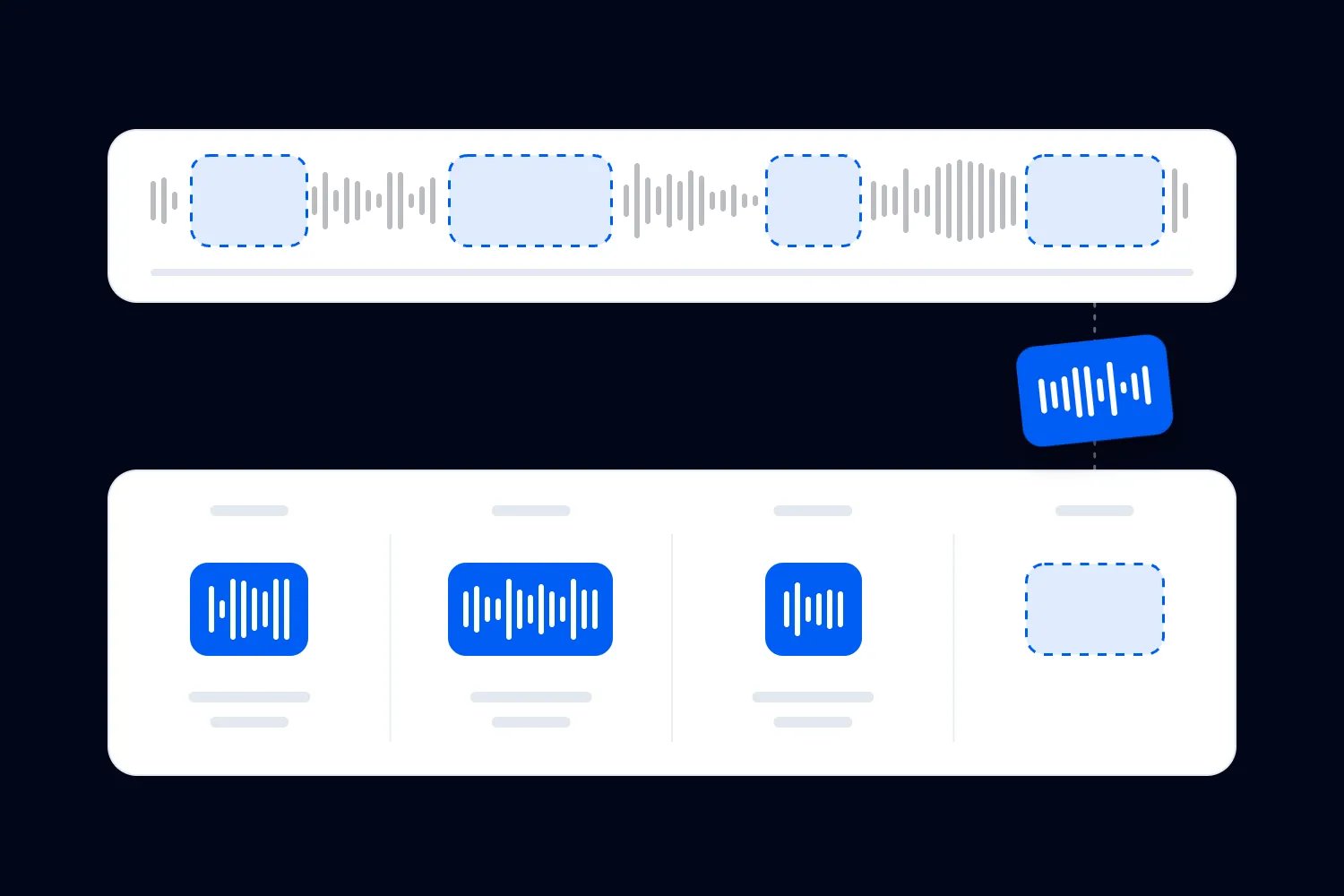
Start with the questions your next buyer needs answered. Find the moments in the recording that answer them, then turn those moments into a manageable sequence of useful videos, written posts and emails. Give each piece a clear next step. A month of marketing doesn't require a new post every day or a promise to use every minute you've filmed.
The interesting thing about repurposing event recordings is that you already have the explanation, demonstration and audience questions. Your job is to make them understandable to someone who wasn't there. Done properly, that can save you from commissioning another shoot while giving people a much clearer reason to book.
This guide uses a hypothetical paid photography workshop to walk through that process. We'll choose the material, adapt it for different channels, plan the month and check whether the work makes commercial sense. The schedule and calculations are examples to replace with your own circumstances, not results from a real organiser.
Decide what the recording should help you sell
Open the page for your next event before opening the editing software. Read it as someone who has never bought from you. What does the ticket include? Who is the session suitable for? What would still make you hesitate?
For our example, imagine you run a monthly product photography workshop for independent makers. The next workshop teaches people to photograph their products using a phone and simple lighting. Beginners are welcome, equipment is provided, and participants spend much of the session practising. Those details give you several useful questions to answer with the recording.
Someone might think they need an expensive camera. Another person might worry that everyone else will be more experienced. A third may understand the topic but wonder whether they'll get time to try it themselves. Choose material that addresses those uncertainties. A wide shot of an enthusiastic room won't answer the equipment question as well as the instructor demonstrating with a phone.
Choose one commercial purpose for the month. For this workshop, it's encouraging suitable people to book the next session. If your next date isn't confirmed, the purpose might be collecting permission to send the announcement. Use an actual signup process and explain what people will receive. Joining your updates doesn't reserve a place.
You can still share material that helps existing attendees. Just be clear which pieces fulfil the event they already bought and which invite a new purchase. Our post-event social media examples cover individual captions. Here, we're building a sequence from the recording itself, with enough variety to remain useful across the month.
Check what you're allowed to reuse
Before you commission edits, read the agreements covering the recording, speakers, participants and material shown on screen. Make sure the intended uses are covered. Posting an educational excerpt on your account, turning it into a paid advertisement and giving a sponsor its own copy can involve different permissions.
The U.S. Copyright Office's explanation of copyright describes the rights owners hold, including reproduction and derivative works. Owning a video file doesn't establish permission to reuse everything inside it. Check your contracts and get the rights position confirmed for your intended uses and markets when it is unclear.
For the workshop, the instructor might approve public teaching excerpts but want to review any clip used in advertising. A participant might agree to appear in the recap without agreeing to become the face of the next campaign. Record those conditions alongside the relevant footage, so the person scheduling posts can see them without searching old emails.
Look carefully at slides, photographs, background music and audience questions. A customer might reveal sales figures during a discussion. Those figures could make a compelling clip and still be inappropriate to publish. Remove the identifying details or use a different moment when you don't have the necessary clearance. Don't make permission somebody else's problem at the end of the edit.
Set an approval deadline that gives contributors a reasonable opportunity to respond. Silence shouldn't become approval because your calendar is filling up. Keep a version without disputed material ready, and make clear which approved file can be published. A smaller collection of cleared excerpts is enough to start the month.
Watch once to find complete ideas
Watch the recording with a document open and note the time whenever someone explains something useful. Include the question or situation that made the explanation necessary. You're looking for ideas a future buyer can understand, not just sentences that sound impressive out of context.
For the photography workshop, you might note a demonstration of moving a light, an explanation of why digital zoom makes a picture worse, and an answer about photographing shiny packaging. Each moment addresses a recognisable problem. A long introduction about the instructor's career may matter less unless their experience is central to the buying decision.
Write a plain description beside each timestamp. "Instructor moves the light sideways and shows the change on the phone" tells your editor what to find. "Great content opportunity" doesn't. Note whether the camera captured the result, whether the sound is usable and whether permission needs checking. That helps you avoid planning a demonstration the footage can't actually show.
Choose a small first batch. For this example, four complete ideas can support the month, with a longer explanation, several short excerpts, a written teaching post and an email. That's a production choice, not a recommended posting quota. If only two moments are genuinely useful, make two good pieces and use other material for the remaining messages.
A transcript can speed up the search, especially for a long panel. Check it against the recording before trusting a quote or number. Keep the original wording where you quote someone, and label your own summary as a summary. An automated transcript doesn't know that a speaker was joking or correcting an earlier statement.
Make each excerpt understandable on its own
Start your edit where the viewer can understand the problem. If the speaker begins with "that's why this doesn't work," include the explanation of what "this" refers to or add an accurate introduction. A stranger scrolling past can't recover the context by remembering the event.
In our workshop, the useful moment starts with a product photograph that looks flat. The instructor changes the light, takes another photograph and explains the difference. Keep enough of that sequence for the viewer to see cause and effect. Cutting straight to the improved image would make the result attractive but leave the lesson unexplained.
Remove waiting, repeated introductions and interruptions that don't help understanding. Keep qualifications that affect the advice. If the instructor says the lighting arrangement suits matte products but needs adjusting for reflective ones, preserve that limitation. A shorter clip that appears to promise the same result for every product is a worse edit.
Review the spoken words, caption and title together. An accurate video can still become misleading when the headline exaggerates it. "A simple lighting adjustment to try" matches a demonstration. "Professional product photos guaranteed" invents an outcome the recording doesn't establish. The same care applies when an event testimonial becomes an advertisement for a different edition.
Watch the finished excerpt without having the original recording open. Ask someone unfamiliar with the session what they understood and what they'd do next. If they need you to explain the missing object or the speaker's reference, fix the edit. Adding more energetic music won't help them follow a demonstration they can't see.
Give the editor a decision they can work with
Send the editor the approved source, timestamps, intended audience and job of each piece. Explain the buying question it answers and where it will appear. Let them choose the best cut within that purpose. A brief that says "make this go viral" gives them no useful way to judge the work.
For the first workshop clip, the brief might say that beginners need to see an ordinary phone used successfully during the session. The result should explain the light adjustment and invite viewers to practise at the next workshop. Identify the exact event details separately so the editor doesn't pull an old date from the recording.
Agree what you are paying for before the edit starts. Does the quote include caption correction, different crops, speaker approval changes and final exports? Who supplies the event details and checks them? A cheap first quote can become expensive when every useful adaptation requires another invoice. Give the editor a consolidated round of comments where possible.
Keep one approved version of the message for each piece. If your team changes the workshop date, update the video ending, accompanying text and destination page together. Otherwise you can publish an accurate caption beside a video announcing the wrong session. Assign one person to check the final files against the current offer.
You don't need to approve every creative choice yourself. You do need to approve meaning, permissions and event facts. Separate a preference about the cut from a correction to what you're promising. That makes feedback easier to act on and helps the team finish instead of revising indefinitely.
Save the source recording separately from the public exports. Put the event date, subject and approval status in filenames people can recognise. Keep a short record of which excerpt appeared where, its destination link and any permission expiry. When a contributor requests a correction, you can then find the affected posts and files without watching the whole recording again. If you replace a clip, tell the people who received the earlier version which file they should use. Check scheduled posts as well as live ones. An old version can still be waiting in a publishing queue after you've corrected the copy elsewhere. Give one person responsibility for that check before the revised piece goes out to your audience.
Adapt the explanation to the channel
A short video needs to show why a viewer should keep watching before asking them to book. For the workshop, open with the weak photograph and the lighting adjustment. Name what changed. Introduce the next session after the viewer has seen enough to understand why practising with an instructor could be useful.
A written professional post can explain the business problem more fully. Talk about a maker whose product photographs don't show texture clearly, then describe the exercise from the workshop. Use the excerpt as evidence for the explanation. The reader should learn something from the text even if they can't watch at work.
An email to relevant past buyers needs a different opening. They already know your event exists. You might refer to the question that came up last month, share the instructor's answer and explain what the next session adds. A beginner introduction repeated to experienced attendees can make the message feel careless.
A longer video can retain the reasoning and a complete demonstration. Give it a descriptive title and an opening that explains what someone will learn. Use it when the subject needs more detail than a short excerpt allows. You don't have to put the entire event online to offer a useful longer lesson.
Keep the booking instruction appropriate to the account and channel you're using. Test the actual link route on a phone. If the caption tells someone to follow a profile link, that link should lead to the event you're describing without another search. Our event content marketing guide explains how these pieces fit the wider promotion plan.
Check captions and the information people can't see
Add accurate captions to speech and review them yourself. Product names, speaker names and numbers deserve particular attention. A mistaken figure can reverse the meaning of a lesson, and a misspelled name is avoidable when you have the original programme in front of you.
The W3C's guidance on captions explains that captions include speech and other audio needed to understand the content. If laughter changes how a remark should be interpreted, or an offscreen question explains the answer, account for that in the accessible version. Check timing so viewers can follow the speaker comfortably.
For our lighting demonstration, speech alone might not explain the change. The instructor could say "move it here" while repositioning the light. Include a clear explanation of where it moved in the accompanying text or an appropriate accessible alternative. Don't assume that a viewer can infer the location from words that were spoken for people in the room.
Watch the export on the devices people will use. Are the relevant details visible? Do the captions cover the product or the result? Can you read the booking information without pausing? Check within the publishing interface too, because its controls may cover parts of the finished file.
Keep useful written descriptions with the approved files so whoever publishes can carry the meaning into the post. The person designing the visuals should decide their treatment and write the relevant image descriptions. Your responsibility at this stage is to provide accurate source material and explain the teaching point. A good caption can't repair footage that never captured the demonstration.
Week one: publish the clearest useful moment
For our hypothetical monthly workshop, start the first week with the lighting demonstration. The next session is already on sale, so the piece can give a direct booking invitation after the explanation. Mention that the footage comes from the previous workshop and describe what the new session actually includes.
A few days later, publish the written explanation for people who want to understand the exercise before watching. Use the same source moment with a different purpose. The written piece explains why moving the light changes what the product looks like. It shouldn't merely announce that you have posted a video somewhere else.
Send a relevant follow-up to past buyers who can receive promotional email. You might invite them to bring a different product next time, if that fits the confirmed programme. If they were promised a replay or exercise document with their original ticket, deliver that separately according to the original terms. A sales invitation doesn't replace what they already bought.
Leave time to read replies. Questions about equipment may tell you that the next piece needs to show what people can bring. Questions about accessibility or the venue may need a direct answer and a clearer event page rather than another teaching clip. Record the repeated questions so your next edits address actual uncertainty.
This first week tests whether the chosen explanation makes sense outside the room. Don't approve the rest of the month automatically because the first post gets likes. Check whether suitable people understand the offer and can find the booking page. If they can't, fix that before sending more traffic.
Week two: answer the hesitation you hear most
Suppose the first week's replies suggest that makers are worried about needing expensive equipment. Use the recording's phone demonstration to answer that. Show the actual setup and state what equipment the upcoming workshop provides. Don't turn a modest teaching example into a claim that every product can be photographed equally well with any phone.
Follow it with a written answer about preparing for the session. Explain whether participants should bring a charged phone, a product and any accessories. Verify those requirements with the person running the workshop. A useful preparation post can reassure a prospective buyer while reducing questions from people who have already booked.
If people instead ask about photographing reflective packaging, change the plan. Publish the approved answer to that question and explain whether the next session covers it. The calendar should make changing direction easy. It's there to organise the work, not require you to publish an irrelevant clip on a particular Tuesday.
For a conference, the equivalent piece might explain who a technical session suits. For a music event, it might show the actual performance style and introduce the confirmed next lineup. Use the recording to clarify the experience your ticket promises. You don't need to force an educational workshop format onto an event people attend for entertainment.
By the end of the second week, check what you can stop doing. If maintaining another channel adds editing work without reaching suitable people, focus the remaining pieces where you can support the audience properly. A month of useful marketing can mean a few well distributed explanations, not a presence everywhere.
Week three: show why attending adds something
A helpful clip can leave someone thinking they already have enough information. That's reasonable. Explain what the paid session provides beyond watching the excerpt, using benefits the programme actually delivers. In our workshop, participants practise with their own products and can ask the instructor about the result.
Choose a recorded moment that shows the instructor responding to a real difficulty, provided the participant and material are cleared. Include enough of the question for the response to make sense. Explain how the next session makes room for that kind of practice. Don't promise individual coaching to every participant if the format won't allow it.
A longer explanation can work here too. Someone considering a paid workshop may want to see how the instructor teaches before committing. Let them watch a complete useful segment. Giving away a lesson doesn't require giving away every exercise, and hiding every practical detail can leave a buyer unable to judge the experience.
If a speaker or partner shares the piece, provide the approved version, accurate event details and a working link. Agree whether you may reuse their post afterwards. For compensated endorsements reaching U.S. consumers, the Federal Trade Commission's disclosure guidance explains how relevant relationships should be made clear. Keep any required disclosure with the endorsement when you adapt it.
Use this week to improve the event description if the footage exposes something missing. Perhaps the practice time is the clearest reason people choose the session, but the page barely mentions it. Update the offer accurately before continuing promotion. A persuasive excerpt shouldn't send a buyer to a page that makes the same benefit hard to find.
Week four: make the invitation specific
Now use the strongest approved explanation to support a clear invitation. State the next workshop's date, location, suitability and inclusions. Give the reader one booking route. If the programme has changed since the recorded event, explain the relevant difference rather than relying on familiar footage to imply the experiences are identical.
A closing date can justify a reminder when it is real. So can a genuine limit on the places available. Check the current information before publishing a scarcity claim. A month planned in advance can leave you announcing "last places" after capacity changes or continuing to advertise a ticket release that has already ended.
Send the appropriate invitation to the past buyers most likely to care. Loopyah's attendee email tools let you select audiences using purchase history, schedule campaigns and see tickets and revenue associated with campaign clicks. Promotional sends respect opt-outs. You still choose the relevant recording excerpt, write the invitation and confirm what you're offering.
For a past beginner workshop audience, describe the next session's actual value to someone returning. For prospects who haven't attended, explain the first visit. Those messages can share approved footage while making different arguments. Avoid sending everyone the same reminder simply because you've already written it.
If booking isn't open by week four, change the invitation to the truthful next step. Offer announcement updates through your existing signup process. You can complete the month without a sales post when there's nothing available to buy. Keep the best approved material for the launch once the programme and booking page are ready.
Adjust the month when the next event is further away
An annual conference shouldn't spend four weeks telling people to buy tickets that won't exist for another six months. Use the recording to help the audience now and learn which subjects they want explored next. A practical excerpt can invite replies or announcement signups without pretending that another programme is already confirmed.
Suppose a panel covered the difficulty of hiring experienced production staff. Publish the complete answer to one useful question, explain when the conversation happened and ask readers what has changed in their work. Their replies can inform future programming. Keep any proposed speaker or subject clearly separate from a booking announcement until you can actually deliver it.
Give evergreen material a review date too. A lighting demonstration may remain useful for a long time, while a discussion of software settings, regulations or travel arrangements can become outdated quickly. Check the underlying advice before scheduling another round. Adding a current caption to an old claim doesn't make the claim current.
You may also discover that the recording isn't usable enough for public marketing. Poor sound, unreadable examples or unresolved permissions can make editing a bad investment. Keep cleared material for internal learning where appropriate and create a fresh explanation of the buyer's question instead. You haven't failed to repurpose it just because the sensible decision is to stop.
For the next event, use what you learned to improve the recording brief. Ask the supplier to capture the actual demonstration and its result, arrange sound for questions you intend to reuse, and agree the permissions in advance. Those practical decisions make future editing easier without requiring a larger production for its own sake.
Work out what the month costs before expanding it
The recording may already be paid for, but repurposing still uses money and time. Include editing, caption review, approvals, copy, publishing and responding to useful enquiries. Value your own time when you do the work yourself. Otherwise every extra piece looks free until it takes you away from running the next event.
Here is a hypothetical calculation in U.S. dollars. Assume the month's edits cost $400 and eight hours of internal work cost $25 per hour. That's $600 of additional campaign cost, with no paid advertising. Assume each extra ticket leaves $40 after ticketing and payment charges and the attendance costs that increase with each sale. You need 15 additional tickets to cover that $600.
Those figures describe the example only. They exclude the original recording cost because we're evaluating another use of footage already commissioned. If you are deciding whether to film a future event, include filming in that separate budget. The $40 is money available towards remaining event costs and profit, not a claim that the whole event is profitable.
| Label | Before campaign cost USD | After campaign cost USD |
|---|---|---|
| 5 tickets | 200 | -400 |
| 15 tickets | 600 | 0 |
| 25 tickets | 1000 | 400 |
The chart subtracts the same $600 campaign cost at each sales level. It assumes the extra tickets are genuinely additional and that capacity can accommodate them. If you would have sold those places anyway, the campaign hasn't created that full contribution. Use the calculation to set a spending limit, then review results cautiously rather than treating attributed sales as proof of additional sales.
Measure useful attention and actual buying behaviour
Choose what you need to learn before the first post. Video viewing can show whether an explanation holds attention. Ticket page visits can show whether the invitation gets people interested. Recorded purchases and refunds tell you more about the commercial result. Keep those measures separate so a popular lesson doesn't automatically become a successful sales campaign.
Google's campaign URL guidance explains how campaign parameters identify traffic from links. Use a consistent campaign name for the month and distinguish the pieces where your link setup allows it. A single shared profile link won't reliably identify which individual post prompted every visit. Test that your reporting follows the actual purchase route.
For hosted videos, YouTube's audience retention guidance explains reports showing where viewers keep watching or leave. Use those reports to investigate the edit. A drop before the demonstration may suggest that your introduction is too long. It doesn't prove the lesson is irrelevant, and viewing alone doesn't establish ticket demand.
Loopyah's ticket sales tools include sales by source, helping you review bookings alongside your campaign records. Allow comparable observation periods before comparing pieces. Distinguish orders from tickets because a single order can contain several places. Record refunds and any discount costs alongside sales, so the result reflects what the business keeps.
At the end of the month, choose the next edit from the questions and buying behaviour you observed. Keep useful approved excerpts with their source dates and permission conditions. Retire anything that describes an old offer as current. Before commissioning more footage, finish one complete explanation, test its booking route and see what your audience still needs to understand.

Author: By the Loopyah Content Team
The Loopyah Content Team shares expert insights, practical guides, and industry updates to help event organizers create unforgettable experiences and stay ahead in the event planning world.