· 28 min read
How to migrate event data to a new ticketing platform safely
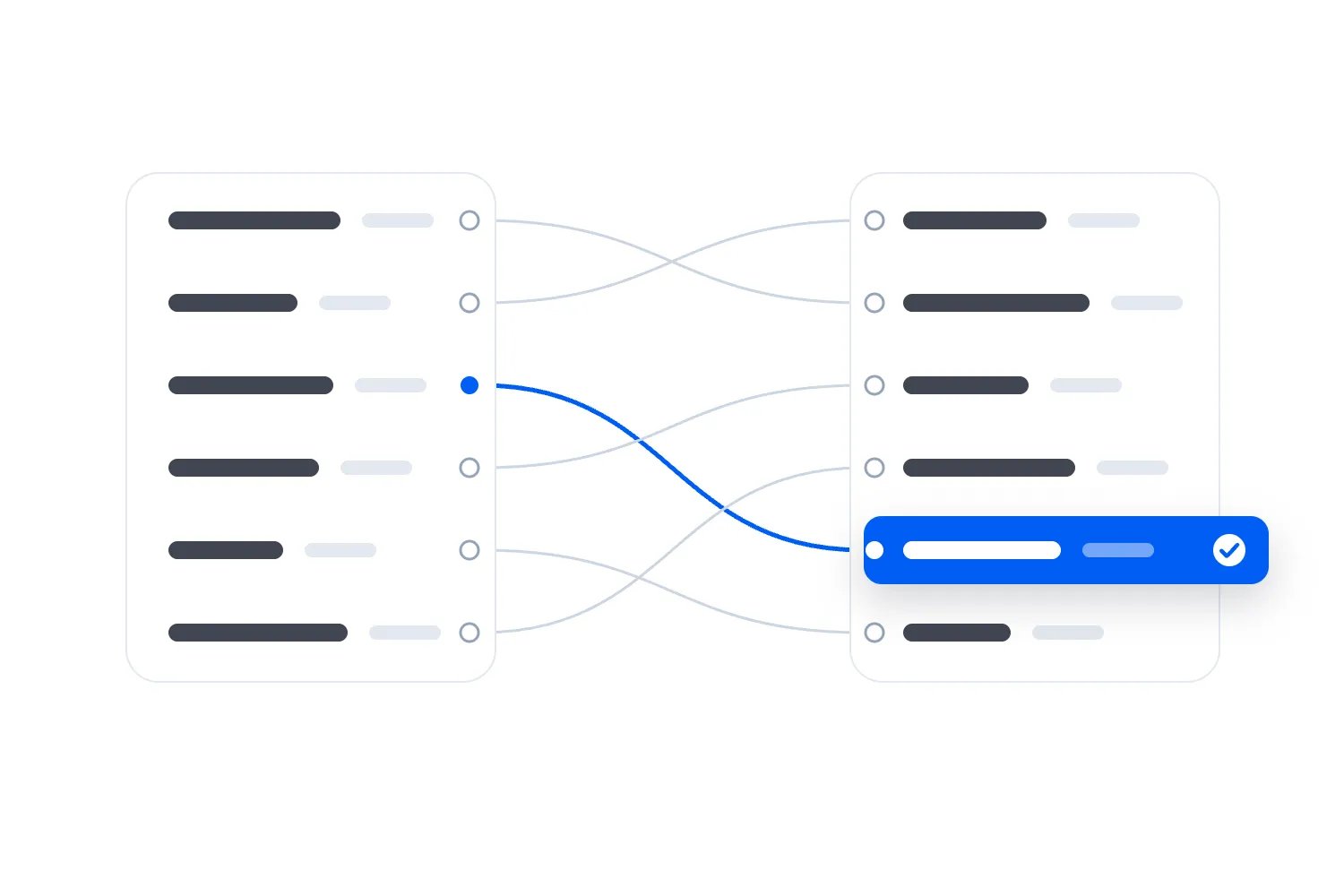
You've chosen a new ticketing platform, downloaded a few files and found the import button. It feels as though the difficult part is over. Then someone asks whether a refunded ticket will still scan, which address belongs to the buyer, and what happens to customers who unsubscribed last year.
Those are the questions to settle before you move the records. A successful upload tells you the new platform accepted a file. You still need to prove that the right bookings, people, permissions and amounts arrived, and that your team can keep serving customers while the change happens.
My recommendation is to start selling a new, unsold event on the new platform and finish existing bookings on the old one wherever you can. Move the history and contacts you need through a tested process, with a clear home for anything the new provider cannot accept. Moving live tickets adds a separate admission problem, so only include them when the providers have confirmed a supported way to handle it.
This guide explains how to scope that transfer, prepare the files, test awkward bookings and decide whether the final move can proceed. We'll also work through an invented live-ticket example, because that's where a reassuring total can hide a serious mistake. You can use the approval record near the end with your own event team and providers.
Decide what actually needs to move
The first thing you want to do is separate your next event from your existing business records. You may need your customer history available for support without recreating every old order inside the new checkout. You may need opted-in contacts available for promotions without moving the tickets they bought last summer.
Write down what your team must be able to do after the change. Start with ordinary work. Find an old booking. Answer a refund question. Invite eligible customers to the next show. Explain a payout. Check a ticket at the door. Then identify which records each task needs and where those records will remain usable.
Give each group of records a destination. Some will move into working features in the new platform. Some will remain in a controlled archive your team can search. Others will stay in the old provider's account while refunds, payouts or disputes still require it. A small amount may no longer have a justified purpose and should follow your existing deletion process.
An archive needs more thought than a folder full of downloads. Support should know how to find an order and understand its status. Finance should know where the original statement is. Restrict access appropriately and test retrieval before losing the old interface. Keeping a file that nobody can interpret doesn't preserve the service customers need.
Our broader guide to switching ticketing platforms covers choosing the first event and managing the wider change. Here, the question is narrower: can you demonstrate that each record needed for the agreed work is available, correct and being used in the right way?
If the new provider only imports contacts, accept that limitation or choose another supported approach. Don't upload order amounts into contact notes and describe the result as migrated sales history. The records may be visible, but refunds, reporting and ticket validity won't necessarily behave as your team expects.
Agree the provider's job before preparing files
Ask the receiving provider to confirm which record types it accepts, which fields it stores and which actions an import can trigger. Get an answer for your account and the service you are buying. A feature shown in a demonstration may require a separate migration service or may support only a limited file format.
Be specific about live tickets. Does the new system recognise the original ticket code, issue a replacement, or require the existing check-in service to remain in use? How will a transferred or cancelled ticket be handled? Who prevents an old and replacement ticket from both granting entry? Settle those admission rules before matching the file columns.
Also ask what happens to imported money amounts. A historical order mustn't become a fresh charge, a new payout entitlement or a second sale in your current campaign report. The provider should show how imported history is labelled and kept separate from new transactions. If the distinction isn't supported, retain that history elsewhere.
Settle responsibility for the work. Someone prepares the source files, someone configures the import, and someone approves the result for your business. The provider may perform several tasks, but your event owner still needs to know who resolves rejected records, who checks permissions and who can stop the move.
For personal data processed under the UK rules, the ICO's guidance on processor contracts describes documented instructions, security and end-of-contract provisions. The page is marked as under review. Confirm the arrangements that apply to your organisation, including any additional migration supplier and the handling of temporary files.
Put the practical service agreement alongside those arrangements. Record the delivery format, agreed exclusions, support availability and how a failed transfer will be corrected. If the old provider charges for a specialist export or the new provider charges to prepare historical records, include that cost before committing to a date. An inexpensive import can become expensive when the missing work appears during your next on-sale.
Take a source copy you can explain later
Download the source data while your current access is complete. Save an untouched copy in approved storage, with the source account, event selection, report filters and extraction time. Include the time zone. These details let you distinguish a genuine missing record from a booking that happened after the file was created.
Keep working files separate. When someone changes column names, removes unnecessary details or corrects a format, you should still have the original for comparison. Use clear version names and an agreed location rather than passing several almost identical attachments around the team. Record which prepared version produced each import attempt.
Request separate records where the business needs them. Contacts, orders, tickets, refunds and payouts describe different things. An attendee export may omit buyers who purchased for other people. A payment report may include charges that never resulted in valid admission. A sales summary may omit the individual references needed to investigate a discrepancy.
You don't need to demand every field just because it exists. An old access request may have no purpose in the next event's marketing system. Financial evidence may need a different retention period from promotional preferences. Decide what belongs in the working platform, what belongs in restricted storage and what should follow your established retention rules.
If you're discovering that the original provider cannot supply the needed records, our guide to checking event software exports before buying explains the questions to ask. During an actual move, turn each missing item into a named decision. You might preserve it through another supported report, restrict a planned use or postpone that part of the migration.
Protect the extracts as customer information throughout the process. Give each supplier the records needed for its assigned job through the agreed secure route. A general team chat isn't the right place for a complete attendee database. Your coordination notes can refer to file versions and booking references without reproducing everybody's personal details.
Map meanings, relationships and missing values
A field map explains how information in the old system becomes information in the new one. The column names are only the beginning. For each important field, record what it means, how it is converted, what happens when it is absent and how you'll check the result.
Start with the references linking records. Keep the original event, order and ticket references wherever the destination supports them, alongside any new references it creates. Include the original account where references could repeat. This gives support a way to trace a customer's old confirmation without guessing which new record belongs to it.
Treat references as text. An order number starting with zeros can lose those zeros when a spreadsheet interprets it as a number. A long reference can also display differently from its stored value. Ask the person preparing the file to verify the actual saved content, then inspect the destination after import. A familiar-looking preview isn't enough.
Map the buyer and ticket holder separately. One buyer might purchase several places for colleagues. Some holders may be unnamed until later. Don't fill missing holder fields with the buyer's details unless the agreed process deliberately records them that way and the resulting message or check-in behaviour is appropriate.
Amounts need a currency and a definition. Does the source contain cents or dollars? Does the figure include fees, tax or completed refunds? Dates need an agreed format and time zone. Statuses need explicit equivalents. An old value meaning payment pending mustn't become paid because the new platform has a different, shorter list of choices.
Our guide to defining shared event data fields develops those definitions. For this move, add the actual receiving field and expected outcome. For example: "Original order reference stays unchanged in the field for the old reference; the new order reference is stored separately; support can search either."
Give blank values their own rule. An unknown marketing preference should remain unknown. A missing amount shouldn't become zero revenue. A missing seat reference shouldn't result in an arbitrary available seat. Where the destination cannot represent the distinction your business needs, hold the affected record for review or keep it outside that feature.
Preserve marketing choices before using the imported audience
A customer list often combines several histories. Someone bought a ticket, later opted into a particular newsletter, then unsubscribed from that newsletter. Importing the purchase again mustn't erase the later choice. Check the scope and evidence behind each permission before deciding how the receiving tool should treat it.
Ask where the latest reliable preference lives. It may be in your email service rather than ticketing. Bring the relevant unsubscribe or do-not-contact records into the migration plan even when those addresses are excluded from the main contact upload. Otherwise an old export can add them back during the next update.
The ICO's UK guidance on respecting marketing preferences explains why a suppression list helps prevent accidental recontact. It also distinguishes a later explicit change of choice from simply failing to opt out again. Your sending rules need to reflect the requirements that apply to your audience and organisation.
Don't turn that into a rule that every recent edit wins. A new phone number isn't a new marketing agreement. A second purchase isn't necessarily one either. When records conflict, examine what the person actually chose, when they chose it and what that choice covered. Keep unresolved cases out of promotions until the responsible person can establish eligibility.
Test contrasting contacts before any campaign goes out. Include a known subscriber, someone who declined, someone who unsubscribed after buying, and someone whose preference is missing. Check the receiving records and the resulting promotional audience. If the tool uses separate brand or topic preferences, include those differences in the test.
Where you're moving into Loopyah, the attendee email tools provide list import with column mapping and a file explaining failed rows. They also handle promotional unsubscribes. Use the supported process and inspect the result rather than rebuilding those functions yourself. Confirm separately how your particular historical preferences will be represented before uploading the full list.
Keep necessary booking information separate from invitations to future events. A person may need an update about a ticket already purchased while remaining excluded from promotions. Migration testing should show that distinction in the actual messages and recipients you intend to use, not merely in a subscribed column on a profile.
Keep payment migration outside the attendee spreadsheet
An order reference helps you find a transaction. It doesn't transfer the right or technical ability to refund that payment through a new provider. Establish where the original payment remains, who can access it and how the team will handle a later refund or dispute after the ticketing change.
Don't put card numbers, security codes or account credentials into the general migration workbook. If stored payment methods genuinely need moving, ask the payment providers about their supported process and eligibility. This is a separate project from importing an attendee list. It may involve different parties, restrictions and preparation.
The PCI Security Standards Council explains that card verification codes cannot be retained after transaction authorisation. Customer permission doesn't make such retention acceptable. Your event-data transfer should use the appropriate transaction references, while any permitted payment-data transfer follows the providers' controlled route.
Ask finance to keep a clear division between the money already collected and sales made after the change. Record outstanding payouts, fees, reserves and adjustments in the systems that actually manage them. A new platform showing an old order amount doesn't mean the money has moved into its balance.
The same applies to refunds after a live admission transfer. Finance may complete the refund in the original payment arrangement while operations must cancel the corresponding admission in the new system. Agree who makes each change, how quickly it is communicated and how the second action is checked. Otherwise the customer can be refunded while still holding valid entry.
You can keep that coordination within supported provider tools and procedures. The important point is that both teams can follow the original reference and see which action is complete. If nobody can demonstrate that connection, keep the live event in the original system or delay its transfer. A tidy historical sales report doesn't compensate for unresolved refund responsibility.
Rehearse with awkward records before the full transfer
Use an isolated test area or another provider-approved method that cannot charge real customers, release tickets or send unintended emails. Ask which automated actions are disabled. Imported records can trigger confirmations, campaigns or connected tools, so checking the destination's behaviour is part of the rehearsal.
Begin with invented records covering your normal operation. Include a straightforward purchase, several tickets in one order, a partial refund, a ticket transfer and a complimentary place. Add reserved seating, timed entry or passes if you actually use them. You aren't trying to recreate every possible booking, but the test must cover the situations the move will contain.
Write the expected outcome before importing. For a partially refunded order, name the original amount, completed refund, remaining valid tickets and current holder. For a repeat customer, specify whether the new record should attach to an existing contact. For an unknown preference, specify exclusion from promotions rather than letting the importer choose a convenient default.
Then open the resulting records as the people who will use them. Support should find the order using the old reference. Finance should explain the amounts. Marketing should inspect the eligible recipients. If live admission is in scope, door staff should test the agreed old-code or replacement-ticket route on the actual devices and configuration planned for the event.
Test a failed row and a repeat import deliberately. Ask whether the second attempt updates existing records, rejects them or creates copies. Never assume the same file can safely be uploaded twice. A supported way to correct rejected records should be demonstrated before the full run produces a list of exceptions.
Keep the observed results with the expected results. If a field is wrong, record its customer or reporting consequence and fix the cause before repeating the affected check. "Nearly everything imported" is a poor approval standard when the exceptions include cancelled tickets or opted-out customers.
Reconcile the transfer using the same point in time
Reconciliation means checking that the transferred records agree with the source on the basis you've chosen. Set a comparison cutoff and keep it explicit. If the source report includes purchases through midday while the destination contains records through the previous evening, the difference may be timing rather than data loss.
Compare like with like. Orders should agree with orders. Tickets originally issued should agree with tickets originally issued. Currently valid tickets need their own comparison. Separate paid and complimentary places, and check each event, ticket type and currency before accepting an account-wide total.
For our invented example, Cedar Sessions has agreed a supported live-ticket transfer with both providers. That agreement is an assumption for the example, not a capability claim about Loopyah or any named platform. Every amount is in USD. There are no taxes, fees, discounts, disputes or unpaid orders in these simplified ticket-charge figures.
At the agreed cutoff, the source contains 120 paid orders covering 180 originally issued paid tickets at $50 each. Original ticket charges are $9,000. Completed refunds cancel 12 of those tickets and return $600, leaving 168 valid paid tickets and $8,400 of ticket charges after refunds. Another eight complimentary tickets remain valid, so the admission total is 176.
The receiving result should preserve those distinctions. If it shows 180 valid paid tickets, the cancellation status hasn't transferred correctly. If it shows 168 originally issued paid tickets, it may have discarded refunded history. If it treats all 176 valid admissions as paid tickets, your sales reporting will overstate paid attendance.
Check relationships as well as totals. One of Cedar's orders originally contains four paid tickets and $200 of charges. One ticket is refunded for $50, leaving three valid tickets and $150 after that refund. A different ticket in the same order has a new holder. That change creates no extra sale and doesn't change the remaining amount.
Open that order on both sides. Find the refunded ticket, the new holder and the original buyer. Then check another order that looks similar. Two mistakes can cancel each other numerically: one duplicated $50 ticket and one missing $50 ticket leave the total unchanged while giving two customers the wrong result.
Check remaining availability separately from the bookings. Imported valid admissions must consume the correct allocation without consuming it twice. Existing holds, complimentary places and shared limits between ticket types need an explicit treatment before sales reopen. Ask the provider to show the remaining quantity buyers can actually purchase, rather than assuming the imported-ticket total controls it automatically.
For reserved seating, compare occupied seats by section, row and seat reference, including any seats deliberately blocked from sale. A matching attendance total could still conceal two bookings assigned to one seat. For timed entry or multi-day passes, verify the actual dates, sessions and number of permitted entries. These checks apply to the admission rules you use; the general-admission arithmetic in Cedar's example cannot prove them.
Use full-record comparisons for references, statuses and amounts where the supported tools allow them, alongside hands-on checks of representative bookings. A sample helps you understand behaviour; it doesn't account for every row. Ask the provider for the complete rejected, omitted and repeated-record results, and require an explanation for each difference before approval.
Resolve exceptions by their effect on the event
A rejected row is easy to notice because the import reports it. A record accepted into the wrong place can be harder to find. Treat both as exceptions and describe what the error would cause before deciding whether you can proceed with the rest of the move.
Suppose a source export includes an old ticket category that the destination doesn't recognise. First establish whether it still grants admission, is fully cancelled, or belongs only in historical reporting. Mapping it to the nearest familiar category without checking could change someone's entitlement. The person responsible for ticketing should decide the correct treatment with the provider.
Now consider a contact whose promotional preference has no supporting evidence in the available records. That needn't prevent support finding their original purchase in the archive. It does prevent your team treating an unexplained yes as a verified marketing choice. Restrict the uncertain use while you investigate the evidence, instead of either deleting the whole customer relationship or approving every use of it.
The ICO's UK accuracy guidance calls for reasonable steps to correct inaccurate or misleading personal information and keep its source and status clear. It is also marked as under review. For your migration record, make uncertainty visible to the people who might otherwise rely on that information.
Assign each exception an owner, proposed correction and check that will prove it resolved. A note saying "provider investigating" doesn't tell marketing whether a campaign can go out. A useful entry says the affected promotional contacts are excluded, the permission evidence is being checked by the marketing owner, and the audience must be rebuilt and approved after correction.
Keep a total of exceptions without losing the individual references behind it. If the provider fixes ten rejected rows, confirm which ten and whether the revised import created any new problems. Don't replace the original exception file with a clean-looking success count. You need enough history to explain why the final result is trustworthy.
Some exclusions can be deliberate. You may choose to leave a discontinued event's detailed activity history in the archive because the new system has no equivalent feature. Record where that history can be retrieved and stop using the new system as if it contained the missing detail. An agreed limit can be workable; an undisclosed limit creates wrong decisions later.
Before final approval, review unresolved exceptions with the people whose jobs they affect. Anything that could admit a cancelled ticket or deny a valid booking blocks the affected admission transfer. A missing historical campaign label may block a particular comparison while leaving other verified uses available. Decide whether each affected use can proceed, then write down the reason.
Capture changes that happen while you're moving
The file you tested begins becoming outdated as soon as someone buys, refunds, transfers or edits a booking. Plan how the final transfer includes those changes. Downloading the original file again without knowing how updates are matched can create duplicates or overwrite newer information.
For a straightforward move, a short agreed pause in the affected activity may be easier to control. Choose a period that fits your business and confirm whether purchases already in progress can finish. Your provider should explain what actually stops, what can still change and how the final source position will be established.
A business that cannot pause needs a supported method to capture new and changed records after the first extract. Ask how that method includes updates to older orders, not just newly created purchases. A refund issued today against last month's booking belongs in today's change set even though its order is older.
Continue Cedar's fictional example. After the first cutoff, three more paid orders add five tickets at $50, and one previously valid ticket receives a completed $50 refund and is cancelled. There are now 123 paid orders and 185 originally issued paid tickets. Thirteen paid tickets have been refunded and cancelled, leaving 172 valid paid tickets. The eight complimentary tickets make 180 valid admissions.
Original ticket charges are now $9,250. Completed refunds total $650, leaving $8,600 after refunds on the same simplified basis. Those aren't bank receipts or event profit. The provider must show the five additional tickets and the later cancellation, rather than adding a net adjustment of four tickets that loses their individual histories.
Record the final cutoff and rerun the affected comparisons after those changes are applied. Check any customer edits and marketing choices made during the same period. The final approval should refer to that complete position, not the earlier rehearsal that everybody remembers passing.
For live tickets, agree which system can change admissions during the handover and when its authority ends. If old refunds remain available after the new scanner starts, the ongoing cancellation procedure still applies. A final file doesn't remove the need to handle changes tomorrow. Give that continuing work an owner and a tested route.
Define what happens if the move fails
A rollback is the agreed way to return to a workable earlier arrangement after a failed change. For an event business, that means more than restoring yesterday's file. Customers may have purchased tickets or received replacements since yesterday. Those actions need to remain accounted for.
Write the stopping conditions before the change begins. Missing valid tickets, cancellations not recognised, unexplained financial differences and lost marketing exclusions are sensible reasons to hold the affected use. Decide who can call the hold, who can authorise another attempt and which services remain available while the team investigates.
Ask your provider to demonstrate recovery in the rehearsal. Can it remove only the records created by the failed attempt? Can it restore fields that an import overwrote? What happens to a customer's newer edit? If the supported process cannot reverse a particular action, put approval before that action rather than assuming you can undo it later.
The UK National Cyber Security Centre's technical recovery guidance recommends tested restoration and accounting for information generated during temporary workarounds. That guidance addresses disruptive incidents. The useful principle for a planned migration is to test how you will recover a consistent position, including activity that occurs during the change.
For Cedar, suppose replacement tickets have already been delivered when admission testing reveals a fault. Reopening the old scanner without a plan could leave customers presenting codes it doesn't recognise. The providers need to establish which credentials remain valid, how replacements are handled and what staff should tell people before either route resumes.
Likewise, you cannot reverse an email already sent by restoring the recipient list. Hold outgoing messages until the audience and content are approved. If something has already reached customers, assess the actual consequence and send a correction only where it helps them understand their booking or required action.
Set a realistic recovery deadline tied to your operation. If the team cannot complete the agreed checks before a major on-sale, use the verified existing arrangement where possible. If neither route is reliable, the event owner needs to decide how to protect customers and communicate the interruption. A launch date doesn't make incomplete records safe to use.
Use one approval record for the final change
You don't need a complicated project system to make the decision clear. A short shared record can identify what was moved, which checks passed and what remains elsewhere. Keep the detailed customer files in controlled storage and refer to them by version or location rather than copying them into the approval note.
Use the following headings and replace the prompts with your actual answers:
Scope. Name the source and destination accounts, events, record types and excluded information. State whether live admission is included.
Responsibility. Name the overall owner, provider contacts, finance reviewer, marketing reviewer and person responsible for entry.
Source evidence. Record file versions, report filters, extraction times, time zones and the final comparison cutoff.
Mapping. Identify the approved field map, reference-matching rules, status conversions and treatment of missing information.
Results. Record expected and observed orders, issued tickets, valid tickets, amounts and permission outcomes on the agreed basis.
Exceptions. List every rejected, omitted or uncertain record group, its consequence, owner and permitted use while unresolved.
Change capture. Explain how purchases and edits after the first extract were included and how later changes will be handled.
Recovery. Record the stopping conditions, tested recovery method and customer actions that cannot simply be reversed.
Approval. Name who approved each business use, when the decision was made and any restrictions that remain.
For Cedar, a filled result could read: "Approved for the agreed admission transfer at the final cutoff. There are 123 paid orders, 185 paid tickets originally issued, 13 refunded and cancelled paid tickets, and eight valid complimentary tickets. Current valid admissions total 180. Original charges are $9,250 and completed refunds $650, leaving $8,600 of ticket charges after refunds under the example's stated assumptions. All original references are traceable. The original payment arrangement remains responsible for refunds and payouts."
The actual record would also identify the evidence and people behind that approval. A total copied into a note isn't proof on its own. Add the successful admission tests, reference comparisons and financial checks, then describe how a later refund reaches the new ticket record. Marketing approval should separately refer to the verified permission cases and exclusions.
Allow a narrower approval when appropriate. Historical order retrieval may pass while a promotional audience remains blocked by missing preference evidence. Keep that restriction visible to the person scheduling campaigns. Approval for support to search an archive mustn't quietly become permission for marketing to email everybody in it.
Make the customer's next action obvious
Most customers don't need a technical explanation of the transfer. They need to know whether their existing ticket still works, whether they must use a replacement and where to get help. Write the message around the particular event and admission arrangement, then have operations check it against the approved plan.
If existing tickets stay on the original platform, say so plainly. For example: "Your ticket for Friday's session is still valid. Keep the ticket you've already received and present it as usual." Only use that wording when the ticket, event and entry procedure genuinely remain as described.
If a supported live transfer requires replacements, explain which ticket to present and what happens to the previous one. Include a route for someone who cannot find the replacement or whose booking has changed. Test the delivery and retrieval process before announcing that all customers have received their new tickets.
Give support access to the original reference and current booking position. A buyer may reply to an old confirmation even after the move. Staff should be able to find that booking without asking them to repurchase. Where identity or ownership needs checking, use your established verification procedure rather than accepting a familiar name alone.
Practise entry with the actual team. Show them a valid ticket, a cancelled ticket, a duplicate presentation and an unresolved booking. If old and new systems serve different dates, label that distinction clearly. The colleague handling exceptions should know which record can establish validity and who can authorise an admission decision.
On Loopyah's ticketing platform, event team access lets you add admins and door staff without sharing your login. Use that supported access for the work each person performs. It doesn't establish that an imported ticket from another provider will scan. Live migration still needs its separately verified admission arrangement.
Check the public routes as well. Ticket buttons, embedded pages, scheduled emails and printed codes can send someone to the old sale page after the new one opens. Confirm the correct destination for each affected event. Keep other dates working, and avoid a change that silently redirects an existing ticket holder to an unrelated new performance.
Finish the move before closing the old account
Opening sales on the new platform is one milestone. Closing the original account is another. Keep the old access needed for outstanding financial activity and customer support under the terms you've agreed. Ask the provider what closure affects before removing users, payment details or the email address receiving account notifications.
Observe the first real activity after the change. Follow a new purchase through confirmation and entry preparation. Check a support lookup and the first relevant change to a booking. For a live transfer, verify that a later cancellation reaches the admission record. Choose checks that cover the work you actually moved, rather than waiting an arbitrary number of days and declaring success.
Review any temporary arrangements. A spreadsheet used during the transfer can become an unofficial attendee list if nobody retires it. Remove unnecessary access and temporary copies according to your retention and security process. Preserve the approved evidence and required business records in their agreed locations, with someone responsible for future retrieval.
Under the UK processor arrangements described earlier, end-of-contract handling can involve return or deletion subject to the applicable requirements. That doesn't make every record held by every provider yours to erase on demand. Establish each party's role and obligations, including records it may need for its own lawful purposes, before asking for closure confirmation.
Keep the final field map and exception decisions somewhere the team can find them. They explain why an older booking is in the archive, why a marketing preference remains unresolved or why an original payment reference is still needed. Those notes will be useful when someone joins the team after the migration and starts answering customer questions.
Before authorising the final change, ask each responsible colleague to perform the job that depends on it. Support finds the awkward booking. Finance explains the refund. Marketing excludes the opted-out contact. Operations establishes which ticket grants entry. Proceed when those results are demonstrated for the agreed scope, and leave any remaining use restricted until its specific problem is resolved.

Author: By the Loopyah Content Team
The Loopyah Content Team shares expert insights, practical guides, and industry updates to help event organizers create unforgettable experiences and stay ahead in the event planning world.