· 21 min read
How to test event software in a vendor demonstration

You're halfway through an event software demo, and everything looks easy. The presenter has built an event, sold a ticket and opened a report. You can picture your team using it. Then someone asks how to refund one ticket from a group booking, and the presenter suggests covering that on another call.
That's the part you need to see. A useful vendor demonstration follows work your event business actually does, including the changes that create buyer questions, extra administration and missing money. Give each shortlisted supplier the same fictional event and ask them to complete the same tasks in the version they're proposing to sell you.
This event software vendor demo checklist helps you run that session, judge the evidence and decide what remains unresolved. You don't need to test every feature. You need enough detail to understand whether your staff can run a paid event with the proposed software, at the quoted cost, without discovering an essential limitation after you've signed.
Start with the event you need to run
The first thing you want to do is describe an ordinary event in your business. Choose something representative rather than your simplest booking or your most complicated annual production. A system that handles your normal work well deserves a closer look. An impressive answer to a situation you never face tells you much less.
For this guide, imagine a fictional paid evening event with general admission and a premium ticket. One buyer purchases admission for herself and a friend, using a permitted promotional code. Later, the friend cannot attend. Your team must handle the change, update the ticket record and explain what happened to the money. These are invented test details, not a customer case study.
We'll follow that booking throughout the demonstration. Keeping the same buyer and order makes it harder to skip over the connections between checkout, customer service, admission and reporting. If the presenter opens a different, prepared example halfway through, ask which parts of the original booking still need to be demonstrated.
Change the scenario where your operation demands it. A theatre may need adjacent reserved seats, a workshop may sell a limited add-on, and a conference may need a company to purchase several named registrations. Keep only the details that would affect your buying decision. Our guide to event software features can help you choose which capabilities to investigate before you send the invitation.
Write down what success would look like before the call. For the fictional booking, that means correct availability and pricing, usable tickets, an understandable change process and records your finance person can reconcile. Include your current frustrations. If staff spend event week repairing incorrect attendee names, seeing how the new system handles a correction should take priority over a tour of optional features.
Agree on the demonstration conditions
Send the scenario in advance so the supplier can prepare the right environment and bring someone who can answer operational questions. Preparation is helpful. The problem is accepting a prepared result without seeing how your team would produce it. Ask for a short introduction, then spend most of the session on the agreed work.
Confirm the proposed plan, enabled options, payment setup, connected services and staff permissions before testing begins. A supplier's demonstration account may contain extras your quote excludes. Whenever a task depends on an upgrade, custom development or another subscription, note that dependency against the task. Otherwise a capability can appear included simply because everyone saw it work.
Ask whether the environment is a test account and which actions are safe. Use fictional attendee details and inboxes your team controls. Don't upload your real customer database to make a sales demonstration feel realistic. The UK's Information Commissioner's Office describes data minimisation as keeping personal data adequate, relevant and limited to the purpose. That UK guidance supports a sensible preparation habit, although your own legal obligations depend on where you operate.
Payment demonstrations need a supported test environment too. Stripe's testing documentation explains how simulated transactions work without moving funds and prohibits testing in live mode with real payment details. Where another processor is involved, follow its approved testing instructions. Ask the supplier to confirm the correct method before anyone enters payment information.
Agree who will operate the account. Let the presenter explain unfamiliar controls, then have a member of your team repeat an important task where trial access permits it. You learn something different when your box office manager attempts a refund than when a specialist performs a rehearsed sequence. Record the guidance they needed, without treating unfamiliarity alone as a defect.
Turn your requirements into observable tests
A requirement such as "easy refunds" leaves too much room for interpretation. Write the action and the result you expect to observe. For our scenario, your customer service person should locate the original order, select the friend's ticket, see the refund consequences before confirming and leave the buyer's remaining ticket valid.
For each test, keep a short record of the starting conditions, person performing the task, expected result, actual result and supporting evidence. Include the proposed plan and any configuration that affected the outcome. You can use a shared document. A complicated scoring workbook won't rescue notes that say only "refunds looked good."
Separate what you observed from what the supplier said. You might observe a refund request in the event account while its final settlement remains simulated. You might receive written confirmation that a permission exists without seeing it applied. Both can contribute to the decision, but they answer different questions and should stay distinguishable in your notes.
Use plain outcome labels. Mark a test demonstrated when the agreed result was visible under the proposed conditions. Mark it demonstrated with a limitation when it worked but depended on an accepted extra step. Use unproven when there wasn't enough evidence, and failed when a valid attempt produced a result that contradicted the agreed requirement.
That distinction matters. A supplier who cannot show a connected finance system during the first call hasn't necessarily failed your finance requirement. You still lack evidence, and you should set a follow-up. Equally, a promised fix shouldn't turn a failed task into a pass. Keep the observed result and record the proposed remedy separately.
Decide which requirements can stop the purchase before you start comparing suppliers. If your event needs reserved seating, a beautiful general admission checkout cannot compensate for missing seat selection. Optional conveniences can influence preference after essential work is proven. They shouldn't allow a total score to hide a condition your business cannot accept.
Build the event and check what buyers will see
Ask the presenter to create the event using your scenario, then open the public view. Compare the title, date, timezone, venue, ticket descriptions and purchase conditions with the information entered in the organiser account. A correct setup screen is only part of the job. Your buyer needs to see the right information when deciding whether to pay.
Watch how ticket quantities and releases work. For the fictional event, ask the supplier to show which inventory is shared and which belongs to a specific ticket type. If premium admission uses the same physical capacity as general admission, you need to understand how the configuration prevents selling more admission than you can accommodate.
Try an agreed change in the test account. Adjust a ticket description, restrict a promotional code or close a release, then check the buyer view again. Ask when the update takes effect and what happens to someone already checking out. You're looking for a clear explanation of behaviour, supported by an observation where the environment allows it.
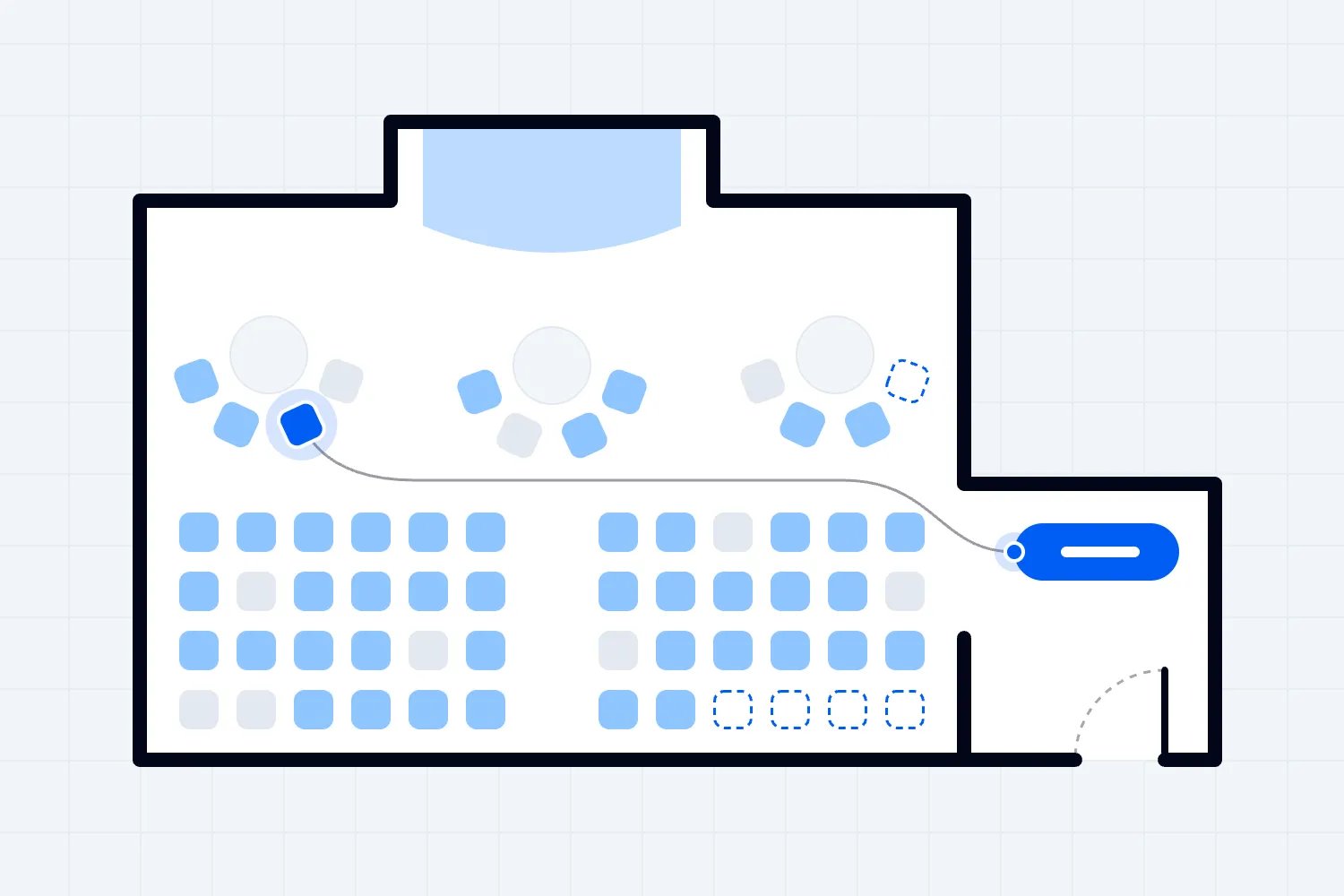
For reserved events, add the seating decisions your staff actually make. Show a held seat, its release, the buyer's selection and the resulting ticket. If accessible spaces or companion arrangements are relevant, test those requirements explicitly. A coloured seating diagram doesn't establish that the available purchase routes work for your audience.
Ask who can make these changes after launch and what help they need. Some event businesses are happy to pay for supplier configuration. Others need staff to change releases during an evening sale. Either arrangement may suit you, but the proposed service, support availability and cost must match the way you intend to operate.
Buy the ticket as your attendee would
Open checkout on a phone rather than watching only the presenter's desktop. Have your tester choose the fictional tickets, apply the promotional code and review the final amount before payment. Follow the purchase through to the confirmation screen, controlled inbox and ticket. This is where small misunderstandings become buyer support requests.
Notice whether the buyer can understand the full charge, ticket conditions and information being requested. Ask which fields are compulsory and why. If an account or an app is required, include that step in the demonstration rather than assuming the confirmation email completes the experience. Your audience will encounter the whole process.
Use the processor's supported simulations to demonstrate a declined payment and a successful retry. Then inspect the order record. Can your team tell whether a valid paid booking exists? Does the buyer receive a useful explanation? A failed payment shouldn't leave everyone guessing whether another attempt will create a second purchase.
Don't try to manufacture every possible payment failure during a sales call. Choose the situations that would change your decision and ask for documented behaviour where simulation is unavailable. A supplier may use a prepared example for an unusual authentication flow. Label that evidence accurately and decide whether you need an independently repeatable test later.
Ask who handles the payment relationship and which responsibilities stay with you. The PCI Security Standards Council says outsourcing payment processing does not remove a merchant's responsibility to ensure the provider protects account data. A smooth demo doesn't establish compliance. Get the applicable payment documentation and clarify responsibilities with the supplier and your payment provider before committing.
Keep your notes about conversion practical. You can observe confusing fields, missing totals or a broken confirmation. You cannot establish a conversion uplift by completing a few test purchases. Any claim about increased ticket sales needs separate evidence with enough context to judge whether it applies to your events.
Include an accessibility check without overstating it
Ask a tester to move through the buyer journey using a keyboard. Watch whether the selected control is visible, whether the reading order makes sense and whether forms explain errors. Try enlarging the content and check whether purchase controls remain usable. These basic observations can uncover barriers a quick desktop demonstration misses.
The World Wide Web Consortium's Easy Checks for web accessibility covers preliminary checks such as keyboard access, visible focus, labels and error handling. It also makes the limits clear. Passing a short review doesn't establish comprehensive accessibility, and an automated result alone shouldn't settle your buying decision.
Where the system is central to attendee access, ask for the supplier's accessibility documentation, its scope and the process for reporting a barrier. Confirm whether the evidence covers the actual checkout and ticket delivery you're buying, including connected services. Arrange specialist evaluation when your requirements need it. Record any unresolved barrier before your team accepts the purchase.
A workaround needs scrutiny here. If a buyer must contact your office to complete something others can do online, ask whether that route is available during your sales hours and whether it meets the requirement you've set. Staff assistance may be useful, but your demo notes should describe the remaining dependence honestly.
Change the booking and follow every consequence
Return to the original fictional order. The friend cannot attend, while the buyer still wants to come. Ask your customer service person to find the order using the information a buyer would normally provide. Watch whether they can distinguish the purchaser, individual ticket holders and ticket status without opening unrelated customer records.
Next, demonstrate the change your policy allows. That might be a name correction, transfer or partial refund. Don't treat these as interchangeable. A name edit may leave the original ticket code valid, while a transfer might replace it. Ask to see the actual behaviour, including what the original holder and new holder receive.
For a refund, inspect the amount before confirmation. Ask what happens to booking fees, processing charges, taxes and the buyer's other ticket. These details depend on your agreement, payment arrangement and applicable rules. Your test is to establish that the proposed configuration follows the policy you intend to apply, with clear exceptions recorded.
Now check the records the change should affect. Look at the buyer's controlled inbox, ticket validity, attendee list and financial view. Ask the presenter to explain any delay rather than marking a temporarily unchanged screen as a failure. Record the expected update timing and verify it when that interval has passed.
This is the interesting part of following one order. You can see whether a simple buyer request creates extra work elsewhere. If the refund requires staff to update a separate guest list or notify another team manually, capture that responsibility. A workable process can include manual steps, but someone needs to own them when the inbox gets busy.
Consider the buyer who contacts you after a transfer or refund appears complete. Ask your team member to reconstruct what happened from the record. They should be able to explain the relevant status without relying on the salesperson's memory. A history of actions is useful only if staff can find and understand it.
Test admission with the changed tickets
Take the remaining valid ticket to the supplier's supported scanning setup. Ask the person who normally manages admission to check it in and inspect the result. Repeat the scan and observe what the operator sees. Your team needs an understandable warning and a defined response when someone presents a ticket already used.
Then try the cancelled or replaced ticket from the earlier change, using the supported test configuration. Agree what the correct result should be before scanning. If the new holder has a replacement ticket, check that too. This connects customer service decisions with the information your door staff use when someone is standing in front of them.
Ask to see the recovery route for a buyer who cannot open an email. Can authorised staff find the booking and confirm admission through an approved alternative? What information do they need, and what can temporary staff see? Avoid designing an improvised identity policy during the demo. Your business should decide the checks appropriate to its events.
Discuss lost connectivity separately. Ask what the supplier supports, what must be downloaded or configured beforehand, and what happens when devices reconnect. A controlled interruption can demonstrate some behaviour if the supplier approves it. It won't prove the system will handle every venue condition or simultaneous activity across entrances.
If offline admission is essential, arrange a later test using representative devices, staffing and the actual venue conditions where practical. Don't extrapolate queue capacity from a presenter scanning a handful of tickets. Your team, ticket mix, hardware and arrival pattern affect the result, so operational performance needs a more realistic exercise.
Give staff the access they will actually have
Ask the supplier to create or use representative staff accounts. Your admission worker should repeat the admission task with their proposed permissions, and your finance person should open the reports they need. An owner account can conceal access problems because it can do almost everything the presenter attempts.
Test a restriction as well as an allowed action. If admission staff shouldn't issue refunds or download all attendee contact details, confirm that boundary in the agreed test account. Ask how the system handles staff who work across several events and how you remove their access when the engagement ends.
The UK's National Cyber Security Centre recommends authenticated and authorised access to cloud services, with account processes that reflect people joining, changing roles and leaving. Apply that to the temporary team you actually employ. Ask about individual accounts, additional sign-in protection and recovery if an important staff member loses access.
Stay within the agreed demonstration. Trying an action through normal controls is different from attempting to bypass security, access other customers or probe the service. If your organisation needs a technical security assessment, arrange it separately with written scope. A sales call is useful for checking visible permissions and collecting evidence, not proving the system is secure.
Ask what happens when staff need help
Take a moment to ask what your team should do if the refund task stops halfway through on event night. Let the supplier show the support route available under the proposed arrangement. Your staff need to know where to report the problem, which booking reference to include and how to tell whether someone has taken responsibility for it.
You don't need to create a false emergency or submit an invented incident to test responsiveness. A demonstration of the support form, relevant help material and escalation instructions can establish the intended process. It cannot establish the response you'll receive during a future outage. For that, examine the service commitments and ask how support coverage fits your operating hours.
Try finding instructions for a task your team just performed. If your admission supervisor forgets a step during training, can they find a useful answer without contacting the salesperson? Look for the instruction that applies to your plan and setup. A large help library is less reassuring when the relevant article describes an option you won't have.
Where the supplier proposes training, ask who attends, which tasks it covers and whether temporary staff can receive suitable material. Then include your own preparation time in the purchase plan. Even straightforward software requires your team to agree policies, configure the event and practise its work before opening sales.
Make finance explain the same order
Open the sales report and find the original booking. Ask the presenter to explain the amount paid, discount, fees, refund and remaining balance using that record. Your finance person should be able to tell which figure represents ticket sales and which figure represents money expected in the bank.
Don't accept a matching headline total as the whole test. Open or export the detail behind it. Check whether order identifiers, transaction dates, event references and refund records allow your team to trace the change. If a separate payment dashboard is necessary, include that step and confirm which staff need access.
A demonstration cannot prove the timing of a real future payout. It can show the reporting available and establish which written payout rules apply. Ask how pending refunds, disputes or reserves would affect the amount and timing, then check the answer against the proposed agreement. Record examples as illustrations rather than guaranteed outcomes.
Have your finance person describe the work still required. An export may be perfectly usable even if it needs a routine import into accounting software. A claimed automatic connection needs more evidence, including supported fields, update timing and error handling. If the relevant connection isn't available in the demo environment, leave it unproven until the agreed follow-up.
Send a targeted message and export usable records
Use the changed booking to test an attendee communication relevant to your event. Preview the recipients of a practical update and check whether the remaining ticket holder appears correctly. Then inspect how cancelled or transferred tickets affect that selection. You want to know which record determines who receives the message.
Keep every test send inside controlled inboxes. Ask the presenter to distinguish operational messages from marketing permissions and explain which settings apply to each. Don't infer legal permission from the presence of an email address. Your event's location, audience and communication purpose affect the rules your business needs to follow.
Next, export the records your business would need for operations, finance and a future move. Open the file rather than watching it download. Confirm that identifiers and field descriptions make the booking understandable outside the product. An attendee name without its related ticket status or event reference may be insufficient for the work you intend.
Ask what requires a paid plan, a support request or a separate export. Include the refund history and any relevant permission records in the discussion. You may find that different purposes need different files. That can be acceptable when your team understands the process, access restrictions and retention responsibilities before making the purchase.
Our guide to switching ticketing platforms covers the wider migration work. During this demo, your narrower task is to establish what you can retrieve, what it means and what remains dependent on the supplier. Don't postpone that discovery until you want to leave.
Request evidence you can review after the call
Ask for copies of the proposed configuration, quote and any sample exports you inspected, with sensitive information removed. If the vendor can share a recording or screenshots, confirm that they show the environment and account permissions you evaluated. The aim is to help your colleagues assess a decision they may not have watched in person.
Written answers are especially useful when an observation needs qualification. Suppose the refund record appeared immediately, but the attendee list updated after a delay. Record both observations and ask the supplier to confirm the expected behaviour. Then decide whether that delay would cause a real problem for admission or communication at your events.
For a promised capability, request the current availability and the conditions required to use it. If delivery depends on future development, keep it outside the demonstrated results. Your team can choose to consider a future commitment commercially, but the demonstration has not proven that your staff can use it today.
Give suppliers a fair opportunity to correct a setup mistake. Perhaps the ticket type was configured incorrectly because your scenario was ambiguous. Clarify the requirement, repeat the task and retain both the explanation and the final result. That is different from relaxing an essential requirement simply because the existing software cannot meet it.
Compare your notes with the person who will perform the work. A finance export that looks complete to the purchasing lead may still omit the reference the bookkeeper uses. Catching that disagreement now is useful. It gives the supplier a precise question to answer and helps your business avoid approving a result nobody can use.
Allow the same useful follow-up for each shortlisted supplier. If one vendor receives a second session to prove a difficult requirement, give the others a comparable opportunity where appropriate. You can still reject an unsuitable offer early. Consistent conditions simply help you judge the software and service rather than differences in how you organised the meetings.
Keep a copy of the original fictional event instructions for the eventual trial. After a demo, ask a staff member to describe how they would complete the main tasks without replaying the presentation. Where their explanation depends on a step nobody understood, request clarification before moving on. You're checking whether the team has enough information to evaluate the purchase, not grading their memory. Some tasks will need training, and that is fine when the training is included and realistic. Others may require supplier involvement every time. Those dependencies should be explicit because they affect how confidently your team can respond when a buyer needs help during a busy event week.
Finish with the unresolved decisions
Before everyone leaves, read back the essential tests and their outcomes. Confirm which results were demonstrated, which carried limitations and which still need evidence. Give each unresolved item an owner and a specific next action. A recording can help, with everyone's agreement, but a supplier should not need to watch an entire meeting to understand your follow-up request.
Connect the extra steps to cost. If the usable refund process requires another plan, or a report needs supplier configuration, ask for the revised quote and relevant terms. Estimate your own staff effort separately using your event schedule and workload. A demonstration reveals work; your business must decide whether the price and operating demands make sense.
Choose the next step according to what remains uncertain. An essential task that failed may remove a supplier from consideration. An unproven integration may justify a focused technical session. A promising result with manageable limits may justify a trial. Don't let a friendly presenter or a crowded feature list decide how much uncertainty you're willing to accept.
Finally, keep the distinction between buying evidence and launch readiness. This session helps you choose a supplier. Acceptance testing later checks whether the delivered configuration meets the agreement before real attendees depend on it. Carry your demonstrated scenarios into that plan, add the live operational conditions the demo couldn't establish, and resolve the remaining purchase conditions before you commit.

Author: By the Loopyah Content Team
The Loopyah Content Team shares expert insights, practical guides, and industry updates to help event organizers create unforgettable experiences and stay ahead in the event planning world.