· 21 min read
How should ticketing, your CRM and email tools share data?
Someone buys tickets for your event. Their details appear in your CRM, your email list grows, and the connection looks like it's working. Then they return one ticket. Their friend takes another. The buyer unsubscribes. Your next campaign still calls them an attendee and offers them the ticket they already have.
The problem started before anyone pressed send. Your tools shared a name and an email address, but they didn't share what that person actually did, which tickets they still held, or which messages they wanted.
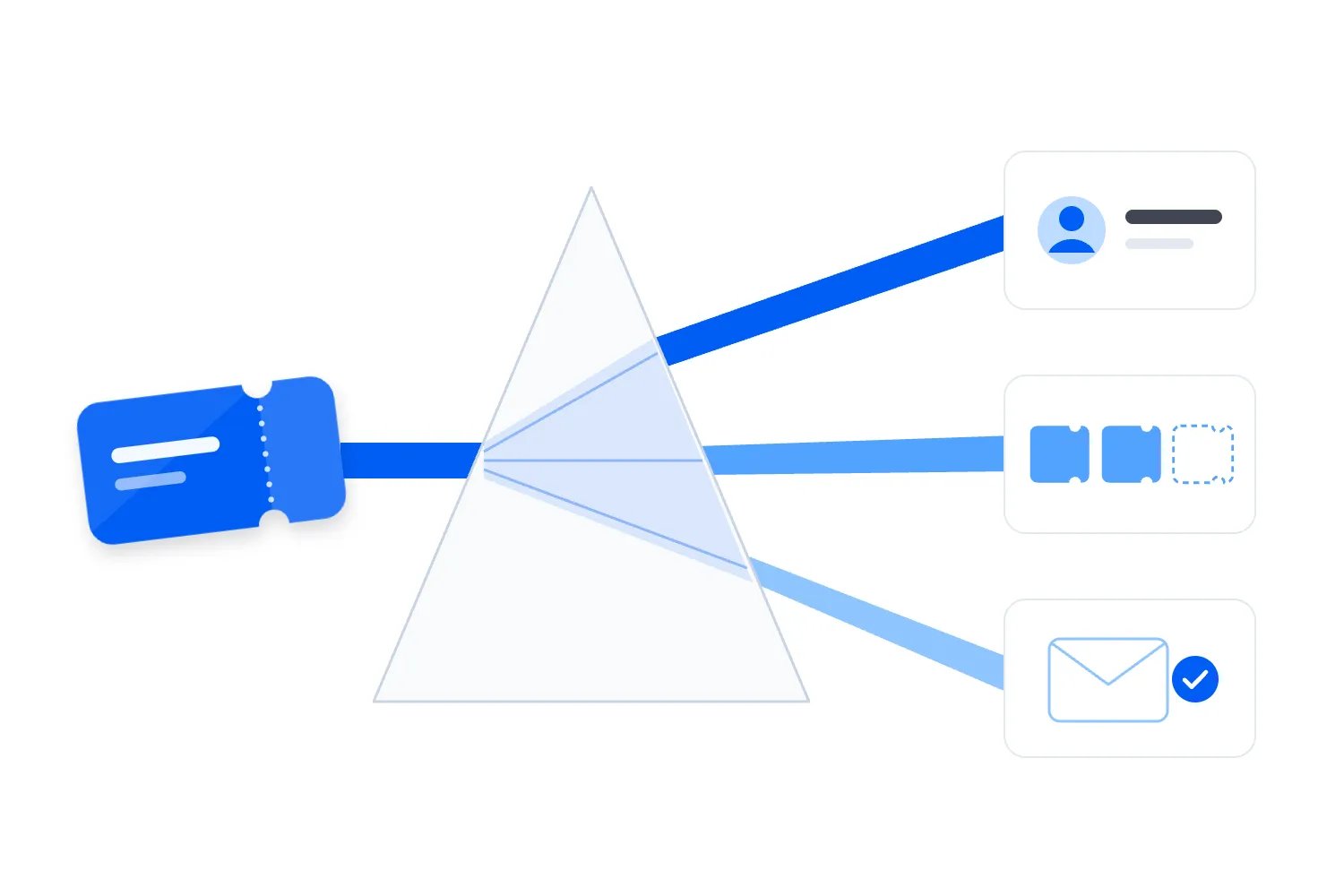
A useful event CRM integration keeps people, purchases and attendance connected without treating them as the same record. Your ticketing platform should supply the facts about orders and tickets. Your CRM should preserve the customer relationship across events. Your email tool should receive the information needed for the next message and respect current permissions before sending it.
The first thing you want to do is agree what each record means. Once that's clear, you can connect your tools around real decisions, such as excluding current buyers from acquisition emails or following up with people who actually attended. Here's how to make those decisions without building a customer database nobody trusts.
Start with a buyer who isn't the whole audience
Imagine you run a series of paid evening workshops. Maya buys tickets for herself and two colleagues. She pays once, provides her own email address at checkout, and adds the names of the people coming with her. This is a hypothetical example we'll use throughout the guide.
You have one buyer, one order and three tickets. You may have three identifiable attendees, depending on what you actually collect. You don't automatically have three email subscribers. Those distinctions affect your revenue reports, your reminders and whether a future invitation reaches the right person.
If your connection creates a contact for Maya and labels her as three attendees, your CRM will exaggerate her attendance. If it copies the full order value onto each colleague, your revenue report will multiply the sale. If it subscribes everyone, you've confused supplying event details with choosing to receive promotions.
Here's what's useful about separating these records. You can acknowledge Maya as the customer who bought for a group while recognising each colleague as an individual attendee. Later, when one colleague buys independently, their own purchase adds to their history without rewriting Maya's transaction.
Write this example down before discussing software. Ask whoever is setting up the connection to show you how it represents the buyer, the order and each ticket. A demonstration with a single purchase for a single person hides most of the decisions you'll need to make.
Decide what belongs to each record
A person record describes someone. It might contain their name, contact details, preferred language and the identifiers your systems use to recognise them. It should allow the same person to buy or attend several events without replacing what happened previously.
An order describes a purchase. It needs its own identifier, its buyer, its payment status and its financial amounts. Preserve the difference between the original purchase and subsequent adjustments. An order awaiting payment shouldn't qualify someone for the same communications as an order whose payment has cleared.
A ticket describes a specific admission entitlement. Connect it to its order and event, then record its ticket type, current status and holder where known. Ticket status answers questions such as whether someone can enter. It shouldn't double as an email subscription field.
An event record describes the particular occurrence someone purchased or attended. Include a stable identifier, its title, date, venue and status. If you repeat the same workshop every month, each occurrence needs an identity that distinguishes it from the wider series.
A permission record describes whether and why you can send a particular kind of communication to a particular address. Keep the scope, source and time of that permission, along with relevant evidence. A newsletter signup and a ticket confirmation belong to different decisions even when they use the same inbox.
Your tools may use different names or offer fewer record types. The underlying relationships still matter. Before buying extra software, check whether your current setup can preserve them. Our event management CRM guide covers the broader buying decision; this guide focuses on what your connection must carry once you've chosen the tools.
Check what your ticketing already handles
Before commissioning a connection, look at the customer records and email tools included in your ticketing. If the job is recognising past buyers and inviting an eligible audience to the next event, you may already have what you need. An extra database creates another place for those facts to disagree.
For example, Loopyah's event CRM keeps buyers as contacts across events, with their spending, events and email permission recorded. You can create segments using those facts, and the segments update as people buy. That handles a common repeat sales task without maintaining a separate exported buyer list.
Loopyah's attendee email tools also distinguish event updates from promotions and remove opt-outs from promotional recipients. Your responsibility is to choose the audience and write the appropriate message. You don't need to recreate that built-in handling in another tool just to email your existing buyers.
A separate CRM may still matter for sponsorship sales, company accounts or another process your team runs elsewhere. Name that requirement clearly. Then verify what information the actual connection supports. Built-in buyer records don't establish that any particular external CRM can receive every field or send changes back.
For each additional handoff, ask what decision becomes possible that your current tools cannot handle. If the answer is simply having another copy of the audience, reconsider the expense. If the answer is connecting a company booking to an existing account relationship, describe that relationship and test it directly.
Match people without losing their purchases
An email address is convenient for finding a contact. It isn't a permanent guarantee of identity. People change jobs, correct typos and share family inboxes. A group booking may also attach several attendee names to the buyer's address because nobody supplied separate addresses.
Preserve the original identifier from each system alongside the CRM's own contact identifier. That lets the connection recognise an existing customer after a verified email change. It also helps your support team trace a confusing record back to the purchase that created it.
For a new contact without an existing link, matching an exact, consistently formatted email address can be a practical starting rule. Agree which formatting changes are safe. Removing accidental spaces is different from changing the meaningful characters inside an address because two versions look similar.
Don't merge people automatically because their names match. Two Alex Browns can attend the same conference. Don't assume different addresses mean different people either. Send uncertain matches for review, and keep their transactions intact while someone checks the evidence.
A merge needs rules of its own. Specify which contact survives, which identifiers it retains and how purchase history moves. Review marketing permission separately. Combining records mustn't turn an old subscription on one address into permission to email another address whose owner hasn't made that choice.
For Maya's order, an unnamed guest can remain attached to an unassigned ticket until the attendee supplies their details. That is more honest than inventing a contact. Your reports can still count the ticket sold while recognising that you don't yet know who will use it.
Keep money on the order and attendance on the ticket
Choose one financial definition before you connect a revenue report. Does your customer spend figure include taxes, buyer fees or optional extras? Does it subtract completed refunds? Your team should be able to explain the figure without opening the integration settings.
In Maya's example, her order should carry the amount she paid according to that definition. Her colleagues' attendance records can refer to the order, but they shouldn't each receive the whole purchase amount as personal spending. Otherwise your most active group buyers can make reporting look much healthier than it is.
Keep currency attached to every monetary amount. Don't combine amounts in different currencies and display the total as if they were directly comparable. If your finance team converts them, record the conversion rule and use the same rule wherever the business compares revenue.
Separate paid tickets from complimentary admissions. Both can create attendance, but they answer different commercial questions. Similarly, a ticket upgraded through an additional payment needs a connection to that adjustment. Replacing its ticket type alone won't explain the extra money.
At the door, check in each ticket or admission according to your actual entry process. A buyer who purchased for colleagues may never arrive. A holder who enters may never have paid you directly. Your CRM should be able to show either relationship without guessing the other.
This matters when you measure repeat business. A repeat buyer, a repeat attendee and someone who repeatedly buys for groups are useful audiences, but they aren't interchangeable. Use the definitions behind your event KPIs when deciding which facts to export, rather than adjusting the definition to whatever the connector happens to provide.
Company purchases need another relationship. If an employer pays for workshop places, connect the order to the company account where your CRM supports it, while preserving the individual buyer and ticket holders. A company name typed at checkout doesn't prove which existing account should receive the purchase. Verify uncertain matches before reporting company revenue or assigning a sales follow-up.
Keep the origin of identifiers clear too. An order number from one ticketing account may look identical to an order number from another. If you operate several brands or import records from an older platform, your connection needs enough context to distinguish them. Ask your provider to demonstrate that identical-looking references remain separate purchases. Then ask them to find the original transaction from either CRM record. You don't need to choose the technical implementation yourself. You do need to know that your audience, support history and financial totals won't combine unrelated transactions because their reference numbers happen to match. That distinction matters when your event portfolio grows.
Make every field specific enough to use
A field called status is an invitation to confusion. It could mean paid, admitted, unsubscribed or cancelled. Name the subject in the field description and agree the allowed values. Your operator should know what changed without remembering which system supplied the update.
Write a short mapping note for every shared field. Record its meaning, where it comes from, where it goes and what an empty value means. Include an example from a test booking. This is something your team can read together, not a technical document to approve without understanding.
For instance, ticket status might distinguish valid, transferred and cancelled tickets. Payment status might distinguish pending, successful and refunded transactions. The exact labels depend on your platform, so check its definitions. A label that sounds obvious can cover a narrower situation than your team expects.
Treat empty, unknown and false differently. An empty subscription field doesn't prove that someone declined marketing, and it certainly doesn't prove that they agreed. An unknown check-in result during an outage doesn't establish that somebody missed the event.
Dates need shared meaning too. Store the event's local time zone, and make timestamps unambiguous when systems exchange them. RFC 3339 specifies an internet timestamp format with a date, time and relationship to UTC. Ask your implementation team to use a consistent supported format rather than passing dates whose time zone is missing.
Also distinguish when something happened from when the other system received it. A delayed update can arrive after a newer change. If you only keep the arrival time, your team may struggle to explain why yesterday's ticket status replaced today's corrected record.
Send the email tool what the message needs
Your email tool doesn't need a copy of everything in ticketing. Start with the emails you intend to send, then identify the facts each one requires. That approach makes the connection easier to check because you can compare a record directly with the message it should trigger.
A purchase confirmation needs the confirmed order, the correct recipient and the information the customer needs to retrieve their tickets. An arrival reminder needs a valid admission for the relevant event and the current event details. A future event promotion needs an eligible audience and the right marketing permission.
Use the ticketing platform's supported confirmation process when that's already doing the job. A second system sending another confirmation can create duplicate messages and different versions of the same purchase. Decide which tool sends each type of email before enabling automated campaigns.
For the workshop, Maya might receive the receipt because she paid. Her colleagues might receive arrival details if you collected usable addresses and your communication arrangements support that. Don't copy a buyer's financial information into every attendee's reminder just because it was available in the order.
An audience such as people who bought this workshop should come from current purchase records. A temporary tag can help an email tool organise recipients, but somebody must update or remove it when the underlying condition changes. Otherwise a past purchase becomes an inaccurate permanent description.
Our event confirmation email guide helps you decide what the customer should receive. Use the finished message as a practical check on your mapping. If the email needs a date, a ticket link or a recipient distinction that the connection doesn't supply, resolve that before switching it on.
Preserve permission through purchases and imports
Keep the decision to buy separate from the decision to receive marketing. Someone can need a receipt and event access information while declining your promotional emails. Your connection should preserve that distinction wherever your team creates audiences.
Rules vary by market. For example, the UK's Information Commissioner's Office guidance on electronic mail marketing explains consent requirements and the conditional exception for marketing an organisation's own similar products to existing customers. It also calls for screening against people who have opted out. Don't interpret a completed ticket purchase as universal permission.
Store where the permission came from, what it covered and when it changed. If someone subscribed through a form, preserve the wording or a reference to the version they saw. If permission is uncertain, resolve it before adding the address to a promotional audience.
When a person unsubscribes in the email tool, that choice must affect every place that could put them into that same marketing audience again. A later order import shouldn't reset it. Neither should a colleague uploading last season's list to fill gaps before a launch.
Keep an appropriately controlled suppression record, meaning a record used to prevent further marketing to an address that opted out. Simply deleting someone from a campaign list can leave the next import free to add them again. Decide how your systems recognise and honour that choice.
Separate preferences where they genuinely mean different things. A person might request workshop news while declining another event brand's promotions. The scope should reflect what they actually chose. Your event email marketing consent guide develops the checkout decisions; your integration needs to carry those decisions faithfully.
Follow a change through every affected message
Now Maya refunds one ticket. The order still exists, she still holds other tickets, and the event still has attendees. A contact field that says refunded can't express all of that. The change belongs to the specific ticket and financial adjustment before you update customer summaries.
Use completed refund information to recalculate the appropriate spending figure. Distinguish a refund request from a refund that has actually completed. If money is still being processed, your support team needs that context rather than a confident label that doesn't match the customer's experience.
Update upcoming emails against the remaining valid tickets. Maya shouldn't receive arrival instructions for the cancelled admission, but cancelling that ticket shouldn't remove information needed for her remaining booking. Check recipients already waiting in automated email sequences, as well as audiences created afterwards.
Next, one colleague transfers their ticket to somebody else. Keep the original purchase associated with Maya unless the financial transaction actually changes. Update the current holder and admission instructions according to the ticketing record. A transfer shouldn't create a second sale merely because another person now appears in the CRM.
A postponed event needs a different kind of update. Preserve its identity and record the revised details if it remains the same occurrence under your operating rules. Then check reminders that were scheduled against the previous date. Updating a contact's event date doesn't necessarily move an email already scheduled elsewhere.
For each change, ask who needs information now, who no longer qualifies for a message and which report must change. Walk through the customer's whole experience. It's easy to correct a CRM screen and miss the campaign that's still queued to send the old instructions tomorrow morning.
Leave sensitive operational detail where it's needed
An accessibility request may be essential for the event team arranging access. It doesn't follow that your entire marketing database needs the request. Share only the information required by the people and processes handling that purpose, with appropriate access restrictions.
The ICO's data minimisation guidance says personal data should be adequate, relevant and limited to what is necessary for its purpose. It also recommends reviewing what you hold and deleting information you no longer need. Use that principle when deciding which checkout fields to copy.
A marketing employee might need to know that an attendee should receive a particular arrival email without needing their full support conversation. An integration provider may need identifiers to investigate a failed update without needing payment details. Ask what each recipient actually has to do.
Avoid sending free text everywhere by default. Support notes can contain personal details that nobody intended to use for campaign targeting. Review individual fields instead of treating an export of every column as the natural starting point.
Make retention part of the mapping. Event access arrangements, financial records and newsletter preferences may need different handling. Agree the applicable requirements and an operational process with the people responsible, then identify which copies must change when an approved correction or deletion happens.
Check financial reporting against transactions
A CRM can display an impressive revenue total while counting the same order several times. This can happen when ticket rows repeat the order value or an update creates another purchase record. The customer profile may look plausible until somebody compares it with ticketing.
Give each order a stable transaction reference wherever you report the sale. Record adjustments against that purchase rather than creating unrelated negative numbers that nobody can trace. Your finance team should be able to reconcile an individual customer's summary with the underlying transactions.
Google Analytics' ecommerce documentation uses transaction identifiers in purchase and refund measurement. That offers a useful illustration of the information your reporting needs, even if you use a different analytics setup. Keep a consistent purchase reference when a sale later changes.
Don't expect attributed marketing revenue to match total ticketing revenue automatically. Attribution assigns credit under a particular reporting rule. Ticketing records transactions. Agree the date range, refund handling and included amounts before treating a difference as an integration failure.
For the workshop example, compare the original order, completed refund and remaining tickets across the systems. Then compare the event total. If individual orders reconcile but the audience report doesn't, investigate how the report joins buyers and attendees. A correct transaction can still be counted repeatedly by the wrong report.
Bring older records across without triggering old journeys
Historical imports need a different plan from new sales. You may want previous purchases available for customer service and repeat buyer analysis without sending confirmations for events that ended last year. Agree which automations stay off during the import and how you'll prove they remained off.
Inspect the source before importing it. An old attendee spreadsheet may contain ticket holders without buyers, a mixture of cancelled and valid admissions, or no evidence of marketing permission. Preserve the distinctions you can verify. Mark missing facts as unknown instead of filling them with convenient assumptions.
Keep original event and order identifiers where available. If the old source lacks them, agree how the import will distinguish records and prevent another upload from duplicating the same history. Record that limitation so a future employee doesn't mistake a best effort historical summary for a complete transaction ledger.
Check permissions against current suppression records before activating any promotional audience. A historical subscription column may predate a later unsubscribe. Importing that column without checking the newer choice can restore somebody to a list they deliberately left.
Run a small sample through the full process. Compare one repeat buyer, one cancelled booking and one group purchase with the original records. Ask your marketing colleague to build a proposed audience without sending it. Ask support to find the original order. Both should understand what the imported data allows them to conclude.
Don't judge the import by the number of rows accepted alone. Reconcile the relevant orders and tickets, inspect rejected rows, and record which facts were intentionally left out. Then keep the import process controlled so nobody repeats it during a busy launch and silently replaces newer information.
Test the awkward bookings before the next launch
Start with ordinary purchases, then deliberately test the situations that change them. Use supported test facilities and clearly identified test records. Keep promotional automations disabled for the test audience until you've checked the expected recipients and messages.
Your test should include a group order, an existing buyer, an unknown attendee, a payment that doesn't complete, a partial refund and a transferred ticket where supported. Add a person who unsubscribes and then buys again. These scenarios reveal whether your records describe the customer accurately after something changes.
Ask what happens if the same update arrives twice. Stripe's webhook documentation explicitly discusses duplicate deliveries and explains that delivery order isn't guaranteed. A webhook is an automatic notification one system sends another when something changes. Check your own provider's behaviour and make sure repeated notifications don't produce repeated sales or messages.
Read the actual records after each test, then inspect any email waiting to send. A successful connection log only proves that something travelled between systems. It doesn't prove that the right contact received the right meaning or that a cancelled ticket left an upcoming audience.
Ask the person implementing the connection to demonstrate a failed update and its recovery. Who hears about the failure? Can they identify the affected order? How will they know the missing change has reached the CRM and email tool? Agree this while there's time to fix the answer.
When your team hands this work to a provider, include an expected result for each scenario. For Maya's partial refund, specify the remaining valid tickets, the financial adjustment and the emails that should still send. That makes approval concrete. A promise that refunds are supported doesn't tell you whether a group buyer keeps receiving the information for their other tickets.
Also decide how you'll spot a missing update during normal operations. Compare a current sample of changed orders with their customer records and check the last successful update time. If a launch depends on excluding recent buyers, confirm that those purchases have arrived before releasing the campaign. The right frequency depends on how quickly the decision becomes outdated. A seasonal customer analysis can tolerate a delay that would make an imminent event reminder wrong.
Put the agreement somewhere your team can use
Before rollout, collect your field definitions, matching rules, permission handling and test results in one shared working note. Assign an owner for customer record questions and someone who can repair a failed connection. Those may be different people, and both need to understand the handoff.
Keep the first rollout narrow enough to compare against the source records. Choose an upcoming event with the booking patterns you actually use, then inspect the purchase, change and email journeys before extending the setup across your programme.
The final check is straightforward. Open a customer with more than one ticket and follow their history through a refund, an attendance update and an unsubscribe. Your team should be able to explain what they bought, what they can still use, what happened at the event and which messages they can receive next.
If you can't answer those questions, resolve the specific missing relationship before adding more automation. If you can, use that customer journey as your reference whenever you change a form, introduce a ticket type or replace an email tool. It keeps the connection accountable to the event business it is supposed to support.

Author: By the Loopyah Content Team
The Loopyah Content Team shares expert insights, practical guides, and industry updates to help event organizers create unforgettable experiences and stay ahead in the event planning world.