· 21 min read
European Accessibility Act: what to check in online event ticketing
You've opened sales for your next event. The event page looks good, the payment went through when you tested it, and the confirmation arrived. Then a buyer tells you they can't choose a ticket using their keyboard. Someone else can read the description with a screen reader but can't get past the payment challenge. Your team has checked that checkout works. These buyers are showing you who it works for.
For event businesses selling online to consumers in the EU, the European Accessibility Act makes that distinction a legal question. Online ticket sales can fall within its rules for e-commerce services. You need to establish which obligations apply to your business, then examine the purchase experience you actually provide, including the parts supplied by other companies.
The first thing you want to do is check your scope and ownership. After that, test whether buyers can understand the offer, choose tickets, pay, and retrieve their order using the ways they normally access the internet. A supplier's accessibility promise helps only when it covers those tasks in your configured service.
This guide focuses on online ticketing. Venue access, seating arrangements, interpreters, and emergency planning still need their own attention. Our event accessibility checklist covers that wider planning work. Here, we're looking at the sale that happens before someone arrives, the evidence you should request, and the decisions you need to make when a buyer encounters a barrier.
Does the European Accessibility Act apply to your ticket sales?
The Act is an EU directive implemented through national law. Its scope includes e-commerce services provided to consumers after 28 June 2025. The directive defines these as services supplied at a distance, through websites or mobile services, electronically and at a consumer's individual request, with a view to concluding a consumer contract. Selling an event ticket online can fit that description. The starting reference is Directive (EU) 2019/882, especially Articles 2 and 3.
That doesn't mean every event, website, or physical venue has exactly the same obligations. Work through the service you sell, who buys it, the markets you serve, and the legal entities involved. A public consumer checkout and a negotiated contract with a company aren't interchangeable situations. If you sell both individual tickets and corporate packages, describe each separately when seeking advice.
Your office address doesn't settle the question either. If you're based outside the EU and sell covered services to EU consumers, get advice on the relevant national rules. Don't assume that using an overseas ticketing provider removes the issue. Equally, don't assume that an EU visitor reaching an unrelated information page automatically answers every question about your service's territorial scope.
For a useful conversation with your adviser, bring the checkout links, terms, seller details, countries you actively serve, and the agreements with your ticketing supplier. Show who takes the order and what the buyer is told about the seller. That gives the adviser a service to assess rather than a vague question about whether your event business is compliant.
Record the answer in plain language. Which consumer sales are covered? Which national legislation applies? Which entity is the service provider? Who inside your business will keep the assessment current? Those answers should survive the departure of the person who originally organized the review.
Check exemptions without guessing
Microenterprises providing services have an exemption under the directive. The definition requires fewer than ten persons employed and annual turnover not exceeding EUR 2 million or an annual balance sheet total not exceeding EUR 2 million. The staff condition and one of the financial conditions must both be met. Ireland's CCPC microenterprise guidance explains the distinction between service providers and businesses dealing with covered products.
Ask your adviser how to calculate the relevant enterprise's size, if there are connected companies. An event brand, a temporary project team, and the business behind them may be different things. The fact that only a few people work on a particular festival is insufficient evidence that the service provider qualifies.
Also check other applicable accessibility and equality obligations. An exemption from these particular service requirements doesn't make every inaccessible practice lawful, and it doesn't help a buyer complete an order. You can decide to improve a purchase barrier even where the EAA exemption applies. Keep the legal conclusion and the commercial decision clear so your team understands both.
What needs checking in the online purchase experience?
Start with an actual event that's on sale or ready to test. Follow the buyer's route through the event page, ticket selection, basket, customer details, payment, confirmation, and ticket retrieval. Include the cookie banner and any popups that appear before the buyer can begin. A beautiful event description doesn't help someone who can't dismiss the box covering it.
Write down every company involved as you go. Your own website might contain an embedded ticket page. The checkout might send buyers to a payment provider, which asks them to confirm their identity through their bank. The order email might link to another service. Each change of page can introduce a barrier, and your buyer experiences all of it as one purchase.
If you're choosing between a ticket link and an embedded checkout, our guide to selling event tickets on your own website explains the operational differences. For accessibility review, test the option you've installed. A provider's separate event page and the same page embedded inside your website can behave differently because your surrounding page affects navigation and display.
Take a buyer purchasing general admission and another purchasing reserved seating. They share some steps, but seat selection adds a separate interaction. Add the less tidy situations too. A ticket sells out while someone is choosing it. A discount code is rejected. An email address contains an error. A card payment needs additional verification. These are normal sales conditions, so they belong in the review.
For each task, describe what successful completion means. The buyer knows what they're buying, can make their choice, understands the total, can correct a mistake, and receives a usable order confirmation. Your tester then has something concrete to verify. "Check the website" is too broad to tell you where the purchase stopped.
Keep venue information connected to the sale
A buyer may need to know whether there's a step-free entrance before paying. They may want to understand companion arrangements, accessible seating, or how to contact someone about assistance. Make that information easy to find and accurate. Ask the venue to confirm details rather than copying an accessibility label from an old event page.
Be specific where you know the answer. "Step-free access through the side entrance on River Street" helps someone plan. "Accessible venue" leaves too much unanswered. Explain any booking process that affects the ticket choice, including whether a buyer needs to arrange companion seating before choosing their own seat. Keep that process understandable without making people disclose unnecessary personal information.
Review the description whenever the venue or arrangements change. Your event description should help someone decide whether the event suits them, including practical information that affects attendance. That work complements the technical review. A checkout can be technically usable while the buyer still lacks the information needed to choose the right ticket.
Separate legal requirements from technical standards
You'll hear suppliers refer to WCAG, which means Web Content Accessibility Guidelines. These are technical standards published by W3C for making web content accessible. They provide testable criteria that specialists can use to assess your event pages and checkout. They're useful because they turn a broad promise into things a developer can fix and a tester can check.
W3C encourages use of the latest WCAG version, and its WCAG overview explains the versions and their relationship to European standards. When commissioning work, specify the version, conformance level, and service being assessed. A supplier saying "we follow WCAG" hasn't yet told you what they tested or whether your ticket purchase was included.
However, avoid treating a WCAG claim as the complete legal answer. The EAA's obligations concern covered services and include information, support, and ongoing processes. Technical standards can help demonstrate compliance, but their legal relevance depends on the applicable requirements and the status of the relevant standards. Ask your adviser or specialist to identify the route they are using and check current national guidance.
This matters when purchasing an audit. One proposal might assess selected web pages against a named WCAG version. Another might cover your service's applicable legal obligations as well. Both can be useful, but they answer different questions. Ask what the report will allow you to conclude, what it excludes, and what further review you'll need before making a public statement.
Keep the standard named in your supplier contract, test report, and internal acceptance criteria consistent. If your developer works against one version and your auditor evaluates another, you'll spend time arguing about the report instead of fixing barriers. Discuss the difference before work begins and write down the agreed approach.
Test ticket selection and forms with real purchase tasks
Your team can begin with a simple keyboard review. Put the mouse aside and work through the purchase. Can you reach the ticket selector, change the quantity, continue, correct your details, and submit? Can you see which control you're on? If something opens, can you operate it and return to the purchase without becoming stuck?
This first review is useful for finding obvious problems. It doesn't establish compliance. Have someone qualified assess the relevant requirements, and ask them to test the configured event page rather than a generic demonstration. They'll need to examine the information exposed to assistive technology as well as what appears on screen.
For a screen reader user, a quantity control needs to convey its purpose and current value. A visually tidy plus symbol may be unclear if the software announces only "button". When the quantity changes, the buyer also needs to understand what happened to the order. Ask the tester to report what they heard and whether it made the purchase understandable.
Errors deserve the same attention. Imagine a buyer submitting the form with a mistyped email address. If a red border appears but the error isn't identified in a way they can perceive, they may have no idea why the page hasn't continued. Your developer needs to check how labels, instructions, and error messages work together. W3C's accessible forms tutorial is a practical reference for that work.
For your own review, try making ordinary mistakes deliberately. Leave a required field empty. Enter an invalid discount code. Return from the basket to change the ticket quantity. Check whether the information already entered remains available where appropriate and whether the instructions explain how to recover. Recovery matters because buyers don't complete every purchase perfectly on their first attempt.
Give seat selection its own review
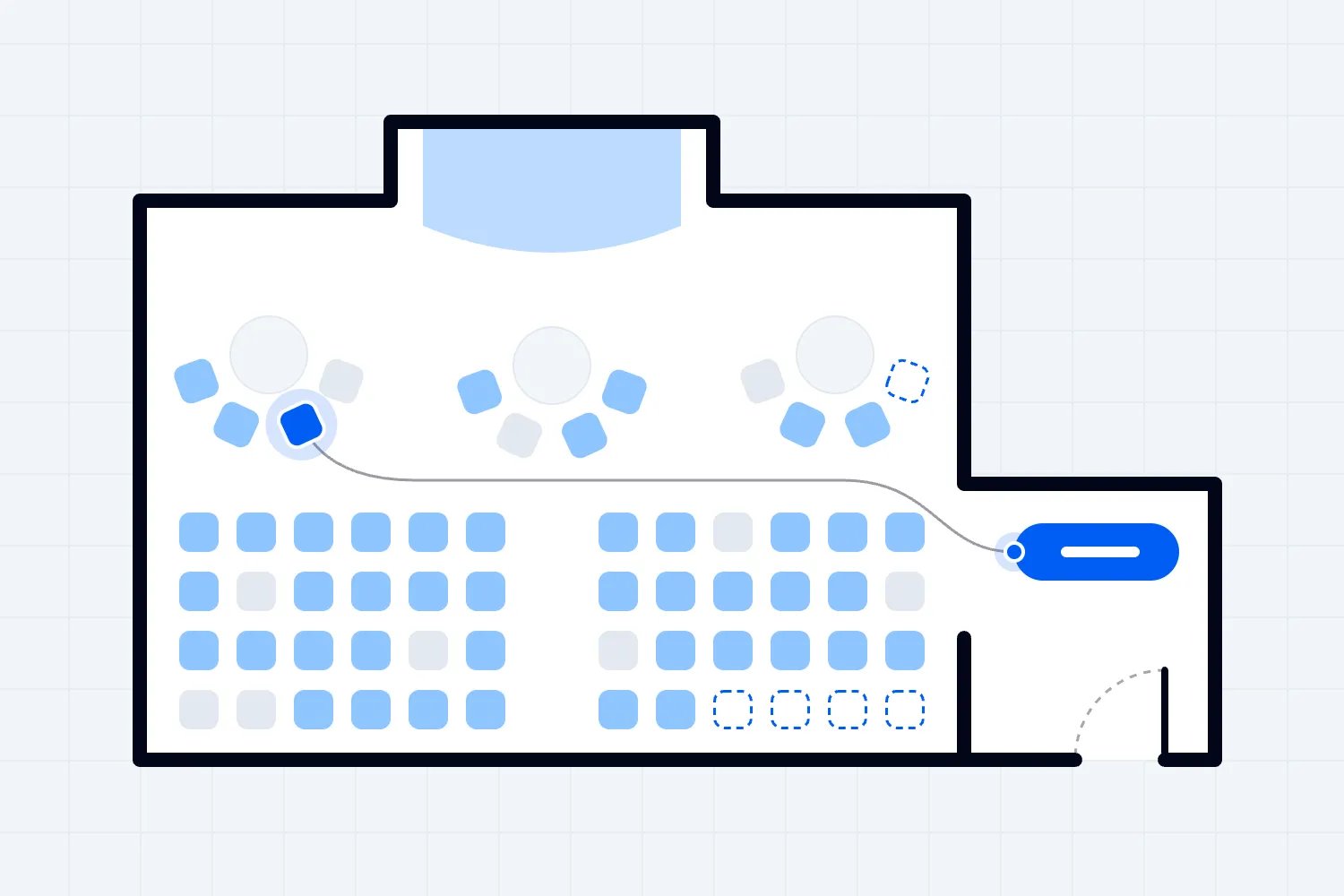
A reserved seating event needs more than a quick general admission test. Ask whether buyers can identify available seats, understand the section and price, and make a selection using supported input methods and assistive technology. Check how wheelchair spaces and companion arrangements are described if those options are sold through the system.
A colour difference alone may be insufficient to explain whether a seat is available. A map that depends on precise mouse movements may exclude someone using a keyboard. Have the specialist examine the actual interaction and advise on an accessible way to provide the choice. Any alternative needs to preserve meaningful information and purchasing opportunity, rather than offering a vague promise of assistance later.
Make the venue and ticketing teams review the same seating setup. Technical accessibility cannot correct a wrongly labelled wheelchair space or a companion seat released to general sale by mistake. If the available arrangement changes, update the buyer information and repeat the affected tests before the next release.
Follow payment and authentication all the way through
Payment is where a partial review becomes expensive. You've paid to attract a buyer, they've chosen their tickets, and they may still be unable to finish. Annex I, Section IV(g), expressly addresses identification, security, and payment functionality for e-commerce services. Ask your supplier to explain how those requirements are met throughout the payment route you offer.
Include the point where a payment provider or bank asks the buyer to verify the transaction. A checkout review that ends when someone presses "Pay" can miss the step that actually blocks them. Test representative supported payment routes with your specialist and supplier. You may need a controlled testing arrangement to examine these steps without creating unwanted purchases or handling sensitive customer information.
Ask what happens if verification fails or takes longer than expected. Does the buyer return to a comprehensible page? Can they retry without wondering whether they've already paid? Is the order status clear? A confusing failure can lead to duplicate attempts and support requests, even for buyers who never encountered an accessibility barrier earlier in the purchase.
Be careful with security challenges too. Have the supplier assess the particular challenge used and any accessible options available. Don't tell your team to remove security protections casually. The practical question is how to protect the transaction while allowing buyers with different access needs to complete it.
Loopyah's ticket checkout lets buyers purchase as guests, and the confirmation email links to their QR tickets. That removes an account creation step from the purchase and gives you a clear retrieval route to test. It doesn't establish EAA compliance. Review the configured journey, supported payment routes, and available evidence before making accessibility claims about any ticketing service, including ours.
The same restraint applies to digital wallets. Offering another payment method may be useful, but it doesn't prove that the whole service is accessible. Examine the route your buyer can actually use, including any device or account requirements, and document what was tested.
Check the order after the payment succeeds
A successful payment isn't the end of the job. The buyer needs to know the order succeeded and find the ticket they'll use. Review the confirmation page and email with that task in mind. Can someone identify the event, date, order details, and ticket link without having to interpret an image containing all the information?
Follow the retrieval link using the same assistive technology used during checkout. Check whether the buyer can locate the relevant ticket and understand the instructions. If you provide an attachment, have it assessed too. A readable email that links to an unusable ticket document simply postpones the problem.
Think about the buyer who loses the email. Explain how they can get the order again and what information they need. If your process depends on a support team, make sure that team has a workable method and a response time appropriate to the event. A request received shortly before doors open needs a different operational response from one received weeks earlier.
Also review changes after purchase. A postponed event, a venue change, or a refund instruction can affect whether the buyer can use what they bought. Make the important information available in an accessible format and check any action they must take. Your own content team may control those messages even where the ticketing supplier controls checkout.
Support should understand the purchase process well enough to investigate a barrier. An agent who can only resend the same inaccessible attachment can't resolve the underlying issue. Give them an escalation contact and a way to record exactly where the buyer needs help.
Ask suppliers for evidence you can use
Send your ticketing provider a request that names your service and configuration. Include whether you use an embed, reserved seating, discount codes, and the relevant payment routes. Ask for the latest accessibility assessment covering those parts, the standards and requirements assessed, the assessment date, and any known limitations.
You don't need to pretend you're an auditor. You do need to notice when a reply answers a different question. A report about the supplier's marketing website doesn't assess its checkout. A general policy doesn't tell you whether a buyer can select a seat. An old report may predate the payment interface now used in your event.
Ask who conducted the evaluation and whether it included manual testing and assistive technology. Request enough detail to understand the scope, results, and unresolved issues. If the provider won't share the full report, discuss a meaningful summary or a review under appropriate confidentiality terms. You still need evidence that relates to the service you're buying.
Then ask what happens when a barrier is found. Who receives the report? How is its impact assessed? Who tells you when a fix is available, and how will it be retested? Put those arrangements in the agreement where possible. A helpful salesperson may leave long before your next event, so the escalation process needs to belong to the company.
Keep your own website supplier involved. The ticketing provider may control the checkout component while your agency controls the page surrounding it. Ask both to test the combined experience. Otherwise, each can correctly report that its isolated part works while the actual buyer remains blocked between them.
Keep the decision with someone who can act
Name a person responsible for the overall purchase review. That person doesn't need to personally fix every issue, but they need authority to involve suppliers, approve work, and escalate a decision before a sale opens. Give each finding a specific owner rather than leaving it addressed to "the team".
For a small operator, that may be the person already responsible for ticket sales. For a larger business, involve the website owner, ticketing lead, customer support, and the adviser responsible for legal scope. Avoid creating meetings for their own sake. Share the buyer tasks, findings, and decisions so each person knows what they must resolve.
Budget the review alongside the work that creates the checkout. If you've approved a new website, a new seat map, or a new payment setup, include accessibility evaluation and correction in that work. It's easier to resolve a supplier's responsibility before signing than during a promoted ticket release.
Use automated checks, expert testing, and buyer feedback together
Automated checks can find some issues quickly, but they can't tell you whether every buyer can complete an order. W3C's accessibility evaluation guidance says that no tool alone can determine whether a site meets accessibility standards. Knowledgeable human evaluation is required. Use the automated report as one input to the review, with its limitations clearly understood.
Ask an experienced evaluator to test the agreed tasks against the applicable criteria. Record the browser, device, assistive technology, event configuration, and date. Those details help explain why something failed and allow the supplier to repeat the test. Without them, "the button doesn't work" can become a long exchange that never reproduces the buyer's problem.
Bring disabled users into the process as well. Their experience can expose difficulties that a technical check doesn't fully explain. W3C's guidance on involving users in accessibility work describes how that input complements accessibility standards. Arrange the work respectfully, pay people for commissioned testing, and don't ask one participant to represent every disability or access need.
Let people use the tools they're familiar with. A rushed demonstration on your office laptop may tell you less than observing a real task in someone's usual setup. Agree what you want to learn and how findings will be recorded, without turning the session into a test of the participant's ability.
For each barrier, separate the observed problem from your proposed fix. The buyer couldn't identify the selected ticket quantity. The developer thinks changing a label will help. Record both, then repeat the task after the change. A completed development ticket is evidence that someone changed the code; retesting tells you whether the buyer's problem was resolved.
Work through a ticket release before opening sales
Suppose you're preparing a paid conference with general admission tickets and a smaller reserved seating session. This is a hypothetical example. Your website agency has built the event page, and your ticketing provider supplies the checkout. The sales lead starts by sending both suppliers the event setup and the purchase tasks to be reviewed.
During testing, the evaluator discovers that a keyboard user can buy general admission but cannot return to the event page after closing the seating selector. The agency initially thinks the supplier controls the problem. The supplier thinks the surrounding website does. The sales lead asks them to reproduce the task together, using the same page and browser. That conversation is much more useful than forwarding two separate assurances that each company's work is accessible.
The relevant supplier fixes the interaction, and the evaluator repeats the failed task. Your support lead checks the buyer instructions and confirms who will handle a complaint during the release. Your legal adviser reviews the service information and any outstanding obligations. You keep the findings and decisions with the event's ticketing records, so the next person managing sales can understand what was tested.
Now suppose the reserved session moves to another room. That changes the seating setup and may change the information buyers need. Recheck those affected parts rather than assuming the previous assessment covers everything automatically. Equally, you don't need to repeat unrelated work simply because the event title changed. Ask your evaluator which changes affect the findings and keep the review proportionate to the service you're providing.
A record can be simple. Describe the task, page, configuration, problem, responsible person, correction, and retest result. Include the date and a link to the supplier's issue record if you have one. Keep customer details out of general testing notes unless they're necessary and handled appropriately. The purpose is to make a buyer's reported barrier reproducible and a correction verifiable, without creating another administrative job that nobody maintains after opening night. Review these records before renewing the supplier contract, especially when unresolved barriers affect your next release.
Publish useful accessibility information and handle problems promptly
Covered service providers have obligations to explain how their service meets applicable accessibility requirements and to keep that information available. Ireland's CCPC guidance for service providers covers this information, ongoing compliance, corrective measures, and notification of noncompliance. Ask your adviser how those duties apply under the relevant national legislation.
Prepare information that describes the service buyers use. Explain the purchase and retrieval process, how accessibility has been addressed, and how someone can contact you about a barrier. Have the document itself checked for accessibility. Copying a generic statement that claims everything works can create a misleading account of the service and give your support team instructions they can't fulfil.
Be honest about a known limitation and its handling. Don't promise that an unresolved problem is already fixed. If you offer temporary assistance, explain what it involves and ensure the people providing it understand the arrangement. Temporary assistance should be evaluated alongside the obligation to correct the service; it isn't an automatic substitute for meeting applicable requirements.
When a complaint arrives, start by helping the buyer and recording the issue. You don't need to ask for a diagnosis to investigate an unusable checkout control. Ask which task failed and, where appropriate, what browser or assistive technology they were using. Give them a way to continue the conversation that they can use.
Escalate the finding to the responsible supplier and internal owner. Ask your legal adviser whether the finding requires immediate notification to regulators, rather than treating it as ordinary support. Keep the buyer informed about their purchase and record the corrective action. That record should show what happened, who acted, and whether the fix worked.
Be precise about transition periods and exceptional cases
Don't accept "we have until 2030" as a general answer about an old website. The directive includes limited transitional arrangements, and the CCPC explains that the provision concerning continued use of existing products concerns tangible products. Websites and mobile apps aren't those products. Other arrangements concern qualifying existing consumer service contracts. Ask for advice on the particular provision being relied upon.
Likewise, disproportionate burden and fundamental alteration are specific legal grounds requiring assessment. They aren't informal descriptions of work that's inconvenient or expensive. If a supplier proposes relying on one, ask your adviser to examine the grounds, documentation, and relevant notification duties. Keep working on requirements that remain applicable rather than assuming the whole service is exempt.
Before your next ticket release, review the unresolved findings with the person responsible for sales and the adviser responsible for legal scope. Decide what needs correction, what evidence is missing, and whether any proposed temporary arrangement is appropriate. Record who will verify each correction and who can authorize opening sales after the review. When the purchase process changes, repeat the affected tasks. Your next event should use what you've learned about the buyers who need to complete them.

Author: By the Loopyah Content Team
The Loopyah Content Team shares expert insights, practical guides, and industry updates to help event organizers create unforgettable experiences and stay ahead in the event planning world.