· 27 min read
LED wall or projector: which makes sense for your paid event?
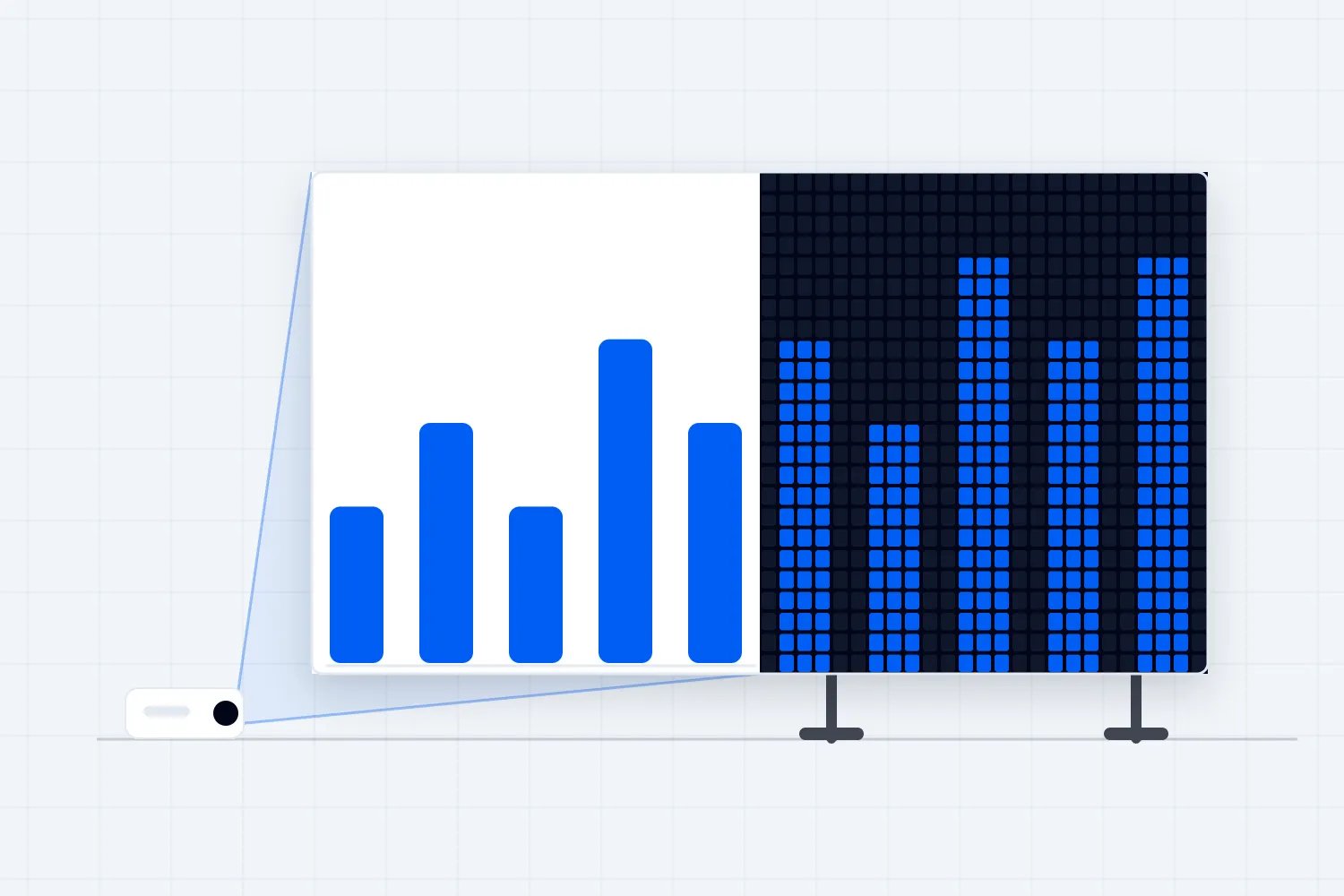
You've found a venue, the programme is taking shape, and your production supplier asks whether you want a projector or an LED wall. The projector quote is lower. The LED proposal looks better in the presentation. Before you choose, you still need to know whether the person at the back can read the demonstration they've paid to see.
For a paid event, that's where the choice starts. Use projection when it delivers the required image in the room's actual lighting, fits the available space and costs less to install and operate. Choose an LED wall when it solves a confirmed visibility or placement problem, or delivers a production requirement that justifies its complete cost. Either option needs a test with your content before you treat it as the answer.
An LED wall produces its image through light-emitting pixels across its surface. A projector sends light onto a separate screen. That difference affects room lighting, equipment positions and how the installation is built. It doesn't tell you which proposal is better for your event on its own.
This guide walks you through that decision, including the room checks, the questions to ask suppliers and a worked cost comparison. The financial example is fictional and uses USD. Its prices, attendance assumptions and seat counts explain the calculation; they aren't market rates, forecasts or a substitute for your venue approving a layout.
Start with what your audience needs to see
Before you ask for another quote, collect a small selection of the actual material your audience will watch. Include a normal speaker slide, the most detailed chart, a video and any live demonstration. If captions or a remote speaker will share the image, include that arrangement too. A supplier's bright promotional loop won't tell you whether people can read the labels in your presentation.
Describe the job in ordinary language. At a paid training conference, people may need to follow a changing software setting and read its value. At a music event, the display may help the back of the audience see the performer. At a film screening, it carries the main thing people bought a ticket for. Those are different requirements, even when the quoted screen dimensions match.
Be clear about where detail matters. A speaker's name can remain readable while the demonstration below it is useless. If a session depends on comparing figures, ask the speaker which figures the audience must distinguish. You can then judge the display against the session rather than a vague promise of a clear picture.
It also helps you avoid buying equipment to preserve a poor slide. Ask whether the presenter can enlarge the relevant section, remove unnecessary columns or show a separate close-up. That may solve the problem more effectively than a more expensive display. Keep the detail people need to understand the lesson, though. Replacing a useful demonstration with decorative headings would change the session you've sold.
Write the requirement into your event production brief. Say what must be visible, where the audience will be and which material establishes the test. Let the supplier propose the equipment and explain the reasoning. You'll get a much better conversation than one that begins with a preferred brand or a request for the biggest wall the budget can accommodate.
If a sponsor has bought screen time, separate that promise from the audience requirement. Record the placement, timing and format you've agreed. A sponsor backdrop and a readable presentation can share a display, but only if the proposed arrangement leaves enough useful space for both.
Size the useful image before choosing the technology
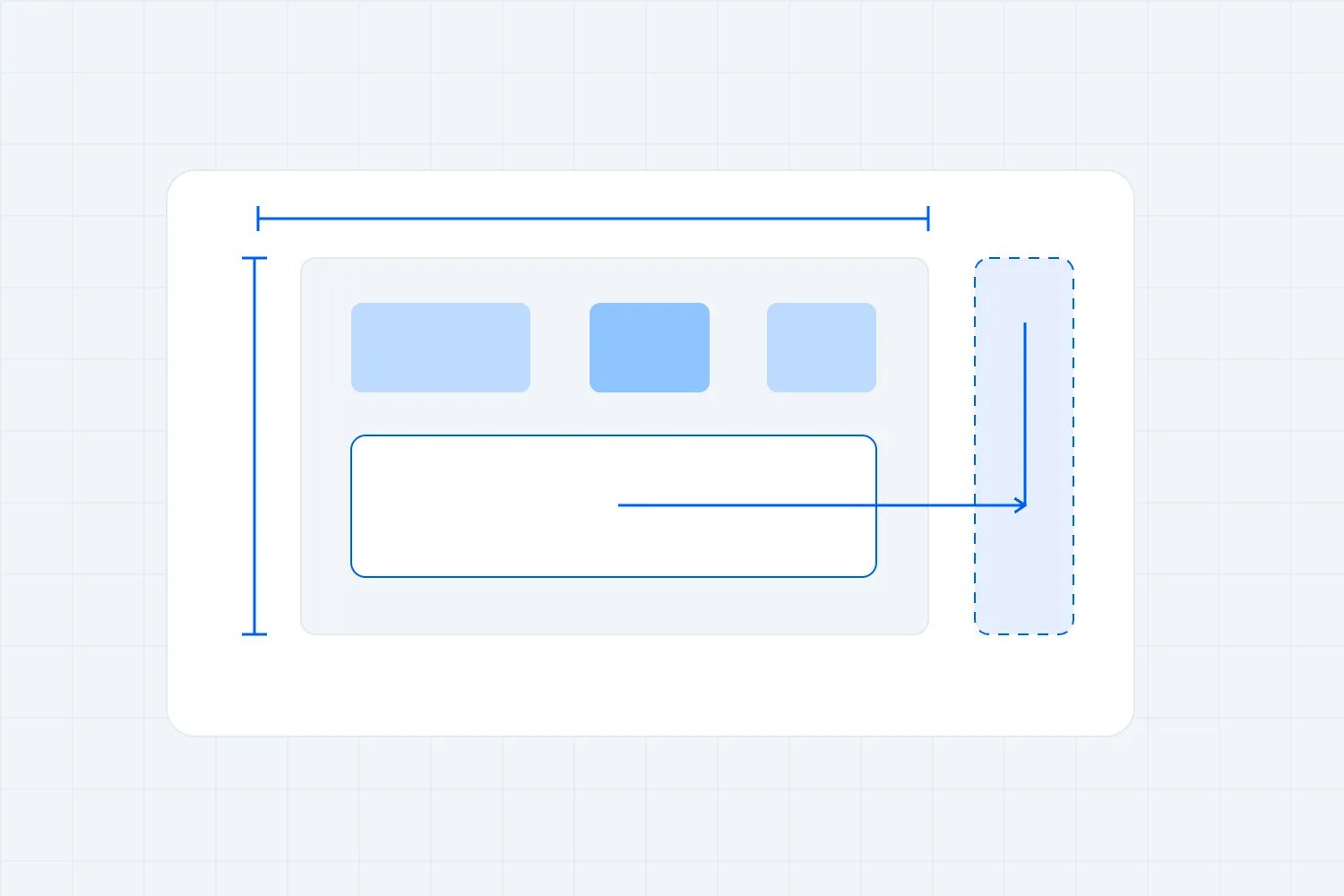
A large display can carry a surprisingly small presentation. Put a slide inside a wide decorative background, add sponsor logos and reserve a strip for captions, and the area left for the slide shrinks. Ask for the dimensions of the image the audience actually needs to read, as well as the dimensions of the complete screen.
AVIXA's guidance on display image size distinguishes the active image from the physical display and considers the smallest relevant content element alongside viewing position. Ask your audiovisual supplier to use its appropriate sizing method with your material and room measurements. A diagonal measurement alone doesn't establish that a chart is readable.
For a fictional conference, suppose the proposed main image is 6.4 metres wide and 3.6 metres high. That's a 16:9 shape, meaning sixteen units of width for every nine of height. If the designer uses half its width for the presentation and the rest for a speaker camera image, the presentation no longer has the full 6.4 metres available. Check the actual composition before approving the purchase.
Measure the nearest and farthest audience positions and check seats to the sides. Also look at image height above the floor, the stage furniture and people sitting in front. A clear view from an empty aisle doesn't establish a clear view from a chair behind several occupied rows.
Don't turn an initial supplier recommendation into a universal rule for every event. A full-screen speaker close-up asks something different of the display than a detailed training exercise. Get the supplier to explain the proposed size for this content and these positions. If the room has awkward side seating or a balcony, a second display may be more useful than enlarging a central one.
Ask whether the stage layout can change before paying for that extra display. Moving the presentation position or removing an unnecessary scenic element may improve the view. Have the venue and responsible specialists check the revised arrangement, including access and permitted audience layout. An attractive technical drawing still needs to work as a room people can enter, use and leave.
Check the light that reaches the screen
For projection, investigate the lighting at the screen during the programme. Visit at the relevant time of day where practical. Ask which windows can be covered, who controls the house lights and whether the stage lighting will spill onto the projected image. A venue visit after sunset can miss the problem that appears during your afternoon keynote.
Screen manufacturer Da-Lite's explanation of ambient light and projection describes how unwanted light on a standard screen reduces image contrast and colour. It also explains that ambient-light-rejecting surfaces have application and viewing-angle considerations. A different screen surface may help, but ask the supplier to confirm the specific projector, surface and audience arrangement together.
Your practical question is whether the content remains usable with the lighting you need for the event. People may need enough light to take notes, move between seats or use an interpreter. The presenter and camera operator may need a different lighting treatment again. Agree those conditions before testing the image, and retain the venue's required safety lighting.
An LED proposal deserves the same scrutiny. Ask the supplier to demonstrate a comfortable operating brightness with the stage lighting and camera setup. You don't need the wall running at its maximum output simply because it can. The audience must be able to watch it throughout the programme, and the speaker still needs to look right on camera.
Compare equivalent operating conditions. If one demonstration uses your intended lighting and another turns the room almost dark, you've learned little about which setup works better. Record the light settings and any curtains or covers the accepted design depends on. Then confirm that your booking includes permission and staff to reproduce them.
If projection only works after buying additional window treatment, include its installation and removal in the proposal. If the venue won't permit that treatment, take the restriction seriously. You can change the screen position, choose another display approach or reconsider the room. You can't book a solution on the assumption that an unapproved change will somehow happen later.
Draw the equipment footprint on the room plan
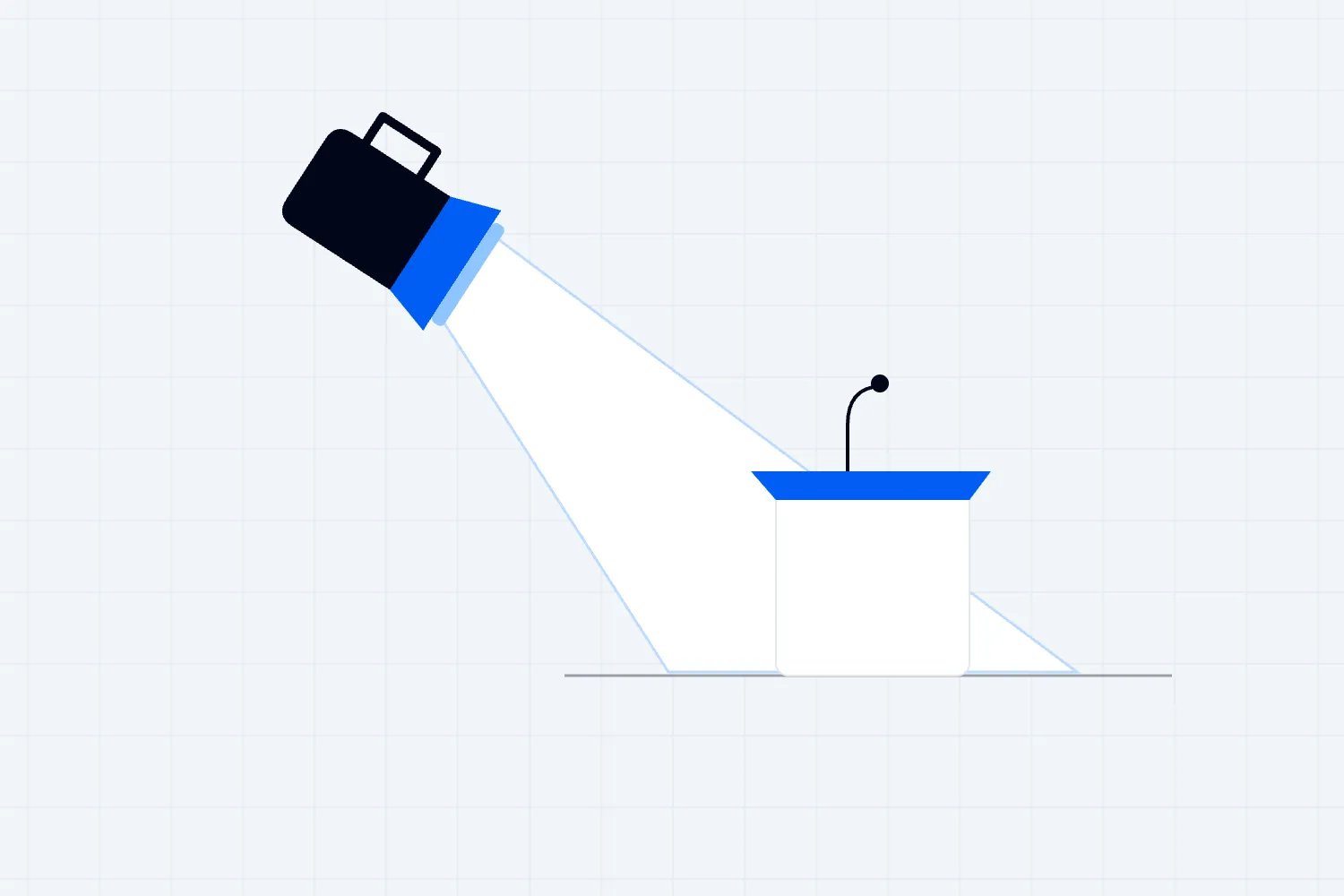
A projection proposal needs a viable position for the projector and a clear light path to the screen. Front projection puts that path on the audience side. Rear projection puts the projector behind the screen and needs an appropriate screen surface. Each arrangement has different consequences for stage depth, equipment access and the places people can stand.
Epson's projection-distance guidance shows why the proposed model, lens and image size matter. Placement varies with image shape, zoom and other settings. Ask the supplier for its actual calculation and drawing rather than reserving an arbitrary amount of space behind the screen. That linked guide describes particular Epson models; its dimensions aren't a specification for your hire.
Check the entire path in the drawing. A lectern may be clear while a presenter walking across the stage enters the beam. A projector location may fit until a camera platform or audience aisle is added. Ask who maintains the agreed clear area during the event and whether the placement introduces noise or heat near the audience.
An LED wall doesn't need a projector beam, but the installation still occupies space. The proposed support, base, service access and cable routes belong on the same room plan. Ask for dimensions of the finished installation. A shallow panel doesn't prove that its supporting arrangement can stand against the back wall.
Get the venue to confirm the relevant structural, floor-loading and access conditions with the people competent to assess them. HSE's venue and site design guidance, applicable in Great Britain, addresses load-bearing capacity, structures and circulation. Use the requirements for your own location and installation. A supplier's equipment preference doesn't approve the building or the support design.
Only after those checks should you compare sellable seating. Include accessible positions, routes, production control, cameras and any seats with a restricted view. A smaller installation footprint can have commercial value, but the value comes from an approved arrangement that creates seats people will buy. Counting chairs in an unapproved drawing overstates what the display has gained you.
Understand what the LED quote means by resolution
Pixel pitch is the distance between the centres of neighbouring LED pixels, usually given in millimetres. Christie's guide to LED pixel pitch explains how a smaller pitch puts more pixels into the same physical area and affects detail and close viewing. Ask the supplier to show the actual proposed product with your material, especially when the front row is close.
Here's a planning calculation using our fictional 6.4 by 3.6 metre image. At an exactly 2.5 millimetre pitch, dividing 6,400 by 2.5 and 3,600 by 2.5 gives 2,560 by 1,440 pixels. At an exactly 4 millimetre pitch, the same arithmetic gives 1,600 by 900. These are illustrative calculations, not claims that a supplier can build either exact configuration from its stock.
Get the supplier's confirmed panel arrangement and native pixel dimensions. Native dimensions mean the pixels physically available in the completed display. A wall accepting a high-resolution input doesn't establish that it has the same number of physical pixels. The incoming image may be resized to fit.
This is where you want the presentation designer involved. Give them the usable content area and final pixel dimensions, including any reserved space. Have the supplier test a detailed slide at that size. If a screenshot contains text that already looks tiny on a laptop, putting it inside a decorative stage layout is unlikely to make the teaching clearer.
Avoid paying for the smallest pitch by habit. Ask what changes for your actual content and audience if you select the more expensive option. The supplier should be able to demonstrate the benefit. If both proposals meet the requirement, you can compare installation costs and operating arrangements without assuming that the finer pitch automatically deserves the budget.
Include the recording and live feed in the test
If you're recording the stage or selling online access, ask the camera team to test the display as part of the shot. People in the room and people watching a camera feed may see different problems. A live feed can also use presentation content directly, without asking the camera to capture every detail from the stage screen.
Agree what each audience receives. The in-person room might need the presenter, captions and demonstration visible together. The online programme might alternate between the speaker camera and a direct presentation feed. Put those decisions in the recording scope before anyone assumes that one wide shot will do everything.
ROE Visual's introduction to LED for camera production identifies pixel pitch, refresh behaviour and other display characteristics as relevant to camera performance. It's written for virtual production, so treat it as background for the camera conversation rather than a specification for a conference. Ask the camera and display suppliers to test their proposed equipment together.
Look at the actual recorded or transmitted result. Check skin tones, the brightness relationship between presenter and background, and any flicker, bands or unwanted patterns. Have the technical team resolve the cause rather than asking the speaker to stand in an awkward place throughout the event. Repeat the test after a meaningful camera, display or lighting change.
For projection, check whether the shot preserves enough detail in both the presenter and the projected content. A bright presenter against a dim image may make the recording compromise obvious even when the room audience can follow the session. Your recording plan may solve this through a direct content feed, a different shot or adjusted lighting. Get the result agreed before the rehearsal ends.
If the recording is a paid deliverable, include a short sample in acceptance. Have the responsible person watch it with the intended audio and content. A camera operator saying the feed is running confirms one part of the job. It doesn't establish that ticket holders will receive a recording in which they can follow the demonstration.
Give an outdoor proposal its own site check
If the event is outdoors, start the conversation again with the actual site and programme hours. A successful indoor demonstration doesn't establish daylight visibility, and an image tested after dark doesn't answer what the afternoon audience will see. Ask the supplier to propose equipment for the intended operating conditions and explain what it has allowed for.
Include the screen direction, expected sunlight and positions of the nearest and farthest viewers. Tell the supplier whether the audience is seated or standing and whether the programme continues across daylight and darkness. Request a practical way to assess the content under the relevant conditions before you accept the design. If an accurate demonstration isn't available, identify that uncertainty in the booking decision instead of treating a promotional video as proof.
Weather introduces another set of questions. Ask which equipment is suitable for the exposure, how the installation is supported and which restrictions apply during installation, operation and removal. Have the appropriate specialists provide the design, monitoring arrangements and operating limits. Avoid copying a wind speed from another event or accepting an equipment weather rating as approval for the complete structure.
Give the venue or site team the finished installation footprint, including supports, ballast where specified, service areas and cable routes. Confirm how that arrangement affects audience movement, access and the viewing area. If a supplier changes the support design, have the affected plan reviewed again. A different base may solve a technical problem while occupying ground you intended to use for ticket holders.
Decide who watches conditions and who has authority to stop using the display. Ask what attendees receive if the screen cannot continue, particularly where it carries the programme itself. A paid outdoor film screening and a concert with an optional visual backdrop face different consequences. Their fallback plans should reflect that difference.
Price these requirements before comparing outdoor projection with LED. Your supplier may propose LED for the daylight programme, projection for a controlled evening screening or another arrangement after assessing the site. The useful recommendation is the one supported by the conditions and accepted design. A general statement that a technology is suitable outdoors leaves the actual equipment, support and operating plan unresolved.
Compare the complete installed cost
Ask suppliers to price the same outcome across the same dates and working hours. The comparison needs the display, the equipment that receives and routes the picture, its support, crew, transport, venue services, testing and removal. Also ask which assumptions could produce another invoice. The equipment hire line rarely answers all of that.
For projection, establish whether the price includes the required lens, screen surface, screen support and accepted mounting arrangement. Check any window treatment, additional venue access or projector position that the design needs. If the proposal uses several projectors, ask who aligns them, operates them and restores the picture after an interruption.
For LED, confirm the panel model and quantity, picture-processing equipment, support design, distribution of power, spare parts and service arrangements. Ask who provides and operates the source equipment. A wall ready to receive a picture still needs an agreed way to get each presentation, video and camera feed onto it.
Give both suppliers the full schedule. Include delivery, installation, rehearsal, programme operation and removal. Ask how waiting time, extended working hours and late collection are charged. If the venue requires its own crew for a task, establish whether that charge is in the supplier's price or comes directly to you.
Power needs a named owner. Ask the venue and supplier to agree the required supply, connection points, routing and checks through their competent electrical staff. Request the price of that confirmed arrangement. Comparing the two systems through a general claim that one uses less power won't tell you whether you need to purchase an additional venue service.
Treat cancellation terms, payment dates and equipment substitutions as part of the choice too. A lower final price may require more cash before ticket receipts become available. A substitution clause may allow a product with different dimensions or viewing behaviour. Ask how the agreed content and room test will still be met if equipment changes.
Use your event budget to record the accepted display cost and the separate venue charges. Keep optional upgrades separate so you can see what removing them actually saves. If a decorative feature costs money but doesn't improve an audience requirement or fulfil a sold benefit, ask the supplier for the simpler version before reducing rehearsal or operating support.
Work through a cost and seating example
Imagine a paid conference comparing two proposals against the same audience requirements. The venue and suppliers have reviewed both layouts, with final technical acceptance subject to confirming the room treatments below. Both prices include the same core content, operating hours, testing and removal. We're deliberately using invented figures to show how a decision can change when the complete costs become clear. Replace every amount with an agreed quote before using this calculation for a booking.
The initial projection proposal has $2,600 for the projector, lens and screen; $850 for positioning and support; $900 for crew; $450 for transport; and $300 for venue power services. That totals $5,100. The initial LED proposal has $3,900 for panels and processing; $950 for support; $1,200 for crew; $450 for transport; and $300 for venue power services. That totals $6,800.
The initial difference is $1,700. Assume the projection layout permits 332 paid seats and the LED layout permits 348. These are fictional approved paid inventories after all other positions and restrictions are accounted for, not safety capacities inferred from a screen. LED allows sixteen more paid seats in this example, but that alone doesn't establish that spending another $1,700 is sensible.
Suppose each additional attendee brings $90 of ticket income after the transaction charges, ticket-related taxes and expected refunds allowed in this example. Catering and other additional attendee costs are $20, leaving $70 per extra sale towards the display difference and the rest of the event. Wider event costs and business income tax are outside this limited comparison.
Selling all sixteen extra seats would therefore contribute $1,120. That's sixteen multiplied by $70. It still leaves $580 of the initial $1,700 display difference uncovered. You would need twenty-five extra sales to cover that difference because twenty-four provide only $1,680. The approved inventory gain is only sixteen, so that particular seating argument cannot justify the original upgrade by itself.
Now the site check identifies two additional projection requirements. Approved window treatment costs $700, and the additional venue access needed to install it costs $500. The fully confirmed projection price becomes $6,300. LED remains $6,800, so the relevant difference is now $500. These are revised alternatives; don't add the $1,700 initial difference to the $500 final difference.
At $70 of contribution per extra sale, eight additional sales provide $560 and cover the revised difference by $60. Seven provide $490 and leave it short by $10. If LED genuinely enables all sixteen extra sales, their $1,120 contribution exceeds the revised $500 cost difference by $620. This is the effect of this display decision, not the profit of the whole conference.
The demand assumption is decisive. If expected paid attendance is 300 and neither layout restricts those sales, LED creates no extra ticket income in this comparison. Projection costs $500 less. If you have credible demand beyond the 332-seat projection inventory, the additional approved LED seats may have value. Use your actual sales position and evidence; a larger seating plan doesn't create buyers.
You might still choose LED for another documented reason, such as an accepted requirement projection cannot meet after all. In that case, revise the comparison and explain that reason. Don't assign imaginary ticket sales to make the spreadsheet agree with a preference you've already formed.
Consider changing the layout before upgrading everything
Sometimes the best answer is a different arrangement of the same room. A central screen may be difficult to see from the sides, while two smaller displays give those seats a useful view. A presentation may work better on dedicated side screens while a stage backdrop carries simple branding. Ask your supplier to price the alternative against the same content and audience requirements.
Keep the test fair. Two side screens can add supports, cabling, picture distribution and operating tasks. They may also affect the stage, aisle positions and the recording. Include those consequences rather than comparing their equipment cost with the complete cost of a single central display.
For an event with several rooms, match the approach to each room's job. A main stage with live cameras may need a different system from a workshop room with controlled lighting and simple slides. Standardising every room on the most elaborate proposal can spend money without improving the smaller sessions. Standardising on the cheapest proposal can create the opposite problem.
Ask whether the venue's installed equipment meets the requirement before hiring a replacement. Arrange a test with your files, confirm the included operating support and check what the booking actually covers. A built-in system has a practical advantage only if you can use it at the required times and someone can resolve problems during your programme.
Be cautious about mixing several display shapes without telling speakers. A presentation designed for the main stage may need a different arrangement in a workshop. Agree who prepares those versions and checks them. If you've saved on equipment but assigned hours of unexpected reformatting to your small team, include that work in the decision.
For a touring event or recurring series, repeat the room check at each location. You can retain the audience requirement and prepared content while allowing the technical solution to vary. Ask for consistent deliverables rather than identical equipment where the venues differ. A successful setup in a dark theatre doesn't establish what will work in a bright exhibition hall.
Get the screen decision into the supplier brief
Once you've shortlisted an approach, write a short display brief that the venue, content team and technical supplier can all understand. Keep it specific enough to price and test. You don't need to design the installation yourself, but you do need to resolve who supplies the information and who accepts the result.
Include these fields in the request:
Event, room and programme hours, including installation, rehearsal and removal access.
Current audience layout, nearest and farthest viewing positions, side seating and relevant obstructions.
Actual example content, with the smallest detail attendees must be able to read identified.
Required active image dimensions and arrangement, including captions, camera feeds and sponsor areas.
Expected daylight, house lighting and stage-lighting conditions, plus any approved room treatment.
Proposed display model, native image dimensions, lens or pixel pitch, support footprint and service access.
Source equipment, switching between content, operating staff and responsibilities shared with other suppliers.
Recording or streaming requirements and the agreed way to test the final audience output.
Complete price, exclusions, venue charges, payment dates and the process for approving changes.
Acceptance test, responsible people, unresolved conditions and the deadline for closing them.
Attach the current room drawing and identify its version. Ask the supplier to mark any assumption that still needs a site check or venue approval. Give each unresolved item a person and a date. A quote can be useful before every detail is final, provided you can see which details could still change the design or price.
Read the accepted proposal against this request before booking. If the supplier has excluded rehearsal operation, clarify it. If a finer LED pitch was discussed but a different product appears in the quote, establish which one you're buying. The email conversation and the accepted equipment schedule need to describe the same job.
For the timing, use an event production schedule that includes installation, alignment, content checks and a correction window. Ask the supplier how long the proposed work takes with the venue's actual access route. Don't give yourself a testing appointment that begins only when the audience is already due to enter.
Run an acceptance test people can act on
Agree the test while you still have a choice of equipment and room arrangement. The supplier should know which result you need to accept and which material will demonstrate it. A vague promise that the screen will look good is difficult to use when the room is built and everyone wants a quick sign-off.
Start with the actual sources. Play the speaker deck and video through the equipment you'll use during the event. Include the detailed demonstration, captions and camera arrangement where relevant. Check transitions between them, because a working laptop feed doesn't establish that video playback or another presenter's device is ready.
Then walk the audience positions on the approved plan. Sit in the farthest row, check the side sections and inspect any position affected by furniture or another person. Use representative seated conditions where practical. Ask whether the needed text and detail can be followed, rather than whether the image appears bright from the control desk.
Repeat the relevant checks under the agreed lighting. If the session runs through a change in daylight, have the supplier establish how the design handles it. Record the accepted settings and dependencies. The test result loses its meaning if the curtains reopen, the house lights change or a stage light moves onto the screen before the presentation.
Give one person authority to accept the audience result and keep specialist sign-offs with the appropriate responsible people. The organiser can judge whether the demonstration is usable without approving an electrical installation or a support structure. Ask the venue and supplier to confirm their own required checks separately.
Record each defect as a condition, an owner and a retest. "Small chart labels unreadable from rear left" is useful. "Screen not quite right" isn't. The fix may be a content change, a different image arrangement or an equipment adjustment. Have the supplier explain the effect, then check the changed result from the same positions.
Don't let a late fix quietly change what you sold. Removing the live demonstration or leaving captions off the display may make the test easier to pass while making the event worse for attendees. Agree an alternative that still meets the session requirement. If that isn't possible, escalate the programme decision and attendee communication to the people responsible.
Buy a recovery plan for the failure that matters
Ask what happens if the picture disappears during the session people most want to see. The answer should identify the likely interruption, the person who responds and the alternative attendees receive while the team works. You don't need to buy a duplicate of everything, but you do need to know what the proposed cover actually protects.
A spare presentation laptop helps when the original source fails. It won't restore a failed display or a lost power supply. A spare LED panel helps with a suitable panel fault, but replacement may take time and require access the audience cannot enter. A spare projector only helps if the supplier can install or switch to it in the agreed arrangement.
Ask the technical team to explain the recovery in ordinary terms. Which failures can they recover from during a session? Which require a pause? What needs additional equipment or crew? Get the price of each useful improvement and compare it with the interruption you would avoid. Avoid paying for a long list of spares without understanding the job each one does.
For a detailed training session, a prepared still image or simplified explanation may let the presenter continue while a source is restored. For a film screening, that wouldn't deliver the main programme. The content determines which fallback is acceptable. Ask the programme lead to approve it and the speaker to rehearse how they will use it.
Keep technical recovery within the venue's agreed operating and emergency arrangements. Name who decides to pause the programme and who communicates with the audience. If the fault requires specialist work, give the responsible team the access and conditions it needs. An approaching session deadline doesn't make an improvised repair acceptable.
After rehearsal, leave the tested files and settings under the agreed control. Tell speakers how to submit a correction and tell the operator which version is current. A sound display decision can still fail in use if someone replaces the approved deck with a late file that has different media, dimensions or unreadable text.
Make the ticket offer match the room you've approved
The display choice can change the audience layout, so settle it before selling seats that depend on a particular installation. Tell the person managing tickets which positions are available, which have a restricted view and which must remain outside the paid inventory. Keep the approved drawing with that decision so later equipment changes can be checked against it.
If you're selling reserved seats, Loopyah's seating charts let you draw rows, seats and sections, connect categories to ticket types and let buyers select a seat. Use the layout your venue and production team have approved as the input. The technical team still needs to verify visibility and the installation before you represent those seats as suitable for the event.
Confirm the map before sales open. A published Loopyah chart is read-only, so don't plan around casually moving the audience map after buyers have chosen seats. Resolve display supports, camera positions and production control early, and check the appropriate process with your ticketing team if a later change affects an existing sale.
Be equally careful with the words on the ticket page. If you promise close-up demonstrations, captions, replay access or a particular viewing experience, check that the accepted production scope delivers it. A better stage photograph doesn't compensate someone who bought a workshop they couldn't follow from their allocated position.
For the final buying decision, ask your supplier to show which requirements each proposal passes, what each complete installation costs and what remains conditional. Choose projection when it does the job for less. Choose LED when its confirmed benefit is worth the difference. Before confirming the booking, have the supplier include the tested equipment, agreed operating support and rehearsal time in its scope, and have the venue confirm the matching layout.

Author: By the Loopyah Content Team
The Loopyah Content Team shares expert insights, practical guides, and industry updates to help event organizers create unforgettable experiences and stay ahead in the event planning world.