· 28 min read
Event Lighting Explained: How to Create the Perfect Atmosphere
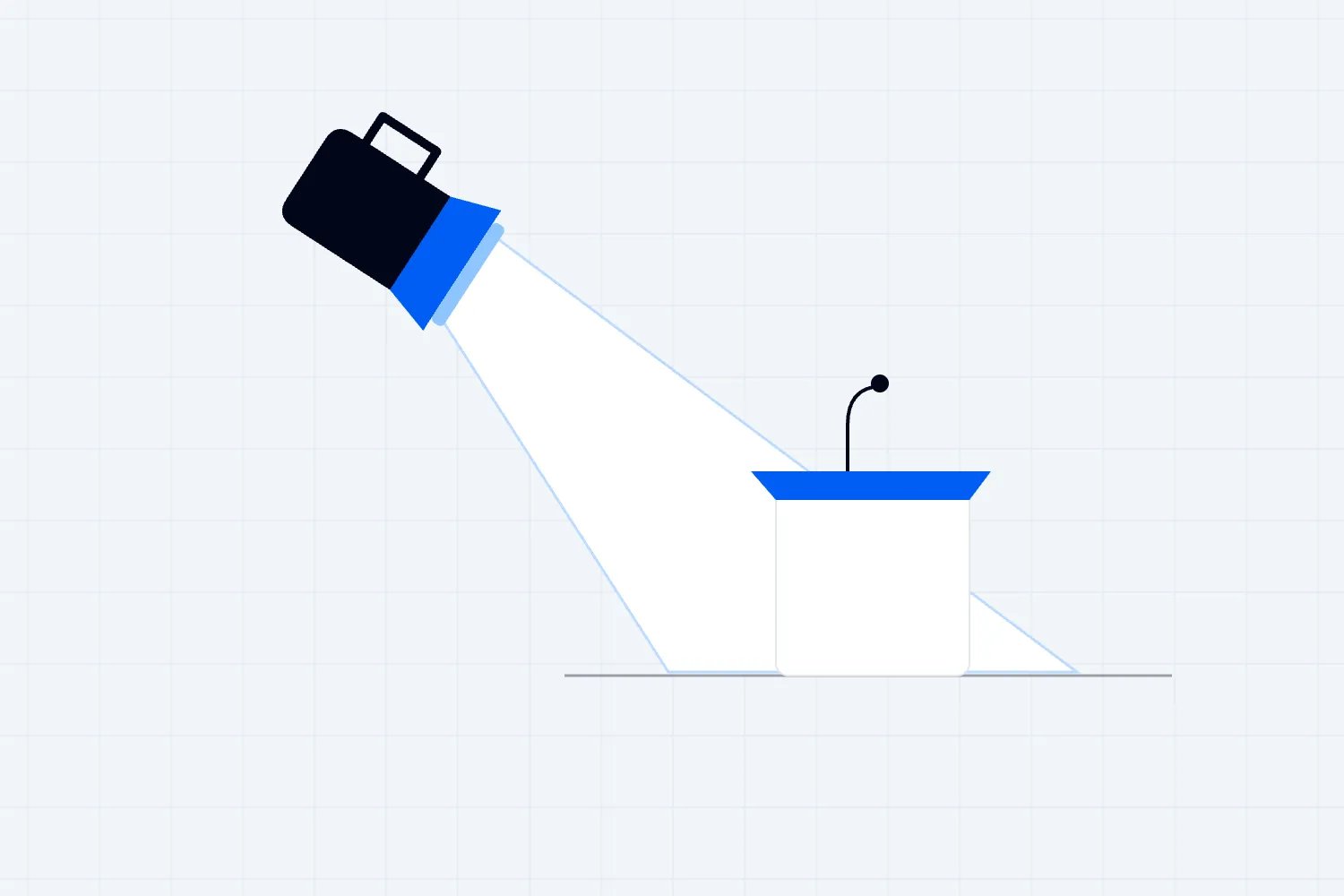
You're selling tickets to a show, and the lighting quote has arrived. There are fixtures you don't recognize, an extra programming day, and an upgrade that looks impressive in the supplier's video. Where should you spend? Start with what your audience needs to see and how they'll move through the venue. Then choose the atmosphere and effects that support the event you're charging them to attend.
Good event lighting makes the performance visible, helps people find their way, and gives the room a character that suits your show. Getting it right takes a clear brief, a realistic budget, and time to test the actual space. This guide walks you through those decisions, including how to compare suppliers, plan cues, and avoid paying for equipment that doesn't solve your problem.
Understand the basics of event lighting
You don't need to become a lighting designer to commission a good show. You do need enough shared language to explain what isn't working. These terms help you ask a useful question when one supplier talks about brightness and another talks about power.
Lumens describe the amount of visible light a source produces. They don't tell you how evenly that light covers your stage or whether it shines into the front row.
Illuminance describes light arriving at a surface, usually measured in lux. Your designer should specify where a measurement applies, such as a presenter's face or a registration desk. A number without a location says very little.
Color temperature describes the appearance of white light, measured in kelvin. A warmer or cooler white changes how a room and its contents look. Match it to your venue, camera needs, and intended atmosphere rather than assuming one setting suits every show.
Color rendering describes how objects appear under a light. CRI and TM-30 are ways to assess aspects of that performance. Ask your supplier how the proposed fixtures handle skin tones and the actual objects you'll put onstage, then check them in the room.
For background reading, the Department of Energy's Lighting basics introduces lighting terminology. Ask your supplier to explain how the terms apply to your room and proposed equipment.
The Department of Energy's current lighting purchasing guidance also defines color temperature and color rendering. Those definitions help you discuss a fixture's properties; they don't establish the right lighting level for your event.
You'll also hear suppliers group fixtures by what they do:
Wash lights spread light across an area. They're useful for a stage, a backdrop, or the general color of a room.
Profiles and spotlights put a more controlled beam on a person, sign, or object. Some let the operator shape the edges of that beam.
Uplights point upward from near floor level. They can color walls and columns without using the same fixtures that light people's faces.
Practical lights are visible lights within the scene, such as table lamps or decorative pendants. Their appearance matters as much as the light they produce.
The venue and electrical contractor should agree how temporary equipment will be installed, protected, inspected, and removed. In the US, OSHA's rules for temporary wiring address matters including cable protection and removal of temporary wiring. Ask the qualified contractor which rules apply to your installation and location.
Techniques that suit the job
Most rooms need a combination of lighting techniques. The useful question is where each technique improves something your audience will notice. A dramatic wall can be worth paying for at a music event, while clear facial lighting may be the better purchase for a ticketed discussion.
Uplighting
Uplights add color to walls, drape, and columns. They're useful when the room itself needs to feel different from its normal daytime setup. Ask for a test on the actual surface. A dark wall can absorb the effect, and a narrow beam can leave bright patches with gaps between them. Fixture spacing should follow that test, the room, and the desired coverage.
For uplights, choose positions away from routes and places where people will lean bags or drinks against them. If they're battery powered, have the supplier confirm runtime at the programmed settings, charging arrangements, and the plan for a delayed finish. A quoted maximum runtime isn't necessarily the runtime of your brightest show look.
Downlighting
Downlighting covers an area from above. It can help guests read a menu, use a desk, or see a stage, but placement matters. A fixture directly overhead may leave someone's eyes in shadow. Let the designer test the angle with a person standing where the performer or speaker will actually be.
For a dinner show, review the table look and the stage look together. You want people to see their food without lighting the audience so brightly that the performance loses focus. Check the route to the toilets and bar under the same look. The room has to work while the show is happening.
Spotlighting
A spotlight directs attention to a performer, speaker, or object. A fixed profile may cover a lectern perfectly, while a roaming performer needs a wider area or an operator following them. Tell the supplier about movement before they price the job. A moving fixture still needs programming, a suitable position, and somebody responsible for operating it.
Gobo projection
A gobo shapes a beam into a pattern or logo. It can add texture to a plain wall or identify a sponsor area. Give the supplier the artwork early and ask to see how it reads at the proposed distance and size. Check the surface and ambient light too. A projection that looks sharp on a dark rehearsal wall can disappear when doors open and daylight enters.
Plan the room before selecting equipment
The first thing you want to do is walk the venue with the people who'll deliver the lighting. Photos help, but they won't show every obstruction, shared circuit, or restricted access point. Resolve those details before you compare packages.
Assess the venue
Check ceiling height, approved hanging positions, stage dimensions, audience sightlines, existing lights, windows, and available electrical supplies. Ask the venue who can approve rigging and power work, when contractors can enter, and whether another event occupies the room beforehand. Record restrictions on haze, fixing equipment to surfaces, and using outdoor areas. Get answers in writing so your supplier prices the venue you actually have.
Define the atmosphere
Explain the atmosphere through actions. For a paid dinner show, you might write, "Guests should be able to read the menu and recognize people at their table during dinner. When the performance starts, attention should move to the stage while service routes remain usable. We need natural-looking faces in photos and a warm room around them." That tells a designer more than "premium and immersive."
Put a usable brief in front of every supplier
Imagine you're organizing a recurring ticketed comedy night in a hotel ballroom. The room is available that morning, doors open in the evening, and the hotel needs it cleared afterward. Your audience expects to see the comedian clearly. You also want clips for the next show. Those details should appear near the top of the brief, before any reference images.
Write down the stage size and performance area, where the audience will sit, and where the camera will be. Include the lectern, stool, microphone position, screens, and any furniture the performer will use. If the comedian walks into the audience, say so. The supplier can't price coverage for movement they don't know about.
Next, describe the room at the moments that matter. During entry, guests need to find seats and staff need to check tickets. During the act, you want the performer visible and audience distraction reduced. At the interval, people need to move to the bar and toilets. At the finish, the room needs an appropriate departure look before the crew starts removing equipment.
Include the access schedule, venue contact, proposed rehearsal time, show duration, and expected finish. Ask the supplier to identify what they need from you and what the venue must provide. You want dependencies discovered in the quote, rather than during installation when every correction costs time.
Reference images help when you explain what you like about them. You might like the warm background, the separation between the performer and curtain, or the way the audience remains visible in a wide shot. Say which. Otherwise a supplier may copy an expensive decorative element while missing the feature you actually wanted.
Finally, describe how you'll approve the work. For this comedy night, that might mean a person moving through the performance area, a recording from the planned camera position, and a walk from the rear seats to the exit under the show look. Ask suppliers to include time for those checks in their proposals.
Treat audience visibility as part of the ticket promise
Lighting competes with other production costs, and you won't always have enough budget for every upgrade. Audience research helps put that conversation in context. In Loopyah's Event Attendee Insights Report, 36.8% of 500 US survey respondents selected "poor sound or visibility" among the things that frustrate them most at events. Overcrowding, waiting, and food and drink prices received more selections.
| Label | Share of respondents |
|---|---|
| Overcrowding | 62.6 |
| Queues | 57 |
| Food/drink prices | 55.8 |
| Sound/visibility | 36.8 |
| Safety | 14 |
| Unclear info | 11 |
Source: Loopyah Event Attendee Insights Report, Q16, Pollfish, November 11, 2025. The choices were overcrowding, long lines or waiting times, expensive food and drinks, poor sound or visibility, safety concerns, and poor communication or unclear information. The sample was 500 US respondents, including people who reported no live event attendance in the previous year. Respondents could select up to three of six options, so percentages don't add to 100%. The question combines sound and visibility. It doesn't measure dissatisfaction with lighting alone or show that a lighting upgrade will sell more tickets.
The practical point is to inspect the view from the seats you're selling before spending on another effect. Sit at the back and to the side. Check whether you can see the performer's face and anything they demonstrate. Then ask whether the problem needs a lighting change, a different stage position, a screen, or a seating change. More light can't fix a column blocking a view.
If you're selling different seating areas, review each one. A premium ticket raises an expectation you need to deliver. Make sure the proposed lighting positions don't create new obstructions or glare for the very seats carrying the higher price.
Create a lighting plan
Ask for a fixture plan showing positions, coverage, and equipment that might obstruct a seat or route.
Ask the qualified electrical contractor for the power plan, including supplies, loads, protection, and responsibility for inspection. Let them apply the requirements for this installation.
Agree how the lighting will be controlled and who can change a look. The supplier should own the technical setup and explain any dependency on venue networks or wireless signals.
Build a cue list alongside the show schedule, including arrivals, introductions, breaks, the performance, and departure.
Book a camera test and a room walk with people in position before the final sign-off. Leave time to correct what the test reveals.
Keep the lighting cues with the current running order, so a program change reaches the operator. Build that running order using our guide to building an event agenda.
Budget for the whole delivery
Ask suppliers to separate equipment, installation, programming, show operation, removal, transport, venue charges, and taxes. Confirm what happens if access is late or the show overruns. A low equipment price can become an expensive quote once the crew and venue costs arrive. Compare the complete job against the same brief.
Ask for a base design that meets the brief and separately priced additions. You should be able to remove a decorative upgrade without losing stage coverage, required supervision, or safe installation. Tell suppliers your spending limit early enough for them to design within it. Otherwise you'll spend the final week dismantling a show you can't afford.
Compare two quotes without being a technician
Give both suppliers the same brief and ask each to explain how their proposal meets it. If one quote includes a show operator and the other includes a controller for your staff to use, you have different services. Ask about the difference before deciding which price is better.
Check access and crew assumptions next. A supplier pricing a quiet installation the day before will need to revise the quote if the venue only allows access on show morning. Ask whether loading, parking, lifts, venue supervision, and removal are included. Confirm the hours covered by the crew and the price of an extension if you need one.
You can then compare the design. Ask each supplier to describe stage coverage, room treatment, cue operation, and fallback arrangements in plain language. You don't need to insist that both use the same fixture model. You need confidence that both can deliver the same agreed result within the venue's restrictions.
Keep substitutions visible. Rental stock can change, so ask whether an alternative fixture will still deliver the required coverage, camera behavior, control, and installation arrangement. A replacement with similar wattage isn't automatically equivalent. Give the supplier an approval route before the truck arrives.
Work out what an upgrade would cost your event
Here's a hypothetical budget exercise in USD, not a market rate. Your base lighting proposal costs $2,400, and a decorative upgrade adds $800. You expect 400 paid admissions. Spreading the upgrade over those admissions gives $2 per ticket. That helps you understand the size of the decision, but it doesn't tell you whether guests will pay more or whether you'll sell more tickets.
Now suppose an extra ticket contributes $25 after the costs that rise with each additional attendee. The $800 upgrade would require 32 additional tickets at that contribution to cover its cost. That calculation is $800 divided by $25. If the venue is already full, those additional sales aren't available. You'd need another credible reason for the upgrade, such as a contracted sponsor requirement or a better recording you already plan to use.
Don't count hoped-for revenue as secured revenue. If a sponsor has agreed to pay for a branded projection, check the written deliverables and payment arrangements before you order it. If you think stronger footage will improve future promotion, treat that as a test you can review afterward. You haven't proved the return just by putting it in the budget.
Also check how the cost changes at lower attendance. With 250 paid admissions, the same $800 addition costs $3.20 per admission. The supplier's bill hasn't changed, but your event has less revenue to absorb it. This is why optional effects should remain separable from the essential design until you're ready to commit.
When you need to cut spending, ask what can be removed while preserving the brief. Fewer decorative surfaces, a simpler color sequence, or existing venue fixtures may be workable options. Cutting the operator while retaining a complicated show can create a different problem. Have the supplier explain the operational consequence of each reduction.
For practical planning around access, deliveries, and cable routes, use our event logistics guide.
Choose equipment around your event format
Judge equipment by the result it has to deliver in your venue. An LED fixture can offer flexible color and control, but that label alone doesn't establish the light quality, noise level, camera behavior, or beam coverage. Ask for the model and a demonstration where the detail matters.
For a spoken-word show, check facial visibility, distracting fan noise, and whether performers can move without leaving the lit area.
For music, confirm the artist's technical requirements before choosing effects. Leave the operator enough preparation time to use the equipment well.
For recorded or streamed content, have the camera team approve the relevant looks and settings. A fixture can look steady to your eyes and still cause a problem in the recording.
For temporary scenic lighting, compare battery and mains options against runtime, cable routes, installation time, and control reliability. Wireless equipment still needs a plan.
Renting makes sense when your venues and formats change, or when you need a supplier to maintain and operate the kit. Buying can make sense for a repeatable series with competent staff, storage, transport, testing, and repair arrangements. Compare the complete ownership cost with like-for-like rentals. Purchase price alone leaves out work somebody will have to do between shows.
Use color without losing the people onstage
Choose color by looking at the people, objects, and surfaces it will affect. Saturated color on a backdrop may suit your show while the same color on a speaker's face makes the video difficult to use. Avoid treating color as a reliable way to make every audience feel a particular emotion. Your venue, event format, and audience all affect how a look is received.
Ask the designer to show a few distinct options with a person onstage. Compare the room with house lights on and off, and review the camera image alongside what you see in person. You can keep a neutral light on faces and use stronger color elsewhere. That often gives you more useful control than putting the whole room under one colored wash.
Here are possible starting points to discuss, rather than fixed specifications:
A ticketed conference can use readable facial lighting and restrained background color so attention stays on the speaker and slides.
A dinner show can keep a warm table atmosphere, with separate stage lighting that becomes more prominent when the performance starts.
A paid product demonstration needs people to see the object accurately. Test labels, materials, and screens before approving decorative color.
A music showcase can use deeper background colors and planned changes for individual songs, while keeping the audience's routes visible.
Plan the shots you need with your photographer early using our guide to event photography.
Decide what your team can handle
A small setup can be simple to operate once a qualified supplier has installed and tested it. That doesn't make every part of the job suitable for your staff. Separate pressing a preset button from hanging fixtures, changing electrical distribution, or troubleshooting a fault.
Your team may be able to operate a simple, agreed setup after instruction. Confirm who checks it before doors and what staff should do if it fails.
Bring in competent specialists for overhead rigging, temporary electrical installations, complex control, special effects, and work the venue requires approved contractors to perform. Check local requirements and the exact scope of the job.
Ask prospective suppliers for a comparable recent job, a reference, and an explanation of who will design, install, inspect, and operate your system. Insurance and relevant qualifications matter, but so does whether the proposed crew has the time and authority to deliver the plan. Ask who will be available during the show if something stops working.
Avoid the mistakes that create extra costs
Most expensive problems start as an assumption somebody didn't check. The venue thought the supplier was bringing power distribution. The supplier thought the room would be empty at midday. Your team thought rehearsal was included. Turn those assumptions into named responsibilities before you accept the quote.
Confirm available power with the venue and qualified contractor. Don't book a rig based only on the number of sockets you can see.
Walk cable routes with the room laid out for guests. Protect crossings using suitable measures approved for the route and audience, rather than expecting tape to solve every problem.
Ask the contractor to specify electrical protection for the installation and conditions. Don't assume one rule from another venue or country applies everywhere.
Rehearse the actual show transitions. A beautiful arrival look doesn't establish that the presenter, camera, and screen will work together after the first cue.
For each supplier, confirm the arrival and removal arrangements. Our event logistics checklist helps you connect those practical jobs with the rest of the event.
Evaluate effects before spending on them
Projection, interactive lighting, and large programmed installations can work well when they support the reason people bought tickets. Ask what the effect adds to this specific show and what it needs to operate reliably. A supplier's impressive demonstration doesn't establish that you need the same equipment.
For projection or interactive lighting, request a test with the actual surface, ambient light, content, and audience position. Include content preparation and operation in the price.
For a lower-energy design, compare the proposed equipment and operating schedule. Ask about actual power demand, transport, and reuse. A smaller workable rig may be the better choice than replacing every fixture and making a broad sustainability claim.
Ask your supplier to explain what each addition lets the audience see or experience. If that answer is vague, leave the addition out of the base quote.
You don't need to predict the next lighting trend to make a good purchase. Start with the parts of the experience that are currently weak. If the back row can't see the artist's face, fix coverage. If the room already looks good and guests can see comfortably, a modest scenic addition may be enough to change its character for your series.
Three planning examples
These are hypothetical briefs to show how the decisions connect. They aren't customer case studies or measured results. First, imagine a ticketed awards dinner with 600 guests and a photographer covering the stage.
The base brief asks for readable tables during dinner, clear faces at the lectern, and a lit route for winners walking from their seats. Decorative wall color is priced separately.
The acceptance test follows a person from a distant table to the stage, checks the photographer's images, and confirms staff can continue service. The useful result is an approved test, rather than a promise that a particular color setting guarantees good photos.
Next, imagine a paid industry conference with 1,200 attendees, projected slides, and a livestream. The operator wants recorded talks that can support promotion for the next edition.
The brief prioritizes the speaker area, camera positions, screen contrast, and a repeatable look across sessions. The camera team and lighting supplier agree the test together.
During rehearsal, a person uses the lectern, walks to the demonstration position, and shows a typical slide. The crew fixes glare, shadows, or recording problems before adding optional reveal effects. No part of the plan guarantees social reach or future ticket sales.
Finally, imagine a paid evening food and music market. The outdoor setting makes routes, weather exposure, vendor work areas, and the change after sunset central to the design.
The brief identifies public routes, vendor tasks, performance areas, and the approved electrical arrangements. The supplier specifies equipment and protection for the site conditions.
The operator checks the completed layout after dark, including signs, queues, seating, and departure routes. Decorative strings or tree uplights are additions to that working plan. Their appearance doesn't establish whether emergency arrangements or electrical protection are adequate.
Keep power and safety responsibilities clear
Your responsibility is to commission competent work and coordinate the people doing it. The electrical contractor's responsibility is to design and verify the installation within their scope. Keep the venue involved. A general blog guide can't establish which electrical requirements apply to a particular site.
Request the proposed electrical supplies and load schedule. Have the qualified contractor account for operating conditions, equipment behavior, and other suppliers sharing the supply.
Ask who approves cable selection and routing, outdoor protection, hanging positions, and any changes during installation. Record the answer in the production plan.
Confirm emergency lighting and exit arrangements with the venue and the responsible specialists. Don't make them depend on a decorative show cue or a staff member remembering to turn a switch.
If you see a problem, stop and get the responsible person. Staff shouldn't open distribution equipment or change a protective device to keep the show running. Agree escalation and shutdown procedures before the room fills. The person answering the radio should already know which contractor can make the next decision.
Plan access, effects, and emergency arrangements together
The UK Health and Safety Executive's event electrical safety guidance covers supply planning, equipment exposure to weather, cable routing, and emergency requirements. It gives organizers a useful set of questions to bring to their contractors. The legal requirements for your event still depend on its location and installation, so ask the responsible specialists to confirm what applies.
Give accessibility the same early attention. Check routes from accessible seating under the actual show look, including any ramps or cable crossings. Ask people using the space to flag glare, deep shadow, or difficult transitions between bright and dark areas. Have the venue and competent team resolve those concerns before the audience arrives. Decorative darkness shouldn't make an agreed accessible route unusable.
If flashing effects are proposed, involve the appropriate specialists before approving them. Epilepsy Action explains that flashing lights and strong visual patterns can trigger photosensitive seizures. Decide whether the effect is necessary and how you'll provide accurate advance information and venue controls. A warning doesn't make an effect safe for every person or replace a risk assessment.
For crew competence, the Entertainment Technician Certification Program describes its assessment areas, including entertainment electricians, riggers, and portable power distribution technicians. A relevant certification can inform your supplier checks, alongside applicable local qualifications and experience. It doesn't approve a particular installation or remove the need to establish who is responsible for the work.
Keep your production documents with the people responsible for delivering the show. For connected ticket sales and attendee communications, Loopyah's event software offers tools to manage those parts of the event. The lighting design, electrical installation, and show operation still need the appropriate people and their own working plans.
Test the show before opening doors
Book rehearsal as a real part of the schedule. Put people where speakers and performers will stand, place the actual furniture, and use representative screen content. Check what the audience sees and what the cameras record. Then run the transitions in order, including the move back to a usable room at the end.
Test arrival, performance, break, and departure looks with the people responsible for those moments.
Rehearse an agreed fallback if an effect is unavailable or a fixture fails. The fallback should keep the program workable while the technical team deals with the problem.
Save the approved looks and cue order. Confirm who can operate them, where the current show file is held, and how changes will be communicated.
Write cues someone can run under pressure
A cue is an instruction to change the lighting at a particular moment. Each cue should tell the operator what starts the change, what the room should look like, and how the change connects to the program. "Make it exciting" isn't an instruction somebody can execute consistently while listening to a headset.
For the comedy night, your first cues could cover doors, the host introduction, the main performance, the interval, and departure. Describe the trigger in words the show caller can recognize. "Host reaches the microphone and is ready" is more useful than a clock time when the opening might run late. Add scheduled times for planning, but don't make every live transition depend on them.
Agree who calls the change. If both your producer and venue manager can issue conflicting instructions, the operator has to resolve an argument during the show. Choose one route for normal cues and make the safety escalation route clear to everyone. A performer asking for more light should know who can arrange it.
Include what happens when the program changes. A late-running dinner, an extra introduction, or an unplanned audience question can leave the lighting in the wrong look. Ask the operator to identify a stable setting they can hold while you sort out the running order. Then continue with a clear instruction rather than trying to rush through missed cues.
Test cameras at the settings you'll actually use
Lighting manufacturer ETC's guidance on LED flicker and camera frame rates recommends testing in real conditions. That matters because a quick phone preview doesn't establish that your main recording camera, slow-motion shot, or dimmed show look will behave the same way.
Ask the camera team to record the approved looks with their intended settings. Include bright and dim passages, colored backgrounds, and any screen content. Play back a sample before releasing the crew. If you see flicker, moving bands, or unpleasant skin color, let the relevant teams diagnose and correct it together. Don't change camera settings in isolation if doing so compromises the rest of the recording.
Check framing as well as exposure. A lighting stand may be outside the audience's direct view but inside the wide camera shot. A background projection may cross the speaker's face when they move. Move through the planned action and review the result. Finding those problems while the room is empty gives you options.
Review what you paid for after the event
During the next production debrief, compare the final invoice with the approved quote and changes. Record why extra hours or equipment were needed. A venue access delay needs a different correction from a late creative request, even if both appear as additional labor on the bill.
Review footage and staff observations alongside audience feedback. Ask where people struggled to see, whether routes remained clear, and which effects were actually used. Keep the approved settings and layout for a repeat event, but have the supplier review them when the venue, seating, performer, or recording requirements change. Reusing a file saves preparation only when the underlying show still fits it.
Event lighting questions operators often ask
How many uplights do I need?
Ask for a layout based on your room and the effect you want. Wall length alone isn't enough. Fixture output, beam width, surface color, columns, and ambient light change the result. Have the supplier demonstrate a representative section and quote the quantity needed to repeat that effect. You may only need to light selected surfaces rather than the entire perimeter.
What's the best color temperature for a keynote?
There's no single setting that guarantees a good keynote image. The right choice depends on the fixtures, room, other light sources, camera setup, and people onstage. Ask the lighting and camera teams to agree a starting look, test it with a person, and keep it consistent through the session. A verified test is more useful than copying a number from another event.
Do I really need haze?
Haze makes beams visible in the air, so it can be useful when those beams are part of the intended show. You can still create a strong look with faces, surfaces, and background color when haze isn't appropriate. Get venue permission and the relevant safety arrangements before including it. Never cover a detector or disable a system to make an effect work.
Approve the experience you can deliver
Before you sign off, walk through your ticket holder's evening in the lighting plan. Can they enter, find their place, see the show, buy a drink, and leave comfortably? Does the design support what you've promised at the price you're charging? Resolve those questions with the venue and supplier while there's time to change the plan.
Prepare the supplier discussion using the relevant detail from our guides to event photography and event logistics.
Use our guide to building your event agenda to plan the running order. Share the brief with the venue, lighting supplier, and camera team so they can identify conflicting requirements before you approve the spend.
If you're also reviewing how you sell tickets and communicate with ticket holders, our event software connects those event tasks. Start the lighting purchase with the audience experience and a brief your supplier can price accurately.

Author: By the Loopyah Content Team
The Loopyah Content Team shares expert insights, practical guides, and industry updates to help event organizers create unforgettable experiences and stay ahead in the event planning world.