· 27 min read
How do you test event webhooks before switching on automation?
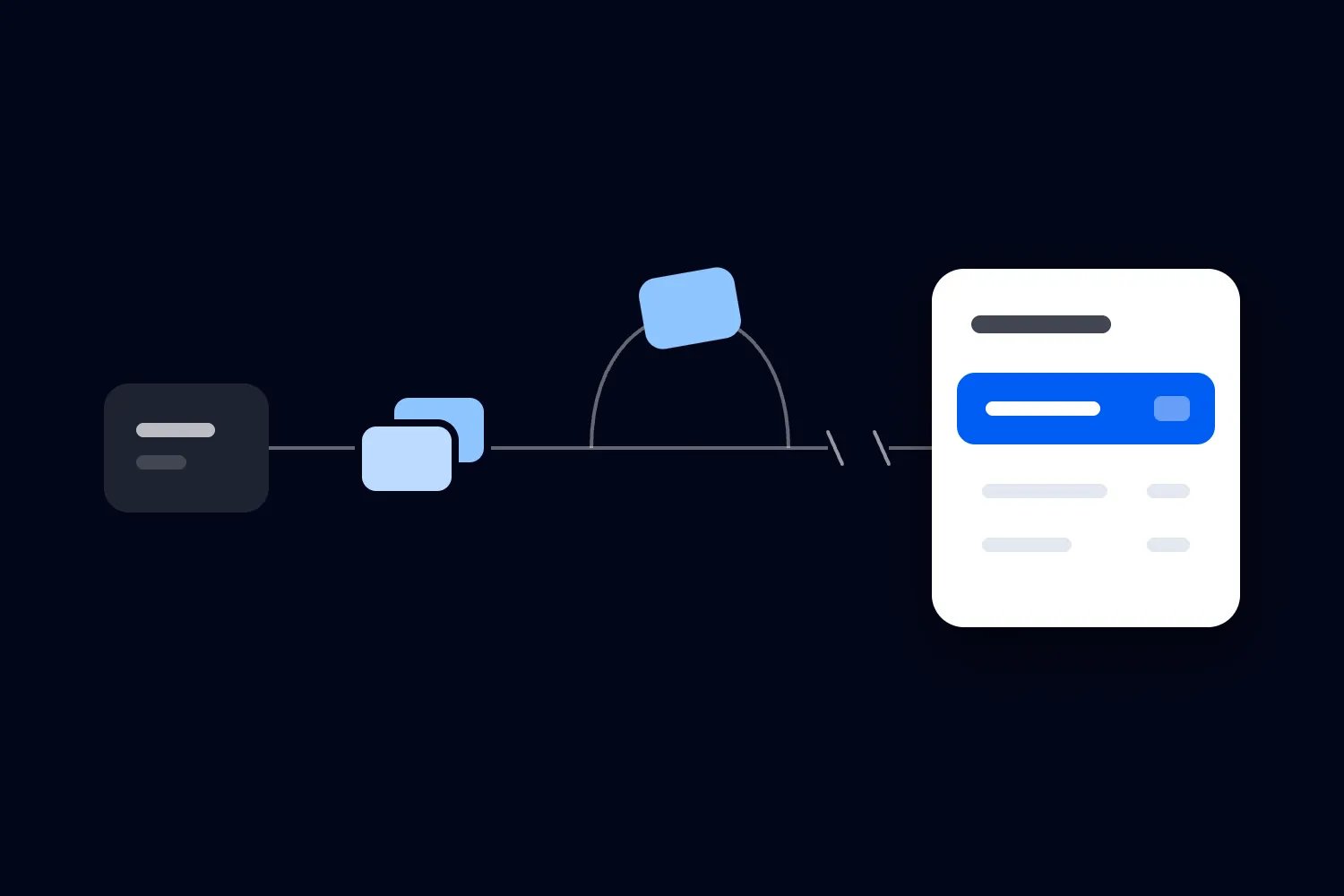
Your test booking appears in the customer database. The right email arrives. Everyone agrees the connection works, and you move on to the next thing that needs doing before tickets go on sale.
Then a message arrives twice, a refund takes longer than expected, or the customer database stops accepting updates. These are the situations you need to test before a paying buyer depends on the result.
A webhook is an automatic message one system sends another when something changes. In an event business, that change might be a completed order, a cancelled ticket or an attendance update. Event webhook testing should prove that those changes produce the correct records and customer actions, including when messages repeat, arrive late or fail.
Start with one booking and follow it through the whole workflow. Check what the source recorded, what reached the destination and what happened afterwards. Then deliberately interrupt that journey. You can ask a supplier or developer to run the technical tests, but your team needs to define the outcome it is willing to rely on.
Decide what the webhook is meant to do
Before you test the connection, write the job in ordinary language. For example, a completed purchase should update the buyer's purchase history in your customer relationship management system, or CRM. A cancelled ticket should stop qualifying its holder for that ticket's arrival reminder. Each statement describes something staff can check.
Be precise about what starts the action. An order created during checkout may still be unpaid. A refund request may still be waiting for approval. If the workflow should begin after payment succeeds, a test that only creates an order hasn't demonstrated the required trigger. Ask the provider which documented notification represents the completed change.
Also separate the notification from the information you need. A message may contain the complete changed record, a limited selection of details, or a reference your connection must use to retrieve the record. Ask your implementer to explain which applies. That determines whether receiving the message is enough to do the work.
Keep the source of each fact clear. Ticketing may control ticket validity while the email tool controls its own unsubscribe record. A message arriving from ticketing shouldn't automatically overrule every detail already held in the destination. Our guide to sharing data between ticketing, CRM and email explains those responsibilities in more detail.
Now identify what the workflow can change. Does it only update a report, or can it also send an email, issue an entitlement or notify a supplier? Those consequences need separate checks. You might be comfortable correcting a reporting error after a demonstration. You cannot recall an email that already went to the wrong person.
Keep the first test focused on one useful workflow. Testing every available notification creates activity without necessarily showing whether your launch process works. Add other workflows once you can explain the first one, including where it can fail and which team member will notice.
Use a test setup that cannot contact real buyers
Ask for the provider's supported testing method. A sandbox is a separate testing environment where you can create records without treating them as real sales. Some providers offer one; others provide test notifications or a different controlled process. Verify what yours actually supports before creating bookings or interrupting a connection.
The whole journey needs isolation. A test ticketing account connected to a live marketing audience is still capable of causing a real mistake. Check the receiving database, email destinations, supplier notifications and any other action the workflow starts. Use addresses your team controls and records clearly identified as tests.
Agree how payments behave in that setup. A simulated successful payment is different from moving real money. Don't assume a test notification proves that a live payment has settled, or that deleting a test order reverses a real charge. If a limited live check is needed later, agree its payment, refund and accounting treatment in advance.
There are different levels of testing. A sample message can show whether the receiving code understands a format. A delivery test can show whether the sender reaches the receiver. A booking made through the supported test checkout can exercise more of the actual journey. You need to know which level the demonstration covers.
GitHub's webhook testing guidance distinguishes testing delivery from testing the code that handles it. Apply that distinction to your event workflow. A message reaching the receiver is useful evidence, but you still need to inspect the resulting purchase record and any scheduled communication.
If your provider can only send sample messages, record that limitation. Ask how the team will verify real subscription settings, account permissions and the actual booking trigger before rollout. A sample with a conveniently complete buyer record may miss a checkout where the holder's name is optional.
Keep testing tools under the same control as the rest of the setup. Don't forward genuine customer orders into an unfamiliar public message viewer to see what arrives. Your implementer can provide a controlled demonstration with fictional details and the technical information needed to investigate failures.
Write expected results before running the test
The most useful test record describes what should happen before anyone sees the result. Otherwise a supplier can demonstrate something different from what your team expected, and everyone can leave thinking the test passed.
For each case, record the starting booking, the change you will make, the expected destination record and the actions that should or should not follow. Add the person responsible for checking it and the time by which the outcome is needed. Keep the actual outcome and supporting references alongside that expectation.
A simple purchase test might say that one paid order containing two tickets should appear once in the CRM, with two ticket records connected to it. If the ticketing platform already sends the confirmation, the CRM should send no additional confirmation. That final condition matters just as much as the copied order.
Use the identifiers supplied by your systems to connect the evidence. You need the original order reference, the notification reference where available and the destination record reference. These let a developer investigate a failed case without asking your team to guess which of several similar test buyers was involved.
Keep separate observations for receiving and completing the work. The receiver may accept a message and place the task in a queue, meaning a stored list of work to process later. You should be able to distinguish a message waiting there from one whose CRM update and email decision have finished.
Choose timing requirements around the decision. A weekly customer report may tolerate a delay that would make tonight's arrival email inaccurate. Ask the supplier to propose achievable timing, then check that it meets your operation's needs. There is no single waiting period that makes every event workflow safe.
Don't fill the record with screenshots alone. A screenshot may show the right value without showing which order it belongs to or when it changed. Add enough context for another colleague to repeat the check. If a test fails, retain the failed outcome as well as the result after the fix.
You can use the following outline for the shared test record. Complete it with your implementer, then let the colleague who depends on the result check the final two items.
Workflow and environment: name the task being tested and confirm that every receiving system is part of the test setup.
Starting records: identify the source order, relevant tickets and destination records, including their starting values.
Change and delivery condition: state what you will do to the booking and whether its notification will be repeated, delayed or interrupted.
Expected outcome: describe the resulting records, financial amounts and current ticket rights in words your team understands.
Customer actions: identify the communications or other actions that should happen, and those that must remain stopped.
Evidence and result: record what actually happened, when it completed and where the implementer can find the delivery and processing details.
Decision and owner: mark the case passed, failed or awaiting a named check, with the person responsible for resolving any difference.
Keep the expected outcome unchanged when a test fails. If you discover that the original requirement was wrong, discuss and record the revised requirement separately. Quietly changing the expectation to match the demonstration makes the test much less useful when somebody asks why the live workflow behaves differently.
Follow an ordinary purchase all the way through
Let's use a fictional business called River Workshops. It sells paid classes and copies confirmed purchases into a separate CRM. The example is a proposed test setup, not a description of a Loopyah integration or a customer result.
Treat the cases below as separate test runs. Restore the agreed starting records through the supported test process, or use a new order with its own references. Within each run, keep the changes needed for that case. This prevents yesterday's test refund from confusing today's duplicate delivery result. All example amounts are in USD.
In its test environment, one buyer purchases two tickets at $50 each. The example excludes taxes, fees and extras, so the original order value is $100. The expected destination result is one order worth $100 and two tickets attached to that order. Copying $100 onto each ticket would make an incorrect $200 total.
Start the purchase through the agreed test checkout. Record the payment outcome in the source before inspecting the CRM. Then find the notification and the destination record. Confirm the relevant event date, ticket types, currency and buyer relationship. Don't stop when a contact with the right name appears.
Next, inspect the messages. If ticketing owns the receipt and ticket confirmation, verify that it sends the intended test communication and that the CRM doesn't send a second version. If the CRM starts a later journey, check its first scheduled step, the intended recipient and the booking condition it relies on.
If you sell through Loopyah's ticketing, its confirmation email already links buyers to their tickets. An additional system should have a defined reason to send another message. Check that the connection isn't recreating a confirmation your buyer already receives.
Repeat the purchase with an existing test buyer. The new order should add purchase history according to your agreed matching rules. It should not replace the previous order or create another person merely because this is a new transaction. Keep the test about the actual relationships your team uses.
Then test an incomplete payment. The expected behavior depends on your setup, but it must not label an unpaid booking as a completed sale or grant a paid entitlement without the required payment outcome. A provider may send several notifications during checkout. Only the intended one should start this workflow.
This ordinary purchase becomes your reference case. Keep its expected result available while you test failures. If the normal case stops working after a fix for duplicate deliveries, you need to know before approving the change.
Send the same notification again
A repeated notification should not create another sale. That sounds obvious, but checking the contact count alone won't establish it. The second delivery might leave the same contact in place while adding another order, increasing a spending total again or scheduling a second email.
Stripe's webhook documentation warns that notifications can repeat and delivery order is not guaranteed. These are documented characteristics of Stripe, not a promise about every event platform. Ask your own provider how it identifies repeated notifications and how your connection handles them.
Have the implementer resend the purchase notification using the provider's supported method. Compare the destination before and after. River Workshops should still have one $100 order and two tickets. The activity record may show another delivery attempt, but the business outcome should remain unchanged.
Developers call this property idempotency. Here, it means that repeating the same instruction produces the intended business effect once. Ask for that result across the entire workflow. Preventing a second order is incomplete if the same instruction still sends another welcome email.
Also ask the team to test two copies arriving close together. A system that handles a repeat after the first copy finishes may still fail when both start processing at once. You don't need to choose the database design. You do need evidence that simultaneous attempts cannot both create the same purchase or customer action.
Keep a notification's identity separate from the order's identity. One order can legitimately change several times. Rejecting every future message with the same order reference would prevent a duplicate purchase, but it could also discard a genuine refund or transfer. The connection needs the provider's documented distinctions and your agreed business rules.
Test a restart too. Ask the implementer to restart the receiving service through the controlled test process, then resend the original notification. Its record of completed work should survive the restart. A duplicate check that disappears when a service restarts isn't enough for ongoing use.
Finally, test a retry after a partially completed action. Suppose the CRM saved the purchase, but recording completion failed. On the next attempt, the connection needs to recognize the purchase already exists and finish the remaining work safely. Record which actions completed, rather than treating the whole workflow as one unexplained success or failure.
Deliver changes in the wrong order
Now change the booking after purchase. In the River Workshops example, one ticket is cancelled and its $50 refund completes. The destination should preserve the original $100 purchase, record the $50 completed refund and show $50 remaining under this example's reporting definition. One ticket remains valid.
Ask the implementer to make the destination receive the cancellation change before an older purchase notification. The eventual result should still reflect the cancellation. A late message describing the original purchase must not restore the cancelled ticket or schedule its arrival reminder.
This is a different problem from recognizing a duplicate. Both messages can be genuine and distinct. The question is which information should determine the current record. Ask how the receiver establishes that using the provider's supported record versions, current record retrieval or another documented method.
Don't approve an answer that simply says the latest arriving message wins. Arrival order describes the network journey, not necessarily the order in which the buyer's booking changed. Equally, don't invent a timestamp rule yourself. Ask your implementer to demonstrate the chosen method with delayed changes, including changes whose timestamps are identical where the provider permits that.
Check temporary behavior as well as the final screen. A workflow could briefly restore a cancelled ticket, send an email and then correct the record. The final status would look right even though the customer action was wrong. Inspect any messages or entitlements created while the updates were processing.
Add a case where the destination has never seen the original order. Can it use the cancellation reference to retrieve the relevant booking, or does it hold the change for investigation? Either can be a deliberate design, depending on the available facilities. Silently discarding it because the order isn't there yet needs a different answer.
Keep distinct kinds of change separate. A newer attendance update doesn't automatically settle an older refund discrepancy. An updated buyer name doesn't establish that a ticket has become valid again. The implementer should show how the current facts needed for each action are established, rather than assigning one blanket status to the whole customer.
Interrupt the workflow at more than one point
A webhook connection can fail before the receiver accepts the message, after it accepts the message, or while it updates another application. Those failures can look different to the sender. Test them separately so your team knows where recovery responsibility sits.
First, have the implementer make the test receiver unavailable. Trigger a supported change and inspect the sender's delivery record. Ask what happens next, how long failed messages remain available and who is responsible when further automatic attempts stop. Record the provider's actual policy rather than assuming every webhook retries.
For example, GitHub documents that failed webhook deliveries are not automatically redelivered. It provides ways to request another delivery. The practical lesson is to check your sender's recovery facilities explicitly, including any limits on how long you can recover a missed change.
Next, let the receiver accept the message but make the destination CRM unavailable. The sender may now consider delivery complete even though the purchase hasn't reached the CRM. Your connection needs a reliable way to retain that unfinished task, expose the failure and try again under its own supported process.
Ask what acceptance means. A successful response code is the receiver's acknowledgement to the sender. Before returning that acknowledgement for a task that must be completed, the implementation should have safely stored the work or completed it. Otherwise a restart at the wrong moment can leave no sender retry and no recoverable task.
Now restore the CRM. Verify the missing update arrives without creating duplicates, then compare the source and destination. If further booking changes happened during the interruption, check the current result rather than merely confirming that the oldest purchase eventually appeared.
Test a failure after the destination writes a record but before the connection receives confirmation. The connection may be uncertain whether its attempt succeeded. Its recovery should resolve that uncertainty without blindly creating another order. This case often needs help from the implementer because the interruption must happen at a controlled point.
Also test a message that cannot be processed, such as one missing a required order reference. Ask where that failed task is held, how staff find it and whether other valid orders can continue. Repeatedly retrying a permanently invalid message shouldn't conceal the error or prevent the rest of your purchases from updating.
Test the burst you expect when tickets open
A connection can handle a quiet demonstration and still fall behind during a launch. Build a test around the buying pattern you expect, using your own comparable event history where available. Ask the implementer what the sending platform and receiving tools permit in a test environment before generating a burst of activity.
For an illustrative test, River Workshops could arrange for 40 separate paid orders to arrive within two minutes. That is a chosen scenario, not an industry benchmark or a promise about provider capacity. Each order still needs its own reference and expected result. Watching the total reach 40 doesn't establish that all the right purchases arrived.
Have the team inspect how long the oldest unfinished order waits, whether new work continues to arrive and whether failed tasks remain visible. If an external tool limits how many updates it accepts, ask how the connection waits and resumes without losing work. The practical issue is whether your campaign or support team will act on incomplete records.
Include a changed booking during that burst. A cancellation made while purchases are waiting should reach the correct final state without being buried indefinitely behind repeated failed attempts. Ask the implementer to show how the resulting delay compares with the deadline you agreed for the dependent task.
Check recovery after the burst ends too. A queue that grows during a busy period may be acceptable for a later report if it clears in time. It isn't acceptable for a communication whose audience is approved before the missing purchases arrive. Set the pass condition around that real deadline, and record any need to hold the communication.
This is also the point to ask about ongoing costs. A repeated delivery may not create a second sale, but the integration service may still count processing attempts or other billable activity. Have the supplier explain what your plan measures and how you can see it. Include that question in the quote rather than assuming an unchanged customer record means no additional work was charged.
Check refunds, transfers and messages as separate outcomes
Use the changes your event business actually permits. If you offer partial refunds, ticket transfers, upgrades or group bookings, include those cases. Don't accept a single cancellation demonstration as proof that every later change is covered. Each can affect different people, financial amounts and future communications.
For River Workshops, cancelling one of the two tickets must not cancel the other. The buyer still has a remaining booking. Check that the CRM's summary, ticket records and planned messages all preserve that distinction. A broad customer tag saying refunded would be too vague to approve on its own.
If the remaining ticket is transferred through the source's approved process, check who now holds it and who receives the appropriate event information. The original buyer's financial history should follow your accounting definition. A new holder appearing in the system doesn't itself create another purchase or payment.
Now test an unsubscribe followed by another purchase notification. The purchase may update the customer's transaction history, but it must not silently reverse the relevant marketing preference. Have the colleague responsible for privacy approve the permitted behavior for your markets. Our checkout email marketing consent guide explains the separate decisions involved.
Check messages already scheduled before the change. Removing someone from a newly generated audience may not remove a message already waiting elsewhere. If a cancellation or preference change should stop that message, ask the implementer to demonstrate the check at the point the message would actually be sent.
Also ask whether an external connection is necessary for this job. Loopyah's attendee email tools use purchase information for audiences and distinguish event updates from promotions, with opt-outs removed from promotional recipients. If those built-in tools handle your intended communication, use them rather than maintaining another buyer list solely to recreate it.
An external CRM can still serve a separate customer service or commercial requirement. Test that specific connection against its documented capabilities. The availability of ticketing and attendee email inside Loopyah doesn't establish a particular external webhook, refund notification or CRM integration. Get those details from the supported integration documentation before commissioning the workflow.
Prove that incorrect messages cannot change bookings
A receiving address is reachable by design. Your test must establish that the connection recognizes legitimate messages and refuses unauthorized ones before they change customer records. A message containing a plausible order number is not enough evidence of where it came from.
Many providers use a signature, which is a value the receiver checks to confirm the message came from the expected sender without alteration. GitHub's validation guidance explains checking that signature before further processing. Your implementer should use your provider's supported verification method and show it is enabled in the environment being approved.
Have the team test a valid signed message, one with its contents changed and one missing the required verification information. The genuine case should complete its intended action. The invalid cases should make no booking, entitlement or marketing change, while producing enough controlled evidence for investigation.
Where the provider has a supported age check for signed messages, ask the implementer to test it. A legitimate message copied from an earlier delivery isn't necessarily an appropriate new instruction. At the same time, distinguish an authorized provider redelivery from somebody sending an old captured request. Use the provider's documented behavior for each.
Account boundaries need their own test. If you operate several event brands or accounts, send a valid test message from the wrong account to the connection. It should not gain authority over another account's booking merely because its format or order reference looks familiar. Test event scope too if the workflow is deliberately limited to selected events.
Don't solve a failed verification test by switching verification off. Resolve the environment settings, signing details or message handling with the implementer, then rerun the genuine and invalid cases. Keep secrets out of the test report. The person approving the business outcome needs proof of validation, not a copy of the credential.
Make an alert lead to a decision
An error in a technical log doesn't help your marketing coordinator unless somebody knows they need to act. During testing, trigger a controlled failure and verify that the intended person receives a useful notice through the agreed route. Then have them explain what they would do next.
The notice should identify the affected workflow, environment and booking references, the failure time and the work still waiting. State whether automatic recovery is continuing. A duty manager needs to know whether a report is late, a campaign audience is incomplete or an operational action needs to pause.
Test the alert for accepted but unfinished work as well as outright delivery failure. A receiver can be available while its processing has stopped. Checking only whether the receiving address responds can miss a growing list of orders that never reach the CRM.
Also agree how to spot silence. No new notifications may mean no purchases, or it may mean the subscription was disabled. Compare source activity with completed destination work through a supported check. An absence of error messages cannot distinguish those situations by itself.
The OWASP logging guidance recommends purposeful application records and protection of sensitive information. It identifies credentials, access tokens and payment details among information that should not be recorded directly. Keep your alert and evidence useful without copying entire customer messages or secrets into a general team channel.
Assign a backup person and test their access. If the primary owner is working at the venue, somebody else must be able to see the affected records and contact the supplier. That person also needs authority to pause the dependent campaign, rather than spending the recovery period looking for approval.
Rehearse recovery without repeating customer actions
Recovery should be a controlled task your team has already seen. Start with an identified set of missing changes in the test environment. Ask the implementer to show how they find the affected bookings, retrieve or resend the appropriate information and confirm that the destination is current afterwards.
Keep recovery of records separate from release of customer actions. You may need to restore purchase history without sending a confirmation for every old order. A message that would have been useful before yesterday's workshop may be confusing today. Agree which actions remain appropriate when delayed information finally arrives.
For River Workshops, recover the missing purchase and completed refund together. The expected result remains the original $100 order, a $50 refund and one valid $50 ticket. The recovery must not first send an arrival reminder for the cancelled admission simply because it processes the purchase before the refund.
This requires an explicit recovery mode or another supported control chosen by the implementer. Pausing an email campaign may be enough for one setup and insufficient for another that also notifies suppliers. List the consequences that need holding, then demonstrate the controls that prevent them while records catch up.
Include already completed work in the recovery set deliberately. The same order should remain one order. If its message already sent, it should not send again merely because someone recovered the record. Then include a genuinely unfinished action and verify that it can still complete when appropriate. Blocking every repeat is not the same as recovering correctly.
Once processing finishes, compare individual records as well as totals. Two errors can cancel each other out in a revenue sum. One missing order and one duplicate order of the same value can produce the expected total while leaving two customers with incorrect histories.
Check the boundaries of the recovery period. A change made just before the interruption might still have been processing when the failure began. Another might arrive as the connection resumes. Ask the implementer how those records are included without leaving a gap. Where the supported recovery deliberately checks an overlapping period, your duplicate handling should make that overlap safe.
Don't delete the evidence as soon as the connection looks healthy. Keep the approved test results and the references needed to explain recovery under your retention and access rules. They will help the next colleague distinguish a record repaired during the incident from a new purchase that needs its normal follow-up.
Our guide to cleaning event data develops those reconciliation decisions. For this test, preserve a clear list of the source changes included, the destination records checked and any unresolved exceptions. Don't resume a campaign whose audience depends on a discrepancy your team hasn't explained.
Use a completed test record to make the launch decision
Here is how River Workshops could record its delayed cancellation test in plain language. The starting condition is one paid $100 test order with two $50 tickets. The ticketing source then cancels one ticket and completes its $50 refund. The test intentionally delivers that change before an older purchase message.
The expected result is one original order, a recorded $50 refund, $50 remaining and one valid ticket. The cancelled ticket must stay out of its arrival reminder. The remaining holder must still qualify for the appropriate event information. No additional purchase confirmation should send from the CRM.
The person checking the test records the source order reference and the destination order reference. The implementer supplies the delivery references and the processing outcome. Marketing checks the scheduled audience without contacting real people. Finance checks the agreed amounts, while the event team confirms which admission remains valid.
If the records are right but the cancelled ticket receives a scheduled message, mark the case failed. If the message is stopped only because a colleague manually deletes it during the demonstration, record that intervention. You are deciding whether an automated workflow can be trusted under the agreed conditions.
After a fix, repeat the failed case and the ordinary purchase case. Record what changed in the setup and who accepted the new outcome. Keep an unresolved issue open until the relevant team has seen the evidence. Calling an issue minor doesn't change what it can do to a buyer.
Your overall approval should identify which workflows and environments were tested. It should also identify anything deliberately left out, such as an unsupported transfer or a live setting that cannot be reproduced in the sandbox. Give each limitation an owner and a next check before the business depends on it.
Keep the first rollout narrow enough to check
Move into live use with a defined scope and someone watching the results. Where your setup permits it, begin by copying records without enabling additional customer actions. Compare actual bookings with their destination records before allowing those records to control an automated campaign or another consequential task.
Verify live settings separately. The correct receiving address, account permissions, selected notification types and verification credentials must all belong to the live environment. Don't copy secrets into a shared checklist. Ask the responsible implementer to confirm the settings through the appropriate secure process and retain a record of the check.
Agree what would cause you to pause the rollout. Missing cancellations, repeated customer messages or purchases that cannot be matched to source records need a specific response. Name which dependent work stops and where staff should continue working. Stopping CRM updates doesn't necessarily require stopping ticket sales if the approved ticketing process remains healthy.
Retest when the workflow changes. New ticket types, changed checkout fields, a replacement CRM or a revised notification format can invalidate parts of the earlier demonstration. Keep reusable test records so the team can repeat the relevant cases without inventing a new approval process every time.
Before you switch on the next automation, ask the owner to show one purchase that succeeds, one change that arrives late and one failure that is recovered. Follow each into the records and customer actions it affects. If the team cannot explain a discrepancy, keep that dependent action paused until it can.

Author: By the Loopyah Content Team
The Loopyah Content Team shares expert insights, practical guides, and industry updates to help event organizers create unforgettable experiences and stay ahead in the event planning world.