· 21 min read
Which ticket-sales emails should an event business automate?
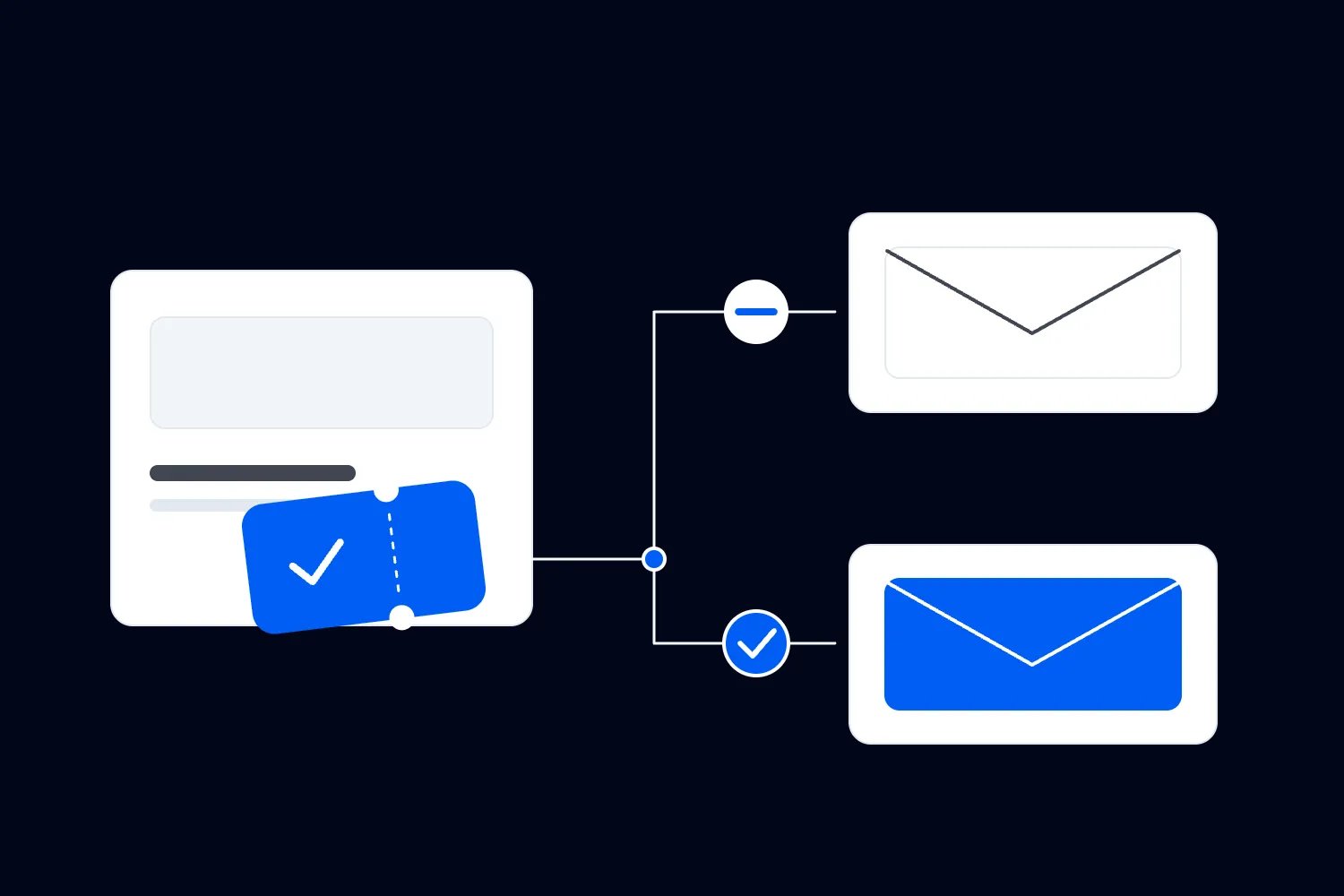
You've got tickets on sale for Saturday, another event launching next month, and a buyer who appears on both lists. They leave one checkout, buy through a different link, then receive your automated reminder telling them to finish booking. The email worked exactly as somebody configured it. That's the problem.
Start your event email automation with messages tied to a clear change in the customer's situation. Welcome someone who joins a relevant list, follow up on an eligible unfinished checkout, help a buyer prepare, and invite eligible attendees to a suitable next event. Each sequence needs a specific reason to start and a reliable reason to stop. Automate those decisions before adding more emails.
The useful question is what a person needs now, given what they've already done. A scheduled campaign goes to an audience at a chosen time. An automation starts because something happened to a person. Running both without checking their combined effect is how a reasonable campaign becomes an annoying customer experience.
This guide covers which sequences to build first, how to write their sending rules, and how to test purchases, refunds and overlapping events before leaving them running. For the wider campaign plan, our event email marketing strategy explains how the messages support the ticket offer.
Start with the emails that solve a recurring problem
Choose your automation by looking at work your team repeats and mistakes customers already experience. Are people asking what happens after booking? Do eligible checkout starters need help finding their way back? Are you manually inviting last month's attendees whenever the next workshop opens? Start with the problem you can describe from actual customer behaviour.
I would prioritise a useful buyer preparation sequence and one focused sales sequence. Preparation has a clear audience and an immediate service purpose. A sales sequence forces you to establish purchase exclusions and marketing eligibility properly. Together, they reveal whether your records are dependable enough for a larger programme.
Don't automate an email simply because it appears in somebody else's standard sequence. A ticket buyer who already received a complete confirmation may need no further message until useful arrival information is ready. An annual festival subscriber and a weekly class customer also have different reasons to hear from you.
Write the intended result beside the proposed sequence. "Help first-time buyers understand arrival and equipment requirements" is useful. "Increase engagement" leaves you guessing what to send and whether it worked. For a sales automation, specify the event people should buy and the question or obstacle the email addresses.
Keep critical announcements under active human review. An entrance change, cancellation or major programme change needs the latest confirmed facts and the correct affected audience. You can use prepared templates and supported sending tools, but the decision to issue the notice should come from the person responsible for that change.
Write the rule before writing the email
For every sequence, record the starting event, eligible audience, waiting period, message and stopping conditions. Add the event or series it applies to, who owns it, and when somebody must review it. A few plain sentences are enough if another teammate can follow them without asking what you meant.
Here's a hypothetical rule for an unfinished checkout. Start when an identifiable customer leaves a checkout for your Saturday workshop. Wait long enough for a normal purchase attempt to finish. Before sending, confirm they are eligible for marketing, haven't bought that workshop, and can still purchase the advertised ticket. Send a helpful route back. Stop after purchase, withdrawal of permission, or the booking deadline.
That description exposes decisions a template can't make for you. What counts as leaving? When does the ticket stop being available? Does a purchase under the same email address stop the reminder? What happens if the person starts again? If your tools can't establish the answer, simplify the sequence rather than assuming they can.
Treat the waiting period as a practical setting to test. There is no universal delay that suits a quick local performance and an expensive conference booking. Consider how long the customer needs to check plans, when support can answer replies, and whether a delayed message could arrive after a real deadline.
Write down what the system can verify automatically and what your team must check. A rule that depends on a staff member updating a spreadsheet is still partly manual. That's fine when explicit. It becomes a problem when everybody believes the software has handled it.
Welcome subscribers into the promise they accepted
A welcome automation should deliver what the person signed up for and explain what comes next. If they joined a workshop announcement list, confirm which workshops you cover and where to see the current programme. If they requested a presale alert, send the promised information when it is accurate and available.
Don't quietly turn a narrow request into an invitation to every event your business runs. Someone interested in a professional training series may have little interest in your evening entertainment programme. Keep the initial sequence within the expectation created by the signup wording and the permissions you hold.
A simple welcome can answer a real buying question. Explain who the event is suitable for, the expected experience level, or what the ticket includes. Link to the relevant current event page. Avoid a long introduction to your business when the subscriber joined because they wanted a date, programme or booking opportunity.
Consider whether a purchase should end this sequence. If the welcome emails mainly help someone decide whether to book, buying the event should remove them from those sales messages. If an email delivers a promised resource, purchase may not remove the need to deliver it. Define the purpose of each message rather than stopping everything indiscriminately.
Also test what happens when an existing subscriber joins again. They shouldn't receive duplicate welcomes merely because they submitted another form. Decide whether the same person can enter again after a meaningful change, such as choosing a different series, and verify that your system can distinguish that from repeating the original signup.
Use checkout reminders to help eligible buyers finish
An unfinished checkout can be a useful reason to follow up, provided you can identify the person and have the right basis to email them. A page visit alone doesn't establish either. Nor does typing an address necessarily mean the person agreed to receive a promotional sequence.
For UK individual subscribers, the ICO's electronic mail marketing guidance requires consent or a qualifying exception for unsolicited marketing. Its products and services soft opt-in has specific conditions, including collecting details during a sale or negotiations and offering an opt-out at collection and in subsequent messages. An abandoned checkout isn't automatic permission. Check the rules that apply to your audience and business.
Keep reminders factual. Identify the event and offer a working route to the available tickets. Don't say seats are reserved, the price is protected, or the order will expire unless those statements are true. If inventory has changed, the destination should make the current choice clear.
Your first reminder can also explain how to get help. People leave because of date conflicts, price, uncertainty and payment problems as well as distraction. An address somebody actually monitors is more useful than another urgent subject line when the buyer is trying to understand a ticket restriction.
Avoid making a discount the default response to every unfinished purchase. You may reduce what buyers pay without changing whether they would have bought. Start by fixing confusing ticket choices and obvious checkout problems. If you test an offer, make the eligibility and margin decision deliberate, then compare results over a consistent period.
Stop sales messages when the right purchase happens
"Stop when they buy" sounds straightforward until your business has several events on sale. A purchase for Friday's performance shouldn't necessarily stop an invitation to Saturday's workshop. A purchase for Saturday should stop reminders asking that person to complete the same booking. Your rule needs the relevant event identity.
Use the platform's stable event identifier where supported, rather than relying only on a title that can change. Keep the event name readable for your team, but establish exactly which purchase ends the sequence. Where the tool only offers a broad purchase condition, verify its scope before enabling overlapping event campaigns.
Decide how group orders affect the audience. The purchaser might buy several tickets while the guests use different addresses. A guest record doesn't establish the same purchasing intent or marketing permission as the buyer's record. Don't create extra sales sequences for every name on an order merely because the data is available.
Repeated checkout attempts need their own rule. A person might retry after a payment error or reopen the page on another device. Where supported, allow only one active reminder sequence for the same person and event. Otherwise, use a simpler controlled audience and check for duplicate sends before expanding automation.
Confirm when purchase data becomes available. If orders take time to reach a separate email tool, a customer can buy during that gap and still receive a reminder. Reduce the purchase-data lag where possible, recheck eligibility immediately before sending where supported, and document any remaining limitation. Don't claim an exclusion is instant until you've tested the actual path.
Keep buyer preparation separate from selling
Once someone pays, their next question changes. They want to know what they've booked, how to attend and whether they need to do anything beforehand. A preparation sequence reduces uncertainty and repeat support work. It should reflect their actual event date, ticket type and current booking status.
Start by checking what the existing confirmation already delivers. Repeating the receipt and ticket link in a second immediate email may add little. Your additional message might explain equipment requirements, session selection, transport or an arrival process that wouldn't fit comfortably in the confirmation. Send information when the buyer can use it.
Avoid a fixed delay that makes late bookings awkward. A person who buys the evening before a workshop can't wait several days for instructions. Use supported event-relative timing or a separate late-buyer process. If your tools can't handle that distinction automatically, keep the sequence narrow and assign somebody to send the missing information.
Separate essential information from optional purchases. The US FTC's CAN-SPAM guidance explains that the primary purpose matters when commercial and transactional content appear together. An existing customer relationship doesn't make every offer a service message. Keep the arrival email focused, and send an upgrade promotion only to an appropriately eligible audience.
Unsubscribing from marketing shouldn't become a reason to withhold necessary information about an active booking. Use your platform's event-update route correctly. At the same time, don't disguise invitations to another event as essential information. Our guide to marketing consent at checkout develops that distinction and explains what to record.
Handle refunds, transfers and rescheduled dates
A purchase isn't the last change that matters. Someone can request a refund, transfer a ticket, or move to a different session while a preparation email waits. Before using automation broadly, establish which changes update the audience and how your team handles the ones that don't.
A refunded customer usually shouldn't receive instructions assuming they still hold that ticket. They also shouldn't automatically rejoin the same-event sales sequence. The refund may reflect a date conflict or a complaint your team is resolving. Make re-entry a deliberate decision rather than treating the absence of a current ticket as fresh interest.
Transfers can change who needs arrival information. Confirm whether the system communicates with the purchaser, the current ticket holder, or both, and explain responsibilities clearly. Don't promise that an email follows a transferred ticket until you've tested that behaviour. Keep a support route for cases where an attendee hasn't received the details.
When the event date changes, review every waiting sequence associated with it. The email text may be accurate while the send time is wrong. Pause optional promotions while the team confirms the new arrangements and the affected audience. Send the actual change through the appropriate event-update process, then review automations before restarting them.
Cancellation should trigger a wider stop review. Check checkout reminders, countdown emails, preparation messages and next-event invitations that assume the cancelled experience took place. Keep essential refund information available. Record who can pause each sequence and who can approve restarting it, especially when several people manage different events in the same account.
Control overlaps across your event series
Your customers experience all your emails together. They don't know that a newsletter, checkout reminder and returning-attendee invitation belong to different internal plans. Review the total contact history before deciding that another individually reasonable message should leave.
For a hypothetical monthly workshop business, a person might be preparing for Saturday while considering next month's advanced session. Both messages can be relevant. But if the preparation email and sales invitation arrive together, the practical information can become harder to find. Prioritise the booked event and move an optional promotion where appropriate.
Set business rules for collisions. Essential event changes take priority. A targeted checkout reminder may justify delaying a broad newsletter to that recipient. A completed purchase should remove the same-event sales prompt. Use those priorities to decide which supported exclusions or manual checks you need, rather than inventing a universal message cap.
Keep a shared calendar of one-off campaigns alongside the running automations. Before a large send, ask which people are likely to receive another message around the same time and why. Our event email frequency guide helps make that judgement from the buyer's situation rather than an arbitrary sending target.
If your email platform can't coordinate all sequences automatically, reduce complexity. You can begin with one recurring sales automation and a reviewed campaign calendar. Adding several independent sequences without a reliable way to see their combined effect creates more checking work, even if each individual email is automated.
Invite people back after the experience has happened
A next-event invitation works best when there is a clear connection to what the person attended. An advanced workshop can follow a foundation session. A returning performance can interest last month's audience. Explain what is different and why the next date suits that person, using current confirmed information.
Choose the starting event carefully. Buying a ticket doesn't establish attendance. A person who couldn't come may need different wording from someone who checked in. If your attendance records are incomplete, don't write a personalised opening claiming they were there. Use wording that matches what you actually know.
Deliver promised materials before making the next sales request. If your workshop includes a resource pack, the customer shouldn't receive an invitation to pay again while still waiting for it. Where delivery needs a manual action, make that dependency visible to the person managing the sequence.
The next event must also be ready to sell. Check that the page is live, the date and price are correct, and tickets remain available. A waiting period ending doesn't create a reason to send an obsolete invitation. Set a review date for recurring sequences so last season's offer doesn't keep reaching new attendees.
Don't automatically send every attendee into a long reactivation campaign. Start with one relevant invitation and an eligible audience. Review purchases, replies and opt-outs before extending it. For a series with several formats, stated interests and actual booking history are safer starting points than assumptions about what someone ought to enjoy next.
Walk through one customer's week
Let's make the rules less abstract. Imagine you run paid photography workshops, with a beginner session this Saturday and an advanced session next month. Your fictional customer Maya subscribes to beginner announcements, starts Saturday's checkout, then completes the purchase later that day. These are example decisions, not a recommended sending timetable.
When Maya joins, the welcome confirms what she asked to receive and links to the beginner programme. It doesn't add her to the advanced workshop invitation simply because both events share your business name. If your tools support interest lists, use the selection she actually made. Otherwise, keep the audience broad enough to be accurate and the promise narrow enough to honour.
Her unfinished checkout starts a reminder wait only if she is eligible for that marketing message. The waiting record refers to Saturday's event. When her order completes, the same-event purchase stops that reminder. You should be able to see the purchase and the stopped message in the customer history. If you can't establish that result, don't assume the condition worked.
The purchase begins buyer preparation. Maya receives the normal ticket confirmation, then useful instructions about bringing her camera and finding the classroom. A general newsletter announcing Saturday's remaining tickets excludes her because she has already booked. An essential entrance change still reaches her through the event-update audience.
Now suppose Maya buys an advanced-session ticket for a friend. That purchase must not restart her beginner checkout reminder or erase the instructions for Saturday. It also doesn't establish that the friend subscribed to your marketing. Check the buyer and attendee records separately, and keep every sequence attached to the decision it was built to support.
After Saturday, verified attendance could start a relevant follow-up for Maya. Send promised workshop materials first. An invitation to the advanced session should take account of the ticket she already bought and the information you actually have about who will attend. If the records can't resolve that distinction, use a simpler audience or have somebody review the invitation.
Change one fact and walk through the story again. If Maya refunds Saturday before attending, preparation should stop or be reviewed, and the follow-up shouldn't congratulate her on completing the class. If she unsubscribes from promotions, future sales invitations stop while necessary information about any active booking continues through the appropriate route.
This is the practical test for your plan. Can your teammate explain what Maya receives at each stage, and can you verify the same result in the system? When the answer depends on somebody remembering a special case, record that task and its owner before launch.
Decide whether people can enter again
An automation needs a rule for repeat customers as well as first-time entrants. Someone can legitimately attend another workshop, start another checkout or return after a long break. Decide which new action permits another entry and whether a previous unfinished sequence must end first.
Distinguish a repeated event occurrence from a duplicate action. Buying next month's workshop can justify a new preparation sequence. Refreshing the same checkout shouldn't create another copy of the original reminder. Confirm how your platform handles both cases, especially when events are copied for the next date.
Review old customers when you enable a new sequence. Switching it on can mean waiting for future actions, processing a selected existing audience, or admitting historical records, depending on the tool. Choose deliberately. A customer who attended months ago shouldn't receive a message written as though they left your venue yesterday.
If historical entry behaviour is unclear, review it before launch.
Assign an owner who can stop the sequence
Automation doesn't remove responsibility for the customer experience. Name a person who owns the sending rule and can pause it when event circumstances change. They don't have to write every email, but they need access to the current event facts and somebody who can resolve customer questions.
Keep an inventory of live sequences. Record the event or series, purpose, entry and exit rules, owner, last review and next review. Include any manual dependency, such as checking a refunded audience or confirming the next programme. This record should let a teammate understand what will happen if the usual owner is unavailable.
Agree who monitors replies. A helpful reminder can produce questions about access, ticket validity or a failed payment. An unattended inbox leaves the buyer stuck while your system continues sending. Route those replies to a person who understands the event and establish when someone else covers them.
Set a clear pause process. If the purchase exclusion fails, stop the affected sales sequence while you investigate. If attendance data is late, pause messages that claim attendance. Keep essential customer communications going through the correct route. The aim is to stop the specific failure without leaving ticket holders uninformed.
Also check capacity before launch. Recipient sends from campaigns and automations can accumulate while your team focuses on the next event. Plan the allowance and staff time needed for essential updates. A workflow that is technically enabled but cannot send when required hasn't solved the operational problem.
Test the awkward paths before real customers enter
Testing only your own successful purchase misses most automation errors. Build a short set of test journeys covering someone who buys immediately, buys during the wait, leaves twice, unsubscribes, refunds, and buys a different event. Use permitted test methods and verify the result in both the order record and the sending history.
For each test, check which sequence started, what remained queued, and what actually arrived. A message showing as scheduled doesn't prove the customer received it, and a successful delivery doesn't prove it went to the right audience. Open the email on a phone and follow the main link to its current destination.
Test boundaries around the event date and booking deadline. Include a late buyer, a customer in another time zone, and someone whose ticket type changes. Check the displayed local time, the sending time zone and whether the booking page still offers the advertised ticket. Record expected results before running the test so unexpected behaviour is obvious.
Check sending readiness as well. Google's Gmail sender guidelines describe authentication requirements and additional obligations for bulk senders, including one-click unsubscribe for relevant messages. Ask whoever manages your sending domain to confirm the setup, and test the unsubscribe path rather than assuming the footer text is enough.
Launch to a controlled audience first and inspect the actual customer histories. Keep a dated record of the rule you enabled and what you verified. If a later change alters ticket types, event dates or audience permissions, repeat the affected tests before considering the sequence reliable again.
Measure purchases without mistaking tracking for proof
Judge a sales sequence by relevant purchases, the money retained and the effort required to maintain it. Keep delivery failures, complaints and opt-outs visible too. A sequence that generates orders while repeatedly confusing existing buyers needs fixing even when its attributed revenue looks encouraging.
Use consistent campaign links so you can distinguish one sequence from another. Google's custom campaign URL guidance explains how campaign parameters identify traffic sources in Analytics. Keep names readable and consistent across events. Don't put email addresses or other personal information into tracking links.
Open rates are a weak basis for deciding who deserves another reminder. Apple's Mail Privacy Protection documentation explains that senders cannot reliably see whether protected recipients opened their messages. Purchase and booking status are more useful stopping signals than assumptions drawn from a missing open.
Recorded sales after a click still don't establish how many extra tickets the automation caused. Some people would have bought anyway. For an optional promotion and a sufficiently useful audience size, compare eligible people who receive it with a comparable group who don't. Keep essential booking information available to everyone who needs it.
For a small event business, results may be too limited for a confident experiment. Keep the claim modest. Compare similar events, read customer replies and track the maintenance work. Expand when the sequence repeatedly helps relevant customers and your team can explain what changed. Don't add messages merely because a report makes the existing ones look busy.
Build one dependable sequence on Loopyah
Loopyah's event email tools support automations built from a start, a wait, an action and an ending condition. The live product describes starts including a ticket purchase, an abandoned checkout, attendance, joining a list or opting in. Actions include sending an email and adding or removing a contact from a list. Ending conditions include purchase, attendance, joining a list and unsubscribe.
That gives you the components to build a useful sequence. You still need to choose its audience, write accurate content and test the event-specific behaviour your business requires. Confirm the scope of each setting in your account before relying on exclusions across several events. Keep manual checks where the available controls don't establish the necessary condition.
Start with the next recurring customer problem you can actually observe. Write the rule, name its owner, test the customer who changes their mind halfway through, and check what arrives after they buy. Leave it running only when that experience makes sense. Your next automation should solve another real problem, with the same care applied to who enters and who stops receiving it.

Author: By the Loopyah Content Team
The Loopyah Content Team shares expert insights, practical guides, and industry updates to help event organizers create unforgettable experiences and stay ahead in the event planning world.