· 21 min read
How to write abandoned-checkout emails for event tickets
Someone picks two tickets, enters their email, then leaves before paying. You're looking at an unfinished order and wondering what to send. A reminder could help them come back. It could also arrive after their friend bought the tickets, promise a price that expired, or make a perfectly ordinary change of mind feel uncomfortable.
A good abandoned ticket checkout email makes returning easy without pretending the purchase is further along than it is. Name the event, remind the person what they were considering, give them a clear route back, and offer help with a real question. Send it only to someone you're allowed to contact, and stop the reminders when they buy or unsubscribe.
The writing matters, but so does everything around it. This guide walks through the message, a sensible starting sequence, examples you can adapt, and how to decide whether the emails are selling additional tickets. You need an accurate email that reaches the right person while attending is still a practical choice.
First, check what actually happened
An abandoned checkout means someone started buying and didn't complete the purchase. It doesn't mean every visitor who left your event page owes you another conversation. Keep those groups separate. A person browsing dates is at a different point from someone who selected tickets and entered their details.
Even an unfinished checkout doesn't explain why the person left. They might have been interrupted, needed approval for the expense, or wanted to check whether a friend could come. You can write a useful reminder without guessing which explanation applies.
Before the first send, check that the email address belongs to a genuinely unfinished purchase, that a completed order hasn't appeared since, and that the event is still available. If the payment is processing, let that resolve before treating it as abandoned. Asking someone to pay again while their original payment is uncertain creates a support problem you could have avoided.
Also check what your return link does. Some systems reopen a saved selection; others send the person back to the event page to choose again. Both can be described honestly. "Return to your checkout" only works when the link actually does that. Otherwise, "See tickets" is a better button label.
Don't claim a specific seat, ticket quantity or price is waiting unless your system genuinely preserves it for that person. A saved preference and a reservation are different promises. If the tickets remain on general sale, the email needs to leave room for availability and price to change.
Decide who can receive a recovery email
Treat a message encouraging someone to complete an unpurchased ticket order as a promotion when planning your campaign. An email field collected for checkout isn't automatically permission for every follow-up you would like to send. Keep the permission decision separate from the fact that an address exists.
In the UK, the ICO's current electronic-mail marketing guidance explains that unsolicited marketing to individuals needs consent or all the conditions of an applicable soft opt-in. The products-and-services exception can involve negotiations for a sale, but it still has conditions, including collecting the details directly, promoting your own similar products or services, and offering an opt-out at collection and in later messages. Merely browsing doesn't establish a negotiation.
In the US, the FTC's CAN-SPAM guide explains that a message's primary purpose determines whether it is commercial. Transactional categories are narrow. Don't assume that calling a checkout reminder an "order update" changes what it is. Commercial emails need accurate sender information and subjects, required advertising identification, a valid postal address and a working opt-out, among the guide's requirements.
For Australian audiences, ACMA's spam guidance covers consent, sender identification and unsubscribe requirements for commercial electronic messages. Don't apply a US sending rule to everyone simply because that's where your business is based. Work out which rules govern the recipients you're contacting and configure the audience accordingly.
For a straightforward operating policy, start with people whose recorded marketing permission covers these emails. Keep the collection wording and the person's choice available. If you intend to rely on another route, establish that it applies before enabling the automation. Our guide to event email marketing consent at checkout explains the collection decisions in more detail.
An unsubscribe is an instruction to stop the relevant marketing. A fresh visit or a newly unfinished checkout shouldn't silently undo it. Nor does one buyer's permission extend to every guest they might have intended to bring.
Write the first email around returning, not persuading from scratch
The person already knows enough about your event to have started buying. You don't need to repeat the entire announcement. Help them recognise the event, remember the decision and find the next step.
Start with the event name and a short, plain description of the unfinished purchase. "You started booking tickets for Friday's listening session" is clear when your records support it. "We noticed you disappeared" sounds like you're commenting on their behaviour. The first gives context; the second asks them to account for leaving.
Include the date and location, especially if you run a series or several performances. A bare "Your tickets" subject can be confusing when someone has been comparing multiple events. Inside the email, distinguish the event date from the ticket deadline. Doors opening at seven doesn't tell someone when online sales close.
Then make one action obvious. The main button should return to the relevant event or valid checkout. Social links and your next event can wait. A recovery email loses its usefulness when the reader has to choose among a lineup announcement, a merchandise offer and a general newsletter signup before finding the original ticket.
Offer a reply route that somebody monitors. "Questions about access or your booking? Reply here and we'll help" is useful if the team can answer. Don't promise immediate replies during an unstaffed weekend. If you use a help page instead, send the reader to the answer they need rather than a directory of unrelated articles.
Personalisation should make the information more accurate. The right performance date helps. A first name with a safe fallback can feel natural. Repeating the person's name several times or describing their clicks adds little. You can be warm without acting as if a customer relationship already exists.
A first-reminder template you can adapt
The examples below use a fictional event, Riverside Listening Room. Replace the details with confirmed information. The reminder assumes the recipient is eligible for marketing and hasn't purchased by the time it sends.
Subject: Still thinking about Riverside Listening Room?
Preview text: Check the Friday session and available tickets.
Hi Jamie,
You started booking tickets for Riverside Listening Room on Friday, November 20, at The Foundry.
If you'd still like to come, you can see the available tickets below. Doors open at 7 pm, and the live set starts at 8 pm.
Button: See available tickets
Questions about the event or getting into the venue? Reply to this email and our team will help.
Riverside Listening Room team
Add your required sender details and a clear unsubscribe link in the footer. The body should still make sense without the person's name. If you don't reliably have it, "Hello" is better than an empty greeting or a visible merge tag.
Notice what the email doesn't promise. It doesn't say the tickets are reserved, that the current price will last, or that something went wrong with payment. Those details would require evidence. It also lets the reader decide that they no longer want to come without making that decision sound unreasonable.
If your link genuinely restores the selection, change the button and sentence to describe that. If it doesn't, keep "See available tickets". Test the exact version your customer receives before approving the wording.
Choose the delay around your event's buying decision
There isn't a universal best delay that makes sense for a late-night comedy show, a business conference and a festival requiring travel. Start with how much time the buyer has to act and what might reasonably interrupt the purchase.
For an event still several weeks away, I would begin with one reminder a few hours after an eligible checkout is left unfinished. That gives the person some time to finish independently. It also keeps the message connected to a decision they can still remember. This is a starting recommendation to test, not a published ticketing benchmark.
A possible first test is a reminder after three hours and one further email the following day, only when the second message answers something useful. Keep the second send roughly a day after the first rather than squeezing both into the same afternoon. Start with fewer messages if your audience is already receiving several event promotions.
Close to the event, work backwards from the last time someone can realistically attend. A reminder sent shortly before doors may be useless to a person who needs to arrange childcare or travel. It may still help a local buyer considering a nearby show, but the email must state the actual online sales cutoff and current availability.
Never send the sequence automatically after sales close. If you sell at the door, a separate, accurate message about door availability needs its own decision. An expired checkout reminder shouldn't become that message by accident.
The time between emails also needs to make sense alongside your wider event email marketing strategy. A scheduled launch update, checkout reminder and deadline campaign can reach the same person in a short period. Look at the combined experience before adding another send.
Make the second email answer a reason to hesitate
If the first email already gave someone a direct route back, the second should add something useful. Choose a question that your event actually receives. Is the ticket seated or standing? Is the workshop suitable for beginners? Does the conference pass include the afternoon sessions? Can friends buy separately and still sit together?
You won't know an individual's reason for leaving unless they tell you. Phrase the answer as useful information rather than a diagnosis. "If you're checking what's included, your pass covers both afternoon workshops" leaves room for their actual situation. "You left because you weren't sure what's included" invents an explanation.
For Riverside Listening Room, suppose the team regularly receives questions about seating and set times. The second email could explain those two things and link back to the event. It doesn't need to introduce a new incentive.
Subject: Seating and set times for Riverside Listening Room
Preview text: A few details if you're still deciding about Friday.
Hi Jamie,
If you're still considering Riverside Listening Room on November 20, here's how the evening works.
Doors open at 7 pm and the live set starts at 8 pm. General admission is unreserved seating, so friends can arrive together and choose seats from those available.
You can check the full event details and current tickets below.
Button: See event details and tickets
If you need access information before deciding, reply here and we'll help.
Riverside Listening Room team
Use this only if those details are correct. For assigned seating, the wording would be wrong. For a standing venue, it would be worse. The template is useful because it demonstrates the decision the email supports, but it still needs your event knowledge before it can be sent.
Keep support replies connected to the sending plan. If someone is discussing access arrangements with your team, another automated sales reminder may be unwelcome while they're waiting for an answer. Decide how your team will pause that person's follow-up if your current setup supports it.
Adapt the message when someone else approves the purchase
A conference buyer may want to attend and still be unable to finish paying. Their employer might need the agenda, the total cost or a clear description of what the pass includes. Sending a more urgent version of "Buy now" doesn't supply any of that information.
For this audience, use the follow-up to make the approval conversation easier. Link to the confirmed programme and explain the ticket inclusions in a short paragraph they can forward. If you offer a genuine invoice or group-booking route, describe how it works and where to ask. Don't introduce payment options your team can't fulfil.
Here's a version for a fictional paid professional conference, Studio Operations Day. It assumes a current programme page and a team that answers booking questions.
Subject: Details for your Studio Operations Day booking
Preview text: The programme and pass inclusions, if you're checking with your team.
Hi Jamie,
If you're still considering Studio Operations Day, the programme page lists the confirmed sessions and timings for October 30.
The full-day pass includes the morning talks, afternoon workshops and lunch. You can share the page with whoever approves your training budget, then return to check current tickets when you're ready.
Button: See programme and tickets
For questions about a team booking, reply here and tell us how many people are considering attending.
Studio Operations Day team
This email takes a different approach because the decision takes longer. It gives the recipient something useful to do before paying. You may decide a next-day reminder is too soon and allow more time, provided the ticket window permits it.
Don't interpret a company email address as proof that the person's employer approved the booking or that marketing permission exists. Keep the audience checks already described. If the buyer replies that approval is pending, use that information to make a sensible follow-up decision rather than continuing to repeat the same automated request.
Use urgency only when something really changes
A genuine sales cutoff helps someone decide. An invented deadline teaches them to ignore the next one. Put the exact change in the email, including the date, time and time zone when needed.
If a ticket release closes at a fixed time, name that release. "Early tickets end Friday" and "Tickets end Friday" mean different things when standard tickets will remain available afterwards. If a release ends when its allocation sells out, don't replace that with a guaranteed clock deadline.
Avoid a live remaining-ticket count in a message that can be read long after it was sent unless you can maintain the accuracy of what the reader sees. "See current availability" is often the more dependable wording. You can still explain that the event has limited capacity without pretending you know the inventory at the moment someone opens the email.
Here's a separate deadline example you could use instead of an ordinary second reminder. Suppose online booking for the fictional event really closes at noon on November 20, New York time, while doors open that evening. The email sends the previous day, and availability is checked before sending.
Subject: Online booking closes tomorrow for Riverside Listening Room
Preview text: Book by noon Friday, New York time, if you'd like to join us.
Online ticket sales for Riverside Listening Room close at noon on Friday, November 20, New York time.
If you'd like to come, check the remaining availability and complete your booking before then. Doors open at 7 pm that evening at The Foundry.
Button: Check tickets before booking closes
A deadline email is unnecessary when nothing is ending. Don't add it just to turn a two-email sequence into three. If you've already sent a deadline campaign to the same eligible person, decide whether the recovery version adds enough to justify another message.
Don't make a discount the automatic next step
It's tempting to put a discount in the first reminder because the result looks easy to count. But some people would have returned without it. A blanket offer can reduce the money you keep from those orders and teach returning buyers that leaving checkout is worth trying.
Start by resolving the uncertainty or inconvenience. Make the ticket inclusions clear. Check that fees and the payable total are easy to understand. Answer a real question. If price is the problem, an email that ignores the total won't solve it, but an automatic discount isn't the only available response either.
Consider a simple hypothetical example. A ticket is $80 USD, and the direct cost of serving one more attendee is $20. Before other selling costs, the additional ticket contributes $60 towards your fixed event costs and profit. A $10 discount takes that contribution to $50. You need more completed sales to make up the difference.
Those figures describe an example, not an industry benchmark. Your calculation needs the actual fees, taxes and attendee costs that change when another ticket sells. A ticket that includes catering may have a different additional cost from admission to a standing show.
If you test an incentive, define who can use it, which ticket types it applies to and when it expires. Compare the money retained with a similar group receiving the same reminder without the incentive. Also check whether buyers share the code, whether it displaces a full-price purchase, and whether the offer creates an expectation you'll struggle to maintain.
For group bookings, the right answer might be a clear existing group ticket rather than a private discount. Explain the genuine option and its conditions. Don't tell someone to abandon their original selection for an offer that isn't available to them.
Stop the emails when the situation changes
The purchase check shouldn't happen only when the sequence begins. Someone can complete an order during the waiting period, buy through a different device or have a colleague book for them. Recheck the information available to your ticketing and email system before another reminder leaves.
At a minimum, stop the relevant recovery messages when the person buys, unsubscribes, or the event stops selling. Stop sending to an address that your provider identifies as undeliverable. If you learn that someone has already bought under another address, take them out of the reminder audience rather than asking them to endure the rest of the sequence.
Decide what "bought" means for your event. A completed purchase for the relevant performance can end its reminder. A purchase for a different date may not. At the same time, don't assume that someone who originally selected four tickets still needs four because the completed order contains two. They may have changed the plan.
Repeated checkout starts also need a rule. Someone comparing ticket types shouldn't receive a separate sequence for every attempt. Check how your platform handles repeated entries, and test what happens when the same person changes dates or returns through another link.
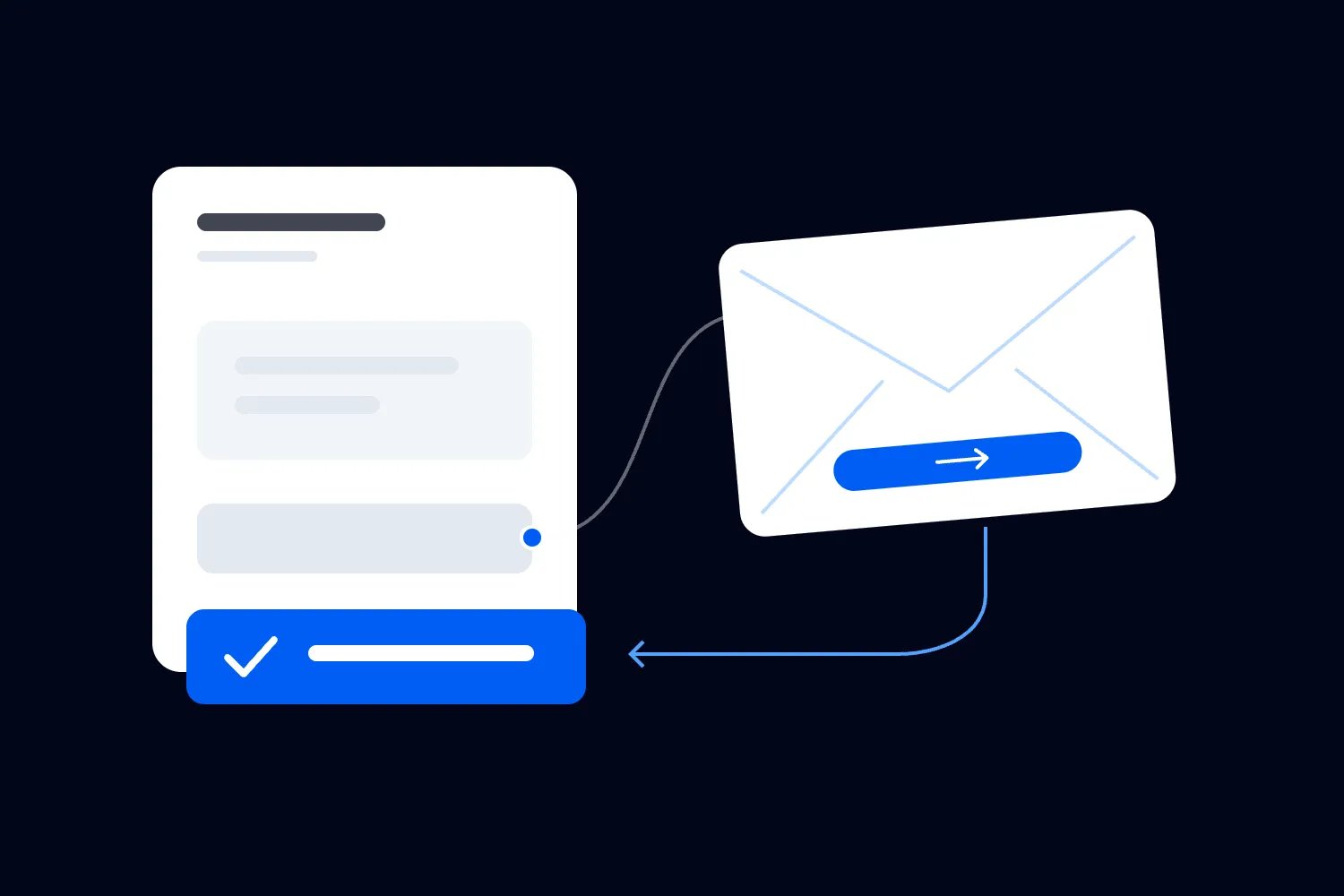
This is where connected ticketing helps. In Loopyah's event email marketing, you can build an automation around someone leaving checkout, choose a delay, send an email you've built, and end it when they buy. Promotional sending also handles opt-outs. Use that connection rather than moving unfinished purchases into a spreadsheet and trying to keep it aligned manually.
You still decide what the message says and when it is useful. Test the event, return link and ending condition together. A native automation removes repetitive work, but your event dates, access details and promises still need an owner.
Check the email as a customer would receive it
Send a test to a real inbox and read it on your phone. Can you identify the event without scrolling through a large header? Does the button describe its destination? Does the message remain understandable when images don't load? Essential information belongs in readable text.
Follow the main link through to the ticket choice and the payment step. Test it after a delay as well as immediately after creating it. A link that works while your test session is open may behave differently later, on another device or after a ticket release closes.
Check the sender name and reply address. Someone who recognises your event should recognise the email. A subject line that pretends to be a reply or an urgent payment notice can earn attention for the wrong reason. Our event email subject-line examples can help you write a clearer version for the actual stage of the purchase.
Delivery also depends on the sending setup. Google's email sender guidelines require authentication for mail sent to personal Gmail accounts and impose additional requirements on bulk senders, including one-click unsubscribe for marketing and subscribed messages. Ask your sending provider to verify the applicable setup. Rewriting the subject won't repair an unauthenticated domain.
Finally, rehearse the cases that would embarrass you if they went wrong. Start a checkout and then buy before the reminder. Unsubscribe while waiting. Let a ticket type sell out. Try an expired link. Someone on your team should see what the customer would actually receive in each case before you leave the automation running.
If reminders generate replies about declined payments or missing confirmations, investigate the purchase process before increasing the send frequency. Check the payment status through your supported tools and help the person establish whether an order exists. Never ask for card details by email. A recovery email should lead someone back to a trusted purchase route, not turn the inbox into a payment form.
For a wider outage, pause reminders that would return people to a broken checkout. Resume after you've verified the fix and checked who's still eligible. The delay you originally chose may no longer make sense, especially if the interruption lasted through a price change. Update the wording or skip the stale message instead of releasing every waiting reminder together.
Keep a short record of what buyers ask after receiving the email. Repeated questions about fees, ticket delivery or age restrictions may belong on the event page itself. Fixing the explanation there helps the next buyer before they leave, and gives your reminder an accurate page to link to.
Measure completed purchases and money retained
An open isn't a recovered order. Apple's Mail Privacy Protection documentation explains that remote content can download privately in the background when a message arrives rather than when someone views it. Use opens cautiously, especially when deciding to resend an email to people recorded as not opening it.
Track the eligible unfinished purchases entering the sequence, delivered messages, people clicking, completed orders and tickets sold. Keep orders and tickets separate. One returning buyer can purchase several tickets, and several email clicks can come from the same person.
Define the reporting window before comparing results. An event tomorrow and an event in two months don't give a buyer the same time to return. Choose a practical period for your event and apply it consistently to the groups you're comparing. Record refunds when judging the revenue you retained.
Loopyah's campaign reporting connects email clicks with ticket purchases and revenue through its checkout. That helps you identify the recorded purchase route. It doesn't establish that every attributed buyer would otherwise have stayed away. They might also have seen an ad, spoken with a friend or planned to finish buying that evening.
If the audience is large enough for a useful comparison, randomly hold back the reminder from a small eligible group. Compare the completed-purchase rate over the same period. Avoid making a confident conclusion from a handful of orders. With smaller events, run the same basic test across comparable dates before changing the whole sequence.
Suppose, purely as an illustration, 30 of 300 eligible people sent a reminder buy within your window, while 24 of 300 comparable people held back also buy. Both groups include people who returned by themselves. The difference is six purchasers in this test, not 30 proven additional customers. It still needs context, including uncertainty, ticket quantities and any other differences between the groups.
Then check what those additional orders were worth after discounts and the costs that changed. A sequence can increase attributed ticket revenue while leaving you with little extra money. Keep the result connected to the event budget you're responsible for.
Keep the review simple enough to repeat. After each event, note the reminder used, the delay, completed purchases, refunds and recurring questions. That record helps the next event improve without rebuilding the whole campaign around one unusually strong result.
Start with one useful message
Before you write a long recovery sequence, take one unfinished purchase through the whole experience. Check permission, wait, send the reminder, return through the link and complete the order. Confirm that the next reminder stops.
Then read the email again. Does it sound like somebody from your team helping a person decide about this particular event? If it's full of pressure, vague excitement or guesses about why they left, replace those lines with the detail the buyer can actually use. Get that first message right, watch purchases and replies, and add another only when you know what it should help someone decide.

Author: By the Loopyah Content Team
The Loopyah Content Team shares expert insights, practical guides, and industry updates to help event organizers create unforgettable experiences and stay ahead in the event planning world.