· 13 min read
How to manage a waitlist for a sold-out event
To manage a waitlist for a sold-out event, decide who gets the next available tickets, how long they have to buy, and what happens if they don't. Then make sure your ticketing system follows those rules. Use its resale queue for tickets people want to sell on, and only promise a reservation when the tickets are actually held for that buyer.
So your event has sold out, but people are still asking for tickets. Meanwhile, one buyer can't make it and a sponsor no longer needs all their guest places. You have people who want to come and tickets that might become available. The next job is getting those tickets to the right people without promising the same place twice.
This guide walks you through checking availability, handling group requests and setting offer deadlines. We'll look at published policies from two event organizers, work through a returned-ticket example, and finish with messages you can adapt for your own event.
Check what is actually sold out
The first thing you want to do is check whether the whole event is full or just one ticket release. An early-bird allocation selling out doesn't mean there are no general admission tickets left. A full VIP section doesn't tell you whether standard tickets are available.
Make the event page specific. Say which ticket type is unavailable, whether another option is on sale, and what joining the list means. Our event announcement guide covers keeping that message consistent across your page and promotional channels.
For a fully booked event, extra availability can come from different places:
A cancelled ticket that your system has made available to sell again.
An existing ticket offered through an official resale process.
A guest, production or sponsor allocation that the responsible person has released.
A previously planned ticket release within the event's agreed capacity.
A buyer saying "I probably can't make it" hasn't given you a ticket to resell. Check the actual order and ticket status. Likewise, don't release a sponsor's unused-looking allocation until they have confirmed they no longer need it.
Increasing the number of people the venue can admit is a separate decision. The UK's Health and Safety Executive explains that safe capacity depends on the venue and its crowd-safety assessment. Confirm any change with the people responsible for the event and venue. A long waitlist doesn't create more space, and expected no-shows aren't spare tickets.
Use the right queue for the tickets
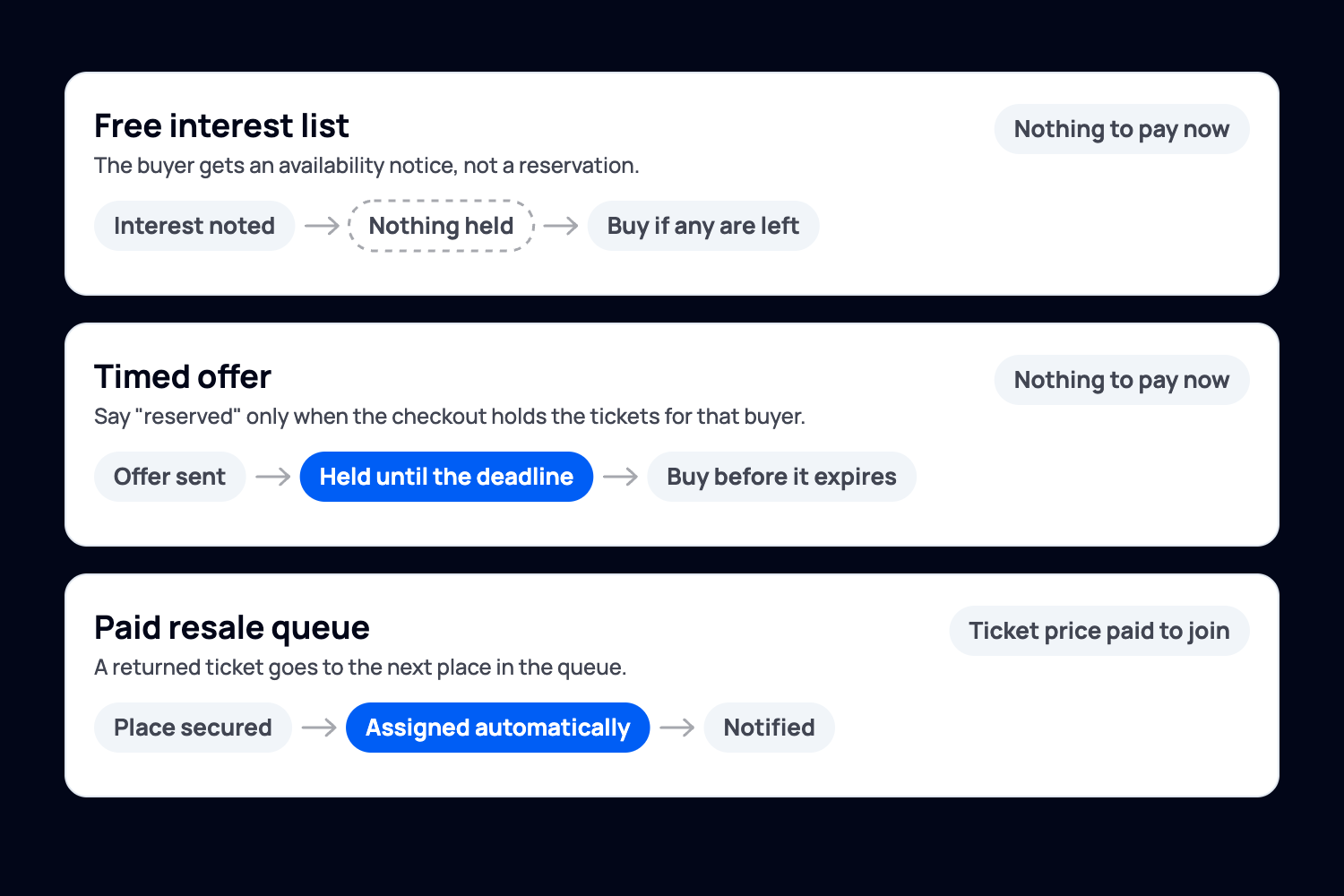
A free interest list, a timed invitation to buy and a paid resale queue can all help someone get into a sold-out event. They make different promises. Choose the process before writing the sign-up message.
For resold tickets, use the platform's resale process
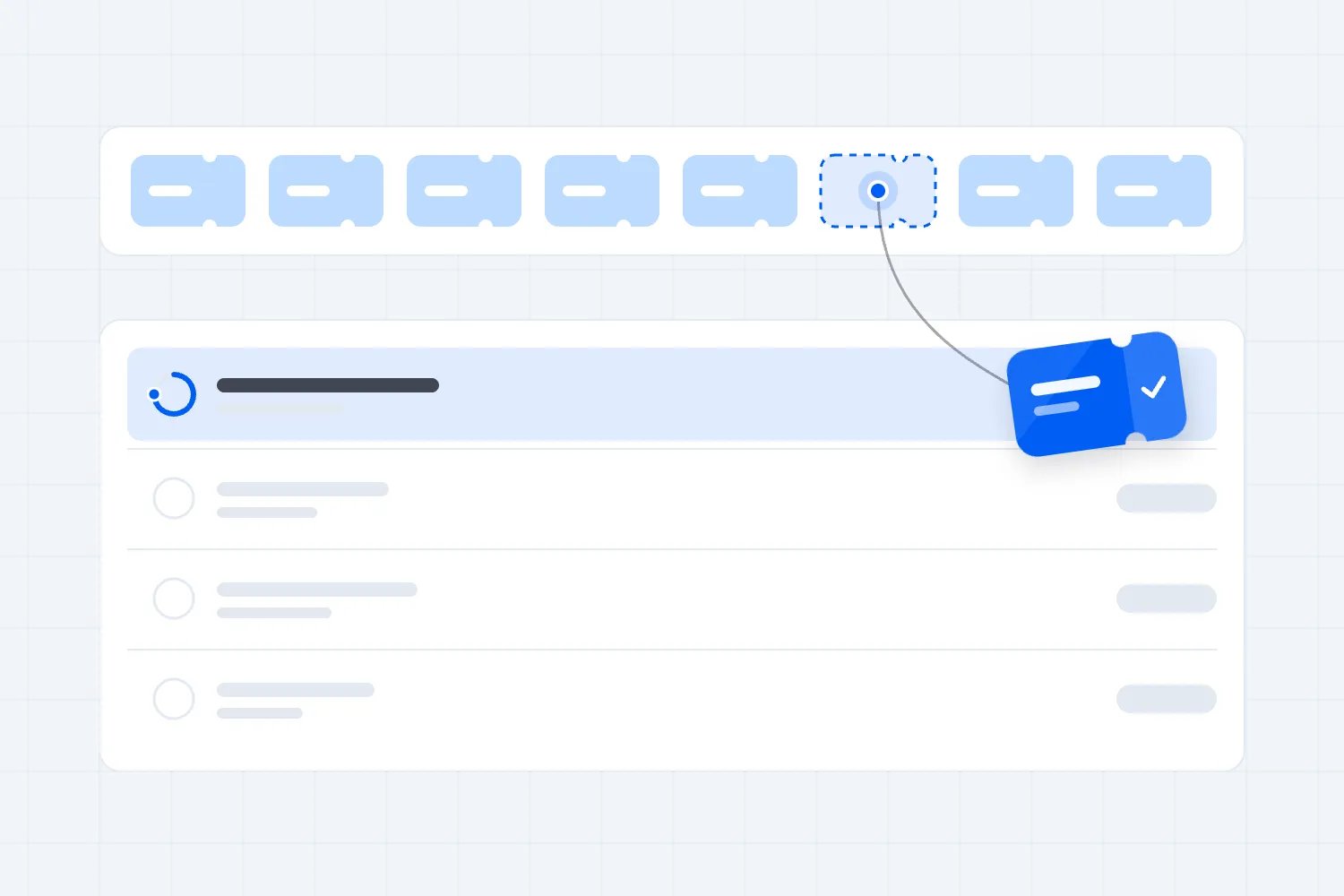
With resale enabled on your Loopyah event, buyers can join the resale queue for the ticket type they want. They complete payment to secure their place in the queue. When a ticket becomes available, we automatically assign it and notify them, so you don't have to arrange each sale by email.
The person who can no longer attend can list their ticket for resale in the Loopyah app. They see the refund details before confirming, and the refund is processed once the ticket sells. Make that timing clear to anyone who thinks listing their ticket means they've already been refunded.
Once a ticket is in that queue, let the queue handle it. A separate promise in your DMs could leave two people expecting the same ticket. Before promoting the queue, check the terms buyers see for leaving it or not getting a ticket, so you can explain what happens to their payment.
For other availability, decide whether you're reserving places
If you're collecting interest in a later ticket release, decide what the email will offer. Will each person have tickets held for them until a deadline? Or will everyone on the list get a chance to buy from the same batch?
That difference matters to the buyer. Someone who reads "your tickets are reserved" may wait until they're home to pay. If another customer can buy those tickets first, your message has promised something the checkout won't deliver.
Loopyah's ticket releases let you set a name, price and quantity for each release. When one sells out, the next opens automatically. If you also want to give individual buyers time to book, check that your setup can hold tickets for them. Opening a release doesn't reserve tickets for anyone on your list.
The next sections show how to run a list where you invite people to buy. If you're using an automatic resale queue, follow the rules built into that process.
Publish the rules before people join
Before someone joins, tell them which event, date and ticket type they're waiting for, whether they pay anything now, and how they'll hear from you. Be clear that joining doesn't guarantee a ticket. Explain what happens if they miss an offer and whether they can rejoin. Show the price, or say when they'll see the full amount before committing.
For a free interest list, collect enough information to make the next decision:
Name and email address.
Ticket type or acceptable seating section.
Number of tickets wanted.
Whether the person would accept fewer tickets than requested.
Permission for the messages they are asking to receive.
Defqon.1's 2026 waiting-list FAQ gives a useful example of why ticket type matters. It asked fans to request Saturday and Sunday tickets separately so each could be matched individually. For your event, ask which dates or ticket types someone would accept. A Sunday ticket won't help a buyer who can only come on Saturday.
Record when each request arrived and give people a way to update it or leave. Keep the list in the system sending the offers where possible. If one person updates a spreadsheet while another sells from a different list, you can both think you're offering the last ticket.
Keep future-event promotion optional. Someone waiting for this show may not want every announcement you send. For UK organizers, the ICO's electronic mail marketing guidance explains the consent requirements and when an exception may apply. A separate choice about future-event emails makes the buyer's preference clear.
Decide how groups keep their place
Suppose the first request needs two tickets together, but only one becomes available. Holding that single indefinitely could leave it unsold. Giving it to the first person without asking could leave them attending alone.
For a list you control, work down it in order and find the first person whose request you can fill. If Alex wants two tickets and won't accept one, offer the single to the next person who wants it. Keep Alex's place for when two suitable tickets become available. Explain this before people join so they understand why someone behind them might get an offer first.
Check more than the number. Two seats in different sections won't satisfy someone who asked to sit together. An accessible place or companion ticket may need different handling. Explain how buyers can contact you about requirements the form doesn't cover, and don't substitute a different ticket without agreement.
Make a ticket offer you can honour
Before you offer tickets, check which type they are and what the buyer will pay. Leave out any tickets already held for someone else or tied up in an active checkout. Give one person responsibility for releasing tickets, so two members of your team don't offer the same places.
Next, try buying through the link you'll send. Can anyone else use it? Can the buyer purchase more tickets than you've held? What happens after the deadline? If the checkout doesn't protect the promised tickets for the intended buyer, send an availability notice instead of calling it a reservation.
Set the buying window before sending the message. It needs to give the buyer a reasonable chance to act while leaving you time to reach someone else. Someone travelling for a conference has different planning needs from a local buyer hours before a club night.
The Federal Planning Workshop's published 2026 waitlist policy gave buyers 24 hours to complete registration. It said anyone who missed the deadline would move to the back of the list, with the next person contacted. Settle that detail before sending offers. Does someone who misses the deadline keep their place, move back, or need to rejoin?
We'll also use a 24-hour window in our worked example, set ten days before the event. Choose a window that fits your event, then state the exact deadline and time zone. Give people a fair chance to see the message before it expires.
When the deadline arrives, check whether the buyer has paid or is still completing checkout. Resolve any payment still being processed before moving on. Then close an expired offer and release its hold in the ticketing system before offering those tickets again. Writing a deadline in an email doesn't stop an old purchase link from working.
Before opening the list, follow one test buyer through the whole process. Join, receive an offer and complete a purchase. Then try declining an offer and letting one expire. Make sure someone who has bought their requested tickets stops receiving offers for the same request.
A worked example: one returned ticket, then a pair
Let's put those rules to work at an imaginary sold-out general admission show. For this example, the organizer sends individual offers and the checkout can hold tickets for each buyer. Loopyah's automatic resale queue works differently, as described above.
Alex joined first and wants two tickets. One won't do, because they're going with a friend. Sam joined next and wants one. Taylor joined after Sam and also wants one.
The organizer works down the list in order, offering tickets to the first person whose request they can fill. Someone waiting for a pair keeps their place if only a single is available. Here, an expired offer closes the request, and the buyer can rejoin at the back. That's the rule everyone saw when they signed up.
On Tuesday at noon, one cancelled ticket is confirmed available. Alex still needs a pair, so the system reserves the single for Sam. The offer ends Wednesday at noon in the event's stated time zone.
Sam doesn't buy. At the deadline, the operator confirms there is no completed purchase or unresolved checkout. Sam's offer and hold end, and the request closes, before anyone else receives an offer.
Taylor receives the reserved offer and buys at 2 pm on Wednesday. That single is now sold. Alex remains first for a suitable pair.
On Thursday, two more cancelled tickets become available. Alex receives an offer for both, with the same 24-hour window, and buys within it.
All three returned tickets have sold. Sam had time to decide, Taylor got the single after that offer ended, and Alex kept their place for a pair. Nobody received a promise your team couldn't keep.

Waitlist messages you can adapt
Use wording that matches your actual process. The first template is for a free interest list. It is not suitable for a queue that takes payment when someone joins. Replace the bracketed details before sending.
Confirmation for a free interest list
Subject: You're on the waitlist for [event]
Hi [name], you're on the waitlist for [quantity and ticket type] for [event and date]. Joining is free, but it doesn't reserve tickets or guarantee entry. We'll email you if we can offer the tickets you've asked for. [Explain the order you'll make offers in and how long each offer lasts.] You can update your request or leave the list at [link].
An offer with tickets genuinely reserved
Subject: [Quantity] tickets reserved for you until [deadline]
Hi [name], [quantity and ticket type] for [event and date] are reserved for you until [date, time and time zone]. The total is [amount, including required fees]. Complete your purchase at [restricted purchase link] before then. If you no longer want them, decline at [link]. After the deadline, the offer expires and we'll offer the tickets to someone else.
An availability notice without a reservation
Subject: Tickets are available again for [event]
Hi [name], [ticket type] tickets are available again for [event and date]. You can buy them at [link] while tickets remain. We haven't reserved any for you, so other people may buy them before you do. Check the quantity and total price at checkout. If you're no longer looking for tickets, leave the waitlist at [link].
An expired offer
Subject: Your ticket offer for [event] has expired
Hi [name], the offer for [quantity and ticket type] expired at [date, time and time zone], and the hold has ended. [Explain whether the request is closed, stays active or needs to be rejoined, using your published rule.] Contact [support] if you completed a purchase but haven't received confirmation.
Send the expiry message only after checking the order status. If the system is still resolving a payment, deal with that before telling the buyer the tickets are gone.
Close the list before it becomes a door problem
Set a final time for online offers and tell people what happens after it. Allow enough time for payment, ticket delivery and the door team's final instructions. If you offer standby admission at the venue, explain the separate process and its limitations. A waitlist confirmation is not a ticket.
When the list closes, tell people whose requests haven't been filled. For someone who received no tickets, you can say: "The waitlist for [event] is now closed. We haven't issued you a ticket through this list. Thanks for your interest." Only add that no payment was taken if that's true. If people paid to join the queue, explain what happens to that payment.
Give staff the latest ticket and order records. A forwarded offer email shouldn't override the ticket record. Our QR ticketing guide covers checking tickets, transfers and duplicate entry.
After the event, check how many tickets became available, how many the list helped you sell, and where people stopped buying. Did offers go unanswered? Did buyers want pairs when you only had singles? Those answers can help you change the next list's rules or messages. Count the tickets people requested as well as the number of people waiting, and remove requests you've filled or they've withdrawn.
A long waitlist is a reason to explore another date. It isn't enough to commit to one. People may have bought tickets elsewhere, made other plans or only wanted that particular show. Use what you learned alongside actual purchases and the cost of another event when planning your next ticket release.
Before your next ticket offer goes out, read it as the buyer. Can they tell whether the tickets are held, what they'll pay, and when they need to act? Then follow the link and check that the checkout does what the message says. That's how you turn a place on a list into a ticket someone can use.

Author: By the Loopyah Content Team
The Loopyah Content Team shares expert insights, practical guides, and industry updates to help event organizers create unforgettable experiences and stay ahead in the event planning world.