· 18 min read
Best customer support software for event organizers
Your support software has to cope with the week tickets go on sale, the questions that arrive just before doors open, and the quieter weeks in between. Paying for a large permanent team when you only need extra people for one weekend can make an otherwise sensible tool expensive.
For a small, email-first event team, we'd start by comparing Help Scout and Freshdesk. Crisp is worth a look when you need several people sharing one workspace. Front suits conversations that need input from different teams, Intercom combines AI-assisted website support with human handover, and Zendesk suits an established multichannel operation. Here's how we'd narrow those choices for a business running paid events.
The shortlist at a glance
The prices below were checked on 2 November 2026. US-dollar amounts are labelled US$. An annual price is a monthly equivalent under an annual commitment, not the cost of buying a single month. Usage charges, optional services and any applicable taxes can change the final bill.
Tool | Best for | Relevant plan price | Main limitation |
|---|---|---|---|
Small, email-first teams | Standard: US$25/user/month, billed annually | Extra users, inboxes and AI can add cost | |
Occasional event-week helpers | Growth: US$19/agent/month, billed annually; US$2/day pass | Reviewed plan is email-focused; passes expire at midnight | |
Teams sharing included workspace seats | Essentials: US$95/workspace/month, ten seats included | Separate workspaces need separate subscriptions | |
Enquiries involving several teams | Starter: US$25/seat/month; Professional: US$65, both billed annually | Starter supports one channel type; multiple types need Professional | |
AI-assisted website support with human handover | Advanced: US$85/full seat/month, billed annually; Fin support outcomes US$0.99 each | Seat and usage costs add up; Workflows are absent from Essential | |
Established multichannel operations | Suite Team: US$55/agent/month, paid yearly | Advanced routing needs a higher tier; setup needs an owner |
How we selected these tools
This is a documentation-based buying guide. We reviewed official product pages, pricing and support documentation. We have not run hands-on product trials, tested a Loopyah integration or measured these tools during a live event. The recommendations are our assessment of their documented fit for the situations described, rather than a ranking of tested response speed or usability.
We looked for a way to give a conversation an owner, keep internal context with the request, reuse accurate answers and understand what the proposed subscription actually includes. We also considered how an event team changes through the season. A permanent support department, a producer borrowing colleagues for a launch and a business automating repeated website questions have different buying decisions.
The shortlist covers six useful approaches rather than filling a fixed number of places. Some features overlap. The differences worth paying attention to are the staffing model, included channels, permissions, automation and work needed to keep the system running.
If you first need to decide who answers which questions, our guide to running customer support for an event business covers the operating process. Here, the question is which software to evaluate once you know the work it needs to handle.
1. Help Scout
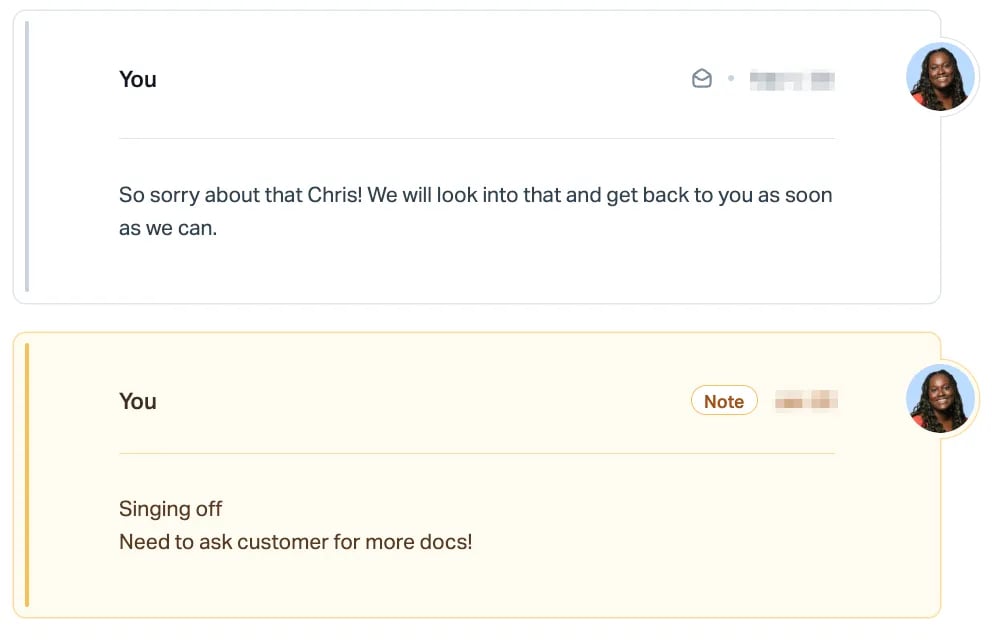
Help Scout is a sensible starting point when your main problem is several people sharing responsibility for buyer emails. It lets you keep the conversation and the private discussion about that conversation together, instead of forwarding messages between personal inboxes.
Help Scout's current pricing lists Standard at US$25 per user per month and Plus at US$45. Its product overview specifies annual payment for those rates. There is also a free plan with five users, one inbox and one Docs knowledge-base site; check its limits against your expected workload before choosing it for a busy launch.
The useful event example is a ticket-delivery enquiry that needs another colleague's input. One person can keep replying to the buyer while a colleague adds a private note about the investigation. Help Scout's shared-inbox documentation describes those notes, visibility into teammates' work and access to previous conversations. That is a practical basis for a handover when the person who answered yesterday is working at the venue today.
Standard also includes saved replies and basic workflows. Those can support repeat questions, provided your team keeps the answers specific to the correct event. A saved directions reply is useful only while it points to the entrance people should actually use.
What to watch
Budget around the people who need access and the features your process requires. Round-robin routing and internal teams appear on Plus, not the Standard headline offer. Extra inboxes, additional knowledge-base sites and AI resolutions can add to the subscription.
Help Scout's billing guide also distinguishes user-based accounts from legacy contact-based billing. Check the terms applying to the account you are buying rather than using an old review to estimate the bill. For seasonal staffing, ask for a written explanation of adding and removing users under the chosen payment term.
I'd put it on your first demonstration list if you want shared responsibility for email and published answers without making advanced routing the reason for the purchase.
2. Freshdesk
Freshdesk deserves a close look when a small permanent support team expands around an on-sale or event weekend. Its occasional-agent model gives you a specific alternative to treating every helper as a permanent subscription seat.
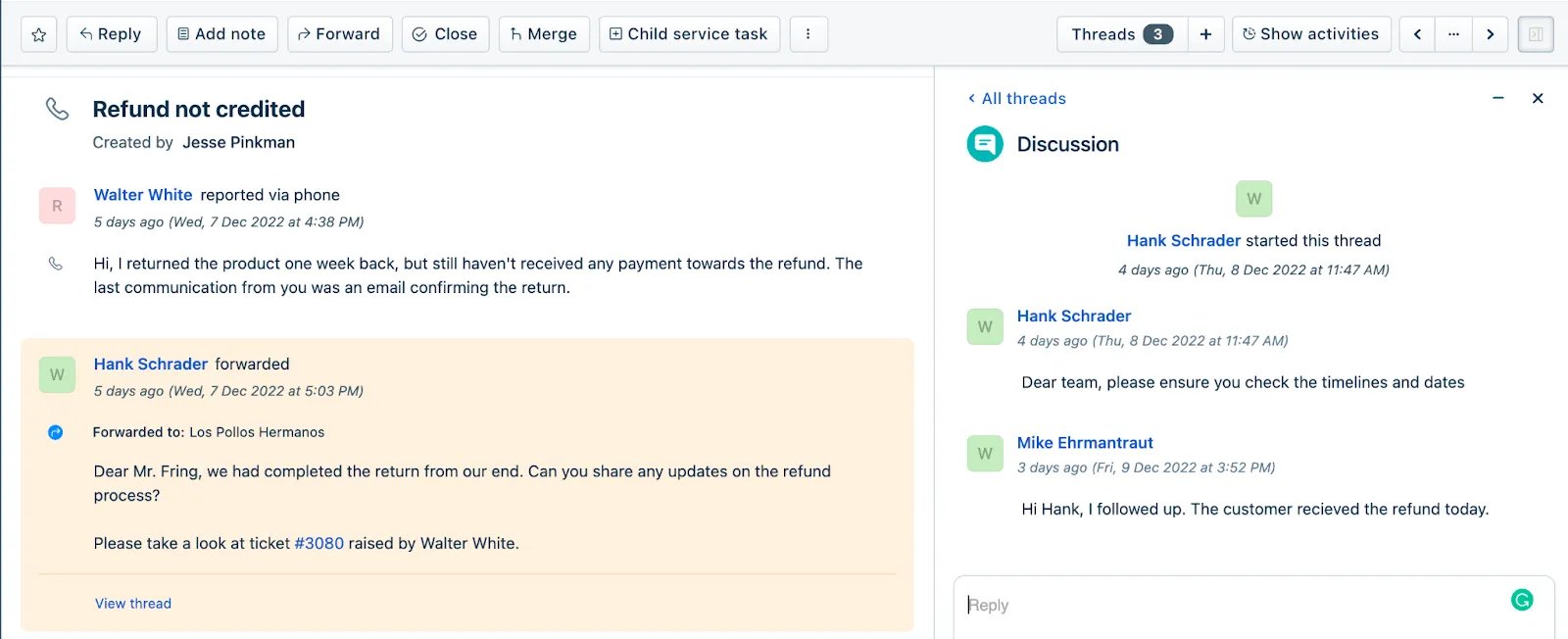
Freshdesk Growth is listed at US$19 per agent per month, billed annually. It includes an email support queue, shared inbox, knowledge base, reporting, threads and tasks. The same pricing page lists Growth day passes at US$2 each. A free trial is offered; confirm the configuration and features available in your trial before using it to assess a paid plan.
Freshdesk's occasional-agent documentation explains that a helper uses a day pass when they log into the support portal. The pass expires at the end of the relevant calendar day. For Growth, that boundary uses the help desk's time zone. Someone working across midnight may therefore need more than one pass, even during a single shift.
For example, you might have permanent colleagues handling pre-sale enquiries and invite extra staff to help during arrivals. The useful question is whether those helpers can see their assigned cases, add internal context and pass a decision back to the permanent team. The documented threads and tasks make that a relevant workflow to demonstrate. They do not establish that the helper can change a booking in your ticketing platform.
What to watch
Day-pass prices change with the plan. Freshdesk lists higher pass prices for Pro and Enterprise. An attractive Growth calculation is irrelevant if a required routing or reporting feature puts you on another tier.
Also distinguish Freshdesk from Freshdesk Omni. The Growth offer reviewed here is positioned around email. If your buying decision depends on live chat, social messages or phone support, get the exact product, channels and additional charges in the quote. Our preference for its seasonal staffing model does not make the entry plan a complete answer to every support channel.
3. Crisp
Crisp is worth comparing when several people need access to buyer conversations and you would rather assess a workspace package than multiply every feature by a per-person price. The important decision is which package contains the support work you actually need.
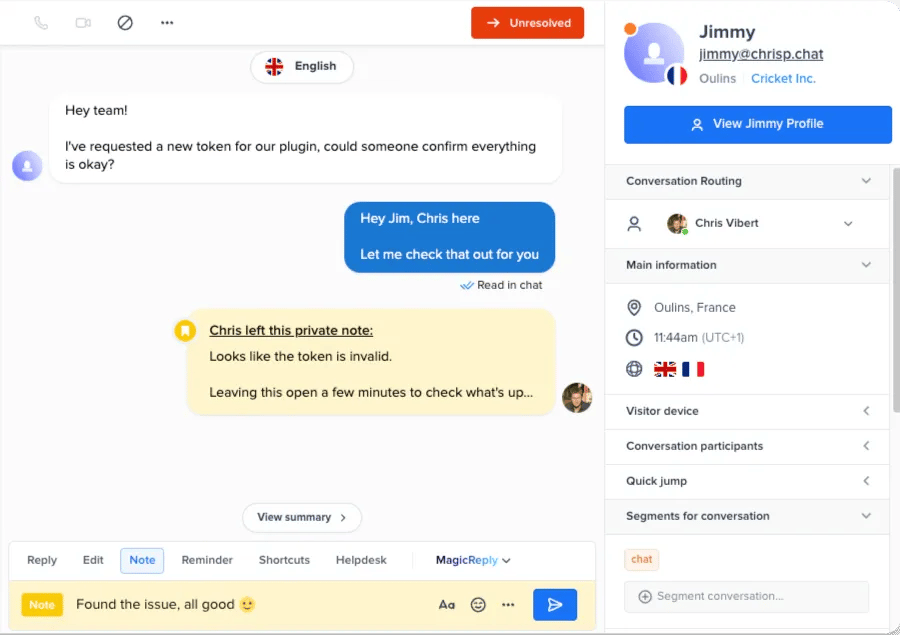
On Crisp's pricing page, Essentials is US$95 per workspace per month with ten agent seats, a knowledge base, analytics, routing rules and multiple support channels. Mini is US$45 per workspace per month with four seats, shared email and private notes. Its free plan includes website chat and two seats, with a smaller scope than either paid configuration.
For an event team, the workspace model is particularly worth examining when several colleagues need to cover a short busy period. You can compare the included seats with the team you will actually have, rather than assuming that the producer, support lead and occasional helpers all need separate full-price subscriptions.
Crisp's plan guidance places the knowledge base, broader channels, automation and routing in Essentials. That's why we'd compare Essentials for a combined support operation rather than describe Mini as providing the whole package. A team needing only chat and email should still assess whether the lower tier is sufficient.
What to watch
Included seats are not unlimited capacity. Check the seat allowance, customer-profile limits and the channels in the plan you choose. Crisp manages subscriptions separately for each workspace, so creating a separate workspace for every event brand changes the cost calculation.
Its paid plans also include an allowance of AI credits. That is not a promise of unlimited automated answers: Crisp's AI billing documentation explains how usage consumes credits and how additional spending can work. You can compare the human-support package without enabling an automated agent on your event website.
4. Front
Front is a useful candidate when answering the buyer regularly requires input from operations, a venue colleague or someone managing a supplier. Its appeal is the ability to collaborate around the original conversation while maintaining responsibility for the customer-facing reply.
Front Starter is US$25 per seat per month, billed annually, for up to ten seats and a single channel type. Professional is US$65 per seat per month, billed annually, for up to fifty seats and multiple channel types. Front offers a fourteen-day trial of Professional, which matters when deciding whether a feature you liked in the trial exists on Starter.
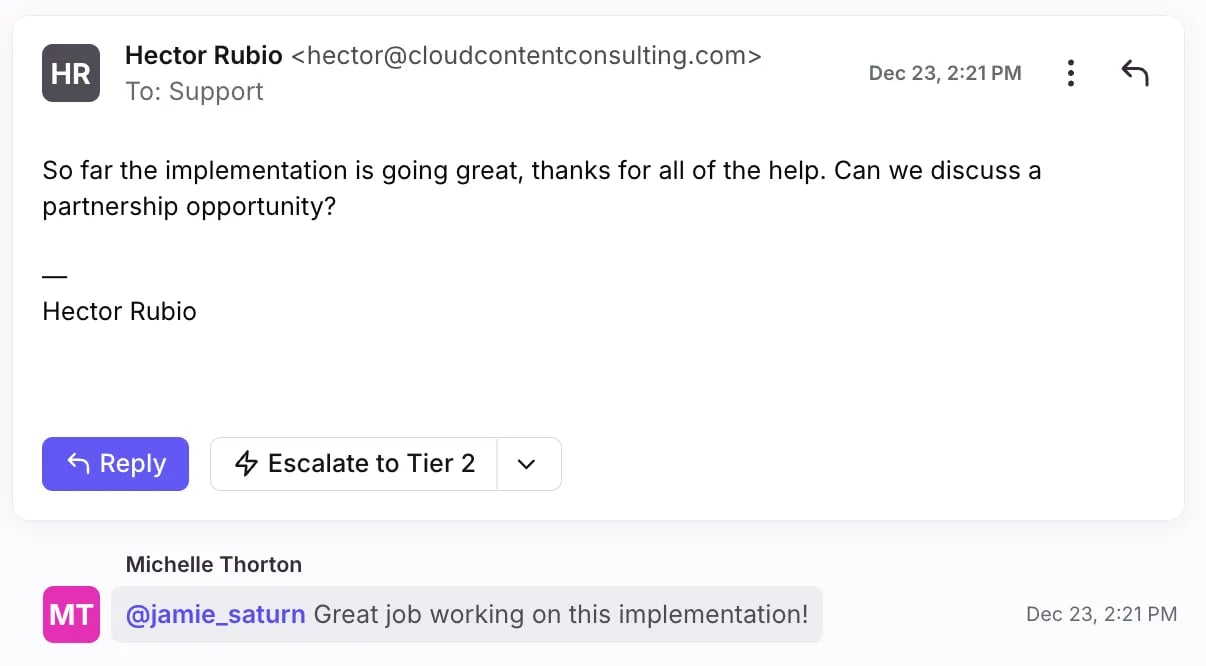
Front documents assignments, internal comments, shared drafts and message templates. Consider an attendee asking whether an access arrangement has been confirmed. Support can keep the conversation assigned while asking an authorized colleague to check the venue's provision. The customer should receive one confirmed answer, without a chain of internal forwards becoming their responsibility.
The same approach can be useful across a recurring event business where buyer and operational correspondence overlap. Front's product overview emphasizes conversations and handoffs across teams. You should demonstrate that handoff with your own roles, including what happens when the person consulted is off shift.
What to watch
Single channel type does not mean unrestricted multichannel support. Starter can be appropriate for an email-led team, but Front's pricing FAQ says that combining channel types needs Professional or Enterprise. Price the configuration you intend to run after the trial, including any AI or messaging add-ons.
Be precise about people invited to help. A colleague who can comment on a case is not necessarily a substitute for a licensed teammate who needs to handle buyer replies. Check that distinction in the proposed setup before calculating seasonal staffing costs.
Front makes the most sense on this shortlist when cross-team coordination is a frequent part of resolving enquiries. If one person already handles nearly everything, first identify the additional workflow that would justify it.
5. Intercom
Intercom is worth evaluating when a recurring event business wants automated answers for routine website questions and a staffed inbox for cases needing judgment. The buying decision is whether that combination handles your actual enquiries well enough to justify the subscription and usage charges.
For a team needing automated routing and separate team inboxes, compare Intercom Advanced. Its plan documentation lists US$85 per full seat per month, billed annually. Fin usage is additional, with support resolutions and certain configured handoffs to a person or workflow priced at US$0.99 per outcome. The lower Essential plan does not include the Workflows builder or multiple team inboxes. Intercom advertises a fourteen-day free trial on its website.
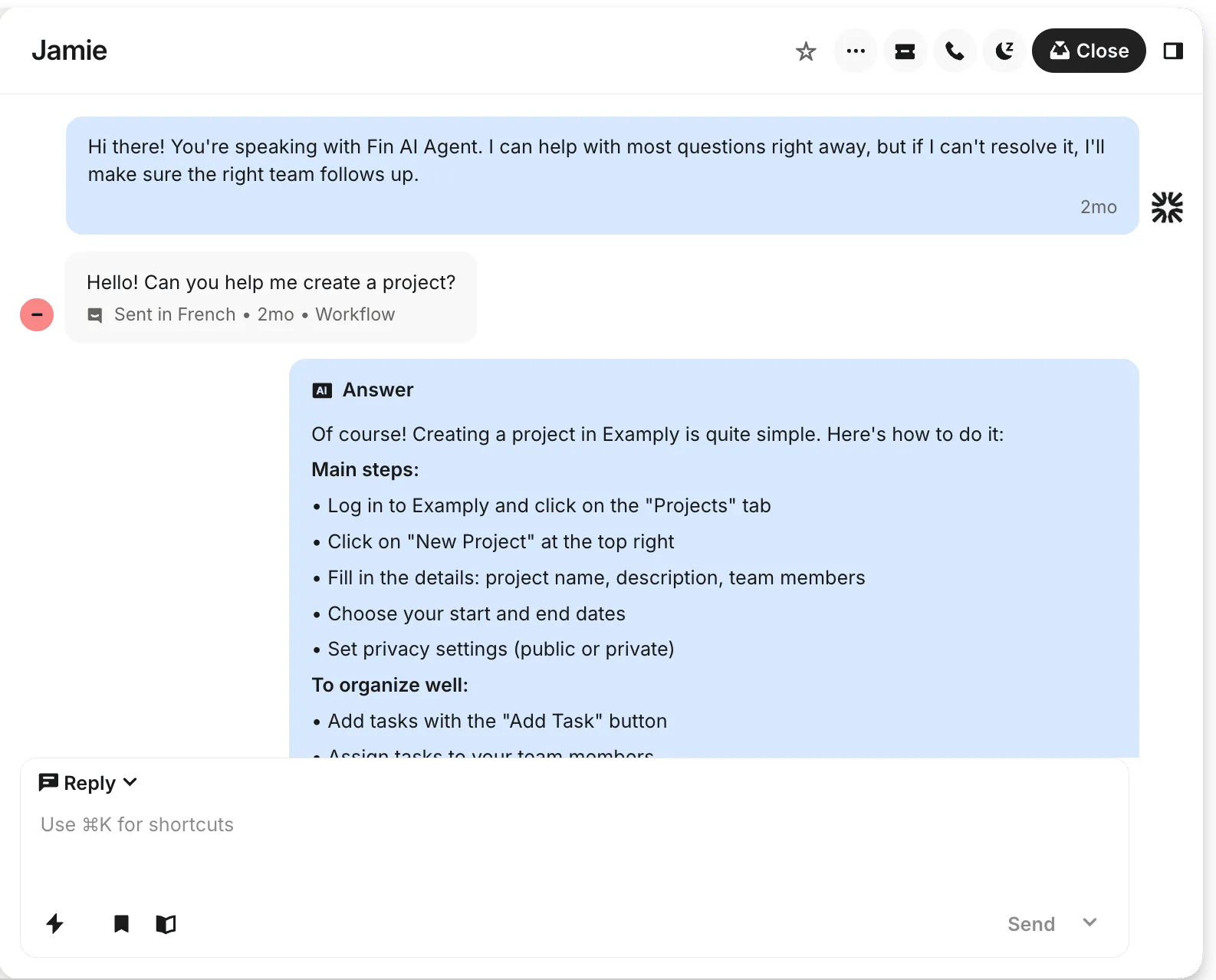
Consider a buyer asking about arrival times, then explaining that their booking has the wrong date. You could use approved event information for the general answer and bring in a teammate to investigate the booking. Intercom's helpdesk overview explains that Fin and the human team share the inbox, customer history and knowledge base, with conversation history carried into the handover.
Demonstrate that sequence using your own event information. Check which event edition supplies the answer, what the teammate sees and how the case is assigned. A convincing answer about doors opening does not establish that the software can inspect or change a ticket booking.
What to watch
Budget for the busiest period, including both paid seats and automated conversations. Intercom's outcome rules distinguish a chargeable handover configured as part of an automated procedure from an ordinary escalation or a customer asking for a person. Do not assume every handover is free or that every abandoned conversation avoids a charge.
Also check the trial configuration against the paid plan. Included trial add-ons can make the package look broader than the subscription you intend to keep. For a team mainly sharing straightforward email replies, compare Help Scout or Freshdesk before paying for a more involved setup.
6. Zendesk
Zendesk is worth evaluating when the business already has a defined support process across several channels and needs software to coordinate it. Choose it because you can name the routing, reporting or escalation requirement, rather than because its feature list is the longest.
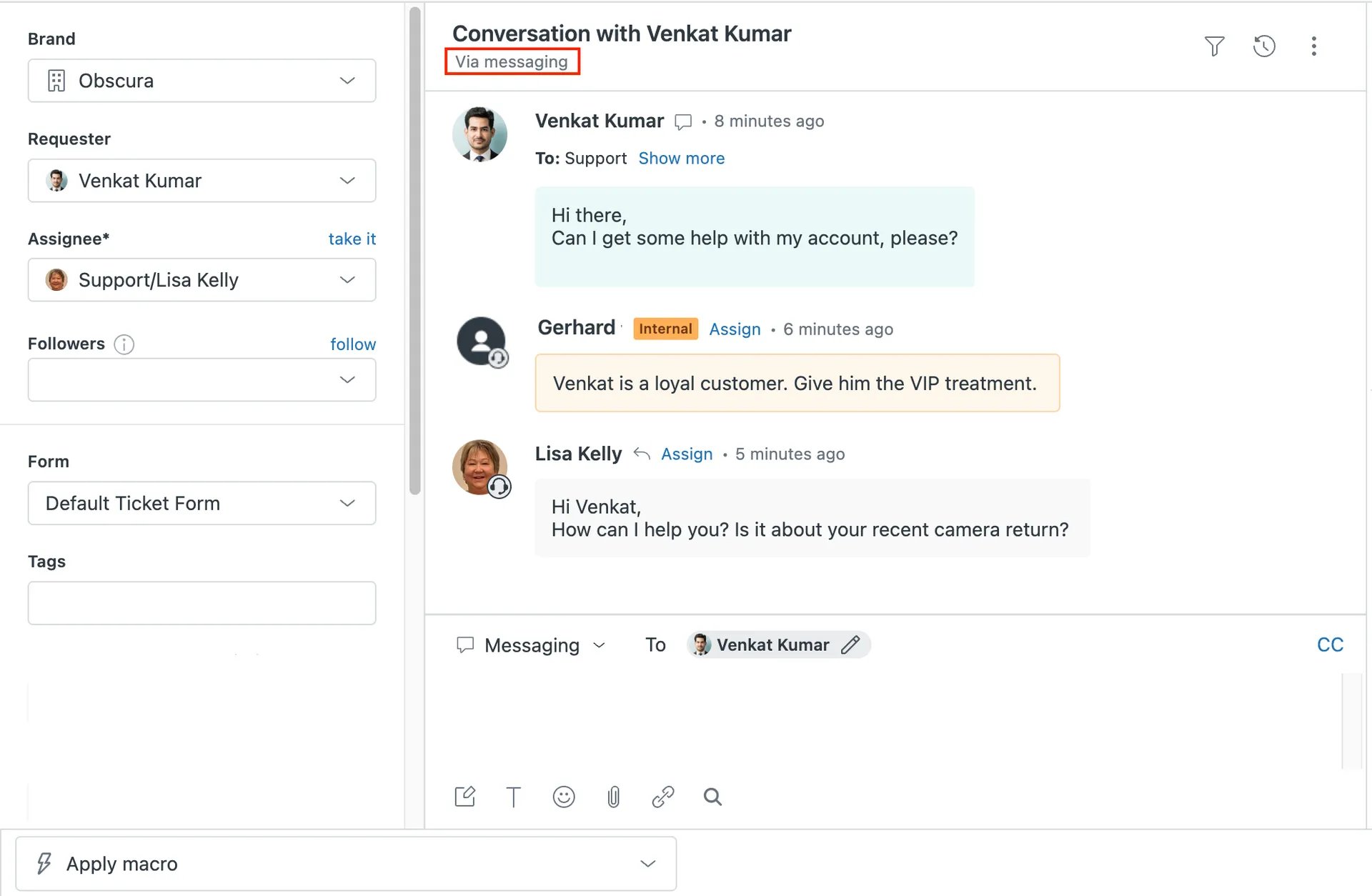
For this use case, compare Zendesk Suite Team, listed at US$55 per agent per month paid yearly. It includes messaging, live chat, a knowledge base and multiple-channel routing. Support Team, at US$19 per agent per month paid yearly, is the more limited email-and-ticketing offer. A fourteen-day trial normally exposes Suite Professional features, so check the tier behind any capability you evaluate.
Zendesk documents rules that run when a support request is created or updated. They can update records or send notifications when specified conditions are met. For an event business, a refund exception may need support and a manager, while an imminent entry problem needs the colleague covering arrivals. That makes the product worth evaluating against different request types and a shift handover, rather than judging only the reply screen.
That is a reason to assess the product against a real process. It is not proof that every advanced capability is included in Suite Team. For example, the current pricing page places skills-based routing on Suite Professional, listed at US$115 per agent per month paid yearly. Confirm the feature and plan together.
What to watch
Include setup and ongoing administration alongside the subscription. Someone needs to maintain the event information, routing conditions and escalation responsibilities. An incorrect rule can still send an urgent enquiry to a team that is not working.
Also include usage-based charges and add-ons in the quote. Access to an AI feature does not mean unlimited use is covered by the seat price. The documented capabilities support evaluating Zendesk for a complex operation; they do not demonstrate that it will be more economical for a producer handling a small number of enquiries each week.
Compare the cost of the team you will actually use
The cheapest-looking plan can change once you add the people needed for a busy event. Write down permanent users, occasional helpers, the days they need access and the channels they will handle. Then compare the full configuration for both a normal month and your busiest event period.
Here's an illustration using Freshdesk's published Growth rates, not a quote for an actual event. Three full-time agents at US$19 each give a monthly equivalent of US$57 under annual billing. That is US$684 for the annual subscription. If five occasional helpers each log into the portal on two days, they use ten day passes. At the listed Growth rate of US$2, that adds US$20 for those days. The plan price and day-pass rules are separate parts of the calculation.
That example is useful because it exposes the assumptions. It does not include AI usage, other add-ons, taxes or your staff's time. It also stops being the right calculation if the team needs a higher plan, more login days or a different Freshdesk product. Ask the provider to confirm the proposed setup before you commit.
Apply the same care to a workspace plan. Included seats can be attractive, but only if the required workflow and number of workspaces fit the package. For AI-assisted support, account for usage charges as well as the people who need access. Our ticket-buyer support budgeting guide covers the wider staffing and support costs around the software.
Which tool should you choose?
Start with the smallest shortlist that addresses the job you have. For a small email-led operation, compare Help Scout and Freshdesk. If the number of people needing occasional access drives the decision, investigate Freshdesk's passes and Crisp's included seats using your actual roster. Avoid choosing between them on a starting price that covers different work.
For conversations that repeatedly need input across teams, include Front. For an established support department coordinating multiple channels and more complex routing, include Zendesk and confirm the exact tier. Include Intercom when you want AI-assisted website answers with a human handover, and check the outcome charges against your busiest event period.
Give the shortlisted providers the same demonstration brief. Use a ticket-delivery question, a buyer asking about a changed entrance and a refund request requiring an authorized decision. Ask to see the staff view and handover, not just the customer's chat bubble. Confirm who owns the next step, what the incoming shift sees and what happens outside support hours.
Keep your ticketing system's responsibilities clear. Loopyah's event CRM maintains buyer records across events, while its ticket checkout sends a confirmation linking to QR tickets. A support inbox can organize conversations around those records. It does not gain the right information or the ability to change a booking just because it has a customer profile. A Loopyah connection needs separate verification; none is established by this guide.
Before the demonstration, make sure your published answers are current. A support system cannot select the correct entrance or refund rule when your team has supplied conflicting instructions. Our guide to building an event support knowledge base covers keeping those answers useful across different event dates.
Questions to settle before you buy
Do you need a full help desk for one event?
Possibly not. If one person handles a manageable inbox, a clear process and the ticketing tools you already use may be sufficient. Add a shared support system when ownership, handovers, repeated questions or the number of channels creates a specific problem. A bigger feature list is not a reason to create more administration.
Will the lowest plan include the features shown in a trial?
Not necessarily. Front's trial exposes Professional, and Zendesk's usual trial exposes Suite Professional. Other products also separate entry plans from broader automation or channel packages. Record which trial feature you relied on and have the provider identify the paid plan that includes it.
Can an AI assistant handle all the questions during event week?
Do not base the purchase on that assumption. Ask it questions about the wrong event edition, an outdated arrival instruction and a request for a person. Check the answer source and human handover. Booking-specific actions need a supported connection and appropriate checks. The narrower decision is covered in our event support chatbot guide.
For your next purchase, take two candidates through the same event scenario and compare the quoted configuration with your busiest staffing period. The useful winner is the one that helps your actual team finish the buyer's task at a cost the business can carry.
Have a relevant tool to suggest or a factual correction? Contact Loopyah with the product, official source and the event-support workflow it addresses.

Author: By the Loopyah Content Team
The Loopyah Content Team shares expert insights, practical guides, and industry updates to help event organizers create unforgettable experiences and stay ahead in the event planning world.