· 21 min read
How to track attendance at individual conference sessions
You've sold the conference tickets, checked people into the building, and opened the breakout rooms. Then a sponsor asks how many people attended its session. Your registration total can't answer that. Neither can the number of people who saved the talk in their agenda.
To track attendance at individual conference sessions, record each attendee against the specific session when they enter. Decide beforehand whether you also need exits, return visits, or a headcount without names. Conference session scanning works when those rules match the question you want the report to answer.
The useful part comes afterwards. You can make better room allocations, understand which paid workshops people actually used, and discuss session performance with speakers and sponsors using evidence. But a scan only records what your process captured. If someone entered without scanning, or left through an unmonitored door, the report needs to acknowledge that.
Here's how to plan the records, test the equipment, manage the room doors, and produce attendance figures you can explain without a long conversation about what the numbers really mean.
Decide what you need to know about the session
Start with the decision rather than the badge reader. If you're choosing rooms for next year's conference, unique attendance and evidence of people turned away may be enough. If you're checking whether a paid workshop buyer received access, you'll need a record tied to their booking. If you're trying to understand how long people stayed, entry scans alone won't do it.
Write the question in everyday language. "How many different people came into this session?" is specific enough to guide your setup. "Measure engagement" isn't. Someone can enter a room, sit through the whole presentation, and leave disappointed. Another person can leave early because they have a train to catch. Neither scan history explains their opinion.
Keep the measures separate. A session booking records an intention or an allocation. Our guide to conference session registration covers that earlier booking process. An accepted entry records that a credential was admitted at a particular time. Unique attendance counts each identified attendee once for that session. Total entries can include the same person coming back. Occupancy concerns how many people are inside at a given moment.
These distinctions affect commercial decisions. A workshop with strong bookings and weak attendance may have a reminder or scheduling problem. A workshop with modest bookings and a busy walkup queue may need a different reservation policy. Combining the two into one attendance percentage hides the problem you're trying to fix.
Pick the smallest useful measurement plan for each session type. A keynote, a limited workshop, and an informal discussion don't necessarily need identical scanning rules. You can record unique entries across the programme while collecting entry and exit times only where that extra detail has a clear purpose. Explain the difference in your report so readers can compare sessions fairly.
Choose between headcounts and identified attendance
You don't always need names. If your only question is whether a room was busy, a staffed count at an agreed point can be enough. Record when the count happened and what the person counted. People seated halfway through a talk are a different measure from everyone who entered at any time.
A manual headcount also has limits. It won't tell you whether the same delegate attended several sessions, whether a reserved place went unused, or whether someone returned after leaving. A clicker at the entrance counts movements unless the person using it follows a different, explicit rule. Don't label those movements as unique attendees.
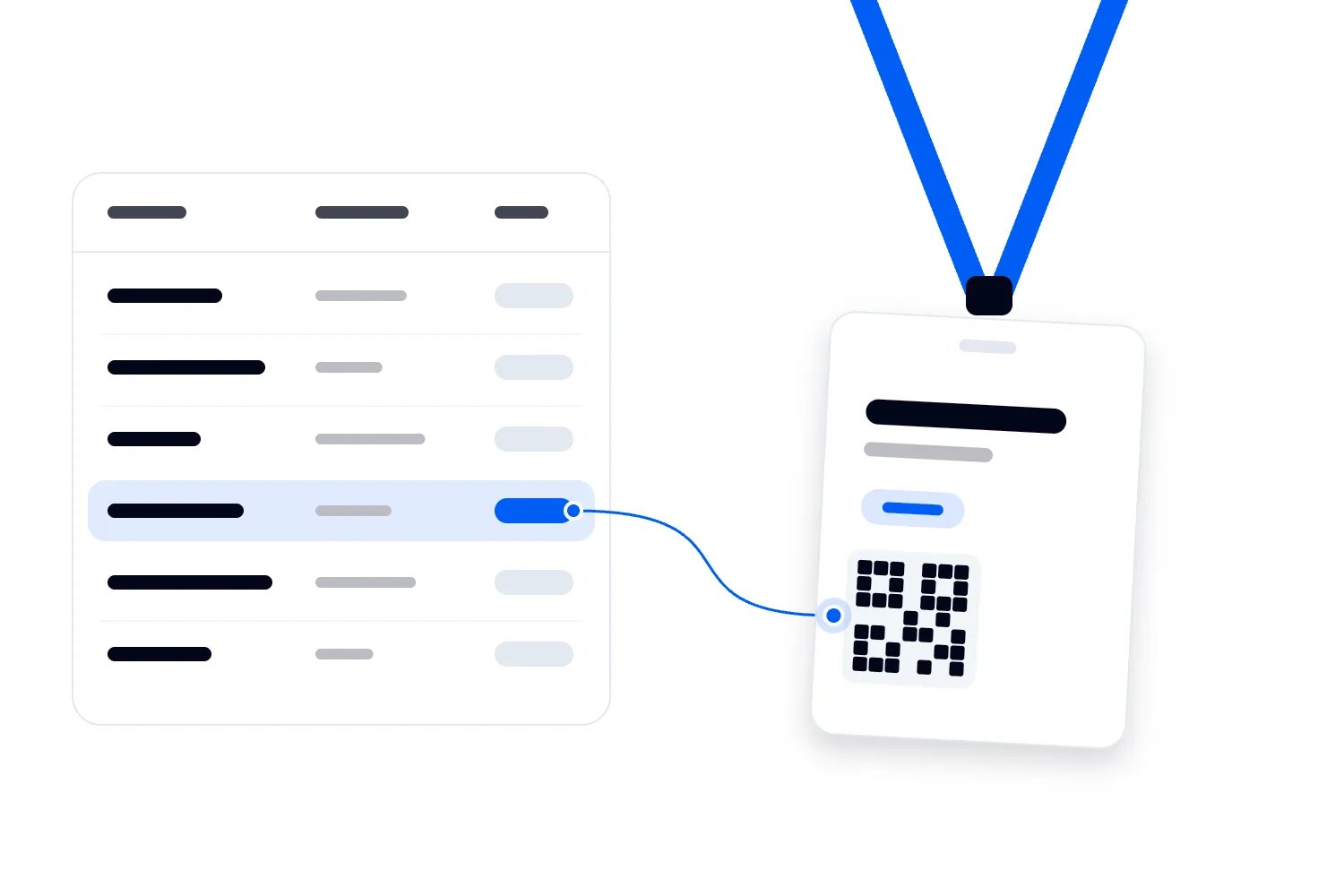
Identified attendance links each record to a particular attendee. Usually that means scanning a badge or ticket code and matching it with the registration record. It can support individual attendance history, booking checks, and removal of duplicate scans. The benefit depends on the identifier being assigned to the attendee rather than a whole group order.
For example, a company may buy several tickets in one purchase. If every colleague presents the same order code, you can't reliably separate their session attendance. Before ordering badges, check what the code identifies. Ask the supplier to demonstrate separate attendee records for people on a shared booking, including changes made after the original purchase.
Choose the method you can operate consistently. An elaborate system that staff abandon during every room change may give you less useful evidence than a simple count with a documented method. If identified scanning would interfere with the session experience, narrow the scope or change the entrance setup before committing to it.
You can use both methods as a check. A room steward's headcount may reveal a scanning gap, but it doesn't tell you which individual records are missing. Keep that observation alongside the scan total rather than adding unidentified people to named attendance histories.
Set up attendee and session records before badge printing
The badge doesn't need to contain everything you know about the person. It needs a code the chosen system can recognise and associate with the correct attendee. Where possible, avoid printing or encoding unnecessary personal details. Losing a badge should not expose an attendee's complete registration profile.
Give every session its own stable identifier as well. Titles change, speakers cancel, and a popular workshop may run again in the afternoon. If you use the title alone to identify a session, reports can merge separate runs or split the same session after a spelling change. Each scheduled occurrence needs to remain distinguishable.
Think about a workshop called "Building better partnerships" that runs before and after lunch. Those are separate sessions for room attendance, even if the content and speaker are identical. An attendee who goes to both should count once in each occurrence. They should still count once when you're reporting how many different conference attendees visited any workshop.
Keep the session identifier when a talk moves rooms. Change the room assignment and tell the relevant staff. Otherwise, a scanner labelled only with a room name may keep recording the previous session while the next audience walks through the door. The person scanning needs to see the active session clearly, including its scheduled time.
Your essential records should describe the attendee, session, action, time, and result. An entry rejected because the booking doesn't permit access is different from an accepted entry. A lookup without admission is different again. Preserve those outcomes so the final attendance total includes the right records.
Ask for an example export before buying equipment or agreeing the service. Can you understand each field without the supplier explaining it live? Can you match an accepted entry to its session and attendee? If the export only contains names and an overall checked in flag, it won't answer session attendance questions.
Ask how badge replacements work before the first badge goes missing. A replacement should still connect the attendee's earlier and later session records, while the access process handles the old credential appropriately. If a replacement creates a new attendee identity, the same person may appear twice in conference totals. If the old badge remains usable, establish how staff should handle it under your admission policy.
Also ask what happens when the attendee changes their name or company details after booking. You want the report to preserve the connection to their records without relying on staff matching slightly different spellings. An attendee identifier is useful precisely because a display name can change. Test that change with a sample booking and check the export again. The supplier should explain whether reports show the original details, the latest details, or both, and how your reporting team can interpret them. Keep unnecessary personal fields out of the working export whenever your chosen reporting method allows it.
Treat entry, exit, and reentry as different actions
For most programme planning, recording the first accepted entry per person per session is a sensible starting point. Someone who steps outside and comes back remains one unique attendee. Their return should not make the session appear more popular than it was.
Work out how the system recognises a return visit. Some setups reject a second scan as a duplicate. Others accept it and flag it. Either approach can support a unique attendance report if the reporting rules are clear, but the staff response matters. An attendee returning from the bathroom shouldn't have to argue that their badge is valid.
If you need occupancy, you'll also need a dependable way to record departures and returns through the relevant doors. Check the venue's requirements with the people responsible for safety. A delayed attendance dashboard shouldn't become the sole basis for deciding whether a room can admit more people.
Duration needs more care. An entry followed by an exit can indicate a recorded visit length. It doesn't prove uninterrupted attention, and an entry without an exit leaves the departure time unknown. Automatically using the session end time for every missing exit can make the result look more complete than the evidence supports.
Suppose an attendee enters, leaves, and returns. If your report measures recorded time inside, it should add the recorded visits rather than treat the gap as attendance. If an exit appears before an entry, investigate the record order and device clocks. Don't quietly turn an impossible sequence into a plausible duration.
Decide what you'll call unresolved cases before anyone sees the report. "Entry recorded, departure unknown" is useful. "Full session attended" is a claim you haven't established. The same restraint applies to professional learning programmes. Session scanning alone does not establish eligibility for continuing education credit; the relevant programme's requirements need a separate process.
Test the actual room change, including the export
A demonstration at a quiet desk tells you little about a crowded corridor. Test the workflow with the badges, devices, permissions, and session schedule you'll use. Include people arriving together, a person with a damaged badge, and someone whose workshop booking changed after registration.
Try deliberate mistakes. Scan the same badge twice, use a badge from a different attendee category, and select the wrong session before scanning a test person. Then correct the error using the supported process. You want to discover how corrections appear in the report while you still have time to change the setup.
Check the clocks as well as the codes. The US National Institute of Standards and Technology's guide to computer security log management discusses the problems inaccurate timestamps create when records are compared. Applying that principle here, devices need a consistent understanding of time if you're interpreting arrivals, exits, or simultaneous activity across rooms.
Disconnect a device from the network during the rehearsal if the supplier says offline recording is supported. Record test entries, reconnect it, and examine what happened. Did the session assignment remain correct? Did the original scan time survive? Did uploading create duplicates? Did other devices know about entries recorded while disconnected?
The answers may differ by system. Offline capture can keep records locally without keeping every device's access decisions or occupancy view current. Your team needs to understand that distinction before using multiple devices at the same workshop entrance. Ask the supplier to demonstrate the behaviour rather than relying on the word "offline."
Finish the rehearsal by downloading the report. Count your test attendees by hand and compare that result with the export. A green success message on the device isn't enough if the resulting records can't distinguish the session, remove duplicate entries, or explain a correction. Keep the test results for the person responsible for the final report.
Decide what happens when recording fails
The difficult moment is when the technology stops working and the next talk is about to begin. Agree the response before you're standing in that corridor. The room lead needs to know whether admission can continue, how to record it, and when to call the operations manager. Those choices depend on access restrictions, available staff, and the venue's safety arrangements.
Imagine a fictional afternoon workshop whose scanner loses its session list. The device still reads badges, but staff cannot confirm where the records will be saved. Continuing because it makes a reassuring sound could create a report full of entries against the wrong session. The lead should use the agreed fallback and record when the issue started instead of pretending the device is working normally.
For a small room, an approved attendance list may be a workable fallback. For a busy entrance, asking one colleague to write full names while answering booking questions may be unrealistic. Rehearse the fallback with the room team. If it can't keep up, change the staffing, equipment, or scope of tracking while you still have time.
Keep admission decisions separate from later data repair. If staff admit an eligible attendee through the fallback, the person reconciling the records needs enough information to identify that attendee and session. They don't need a fictional scan timestamp. Mark an estimated time as estimated, or leave it unknown if the process didn't capture it.
The incident record should explain the affected room, session, period, and recording method. It should also say whether staff believe everyone was counted or only some arrivals. A note that says "scanner problem" won't help you judge which results remain usable when you're reviewing the programme later.
Finally, make recovery someone's responsibility. Once the device works again, confirm its active session, check that a test record saves correctly, and tell staff when to resume normal scanning. Reconcile the fallback records before combining them with the export so an attendee recorded both ways doesn't become two people.
Staff the room doors around the programme
The scanning workload depends on how people arrive. Delegates often leave one talk together and reach the next room within the same short interval. Dividing total conference attendance by the event's opening hours won't tell you what a particular breakout door needs during that changeover.
Walk the route between sessions. Where will people pause to find their badges? Can staff resolve a booking problem without stopping the whole queue? Will a line for one room block another room's entrance? Read the event agenda guide alongside your room plan so the transition time reflects the distance people actually travel.
The UK's Health and Safety Executive advises organisers to use suitable queuing arrangements, signage, and stewarding, and says queues should not block emergency access routes. Apply the venue's safety plan when placing scanners and help points. A better attendance report isn't a reason to compromise movement through the building.
Separate scanning from decisions that require a conversation. A room steward can direct a person with an unreadable badge or disputed reservation to the designated colleague. Make sure the attendee knows where to go and whether their place will be held while the issue is checked. Otherwise, the help process can feel like being refused entry without an explanation.
Agree who can admit an exception and how that decision gets recorded. A room volunteer shouldn't have to invent a policy for a transferred ticket, an access companion, or a speaker who isn't on the standard delegate list. Staff need a named person to contact and a response they can explain calmly.
At the end of each session, confirm the next active session on every device before admitting the next audience. Include cover for staff breaks and late programme changes in your event staff plan. Leaving the device running against the previous talk can produce a convincing report about the wrong session.
Make scanning understandable and accessible
Tell attendees what they're being asked to do before they reach the scanner. A short instruction about having their badge ready may prevent a pause at every entry. If scanning records session attendance rather than simply checking access, explain that purpose in your attendee information too.
Have an alternative when someone cannot present or position a code easily. Staff may need to look up the attendee using the approved process, or scan a badge without asking the person to change position. Plan this with the venue and supplier so assistance is part of ordinary admission rather than an improvised exception.
If attendees scan themselves, the result needs to be understandable. A flash of green may be unclear to someone who cannot see it, and a tone may be missed in a noisy corridor. The World Wide Web Consortium's guidance on accessible status messages explains how digital success, waiting, and error messages should be available to assistive technologies. Include those results in any accessibility review of a self service scanning screen.
Make the human response clear as well. "You're checked into the afternoon workshop" gives someone more useful information than a beep. "Please see the colleague at the help desk" needs a direction or an introduction, particularly when there are several desks and a queue behind the attendee.
Avoid making people announce personal details in the corridor to fix a record. A quiet lookup or a private conversation may be more appropriate. Staff should have enough information to resolve the problem without opening unrelated registration answers for everyone using the device.
An attendee's access needs should not become a reason for excluding their visit from the report. Where staff record attendance manually, use the same session and attendee identifiers and preserve the method used. Then check that these legitimate records appear in the final totals alongside scanned entries.
Protect attendance records and separate sponsor followup
A session history can reveal more about a person than their arrival at a conference. Think about a programme covering workplace disputes, health, or political topics. You don't need to assume every session is sensitive to recognise that a named attendance list deserves a clear purpose and restricted access.
The UK's Information Commissioner's Office explains that personal data should be limited to what is necessary for its purpose. For your conference, that means deciding which information the attendance process needs, who can use it, and when identified records should be deleted. Confirm the requirements that apply to your event's jurisdiction rather than copying another organiser's privacy wording.
If all you need for next year's room planning is a session total, consider whether you need to keep the identified history after resolving errors and meeting any justified recordkeeping requirements. A room steward may need to check admission. That doesn't mean the steward needs permission to export the full conference attendance database.
Sponsor reporting deserves its own decision. Someone who enters a sponsored session hasn't automatically asked the sponsor to contact them. The ICO's guidance on fairness and transparency in data sharing explains the importance of telling people about sharing and treating them fairly. Establish the applicable lawful basis and information requirements before promising named attendee data to a sponsor.
You can often answer a sponsor's performance question with aggregate attendance and feedback. Where a sponsor wants individual followup, design a separate, clearly explained way for interested attendees to request it. Record that action separately from the room entry so the two don't become interchangeable in a later export.
Agree the reporting terms while planning your sponsored conference sessions. Include what attendance means, which totals will be available, and any limits on sharing. Avoid publishing narrow breakdowns that could identify people through small groups, even when you have removed their names.
Clean the records without rewriting what happened
Assign one person to reconcile the session records after the event. They need access to device issues, room changes, approved exceptions, and the reporting definitions. Leaving each room team to produce its own interpretation makes comparisons difficult, especially when one team reports entry scans and another reports unique people.
Keep the original record and the correction distinguishable. If a scan was assigned to the wrong session, record who corrected it, what changed, and why. If your tool provides an edit history, use it. If it doesn't, agree a controlled correction process with the supplier before the event rather than editing the only export without explanation.
Remove duplicates according to the measure you're producing. For unique session attendance, multiple accepted entries for the same attendee and scheduled session become one person. For a report about return visits, those movements still matter. Preserve enough detail to produce both without confusing them.
Check for anomalies before drawing conclusions. Did one room suddenly stop recording while the talk continued? Did a moved session retain its original room assignment? Did a device upload after someone downloaded the first report? These are reasons to investigate, not proof that the audience behaved differently.
A missing scan should stay a missing scan unless you have a justified correction. A booking doesn't establish attendance, and a positive survey response doesn't supply a precise arrival time. You can record supporting observations with their limitations. Don't manufacture complete individual histories to make the report easier to present.
Give the final export a clear cutoff time and version. If late uploads or accepted corrections change it, update the version and tell anyone who received the earlier figures. That small habit prevents your operations team, sales team, and sponsor manager quoting different attendance totals in the same conversation.
Keep attendance separate from the session's commercial result
A full room can be useful evidence of demand, but it doesn't tell you whether a paid session made money. A workshop may require a specialist speaker, extra room hire, equipment, and staff. Attendance helps you understand use of that offer; the event budget tells you whether the offer was worth producing at its price.
Be careful when assigning ticket revenue to individual sessions. A conference pass may cover several talks alongside networking, catering, and an exhibition. Dividing its price equally across the sessions someone attended is an internal calculation, not evidence that the buyer paid that amount for each talk. State the assumption if you use it.
The same caution applies to sponsors. Room attendance shows recorded exposure to the session, within the limits of the method. It doesn't prove that people noticed a sponsor's message, requested a sales conversation, or later became customers. Ask the sponsor which outcome it bought and agree how you'll measure that outcome separately.
For programme decisions, compare the attendance evidence with the cost and feedback you already have. If a costly session drew a small but highly relevant paying audience, cutting it solely because a general keynote was busier may weaken the offer. If a popular workshop repeatedly turns people away, investigate room allocation or another occurrence before assuming a higher ticket price is the answer.
Share the interpretation with the people who will use it. The programme manager may need room and topic comparisons. The sponsor manager may need the agreed aggregate result. The registration team may need to investigate booked places that went unused. Each can work from the same attendance definitions without receiving every attendee's named history.
Report the number you actually measured
Use a consistent definition beside each figure. "Unique attendees with an accepted entry" tells the reader something specific. "Engagement" doesn't explain whether the number represents bookings, people entering the room, survey responses, or time spent. Your event KPI report should make those distinctions visible.
Consider a fictional workshop with 120 bookings and 96 unique attendees whose entries were recorded. Of those attendees, 84 held bookings and 12 were admitted as walkups. The recorded booking attendance rate is 70%, because 84 booked attendees have accepted entries. Dividing all 96 attendees by 120 produces 80%, but that isn't the booked attendee show rate.
If those same 96 people generated 104 accepted entry records because some returned, report 96 unique attendees and 104 entries. Neither figure tells you the peak number inside. Without dependable exits, you also cannot calculate how many people remained throughout the workshop. Explain those limits wherever the result is used.
Compare similar sessions before changing your programme. A small workshop with reservations and a drop in presentation with no booking requirement have different denominators. A session opposite the headline speaker faces a different scheduling constraint. Low attendance deserves investigation before you remove a topic your paying audience may still value.
Ask what the records suggest you should check next. Were reserved places unused while interested delegates waited outside? Did a room change reduce attendance? Did people enter but report that the description didn't match the content? Combine attendance with targeted post event survey questions rather than asking the scan log to explain satisfaction.
For your next conference, choose a session where the answer will change a real decision. Define attendance, rehearse the door process, and inspect the export before you roll the same approach across every room. You'll know what you can measure, what remains unknown, and what your team needs to improve before the next audience arrives.

Author: By the Loopyah Content Team
The Loopyah Content Team shares expert insights, practical guides, and industry updates to help event organizers create unforgettable experiences and stay ahead in the event planning world.