· 28 min read
How to turn event enquiries in direct messages into ticket sales
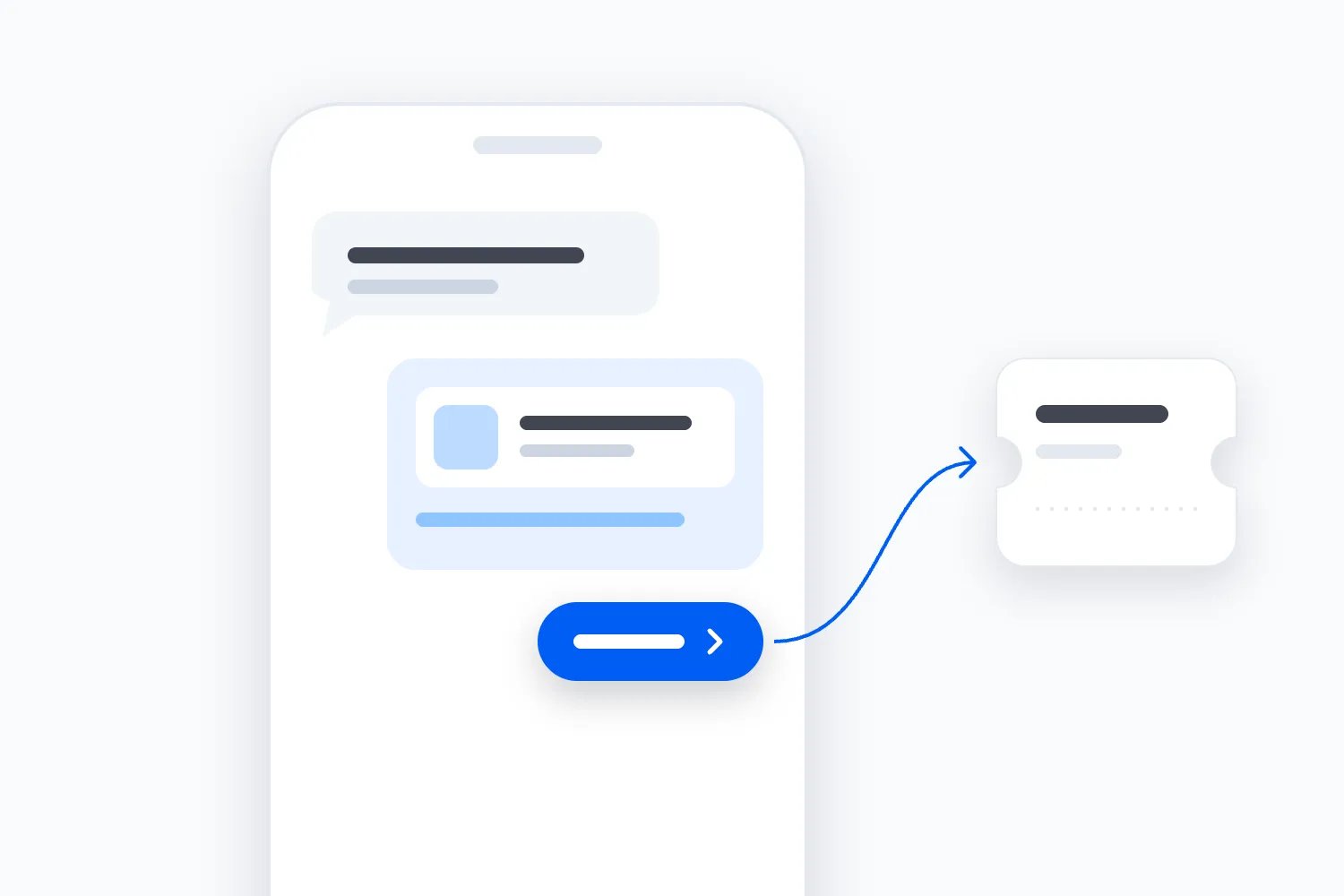
Someone has watched your workshop video, opened your profile and sent a message: "Would this be any good for a complete beginner?" They're interested enough to ask, but something is stopping them from booking. Send back a ticket link on its own and you've left that question unanswered.
The useful approach is to find out what they need to decide, answer it with the current event facts, then give them the right next step. Once they have the answer, they may be ready for checkout. If an access arrangement needs confirming first, help them reach the person who can check it. Be honest when the event won't suit them.
You can use direct messages to help people buy event tickets without turning every conversation into a sales script. Give someone responsibility for each enquiry, keep the answers accurate, and make buying straightforward once the uncertainty is resolved. Measure what happened after the conversation, including the time it cost your team.
This guide works through that process for an event business selling paid places. We'll use a fictional drawing workshop to show how to answer awkward questions, handle checkout problems and decide whether more inbox coverage is worth paying for.
Start with the decision behind the message
"Is this suitable for beginners?" sounds easy. But the person might be worried about keeping up, arriving without equipment, being the only newcomer or spending money on something they won't enjoy. A paragraph explaining that all abilities are welcome might miss the concern completely.
Read the whole message before reaching for a saved answer. If the person already says they've never drawn before, don't ask them to describe their experience again. You can explain the starting level and the support available. If their question is genuinely unclear, ask one short question that will change your answer.
For our fictional example, imagine you sell a two-hour observational drawing workshop. The instructor teaches the starting exercise, materials are included and participants work from objects on a table. There is no requirement to bring a finished piece or submit work for public criticism. Those details let someone judge the experience more easily than "a welcoming creative environment".
A useful reply could say: "Yes, this session starts with a guided exercise for people who haven't drawn before. We supply the materials, and you won't need to show your work to the whole group. Is keeping up with the teaching the part you're unsure about?"
That last question is optional. If the person asked whether materials are included, answer that and let them move on. An unnecessary interview can make buying a simple ticket feel like applying for a place on a course.
Notice the difference between helping someone decide and trying to make the event fit everyone. If they want advanced individual tuition, this beginner session may disappoint them. Say what the instructor can offer and what the session doesn't include. A booking won through an exaggerated promise can return as a complaint, refund request or poor experience.
Our guide to ticket-sales messages for first-time and returning buyers explores how the information people need changes with their familiarity. In a direct conversation, you get the advantage of hearing the question. Use it before sending the same pitch you put in the public post.
Separate buying questions from booking support
Your inbox will contain people who are considering buying and people who already paid. It will also contain supplier messages, compliments, spam and questions that need another team. Counting all of them as sales enquiries gives you a misleading view of demand and workload.
Start by identifying the event and whether the person already has an order. You don't need to ask both questions mechanically. "I bought two places for Sunday's workshop and can't find the email" already tells you where to start. A message saying "How much?" under a general profile may need the date or event name clarified first.
A buying question concerns a decision before payment. Examples include whether a ticket covers materials, whether two friends can attend together or whether the session suits a particular experience level. Booking support concerns an existing purchase, such as locating tickets or asking about an allowed change. Keep those tasks distinct even if the same colleague handles both.
For a buyer with a missing confirmation, sending another checkout link risks a duplicate purchase. Ask them to use your approved private support route and check the existing order. For a prospect asking about places, explain the current offer and let checkout establish what they can buy.
Give urgent concerns their own route. Someone reporting a problem at an event happening now should reach the responsible onsite team. Their message should not wait behind next month's sales questions while your social media colleague finishes a promotional post.
You can use a few plain statuses to keep work visible: needs an answer, waiting for a colleague, answered and waiting on the customer, or finished. Choose terms your team understands. The status should tell the next person what remains to do, rather than reward someone for clearing the screen.
A conversation is finished when the immediate task has been dealt with or clearly handed over. A person choosing not to buy can be a properly resolved enquiry. A question sent to a manager with no reply deadline is still unfinished, even if somebody clicked an archive button.
Give every open enquiry a person and a next action
The most common handover problem is easy to recognise. One colleague sees the message and assumes another will answer. The second thinks the first has it covered. The prospective buyer sees an active event account posting new content while their question remains unanswered.
Name the person covering the inbox and the backup for their absence. They need access to the current event facts and a way to reach people who can decide exceptions. If several people work in the account, use the assignment tools available in your setup or a restricted work list. Test that everybody can see who owns an open enquiry.
Don't promise a response time because another business uses it. Work out when your team is available and what they can reliably do. If you monitor messages during weekday office hours, say that in the relevant contact information. During a launch, you may decide to schedule extra coverage because enquiries are time-sensitive.
An acknowledgement can set that expectation, but it shouldn't pretend to answer the question. "Thanks, we check this inbox on weekdays and will reply tomorrow morning" is useful only if someone will actually check it then. An instant message saying "our team will be right with you" creates a promise even when it was written months ago.
For a question that needs checking, keep ownership with the person who received it until someone else accepts it. They can tell the customer: "I'm checking the afternoon session arrangement with the instructor. I'll update you by midday tomorrow, even if we're still waiting for confirmation."
That is a promise to update, not a promise that the answer will be yes. If the deadline becomes unrealistic, tell the person before it passes. Don't make them restart the same explanation in another inbox just to discover whether anyone is working on it.
At the end of a shift, hand over the unanswered question, what you've checked, who needs to decide and when the customer expects an update. Copy only the information the next colleague needs. A long transcript with "please handle" at the top still leaves them to reconstruct the problem.
Answer from facts your team can stand behind
Before the first on-sale, agree the details that influence a purchase. For a workshop, that includes the learning level, materials, duration, age requirements, access arrangements, what participants take home and any conditions attached to booking. For a concert, the relevant questions will be different.
Use the current event page, ticket descriptions and approved operating arrangements. An answer from last year's event is a starting point for checking, not permission to repeat it. The venue may have changed, an instructor may teach differently and a ticket with a familiar name may include something else this time.
Keep a small collection of approved replies for recurring questions, with the event and date they cover. The person sending a reply should still read it and adapt it to the message. A saved answer about the evening session doesn't become correct because it contains the word "workshop".
Our event customer support knowledge base guide covers how to maintain those answers and the private instructions behind them. Here, the task is to use the right answer in a real conversation. The customer shouldn't have to read your whole help collection to find the sentence they asked for.
Where a fact is uncertain, explain what you can confirm and what you're checking. If the venue hasn't confirmed a particular arrival arrangement, don't call it available in order to finish the sale. The person's decision may depend on that detail more than on anything in your promotional copy.
Be particularly careful with claims about availability, discounts and deadlines. In the United States, the Federal Trade Commission's advertising guidance for small businesses says advertising must be truthful, non-deceptive and supported by evidence. A private sales conversation deserves the same care as your public campaign.
If you say a price ends tonight, there needs to be a real, applicable deadline. If you say two places remain, check the actual inventory and explain what the figure refers to. Don't turn a limit on one ticket release into a claim that the whole event is nearly sold out.
Write the reply in the order the buyer needs it
Answer the question first. Explain the condition that matters, then offer the next step. You can do that warmly without beginning every message with a long welcome or ending every answer with pressure to book.
For the fictional drawing workshop, a prospect asks: "Do we need to bring our own pencils? My friend doesn't have anything." A useful answer is: "No, we supply paper, pencils and the objects you'll draw. Both of you can book the beginner session without buying equipment first. Choose two places on the Saturday afternoon event page."
In a real reply, add the verified link to that particular event. You don't need to ask for their friend's name, email address and art experience before allowing them to see the ticket choices. Ask for information only when it helps resolve the question or complete an agreed task.
Avoid answering an entirely different question just because you have polished copy ready. If someone asks about the finish time, explain the finish time. A description of the instructor's career may be persuasive elsewhere, but it doesn't tell the person whether they can catch their train.
The W3C's writing guidance for accessibility recommends clear instructions and meaningful link text. Apply that principle to your replies. Label a link with the event or task, such as "Saturday afternoon drawing workshop", rather than asking the person to guess what "here" will open.
You can break a reply into short paragraphs when the channel supports it. Keep the main answer in text even if you also send a useful image. Someone reading without sound or trying to enlarge text should still be able to understand the practical instruction.
Match the person's level of detail. A straightforward question may need two sentences. An enquiry about whether a workshop suits someone's requirements may need a careful explanation and a private handover. The aim is a usable answer, rather than the shortest possible response or the longest possible sales conversation.
Work through the objections instead of discounting immediately
Price questions aren't always requests for a discount. "Why is this more than the other session?" might mean the buyer cannot see what's included. Explain the actual difference before changing the price. If there is no meaningful difference, your team needs to understand the pricing decision rather than invent one in chat.
For the drawing workshop, suppose the ticket includes the instructor's teaching, materials and a small group session. State those inclusions plainly. Don't imply participants receive individual tuition throughout if the instructor will be working with the whole group. The explanation should improve the buyer's understanding of what the money buys.
A reply could say: "This ticket covers the two-hour taught session and all the materials you'll use. The instructor demonstrates each exercise and helps people as the group works. It isn't a private lesson, so if you're looking for continuous individual feedback, that would be a different offer."
If the price is still beyond their budget, you don't have to argue. Explain any genuine lower-priced option or concession they qualify for, under the rules you've approved. If none applies, say so courteously. An improvised discount for the most persistent person can create inconsistent treatment and reduce the income your event needs.
Another common concern is attending alone. Answer with the actual session format. If participants work individually and the instructor introduces the group, explain that. Don't promise that everybody will make friends or that nobody will feel awkward. You can describe what you organise; you can't guarantee another person's feelings.
For two people asking to sit together, check the arrangement rather than assuming. An open workshop with movable places might allow it, while an assigned layout may require a specific booking choice. Tell them what to select or who must confirm it before they pay.
Access questions need particular care. Ask about the practical arrangement the person wants to understand, use the approved private route and involve the responsible colleague. You don't need to collect a medical history to investigate whether the room has a step-free entrance. Don't push someone towards checkout while a condition essential to attending remains unresolved.
Send one clear route to the right checkout
When the person has the answer they need, make the next action easy to recognise. Send the event page for the correct date and session, name the ticket choice where necessary and explain any remaining condition. A generic homepage forces them to repeat the search they already did.
Open the link on a phone before adding it to a standard reply. Check the title, date, time, location, ticket description and buying options. If you run similar dates, make sure the link doesn't lead to an expired edition with nearly identical artwork.
With Loopyah's ticket checkout, buyers can select ticket types at their current prices, pay and receive a confirmation email linking to their QR tickets. That gives you a practical destination for the conversation. Your colleague answers the suitability question; the ticketing flow handles the purchase and issued tickets.
Keep that distinction clear in the wording. "Use this page to choose and pay for two places" describes an action. "I've booked you in" claims a completed booking. Don't say the second when all you've done is send a link.
If the person asks you to hold places, use only a hold process your team actually supports and controls. Confirm who can authorise it, which inventory is affected, when it expires and how the buyer completes the purchase. If you don't offer holds, explain that availability can change until they complete booking.
Don't promise a particular remaining quantity based on a screenshot taken at the beginning of your shift. Even accurate live availability can change while you are typing. A sensible reply can say the session is currently available and that the checkout will show what can be purchased when they open it.
Avoid sending several competing actions at once. A person ready to buy usually doesn't need the newsletter form, next month's calendar and a request to follow your account in the same reply. If they need more information before choosing, send the relevant explanation and let that be the next step.
Keep payment details in checkout and verify existing orders
A customer may offer to send their card details so you can make the booking. Use the approved checkout instead. Your event team shouldn't improvise a payment-taking process inside a social media conversation because it feels convenient at the time.
The PCI Security Standards Council explains that receiving cardholder data through messaging technologies brings applicable payment security requirements to that channel and related systems. It doesn't declare every possible chat payment arrangement forbidden. For an ordinary event inbox, the practical decision is to keep payment entry in your established payment flow.
A reply can be simple: "Please don't send card details here. You can pay through the checkout on the event page. If the page isn't working, tell us what happens before you reach payment, without sharing your card information."
If someone sends sensitive information anyway, follow your organisation's incident and data-handling procedure. Keep it away from general staff notes and stop it being copied into a training example. The person responsible for payment security should decide the appropriate handling and any further action.
Ticket images need care too. Don't ask a prospect to post a friend's QR ticket in a public comment to show what they want to buy. For existing booking cases, use the approved verification process before disclosing order details. A familiar social account name isn't proof that someone owns an order.
A screenshot saying payment succeeded also needs checking against the order record. If the order hasn't appeared, investigate through your established support process before telling someone to pay again. You want to resolve uncertainty without creating a second charge or issuing admission against an unverified claim.
Make the official buying route easy to recognise in your public profile and event information. If someone receives an unexpected request to pay a personal account, they should have a reliable way to contact your business and check it. Staff need the same rule when a message appears to come from a colleague.
Handle a failed checkout as a separate problem
Once someone says they tried to pay, stop repeating the sales pitch. Establish what happened and whether an order exists. A person whose payment failed needs a working purchase route; a person whose purchase succeeded but whose email is missing needs help finding the existing ticket.
Ask for the minimum useful description. Did the event page open? Could they choose the session? Did the problem happen before or after submitting payment? Use the private support route if the investigation needs order information. Don't request full screenshots containing payment credentials or unrelated personal details.
For a technical report, record the event, approximate time, affected step and the device or browser information your support process actually needs. If you offer an approved alternative route, check that it sells the same event and preserves the intended price and terms before sending it.
Our guide to diagnosing ticket checkout abandonment separates page exits, checkout starts and payment failures. That distinction matters in the inbox too. "The link doesn't open" is a different problem from "my bank shows a payment but I can't find an order".
If several people report the same failure, escalate it as a shared issue. Don't make every colleague invent a different workaround. Have the responsible person confirm what's happening, agree the customer instruction and update staff as the position changes.
Keep the person informed if the problem takes time. Explain what you're checking and when you'll update them. Avoid promising that a displayed bank transaction will disappear or that a refund has happened until the relevant process confirms the actual position.
After the issue is resolved, test the route that failed and replace any broken saved link. Then check that the person received the next instruction. Closing the technical report doesn't finish the sales enquiry if the customer still has no idea whether to try again.
Follow up with a reason and permission
A prospective buyer going quiet doesn't tell you why. They may have booked, decided against it, become busy or never seen your reply. Sending increasingly urgent messages turns that uncertainty into pressure without necessarily helping them.
When a follow-up would be useful, agree it while you're talking. If a person is waiting for the confirmed session arrangement, tell them you'll return with that answer. If they want time to ask a friend, you can ask whether they'd like a reminder about the real booking deadline. Respect a no or a request to stop.
Answering an inbound question doesn't automatically give you permission to add the person to future promotional campaigns. The UK's Information Commissioner's Office explains that electronic marketing consent and exceptions depend on the communication and recipient. Its UK guidance requires a valid basis for unsolicited electronic marketing to individuals, with specific conditions for exceptions and straightforward ways to opt out.
Check the rules for your recipients and the channel you're using. The permission to send a particular requested update is different from permission for continuing event promotions. If you want email subscribers, use a clear choice for that purpose rather than silently copying social profiles into a mailing list.
Our event email marketing consent guide covers that separate choice at checkout. Keep the buyer's purchase, their requested support and any future promotion organised according to their own purposes. A successful sale doesn't settle every later permission question.
Channel rules can also affect follow-up. For example, the WhatsApp Business Messaging Policy requires approved templates for Platform messages outside its 24-hour customer service window. That window opens and resets with each user message. This is a Platform-specific rule, rather than a universal timer for every social inbox or the ordinary Business app.
A sensible follow-up for an agreed update is specific: "The instructor has confirmed the afternoon session includes the starting exercise you asked about. You can see the Saturday session details on the event page. If you've made other plans, no problem." It finishes the task without inventing urgency or pretending the conversation is still open indefinitely.
Record outcomes without turning every message into a sale
Choose what you'll count before you compare staff performance or decide the inbox is working. A message, a conversation, a buyer, an order and a ticket are different units. One person can send several messages and buy two tickets in one order.
For a small pilot, count distinct pre-purchase enquiries about the event during a defined period. Link repeat messages about the same buying decision where you can do so appropriately. Keep existing-order support separate, while still measuring its workload. Don't turn five replies in one thread into five new sales opportunities.
Record whether the person received a useful answer, needed an escalation, reached the checkout or had a confirmed purchase associated with the conversation. Keep an unknown outcome when you can't establish what happened. "They stopped replying" isn't the same as a lost sale, and "link sent" isn't a purchase.
Use the reporting your ticketing setup already provides before creating a second manual sales record. Where you need a conversation reference, keep it in a restricted system with only the necessary detail. You generally don't need to copy the entire chat into a shared marketing spreadsheet to count the type of question.
Google's campaign URL guidance explains how link labels can identify referring campaigns in Analytics. If your site and reporting support that setup, a consistently labelled inbox link can help distinguish its traffic. Test it through the actual buying route and confirm what your reporting records.
Keep names, email addresses, order references and private question details out of link labels. Use a campaign label for the event and a general label for the channel. A tracked click shows activity through a link; it doesn't establish that the reply caused a purchase or that every later ticket can be joined back to that conversation.
For a clearer budget decision, read our guide to comparing ticket-sales attribution. An order may have followed an advertisement, an email and a helpful direct message. You can acknowledge the message's assistance without awarding three channels three separate full sales.
A completed enquiry record
For the fictional workshop, a short private record could look like this. The details below are invented, and the live conversation reference would be restricted to the people handling the enquiry.
Event: Saturday afternoon beginner drawing workshop.
Question: whether materials are supplied for two first-time participants.
Owner: the colleague covering the afternoon inbox.
Answer checked: paper, pencils and drawing objects included in this session.
Next action completed: correct event link sent after answering the materials question.
Outcome: one confirmed order containing two paid places, associated through the approved order check.
Remaining uncertainty: whether either place would have been bought without the conversation.
That record distinguishes a successful task from a claim about extra revenue. It also preserves the useful learning: the ticket description may need to explain materials more clearly. Another enquiry might finish with a confirmed answer and no known purchase. Keep that outcome instead of encouraging staff to guess.
Decide when to review outcomes so enquiries from yesterday aren't compared with enquiries that have had several weeks to result in a purchase. Keep the event's actual sales deadline in view. You can review unresolved tasks daily while waiting until the agreed reporting date to compare buying outcomes. Record a later purchase as later evidence rather than silently changing the original report without explanation.
Work out whether the staffing cost makes sense
Let's put numbers against the fictional drawing workshop. These are invented USD planning figures, not results from a Loopyah customer or an industry benchmark. Assume the event has enough suitable unsold places, its ordinary delivery costs are already committed, and an additional paid attendee creates no new fixed event cost.
Suppose a completed ticket leaves the business $60 after ticket-related fees and taxes. Materials and other costs caused by that additional attendee total $10, leaving $50 to cover the extra sales work. We assume no discounts or refunds in this base calculation. Add those and any extra capacity costs when they apply. This example excludes wider business overhead, borrowing costs and income tax; it measures the extra selling decision rather than a complete business profit.
For a two-week inbox pilot, allow two hours to prepare and check the replies, plus six hours handling enquiries and recording outcomes. At an assumed $30 an hour, eight hours costs $240. A separate $60 charge for the pilot's inbox access makes the total $300. That is the full assumed incremental pilot cost, whether the time is paid out or valued as the owner's work.
At $50 per additional admission, six extra admissions cover $300. Four produce $200 and leave the pilot $100 short. Eight produce $400 and leave $100 after its cost. Those figures concern the extra inbox work; they aren't the profit for the whole workshop business.
The word "additional" is doing real work here. Imagine ten confirmed orders are associated with conversations and contain twelve paid admissions. Twelve admissions would contribute $600 under our assumptions. But some of those people may have bought without asking, or bought after an email that supplied the answer.
If only four admissions were genuinely added by the pilot, the relevant contribution would be $200 and the pilot would still be $100 short. The twelve associated admissions remain useful evidence of assisted buying, but counting all of them as new sales would overstate the case for more spending.
You won't usually discover that additional number by reading chat logs. For a first pilot, treat it as an uncertain planning assumption and test whether the cost still makes sense under a cautious estimate. Don't present the four-admission scenario as a measured result.
If the decision justifies a more structured comparison, agree it before changing coverage. You might compare similar on-sale periods or introduce extra coverage in stages while maintaining the support customers need. Record changes in price, advertising, programme and available places that could also explain a sales difference. A stronger week after adding staff is useful evidence to investigate, but it isn't proof that the staffing caused the improvement.
Discounts change it again. If you reduce the retained amount by $10 for each of eight genuinely additional admissions, each contributes $40 after the same variable costs. The eight contribute $320, leaving only $20 after the $300 pilot. A discount given to somebody who would have paid full price reduces the result further.
| Label | Surplus or shortfall |
|---|---|
| 4 additional admissions | -100 |
| 6 additional admissions | 0 |
| 8 additional admissions | 100 |
| 8 with a $10 discount each | 20 |
Keep cash and time visible separately if the owner handles the work. In this example, that means $60 of external cash cost and $240 of valued owner time. The cash threshold is lower, but calling the owner's eight hours free won't help you choose between answering messages and another useful job.
Plan for the busy period, then test the handover
The eight-hour pilot is an allowance to test, not a guarantee of adequate coverage. Before assigning it, estimate the actual workload using your own history. Include reading, checking, writing, recording and internal follow-up. A short final reply can depend on a surprisingly long investigation.
For illustration, sixty buying enquiries averaging six minutes each require six hours of handling time. That exactly uses our pilot's handling allowance, with the other two hours reserved for preparation. If forty existing-order support cases also arrive and average three minutes each, they add two hours if this is extra work the pilot must cover. Support already funded and provided outside the pilot shouldn't be charged again. These cases haven't become sales enquiries, but somebody still has to do that work.
At the same assumed $30 hourly cost, absorbing those support cases would bring total time to ten hours and the pilot cost to $360 including the $60 charge. It would then take eight additional admissions at $50 each to exceed that cost. Seven would contribute $350 and leave $10 uncovered. All these workload assumptions are fictional too.
Choose coverage around when customers actually ask, while keeping the promise realistic. You may need a colleague available after a launch post or during a ticket deadline rather than spreading the same hours evenly across quiet mornings. Check the distribution of messages instead of relying only on a weekly total.
Protect the accounts your team uses. The UK's National Cyber Security Centre recommends two-step verification for social media accounts. That adds another check when signing in. Combine it with the appropriate staff permissions in your setup and a clear process for removing access when a temporary role ends.
Before launch, give a colleague a few fictional enquiries and watch the whole task. Include an ordinary materials question, an uncertain access arrangement, a wrong-date link and a customer who says payment has already gone through. Can they identify the next action without making a promise outside their authority?
Test the backup arrangement too. If the usual ticketing lead is unavailable, someone still needs to own the pending case and update the person. A procedure that works only when its author is at their desk will fail precisely when the event team gets busy.
Use what the conversations reveal to improve the offer
After the pilot, review the recurring questions and the actual time spent. Which concerns could staff answer confidently? Where did the team wait on a decision? Which links failed? Read a sample of completed conversations as well as the cases marked unresolved.
If many people ask whether materials are included, put that fact beside the ticket description. If people repeatedly mistake a demonstration for a practical session, correct the offer itself. Teaching your team to answer the confusion faster helps the people who message; fixing the page also helps people who would otherwise leave without asking.
Look for promises that need a decision. Perhaps buyers want an evening session, a different experience level or a way to attend with a companion. Record the interest, but don't quietly sell arrangements the current event cannot deliver. A future edition can address the demand once you've checked the cost and feasibility.
Don't judge colleagues only by how many conversations end in purchases. Someone answering complex questions may spend longer and correctly advise more people against booking. Review accuracy, useful resolution, handling time and the confirmed sales evidence together. Otherwise, you're rewarding quick links and optimistic promises over good judgment.
For the next on-sale, keep the replies that helped and recheck every event-specific fact. Choose one repeated concern to remove from the buying journey, then check whether the change actually makes the offer easier to understand. Add inbox hours when the workload and likely additional contribution justify them, with the same honest accounting you would apply to any other sales activity.
You can start with the next unanswered buying question. Confirm what the person needs to know, resolve it accurately and send the right checkout when they're ready. Then record enough to understand whether you helped them buy, what it cost and what the next buyer should be able to find without asking.

Author: By the Loopyah Content Team
The Loopyah Content Team shares expert insights, practical guides, and industry updates to help event organizers create unforgettable experiences and stay ahead in the event planning world.