· 27 min read
How to operate a paid sports fan zone
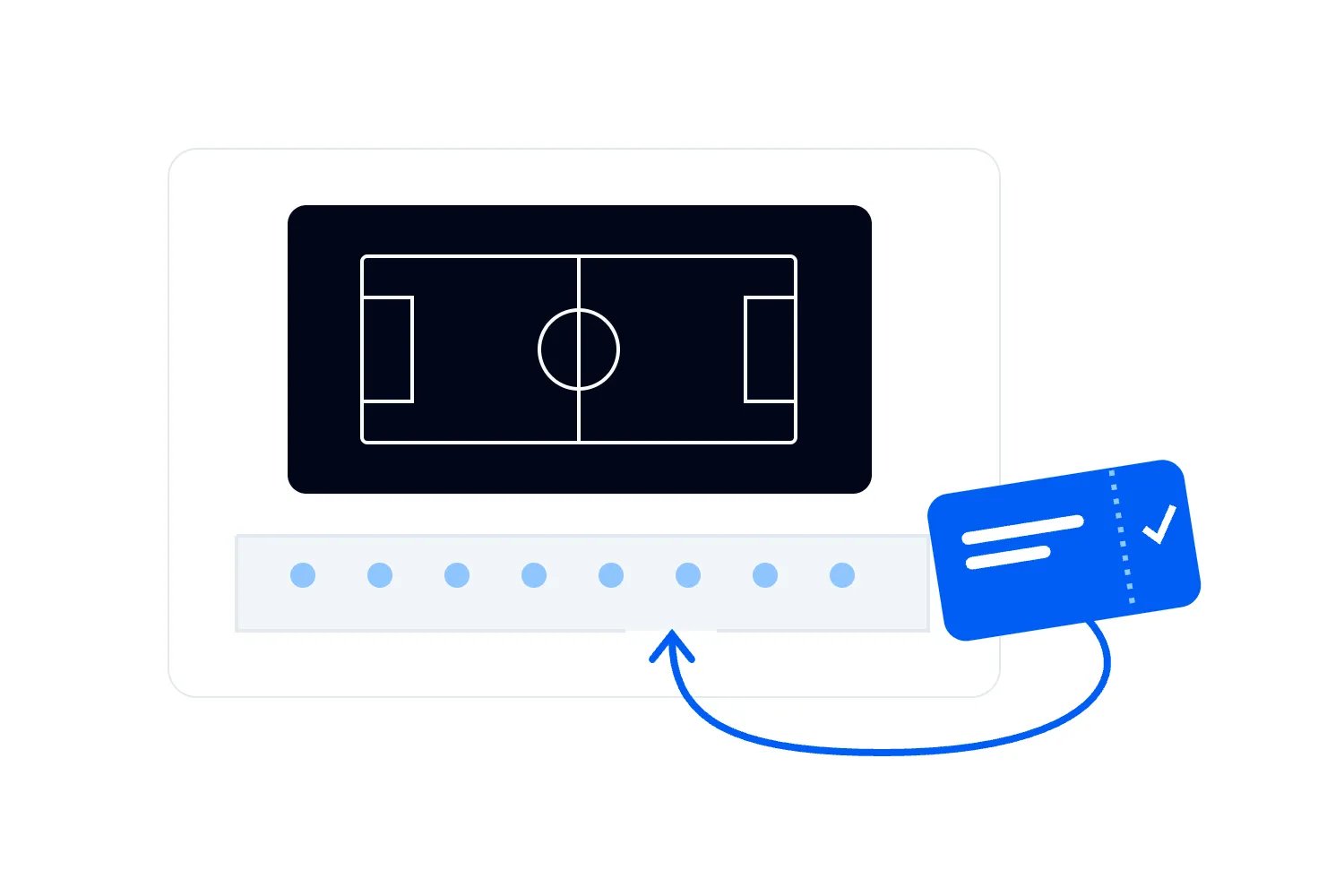
It's the break between fixtures. Some fans are heading for food, others are leaving to meet friends, and a new queue has formed for the next match. The screen is working perfectly. Your event can still be in trouble if nobody knows how many people are entitled to come back through the gate.
A paid sports fan zone needs an operating plan for the whole session, including the quiet periods. Confirm permission for the exact screening and commercial arrangement, sell access the site can actually support, and coordinate admission, viewing areas, food service and departures around the fixtures. Re-entry deserves particular attention because someone leaving the site may still hold a promise of admission later.
The attraction is easy to understand. Fans get somewhere to watch together, eat, celebrate and spend the day. Your job is to make that experience worth paying for while keeping the cost of delivering it under control. This guide explains how to build the offer, manage changing occupancy, prepare suppliers and make decisions when the broadcast or the weather stops cooperating.
Define the event before you hire the screen
Start by describing what a customer is buying. Is this one fixture with an extended social programme, several matches on the same day, or a series of separately ticketed sessions? Does admission include a seat, a standing viewing place, food or an activity? Those decisions change the layout, staffing and sales limit. They also change the information you need from rights holders and suppliers.
A full-day ticket can be attractive to a group planning around several games. It also means you need to provide a usable experience between them. Think about seating, toilets, drinking water, shelter appropriate to the site and somewhere to buy food. If the only worthwhile part of the event lasts as long as one match, charging for an all-day experience needs a better explanation.
Choose a specific audience. A family afternoon, a standing supporters' screening and a premium hospitality area can all be paid events. Combining them takes deliberate planning. Consider whether the commentary volume, alcohol arrangements, age policy and finishing time suit the people you expect. Don't promise a calm family space inside the busiest route to a loud standing crowd.
Write a short description of the experience before building packages. For example, you might offer entry to a defined afternoon and evening programme, unallocated viewing space, access to food traders and permitted re-entry until a stated deadline. That is an illustrative offer, not a recommended universal format. Use only the elements you can deliver and are permitted to sell.
Keep the ticket distinctions meaningful. A reserved table and general admission are different promises. A different price release for the same general admission is still the same access entitlement. Your team should understand which differences change where people can go and which simply reflect when they bought. Otherwise, ordinary price questions become arguments at internal barriers.
If your proposal is really a room showing a single fixture, our guide to running a ticketed sports watch party covers that smaller format. A fan zone needs more attention to movement and service across a longer stay. Use that distinction to decide whether the extra production is justified by the audience and revenue you can reasonably expect.
Get permission for the arrangement you intend to sell
Send the authorised broadcaster or rights representative a description of the competition, territory, venue, screens and expected audience. Include the admission charge, packages, sponsors, outdoor areas and proposed promotion. Ask for written confirmation covering the actual arrangement. Having a subscription, having a TV Licence and having permission to charge admission are separate questions.
For a UK example, GOV.UK's public-screening guidance explains that permission depends on what you show and where, and that sports channels require a commercial or business subscription allowing public showing. It also warns that personal streaming accounts can breach their terms when used publicly. Ask the authorised provider to confirm your specific event rather than treating that general guidance as approval.
Don't assume a meal package avoids a restriction on paid viewing. Describe exactly what the buyer must pay to enter the place where the screening can be seen or heard. If that arrangement isn't permitted, change it before you sell. The label on the ticket cannot resolve a contractual restriction, and the screen supplier may not be authorised to answer the rights question.
Check the surrounding programme too. Your permission to screen sport may not cover team marks, competition logos, sponsor associations or promotional clips. Record what your marketing and sponsor teams may use. A local business supporting your event should understand what association you can offer without implying that it sponsors the competition itself. Clear limits prevent expensive revisions after artwork has gone to print.
Venue permissions need their own review. Ask the relevant authorities about alcohol, operating hours, structures, noise and other requirements for your location. In England and Wales, GOV.UK's Temporary Event Notice guidance says this route is limited to fewer than 500 people at all times, including staff. A larger fan zone cannot simply assume that a Temporary Event Notice covers its licensable activities.
Keep each confirmation with its owner and deadline. Someone should know when the broadcast agreement expires, which sponsor proposal needs approval and what changes require another check. A late decision to add a second screen or extend the session can affect more than equipment costs. Ask before changing the approved arrangement, especially when the change alters what the audience pays for.
Design viewing areas around how fans will move
Start the site plan with the places people need to reach, including screens, food, toilets, accessible viewing and exits. Then examine the routes between them. A food queue that grows across a viewing area changes the experience for both groups. A popular screen beside the entrance can cause arriving guests to stop where others need to keep moving.
Have the competent people responsible for the site establish its safe capacity and the limits for individual areas. The size of the ground alone doesn't tell you how many tickets to sell. Viewing quality, circulation, facilities and the promises in your ticket offer can require a lower sales allocation. Keep those decisions documented so nobody later increases inventory because a patch of grass looks empty.
In Loopyah's Event Attendee Insights Report, 62.6% of 500 US respondents selected overcrowding among their event frustrations, and 57% selected long lines or waiting times. The Pollfish survey was fielded on 11 November 2025 and allowed up to three answers. These are general attendee responses, not measurements of fan zones or predictions of your crowd.
| Label | Respondents |
|---|---|
| Crowding | 62.6 |
| Long lines | 57 |
| Food prices | 55.8 |
| Sound or view | 36.8 |
Source: Loopyah Event Attendee Insights Report, Q16, Pollfish, 500 US respondents, 11 November 2025. Unweighted shares of respondents selecting each answer, calculated from the reported counts. Multiple answers were allowed. Short labels mean overcrowding, long lines or waiting times, expensive food and drinks, and poor sound or visibility respectively.
Walk the site as someone arriving late, someone using a wheelchair and someone carrying food back to friends. Check the route under the conditions your event will create. A clear view in an empty field can disappear behind a standing audience. A convenient route can become uncomfortable once barriers, queues and temporary cables are in place. Ask your suppliers to test the actual layout.
Accessible viewing needs an unobstructed route and a usable view, with the associated facilities and assistance thought through. For US events with assigned seating, the Department of Justice's accessible ticket-sales guidance explains equal purchasing opportunities and the rules applying to accessible seats. Check the requirements for your own format and jurisdiction rather than copying another venue's allocation or release policy.
Keep service and delivery movements out of audience routes wherever the plan requires separation. Decide when traders can receive stock and how waste will leave. A vehicle arriving during a break between matches creates a different problem from a delivery before doors open. Put the permitted times and access instructions into supplier agreements, then have someone enforce them on site.
Separate ticket entitlement from the number currently inside
This is where a long-session fan zone can become confusing. You need to know who may enter, who is currently present and who is outside but entitled to return. Those are different records. A ticket-sales total cannot answer all of them, and a first-entry scan alone doesn't establish the live occupancy of a site where people can leave through several exits.
Set the re-entry policy before sales open. If re-entry is allowed, explain how guests leave, what they must retain, which entrance they use and whether searches apply again. State the deadline and any relevant restrictions. If it isn't allowed, make that clear before checkout and in the arrival information. Don't let different stewards invent different answers during the afternoon.
Here's an invented example to show why this matters. Suppose a competent site assessment permits 1,000 people in total, and your current plan reserves 100 places for staff, traders and other non-public occupants. That leaves no more than 900 public places under those assumptions. This is arithmetic for a fictional site, not a capacity recommendation or a method for assessing a real venue.
You sell 900 full-session tickets. Later, 780 ticket holders are inside and 120 are outside with valid return rights. The 120 people outside have not created 120 extra tickets for you to sell. If they return after you sell those places again, you've made promises beyond the public allocation. Plan against outstanding admission rights as well as current occupancy.
You may choose separately ticketed sessions instead, but the reset needs to work. Set an end time for the first session, a way to confirm the relevant guests have left and enough time to prepare for the next arrival. If some people hold both sessions, decide how their continued presence is recorded. A scheduled change on the ticket page doesn't physically empty the site.
Consider what happens when a family leaves temporarily but one person stays with their belongings. The people who left need individual return rights recorded under your procedure. The person inside still counts towards occupancy. A single group booking doesn't tell the supervisor where everyone is. Work through that case at the test so the gate team can explain the process without separating the group unnecessarily.
Also decide how refunds, transfers or cancelled tickets affect a return credential. Someone might possess a wristband or other physical marker after their ticket entitlement has changed. Ask your admission supplier how the records remain consistent and which check staff should trust. Keep the method proportionate to your event, but don't leave two contradictory forms of proof for a steward to interpret under pressure.
Build the gate procedure around the system you actually have. Test a first arrival, a return, an already-used ticket, a group arriving separately and a guest whose phone has stopped working. Confirm what the system records in each case. If you need an additional return credential or exit count, assign responsibility and reconcile it. Don't assume a ticketing feature exists because your plan needs it.
Loopyah's ticket-selling tools support ticket types, release quantities and confirmation emails linking to QR tickets. Use those to define and communicate the offer. Separately verify the admission and re-entry procedure your event requires. Ticket inventory, a credential check and live crowd monitoring answer different operational questions; staff need to know which record to consult for each decision.
Agree who can stop admission and who can authorise its restart. The decision may concern the whole site or a particular area. Gate staff need a clear instruction, a way to explain a hold to waiting guests and a safe arrangement outside. A radio message saying "slow it down" is too vague when several entrances are operating independently.
Watch the distribution of people, not just the total
You can be below the overall limit and still have a serious crowding problem in front of one screen. A decisive moment, a popular team or a sheltered area can draw people away from the rest of the site. Give the crowd team named areas to observe, including the routes where people join and leave those groups.
Great Britain's Health and Safety Executive crowd-monitoring guidance distinguishes monitoring overall numbers from monitoring distribution. It identifies entrances, exits, queues, refreshments and potential pinch points as places to watch. Use the applicable local guidance and a competent crowd plan to decide how your site will be monitored, what staff report and when they intervene.
Ask for observations that lead to a decision. "The food queue has reached the marked crossing" tells a supervisor more than "it's busy." Identify the locations on the site plan, agree the reporting language and rehearse the response. Your crowd lead should set the actual triggers from the assessment. Don't borrow a crowd-density number from a blog and use it as permission to keep admitting people.
Make local restrictions possible. If one viewing area cannot take more people, staff need a safe way to direct arrivals elsewhere without promising an equivalent view that doesn't exist. The alternative must be usable, open and within its own limits. A second screen helps only if it has the appropriate permissions, working sound and enough suitable space around it.
Think about the moment two fixtures overlap. If different areas show different games, a score or final whistle can send a group towards another screen together. The programme team should tell the crowd lead about those likely changes, including announcements that might encourage movement. Walk the connecting route and agree how staff will manage it. Avoid scheduling an unrelated activation in the same space at the same time.
The outside queue is part of the operation. Coordinate it with the venue and relevant transport or highway authorities. HSE's guidance on crowd controls addresses arrival, circulation and dispersal, and says queues should not obstruct emergency access. Think through where an admission hold sends people and how they'll receive updates before the queue reaches neighbouring businesses or roads.
Keep the plan usable during celebrations and disappointment. Staff may need to deal with objects being thrown, climbing, aggressive behaviour or people needing help. Agree the response with the appropriate security, medical and safeguarding providers. Don't rely on the person taking tickets to watch an entire crowd while also solving payment problems. Give each role enough time and attention to do its actual job.
Prepare food and drink for the break everyone shares
The audience may be on site for hours, but food demand won't necessarily arrive evenly. People can sit through play and decide to order together when it stops. Speak to traders about that pattern before awarding pitches. Ask what they can prepare and serve in a short rush, how payment works and which part of the process usually limits service.
A useful conversation starts with the menu. A trader may make excellent food that takes too long for a compressed break. Ask whether a shorter event menu, earlier ordering or a separate collection point would help. Test the arrangement with the trader rather than promising a fast service time in your listing. More payment terminals won't fix a kitchen that cannot prepare orders quickly enough.
Consider a fictional service test. If 180 people each place one order during a 15-minute break, and three outlets each complete three orders a minute, those outlets complete 135 orders in that period. That leaves 45 orders waiting under these simplified assumptions. Actual arrivals, preparation times and different order sizes will change the result. The calculation shows what to investigate, not a service standard.
You could reduce the rush by encouraging earlier orders, improving preparation or changing the menu. Adding an outlet is another option if it can operate safely and commercially on the site. Ask which change addresses the observed delay. Increasing trader numbers without enough sales for each business can lead to cancellations or a worse offer next time.
Map ordering and collection separately. A crowd waiting for food should not merge with a queue to order or block a route back to the screen. Use signs people can read while approaching and agree how staff call or display ready orders. Test what happens when commentary is loud. A collection method that relies on hearing a name may fail precisely when demand is highest.
Agree commercial terms with each trader. State the pitch fee or commission basis, trading hours, utilities, stock arrangements, reporting and payment timetable. If commission applies to sales, define the sales figure and any deductions. Decide what happens if the event closes early. The trader's turnover is not your revenue unless the agreement actually gives you that money.
Ask food operators to confirm their food-safety and allergen arrangements for the event. For England, Wales and Northern Ireland, the Food Standards Agency's allergen guidance provides the relevant starting point. Direct ingredient and cross-contact questions to the responsible food operator. Your stewards should know whom to contact and should never guess an answer to keep a queue moving.
Choose payments that still work during the busiest period
Let the payment method follow the service plan. Ask traders which methods they accept, how those methods perform at the site and what they do if connectivity fails. Check your public information against their answers. A fan who sees "card payments available" may reasonably plan their whole day around it, so a patchy connection becomes a customer-service problem as well as a lost sale.
A dedicated cashless arrangement can make sense in some settings, but it adds decisions. Establish how guests load funds, how staff resolve errors, how unused balances are handled and which business is responsible for the money. Explain the terms before people commit. Don't introduce a compulsory payment process just because another fan zone used one or because a supplier says it will speed up service.
Test payment devices on the connection and power arrangement they will actually use. Include several traders taking payments at once and the other demands on that network. Ask the supplier what happens during an interruption and how any permitted fallback works. Staff should follow the payment provider's procedure rather than inventing a workaround with customer card details.
Make prices visible before the point of order. If admission includes a voucher or meal, state where it can be used, what it buys and how redemption is recorded. A food entitlement is different from admission. Checking someone into the event doesn't automatically establish that they have collected a meal, and a return through the gate must not accidentally create another entitlement.
Provide a help point for payment and ticket problems that need longer conversations. Keep it clear of the main service and admission queues. Give the team the authority and access needed to resolve the problems assigned to them. If only the organiser can approve a correction, that organiser needs to be reachable while other things are happening.
Treat the broadcast as the main production
Hire equipment around the actual viewing conditions, including daylight, audience layout and the size of each area. Ask the supplier to demonstrate the picture and sound from the positions you intend to sell. A specification sheet can't tell you whether a person at the back can follow the action while a crowd stands in front of them.
Test the approved source on every screen together. Look for different delays, mismatched sound and inputs that change unexpectedly. A section hearing a celebration before seeing the play has received a worse experience even if each screen is technically working. Agree who controls the inputs and who tells the host to stop talking when commentary returns.
Separate likely faults so the crew knows what it is diagnosing. A failed screen, a loss of site power and a lost incoming feed require different responses. Ask the technical lead to document the permitted backup for each relevant failure and test it. Spare equipment is useful only if someone can connect it quickly and the replacement arrangement is authorised.
Keep support details and account access available to the people authorised to use them. Confirm the supplier's attendance and support hours through the full possible programme, including extra time where relevant. A hire agreement ending at the expected final whistle may leave you without help when the fixture overruns. State the operating period rather than relying on everyone's interpretation of "match day."
Agree a short audience message for an interruption. Tell people what has failed when that is known, what staff are doing and when the next update will come. Don't promise an immediate restoration before the technical lead has assessed it. Keep announcements consistent across screens, the host and the customer-service team so guests aren't making decisions from conflicting reports.
Plan the outcome if the main attraction cannot be restored. Your customer terms should distinguish a fixture change from your own production failure and explain the response in a way that complies with applicable consumer rules. Have qualified advice on those terms. A weather delay in the televised match and a failed screen at your site are different events, even if both leave the audience waiting.
Decide weather actions before the crowd arrives
An outdoor fan zone needs a site-specific weather plan covering the conditions that matter there. Ask the relevant suppliers and competent safety team about their limits and required actions for structures, electrical equipment and exposed areas. Identify who monitors conditions, who makes the decision and how much time moving people to the planned safe locations will take.
The US National Weather Service's lightning guidance for outdoor sports activities recommends a plan addressing when to stop, where people should go, when to resume and who decides. Apply the appropriate local advice and qualified planning to your site. A break in the broadcast doesn't determine whether your outdoor audience is safe, and continuing play elsewhere doesn't justify keeping your site open.
Check that the proposed shelter is suitable for the hazard and can accommodate the people you're directing there. A covered food stall is not automatically a safe shelter. If your plan depends on another building, confirm access and responsibility in advance. Think about the route there as well, including guests who need assistance and people who arrived without a vehicle.
Prepare messages for a pause, a move to safety and closure. Each needs a clear action and a location people can identify. Give stewards the same wording as the host, with the additional instructions needed to help guests. If you have to close admission, coordinate the outside queue and people returning under the re-entry policy rather than updating only those already inside.
Resuming requires its own decision. Check the site, equipment and staffing conditions identified in the plan before inviting people back. Reconcile occupancy and outstanding return rights. Confirm that the remaining programme can still run within permissions and supplier hours. The screen coming back on doesn't establish that the entire operation is ready to reopen.
Work out what the day needs to earn
Build a budget for the full operating period. Include rights and receiving costs, site hire, screens, power, structures, staffing, medical provision, security, welfare, cleaning, insurance and paid organiser time where applicable. Obtain quotes for the actual hours and conditions. Include supplier costs for testing, extensions and breakdown rather than comparing only the most visible hire prices.
Use the amount you retain from each ticket after applicable taxes and selling costs, then deduct costs that rise with each additional guest. The remainder pays the fixed costs. Our event budgeting guide explains the wider process. For this event, separate confirmed sponsor and trader income from hoped-for food spending or an unaccepted sponsorship proposal.
Here's a fictional USD example, unrelated to platform pricing or an industry benchmark. Suppose fixed costs total $24,000, including organiser pay and the costs of delivering the agreed sponsor benefits. A confirmed sponsor pays $6,000, leaving $18,000 to cover. Each paid ticket retains $30 after taxes and selling costs, with another $5 of variable event cost per paid guest. Each sale therefore contributes $25.
You need 720 paid tickets to cover the stated costs because $18,000 divided by $25 is 720. At 600 paid tickets, the example loses $3,000. At 900, it produces $4,500 after the stated costs. These calculations assume the same costs and contribution throughout and exclude anything not included in the model. They are not a forecast of your event.
Compare break-even with the tickets you can actually sell. In the fictional occupancy example, the public allocation is 900. Any complimentary public admissions reduce the paid inventory available within it. If you promise 80 sponsor guest places from that allocation, you have no more than 820 paid places, assuming nothing else changes. Their guest-related costs also belong in the budget. Recalculate break-even if those costs increase the amount you need to cover.
Don't count the same sponsor benefit twice. If the sponsor pays for a package including admission, record the payment as sponsor income and the guest places as occupied inventory. Include their delivery costs. Counting those guests again as paid ticket sales would inflate revenue. The sales report and sponsor agreement need to reconcile before you use them to make a spending decision.
Test the event without optimistic trading income. If the business only works when every attendee buys several drinks and all traders pay the maximum commission, investigate that assumption before signing contracts. Use evidence from comparable events when you have it and identify the uncertainty when you don't. A promising audience reaction isn't the same as a reliable spending forecast.
Then check cash timing. Supplier deposits, sponsor payments, ticket settlement and possible refunds happen on different dates. Keep the money you may need for customer remedies available under your plan. Decide when you will review sales before the next major commitment, and what changes are still possible then. A smaller production might work, but only if permissions, customer promises and supplier terms allow it.
Ask for extension prices before confirming the production. Extra time in a fixture might require longer security cover, technical support or venue access. Put the applicable amounts into an overrun scenario and check who can authorise them. Your break-even calculation should not assume a shortened staffing period while your customer offer promises that everyone can stay until the match ends.
Use the same discipline with sponsor activations. A sponsor might offer more money in exchange for a demonstration area that removes viewing space and needs additional staff. Compare the payment left after delivery costs with any ticket contribution you lose. If you can't provide the area without reducing usable public inventory, make that cost visible before accepting. More sponsor income doesn't automatically improve the result.
Brief the people who will make decisions on site
Write the operating schedule around fixture milestones and actual clock times. Include doors, planned arrivals, technical checks, trading, staff relief and closing. Add the response to an overrun. The programme helps everyone understand the day, but individual teams also need instructions for their own work. A long document in the organiser's inbox won't help a steward answer a returning guest.
Give each important decision a named owner and an available deputy. Cover admission holds, local crowd restrictions, technical faults, weather actions and customer remedies. Explain who can authorise spending when an urgent repair is needed. Suppliers should know whether they can act within an agreed amount or must contact the organiser first. Delays become expensive when authority is unclear.
Rehearse a few ordinary problems together. A returning ticket holder finds the gate paused. A trader's queue reaches a route that must remain clear. The feed fails while a second fixture is about to start. Ask the relevant staff to explain what they do and whom they contact. Change the procedure where their answers reveal an assumption, rather than correcting them only after the event.
Plan breaks and handovers across the long session. The person relieving a gate supervisor needs the current instruction, any unresolved guest issue and the relevant counts. The technical replacement needs to know which input is active and what has failed earlier. Record changes in a place the next shift can use. Don't depend on a hurried verbal conversation in front of a noisy screen.
Keep your medical, security and safeguarding arrangements coordinated with the event plan and the providers responsible for them. Staff should know how to request help and how to direct responders to an exact location. Use the names on the site plan consistently. If the public map says "north screen" while the radio team calls it "screen two," settle that difference before opening.
Tell buyers how the day will actually work
Your event page should answer the practical questions people use to plan together. State the programme, arrival window, ticket entitlement, seating arrangement, age policy, food and payment information, re-entry rules and likely finish. Explain what changes if a fixture overruns. Describe the accessible facilities and how to raise a requirement without promising an arrangement the site cannot deliver.
Keep the confirmation and reminder consistent with that offer. A general-admission ticket should not arrive with wording implying a reserved seat. A full-session ticket should not quietly become a single-entry ticket in the final email. When you change a material detail, consider the rights and remedies of existing buyers rather than updating the page and assuming everyone has accepted the new terms.
Loopyah's attendee email tools let you send event updates to ticket holders. Use the relevant event audience for practical instructions and send a test before the message goes out. Keep essential information in clear text, including the entrance and re-entry procedure. On site, announcements and stewards are still needed because guests may not see an email while watching the match.
Treat repeated questions as evidence of a communication problem. If several groups ask whether they can leave for dinner and return, your re-entry explanation probably needs work. Clarify it across the page, reminders and staff instructions. Keep a record of the agreed answer so customer support doesn't improvise a more generous promise than the gate can fulfil.
Give people a realistic departure plan too. Identify the correct exit, any changes to normal pedestrian routes and the transport information you have verified for the finish. If the fixture overruns, check what that means for the last available services and update the audience promptly. Guests deciding whether to stay need useful information while there is still time to make another arrangement.
Before doors open, walk the operation with the people responsible for it. Confirm the exits and routes, check the viewing and service areas, test the broadcast, and verify the gate procedure. Compare the public offer with what has actually been built. If a promised area isn't ready, resolve that mismatch before admitting guests to discover it for you.
After the event, reconcile ticket and sponsor income, supplier costs, refunds and trader settlements. Review occupancy records alongside incidents and complaints. Ask where people waited, which messages confused them and what failed during the busiest break. Use our event risk assessment template when reviewing the changes that affect the next plan. Keep the commercial review specific too: which costs were necessary, which promises were expensive to deliver, and whether the next session still works at a cautious sales forecast.

Author: By the Loopyah Content Team
The Loopyah Content Team shares expert insights, practical guides, and industry updates to help event organizers create unforgettable experiences and stay ahead in the event planning world.