· 21 min read
How to organise a drive-in movie night
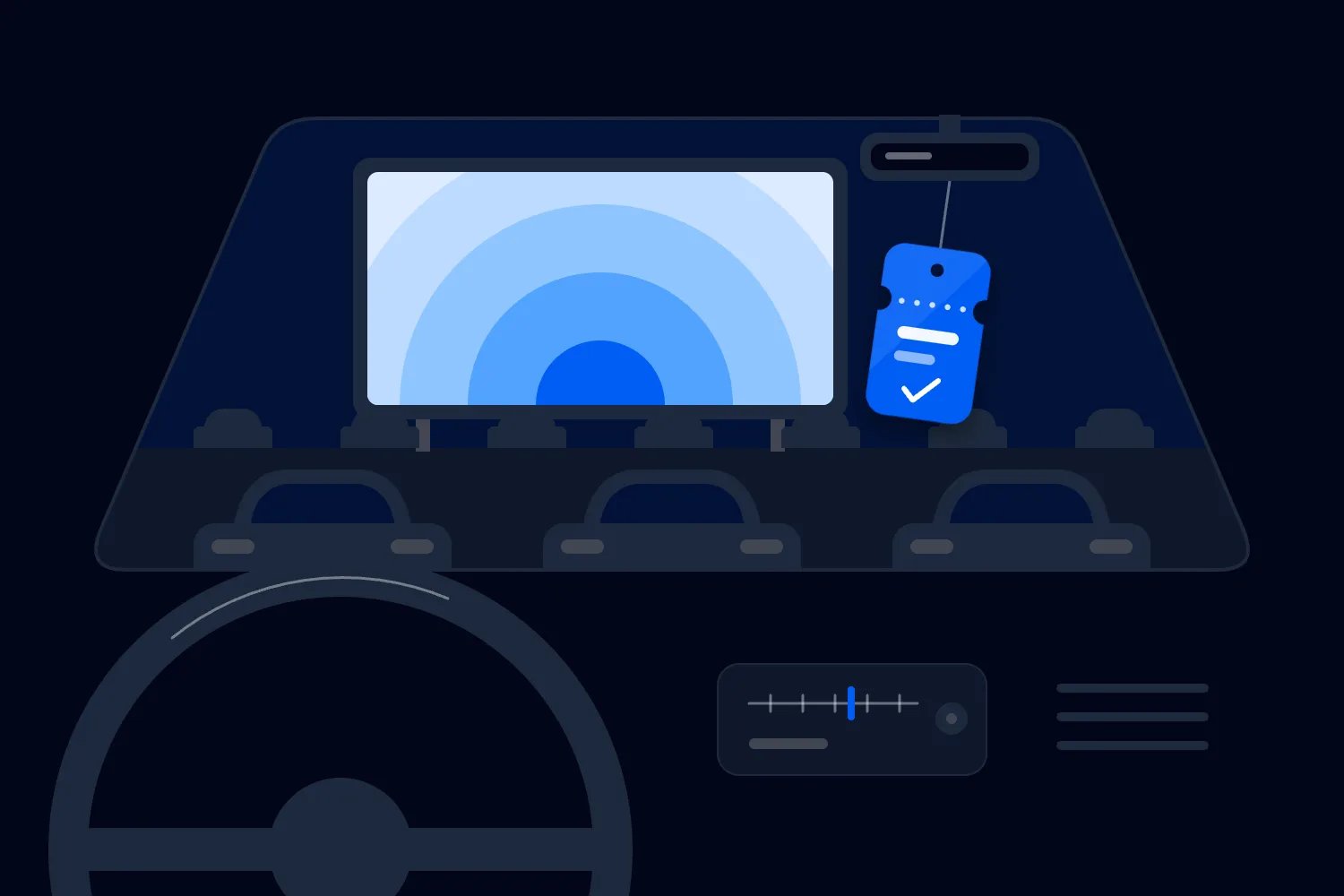
To organise a paid drive-in movie night, secure the screening rights, choose a site that works for cars and people, and price the event against the number of vehicles you can actually admit. Then test the picture and sound after dark, build a safe arrival and exit plan, and tell buyers exactly what their ticket includes before they pay.
The tricky part isn't picking a film people love. It's making a temporary cinema work when every group brings its own seating, headlights, battery and idea of where to park. A field that looks huge in daylight can become a surprisingly small cinema once you protect sightlines, walking routes and emergency access.
So start with the practical questions. Can you show the film here? Can everyone see and hear it? Can the event pay its bills without selling every space? This guide walks you through those decisions, then covers ticketing, promotion and the show itself. We're talking about a commercial, ticketed event, with a proper budget and an audience expecting a good night.
Start with the audience and the offer
Decide who the screening is for before you choose the film. A family night has different arrival times, food needs and tolerance for a late finish than a horror screening for adults. A nostalgic date night needs a different promise again. You can welcome a broad crowd, but you still need one clear reason for someone to buy.
Write that reason in a sentence. A family can watch a familiar film together without a long drive home. A couple can have a proper night out with dinner collected on arrival. A film fan can watch a favourite on a big screen with other people who love it. Each offer gives you something concrete to plan around.
Choose a film shortlist, rather than falling in love with one title before you know whether you can license it. Check the classification, running time, language and version. Ask whether subtitles or captions are available in the supplied screening material. A poster saying "family movie night" doesn't settle which ages the film suits, or whether the audience can follow it comfortably.
Then work backwards from the finish. Include the film's actual runtime, your pre-show material and the time cars need to leave. Compare that with the site's permitted hours and the audience's likely bedtime. If the screen needs darkness and darkness arrives late, a family offer might need a different date. No amount of lovely artwork fixes a screening that starts after the children should be asleep.
Keep the first edition manageable. One well-run screening gives you useful information about demand, arrival patterns and costs. A full weekend programme creates more commitments before you know whether your layout and audience will work. Expand when the first show gives you a reason to.
Clear the screening rights before advertising the title
A film you can watch at home isn't automatically a film you can show to paying customers. Buying a download, owning a disc or having a streaming subscription doesn't settle public screening permission. Ask the distributor or authorised rights provider about the exact event you intend to run.
For the UK, GOV.UK's guidance on showing films in public says to obtain permission from the copyright owner and check whether permission from the local council is also needed. Other countries have their own requirements. Check the rules where the event takes place, rather than treating a licence issued elsewhere as permission for your site.
Send a useful enquiry. Include the film title and version, location, screening date, outdoor drive-in format, paid admission model and expected audience. Explain whether you're charging per car or per person. Ask how their fee is calculated and what happens if weather forces a postponement. These are commercial terms you need before setting your ticket price.
Confirm what the agreement allows you to put in marketing. Can you use the supplied poster? Can you publish the film title on social media? Are trailers or stills included? Get the permitted materials and conditions in writing. A licence for the screening and permission to use promotional assets are questions to settle together, not assumptions to make later.
Also ask how the film will be delivered and tested. Confirm the approved playback method, file or disc format, delivery timing and technical requirements with your cinema supplier. Don't build the event around a laptop connection nobody has checked. Keep the confirmation with your show documents so the technician knows which version they're playing.
If the requested film isn't available on workable terms, change the shortlist. Selling tickets first and trying to solve rights later puts the whole event at risk. You want a confirmed offer, not a refund exercise with a very attractive poster.
Find a site that works after dark
The first thing you want to do at a possible venue is walk the whole journey. Approach it as a driver, enter the gate, reach a viewing position, get out to find a toilet, then leave. Do it in daylight and again around the planned screening time. You'll notice different problems on each visit.
Check the landowner's permission for the actual use, hours and equipment. Ask about power, drainage, ground condition, restrictions on noise and neighbouring properties. Establish who handles permissions, insurance, security and reinstatement. A venue hire agreement should say what you're getting and what happens if the ground is unusable on the day.
Ask an experienced cinema supplier to assess screen position and viewing distances. Park real vehicles in representative places. Sit inside a small car, then check behind a taller one. Think about windscreen pillars, raised tailgates and roof racks. Mark any position where the audience would pay for a poor view and remove it from the sellable plan.
An existing car park can be convenient, but its painted bays were designed for parking. They weren't necessarily designed for watching a screen. A grass site may give you more freedom with rows, but wet ground can change access and recovery costs. Choose the site on its tested performance, not on how many cars someone says it usually holds.
Place accessible viewing positions, toilets and food collection where customers can reach them safely. Ask prospective attendees what access information they need and publish a contact route for questions. Avoid making someone explain their requirements for the first time at a busy gate. Resolve what the venue can provide before selling that experience.
Finally, confirm the limits with the relevant venue team and authorities. Your approved people capacity, vehicle layout and emergency arrangements all matter. The number you sell must respect every applicable limit. A spare patch beside the last row isn't automatically another ticket.
Design the parking and walking plan together
Cars are the point of the format, but people still need to move around them. They'll visit toilets, collect food and look for a friend. Build those journeys into the site plan. Don't leave walking routes to whatever gaps remain after you've fitted the maximum number of vehicles.
The UK's Health and Safety Executive recommends separating people and vehicles, minimising reversing and planning emergency vehicle access when organising event transport. Use that guidance to start the conversation with your venue and competent traffic team. They need to turn the actual site, road approach and audience into a workable plan.
Decide how vehicles will enter each row and how they'll leave. Avoid creating a system that needs customers to reverse through people buying popcorn. Give marshals clear stopping positions and a way to communicate with the gate. The gate should pause admission when the parking team needs space, rather than sending more cars into a problem.
Separate taller vehicles where the tested sightlines require it. Tell buyers about that arrangement before purchase, including any vehicle restrictions. If customers can open their tailgate, establish where that works and how staff will manage it. A rule announced only after someone parks feels arbitrary, even when the reason is sound.
Plan for early departures and late arrivals. A family might need to leave halfway through the film. Someone might reach the gate after the start. Identify the positions and routes staff can use without shining headlights across the entire audience. Publish any admission cutoff clearly, and make sure it matches your rights agreement and operating plan.
Keep operational space out of ticket inventory. That includes emergency access, equipment areas, unusable sightlines and any reserved positions needed for agreed access arrangements. Count those exclusions before you announce a capacity. Otherwise, a sellout can force your team to choose between disappointing buyers and breaking the plan they were supposed to follow.
Build a budget that doesn't need a perfect sellout
Budget in vehicles if you're selling vehicle tickets. Budget in people if you're selling individual admission, while still checking how those people will arrive in cars. Mixing the two halfway through the spreadsheet gives you a price that looks sensible and an event that doesn't pay for itself.
Start with confirmed quotes for the site, film rights, screen, projection, sound, power, toilets, staff and insurance. Add marketing, ticketing and payment costs where you absorb them, cleanup and any required permits. Include your own paid time. Running the event for free doesn't make that labour disappear; it just makes the result harder to judge.
Split costs into those you pay to stage the show and those that increase with each booking. Then calculate what each sale leaves after its direct costs. Keep refunds, discounts and included food consistent with the calculation. If a package includes snacks, the snack cost belongs in that package's numbers.
Here's an illustrative example, not a supplier quote or industry benchmark. Suppose staging the screening costs $4,000, each car ticket brings in $40, and each booking has $5 of direct costs. Each paid car contributes $35 towards the staging bill. You need 115 paid cars to cover that bill, because 114 cars leave you $10 short.
If your tested sellable capacity is 150 cars, that leaves 35 spaces beyond break-even. At 120 paid cars, the example produces $200 after the stated costs. At 150, it produces $1,250. Neither result includes costs you forgot to budget. A crowded field can still give you a disappointing return when the price barely clears the bills.
Run a lower-sales case before committing. What happens if you sell fewer spaces than expected, or a supplier quote increases? Change the price, reduce costs or secure confirmed additional income. Don't write "sponsorship" in the budget as though a brand has already paid.
Make the ticket unit impossible to misunderstand
"Admission" is too vague for a drive-in. Does one ticket admit one car, one person or a car with a defined number of occupants? Can passengers arrive separately? Can a minibus attend? Buyers should know the answer without opening a support conversation.
For a first event, a clearly described car ticket can make arrival simpler. You scan the booking, confirm the permitted occupants and direct the vehicle. But the price must work for the people you expect to attend. A couple compares the cost with other nights out, even when a family might see the same car price as good value.
If you choose per-person admission, explain how the vehicle space is secured. Selling more people than your site can accommodate in arriving cars creates a parking problem even if you're below the people limit. Model likely vehicle occupancy, then control bookings and vehicle inventory in a way your ticketing setup actually supports. Don't assume every party will fill every seat.
State vehicle size limits, occupancy rules, film classification, gate hours, start time and late-arrival policy on the event page. Explain whether customers stay inside their car or can use an approved outdoor area beside it. Include food arrangements, toilet access and the weather policy. A clear event description answers the questions someone would otherwise ask at the gate.
Give each ticket type a name your staff can recognise. Avoid several near-identical options with different arrival conditions buried in the description. If you sell a food bundle, tell the buyer how to collect it and show the order clearly to the team fulfilling it. The upsell needs an operating method as well as a price.
You can use Loopyah's event ticketing to create ticket types, manage sales and give buyers QR tickets. Door staff can scan those tickets from their phones with check-in access. You still define the vehicle and occupant rules; ticket software doesn't decide whether another car fits safely.
Hire the cinema setup, then test it as a customer
A big screen isn't a complete cinema. You need a picture people can see from the last sellable row, sound they can understand, reliable power and someone who knows what to do when the playback stops. Ask your supplier for the complete setup and the crew responsibilities in writing.
Discuss screen size, projection brightness and playback format against the site and actual start time. There isn't one equipment specification that fits every drive-in. Nearby lighting, screen position and viewing distance change the result. An experienced supplier should explain what their proposed system can deliver, then prove it in a test under representative conditions.
For audio, confirm the method before promoting it. FM reception may suit an audience listening through car radios, but the transmission must comply with local rules. In the UK, Ofcom's restricted services guidance sets out licensing and technical conditions. Don't buy an online transmitter and assume its availability means your use is permitted.
Test the approved sound system in different vehicles across the site. Check speech as well as music. A loud soundtrack can hide unclear dialogue during a quick demonstration. Include the back corners and the accessible positions, rather than testing only beside the projection equipment. Find the weak spots before customers do.
Tell attendees how to receive sound and what to bring. If they need a working car radio or an alternative receiver, say so before checkout. Ask your technician how they will handle incompatible vehicles and interruptions. Agree a way to communicate emergency announcements that doesn't depend entirely on everyone tuning in correctly.
Document who runs playback, who monitors the audience experience and who authorises a pause. Keep technical faults away from the gate team wherever possible. A marshal trying to solve a radio problem while admitting cars will struggle to do either job well. Give customers one obvious place to get help.
Make food easy to buy and easier to collect
Food can add revenue, but a concession queue can also eat the part of the evening people came for. Pick a service model that suits the site. Customers collecting before the film, timed collection and delivery to designated positions each create different staffing and movement needs.
Agree responsibilities with each vendor. Confirm their permissions, insurance, food safety arrangements, power needs, waste handling and arrival time. Set out whether they pay a pitch fee, share revenue or trade on another basis. Your budget should show what the agreement actually earns you after the extra costs you take on.
Keep the menu realistic for the available preparation and collection space. A long menu sounds generous until every order needs a different process. Ask the vendor what they can serve within your arrival window and how they will handle allergies and dietary requests. Publish the information buyers need, using the vendor's confirmed details.
Preorders can help the vendor plan, but only when the handover works. Decide how the customer proves their order, where they collect it and what happens if they arrive late. A booking reference needs to match the vendor's record. Reconcile sold bundles and fulfilled orders so food doesn't become a guessing game in the dark.
Don't route food collection through active vehicle admission. If deliveries go to cars, agree how staff move safely, identify the right vehicle and carry hot items. The venue and traffic plan need to accommodate that work. A delivery promise made in marketing becomes a real route somebody has to walk repeatedly.
Ask whether outside food is allowed and explain the answer before purchase. If customers can bring their own, vendors need to know the likely effect on demand. If they can't, the available options need to meet the promise of the evening. People remember being hungry through a film, especially when they had money ready to spend.
Add sponsorship only when you can deliver it
A drive-in can give a local brand a useful audience, but "logo on the screen" isn't a complete offer. Describe who is coming, what the sponsor gets and when you will deliver it. Use confirmed audience information, rather than turning the maximum number of car spaces into an impressive-looking attendance claim.
Choose placements that fit the customer experience. A supported concession offer, a permitted pre-show mention or signage at a suitable location may make sense. Check screening rights, site permissions and audio rules before selling an advertising placement. Don't promise the sponsor a film interruption your rights agreement or audience would reject.
Price the package against the work and costs it creates. Artwork preparation, installation, staff time, extra power and complimentary admission can reduce what you keep. Record who approves the materials and when they're due. A sponsor sending a new video shortly before gates open shouldn't become your technician's surprise job.
If selling packages by email has become a long chain of proposals and payment reminders, Loopyah's event sponsorship pages let you put priced packages on a private page. Brands can buy or apply for approval, depending on how you set the package up. You can also collect their assets after payment and record fulfilment.
The useful part is making the offer and payment clear. You still need to sell an appropriate package and deliver what the brand bought. Keep the agreement specific enough that both sides can say whether it happened. "Great exposure" gives neither side much to check after the show.
Treat unconfirmed sponsor income separately from money already secured. If the event only works when every package sells, you have another sales target to hit before proceeding. Set a decision date for that target. Hope can help you make the phone call; it doesn't settle the equipment invoice.
Set the weather decision before the forecast gets awkward
Write your cancellation and postponement policy before tickets go on sale. Buyers should know what happens to their money if you cancel, whether you have a reserve date and what happens if they can't attend it. Check those terms against applicable consumer rules and your supplier agreements. A short policy can still need careful work.
Agree operational limits with the people responsible for the screen, power and site. Wind, standing water and poor ground conditions can make the setup unusable even when rain itself seems tolerable. Record who assesses the conditions, who can stop the event and who communicates the decision. Don't turn a serious judgement into a group chat vote.
Lightning needs its own plan. The US National Weather Service's lightning guidance says there is no safe place outside when thunderstorms are nearby. Follow local weather guidance and plan suitable shelter for staff and customers who are outside their vehicles. A drive-in audience doesn't remove your responsibility for the people walking, working or collecting food.
Tell customers when to expect an update and where they'll receive it. Have a message ready for proceeding, delaying, postponing and cancelling. It should explain the next action, not just announce that the forecast has changed. If people are already travelling, a clear decision matters more than a carefully polished sentence.
Keep emergency communication separate from ordinary marketing. An urgent event update has to reach the people affected, including buyers who don't want promotional offers. Loopyah's attendee email tools distinguish event updates from marketing and handle the appropriate audience. Write the message early enough that your team can send a useful instruction under pressure.
Finally, decide how a weather incident changes departure. Releasing every car at once may create another problem at the gate. Your venue and traffic team should plan the response for the actual site. A cancellation policy tells buyers about their booking; an emergency plan tells everyone how to get safe.
Sell the experience and answer the awkward questions early
Once the title, site and operating plan are confirmed, build the event page around the buyer's evening. Show the film, date, location and ticket unit immediately. Explain the arrival process and finish time. Someone deciding on a drive-in is also deciding whether their car, companions and journey will work.
Use accurate visuals of the venue or a clearly identified illustration. Don't borrow an image of a permanent cinema with perfect sightlines if you're selling a temporary field setup. Customers buy the experience they see. A realistic promise gives you a better chance of meeting expectations when they arrive.
Start with audiences already likely to want the film or format. A family title may suit relevant local groups; a cult screening may suit an existing film audience. Ask partners to share a clear offer with a direct ticket link. Give each distribution effort a way to show whether it brings bookings, rather than counting enthusiastic comments as demand.
If you have permission to market to past buyers, invite relevant people first. Explain what's different about this screening and why they might enjoy it. Avoid sending every film to every contact simply because the list exists. Their attention is useful when your message respects what they came for previously.
Watch sales against the date on which you must make supplier commitments. Set that review date before you launch. If demand is weak, check the offer, price and practical objections. A buyer might love the film but need to know whether a small car can see it or whether the event ends too late.
Don't discount immediately to quiet your nerves. Work out whether the discounted sale still contributes enough to the budget, and whether the problem is price at all. Answering a missing question can be more useful than reducing the ticket. Once the real sellable spaces go, close sales. Creating extra capacity in a caption won't create it on the ground.
Run a rehearsal, then give every role a clear job
Before show day, rehearse the full journey with the people who will run it. Process a booking, scan a ticket, direct a car, collect a food order and test an announcement. Include a late arrival and a customer whose radio doesn't work. You're looking for unclear handovers while there's still time to fix them.
Prepare one current running order with named owners. It should cover supplier access, setup, technical checks, staff briefing, gates, screening, exit and cleanup. Agree how staff communicate and which person has authority to pause admission or playback. HSE's guidance on managing an event emphasises coordination and risk information throughout the event, including build and breakdown.
On the day, check the site before suppliers unload. Compare ground conditions, access routes and equipment positions with the agreed plan. Hold a final briefing before gates open. Ask staff to explain their role back in their own words. That catches misunderstandings a quick "everyone happy?" usually misses.
Keep the gate focused on admission. Give ticket questions and payment problems somewhere to go without blocking the arriving queue. Let the parking team control when the next cars enter. Once the film starts, keep someone available to handle customer problems and observe the experience beyond the front row.
At the end, manage departure before beginning breakdown in public areas. Check for people still using toilets or waiting for help. Confirm that suppliers know when they can move vehicles and remove equipment. The show isn't finished for your team when the credits roll; the site still has to be cleared safely and handed back as agreed.
Use the first screening to improve the next one
Once the bills and refunds are settled, compare the result with your original budget. Record paid vehicle bookings, actual attendance, discounts, direct costs and confirmed additional income separately. Note where the assumptions were wrong. Keep operational feedback beside the money so you can see which changes might improve both.
Also ask your team what slowed them down. A confusing ticket name, a missing torch or a badly placed collection point can create repeated work all evening. Fix those small problems before adding another screening or a bigger audience to manage.
Ask customers about seeing the screen, hearing dialogue, arriving and leaving. Then choose the next screening around what you learned. Keep the parts that worked, fix the ones that didn't, and rebuild the budget with real quotes and demand. That's how a good movie night becomes an event worth running again.

Author: By the Loopyah Content Team
The Loopyah Content Team shares expert insights, practical guides, and industry updates to help event organizers create unforgettable experiences and stay ahead in the event planning world.