· 15 min read
Selling tickets at the door: pricing, payments and capacity control
You can sell tickets at the door when you have confirmed ticket availability, room to admit the buyer safely, and a payment process that issues a valid ticket. Set the price and staff responsibilities before doors open, keep sales separate from check-in, and reconcile the money against the tickets afterwards.
That sounds straightforward until the queue arrives. Someone has a ticket screenshot that won't scan. Another person wants to pay for friends who are parking. An artist has added guests, and the online store is still selling. Meanwhile, the cashier can see empty space inside and thinks there must be more tickets available.
A good door plan answers those situations before staff have to improvise. Here's how to decide whether walk-up sales make commercial sense, price them, control inventory, take payment, and close the night with numbers you can trust.
Decide what you are offering at the door
Start with the event's actual conditions. A general-admission concert with spare tickets may suit walk-up sales. A workshop with individually prepared materials or a dinner with a locked catering count may need an earlier booking deadline.
If you offer door tickets, put that information on the event page and in the final attendee messages. State the selling location, accepted payment methods, price, and whether sales depend on remaining availability. "Tickets available at the door" sounds like a promise. Use wording that matches what you can honour.
Decide whether you are reserving an allocation for walk-up buyers or simply selling whatever remains. Reserving tickets protects availability for that audience but can leave you with unsold places if people don't turn up. Selling all inventory in advance may be the better choice when demand is strong and you don't need a walk-up offer.
Don't make the event's survival depend on an unsupported door-sales estimate. Use previous editions where you have comparable data, then account for changes in the performer, price, weather exposure, and sales period. If the event only covers its costs with a large late rush, revisit the event break-even calculation before treating that rush as likely.
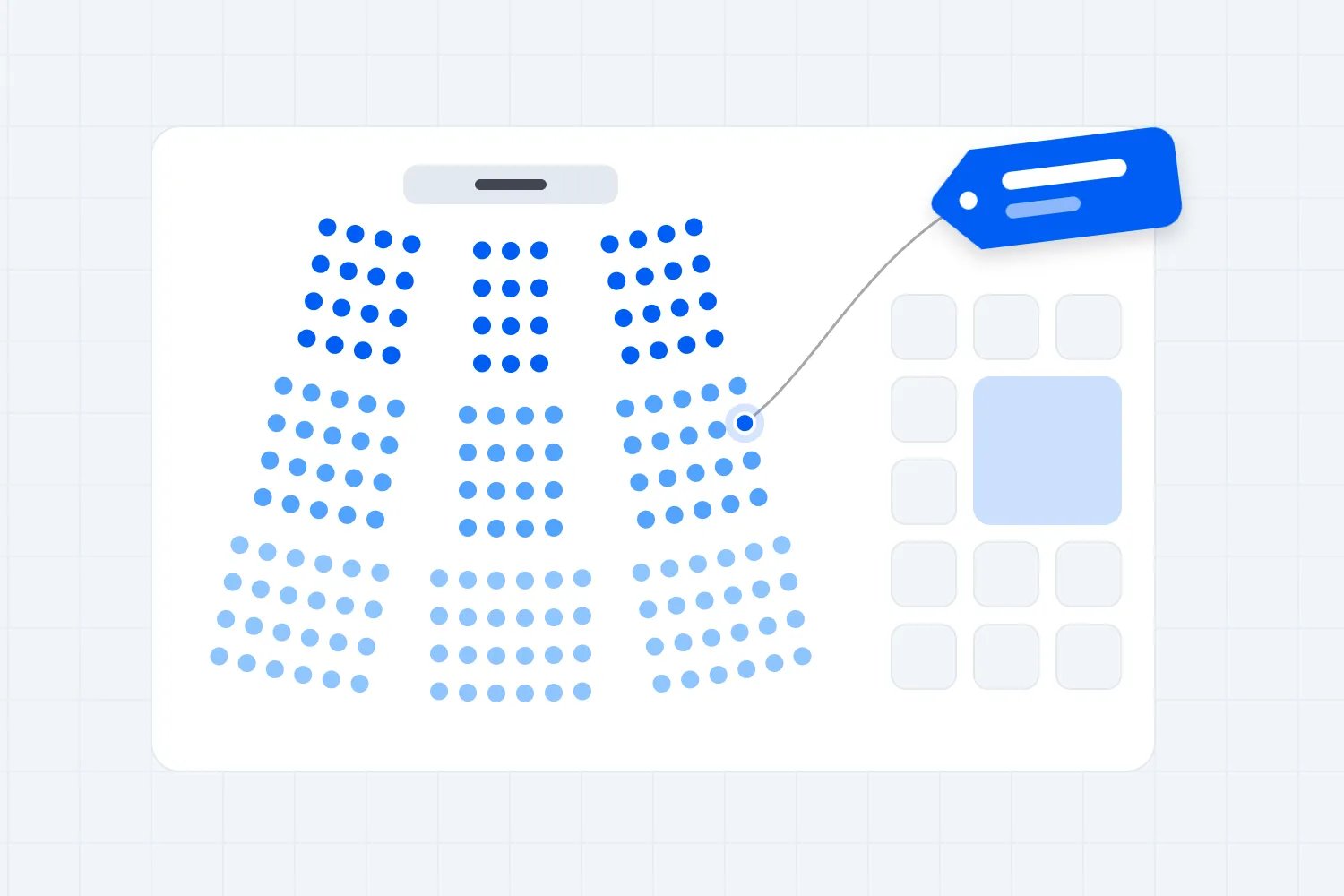
For assigned seating, the door needs the current seat inventory, not a rough count of empty chairs. Two available seats in different sections don't make a pair. Agree how staff will explain the remaining choices before accepting payment.
Keep three different counts separate
The number of tickets available, the venue's permitted capacity, and the number of people currently inside answer different questions. Putting them under one heading called "capacity" invites mistakes.
Ticket inventory tells you what you have already promised. Count valid paid tickets, valid complimentary tickets, and any unreleased holds against the relevant attendee allocation. A paid guest who hasn't arrived still holds a place. Their absence at opening time doesn't automatically make that place available to sell again.
The venue's permitted capacity is a safety limit for its approved use and layout. Work with the venue to establish the applicable limits, who counts towards them, and how staff, performers, contractors, and other occupants affect your attendee allocation. Different rooms or areas may have separate limits. Don't derive a legal limit from the ticket dashboard.
The number currently inside depends on actual entries and exits, including people admitted without a normal paid ticket. Cumulative ticket scans alone won't describe occupancy when people can leave and re-enter.
Britain's Health and Safety Executive recommends monitoring both overall crowd numbers and their distribution. It also identifies entry and exit counting as useful monitoring tools. Apply the venue's local safety requirements and agreed event plan; a ticketing app doesn't replace that plan or the people responsible for it.
Consider an illustrative event with an attendee allocation of 300 places, already set after accounting for other occupants and the venue's requirements. It has 240 valid paid tickets, 15 valid complimentary tickets, and 10 places still on hold. That leaves 35 tickets available to sell, even if far fewer than 255 ticket holders have arrived.
| Label | Places |
|---|---|
| Valid paid tickets | 240 |
| Valid complimentary tickets | 15 |
| Unreleased holds | 10 |
| Available tickets | 35 |
The calculation is 300 minus 240 minus 15 minus 10. Those 35 available tickets aren't permission to admit 35 people regardless of conditions inside. Entry still depends on the live occupancy position, the relevant area limits, and any operational restriction the venue imposes.
Assign one person authority to release holds. Record what they released and when, then make the updated inventory available to every selling point. Keep valid ticket holders' rights intact. Don't create a quiet no-show rule at the door after selling tickets on different terms.
Set an advance price and a door price you can explain
A higher door price can reward early commitment and make the price schedule clear. It should be announced before buyers choose when to purchase. There is no universal percentage that makes a door premium correct.
For an illustrative event, you might charge $40 in advance and $50 at the door, with those being the final customer totals. That gives buyers a clear saving for booking early. It doesn't prove that enough people will pay $50 on the night; demand still needs evidence from your audience and previous sales.
Keep the pricing rule consistent across your event page, signs, staff briefing, and checkout. If online sales continue after doors open, decide when the advance price ends. Otherwise, staff may be asking for $50 while the buyer can still purchase the same ticket for $40 on their phone.
Don't hide mandatory charges behind the headline price. In the United States, the FTC's live-event ticket fee guidance requires covered sellers to display the total price including known mandatory fees upfront, with specified exceptions such as government charges. The final payment amount must be disclosed before payment. This includes offers in physical locations, not only websites. Check the rules that apply where your event takes place.
Decide what staff can discount. A cashier shouldn't have to negotiate a different price for every group. If you offer a group rate, concession, or late-entry ticket, document its eligibility, availability, and final price. The system and signs should show what staff are authorised to sell.
Avoid an unplanned closing-time discount simply because the room looks quiet. It can upset buyers who paid earlier and teach regulars to wait. If a shorter late-entry experience makes sense for your format, design and describe it as a real offer before the event.
Check whether door sales cover the extra work
The useful number is what each door ticket leaves after its related costs. Gross sales alone can make a busy desk look more valuable than it is.
Continue the illustrative $50 door-ticket example in USD. Assume $5 goes to taxes and selling fees, leaving $45 for the organiser. Another $5 covers costs that rise with each attendee, such as a consumable included with admission. Each door ticket leaves $40 before extra door staffing and the event's existing fixed costs.
Suppose opening the sales desk adds a $180 staffing shift. Selling no tickets leaves that cost uncovered. Five tickets leave $20 after the extra shift; 15 leave $420; 25 leave $820; and selling all 35 available tickets leaves $1,220.
| Label | Contribution USD |
|---|---|
| 0 tickets | -180 |
| 5 tickets | 20 |
| 15 tickets | 420 |
| 25 tickets | 820 |
| 35 tickets | 1220 |
This model assumes those are purchases you would otherwise lose. If the buyers would have completed the same purchase online, the sales desk hasn't created all that contribution. Its value might instead be helping buyers who cannot complete self-service checkout or providing an option your audience needs.
At $40 contribution per ticket, the extra $180 shift requires five genuinely additional sales to cover itself. You still need to pay the venue, performers, production, and other fixed event costs. Use your real fees, tax treatment, staffing arrangements, and attendee costs in the event budget.
The model also ignores other spending inside the venue. Don't add a guessed bar or merchandise profit to make a weak ticket calculation work. Include those amounts only where your business actually receives the income and has evidence for the expected contribution.
Set up the selling desk and the check-in route
Buyers without tickets need somewhere to purchase. Ticket holders need somewhere to have their admission checked. Those jobs can share staff at a quiet event, but the process must keep them distinct.
Place the price and payment information where people can read it before reaching the cashier. Show which queue is for existing tickets. Give staff a way to move a complicated order or payment question aside while another person keeps the queue moving.
Your layout needs the venue's approval. Britain's HSE crowd-control guidance says queues should not block emergency access and people need a safe way to leave a queue. Positioning a fast cashier in an unsafe bottleneck doesn't make the entrance work.
For a small event, one person may direct arrivals and handle exceptions while another takes payments. A separate check-in person can verify tickets. At a larger event, use the staffing and supervision the venue's crowd plan requires. Don't copy a staffing ratio from a different kind of event.
Name the person who can pause sales, stop admission, release inventory, approve a refund, or authorise a complimentary ticket. Everyone needs a reliable way to contact them. A written procedure is useful only if the person with the decision can be reached when the queue is waiting.
Make the entrance usable for people who need assistance. For assigned-seat events in the United States, the Department of Justice's accessible ticket-sales guidance addresses equal sales methods and conditions, pricing, accessible-seat information, and release rules. Train door staff on the applicable arrangements instead of expecting them to invent an answer when a buyer arrives.
Take payment and issue the ticket together
Use a checkout that records what the person bought and produces the ticket they need. A payment receipt on its own doesn't tell the check-in team whether admission was issued correctly.
Loopyah's In-person Checkout lets you sell tickets at the door through the mobile app. Open the event, tap "More options", then "In-person Checkout". The attendee taps a contactless card or phone to pay, and the ticket is issued instantly. Set up and test the staff devices before the event, including the account and access each person will use.
Run through the whole journey during preparation. Select the correct event and ticket type, confirm the price, complete a permitted test using the provider's supported process, and check the resulting ticket and order record. Deal with any test payment or refund through the supported workflow. Don't leave test tickets mixed into the live allocation.
Verify supported devices, payment availability, connectivity, and account setup for your location in advance. Have charging available and a tested backup device or connection. Don't assume payments or inventory will work offline just because another app has an offline mode.
For every sale, staff should confirm the ticket quantity and price with the buyer, wait for the checkout's confirmed result, then direct the ticket holder to the entry check. A pending payment or an ambiguous screen needs investigation before someone tries to charge again.
If something fails, use the order and payment records to determine what happened. Don't ask the buyer to tap repeatedly while staff guess. A failed-looking screen can be a connection problem, and collecting a second payment creates a refund task you could have avoided.
Never create a handwritten card-details list as a backup. The PCI Security Standards Council's card-verification-code guidance says those codes must not be retained after authorisation, even when encrypted. Use your payment provider's approved process; a photograph of a card or a note for later charging is not a sensible queue shortcut.
Make cash and connectivity decisions before opening
If you accept cash, agree the float, denominations, receipt process, storage, and handover with the venue. Every cash sale still needs an admission record and must reduce the same available allocation. Check what your ticketing setup supports before choosing the workflow.
Count the opening float with the person receiving it and record the amount. Log any cash removed during the shift or refunds paid from the drawer. Don't pay unrecorded expenses from ticket cash and expect the closing balance to explain itself.
If you plan a cashless entrance, confirm that it is permitted locally and communicate it before people travel. Tell staff what to do when a buyer has an unsupported payment method. A surprise at the cashier adds friction when you have the least space and time to resolve it.
For a connectivity failure, define the safe stopping point. If staff cannot establish the payment result or remaining inventory, pause the affected sales route until they can. A fallback should preserve a reliable record of payment, ticket entitlement, and admissions. Describe only the fallback your actual systems and venue can support.
Control online sales and walk-up sales as one commitment
If tickets remain available online while staff sell in person, both routes must work from a reliable view of availability. Verify how your setup handles concurrent purchases, holds, cancellations, and refunds. Don't assume two sales screens share inventory simply because both show the same event name.
Where live coordination can't be confirmed, use a documented allocation for each route or close one route and reconcile before transferring its remaining tickets. Record who can make that change. Selling the last place from two independent lists is an avoidable problem.
Put guest additions through the same decision owner. An artist's late request or a sponsor's guest still consumes a place. Staff shouldn't wave someone through because the name arrived in a message without updating the relevant admission record and occupancy count.
For ticket holders, Loopyah's check-in process supports QR scanning or finding an attendee by name and marking them checked in. Use that record to establish admission. If a ticket appears already used or belongs to a different event, move the question to the designated help position while authorised staff investigate.
Agree how re-entry works and how exits are counted. If the event doesn't permit re-entry, communicate that policy before someone leaves. If it does, staff need a consistent way to recognise returning attendees without issuing another paid ticket or inflating the count of unique admissions.
Give staff answers for the awkward cases
Before opening, walk through the situations most likely to interrupt selling. The aim is to make ordinary decisions consistent and send exceptional ones to the right person.
Consider the buyer paying for friends who haven't arrived. Confirm the quantity, issue the correct tickets, and explain how those people will receive or present them. Selling a group order doesn't mean everyone in that order has entered. Check each person's admission under your agreed process, including any age or other entry conditions that apply to the event.
Next, consider someone who says they paid but cannot find a ticket. Ask staff to look up the order through the supported process and confirm its status. A banking screenshot may help identify a transaction, but it doesn't by itself prove which event or ticket the person bought. Avoid taking a new payment until the original purchase has been checked.
Then rehearse a price dispute. If an old poster shows the advance price, staff should know the published deadline and current offer. If your own communication was wrong or ambiguous, the cashier needs a manager's decision rather than an argument in front of the queue. Record the resolution so the next staff member doesn't give a different answer.
Finally, prepare the sold-out message. Stop the affected sales route, update the public availability information, and tell the queue what happens next. Don't keep taking payment while hoping that a hold will be released. If a refund, cancellation, or authorised release later returns a place to sale, confirm that change before offering it.
Keep these answers in the opening briefing and make the escalation contact visible at each desk. A substitute staff member should be able to understand the process without piecing it together from messages sent during the night.
Reconcile tickets, payments and cash before closing
At the end of selling, reconcile three records: tickets issued, payments taken, and people admitted. They should be explainable, although they won't necessarily be equal. A buyer may purchase several tickets; a valid ticket holder may never enter; a complimentary guest may enter without a payment.
Start with sales by ticket type and payment method. Record voids and refunds separately so you can trace the original transaction. Loopyah's Orders view shows the buyer, ticket type, quantity, and payment amount, with individual tickets and refund status available in the order detail.
For cash, calculate the expected drawer as opening float plus cash sales, minus cash refunds and documented removals. Count the actual drawer with the person handing it over. Record any difference and investigate it while the people involved can still explain the transactions.
Compare card-payment totals with the relevant payment report, including refunds and unresolved transactions. A later payout can differ from gross sales because of fees, taxes, refunds, or settlement timing. Keep the transaction reconciliation separate from the check that money reached the bank.
Close any remaining sales routes and save the records your business needs. Remove event access when it is no longer required, according to your team arrangements. Don't leave shared passwords as the only explanation for who took money or changed an order.
Use the door results to plan the next event
Review when people arrived, which ticket types sold, how long difficult cases took, and what caused payment failures or refunds. Count enquiries you turned away, with the reason, without treating every enquiry as a sale you would definitely have made.
Compare the final door contribution with the extra operating cost. If most buyers could have bought earlier but didn't understand the offer, improve the advance communication. If walk-up demand was strong and genuinely additional, give the next event an appropriate selling setup and allocation.
Selling tickets at the door should finish with a valid ticket, an explainable payment, and a safe admission. Set the offer in advance, protect the places already promised, and give staff a clear answer for the moment the queue gets busy.

Author: By the Loopyah Content Team
The Loopyah Content Team shares expert insights, practical guides, and industry updates to help event organizers create unforgettable experiences and stay ahead in the event planning world.