· 27 min read
How do you track changes to event ticket prices and capacity?
Someone messages you because the general admission price looks wrong. You open the event and see the price you expected. Finance has an order charged at something else. Meanwhile, the box office says another thirty tickets became available this morning, although nobody remembers approving them.
To explain the difference, you need to see what changed before you opened the event.
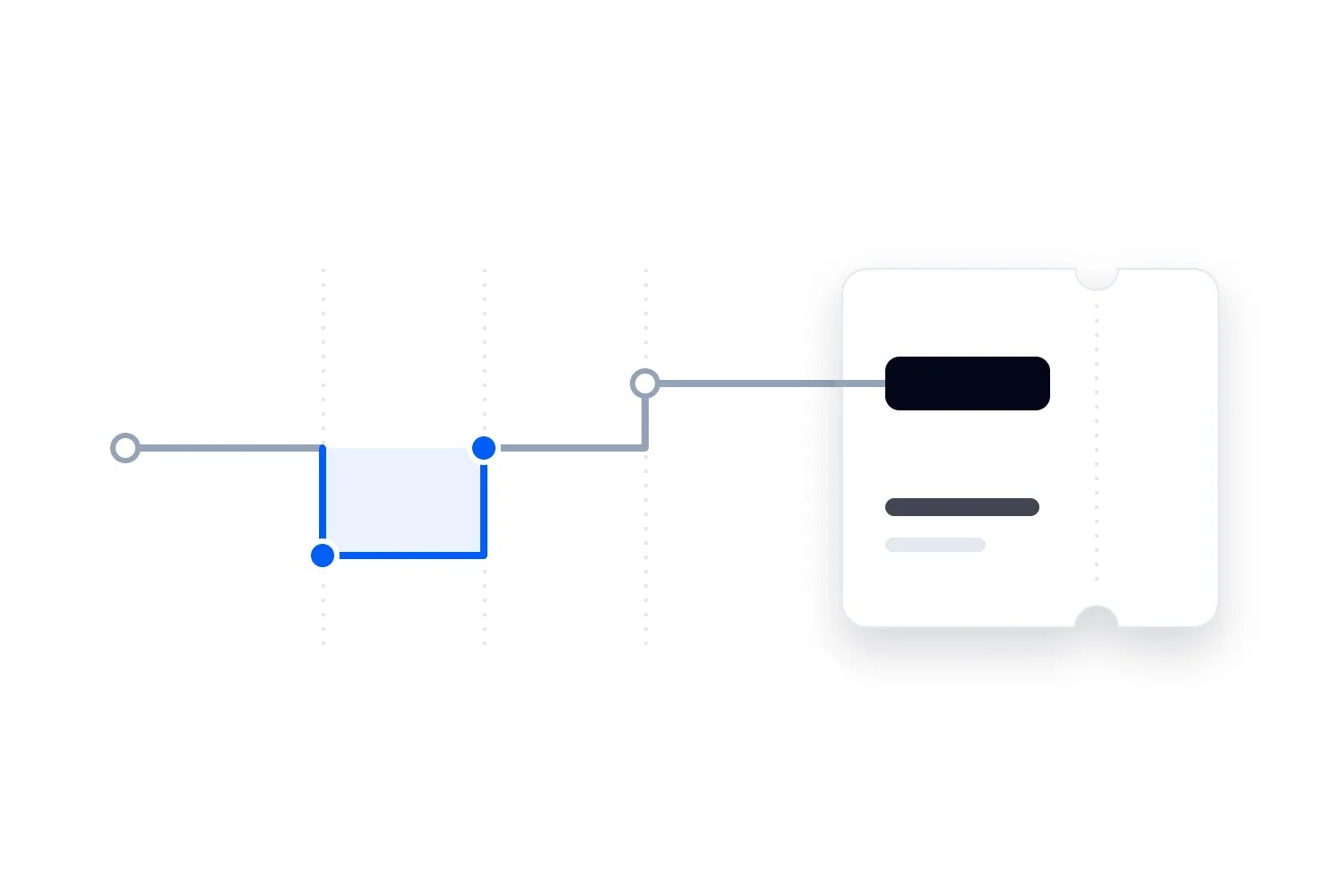
An event ticketing audit trail is a history you can use to reconstruct changes to your event's commercial settings. Keep the previous value, the new value, who or what made the change, when it took effect, why it was approved and how you checked the result. Use the platform's own history wherever it provides that evidence. Add approval and investigation notes around it rather than asking people to recreate information the system already records.
The useful test is straightforward. Could a colleague who wasn't involved explain what buyers were offered, which admission allocation applied and what happened next? If they need someone to remember a conversation, the record is incomplete.
This guide explains what to record, how to handle scheduled changes, how to investigate an unexpected price or quantity and how to correct the problem without losing its history. There's a reusable record and a worked example throughout. All names, amounts, times and ticket quantities in that example are invented. They demonstrate the process, not a customer result or an industry benchmark.
Start with the questions you need the history to answer
You don't need another document that lists everything somebody clicked. You need evidence for the decisions your team will actually face. Start with the problems that would make you stop selling, contact buyers or change the financial forecast.
For a price discrepancy, you might need to establish the ticket type, release, currency and sales channel involved. You need the amount before and after the change, whether a discount applied and which orders used the unexpected amount. A screenshot of today's general admission price answers only a small part of that question.
For a quantity discrepancy, you need to know which limit changed. Was it the total guest-ticket allocation, one ticket release, a block held for sponsors or inventory shared across sessions? An extra thirty general admission tickets might represent an approved transfer from another allocation. It might also be an accidental increase in the total. The action needs enough context to distinguish those situations.
The US National Institute of Standards and Technology's audit trail definition centres on reconstructing the sequence of activity. Applied to ticketing, that's a more useful goal than simply proving a history page exists. Your team should be able to follow the change through to its result.
Write down the questions before choosing a tool. For example, can we explain why a buyer paid this amount? Can we establish the guest allocation in force at that point? Can we show whether a change was requested, applied and checked? These questions help you identify missing evidence while the event is still being configured.
If your immediate problem is inconsistent reports, use the separate process for cleaning ticket sales and attendance data. A change history supports that investigation, but it doesn't replace the original order, refund or admission records. Each answers a different part of what happened.
Record changes at the level where they happen
An event title is useful for reading a record. It isn't enough to identify the thing that changed. A monthly series can reuse the same title, and one dated event can contain several ticket types, releases and sessions with similar labels.
Include the platform's event reference and the particular ticket type or allocation reference wherever available. Preserve the readable names as well. If someone renames general admission after the change, the stable reference helps you follow the same ticket type while the name explains what the operator saw at the time.
Be equally precise about the field. "Capacity updated" leaves too much open. "General admission release quantity changed from 300 tickets to 330 tickets" tells a colleague what was edited. You still need to say whether that release sits inside a separate total allocation and whether the source records a cumulative quantity or the number remaining.
Price records need units and scope. Record USD 60 per admission rather than a bare 60. State whether the setting is a base ticket charge or a buyer total including other amounts. A discount, fee rule or tax setting can change what someone pays while the base price remains the same.
If one action changes several fields, keep their individual old and new values under a shared change reference. That makes it possible to review the whole action without compressing it into "ticket updated". If the system only records a general update, ask the provider what supporting detail can be retrieved.
For a bulk change across several dates, preserve the affected event list as it existed when the action ran. "All autumn events" becomes ambiguous when someone adds another date later. Record successes and failures individually where the operation can partly complete. Approval for ten dates doesn't establish that the change reached all ten.
Use a change record that explains the decision
The platform may already supply much of the factual history. Your own record should connect that history to the approval, operational checks and follow-up. Avoid copying entire logs into a second place when a controlled reference will do.
A practical record contains the following information:
Change reference and event. Identify the dated event and each affected ticket type, release, session or inventory pool.
Setting and previous value. Name the exact field, its units and what the value meant before the change.
New value and scope. State the intended replacement and whether it applies to new sales, existing bookings or another specific group.
Request and approval. Name who requested it, who had authority to approve it and where that approval can be found.
Application and timing. Record the account or automated process that applied it, the application time, effective time and time zone.
Reason and supporting evidence. Explain the commercial or operational reason, with the relevant allocation, price plan or venue approval reference.
Result and verification. Record whether it succeeded, what the verifier checked and any difference between the expected and observed result.
Affected activity and follow-up. Link to relevant order or ticket references, corrective actions and unresolved questions with an owner.
Not every field needs an essay. "Transfer twenty unissued sponsor places to public general admission within the existing guest allocation" is a useful reason. "Marketing request" isn't, because it doesn't explain what marketing wanted or whether the person approving it understood the consequence.
Keep planned and observed values separate when they differ. If you requested USD 65 and the system shows USD 55, preserve both. Replacing the intended value with the observed one would make a failed change appear to match its approval.
You can use the same record for routine and unexpected changes, but label the difference. An investigation opened after an unexplained edit mustn't look like prior approval. Record when the team discovered the change and what evidence was available then. Later findings should add to that account without pretending you knew them earlier.
Distinguish the person who approves from the account that acts
A history entry saying an administrator edited a release tells you which account performed the action. It doesn't automatically tell you who requested it, whether it was authorised or why the new amount was chosen. Keep those questions separate when you review a discrepancy.
Use individual team accounts wherever the platform supports them. Shared credentials make attribution weaker because several people can produce the same recorded identity. If shared access caused a historical gap, record that limit honestly. Don't pick the person who was on shift and describe the guess as a confirmed fact.
Permissions can also prevent avoidable edits. Someone checking tickets at the door doesn't normally need to change prices. In Loopyah ticketing, you can add event admins and door staff without sharing your login, and give door staff check-in access. Use the supported access level for the job. Confirm history and export capabilities separately before relying on them for this process.
Decide approval authority before an urgent request arrives. A box office lead might release an agreed hold under a written plan. Changing the total guest allocation needs the people responsible for that allocation and the venue arrangements. The person who knows how to edit a number isn't necessarily entitled to choose it.
For a small business, the owner may request and apply the change. You can still preserve the reason and have another person check a consequential result. The point is a reliable decision record, not adding a ceremonial approval to every minor correction.
When an automated process acts, record the process and the human decision behind its configuration. A scheduled release switch can be working exactly as configured even when the schedule itself is wrong. Investigate the original instruction as well as the eventual system action. Otherwise the team may blame an automatic change that carried out yesterday's mistaken setup.
Capture the old value before the new one replaces it
The old value is often what an investigation needs most. Once you've corrected a price, the current event page can no longer show what the buyer saw earlier. Prefer a supported history that records changes as they happen rather than relying on someone to take a screenshot every time.
OWASP's application logging guidance recommends recording who acted, the action, timing and outcome, while protecting logs and excluding sensitive information. Its subject is software security. For an event operator, it provides useful questions to put to a provider, rather than a requirement to build a logging system yourself.
Ask the provider to demonstrate a price change and retrieve the earlier value. Check whether the history covers quantities, discounts, holds, permissions and bulk edits too. A record of login activity doesn't establish that commercial settings are recorded. A general last-updated date doesn't show what changed.
Screenshots can support the record when the system doesn't provide the detail you need. Include the event, field and capture time, and store them where the investigation team can access them. A screenshot of a settings page shows what was displayed when captured. It cannot by itself prove the same value applied to every checkout or that no intervening changes occurred.
If you have only periodic exports, state the gap between them. A morning export and an afternoon export can show a difference without revealing the exact time it took effect. They may also miss a change that was applied and reversed between captures. Don't describe that evidence as a complete history.
Keep uncertainty attached to the finding. You can say the setting differed between two verified checks while leaving the exact change time unresolved. That gives the next investigator a useful boundary without turning incomplete evidence into a precise timeline.
Also ask what a failed change looks like in the history. Imagine somebody tries to raise a price, receives an error and tries again. A record of two attempts doesn't establish two successful changes. Check the outcome of each attempt and the value that actually applied. If the system records only successful changes, document that limit so an investigator doesn't mistake the absence of an entry for proof that nobody tried.
Before depending on an export, ask a colleague to use it to find a known change. Can they identify the event, recover the earlier amount and distinguish the correction? Check whether filters omit older entries, whether a download covers the whole period and whether the account needs extra permission to see certain actions. Keep the retrieval instructions with the record. A history that exists but cannot be obtained during a live problem leaves the box office with the same unanswered question. Resolve access and coverage gaps before the next consequential edit.
Keep price changes separate from the amounts buyers paid
The price setting describes an offer. The order describes a purchase. They should be connected during an investigation, but today's price must never overwrite the explanation of yesterday's transaction.
Imagine a fictional paid event called Foundry Forum. Its approved guest-ticket allocation is 400 admissions. The sales plan contains 100 early tickets at USD 45 and 300 general admission tickets at USD 60. All example amounts exclude taxes, fees, discounts and refunds so we can follow the price change directly. All example times use Coordinated Universal Time, or UTC.
At 09:30 UTC on 12 June 2027, all 100 early tickets and 120 general admission tickets have sold. That is 220 tickets and USD 11,700 of ticket charges: USD 4,500 for the early tickets plus USD 7,200 for general admission. Assume those admissions remain valid and there are no complimentary admissions in this example.
The approved plan schedules the general admission price to rise to USD 65 at 10:00 UTC. Separately, an administrator mistakenly changes the current general admission price from USD 60 to USD 50 at 09:40. Five orders containing eight tickets complete at USD 50 during the affected period, adding USD 400 of ticket charges.
At 09:55 the team restores USD 60. At 10:00 the previously approved scheduled change takes the price to USD 65. Two more tickets then sell at USD 65, adding USD 130. At the review cutoff, the event has sold 230 tickets with USD 12,230 of ticket charges under these assumptions.
The eight tickets at USD 50 carry USD 80 less in ticket charges than eight at USD 60. That calculation describes the difference against the intended price. It doesn't prove those buyers would have purchased at USD 60, establish a recoverable debt or calculate lost profit. Finance needs the actual transactions and relevant costs before making a wider financial claim.
The current USD 65 setting cannot explain those earlier orders on its own. Preserve the original order amounts, their ticket references and the price changes that help interpret them. Pricing strategy is a separate decision, covered in our guide to early-bird ticket allocations. Here, you're establishing whether the approved strategy was applied.
Treat checkout timing as something to verify
Don't assume every order completed after 09:40 used the mistaken price. A buyer may have started checkout before the change, and providers can handle reserved prices differently. The affected group needs transaction evidence rather than a simple filter on payment time.
Ask which moment fixes the offered amount in your system. Is it ticket selection, reservation, checkout creation or a later step? What happens if that reservation expires? Does a price change affect an open checkout? Have the provider demonstrate the supported behaviour rather than assuming it matches another platform.
For Foundry Forum, we have explicitly assumed the eight identified tickets were charged USD 50. We haven't inferred that from their completion times. If another buyer completes at USD 60 during the same interval, inspect their order and the applicable reservation rules before calling it another error.
Separate the time somebody requested the change, the time the setting changed and the time the buyer completed payment. If the source supplies a later logging or receipt time, retain that separately too. A delayed history entry shouldn't silently move the start of the affected period.
Use a consistent comparison basis, such as UTC, while preserving the source's original timestamp and offset. Display the event's local time where your team needs it, with the zone clearly stated. "Ten o'clock" in a chat isn't enough when the event, office and platform report in different zones.
When the exact boundary remains uncertain, investigate a wider surrounding period and explain why. Record which orders definitely used the amount, which definitely didn't and which remain unresolved. Don't compensate for missing evidence by implying every buyer in a rough time window received the same offer.
Your support team can then make decisions on confirmed bookings while the provider investigates the timing gap. Keep any customer remedy separate from the technical reconstruction. What you may or should do about an accepted order depends on the booking terms, circumstances and rules that apply, not simply on the price you meant to charge.
Record which capacity number actually changed
Capacity is a particularly easy word to misuse. A venue's safe capacity, the guest-ticket allocation, the quantity assigned to a release and the inventory currently available for sale are different numbers. Name the one you're recording each time.
Great Britain's Health and Safety Executive explains in its venue and site design guidance that capacity depends on factors including space, exits and circulation, with audience, staff and contractors considered. A commercial ticket-setting change doesn't establish a new safe capacity. Follow the venue and local requirements for the event you're running.
In our example, 400 is the approved guest-ticket allocation for Foundry Forum. It isn't a calculation of the venue's safe total occupancy. Assume the team has already established the wider staffing and venue arrangements through its separate planning process. The audit record should reference that approval rather than infer it from the ticket limit.
Now suppose the same administrator also changes the configured guest-ticket allocation from 400 to 430 at 09:43. The team restores 400 at 09:58 after checking the approved plan. Those are separate actions from the price correction and need their own before-and-after values, times and results.
The eight discounted sales didn't necessarily depend on that quantity increase. There was already unissued inventory inside the original 400. You can establish that both settings changed during the incident without claiming the capacity edit caused every sale made in the period.
At 10:10, the example has 230 valid sold tickets against the restored allocation of 400. That leaves 170 unissued places. If twenty of those are held and there are no other commitments or temporary reservations at that cutoff, 150 remain available for public sale. Record those assumptions with the check. Unissued and available aren't interchangeable.
Our guide to safe event capacity beyond the ticket limit covers the wider planning question. If your investigation reveals a possible excess commitment, stop making further affected inventory available and involve the people responsible for venue and admission decisions. Editing a limit down doesn't cancel tickets already issued or decide how existing guests can safely be accommodated.
Connect holds and shared inventory to the same record
A hold is inventory kept out of public sale for a stated purpose. Record who controls it, which allocation it uses and what authorises its release. "Sponsor hold removed" doesn't tell you whether the tickets became public, were issued to a sponsor or returned to another reserved group.
For Foundry Forum, the twenty held places are part of the 400 guest allocation. Releasing them to public sale would change the split of unissued inventory while leaving the overall guest allocation unchanged. If they were issued instead, valid issued admissions would rise and unissued inventory would fall. The history needs to distinguish those actions.
Don't double-count a shared pool. Two ticket types can draw on the same remaining places even when each has a separate displayed availability. Ask the provider which shared limit governs them and preserve that relationship in the record. Adding the two displayed numbers together may invent inventory that doesn't exist.
Session entitlements need the same care. A pass can admit someone to the event without guaranteeing a place in every room. If you change a session limit, record that session and its admission rules. Don't describe a larger booking allowance as extra capacity for the venue as a whole.
Where several products share admission inventory, verify the combined position after a change. That could include standard tickets, premium tickets and tickets sold at the door. A correct public web release doesn't establish that a separate selling route uses the same limit. Use the provider's supported inventory controls and confirm their scope.
See our guide to shared ticket capacity across linked sessions for the allocation design itself. For the change history, preserve what governed the affected sales, what changed and whether the resulting commitments stayed within the approved arrangement. Keep that evidence available to the people responsible for the event.
Make scheduled changes visible before they happen
A scheduled change has a setup decision and a later execution. Keep evidence of both. Record who configured it, what it should do, the trigger and which dated event or release it affects. Then verify what happened when the trigger was reached.
A trigger might be a date and time, the sale of a release's final ticket or another supported condition. Record the actual rule rather than shorthand such as "early bird ends Friday". That phrase doesn't explain the time zone, whether existing checkouts retain their offer or what happens if the quantity sells out earlier.
Loopyah's ticket releases let you give a ticket type multiple releases with their own prices and quantities, with the next release opening when one sells out. Use that supported automation for the release transition it handles. Your team still needs to approve the release plan and check any manual exception against it.
The invented 10:00 schedule illustrates a time-based change on a system that supports that trigger. Verify your provider's available triggers when setting up the plan, and examine pending automation before deciding a restored price will stay in place.
At 09:55, returning the price to USD 60 fixes the mistaken current setting. It doesn't cancel the separately approved 10:00 rise to USD 65. If the team forgets that schedule, someone may interpret the expected rise as another fault and undo it. The correction record should state what is expected to happen next.
When a planned schedule changes, preserve the original instruction and its replacement. Include who cancelled or superseded it and whether that action succeeded. If the platform retains this history, link to it. If it doesn't, record the approved instruction and observed outcome without claiming the manual note proves every system action.
Investigate an unexpected edit before deciding who caused the problem
Start by controlling the ongoing consequence. An unexplained price needs the sales owner. A possible inventory or admission problem needs operations and the venue decision makers. Assign someone to coordinate the investigation so several administrators don't make conflicting fixes while trying to help.
Preserve the available history before it expires or becomes harder to retrieve. Note the discovery time, current settings, pending changes and the source of the alert. Ask the provider for missing evidence through its supported process. Avoid changing unrelated fields while you're trying to understand the first discrepancy.
Next, build a factual sequence. For Foundry Forum, distinguish the 09:40 price edit, 09:43 allocation edit, 09:55 price correction, 09:58 allocation restoration and 10:00 scheduled rise. Link each action to its evidence and outcome. Don't merge them into one broad fifteen-minute incident and lose the different boundaries.
Identify the affected objects and transactions. Search by event, ticket and release references, then check actual order amounts and current admission commitments. A price incident and a capacity incident can affect different groups. Use the booking records to establish the consequence rather than assuming every action had the same reach.
Then compare the actions with their approvals. The account may have been authorised to edit the event while applying an unapproved value. An approved request may have been entered incorrectly. An automated process may have applied an old instruction correctly. Those findings call for different fixes.
If the account history raises a possible security issue, involve the person responsible for account security and the provider. Preserve evidence and use the supported response process. The commercial investigation should record what is known without turning an unfamiliar login or an operator mistake into a public accusation.
Correct the live position without rewriting the past
A correction is another change. Record the value immediately before it, the intended replacement, who approved it and what happened when it was applied. Connect it to the original incident, but retain both actions.
For Foundry Forum, the price correction changes USD 50 to USD 60 at 09:55. The allocation restoration changes 430 to 400 at 09:58. Returning both fields to earlier values doesn't erase the eight purchases at USD 50 or establish that the buyers owe an additional amount.
Check the current position before restoring an old value. New tickets may have sold, holds may have changed or a different approved release may have opened. Reapplying yesterday's entire configuration can remove legitimate later decisions. Restore the specific setting only after checking the consequences for existing commitments and pending actions.
If a change cannot be safely reversed, record the alternative decision. You may need to pause affected sales while operations resolves an allocation conflict, or leave accepted orders unchanged while customer support handles the offer discrepancy. A completed correction should describe the result the team actually achieved.
Separate the live fix from the buyer decision. Customer support needs confirmed affected bookings, the agreed response and a person authorised to approve exceptions. Don't silently edit transaction amounts to make reports match the intended price. Preserve what happened and record any later refund or adjustment through the supported transaction process.
Finally, tell colleagues what they should expect next. In the example, the price will still rise at 10:00 under the approved schedule. Include any continuing restriction, unresolved order group or pending provider check. That prevents the next shift from treating a partial recovery as a completed investigation.
Verify the correction with evidence beyond the edit screen
A successful save message is useful, but your check should follow the consequence. Confirm the setting in the source, then examine the relevant buyer-facing route and inventory position. Use a preview or supported test method where available. Avoid creating real sales merely to demonstrate that a field changed.
For a price, check the intended ticket type and release, currency, discount eligibility and treatment of additional charges. If the event is also sold through an embedded page or another supported route, check the route involved in the incident. A different cached display or an already-open checkout may need its own explanation.
For inventory, check current valid issued admissions, holds and other commitments using the source's definitions. Confirm whether temporary reservations are included in the availability figure. Record the cutoff, because a busy event can sell more tickets while you're comparing two screens.
Have a second person verify consequential changes where practical. They should use the approved record and source evidence rather than follow a verbal instruction to confirm that it looks right. A named check with its result helps the next shift understand what has actually been established.
For Foundry Forum at 10:10, the agreed check is 230 valid sold tickets, twenty unissued held places and 150 public places within the 400 guest allocation. The current price is USD 65 after the approved rise. Ticket charges are USD 12,230 under the example's simplified assumptions. These figures agree without pretending every general admission sold at the same price.
If part of the check fails, restrict the conclusion. You can confirm the source setting while waiting for the provider to explain an open checkout. You can confirm a corrected web price while operations investigates inventory elsewhere. Record what remains unresolved, who owns it and which actions must wait for that answer.
Protect the history without collecting unnecessary customer data
The people changing commercial settings shouldn't be able to casually remove the evidence of those changes. Ask your provider who can edit or delete history, how long it's retained and whether authorised users can retrieve it after a staff member leaves or an event is archived.
For your supporting records, restrict editing to the people maintaining the investigation and give other reviewers the access they need. Preserve corrections as dated additions rather than quietly replacing an earlier factual note. A shared document with version history can help, but ordinary editing permissions don't make it impossible to alter.
Keep order references and controlled links where they answer the question. A shared change record usually doesn't need full buyer contact details, payment credentials or private support correspondence. Store sensitive supporting material in the appropriate restricted system and reference it only for authorised investigators.
The UK's Information Commissioner's Office data minimisation guidance says personal information should be sufficient and relevant for its purpose without exceeding what's necessary. Its guidance is marked as under review following legislation changes. Apply the requirements relevant to your business, and explain why any personal detail belongs in the investigation record.
Set retention with the responsible business owner rather than choosing a universal number of months. You may need evidence for customer issues, financial review, contractual obligations or an ongoing investigation. Those purposes don't automatically justify keeping every attachment or personal field for the same period.
The ICO's storage limitation guidance explains that UK GDPR doesn't specify one retention period for every kind of personal information. That guidance is also under review. Document your justified periods, review needs and any specific preservation requirement with the people responsible, then follow them when disposing of records.
Give the next shift a record they can act on
Here's a completed summary using the invented incident. It demonstrates the content of a handoff, not a platform's native export format. The underlying change entries and order records would remain separately available to authorised reviewers.
"Foundry Forum, dated event reference FF-JUNE27. On 12 June 2027, an administrator changed general admission from USD 60 to USD 50 at 09:40 UTC. Five confirmed orders contained eight tickets charged USD 50. At 09:43, the configured guest-ticket allocation changed from 400 to 430 without the required approval. The observed changes are linked in the incident record. The reason for these edits remains under investigation."
"Price restored to USD 60 at 09:55 and allocation restored to 400 at 09:58. The previously approved scheduled rise to USD 65 executed at 10:00. Two tickets subsequently sold at USD 65. At the 10:10 check, 230 valid sold tickets plus twenty unissued held places leave 150 available public places inside the approved guest allocation. No excess ticket commitment has been identified in the verified example records."
"Ticket charges are USD 12,230 before any taxes, fees or subsequent adjustments. The eight affected tickets carry USD 80 less than the intended USD 60 price would produce; this is a comparison amount, not established lost profit. Customer support owns the decision for those five orders. Operations has confirmed the current allocation. The event owner will review the mistaken instructions and permissions before the next price change."
Your real note should name the responsible people and link to the specific evidence. Give unresolved work a next review point that matches its urgency. Don't mark customer follow-up complete because the price now looks correct, or mark the entire incident unresolved when a narrower, useful conclusion has already been verified.
Check the process before your next release opens
Take one upcoming price or allocation change and ask someone outside its setup to explain it. They should be able to find the current value, approved replacement, trigger, responsible person and planned verification. If they can't, fill that gap before the change takes effect.
Then use a supported test event or provider demonstration to check the history itself. Make a change, inspect its old and new values, and confirm that a reversal remains a separate action. Try an automated transition and a bulk edit if those are part of your operation. Keep the observed limits with the process.
Where the platform already provides reliable history, use it. Where it doesn't, decide whether a controlled manual record covers the remaining risk for your event. More consequential or frequent changes may require stronger provider support. Don't describe an operator-maintained spreadsheet as equivalent to automatically captured evidence.
Before handing the event to the next shift, leave them the approved plan, the current verified position and the changes still due to happen. They should know which setting they may change, who can approve an exception and where to record the result. The next shift can then investigate a discrepancy even when the people who made the earlier changes have gone home.

Author: By the Loopyah Content Team
The Loopyah Content Team shares expert insights, practical guides, and industry updates to help event organizers create unforgettable experiences and stay ahead in the event planning world.