· 28 min read
How do you make an event map usable without relying on colour?
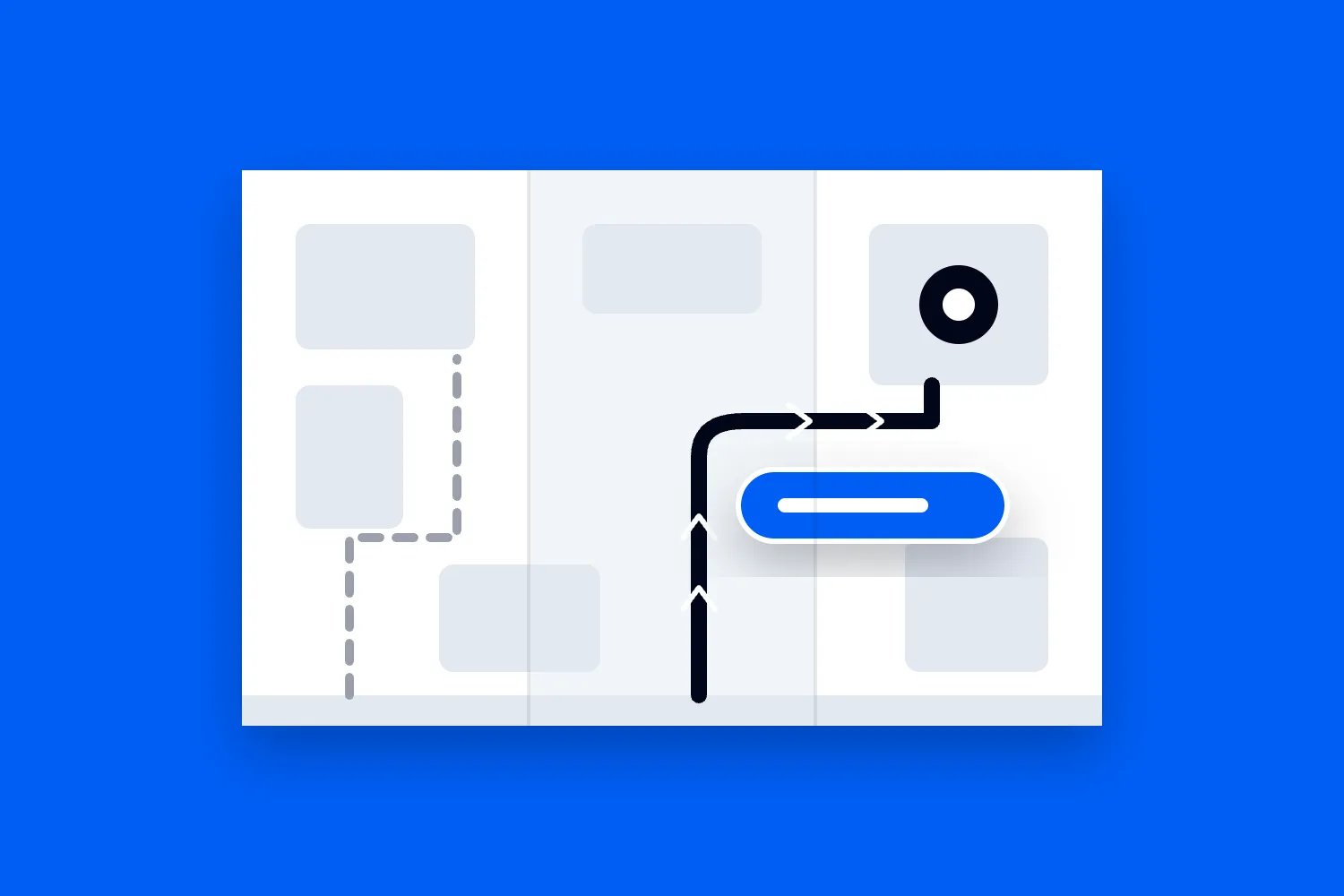
Your designer sends over the festival map. The stages look great, the sponsor logos are in place, and every area has its own colour. Then someone asks how to reach the step-free entrance. The answer is "follow the green line", except the line crosses another route, disappears behind a label, and means nothing to someone who can't distinguish those colours.
An event map needs to explain where people can go and how to get there without requiring them to recognise a particular colour. Give destinations clear names, identify routes in words, and use distinguishable lines or symbols where they help. Support the drawing with written directions, then check both against the venue people will actually encounter.
That's the work this guide walks you through. We'll cover what belongs on the map, how to explain different routes, what changes between print and mobile, and how to test the result before ticket holders depend on it. You'll also see a fictional paid event worked through in detail, including how its team handles a route problem after the first map has already gone out.
The aim is practical. Someone should be able to decide which entrance to approach, find the facilities they need, and understand a restriction before they reach it. A map that does that can save your team repeated explanations. It also gives buyers better information about whether the visit will work for them. Your gate staff can then spend more time helping people with questions the map can't answer.
Start with the journeys your attendees need to make
The first thing you want to do is write down the questions the map must answer. "Show the venue" is too broad. "Show how to get from the public drop-off to ticket check-in without using steps" gives your designer and venue contact something they can check together.
Separate arrival questions from questions inside the event. Before travelling, someone might need the street address, the correct gate, the route from transport, and information about the surface. Once inside, they might need a stage, a toilet, drinking water, a quiet room, or the way back to their pickup point. Those questions don't all need the same drawing.
For a small paid workshop, a clear entrance diagram and written route may be enough. For a multi-stage festival, you may need an arrival map and a separate site map. For a conference across several floors, you may need an overview plus a plan for each level. Choose those views because they make a task easier, rather than because a large event is expected to have a complicated map.
Ask the people answering attendee questions what keeps coming up. Customer support may know that buyers confuse the box office with the main entrance. The venue team may know that navigation apps send drivers to a service gate. Your access contact may be getting questions about a route that looks short on paper but contains a steep section. Bring those problems into the brief before artwork starts.
Then decide what the map won't be expected to explain. It cannot establish whether a temporary ramp is suitable, approve a crowd route, or determine an evacuation procedure. Those decisions belong with the venue and appropriate specialists. The map communicates the arrangements they have checked. Our broader event accessibility checklist covers the work around those arrangements across the whole visit.
Keep a short list of navigation tasks for later testing. Include the return journey and a task involving a less obvious facility. If every test starts at the main gate and ends at the main stage, you'll miss the person trying to leave a workshop, find an accessible toilet, and get back before the next session starts.
Agree the real layout before choosing colours
A venue plan can be accurate as a drawing of a building and still be wrong for your event. The main doors might be reserved for another booking. A corridor might contain your merchandise queue. The lift shown on the plan might require access through an area your ticket holders cannot enter. Check how the space will operate on your date.
Get the venue's current plan and walk the relevant routes with someone who knows the building or site. Confirm entrance names, public boundaries, level changes, gates, surfaces, and facilities. Record what you haven't verified. If a route depends on an arrangement that is still being negotiated, don't quietly turn it into a confident line on the public map.
Use one agreed name for every destination. If the venue calls a room "Studio Two" and the programme calls it "The Ideas Room", either choose one public name or show the relationship clearly everywhere. An attendee shouldn't need to work out whether those are different places. The same applies when a sponsor buys naming rights after the programme has been drafted.
Here's the example we'll use throughout. Harbour Makers is a fictional ticketed weekend event in a converted waterside warehouse and courtyard. Its public destinations are North gate, East gate, Ticket help, Main hall, Workshop room, Courtyard, Accessible toilet, Quiet room, and Water. These are invented arrangements to explain the planning decisions, not a customer case study or a recommended venue specification.
North gate leads to the main entrance by steps. East gate provides the event's checked step-free approach through a paved passage into the courtyard. The workshop room is on the ground floor beyond the courtyard. Both gates lead to ticket checks, and both operate for the advertised public entry hours. That last detail matters. An entrance shown as an option has to work when people arrive.
The map owner confirms these arrangements with the venue and entry supervisor before sending the brief to the designer. If East gate still needs a staffing decision, the unfinished task stays visible in the working notes. Putting a wheelchair symbol on the draft doesn't finish it.
Give routes names people can use without seeing their colour
Colour can help someone scan a map quickly. The problem starts when it carries information by itself. "Follow the blue route" requires a person to identify blue accurately, keep that colour in view, and connect it to a route on the ground. It also becomes awkward when the map is printed badly or someone describes it over the phone.
The W3C's guidance on use of colour explains that colour must not be the only visual way information is conveyed. For an event map, the useful design question is simple. If the colours become indistinguishable, can a reader still tell which route is which and what each destination means?
For Harbour Makers, the published instructions can name "East gate step-free route". The drawing can repeat that name along the approach where space allows. A clearly defined line treatment can help readers follow it through the plan, while arrows explain direction where direction matters. A coloured line may remain, but understanding the route no longer depends on knowing its colour.
Don't add an elaborate code just to avoid colour. Giving every route an animal, a shape, a letter, and a pattern creates a different translation problem. Use the few distinctions people need. A direct destination label and an unambiguous path may be enough for a small site. Add route identifiers when there are genuinely several routes that must be distinguished.
If you do use route numbers or letters, repeat them in the written directions and signs. "Route E to East gate" is useful only if E has the same meaning at every point. Avoid using the same letter for an entrance, a route, and an unrelated ticket category unless those relationships are clear. Otherwise staff will spend the day asking which E someone means.
Check intersections carefully. Two distinguishable lines can still appear to join when one passes over another. Show whether attendees can turn there, whether the routes are on different levels, and where a connection actually exists. If the drawing needs a small detail view to explain a complicated junction, use one. Inventing a visual shortcut can send someone to a locked door.
Label destinations where readers need them
A legend is helpful for repeated symbols, but it shouldn't carry the whole explanation. If someone has to move between a tiny key and a crowded plan to discover every destination, the drawing is making them do unnecessary work. Label the places that matter directly whenever the space allows.
At Harbour Makers, "Ticket help" belongs beside the help point. "Accessible toilet" belongs beside that facility. A sponsor's brand name can accompany "Workshop room", but it should not replace the description attendees use to find their session. Keep the practical name dominant enough to find in a hurry.
Use symbols with care. A wheelchair symbol on its own might refer to an entrance, seating, a toilet, or a route. Say which one. A general information symbol may be familiar, but the associated label should explain whether the point handles ticket problems, access questions, lost property, or something else. The person looking for help should know what help is available there.
Decide how the legend works at the final size. The key on a wall map can be positioned for someone standing in front of it. On a phone, a legend far below the map may require repeated scrolling. A compact key near the relevant view can work better, provided it doesn't squeeze the route labels into unreadable text.
Write labels in familiar language. "Water" is easier to scan than a promotional name for your refill installation. "Staff only" explains a boundary more clearly than a decorative shaded area. If your audience uses several languages, decide which essential instructions need translation and get those translations checked. A symbol doesn't automatically remove the need for words.
Keep an agreed destination list in the production documents so changes reach everyone. When the Workshop room gets renamed, the owner needs to check the map, programme, signs, ticket-holder email, and staff briefing. Our guide to event signage explains the wider sign planning process. For the map, the immediate job is making sure the names describe the same places.
Show ticket restrictions before they become wrong turns
A paid event map also needs to explain where a ticket allows someone to go. If your plan shows a lounge, terrace or workshop area, an attendee may reasonably assume it is part of their visit. Put any relevant restriction where they make the decision to head there, rather than leaving a guard to explain it at the end of the route.
Use clear wording such as "Workshop ticket required" or "Staff only" where it accurately describes the arrangement. A different fill colour won't explain the restriction. Nor will a sponsor logo tell a general-admission buyer whether the lounge is public, separately ticketed or reserved for invited guests. Agree that information with ticketing and operations before the designer labels the area.
Keep ticket eligibility separate from physical route conditions. A room might be step-free but available only to workshop ticket holders. A public toilet might be inside a premium area unless you have arranged a usable route to it. Check these relationships with the people running the boundaries. Don't advertise a facility to the whole audience and then place it behind a ticket restriction that stops them reaching it.
For Harbour Makers, the Workshop room requires an additional workshop booking, while the courtyard, Water, Quiet room and Accessible toilet are available to all admitted ticket holders. The map and programme explain the workshop condition. The route to the shared facilities doesn't require entering the workshop. Those are fictional operating choices, but they show why a public map needs input from more than the designer.
Review restrictions after any late layout change. Moving ticket checks farther into the site can change which facilities a person can reach before admission. Moving a premium boundary can cut across a previously public route. Ask the map owner to check the consequences with the entry supervisor, then correct the drawing and instructions before using the revised setup.
Make text and routes visible against their backgrounds
A route can be clearly named and still disappear against the drawing underneath it. Think about the actual background behind every important element. A dark label over a photograph may be readable in one corner and vanish over a shadow in another. A pale route through a pale courtyard can be hard to follow even when its key looks fine.
For digital content, the W3C's minimum text contrast guidance specifies at least 4.5:1 for ordinary text and 3:1 for qualifying large text, with stated exceptions. Ask your designer to check map labels at their actual displayed size. Those ratios describe the difference in lightness between text and background. They don't tell you whether a label is large enough to read comfortably.
The W3C separately sets a 3:1 threshold against adjacent colours for graphical parts needed to understand content, subject to exceptions, in its non-text contrast guidance. Relevant map elements may include essential route lines and meaningful boundaries. Your evaluator needs to assess the finished content, including which parts convey essential information.
Treat those web guidance references as specific checks, not a certificate for the event map. They don't establish whether someone can find a gate, whether your printed copy works at night, or whether the physical route is suitable. A design can pass a contrast calculation and still fail the task because its line is too thin or its labels overlap.
Give important labels a controlled background when the plan underneath is busy. Simplify decorative detail before shrinking essential words. If the route runs across several different fills, check each relevant section, including the point where it passes a building edge. Reviewing only the swatches in the brand palette misses what happens when those colours are used together.
Printing and installation need their own checks. Review a proof on the intended material and at the intended size. Look for glare, weak reproduction, and labels that become hard to read under the event lighting. A bright laptop preview doesn't show how a laminated sheet behaves beside a floodlight or how a folded handout wears in someone's pocket.
Explain access conditions instead of making broad promises
"Accessible route" leaves several questions unanswered. Is it step-free? What is the surface? Does it include a lift? Is there a slope or a narrow point? When is the gate open? Describe the verified conditions that help a person decide whether the journey will work for them, and provide a contact for details the overview cannot hold.
For Harbour Makers, the map identifies the East gate step-free route. The accompanying route information explains that it approaches through the paved passage into the courtyard, with no steps on that checked route. Any relevant measurements or restrictions would need to come from the actual site review. For your event, add checked measurements where they help people judge the route, with enough context to explain what was measured.
If a route depends on a lift, identify the level change and the lift's location. Check availability during the entire period attendees need it, including departure. If the route is longer than the alternative, describe that honestly. A shorter-looking line on a simplified map shouldn't conceal a substantial detour that affects someone's decision about arriving early or changing sessions.
Avoid treating all disabled attendees as one group following one path. Someone may need a step-free approach but not assistance. Someone else may need clear written directions or a quieter entrance. A single access symbol can't explain those differences. Give useful information and a way to ask questions without requiring people to justify why they want to use a public route.
Facilities need equivalent care. Label the accessible toilet that will actually be available to your audience, rather than every one shown on a venue drawing. If entry requires a particular arrangement, explain how it works and check it with the venue. The same principle applies to a quiet room that is only open during certain hours or a help desk that closes before the final session.
Keep emergency information under the venue's approved arrangements. An ordinary step-free arrival route is not automatically an evacuation route. Don't improvise emergency symbols, remove required signs, or suggest using a passenger lift in an emergency because it appears on your arrival map. Work with the responsible safety team on what the public map should show and how staff will give instructions.
Give people directions they can read without using the drawing
A map image can't be the only way to understand the route. Some attendees won't see it. Others will find a short set of written directions easier to follow than a busy plan. Write the essential navigation information as page text people can read, enlarge, search, or use with their assistive technology.
The W3C's complex images tutorial describes a short identification of the image together with a longer text alternative that communicates its essential information. For your event, don't try to squeeze a complete site guide into one image description. Give the map a useful short alternative and put the substantive route information in an accessible place beside it or through a clearly identified link.
For the fictional Harbour Makers event, an arrival description could read like this. "For step-free entry, use East gate on Dock Street. Enter the paved passage beside the East gate sign and continue into the courtyard. Ticket checks are at the end of the passage. The Workshop room entrance is across the courtyard, beside Water. Ask at Ticket help in the courtyard if you need directions."
That wording still needs checking on the ground. Does the street sign say Dock Street? Can the reader identify the passage before passing it? Is Water a permanent, clearly labelled location during the event? If any answer is uncertain, revise the instruction or change the physical information. Written directions can reproduce the same mistakes as a drawing.
Explain routes in a consistent order. Start at a recognisable point, name the destination, and describe the turns or transitions that matter. Avoid instructions such as "over there", "behind the green area", or "on your left" without saying which direction the person is facing. If you're describing a return route, write it from the return starting point rather than expecting everyone to reverse the arrival instructions mentally.
Use distances when they help and when you have checked them. Don't turn a guessed walking time into a promise. People move at different speeds and queues change the journey. If a route includes an unusually long stretch without seating, that may matter more than an optimistic minute estimate. Discuss which details belong in the route description with people who will use it.
A facility list can support the directions. Put each facility under a meaningful heading and describe its location, relevant availability, and how to ask for help. Someone should be able to find the Quiet room information without first knowing its map symbol. Keep sensitive or staff-only information out of the public description, just as you would keep it off the public drawing.
Use the same facts in the map and text. When the gate changes, both need updating. A current drawing with an old written route leaves a screen reader user following superseded instructions. Our guide to pre-arrival accessibility information explains how to incorporate these directions into the broader information people need before buying and travelling.
Design the mobile version for a person trying to find somewhere
Open the map on an ordinary phone at the size it first appears. Can you identify the entrances? Can you read the main destination names? Can you find the text directions without hunting through menus? A high-resolution file isn't automatically a useful mobile map. It may simply be a very detailed drawing displayed too small.
If the whole site cannot fit legibly, let people open a larger view and provide useful separate views for specific tasks. An arrival view might show the street, drop-off, and entrances. A site view might show facilities after entry. Keep the relationship between them clear so a person doesn't lose their location when changing views.
Make the surrounding page easy to use. Give the map link a descriptive name such as "Open the Harbour Makers site map" and identify a separate link for written directions. If you offer a download, say what it contains and the file format. Avoid several indistinguishable "Download here" buttons that force a person to try each one.
If you commission an interactive map, ask the supplier to demonstrate the tasks with a keyboard and relevant assistive technology. Can a user reach the controls, tell which control is selected as they move through it with a keyboard, select a facility, read its information, and leave the map? Can the same information be reached without dragging across the drawing? A sales demo that pans smoothly with a mouse doesn't answer those questions.
The Scottish Government Design System's accessible map guidance recommends direct labels, usable controls, user testing, and another way to complete the task. Its public-service legal context is specific to that setting. The practical lesson for an event operator is to test the service you are offering, including the alternative route to the information.
Be careful with automatic location and navigation promises. An interactive pin doesn't establish that a phone can locate someone accurately inside your venue. If the tool hasn't been tested for that use, don't write instructions that depend on it. A fixed entrance reference and clearly named locations may be more dependable than an apparently precise dot that puts someone in the wrong room.
Offer a way to keep essential information available when connectivity is poor. Test the actual download rather than assuming a page will remain available offline. Someone with no signal should still be able to find on-site information and a staffed help point. Agree that fallback before using a QR code as the main route to your map.
Prepare print and wall maps as separate uses
A handout is read close up. A wall map is often read from farther away, with people gathering around it. They need different treatment even when they show the same site. Ask the designer for the intended use of each version before approving sizes and export files.
On a handout, check the fold. Important directions shouldn't disappear into a crease, and the key shouldn't require someone to unfold the entire sheet every time they identify a symbol. Keep the event name and version information visible so staff can tell whether the attendee is holding the current map. Check a physical sample rather than relying on the flat artwork.
For a wall map, identify the reader's location clearly. The "You are here" point is specific to the installation position. If you move the board, check the marker and orientation again. Reusing the same marker on boards at different gates creates misleading information even when the rest of the map is accurate.
Choose orientation deliberately. A map aligned with the direction a person is facing can make a nearby turn easier to understand. A north-up map can help with the wider street layout. Whichever approach you choose, make the relationship understandable and keep any north indicator accurate. Don't rotate the plan casually while leaving directional wording unchanged.
Check whether a reader can approach and pause at the board without standing in a moving queue or blocking a route. Inspect it from different seated and standing viewing positions. If the best reading position is behind a barrier or in a planted bed, change the installation. Placement is part of the map's usability.
A greyscale copy is a useful diagnostic because it can reveal distinctions that disappear without hue. It isn't a complete test of colour vision differences, and converting everything to grey isn't an accessibility fix. Check that route identity survives, then also review contrast, labels, layout, and the actual tasks. A map can remain confusing in every colour mode.
Test navigation tasks with people who didn't draw the map
Your team already knows where everything is. That makes it easy to overlook gaps. The person who drew the courtyard may unconsciously fill in the missing connection because they've walked it several times. Ask people who haven't been involved in the artwork to try the tasks, and include disabled users with relevant access requirements in a properly planned review.
Explain what you are testing and agree appropriate payment and support for participants. Don't expect one person to represent every disability or turn an attendee's request for directions into unpaid testing. Where specialist evaluation is needed, book it early enough for the findings to change the work.
Start with a realistic task and the information an attendee would actually have. "You've arrived at the Dock Street drop-off and want step-free entry to the Workshop room" is better than "Can you follow this line?" The first task tests whether the person finds the right information, chooses the gate, and understands the journey. The second tells them which detail you want them to look at.
Let the participant work without coaching. Note what they expected, where they hesitated, and which wording they used. If they call Ticket help the box office, ask what made them think that after they finish the task. Their explanation may reveal that the label promises something different from the service you planned.
Test the drawing and the written directions separately as well as together. Use the mobile view, the download, and a printed proof. Check a route involving a level change if your venue has one, a facility people may need urgently, and a departure task. The point is to discover which information is missing or misleading in the formats attendees will use.
Then verify the journeys on site with the actual setup. If a participant needs assistance, ask before providing it and use suitable support. Don't send anyone into an unfinished or unsafe route to prove a point about the design. Your venue and safety team must establish where and how the testing can take place.
Record findings as specific corrections. "Map confusing" gives the designer little direction. "The dashed East gate line looks like the staff-only boundary at the courtyard junction" identifies the problem. "The text route says turn left without naming the starting direction" identifies a different problem that needs a wording change.
After a correction, repeat the affected task. A larger label may cover the path it was meant to clarify. A new route pattern may resemble another one at the printed size. Don't approve a list of completed edits without looking at how they work together. Keep unresolved findings visible, with someone responsible for the next decision.
Keep every version aligned when the plan changes
Decide who owns the public map and who can approve a change before the first version goes out. The designer may edit the file, but operations must confirm the route and customer support must know what has changed. Put those responsibilities in the production plan so a late change doesn't depend on whoever happens to answer a message.
Use a visible date or version reference and keep one current place for attendees to find the map and directions. Retain previous versions internally with a clear record of what changed. Give the team an explicit instruction about which version is current. A folder containing several files called "final" doesn't help a supervisor standing at a gate.
Back to Harbour Makers. After the first map has been sent, production needs to close the courtyard approach to the Workshop room temporarily during a delivery. The event team can't simply erase the line and publish a new PDF. They first need to decide whether the delivery can happen before public opening or whether there is a checked alternative for the affected period.
In this example, they move the delivery before public opening, inspect the passage afterwards, and keep the advertised public route available. The published directions can stay as they are. The working production plan does need the delivery window, route check, and person who confirms the passage can reopen. Sometimes the right response to a map problem is changing the operation that created it.
If a public route really must change, confirm the alternative before announcing it. Update the drawing, written directions, signs, staff instructions, and relevant event information. Explain the change directly to affected attendees where you can, including any new limitation. A silent file replacement won't tell someone who has already saved the earlier version.
Loopyah's attendee email tools can send event updates to ticket holders and let you send yourself a test first. Use the message to state the changed entrance or route in text and link to the current information. Your team still has to verify the physical route and replace on-site instructions. Sending an email doesn't make the new arrangement suitable or guarantee everyone has seen it.
Check the public result after the change. Open the link in the sent test, look at the downloaded file, and ask a gate supervisor to explain the current directions. If staff and attendees are receiving different answers, resolve the disagreement before treating the update as complete. During the event, give staff a quick way to report a blocked route or a missing label to the responsible lead.
Budget for verification and corrections, as well as drawing
A quote for "one event map" can hide very different amounts of work. One supplier may be pricing a single illustration from your plan. Another may include several formats, checked label placement, revision rounds, accessible supporting content, and print proofs. Ask what you will receive and which tasks remain with your team.
Write the deliverables into the brief. That might include a mobile overview, a print handout, entrance-specific wall versions, and editable source files. Agree who prepares the written directions and who checks them against the site. If you need translations, user testing, or specialist evaluation, allow for them separately rather than discovering they were never included.
For an explicitly fictional cost example, suppose Harbour Makers allows USD 700 for map design and agreed exports, USD 240 for copy preparation and checking, USD 360 for a user review, and USD 150 for proofs. Those selected costs total USD 1,450. These are invented planning figures, not supplier rates, a complete event budget, or evidence of the appropriate spend for your event. Tax, staff time and any site changes would need their own treatment.
The useful decision is what the allowance covers. Cutting the USD 150 proof allowance doesn't show a USD 150 saving if the team then orders the wrong wall maps and has to replace them. Equally, an expensive interactive tool may be unnecessary if a simple checked plan and clear page text solve the navigation tasks. Compare the work and risks each option actually leaves you with.
Schedule the approvals around the last point at which correction is affordable. Your map depends on the site layout, and your signs and emails may depend on the map. Agree when those facts must be ready, what can still change, and how much time you need to check a revised proof. A delivery date alone doesn't reserve time for review.
After the event, record the costs of corrections and the questions staff kept receiving. Use that information to improve the next brief. Don't label every request for directions a design failure. Someone may prefer asking a person, or the route may have been obstructed after opening. Find the cause before deciding whether the next event needs different artwork, a different operation, or both.
Hand over a map the event team can actually maintain
Before final approval, bring the map owner, venue contact, designer, access lead and entry supervisor together around the current files. For a small event, one person may cover several of those roles. The important part is that the facts, artwork and operating instructions are checked by the people responsible for them.
Work through the agreed tasks once more. Find the public entrance from the arrival information. Follow the step-free approach in the drawing and in text. Locate the facilities that are open to your ticket holders. Check the return journey and the contact route for a question the map doesn't answer. Keep the actual final print and mobile versions in that review.
Ask the gate supervisor to explain the entrance arrangement without using colour names. Ask the help team where they would direct someone with an old download. Ask the designer which files must change if a room moves. Those questions expose practical gaps that a general "everyone approved" message can conceal.
Keep a short handover record with the current version, its approval date, the route checks, unresolved limitations, file locations, and the people authorised to approve changes. Include the locations of installed wall maps so someone knows where an outdated copy might remain. Your event-day team needs access to that information when the original planner is busy elsewhere.
The last check happens after setup. Walk the route with the barriers, furniture, queues and signs in place. Confirm that the drawing still describes the event you are about to open. If it sends people somewhere that isn't available, stop distributing that instruction and get the arrangement resolved before the first attendee has to discover the problem for you.

Author: By the Loopyah Content Team
The Loopyah Content Team shares expert insights, practical guides, and industry updates to help event organizers create unforgettable experiences and stay ahead in the event planning world.