· 20 min read
How to help exhibitors design useful virtual booths
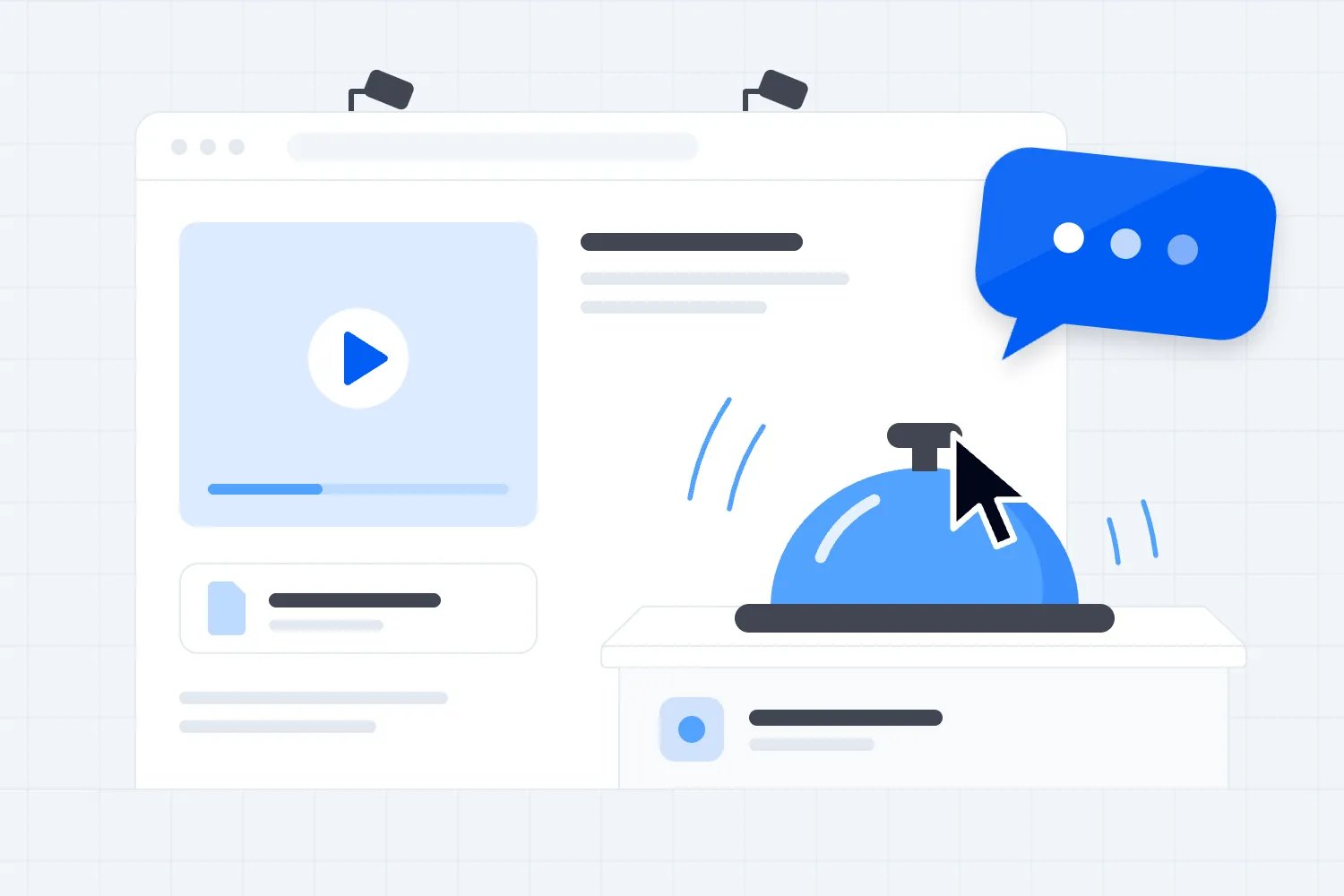
Help exhibitors design virtual booths around a useful visitor decision. Make it clear who the business helps, show something worth seeing, and give visitors an obvious way to ask a question or book a conversation. As the organizer, you provide the template, agree the offer, test the experience and make sure somebody actually answers.
So you've sold digital exhibition space at your paid conference. The logos arrive, somebody uploads a company brochure, and your exhibition hall starts looking complete. Then you open a booth as an attendee. You can't tell what the business does, the video takes ages to start, and the chat says nobody is available. That's the experience your ticket buyer gets.
You can fix a lot of this before opening. This guide covers the booth brief, content, visitor journey, accessibility, staffing, rehearsal and reporting. It includes a worked example and an exhibitor message. The point is to help visitors find relevant businesses and help exhibitors get conversations worth returning for.
Decide what a useful virtual booth does
A virtual booth is an exhibitor's place inside your online event where visitors can learn about its offer and interact with its team. Depending on the platform, it might be a simple profile page, a video meeting space or a graphic with clickable areas. Appearance matters, but visitors need to understand what to do.
Start with your audience. At a conference for independent hospitality businesses, a useful booth might help a cafe owner compare equipment, check whether a service suits their size or arrange a demonstration. At a professional education event, it could help a practitioner review a training programme and ask about eligibility. Those are different jobs. A generic company introduction doesn't answer either very well.
Ask each exhibitor to finish this sentence: "A visitor should leave our booth knowing whether we can help with ..." Then ask what the visitor should do next. If the answers are vague, don't send the brief straight to a designer. Get the business to explain the actual decision first.
Agree one main outcome for the booth. A booked consultation might make sense for a complex service. A product demonstration might suit a business selling equipment. A resource download can be useful when visitors are still researching. Supporting options can remain, but the main action should be easy to find.
Don't promise sales simply because you can sell booth space. You control the audience invitation, the exhibition schedule, the agreed exposure and the platform arrangements. The exhibitor controls its offer, staff and follow-up. A visitor decides whether to engage. Put those responsibilities in writing so everyone knows what you're delivering.
Your exhibitor prospectus should explain the opportunity before businesses buy. This booth brief starts after the commercial offer is clear. It turns a package into a visitor experience your team can inspect, rather than treating a paid invoice as proof the exhibition is ready.
Give exhibitors a brief they can finish
The first thing you want to do is send one short booth brief with the actual platform requirements. Ask your provider which content fields, file types, dimensions, permissions and interaction tools the event will use. Then give exhibitors those specifications. Don't borrow dimensions from another platform's help page and assume they'll work in yours.
Include the public company name, category, short description, approved logo, main image, selected resource, demonstration material, main action and staff contact. State which items are required for opening. If a video is optional, label it optional. Otherwise small exhibitors spend time making something they don't need while an essential booking link remains broken.
Separate content submission from approval. An uploaded logo means you have a file. It doesn't mean the logo is readable, the description is accurate or the booth can open. Give each business a clear status and explain what still needs attention. Your reviewer should be able to say exactly why an item passed or needs changes.
Set deadlines backwards from your rehearsal. Leave time for your team to check submissions, exhibitors to make corrections and the platform team to resolve technical problems. A last-minute deadline leaves no recovery time. Late exhibitors need the same essential checks, even if their optional custom graphics have to wait.
Offer a simple default layout that smaller businesses can complete without commissioning a full campaign. That might mean a logo, a short problem-led description, one resource and one conversation route. Premium packages can add agreed exposure or activities, but every booth should still be understandable and usable. Making basic clarity an upgrade punishes your attendees.
Tell exhibitors who can edit and who approves the final version. A sales director, a designer and a booth host can otherwise replace each other's files without knowing. Ask for one content owner on the exhibitor side, and give that person a final preview to approve. Keep the approved version available to the staff who will host it.
For package administration, Loopyah's event sponsorship tools let you describe priced packages and perks, set quantities, require approval where needed, and collect sponsors' logos and activation notes after payment. That gives you a record of the sponsorship transaction. Your chosen exhibition platform and your team still need to deliver and test the virtual booth itself.
Write booth copy that answers a visitor's question
A booth description shouldn't start with the year the company was founded unless that helps the visitor decide. Start with who the business serves and the problem it solves. Then explain what the visitor can do here. "Equipment for independent cafes. Compare compact grinders and ask our technician about installation" gives someone a reason to stay.
Be specific about suitability. A supplier that serves multi-site operators should say so. A consultant that only works in one country should state the location. An exhibitor that needs a minimum order should disclose it where it affects the offer. These details save both sides time and prevent your event becoming a collection of disappointing introductions.
Nielsen Norman Group's research on reading websites supports using meaningful headings and concise, scannable text. Its original study is old and isn't a forecast of your booth results. The practical advice still gives you a useful editing test: can someone understand the offer without reading every sentence?
Have exhibitors write the main action as a verb and a specific outcome. "Book an equipment consultation" is clearer than "Discover more". "Watch the installation demonstration" tells the visitor what they're about to see. If clicking starts a live call, say so before it happens. A surprise camera request is a poor welcome.
Keep claims within the evidence the business can provide. If the exhibitor says its service cuts costs, ask what costs, under what conditions and what supports the statement. You don't need to become its commercial auditor, but you do need a policy for unsupported claims in your event. Remove promises the exhibitor can't explain.
Don't rewrite every booth into your brand voice. Your job is to make the information clear and the experience consistent. Exhibitors should still sound like their own businesses. Fix jargon, unclear actions and misleading statements, then let the exhibitor approve the final wording. That approval matters when your editing changes a qualification or product description.
Choose content visitors can use
Ask exhibitors what someone can learn in the booth that they couldn't learn from the company homepage. A practical demonstration, a buying checklist, a sample or a short comparison can earn attention. A folder of old brochures mostly creates work for the visitor. More uploads aren't automatically more value.
Match the material to the decision. Someone comparing equipment might want dimensions, installation requirements and a demonstration of the actual task. Someone exploring professional training might need entry requirements, timetable and assessment details. Someone reviewing a business service might need a clear account of setup, ongoing responsibilities and the kinds of customer it serves.
Give each resource a descriptive title and a short explanation. "Cafe grinder installation checklist" is better than "Download our PDF". State whether a download needs another form or opens a new website. Where possible, let visitors inspect useful information before asking them for contact details. They need a reason to trust the next step.
For video, start with the promised task. Show the product working or explain the decision immediately. A long animated logo sequence spends the visitor's attention before giving anything back. Tell exhibitors to include captions and provide a text alternative for key information. The W3C guide to accessible audio and video explains captions, transcripts and description requirements in detail.
Use live demonstrations when questions genuinely improve the experience and your platform can support them. Publish the start time, timezone and joining route. Have a recorded or written alternative ready for visitors who miss the session. Check whether recording a live demonstration includes participants' names, voices or images before deciding how it will be reused.
If an exhibitor has several audience groups, choose which one this event serves. Don't make a paid attendee work through every product line to find the relevant offer. A specialist event is an opportunity to be precise. The business can link to its wider catalogue after it has answered the visitor's immediate question.
Make the booth easy to navigate and access
Review the booth on the devices your attendees will use. A graphic that looks clear on your production monitor can become unreadable on a phone. A mobile visitor should still find the business description, understand the main action and reach the resource. If an elaborate layout gets in the way, simplify it.
Give links descriptive labels. Don't make visitors guess whether a tiny icon opens a document, starts a meeting or leaves the event. If your platform uses a graphic with clickable objects, ask whether those objects also have accessible text labels and a keyboard route. You need the provider's answer, not an assumption based on a screenshot.
The W3C's web accessibility design guidance covers contrast, visible interactive elements, labels and clear navigation. Use it when reviewing the booth template with your provider and designer. A coloured button can look obvious to you while remaining difficult to identify for someone using another way to navigate.
Check the visitor journey using a keyboard. Can someone reach each action, tell where they are and leave a chat or video panel? Test with the accessibility arrangements your event promises. A quick internal check can catch problems, but it doesn't establish that the entire platform meets an accessibility standard. Ask for evidence where you make that claim.
Provide a useful route when a tool fails or isn't usable. That might be a published contact address, a text version of the demonstration or a way to request an appointment without entering the live call. Tell staff how to handle accessibility requests discreetly. Don't require attendees to explain a disability publicly in the booth chat.
Keep essential information outside image files. The business name, opening hours, action labels and important qualifications should exist as text wherever the platform allows it. A beautifully designed image containing every instruction is hard to update and can exclude visitors who can't read it. The design should help people use the booth.
Staff the conversations you're inviting
A chat button creates an expectation that someone will respond. Before you enable it, agree who covers the booth, when they're present and how they hand over. If exhibitors can only staff part of the event, show those hours clearly and provide a useful route outside them. "Offline" without an explanation leaves the visitor guessing.
Give hosts a short briefing about the event audience, the booth offer and the main action. They should know which questions they can answer, which need a specialist and what they can promise. A friendly representative who books a demonstration your team can't deliver creates another problem after the event.
Make the first question helpful. "What are you hoping to compare today?" opens a conversation about the visitor's decision. A demand for name, email, budget and phone number before saying hello feels like a form with a person attached. Hosts can collect the information they need once they understand the request and explain why.
Plan for several visitors arriving together. One host may be able to answer simple text questions while another handles a demonstration. A private consultation needs a different arrangement from an open group session. Test whether visitors can see each other's messages, names and camera feeds, and tell them what kind of space they're joining.
Give staff an escalation route for inappropriate behaviour, broken links and platform problems. The organizer should handle event access and moderation issues. The exhibitor should handle its product questions. Publish the support route privately to hosts so visitors aren't passed between teams while somebody works out who owns the problem.
Use individual staff accounts where your platform supports them. Limit editing access to the people who need it and remove temporary access after the agreed period. NIST's guidance on multi-factor authentication explains why an additional authentication step helps protect accounts. Confirm the controls your provider actually offers before putting them in the exhibitor instructions.
Bring visitors into the exhibition deliberately
An exhibition link in the menu doesn't guarantee people will use it. Put visiting time into the programme and explain what attendees can accomplish there. If every worthwhile session runs against the only staffed booth window, you've made engagement difficult before any exhibitor uploads a file.
Help people choose relevant businesses. Use clear categories and short directory descriptions based on visitor needs. A category such as "Booking and customer management" says more than a list of company logos. Check whether search and filters work with the terms your audience actually uses. Test them with unfamiliar names as well as your largest sponsors.
Tie a booth activity to relevant programme content when the connection is useful and disclosed. After an equipment discussion, attendees might want to compare options with suppliers. After a training session, they might want to ask about certification requirements. Make the commercial relationship clear and keep the programme's educational value intact.
Don't rely on a prize draw to solve weak relevance. A reward can encourage clicks without creating useful conversations. If you run an activity, agree the rules, data use, accessibility and prize delivery before announcing it. Report those interactions separately so exhibitors don't mistake a competition entry for buying intent.
Give attendees instructions before opening. Explain where the exhibition is, how to find a business, whether a call activates audio or video, and how to request help. Your virtual event marketing guide covers attracting people to the event. Inside the event, the job is helping the people who arrived make good use of their time.
Rehearse the whole visitor journey
Don't check only the booth editor. Open the event with an attendee account that has the same access as a normal ticket buyer. Find the exhibitor in the directory, enter the booth, inspect the resource, ask a question and complete the main action. Administrator permissions can hide access problems.
Check the destination as well as the button. A consultation link might open the right calendar but show no available appointments. A document might download correctly but contain last year's prices. A video might play for its owner while requiring everyone else to request permission. Those are delivery failures, even when the link technically works.
Use a second device and a different connection for the rehearsal where practical. Ask a colleague who hasn't built the booth to complete the main task without coaching. Watch where they hesitate. Their confusion is more useful than asking whether the booth looks nice, because it tells you what needs changing.
Record problems by impact. A visitor unable to enter the booth is an opening blocker. A missing optional image may be a smaller correction. Assign a responsible person and a deadline to each issue, then retest the repaired route. Marking a support ticket closed isn't the same as seeing the task work.
Agree what happens if the live tool fails. Can you publish the recording, redirect to an approved booking route or display a contact message? Who makes that change and how quickly can they act? Prepare the fallback content before opening. A plan that depends on writing a new message during an outage isn't ready.
Collect contacts with a clear purpose
A booth visit doesn't automatically make someone a marketing subscriber. Decide what personal information the interaction needs, what the visitor is told and which organization receives it. The answer can differ between requesting a consultation, downloading a resource and entering a prize draw. Don't bundle them together because the platform offers one export button.
Collect only the information needed for the chosen action. The US Federal Trade Commission's guide to protecting personal information advises businesses to keep only what they need and protect what they retain. Use that principle in your booth brief, then assess the privacy and marketing rules that apply to your event and exhibitors.
Explain who will follow up and about what before the visitor submits details. A request for an equipment consultation should reach the business providing it. An event update should come from the organizer. If further marketing needs a separate choice under applicable rules, build that choice into the process rather than assuming the booking covers everything.
Check your provider's export permissions and the information included in reports. Separate event operations from exhibitor access. Our guide to sharing attendee details with sponsors covers that decision in more depth. A sponsorship payment alone doesn't settle whether attendee information can be shared.
Agree how long booth content, recordings and contact records remain available. State who removes access and who handles requests affecting personal information. Exhibitors need their own appropriate follow-up process too. Don't promise that deleting an event export removes every copy an exhibitor has already received.
Report results that help exhibitors improve
Define each measure before opening. A page view, a unique visitor, a resource download, a conversation and a confirmed appointment are different events. Ask the provider how it records each one, whether repeat visits count again and whether it can separate staff or test activity. Use the definitions in the report.
Give exhibitors counts they can interpret alongside context. A quiet booth might have unclear positioning, poor directory visibility, inconvenient staffed hours or an offer the audience doesn't need. You can't diagnose the cause from one number. Pair the report with the rehearsal findings, staffing record and questions visitors actually asked.
For an illustrative example, suppose a fictional booth records 180 unique visitors, 36 distinct visitors starting a conversation and 12 distinct visitors with a confirmed appointment during the event. Count each visitor once in each measure, even if they book several appointments. These figures describe separate measures in this invented example. They don't establish that every appointment came through chat, and they aren't a benchmark for your event.
The conversation share is 36 divided by 180, or 20 percent. The share of visitors with appointments is 12 divided by 180, about 6.7 percent. Before calling either a conversion rate, confirm the counts use the same time window and eligible visitor population. If appointments include external bookings you can't match, report them separately.
Ask exhibitors which conversations were relevant and whether agreed follow-up happened. Keep their response separate from platform counts. You can report twelve visitors with appointments without knowing whether any became sales. If a business voluntarily shares later sales results, define the attribution and period instead of presenting them as guaranteed event revenue.
Review your own delivery too. Did the booth open on time? Were promised placements provided? Did scheduled demonstrations happen? Your sponsorship reporting guide helps you distinguish benefits delivered from commercial outcomes. That separation makes renewal conversations more honest and gives your team specific work to improve.
Work through one booth before approving the rest
Here's a fictional example you can use in your exhibitor briefing. A supplier has bought a booth at a paid conference for cafe operators. Its first submission contains a logo, a company history, a general catalogue and a button labelled Contact. Two salespeople plan to drop in when their other meetings allow.
Start by asking what the supplier wants to discuss with this audience. It says many independent cafes are comparing compact equipment because counter space is limited. That's a much more useful starting point than the company history. The organizer asks the supplier to make that decision the centre of its booth.
The revised description explains which cafes the equipment suits and directs visitors to a short demonstration. The demonstration shows the machine performing a real task and includes its dimensions. The resource becomes a checklist of installation questions a buyer should ask before ordering. The main action becomes an equipment consultation with available times displayed.
The salespeople now agree a rota for the published booth hours. One handles initial questions while the other runs the scheduled demonstration. If a visitor needs technical advice, the host records the question and arranges a conversation with the appropriate specialist. They don't guess an answer to keep the chat moving.
Your review catches another problem. The calendar opens successfully, but the available slots are all outside the hours promoted in the booth. The supplier corrects the schedule and your reviewer completes a test booking. That check matters more than polishing the banner, because the promised action can now happen.
This makeover doesn't guarantee appointments. It makes the offer understandable, gives the visitor useful evidence and removes a preventable obstacle. After the event, the supplier can review which questions came up and whether the consultations suited its business. You can review whether the audience and programme gave the booth a fair opportunity.
Apply that same review to every exhibitor, including the largest sponsor. Ask what the attendee is deciding, what information helps, what the next action promises and whether it works. You don't need identical content. You need a consistent standard for what visitors can expect when they enter a booth.
Send a message that makes the next task obvious
Your exhibitor email should explain the decision and the action rather than burying instructions under promotional language. Here's wording you can adapt once you've confirmed your platform specifications, dates and support arrangements. Replace every example detail with your own event information before sending it.
"We're preparing your virtual booth for our cafe operators' conference. Please send the approved business description, logo, one useful resource and your main visitor action by the content deadline in your exhibitor pack. Write the description for a cafe owner comparing suppliers, and tell them what they can learn or ask at your booth.
"Please name the person approving your content and confirm who will host the published booth hours. If you plan a live demonstration, send its topic, duration and presenter so we can agree the programme time. Include captions for recorded material and tell us about any support your team needs.
"We'll review the submission and send you a preview with any corrections. Before opening, we'll test the booth using an attendee account and ask your host to rehearse the conversation and booking route. Please use the support contact in your pack for questions, and keep the approved content available to everyone staffing your booth."
The message tells exhibitors what good content does and what happens after submission. Attach or link the actual specifications and deadlines so they can finish the task. A clear email can't rescue an incomplete brief, but it can stop a complete brief getting lost. Ask the content owner to acknowledge the deadline and flag anything they cannot supply.
A useful booth starts with your instructions
You don't need every exhibitor to build an elaborate digital stand. You need a clear offer, useful material, a working next step and someone prepared to help. Give exhibitors the same practical brief, rehearse the attendee journey and measure the actions you can actually verify. That's how a virtual booth becomes a useful part of the event people paid to attend.

Author: By the Loopyah Content Team
The Loopyah Content Team shares expert insights, practical guides, and industry updates to help event organizers create unforgettable experiences and stay ahead in the event planning world.