· 21 min read
How to plan a hybrid event with paid in-person and online tickets

Plan a paid hybrid event by deciding what each audience is buying, costing the online delivery separately, and building a programme you can deliver well in both places. Then test the whole journey with test ticket purchases, joining instructions, live production and a fallback plan before you go on sale.
So you've got an event people want to attend, but some can't get to the venue. Selling an online ticket sounds like an easy way to bring them in. It can be. It can also turn a profitable event into a more expensive event with two unhappy audiences.
The difference is in the promise. Someone buying an online ticket needs to know what they'll see, what they can take part in, and what happens if the broadcast fails. Someone buying an in-person ticket needs an event that still works in the room. Both have paid you.
This guide walks you through the offer, the budget, the programme, the delivery setup and the checks that make those promises believable. We'll use an illustrative paid conference throughout. The numbers are invented planning examples, not market prices, benchmarks or claims about Loopyah customers.
Start with a reason someone would buy the online ticket
The first thing you want to do is write the online offer in one sentence. Try this for a business conference: "Watch the main-stage talks live, submit questions to the moderator and receive the speaker worksheets afterwards." That's specific enough to plan, sell and check.
Now compare it with "Experience our conference wherever you are." What does that mean? Does the buyer get every session? Can they meet exhibitors? Is there a replay? Your team will fill the gaps differently, and eventually a buyer will ask for something nobody budgeted for.
A smaller, clear offer is usually the better starting point. If your strongest content is on one stage, sell access to that stage. If people pay for practical instruction, make sure a remote attendee can complete the exercise. If the main attraction is networking over dinner, be honest about how much of that value can travel through a screen.
Ask whether the online buyer would still want the ticket if the venue didn't exist. That question forces you to describe their own experience. A camera at the back of the room may show the event, but it doesn't automatically give someone a reason to pay.
Oxford University's online and hybrid event guidance advises organisers to give online attendees a meaningful experience and to choose the format around the audience and purpose. That's a useful starting point for a commercial event too. The paid offer still needs your own judgement about demand and delivery cost.
Use evidence you can actually get. Ask past buyers who live outside the area which sessions they'd pay to watch. Offer a clear description to your mailing list and invite interest before you commit to an expensive production package. Interest isn't a sale, so keep the forecast cautious until money changes hands.
If the answers are vague, simplify the offer or keep this event in person. Hybrid is a format choice. You don't owe your next event an online version just because the equipment exists.
Work backwards from the sale date. Agree the ticket inclusions first, then confirm the delivery quote and assign the team. Leave time to test before publishing the offer. After that, set deadlines for speaker materials, the production rehearsal and buyer instructions. Put the person responsible beside each deadline. A date without an owner is easy to miss when the room preparations get busy.
Write down what each ticket includes
Give the two tickets names a buyer understands immediately. "In-person admission" and "Online main-stage access" do more work than "Premium" and "Digital experience." Put the distinction beside the ticket, where people choose what to buy.
For our illustrative conference, the in-person ticket includes venue admission, main-stage sessions, a workshop, lunch, speaker worksheets and access to the exhibitor area. The online ticket includes the main-stage broadcast, moderated questions and downloadable worksheets. It excludes the workshop, lunch and exhibitor meetings. Neither ticket includes a replay in this first version.
You could make a different choice. The point is that your event page, confirmation and support replies must describe the same choice. If you later add a recording, specify when it becomes available, which sessions it covers and how long buyers can access it. Don't promise "lifetime access" because somebody thought it sounded generous.
Also decide who the online ticket admits. One named viewer? A team watching together? An organisation using the content for staff training? Those are different offers. Write the rule plainly and choose a delivery service that can support it. Selling a single-viewer ticket through a link that anyone can forward leaves your promise and your access controls at odds.
Set a process for changes between formats. A buyer may become ill and ask to watch online, or find transport and want to come in person. Check physical availability, payment differences and the access already issued before approving a change. Record it so the door team and online support team work from the same decision.
Loopyah's ticket-selling tools let you create ticket types and sell them through the event checkout. Use clear ticket descriptions to separate the offers. Your streaming provider still needs to handle the online viewing experience and its access controls. Confirm that setup separately before advertising it.
Check the wording against the sales page as a whole. If the headline says "Join the full conference online" but the ticket description excludes half the programme, the smaller print won't make the offer feel honest. Use the actual inclusion in your promotion too. A main-stage pass can be attractive on its own terms. You don't need to dress it up as full attendance. Ask someone outside your team to explain what they think the ticket buys after reading the page. Any disagreement with your intended answer is a copy problem to fix before selling.
Give your team a short answer for the awkward cases too. Can an online buyer bring a colleague to the venue? Can a room attendee share their purchase with a remote friend? Is the online ticket transferable? Fix those rules before support staff start making different promises by email.
Check whether the extra audience pays for the extra work
Build the in-person budget first, then show what adding the online offer changes. You need to see the extra production bill, the extra ticket income and any room sales the online option might replace. Our event budget guide covers the wider budget structure.
The online costs might include camera operation, an audio feed, streaming software, captions, a technical rehearsal, remote support and recording work. Some are fixed for the event. Some grow with the viewer count. Ask suppliers which is which, and whether their quote includes setup, pack-down, overtime and a test in the actual room.
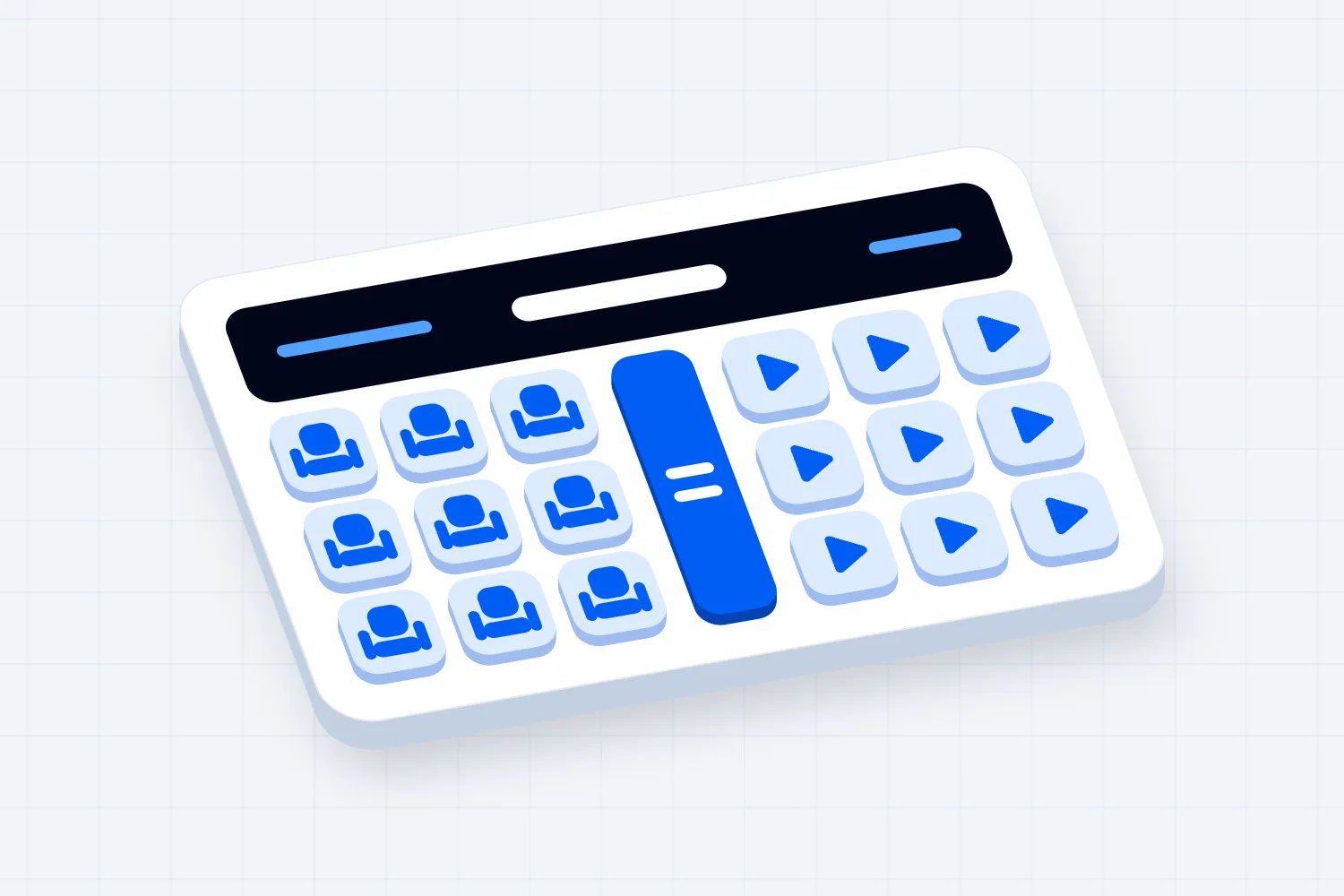
Here's a simple example in US dollars. Assume the added fixed cost is $2,400. Each online ticket leaves $30 after the costs that change with each sale, including the relevant payment costs and applicable taxes in this example. That $30 is available to pay the added fixed bill.
At 40 online sales, you have $1,200 towards a $2,400 bill. You're $1,200 short. At 80 sales, you cover it. At 120 sales, you have $3,600 towards the bill and $1,200 left. This calculation only evaluates the added online offer. It says nothing about whether the whole conference makes a profit.
Now add the uncomfortable bit. Suppose ten people who would have bought room tickets choose online instead. If each room sale would have left $70 after its own variable costs, you lose $700 of contribution towards the event's fixed costs. The apparent $1,200 gain at 120 online sales becomes $500 after that substitution. These remain illustrative assumptions, not a forecast for your event.
This doesn't mean you should hide the online option. It means you should test the business case honestly. Buyers who couldn't travel are additional demand. Buyers switching formats change the ticket mix. You want both effects in your forecast, even when you can't know them precisely.
Don't count hoped-for sponsor income as confirmed revenue. Don't treat a reusable camera purchase as free because you'll use it again. And don't assume an online viewer costs nothing because they don't need lunch. Someone still has to help them join, hear and participate.
Use your event profit and loss template to show the total result alongside this extra-cost calculation. If the cautious case doesn't work, reduce the online scope, renegotiate delivery costs or wait until you can show stronger demand. A narrower broadcast can be a much better business than an ambitious programme you can't fund.
Build the programme for both audiences
Take your running order and read it twice. First as a person sitting in the venue. Then as someone sitting at home, looking at the screen. Wherever the second version stops making sense, you have planning work to do.
Lunch is obvious. The less obvious gaps are a speaker pointing at a physical object, a room exercise that remote viewers can't follow, or a host saying "Discuss this with the person beside you." You can adapt those moments, exclude them from the online offer or provide an alternative. Leaving viewers to guess isn't a plan.
For our conference, the online programme opens shortly before the first main-stage session. The host explains how questions work. During lunch, the stream shows a clear return time and closes the audience interaction until the next session. The online moderator opens the session again before the room programme resumes.
That is better than broadcasting an empty stage for an hour and hoping nobody thinks the connection broke. Tell people what is happening when nothing is happening. Show the next session and its start time, with the relevant time zone.
Use the same approach to workshops. A remote worksheet can make an exercise work, but only if the facilitator gives instructions the online audience can follow. If the exercise relies on equipment in the room, create a separate remote activity or make it an in-person inclusion. Don't quietly downgrade it on the day.
Write cues for the host. Which camera do they address when speaking to online viewers? Who supplies remote questions? When do they repeat a question asked in the room? These cues belong in the running order beside the session, rather than in a general briefing nobody has open.
You also need a rule for time. A room session running late may clash with a remote speaker's next booking or push the online audience past the advertised finish. Give the stage manager permission to shorten questions or end a session. Ask speakers in advance which part they can trim without breaking the talk.
If you're still choosing a format, our hybrid event ideas can help you compare possibilities. Once you've chosen one, stop adding attractive extras. Every breakout, second stream and online networking session brings another promise, another person to brief and another thing to rehearse.
Choose the delivery setup after you know the promise
Now you can judge the equipment and services against something concrete. Our conference needs a clear main-stage picture, readable slides, clean speech, moderated questions and controlled access for ticket holders. It doesn't need every camera angle a supplier can sell.
Ask the streaming provider to demonstrate the buyer's view on a phone and a laptop. Check joining, captions, slides, question submission and reconnection after a dropped connection. Find out what happens at the expected audience size and what costs change if sales exceed that number.
Ask how access relates to the ticket sale. Can you issue individual links or credentials? How do you revoke access after an approved refund or transfer? What happens when a buyer purchases several tickets for different people? Confirm the actual process rather than assuming the ticketing and streaming services talk to each other.
For the venue, ask about the connection the production team will use, permission to connect equipment and access before guests arrive. Have the supplier test the intended setup there. A successful call from someone's office proves very little about a busy event room.
Sound deserves attention early. You need the speaker's microphone, any panel microphones and audience questions to reach online listeners clearly. A room loudspeaker can sound fine to guests while the stream receives a weak or distorted feed. Ask the technician to explain and test both outputs.
Decide what viewers see when slides appear. A slide with tiny text may be barely readable in the room and impossible on a phone. Share the slide file directly where appropriate, and avoid a camera shot that makes the presentation a small rectangle in the background.
Agree who owns each account and who can operate it. The organiser should retain the access needed to deliver promised content after the supplier leaves. A recording locked inside a freelancer's account can turn a simple follow-up into a week of chasing.
Put a deadline on changes to the production scope. If you book one streamed stage and then add a second room a week before the event, you may need another crew, another connection and another access route. Ask for the cost and the delivery implications before approving it. The same applies when a sponsor asks for a live online interview or a speaker wants to join remotely. Someone must check the whole running order, not simply agree that the idea sounds good. Protect enough time for the team to test the final version.
Keep a short record of the chosen service, audience capacity, support contact, account owner and tested access process. You don't need a technical novel. You need enough information for the person covering the shift to know what to do.
Assign someone to the online audience
Your venue manager already has doors, speakers, catering and physical problems to deal with. If you add online support to their job, they'll answer it whenever the room gives them a spare moment. Paid viewers deserve more than that.
Separate responsibility for running the stage, operating the broadcast and looking after remote attendees. A small event may combine some duties, but only after a rehearsal shows the person can do both. Answering a login problem while changing camera shots is an obvious collision.
The online moderator handles audience questions and keeps viewers informed. Technical support handles access and connection issues. The stage manager keeps the room programme moving. One decision-maker authorises a delay, a change to the offer or a refund response when delivery goes wrong.
Rutgers University's accessible hybrid events guidance recommends assigning an online moderator in advance, explaining whether remote participation is available, and repeating room questions so online participants can hear them. Use those points in your briefing. Don't assume a speaker will remember them while taking questions.
Give each person a way to reach the others that doesn't depend on the public audience chat. A moderator needs to tell production that slides are missing without announcing every internal problem to viewers. Keep audience messages clear and keep production coordination in its own channel.
Write down who covers breaks. If the online moderator disappears during lunch, say when support returns and who handles urgent access problems meanwhile. If your show has continuous sessions, stagger the breaks so there's always someone responsible for viewers.
Make access and participation usable
A paid ticket doesn't help someone who can't use the joining page, hear the discussion or read the materials. Accessibility belongs in the offer and supplier conversations before you sell. Fixing it after an attendee contacts you may be slower and more expensive.
The W3C's accessible events checklist recommends asking about access requirements, providing accessible materials ahead of time and making relevant speech audible. It also notes that screen-shared material may need a directly accessible version. Link speakers to that guidance rather than giving them a vague instruction to "make it accessible."
For your own delivery plan, name the contact who handles accommodation requests. Check how captions work, whether your chosen service supports the required access features and how attendees obtain materials. Tell buyers what you have arranged, and what needs discussion, in clear language.
Ask a tester to join without inside knowledge. Can they find the session? Do controls make sense? Can they ask for help without interrupting the speaker? Include the devices and access methods your audience actually uses, with specialist help where needed.
Treat online and venue accessibility as related jobs with different checks. A stream doesn't fix an inaccessible venue. A step-free room doesn't fix unreadable online worksheets. Keep both in your wider event planning checklist, with named people and deadlines.
Collect only information your delivery needs. The UK Information Commissioner's Office explains data minimisation as keeping personal data adequate, relevant and limited to what is necessary for its purpose under UK GDPR. For an organiser, that's a reason to question extra fields and broad supplier access. Apply the privacy requirements relevant to your own operation.
Agree recording rights before promising a replay
A replay sounds like a tidy solution for people in another time zone. It also adds permissions, editing, hosting, captions, delivery and an access deadline. Put those tasks in the budget before the event page says a recording is included.
Ask each speaker what you may broadcast, record, edit and make available afterwards. Specify the audience and availability period. Their permission to speak in your venue may not describe every later use you want. Our speaker agreement template gives you a starting point for documenting the arrangement.
Check material inside the talk too. A speaker may use an image, video or piece of music they don't own. The US Copyright Office's guide to obtaining permission explains that a licence or permission should match the intended use. Confirm rights for your production and jurisdiction with the appropriate advice; don't assume a paid livestream and a permanent replay are covered by the same arrangement.
Tell attendees how recording affects them. Decide whether cameras show the audience, whether submitted questions include names and what happens in sensitive discussions. Give the host a clear way to explain that before participation begins.
If you can't secure the permissions or fund delivery, sell live access only and say so. You can add a replay later once you know you can provide it. You can't undo a buyer's expectation by quietly removing a line from the page after they've paid.
Test the complete journey before launch
The rehearsal should include a buyer, not just a camera. Purchase each ticket type through the real sales journey using your approved test process. Read the confirmation, follow the joining instructions and check that the buyer reaches the experience their ticket describes.
For online access, test a new viewer, a late joiner, a disconnected viewer and a buyer who needs help. Test the transfer and refund process if you offer them. If the delivery system uses a separate account, include account creation in the test and explain it before people buy.
Then rehearse a short piece of the programme. Have a speaker use slides, play any planned media and answer a question from the room and online. Let the moderator and production team practise the handoff. A rehearsal that skips questions misses one of the easiest ways to lose the remote audience.
Give the rehearsal a realistic audience view. A colleague watching on the same production network may miss problems a buyer encounters elsewhere. Have another tester join from a separate connection and report what they see and hear. Test the holding message as well as the talk, and ask them to find support without you explaining where it lives. If they need a phone call from the organiser to complete an ordinary joining step, your instructions need more work. Record the test outcome before making another change, so you can tell whether that change helped.
Write every failure as a specific task. "Online is confusing" won't help. "The joining email says 9am but doesn't name the time zone" will. Assign the fix, repeat the affected test and keep the corrected instructions in one place.
Before the main sale, get a decision on readiness. Can you deliver the advertised offer with the people and services booked? If not, change the promise or delay sales. It's easier to correct a draft event page than explain to paid buyers that your rehearsal revealed a missing feature.
Send different instructions to the two audiences
The room attendee needs the address, arrival time, entry process and practical venue information. The online attendee needs the joining route, session times, device requirements, access instructions and support contact. Sending everyone a wall of both sets makes the useful part harder to find.
Loopyah's attendee email tools include audience segments based on purchases, scheduled sends and test emails. Use those tools to send relevant instructions and check the audience selected for each message. The streaming provider remains responsible for whatever individual credentials or viewing controls your setup requires.
Send access early enough for buyers to resolve problems. Your exact timing depends on the delivery method, but don't make the first successful login depend on support replying in the minute before the opening talk. Say when joining opens and when staffed support starts.
Write a short joining message that answers the immediate questions in the order people ask them. Start with which ticket the message concerns, then the date and time, then the access route. Explain whether they need an account and what to do if the link fails. Keep the support address easy to find. Put optional background material below those instructions, rather than making a buyer scroll through speaker biographies to reach the session. Send the test to someone who wasn't involved in planning and ask them to join using only the message.
For late sales, check how quickly access can reach the buyer. If the process requires manual work, set a realistic sales cutoff. A ticket available during the keynote isn't much use if the person issuing credentials has gone to lunch.
Decide what happens when something fails
Your fallback plan should name the failure, the decision-maker and the message viewers receive. A vague promise to "record everything" doesn't help if the recording relies on the connection that failed.
Distinguish a local viewer problem from a failure affecting the broadcast. Give support a quick way to check whether the stream works elsewhere. Ask production how it detects missing audio, stalled pictures or lost captions, and who tells the host to pause.
Agree the actions in advance. A brief delay may justify a holding screen and an update. A longer loss may require changing the programme or using a tested alternative. If you cannot deliver a material part of the paid offer, follow the published terms and applicable consumer requirements when deciding remedies.
Your event contingency plan should include online failures alongside the physical ones. Make sure the team can still communicate if the main connection goes down. Rehearse the fallback you intend to advertise; an untested spare isn't much comfort during a paid session.
Judge the result by format
Afterwards, compare sold tickets, actual participation, support requests, delivery costs and refunds for each format. Keep venue check-ins separate from online viewing records. A ticket sold, a stream opened and a whole session watched answer different questions.
Ask buyers what they expected and what they received. Ask remote buyers whether access worked, whether they could follow the content and whether the participation promised was available. Review the answers alongside the production notes and the money, rather than celebrating a large combined attendance number.
Check the workload as well. Ask the online support person which problems kept recurring and which instructions prevented them. Ask production whether the scope matched the quote or required unplanned work. Include paid overtime and follow-up delivery in the final cost. If you promised worksheets, verify that the correct buyers received them. If you promised a replay, don't call the event finished while the recording is still waiting for edits or permissions. Those obligations belong to this event's result, even when the invoice or delivery arrives after the room has closed.
Then decide what to repeat. A profitable main-stage broadcast with few support problems is worth developing. An expensive online programme with weak demand needs a change. Plan the next version around the offer people bought and the parts you delivered well. That's how a hybrid event becomes a useful part of your business.

Author: By the Loopyah Content Team
The Loopyah Content Team shares expert insights, practical guides, and industry updates to help event organizers create unforgettable experiences and stay ahead in the event planning world.