· 21 min read
Event structured data: how to qualify for rich search results
Event structured data labels the facts on your event page so search engines can understand what you're offering. To qualify for Google's event search experience, follow its current eligibility and property requirements, then test your published page. Correct markup creates an opportunity to appear, with no guarantee of a listing or ticket sales.
So you've published your event, the tickets are ready, and you're wondering why Google isn't showing the useful details you expected. This guide walks you through the checks that matter, what to give your developer, and how to keep the information correct when prices, dates or availability change.
You don't need to become a developer to manage this. You do need to know which facts the implementation should use, who maintains them, and what evidence shows the work is finished.
What event structured data actually does
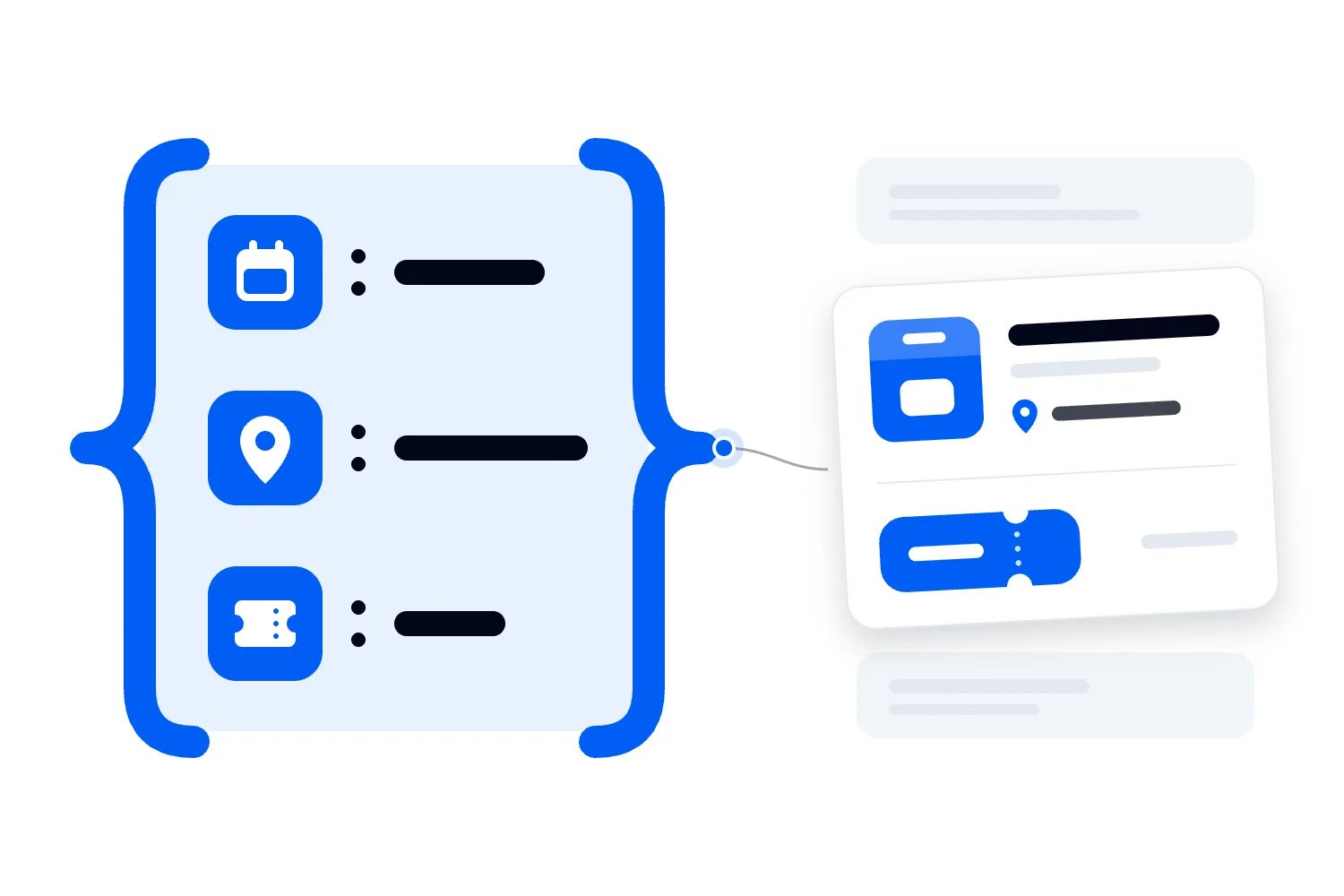
Your event page already tells a person what's happening. Structured data gives software a labelled version of those facts. The event title goes in a field called name. The start date goes in startDate. Ticket information belongs in offers. Your developer connects those fields to the actual information on the page.
You'll often hear this called event schema or event markup. Schema.org supplies the vocabulary, which means the names and meanings of the fields. Google's documentation specifies which parts it uses for its event search experience. Those are related things, but they answer different questions.
The Schema.org Event definition describes a broad range of events, including event status, locations and participation. A field existing there doesn't mean Google supports it in a particular search feature. Start with Google's requirements when the job is eligibility for Google event results.
The practical benefit is clarity. A search engine shouldn't have to guess whether the date in your footer is the event date, whether the city in your description is the venue, or whether an expired early bird offer still applies. Markup states those facts explicitly.
That still leaves the human part of the page. People need to understand the experience, trust the organizer and find the purchase button. Our event landing page guide covers that job. Structured data helps describe the listing; the page must give someone a reason to buy.
Don't commission this work with a promise that it will put you above other events. Commission it with a concrete result: eligible event pages carrying complete, accurate, testable event information.
Check whether your event qualifies first
The first thing you want to do is check eligibility before anyone starts adding code. A perfectly formatted implementation won't solve an event that falls outside the feature's rules.
According to Google's Event structured data documentation, the event search experience supports events at physical locations. Virtual experiences with no real world component aren't supported. Public booking also matters. Events that require membership or an invitation before someone can purchase or attend are ineligible.
Check these conditions for the actual event before commissioning work. Don't substitute a different address or booking arrangement to make a listing qualify.
If you run a hybrid event, describe the actual physical component truthfully and have your developer check the current requirements. Don't treat an online access pass as admission to a venue. The buyer should know which attendance option the offer covers.
Keep the event and its promotion separate in your records. Your team needs to know when the performance happens and when the promotion ends. Those dates serve different operational jobs. Mixing them up can leave buyers unsure which deadline matters, even before you think about search.
Availability varies by region and language. Check Google's current availability list before including this feature in your sales forecast.
For an operator working across markets, the sensible question is whether this implementation addresses the event you're selling now. Ask that question for each market rather than copying an assumption from your last launch. Agree what success means before the developer quotes for the work.
Give each event its own page
Google requires a unique page focused on each event, with its markup there. Treat your calendar as a browsing page that leads buyers to individual listings.
Imagine you operate a venue with several ticketed shows each week. Your calendar should link to each show, and each show page should contain its own details. The jazz concert on Friday and the comedy night on Saturday must not share one changing page that alternates between their names.
A permanent page for your event brand can explain the series. A dated page should explain the specific edition. This stops next month's workshop details from overwriting the information someone needs about the workshop they've already booked.
Work out what your buyer is actually booking before choosing the page structure. A weekend festival pass and a ticket to an individual evening performance aren't interchangeable purchases. Write a plain description of each booking unit for your developer, then check its implementation against Google's rules.
This is a commercial decision as well as a technical one. If someone searches for a particular performance, they should land on its available tickets and arrival details. Sending them into a general calendar introduces another choice at the moment they were ready to act.
Keep the event URL stable when you make ordinary updates. Changing a ticket price or correcting a description shouldn't require creating a replacement page. If you already have multiple URLs for the same event, ask your developer which one represents the primary page and how the others are handled.
Start with the required facts
Google requires name, startDate and location with an address. Confirm those fields before approving the implementation.
Name means the event's actual title. Use the same recognizable name a buyer sees on the page and ticket. Don't stuff that field with a discount, a URL or a string of promotional claims. Put the venue name in its venue field rather than using it as a substitute for the event title.
The date field should describe when the event begins. It isn't the date you published the page or opened ticket sales. Those dates may matter elsewhere, but they don't answer the attendee's question about when to arrive.
The Schema.org Place definition provides location vocabulary, including an address. Give the developer the confirmed venue details, then check the result against the destination buyers actually use. Your venue contract, event listing and arrival instructions should all refer to the same place.
Treat the venue name as a useful customer detail. If two rooms share a building, explain which entrance and room buyers need. Your developer can distinguish the event's venue data from practical directions in the page content. Don't make someone infer their destination from your event title.
Before implementation, compare these facts against your public page. Can a visitor find the same title, date and location without reading code? If your page says one venue and your markup says another, you have a customer information problem as well as a search problem.
Use dates and timezones that mean what you intend
Dates are where a plausible looking implementation can go badly wrong. Schema.org DateTime defines the date and time format. Give your developer the confirmed local time and timezone as source information, rather than a timestamp guessed by someone copying a previous listing.
In plain language, an offset expresses how a local clock relates to coordinated universal time. The W3C date and time note explains this notation. If your team supplies local dates, ask the developer how it resolves their timezone before publishing them.
Give your developer the venue's timezone and the confirmed local start time. Ask them to calculate the offset for the date of the event rather than copying the offset from today's date or a previous event. A winter event and a summer event in the same city may need different offsets.
Separate doors opening from the show beginning. If doors open earlier, explain that in the visible page content. Agree which moment your startDate describes and use it consistently. Don't let the ticket, confirmation email and event markup quietly disagree.
If the start time isn't confirmed, say so in the event record and ask your developer to use the appropriate date representation. Don't quietly invent a time to fill a required form. Your team should know which listings still need a confirmed schedule before launch.
Use endDate when you know the finish, especially for events that run across days. An event starting before midnight and finishing after it needs the following date for its ending. Check that the finish follows the start after timezone handling, too.
For an all day event, use the date rather than fabricated opening and closing times. The aim is to describe what you know accurately. Publishing precise looking information you haven't confirmed creates work for your team and confusion for the buyer.
Add useful recommended properties
Once the required fields work, decide which additional information genuinely helps describe this event. A developer can inspect the supported properties and recommend the fields that fit your records. Ask them to explain what each proposed field represents before committing to maintain it.
Description should describe this event. What will happen, who is appearing, and what experience is someone booking? Don't fill it with a description of your ticketing platform or repeat every logistical field. Use clear language that agrees with the public page.
Organizer identifies the person or organization running the event. Performer identifies someone appearing in it. For a concert, that could be an artist or performing group. For a workshop, it may be a relevant instructor. Don't invent a performer simply because a template contains an empty field.
Image references should point to actual, accessible assets representing the event. Your developer should use the correct published image URLs and check that Google can access them. A private file link or a deleted campaign asset is no help.
These are details for your event listing, rather than a reason to fill every available property. Google's introduction to structured data recommends complete, accurate information over adding poorly formed or inaccurate recommended fields. That is the sensible operating rule here.
Write down where each value comes from. If the description lives in one system and the ticket page uses another, choose a responsible source and an update process. Having two independently maintained versions is how an apparently finished implementation becomes stale.
Review optional information when the event changes. A performer cancellation, a venue move or a new organizer can leave old details in the markup even when someone has fixed the page headline.
Make ticket offers honest and current
For a paid event, offer information deserves close attention. A buyer who sees a price in search should find a matching, available offer when they reach the booking page.
Schema.org Offer defines price, currency and availability fields. For Google's event feature, its Event guidance specifies the lowest available ticket price including fees and service charges. Keep the offer current when the available price changes.
Take a hypothetical workshop with an early bird ticket and a standard ticket. Once early bird inventory ends, the old low price no longer describes an available purchase. Leaving it in the markup may send buyers to a page offering something different from what attracted them.
The same issue appears when your cheapest remaining option has restrictions. A concession ticket shouldn't silently stand in for a general admission offer that most buyers can use. Describe the actual offer and its conditions on the page, and have your developer handle ticket types accurately.
Supply the currency using the correct three letter currency code. A currency symbol alone can be ambiguous. The offer URL should lead to a real purchase route for that event, rather than an unrelated homepage or a dead checkout link.
Availability describes the offer's stock situation. Schema.org's offer vocabulary also includes validFrom for when an offer becomes valid. Ask your developer which supported values it uses for your sale stages, and test those stages against the schedule your ticketing team has approved.
Our ticket types resource explains ticket setup in Loopyah. Whichever system holds your inventory, ask how its current prices and availability reach the event page markup. A person shouldn't have to remember every sold out tier and edit hidden data after each sale.
Keep sold out separate from cancelled
A sold out event is still happening. A cancelled event isn't. Those facts belong in different places, and confusing them can mislead people who already have tickets.
If general admission sells out while another ticket type remains available, update the affected offer. Don't mark the whole event cancelled. If all admission sells out, the event can remain scheduled while its ticket offers show SoldOut.
Keep the public page useful after a sellout. Existing buyers still need the time, venue, entry rules and support contact. Prospective buyers may need an honest explanation of availability or your official next step. Removing the page throws away that information.
Think through reopened inventory as well. A returned allocation or additional release may make an offer available again. Your update process should handle that direction, rather than assuming availability only moves towards sold out.
Have the operations owner test these cases before launch. They don't need to inspect code themselves. They can give the developer a sequence of inventory changes and ask for evidence that the public page and markup agree after each one.
This is where the system you choose for selling event tickets matters. Loopyah provides event pages and ticket types. Ask who maintains the markup on the actual event page you're using, and which changes your event team needs to check.
Handle postponements and new dates without losing the event
Date changes need an agreed process before you need it. During a postponement, people will search for the event precisely because they're unsure whether the information they saw is still true.
Schema.org EventStatusType includes cancellation, postponement and rescheduling. Google instructs you to preserve the original identifying date and location when cancelling or postponing without a confirmed replacement date, and change the status.
That can feel odd when the date no longer describes a future performance. The retained date helps identify the event whose status changed. Removing the date or replacing it with an invented one makes that identification harder.
The DateTime reference describes previousStartDate alongside the replacement startDate. If you supply previousStartDate for Google's event feature, also set eventStatus to EventRescheduled. Keep a record of your original schedule and the confirmed replacement. Your developer can use that history without trying to reconstruct the change from announcements, old emails or somebody's memory.
Let's say your workshop moves because the venue becomes unavailable. First, publish a clear postponement notice and follow your customer communication process. Your developer updates the status without fabricating a replacement date. When the new date and venue are confirmed, update the page, ticket information and markup together.
Check the offer information during that change. Sales may be paused, reopened or restricted according to your event's policy. Event status alone doesn't explain whether someone can currently purchase a ticket, so make the buying route honest too.
Don't treat a search update as communication with ticket holders. You still need to contact them about the change. Loopyah's attendee email product lets organizers send attendee communications; the operational job is to get confirmed instructions to the people affected.
Choose an implementation you can maintain
Google supports several structured data formats and generally recommends JSON-LD when the site's setup allows it. JSON-LD is a block of labelled data placed within the page. Your developer can maintain it without weaving every field into the visible page text.
The right implementation depends on who controls your event page. If a ticketing platform hosts it, ask that provider what it generates. If your own website hosts it, ask your developer or website supplier. If you embed checkout on a separate page, check the event information on that host page too.
Don't ask someone to paste a generic example into every listing and call the job finished. A copied block might contain another event's date, a sample image address, or a price that never changes. The useful work is connecting the fields to your actual event records.
Avoid competing implementations. A website plugin, a theme and a custom developer change might each generate a different Event item for the same page. Ask for one agreed approach and inspect the resulting output for contradictions.
Your event data should have an owner. The operator confirms the facts. The developer maintains the implementation. The ticketing system holds the available offers where that is your setup. Someone checks that updates move through the whole process.
If your website uses JavaScript to load information, test what Google can render. Google's JavaScript search documentation explains that crawling, rendering and indexing are separate stages. A page working in your browser doesn't prove that a crawler receives all the same information.
The outcome you want is straightforward. Publish or change an event once, and keep the visible page and its structured information consistent through a process your team can actually operate.
Test the live page before declaring victory
Start with Google's Rich Results Test. Your developer can test code during implementation, but you also want a test of the published event URL. That checks what the tool receives from the real page rather than a clean example copied into a testing box.
Ask for the detected Event item, the critical errors and any warnings. Errors affecting required properties need fixing. Warnings about recommended information deserve a decision based on whether the event has accurate information to supply.
Passing a test isn't proof that the content meets every rule. Google's general structured data guidelines cover accuracy, relevance, accessibility and other quality requirements. Automated testing can't judge every aspect of those rules. Your team still needs to compare the output with the real event.
Then use Search Console's URL Inspection tool for the published page. Check accessibility and inspect the rendered information. Look for a login requirement, blocked resources or instructions preventing indexing. Check both the available indexed information and the current live page.
Try the booking route as a customer. Open the page without your administrator login, follow the offer link and confirm the ticket shown is actually available. A technically valid offer linked to an expired checkout still fails the buyer.
Test more than the easiest example. Include a multiday event, different ticket types, a sold out offer and a rescheduled event if those situations apply to your business. The point is to find failures before the template produces them across your calendar.
Keep a dated record of the tested URLs and the outcome across your current public event pages. Your next website update can then repeat the same checks and show whether something changed.
Monitor accuracy after launch
Once the implementation is live, assign someone to check it after meaningful changes. A new template, a ticketing integration update or a change to how dates are stored can affect every event at once.
Search Console's rich result report overview explains valid and invalid items and how to investigate detected issues. Use the available reports for your site, alongside individual URL inspection. A report is evidence about what Google detected, rather than a complete audit of every event your business runs.
Watch for patterns. If several pages lose their dates after a website release, investigate the template before editing each listing by hand. If one offer carries the wrong currency, trace the ticket record feeding that value.
Ask how quickly cached information refreshes on your own site. Google controls its own crawling and display timing, but your team should know whether an event change has reached the live page yet. Those are different delays and need different responses.
Measure business outcomes separately. Search impressions tell you the page appeared. Clicks tell you someone visited. Completed ticket orders tell you someone bought. Don't describe a larger number of valid Event items as a revenue increase.
Compare similar events cautiously because programming, dates, prices and demand change. If an event sells better after implementation, you may have several explanations. Record what changed and avoid giving the markup all the credit without evidence.
When the test passes but the event doesn't appear
Start by separating the questions. Does the live page contain valid markup? Can Google access and index the page? Does the event satisfy the feature's content and market requirements? Has Google chosen to show it for the search you're checking? A successful test answers only part of that sequence.
If your developer says everything is finished because the code passed, ask for the published URL test and the accessibility checks. If those pass too, review eligibility and allow for Google's processing. Repeatedly changing fields without evidence of a fault can introduce new mistakes into information that was already correct.
Don't use your own search as the only measure. The result you see may vary with the query, location and other circumstances. Keep your test records and Search Console evidence together so you're making decisions from more than a screenshot of one search.
Another common question is whether this replaces a Google Business Profile. It doesn't. Your event page describes a particular event; your business information describes the organization or venue. Decide which page and information you are improving before assigning the work. Adding the event's date to a general business description isn't a substitute for an eligible event page.
And if a supplier offers to guarantee a rich result, ask them to put that guarantee against Google's own statement that correct structured data doesn't guarantee display. You can hold a supplier responsible for implementation quality, accurate information and agreed maintenance. They don't control Google's decision to show the feature.
For recurring events, also check which edition the test actually inspected. A page that passed last season tells you little about the new page if your website or ticket configuration has changed. Use a current, public event with current offers as your acceptance example.
The sensible response to an absent listing is investigation, not panic. Work through the evidence in order, repair an identified problem, and test again. Keep selling through the channels you can operate while Google decides what to display. Your event budget shouldn't depend on a search treatment you were never promised.
Give your developer a brief they can finish
Before the work starts, agree how you'll review it. Here's a brief you can adapt and send to your developer. Replace the general references with your actual event page and the systems your team uses.
Please implement Event data on the public page for this edition. Use the title, venue and local dates from our approved event record, and ticket offers from current inventory. Confirm the required properties against Google's current documentation. Show me the published URL test, then demonstrate a sold out offer and a confirmed date change. Tell me who maintains the template after handover.
Add any situations that matter to your calendar. If your events run past midnight, include one in the test. If you sell several attendance options, name them. For a touring series, ask the developer to check different venues rather than assuming the first successful example proves them all.
Agree who receives warnings and who fixes them. If the developer finishes the project and leaves, the event team still needs a named contact or supplier responsible for the template. Include this responsibility when you assess the cost of the implementation.
For your review meeting, prepare a small change log alongside that brief. Record the event URL, the changed fact, who approved it, when the page changed and who checked the result. For example, the ticketing manager confirms an offer has ended, the website owner checks the public listing, and the developer investigates if the two disagree. This gives your team a useful record when a buyer reports old information. You can see whether the mistake sits in the approved event record, the website implementation or an update that never reached the responsible person after publishing.
Give the content owner access to the facts they must keep current. Give the technical owner enough information to handle updates consistently. Neither person should depend on finding an old message to remember how your date changes work.
The useful handover leaves you with accurate pages, checked Event data and a repeatable update process. Start with one real event, prove that process through the changes your business actually makes, then apply it across the eligible calendar. That is how event structured data becomes manageable instead of another thing your team has to remember.

Author: By the Loopyah Content Team
The Loopyah Content Team shares expert insights, practical guides, and industry updates to help event organizers create unforgettable experiences and stay ahead in the event planning world.