· 28 min read
How to build a Discord community around a paid event series
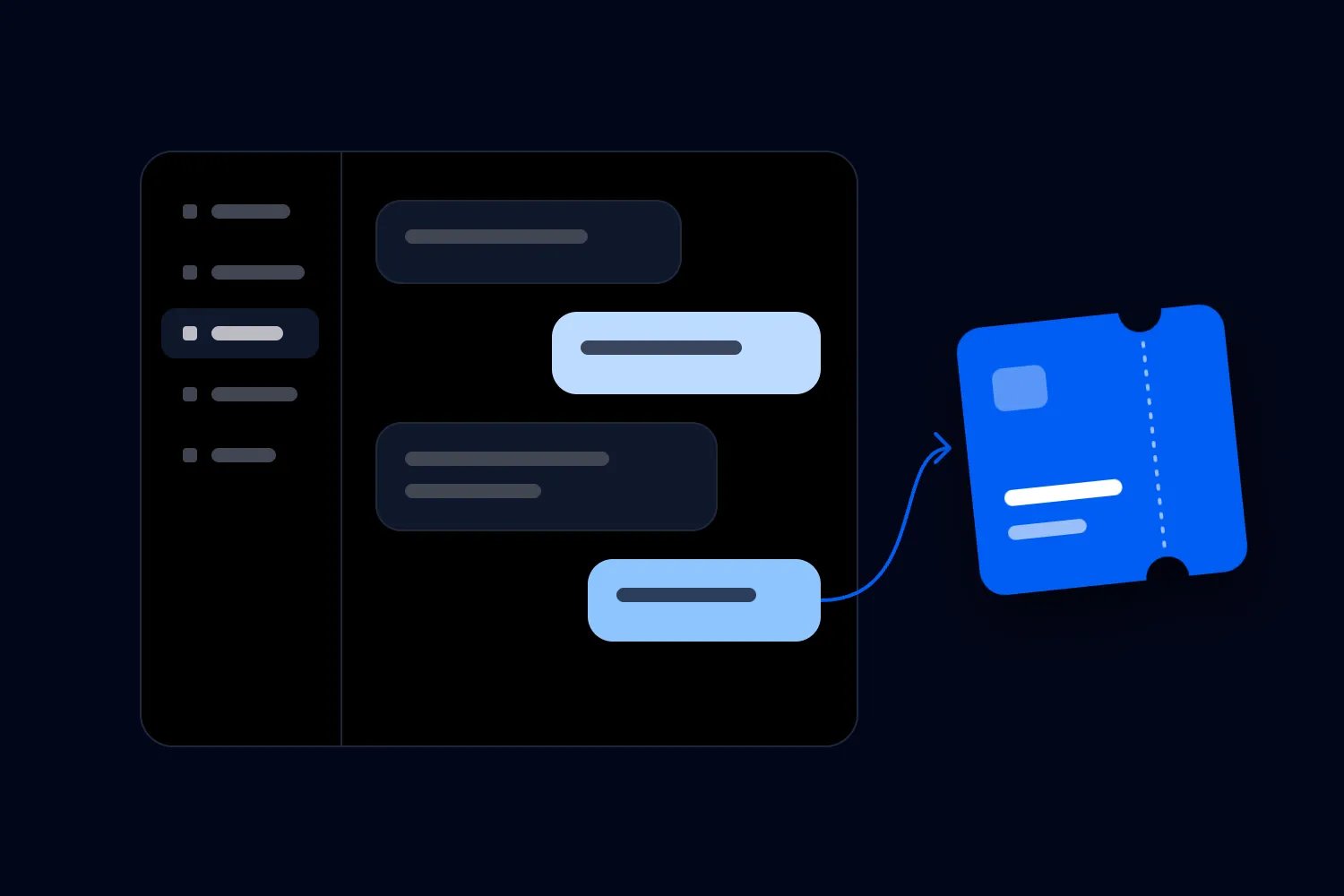
People leave your workshop talking to each other. They're sharing projects, making plans and asking when the next one is happening. You open a Discord server so those conversations can continue. Then the next ticket launch arrives, and you're posting into a room that mostly contains your own announcements.
That's the problem you need to solve before choosing channels or adding bots. A Discord community for events needs a reason for members to talk between dates, someone responsible for helping that happen, and a clear route to the next paid event. Start with a small, optional community around an activity your attendees already want to continue. Give it a defined trial period and count the work it creates.
I'd keep the first version free unless you already have a separate, costed membership offer. Let people discover whether they enjoy participating without making another purchase, and keep paid admission tied to an actual booking. You can have a useful community with people who don't attend every date. You can also sell tickets to people who never join your server.
We'll work through a fictional music production workshop series to make the decisions concrete. The example covers the welcome, channel permissions, moderation, a repeatable programme and the money required to support it. All schedules, costs and results in the example are invented planning assumptions, with money in USD. They aren't customer results or industry benchmarks.
Check whether your attendees actually want Discord
The first thing you want to know is what people are already doing after your events. Are they sending each other unfinished tracks, discussing the equipment demonstrated or trying to find collaborators? Those activities give you something to support. "We should build a community" doesn't tell you what anyone will do on Tuesday evening.
Ask a few returning attendees and a few people who came once. Find out whether they use Discord, what they would share there and what would make joining feel worthwhile. Ask them to describe an actual recent conversation. Someone saying they like the idea of a community is weaker evidence than someone explaining how they lost contact with a person they wanted feedback from.
For our fictional workshop business, the useful need is fairly specific. Local adults want to keep working on a track after the lesson and get a second pair of ears on a short section. They don't need another stream of music news. They need a manageable way to ask for feedback and meet people who understand what they're trying to make.
Now check whether Discord suits that need for this audience. Someone comfortable sharing audio and replying in topic channels may find it convenient. Someone who already struggles to find the confirmation email may find another account and notification system frustrating. Don't treat a preference for email as a lack of enthusiasm for your events.
Run the proposed joining experience past someone unfamiliar with your setup. Can they find the invitation, understand the server name and locate the first useful conversation? Watch where they stop. A polite answer to a survey won't reveal a confusing first screen as clearly as watching someone try it.
If most of the demand is for announcements, use the communication tools you already have. An email list can announce dates without asking members to sustain a discussion. Our broader guide to building a loyal event community explains the event experience and relationships that make returning worthwhile. Discord becomes useful when you have a particular conversation to support after that experience.
Write a promise someone can understand before joining
For the workshop example, the invitation might say: "Keep working on your track between workshops. Share a short section, tell people what you're trying to improve and exchange feedback with other local producers. Joining is free. Workshops are booked separately."
That description tells a prospective member what to do and what they are agreeing to. It also limits the promise. You're offering a place for peer feedback, rather than unlimited individual tuition from the workshop tutor. If the tutor will occasionally join, describe the actual arrangement once it has been agreed.
Decide who the server is for. In this example, it's adults interested in the local workshop series, including prospective attendees. You don't have to require a previous purchase. Someone can contribute thoughtfully before choosing a class, and a past buyer might want to read quietly for a while. Set participation rules around behaviour and relevance rather than how recently someone paid you.
Be equally clear about what the space won't provide. Detailed booking disputes need a private support route. Urgent venue changes need direct attendee communication. Personal music careers, release contracts and equipment purchases remain the member's decisions. You can explain those boundaries in ordinary language without turning the welcome into a contract nobody reads.
Write down what success would look like for the member before writing the business target. Perhaps a newcomer gets a useful reply, improves a section of a track and recognises someone at the next workshop. Each part suggests something your host can help with. A target of hundreds of members suggests very little about how the experience should work.
The promise should still sound useful if you remove the event logo. That's a good test of whether you're offering a shared activity or asking people to subscribe to your marketing. You can promote the next workshop within a community that is useful on its own. You don't need to make every conversation lead immediately to checkout.
Separate community membership from paid event admission
For the first trial, use a simple rule. Joining the server gives someone access to the public community channels. Buying a workshop ticket gives them admission to that dated workshop under its terms. Neither action automatically proves the other.
A display name that says "regular" isn't a booking record. A message saying "I'm coming" isn't a reservation. A member who has attended before still needs to book the next date, and a ticket holder who never joins Discord still deserves the full service they purchased. Explain this in the welcome and wherever you announce an event.
You may eventually want a channel for a specific workshop's participants. If so, define why it needs restricted access, how access is granted and when it ends. A temporary preparation discussion is easier to explain than a permanent collection of half-used channels for every past date. Keep essential preparation available through the attendee communication route too.
Don't let a member choose their own "paid attendee" role through an interest question. Choosing a role can describe a preference, but it doesn't verify a transaction. If you use a restricted buyer role, assign it through a process you have tested against the booking record. Check refunds and date changes as well as successful purchases.
I'd avoid building that extra access process into the first pilot unless it solves a real problem. The fictional workshop server can run with open peer discussion and separately booked classes. That keeps staff focused on helping members rather than reconciling permissions every time someone changes a ticket.
A recurring paid community is another commercial offer. You would need to price its benefits, explain billing and cancellation, and support what people have bought between events. Our guide to designing an event membership people will renew covers those decisions. Adding a private channel doesn't establish a viable membership price or a dependable benefit.
Build a small server people can find their way around
In Discord, a server is the shared space you manage. Channels divide the conversations inside it, and roles control what different groups of people can do. Start by deciding the few jobs the space needs to perform. You can then create channels for those jobs instead of copying a large community's layout.
For our pilot, I'd begin with these member-facing channels:
A read-only welcome and rules channel that explains the purpose, joining steps and reporting route.
A read-only workshop dates channel with the current booking links and clear date information.
An introductions channel where a new member can say what they're working on.
A feedback channel for short audio sections and specific requests.
A general discussion channel for relevant conversations that don't belong in a feedback request.
Add a private staff channel for moderation decisions, moderator updates and handovers. Keep booking and payment information in the proper support systems. The moderator conversation can record that a question was passed to support without copying the customer's full order details into Discord.
There is a useful distinction between running a small server and enabling Discord's named Community features. Discord's Community setup guidance describes requirements including safety settings, a rules channel and a channel for moderator updates. For this pilot, enable Community features, meet those requirements and use the private staff channel for moderator updates.
The optional Onboarding feature has another condition. Discord's current Community Onboarding FAQ specifies at least seven default channels, with at least five allowing everyone to view and send messages. Our small example doesn't meet that configuration. Enabling Community does not require using optional Onboarding. Use an ordinary pinned welcome for this pilot, or deliberately redesign the channel plan if you want Onboarding. Don't create empty discussion rooms merely to reach a setup minimum.
Give each channel a plain description and a first post that demonstrates its use. In feedback, the example could show a short audio section, the producer's intention and one question about the arrangement. That teaches the format more effectively than an empty room called "feedback" with a list of prohibitions.
Keep names recognisable to someone outside your regular group. An inside joke can be friendly once people understand the place, but it's a poor signpost for the person trying to find next month's date. Avoid introducing several acronyms before a member has made their first contribution.
Review the channel list during the trial. If general discussion and feedback consistently contain the same conversations, combine them. If a distinct topic develops sustained use and has someone willing to host it, consider separating it. Let actual activity justify the extra channel.
Test permissions before sharing the invitation
A friendly welcome is only part of the setup. You need to know whether ordinary members can change settings, whether a temporary helper can remove someone, and whether a private staff conversation is actually private. Those are decisions about responsibility, so make them deliberately.
Start with the ordinary member role and allow only what members need. Then create the staff roles required to run the community. The host may need to manage messages and respond to reports. A guest tutor who contributes to a discussion doesn't automatically need the same powers as the person administering the server.
Discord's permissions guide explains server roles and channel-level permissions. It also distinguishes channels that stay synced with a category's permissions from channels that have their own settings. That matters when you move a channel or change who should see it. Check the channel itself instead of assuming a category change reached every conversation.
Test the actual experience with a non-staff account before launch. Confirm that a prospective member can read the welcome and find the public discussion. Confirm that they cannot see staff notes or post an announcement. If you add restricted workshop access later, test a current buyer, a refunded buyer and a person who never purchased.
Keep ownership with someone who remains responsible for the event business. Give a backup the access they genuinely need, and document how the team would recover administration if the main host became unavailable. Use separate personal accounts rather than a shared password passed between rotating helpers.
Be selective about bots, which are accounts operated by software to perform tasks. Every extra bot introduces settings and permissions someone must understand. Add one when you can name the job it will do and the person who will maintain it. A first pilot doesn't need a complicated points economy to support a conversation about an unfinished track.
Recheck permissions after material changes. A setup test from launch week tells you little about a channel added a month later. Include the check in the change itself, especially when someone proposes collecting personal details or creating a private area. Finding a mistake before sharing the invitation is much easier than explaining it afterwards.
Make the first contribution easy and optional
A new member should be able to understand the space without introducing themselves immediately. Give them somewhere to read a completed feedback exchange and a clear next step when they're ready. Some people need to see how others respond before they feel comfortable sharing unfinished work.
For the workshop series, the welcome can invite someone to post the kind of music they make and one thing they are working on. It should also say that listening first is fine. Avoid requiring a real name, a public biography or a link to a finished release simply to participate in a beginner-friendly discussion.
Write the feedback instructions around a manageable request. Ask the member to share a short section they have permission to share, explain what they are trying to achieve and ask one focused question. "Does the change into the chorus feel abrupt?" gives other members a way to help. "Thoughts?" asks them to decide what kind of response is wanted.
Have the host demonstrate a useful reply. They can describe what they heard, connect it to the question and suggest one thing the producer could try. Make clear when feedback is a personal preference. You want members to learn how to discuss work respectfully, rather than compete to deliver the harshest verdict.
Then help the first conversation continue. If someone posts a question and receives nothing, the host can respond or invite an appropriate member who has agreed to help. Don't tag a list of regulars every time the room is quiet. That turns a voluntary contribution into an unannounced rota.
Keep the invitation honest about activity. If this is a new pilot, say so and explain when the host will next be present. Don't fill the server with invented member accounts, copied praise or conversations that pretend to be spontaneous. The first participants can understand that they're helping shape something small.
Check the joining route on a phone as well as on the host's desktop. Look for confusing names, broken invitations and links that lead to an old workshop date. Ask an actual prospective member what they expected to happen next. Their answer can reveal a promise your team never intended to make.
Decide who will moderate and what they can cover
Someone has to read reports, deal with spam and decide what happens when a well-liked regular behaves badly. Budget for that work before you invite people. A busy server doesn't become easier to manage because the person responsible also produces the next live event.
Discord's Community Server Guidelines call for clear rules, a moderator team and a healthy environment. Treat that as a responsibility you can assign. Write the host's name or role, the backup arrangement and the reporting route where members can find them.
For our pilot, ordinary support is checked during stated weekday windows. The host also monitors the two planned online peer sessions while they happen. A backup covers agreed absences. That is a limited service, and the welcome should describe it accurately. Don't imply continuous supervision because the app remains available overnight.
Write rules that address the problems your members could actually encounter. For this music group, that includes harassment, unsolicited private sales pitches, sharing another person's unreleased work, impersonating staff and posting unofficial payment requests. Explain how feedback should be requested and how members can stop receiving direct contact from someone who bothers them.
Use Discord's automatic moderation tools where they help. Its AutoMod filters can block specified content and send alerts for staff review. Configure them for your community and test harmless messages as well as unwanted ones. A blocked word isn't a complete judgment about the person who used it, and a message that passes a filter isn't automatically acceptable.
Give moderators a short decision process. They should know when to remove content, when to restrict participation, when to pass a report to the owner and when to use Discord's reporting process. Serious threats need prompt action suited to the situation. Your published support hours aren't a reason to ignore an urgent report once staff become aware of it.
Keep records of important moderation decisions with access limited to the people handling them. Record what happened, the rule involved, the action taken and whether follow-up is needed. Avoid collecting more personal detail than the decision requires, and don't copy a report into the public channel to prove you acted.
Provide a way to challenge a decision through someone other than the moderator involved when possible. A second look can catch a mistake without turning every disagreement into a public argument. Explain the decision to the affected person in terms of the rule and the behaviour, rather than whether staff like them.
Moderation also affects the live event. If someone reports harassment by another member who has booked the next workshop, the online host and the responsible event manager need a private handover. Decide what the event team needs to know and who will communicate with the people involved. Don't assume removing a Discord role resolves an in-person concern or decides the booking remedy.
Train the backup with realistic situations before launch. Try an impersonated organiser asking for payment, an argument over feedback and a complaint about the host. Ask the backup to show what they would do, including where they would record it. A procedure that only the owner understands won't help when the owner is working at the venue.
Walk through a payment impersonation report
Suppose a member reports a private message from someone using your logo and asking them to send money to secure the next workshop. The report needs a person who can respond. Your host first directs the member to the official booking page and tells them to stop engaging with the payment request while the team checks it.
The host asks for only the information needed to identify the account and understand the report through the private reporting route. They check the relevant server activity, take the moderation action supported by what they can establish, and escalate through Discord's reporting process where appropriate. They don't ask the member to forward card details or post the conversation in the public feedback channel.
Next, the event manager checks whether the incident affects a genuine booking. If money was sent outside the official checkout, staff shouldn't invent an order or promise a refund they cannot issue. Explain what your records show and help the affected person find the appropriate payment-provider or other reporting route for their situation.
If other members may have received the same request, publish a factual warning with the official booking destination and reporting instructions. Avoid repeating the harmful payment link. Record the incident for the backup, review whether the welcome made the official sales route clear, and follow up with the reporting member. This is a useful rehearsal because it connects community moderation with the commercial operation without pretending they are the same job.
Plan activity around the interval between paid dates
For our fictional series, the pilot lasts eight weeks, with paid workshops in weeks three and seven. The community offers a weekly written project discussion and two 30-minute hosted online peer sessions, in weeks two and six. Those online sessions are free, with their preparation and moderation included in the pilot budget.
The weekly discussion can use a question related to what members are trying to make. In one week, the host asks what changed after members shortened an introduction. In another, they invite people to compare two arrangements of the same short section. The question needs enough context for someone who missed the last workshop to participate.
Keep the hosted sessions distinct from paid tuition. In this example, members bring a focused question and exchange responses with the host facilitating. There is no promise that everyone receives individual feedback from the workshop tutor. If you want the tutor to teach or assess projects, agree and cost that work separately before advertising it.
Discord's Scheduled Events guidance explains how to announce a voice session or an event elsewhere. That can help members find a planned conversation. An expression of interest in a scheduled event still needs to be distinguished from a paid workshop booking in your own instructions.
After each workshop, the host can post an agreed follow-up question and invite participants to continue practising. Ask the tutor what material can be shared. A class recording, a commercial track and an attendee's unfinished work have different permissions. Share only what you are entitled to share for that use.
Don't force daily activity into a monthly programme. A relevant discussion people return to can be useful even when several days pass without a new message. If you have to keep inventing unrelated prompts, reconsider the purpose or the frequency. The event team needs time to produce the next good workshop too.
During the final week, ask members what helped and what they would miss if the pilot stopped. Combine their answers with the actual work record. Someone appreciating the group matters. It doesn't tell you whether the host spent two hours or eight hours keeping that week's activity going.
Connect useful conversations to the next booking
When you announce a workshop, explain what a participant will do there and how it relates to a need people have described. A session on arranging a finished track might naturally follow a discussion about getting stuck in an eight-bar loop. Link to a page that states the level, date, location, price and included teaching.
Keep the current date easy to find in the workshop announcements channel. Remove or clearly label outdated booking links after the event. A member reading an old feedback conversation should still have an obvious route to the current programme, rather than guessing whether the ticket page is for next month or last month.
For the dated workshops, Loopyah's ticketing tools let you set ticket types, prices and quantities, take payment through checkout and use QR tickets for check-in. Keep that booking process as the record for paid entry. You don't need to collect payment details in a Discord conversation or ask door staff to interpret role names.
Make joining the server optional in your customer communications. The ticket confirmation should still tell a buyer what they need to attend. If the venue changes, contact affected ticket holders directly through the proper update workflow. A message in a channel people may have muted isn't sufficient operational planning.
Loopyah's attendee email tools distinguish updates about an event someone has bought from promotional messages to people who agreed to receive them. They also support a test send, which is useful when you want to check the booking link and wording. Use that supported communication workflow for the relevant audience instead of exporting a Discord member list into an improvised mailing list.
You can invite members to choose separate email updates without assuming that joining the server gave permission for every other marketing channel. Explain the choice and use the appropriate signup process. The same care applies to sponsors. A sponsor can support a useful session without receiving unrestricted access to members' contact details or private conversations.
Work out what the pilot needs to earn back
A free community can still be expensive for the business running it. Count the time spent preparing discussions, welcoming people, reviewing reports and coordinating with the event team. If the owner does it after hours, the work hasn't disappeared. It has taken time that could have been used elsewhere.
For our fictional eight-week pilot, allow four setup hours at a planning value of $30 an hour. That's $120. Then allow two hours each week across hosting, moderation, preparation and reporting. Sixteen hours at the same rate add $480. An agreed backup allowance adds $120, giving a total pilot cost of $720.
To make the allowance testable, an ordinary week's two hours might include 30 minutes preparing and following up the discussion, 60 minutes across the published moderation windows and 30 minutes for support handovers and reporting. In each hosted-session week, allow 30 minutes for the session, 45 minutes for the other moderation windows, 30 minutes for preparation and follow-up, and 15 minutes for handovers and reporting. If reports need more time, use the agreed backup or approve extra hours. Reassess that allowance before committing to the next session. This is a staffing assumption to test, rather than a universal workload recommendation.
The two weekly hours include the two hosted peer sessions, rather than adding those sessions outside the budget. The example assumes no extra software, recording, tutor or prize costs. If you add any of those, change the total. The $30 rate is simply an invented value for this calculation, not a suggested market wage or a claim about legal employment costs.
Split money paid out from time valued for the decision. In this example, the owner's $600 of setup and weekly work is valued time, and the backup's $120 is a cash payment. The bank account needs the cash payment, while the decision about continuing should account for both. Label those amounts clearly when discussing the trial with the team.
Now suppose each additional workshop admission leaves $55 after ticket-related fees and taxes, and costs another $15 to deliver. It leaves $40 towards the community cost and the business. These are invented net figures. The ordinary workshop costs are already committed in this example, so we're judging the additional community spending. Assume the paid visits happen without refunds, with no other income from the pilot. This calculation excludes wider business overhead, financing and income tax; it doesn't establish total workshop profit.
At $40 per genuinely additional admission, the $720 pilot needs 18 additional admissions to cover its cost. Twelve would leave $480, which is $240 below the cost. Twenty would leave $800, or $80 above it. There are two workshops with 40 places each, and we assume 20 places at each are already booked before this activity. That leaves 40 available places across the two dates, subject to when people actually want to attend.
Check the timing as well as the total. If everyone wants the first workshop, spare places in the second won't satisfy that demand. If a stronger sales campaign would have filled both anyway, the community may displace other sales rather than create extra attendance. The calculation needs available capacity and a credible account of additional demand.
Don't add a discount automatically to make the invitation feel generous. A $10 reduction on 20 tickets costs $200 in retained revenue. If all 20 were genuinely additional, their contribution would fall from $800 to $600 and the pilot would be $120 short. You might choose a different benefit or simply explain the workshop more clearly before reducing the price.
Measure attendance without claiming every member purchase
Record a few different things during the trial. You want to know whether new members can participate, whether people return to the discussion, whether reports are handled, how much staff time is used and what happens at the paid events. Those observations answer different questions. Keep them separate in the review.
A person joining the server isn't the same as a person reading a post, buying a ticket or attending. A member who purchases two dates produces two paid admissions in our cost example. That is still one person. When you report attendance, say whether you're counting people, bookings, tickets or checked-in visits.
Use booking and check-in records to assess actual visits, with a consistent definition of a returning attendee. Our guide to measuring repeat attendance across an event series explains how to choose the group and the return window. For this pilot, include the two relevant workshop dates rather than comparing unrelated events because their numbers look better.
You can use a clearly labelled campaign link or an appropriate code to investigate purchases connected to a Discord announcement, where your tools support that reporting. Test what is actually recorded before relying on it. Don't promise a complete Discord-to-checkout connection or assume a member's username can reliably identify a ticket buyer.
A campaign-linked purchase also doesn't prove the community created it. Your keenest regulars may join first and use whichever booking link is easiest. Ask buyers what helped them decide and compare the result with past purchasing patterns, while acknowledging that a small trial cannot show exactly what would have happened without it.
Take the fictional discount example further. Suppose 20 code tickets were sold, but your best planning estimate is that 12 would have been purchased anyway and eight were additional. Without the discount, those eight admissions would have left $320. Discounting all 20 reduces retained revenue by $200, leaving $120 of estimated additional contribution before the $720 community cost. The trial is then $600 short on those assumptions.
That estimate isn't a measured causal result. It shows why counting every code redemption as a new sale can make the spending look much better than it is. Write down the evidence for your estimate and show a cautious range if you're uncertain. Don't turn an uncertain attendance benefit into a precise return claim.
Use personal information sparingly. You don't need a permanent list connecting every member's Discord conversations to their purchase history to review a small programme. Keep any necessary matching limited, explained and controlled, and avoid publishing individual purchasing behaviour in the server. A useful aggregate review can coexist with members having private lives.
Review the pilot and make a concrete next decision
Before opening the invitation widely, name the owner, agree the eight-week review date and set the maximum spending and staff time. Decide how the team will respond if reports consume that allowance early. A budget without a decision about extra work will be exceeded quietly by whoever cares most about keeping the group running.
Rehearse the full experience before launch. Have someone join, find the rules, post a permitted feedback request and locate the next workshop. Ask another person to raise a test support issue through the correct private route. Check that the host and backup know which system holds the answer and who can act on it.
Start with a small group invited through an appropriate channel, including people who are willing to tell you when the setup is confusing. Explain that this is a trial and ask what would make it useful. You can expand invitations after the welcome and moderation process work. A large launch is a poor way to discover that nobody can find the reporting route.
At the review, read a few actual exchanges alongside the totals. Did a newcomer get a thoughtful response? Did the host have to start every conversation? Did members feel able to disagree? Were quiet members comfortable reading without being pressured? These details help explain the activity count and suggest a specific improvement.
Then compare the financial result with the reason you funded the pilot. If additional ticket contribution is the main purpose and the evidence falls short, reduce the work, change the activity or stop. If you choose to fund it partly as customer service or audience research, name that purpose and approve its budget explicitly. Don't keep calling it a ticket-sales success because you value a different result.
A second period has different setup costs. In our example, the original four setup hours won't automatically repeat, but the $480 weekly work and $120 backup allowance still total $600 for another eight weeks. At the same $40 per additional admission, that requires 15 additional admissions. Add any planned changes before deciding whether the next period is affordable.
If you close the pilot, tell members when activity will end and where to find future dates and support. Give them time to save their own permitted contributions, review what should be retained or removed, and follow the promises and requirements that apply to the information you hold. Don't leave an unattended server looking as though staff are still responding.
Your next step is to write the invitation and the first feedback prompt, then put the host's hours beside them. If you can explain why a member would join the conversation, how they would get help and what the trial can afford, you have a practical first version to test with your audience.

Author: By the Loopyah Content Team
The Loopyah Content Team shares expert insights, practical guides, and industry updates to help event organizers create unforgettable experiences and stay ahead in the event planning world.