· 16 min read
Best accounting software for event businesses
Your ticketing system knows what sold. Your bank knows what arrived. Your accountant still needs to see the supplier bills, refunds, fees and other activity behind those amounts, with each event assigned correctly. A tidy bank feed alone won't tell you whether Saturday's show paid for itself.
We'd start with Xero or QuickBooks Online for a business running several paid events, then compare the actual reporting setup with your accountant. Zoho Books is worth considering for purchase controls and a smaller team. FreshBooks suits businesses that also invoice clients, while MYOB deserves a look for Australian operators. The right choice depends on how your events need to appear in the books.
The shortlist at a glance
Prices were checked on 3 November 2026. These are the published standard rates for the reviewed plans, excluding introductory discounts. US$ means US dollars; A$ means Australian dollars. An annually billed monthly price requires an annual commitment. Confirm taxes, payment fees and optional services in your quote.
The first four rows use US editions; MYOB uses its Australian edition. Local plans, banking connections and features can differ. Compare the edition available to your business before using any price below to make a decision.
Tool | Best for | Relevant plan price | Main limitation |
|---|---|---|---|
Tracking job costs within the accounting workflow | US Established: US$97/month | The reviewed Projects features need Established; client-based projects need a suitable event setup | |
Reporting across event categories and venues | US Plus: US$140/month; five users and two accountants | Plus has a combined limit of 40 active classes and locations | |
Purchase controls and project costs for a small team | US Professional: US$40/organization/month billed annually, or US$50 monthly | Five included users; some budget and forecasting features need Premium | |
Event businesses that also invoice production clients | Premium: US$70/month at the standard monthly rate | Project Profitability excludes internal projects; extra team members cost more | |
Australian businesses using job codes for events | Business Pro: A$70/month after the offer period | Individual job budgets require AccountRight; payroll is extra on Pro |
How we selected these tools
This is a documentation-based buying guide. We reviewed official pricing, product pages and help documents. We have not trialled these products with an event business's books, tested their bank connections or verified a Loopyah integration. The recommendations are editorial judgments about the documented workflows, not measured rankings of accounting accuracy or ease of use.
We looked for a way to organize income and costs by event, handle supplier purchases, investigate bank receipts and let the right people work on the records. We also checked whether the useful feature sits on the plan being priced. A basic invoicing subscription is a poor comparison with a plan that includes project profitability and purchase approvals.
The main distinction is between a public event and a client job. A production business may invoice one client for a project. A promoter may sell to many buyers, receive several payouts and pay suppliers across a season. Software that works neatly for the first arrangement needs a demonstration before you assume it handles the second equally well.
Your accountant should help choose the reporting structure and the treatment of ticket prepayments, refunds and taxes. This guide focuses on choosing the software and testing the workflow. Our guide to reconciling ticket sales with bank receipts covers the operating checks behind a payout.
1. Xero
Xero is a useful starting point when you want job costs and the underlying accounting records connected. Its Projects feature can bring time, bills and expenses into a project view, which is relevant when production costs are otherwise scattered across staff records and supplier documents.
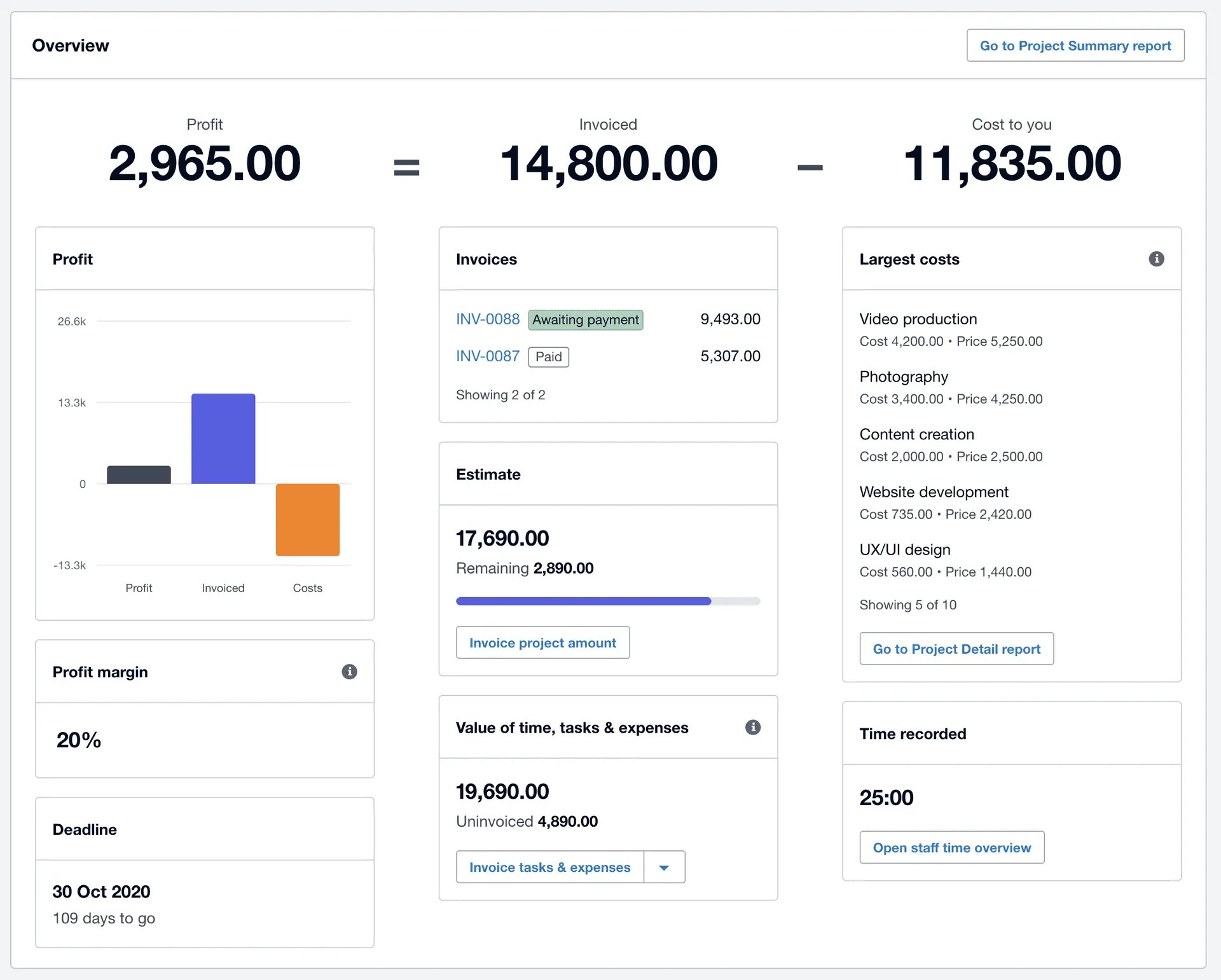
For this workflow, compare the US Established plan. Xero's US pricing lists its ongoing price at US$97 per month, with project time and cost tracking, expense claims and multiple currencies. Lower-priced plans exist, but they are not the basis for this Projects review. Its free-month option is an introductory offer, not a permanently free subscription.
Xero's project documentation describes assigning expenses and bills to projects, logging staff time and reviewing costs and margin. For a production engagement, you could demonstrate how a technician's time and a lighting supplier's bill appear against the same job. The useful check is whether the accountant can trace the reported cost back to its source.
For your own ticketed show, bring a different example. Ask how the event's ticket activity, sponsorship and costs should be grouped when there is no single commissioning client. Xero describes creating a project against a customer; that deserves attention before you design the whole event-reporting process around it.
What to watch
Check what will actually reach the event report. A bank connection, a supplier bill and a time entry are different records; having them somewhere in the software does not establish that they have been assigned to the correct event.
Also separate the accounting subscription from optional services and payment charges. Ask for the ongoing price and the permissions needed by your bookkeeper, accountant and staff recording project time. The reason to shortlist Xero here is the connected cost workflow, not a promise that importing a bank feed completes the books.
2. QuickBooks Online
QuickBooks Online is worth evaluating when you need reports across different parts of the event business. Its class and location tracking gives you a way to discuss event and venue reporting with your accountant, alongside a separate Projects feature for client jobs.
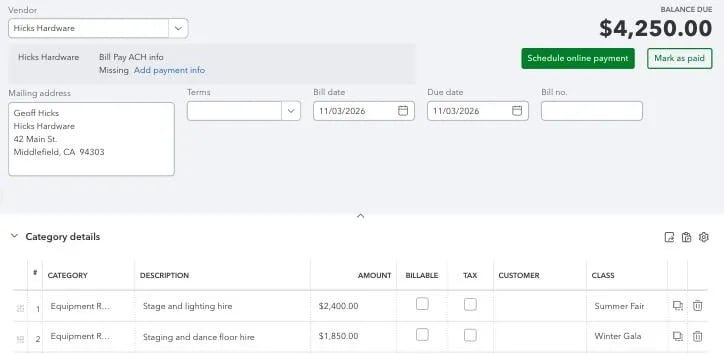
The US Plus offer currently shows a standard price of US$140 per month before its introductory discount. It includes five users, access for two accountants, project profitability and class and location tracking. QuickBooks also offers a thirty-day trial; confirm the purchase and trial terms before comparing promotional prices.
Suppose you operate a concert series and a paid workshop programme. You want to see which activity generated the income and which incurred the production cost. Ask your accountant to demonstrate the appropriate use of classes and locations, including a supplier invoice shared between two events. The important result is a report you can reconcile to the company totals.
Keep Projects separate in that discussion. Intuit's project guide describes grouping transactions, estimates and expenses associated with a single customer. That can suit a production job commissioned by a client. It does not establish the right structure for a festival selling to thousands of individual buyers.
What to watch
Intuit's usage-limit guide puts Plus at forty active classes and locations combined. If your proposed structure creates a class for every event edition as well as a location for every venue, work through how that grows and how completed event codes would be managed. Do not read the limit as forty of each.
Price the access and reporting you will keep after the trial. A small team may not need the higher plan's additional features, but it still needs a structure that accommodates the event calendar and a clear process for correcting misassigned transactions.
3. Zoho Books
Zoho Books deserves a place on the shortlist when purchase controls matter alongside project costs. It is particularly relevant to a smaller team that wants to connect supplier purchasing, recorded bills and project reporting without buying a plan around invoicing alone.
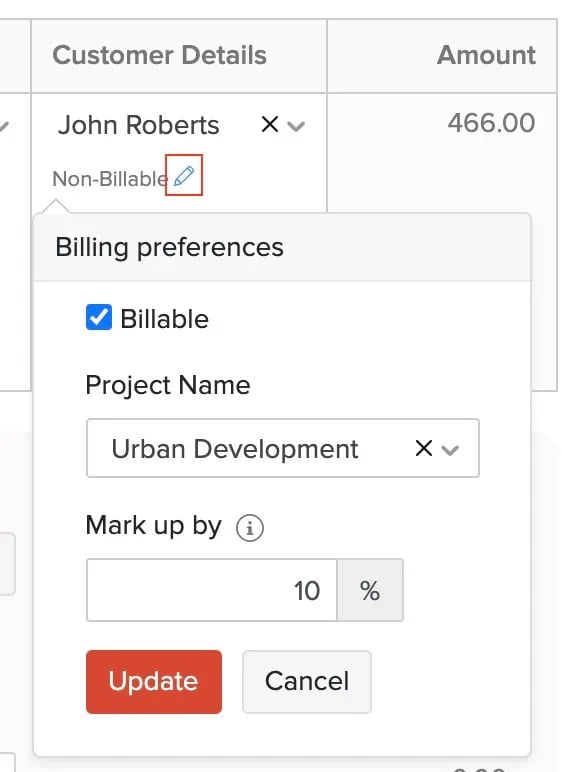
Zoho's US pricing lists Professional at US$40 per organization per month billed annually, or US$50 on monthly billing, with five users. It includes purchase orders, project profitability, purchase approvals and custom user roles. A fourteen-day trial and a limited free plan are available; the free plan is not the feature set reviewed here.
A useful demonstration starts before the supplier is paid. Take a production purchase, follow its approval and bill, then show where the cost appears in the relevant report. You want to know whether the purchasing process records who agreed to the spend and whether the later cost can be found without searching a colleague's inbox.
Zoho's project functions guide explains associating bills, purchase orders and vendor credits with projects. It also describes reports filtered to a project. That makes it a sensible candidate for tracking the costs of a client production engagement and checking what happens when a supplier issues a credit.
What to watch
The documented project process uses a customer and project relationship. Demonstrate your own public-event reporting needs separately, particularly if ticket activity comes through several payment batches. Do not assume a feature called Project Profitability is a ready-made report for every type of event business.
Check the annual commitment, included users and transaction allowances against the workload you expect. Also distinguish Zoho Books from separate Zoho products: an existing subscription elsewhere in the suite does not establish that this accounting plan, its users or every connection is included.
4. FreshBooks
FreshBooks is most relevant here when your event business also invoices clients for production work. If you sell tickets to your own programme and deliver paid work for other organizers, its client-project workflow is worth assessing for that second part of the business.
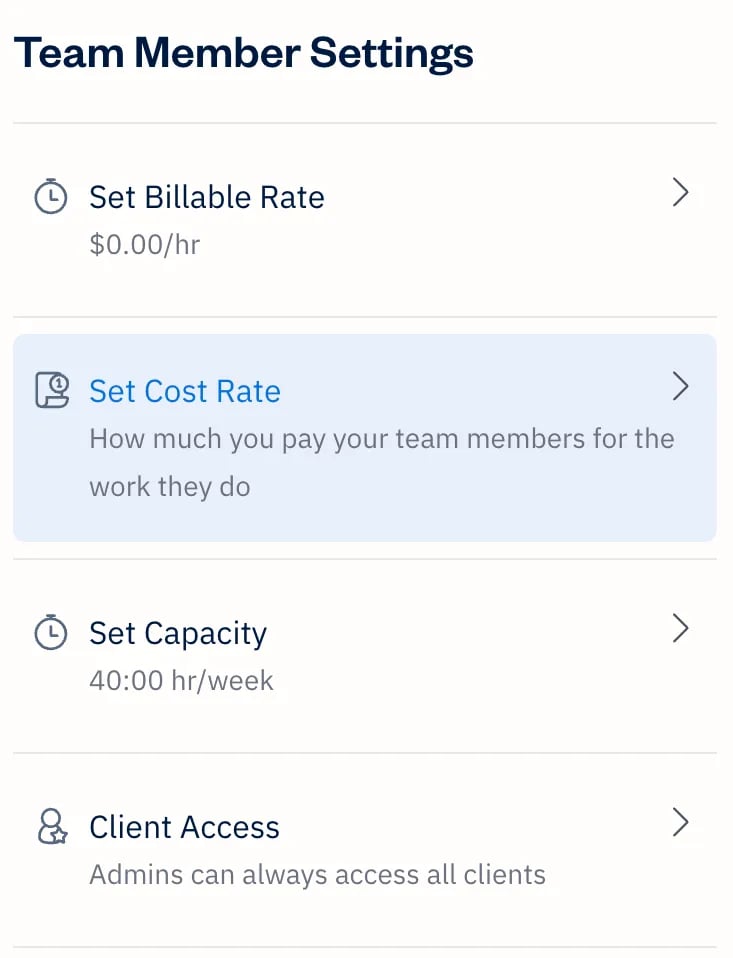
For the reviewed profitability and supplier-bill features, compare Premium. FreshBooks' pricing page lists a standard monthly rate of US$70 before the introductory offer, with unlimited billable clients and accountant access. The same page lists extra team members at US$11 per person per month and a thirty-day trial. A lower plan with basic project management is not equivalent to Premium's Project Profitability.
FreshBooks' profitability documentation distinguishes a team member's cost rate from the rate used to bill their time to a client. That distinction is useful when a producer and technician work on a commissioned event. The invoice value alone will not tell you how much of it the job consumed in labour.
Use the demonstration to trace time and expenses into the project, then compare the result with what the client was invoiced. Include an expense that you will absorb rather than charge back. You need to understand both the customer's invoice and the cost your business carries.
What to watch
The same documentation limits these profitability features to non-internal projects on Premium and Select. Ask specifically how your own ticketed events would be represented before treating that report as an answer to promoter accounting.
Also price the actual team. Accountant access and another employee doing day-to-day work are different needs, and extra team-member subscriptions can change the total. For a business focused on public ticket sales with little client invoicing, compare the reporting structures in the other tools first.
5. MYOB
MYOB Business Pro is worth comparing for an Australian event operator who wants to categorize income and expenses by job within the accounting system. It offers a more directly relevant discussion of event codes than assuming every event has to be a project invoiced to one client.
On MYOB's Australian pricing page, Business Pro is A$70 per month after the introductory offer. It includes unlimited connected bank accounts and user profiles. Payroll on Pro is an additional A$5 per employee per month, and the page offers a fourteen-day trial. These are Australian edition prices, not US-dollar alternatives to the other rows.
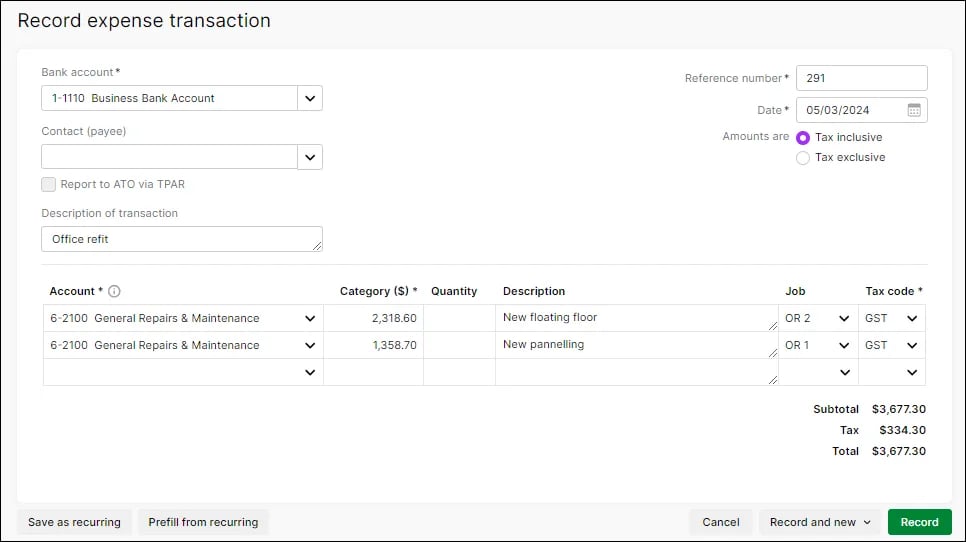
MYOB's job-management guide says a job can represent a project, service, location or other category. It describes allocating income and expenses and reviewing job reports. For a recurring event business, ask the demonstrator to create separate event codes and show how a shared supplier cost is assigned and reviewed.
That is useful only if the team uses the codes consistently. Include a transaction that arrives after the event has finished and check whether it updates the correct report. Also ask how your bookkeeper identifies activity left without a job code.
What to watch
MYOB distinguishes job cost and profit tracking on Lite or Pro from individual job budgets and time billing on AccountRight. Its pricing page lists AccountRight Plus at A$165 per month after the offer period. If those extra functions matter, compare that configuration rather than assuming Pro contains them.
Check the working environment too. MYOB describes Lite and Pro as web-based, while AccountRight includes Windows desktop software for some functionality. A feature upgrade can change how your team needs to work as well as the subscription price. Start with your Australian accounting requirements and devices, then decide which plan fits.
Give every shortlisted tool the same event test
Choose two candidates after your accountant confirms the suitable local editions. Then give both providers the same small set of example records. A demonstration built around your own business will tell you more than a tour of whichever dashboard looks best.
For example, use an illustrative US-dollar settlement with US$18,000 of ticket collections, US$2,000 of refunds and US$480 of deducted fees. Assume there are no other adjustments in this example. The expected bank deposit is US$15,520. Those are made-up test amounts, not a provider's fee rate or a statement about when the collections become accounting revenue.
Ask the provider and your bookkeeper to show how they would handle that settlement and its supporting detail. The checks should cover:
Matching the bank deposit to the payout without losing the underlying collections, refunds and fees.
Allocating the activity to two event editions when one payout covers both.
Recording a supplier bill that has arrived but has not yet been paid.
Splitting a shared production cost using the approach your accountant has agreed.
Finding an unassigned transaction, correcting it and showing the change in the report.
Giving the accountant appropriate access and exporting the records needed for a handover.
The deposit is a cash movement, not the event's profit. A presentation that stops at a matched bank line has not demonstrated the whole workflow. Conversely, a project report that looks profitable needs checking against the records and costs that actually reached it.
For events with bar commissions, merchandise or other independent vendors, use our guide to reconciling income across multiple event vendors to decide which supporting records belong in the demonstration. You do not need to build a separate accounting process for each provider, but you do need a clear explanation of each amount.
How this fits with Loopyah
You should not have to rebuild an event forecast just to evaluate accounting software. Loopyah's event CRM already brings event sales, refunds, fees and other connected activity together with the costs you supply, and shows profit and break-even planning separately from cash received.
Use that event view to make operating decisions, then have your accountant demonstrate how the relevant records will appear in the company's accounting system. This article has not verified a native Loopyah connection with any of the five products. Check the actual transfer method, what it includes and who reviews it before assuming that sales or supplier records will sync automatically.
Keeping the two views understandable matters more than making their dashboards look identical. Our guide to reviewing an event budget against actual costs explains the operating decisions that follow when a supplier cost changes after your original plan.
Which accounting software should you choose?
For a business running its own public events, we'd begin with the accountant's reporting design, then compare Xero and QuickBooks Online against it. Test the difference between a customer project and event reporting, rather than choosing because both products advertise profitability features. In Australia, include MYOB in that conversation, especially when job codes and local payroll requirements matter.
Include Zoho Books when purchase approvals and a smaller team's costs make Professional worth evaluating. Include FreshBooks when client production work is a meaningful part of your business. Its narrower client-project fit is a reason to consider it for that work, while checking separately how your own promoted events will be reported.
Before buying, request a written configuration covering the country edition, the ongoing subscription price, annual commitment if any, team access, payroll and other add-ons. Add migration and bookkeeping support to the estimate. A lower subscription is useful only if the proposed setup can produce the reports your business needs without creating more work elsewhere.
Questions to settle before you buy
Is the cheapest plan enough for an event business?
Sometimes, but choose it after defining the work. The reviewed Xero project features, QuickBooks classes and locations, Zoho purchase controls and FreshBooks profitability tools do not all sit on the cheapest plan. If you only need simpler books, ask your accountant to identify which of those functions you can leave out rather than paying for them by default.
Can one subscription cover several events?
Several events within one business are a different question from several separate companies. Demonstrate event reporting inside the proposed setup, then confirm what happens if another legal entity also needs its own books. The fact that a tool has projects, jobs or multiple users does not establish that every organization is included in one subscription.
Will a bank feed handle ticketing automatically?
A bank feed shows money moving through the bank. Your ticketing and payout records explain the activity behind it. Ask how the proposed setup brings those records together, retains the event references and prevents the same activity being recorded twice. A supported connection or reviewed import may help, but this guide does not establish one for your account.
Take the software you prefer through one completed-event example before committing to a season. If your bookkeeper can trace the payout, explain the costs and produce the agreed event report, you have something more useful than a persuasive feature list.
Have a relevant accounting tool to suggest or a factual correction? Contact Loopyah with the official source, country edition and event workflow it supports.

Author: By the Loopyah Content Team
The Loopyah Content Team shares expert insights, practical guides, and industry updates to help event organizers create unforgettable experiences and stay ahead in the event planning world.