· 21 min read
How to protect attendee accounts and devices when using an event app
You've invited paying attendees into an event app. They can find one another, arrange meetings and open documents. Your team can change the programme and send messages carrying your event's name. Before that invitation goes out, you need to know who can reach each of those things and how you'll remove access when something goes wrong.
Good event app cybersecurity starts with choosing a provider that can explain and demonstrate its protections. Then configure separate access for attendees, exhibitors and staff, protect organiser accounts, limit the information you collect, and test account recovery. Attendees also need straightforward guidance on installation, device permissions and getting help without handing over their passwords.
You can't control every phone coming through the doors. You can control which app you ask people to use, what you put into it, who administers it and how your team responds to a lost phone or unexpected access. Those decisions affect your support workload and the confidence people have in an event they've paid to attend.
Start with what your particular app can expose
An agenda that anyone can read presents different problems from an app containing private messages, attendee contact details and booking records. Start by listing what yours actually holds. Include the organiser dashboard and connected services, since the attendee's phone is only part of the arrangement.
Write down where registration information enters the app, who uploads it and whether later changes update automatically. Find out whether exhibitors can download contact lists, whether staff can export everything, and whether provider support can access accounts. Ask what remains on a phone after someone signs out, especially if the app has offline functions.
You don't need a technical diagram to have this conversation. Try following a fictional delegate called Maya. She buys a conference ticket, receives an app invitation and creates a profile. An exhibitor scans her badge, a contractor helps with registration, and the app remains available afterwards. At each stage, ask which information became available to whom.
That exercise often reveals a decision nobody thought they owned. Perhaps an app import includes dietary information because it arrived in the same spreadsheet as names. Does the networking app need it? If the catering team needs it, can they receive it through a more appropriate arrangement without exposing it in attendee profiles?
Our guide to sharing attendee data with event suppliers helps you define those boundaries. For the app, keep a short record of the information, its purpose, the people who can access it and when that access ends. Use this record when evaluating settings and discussing the contract.
Ask the provider to demonstrate the protections
A statement that an app is secure doesn't tell you whether an exhibitor can download the directory or whether an organiser can end a lost phone's session. Turn your concerns into requests for evidence before signing. A session means the app continues recognising a signed-in device without asking for credentials every time.
Ask the provider to show how it handles these situations:
A contractor finishes work and must lose access immediately.
An attendee loses a phone while signed into the app.
Someone tries to use an attendee account to open another person's private information.
An organiser account needs recovery while its usual owner is unavailable.
Your team needs to establish who exported attendee information or changed access.
The answers should identify the available controls, who can use them and any limitations. If ending sessions requires provider support, ask about support hours and the response arrangement for your event. A capability that nobody can activate on a Saturday evening may be a poor fit for a weekend conference.
Ask for security documentation covering encryption, software updates, testing and incident handling. Encryption protects information by making it unreadable without the appropriate key. Ask separately about information travelling between the app and its service, information stored by the provider and information saved on phones. One answer may not cover all of them.
Have a qualified adviser assess any testing report or certification you rely on. Check what product and activities it covers, its date, and whether important findings remain unresolved. A logo in a sales deck isn't enough evidence to answer those questions.
Also ask who else processes information for the app provider and how those arrangements are documented. Get the responsibilities and support commitments into the agreement. Your team needs to know what it can configure, what requires the provider, and what happens if the service becomes unavailable during the event.
The cost comparison should include this work. Ask whether stronger organiser authentication, useful activity records and urgent support are included in the quoted package. Find out whether you can obtain the records you need without purchasing a larger plan after an incident. A low licence price is less persuasive if your team cannot perform the access changes the event requires.
You may discover a limitation you can reasonably accept. Perhaps your small conference doesn't need directory exports at all, so disabling them removes a concern. Another limitation may change the buying decision. If an account can publish messages to every attendee but cannot be protected or recovered in a way your business accepts, a polished attendee interface doesn't resolve that problem.
Write the acceptance decision down with the person authorised to make it. Include the restriction, the practical workaround and the person responsible for carrying it out. Revisit it if you add a feature or change how the app is used. An arrangement suitable for a public agenda may need another review when you introduce private meetings or exhibitor contact sharing.
Test each role using ordinary accounts
Once you have a trial or test environment, create accounts with the same roles people will actually receive. Ask permission to perform the agreed tests and use invented attendee information. You can check ordinary settings without attempting to break into the provider's systems.
Start as an attendee. Open the directory and a profile, send a test message and try the supported booking functions. Check which details become visible before and after a connection request. Use another test attendee to confirm whether a private message or booking can be seen by anyone who shouldn't have access.
Next, sign in as an exhibitor. Check whether that account sees the entire audience or only contacts shared through the agreed process. Try the normal export function if one exists. Inspect what the downloaded file contains, because a limited screen view doesn't necessarily mean a limited export.
Then test temporary staff. Someone helping with app questions may need to resend invitations, but should they also change attendee emails or download the directory? Decide which jobs require which access, and ask the provider to explain any role that bundles more power than you want to grant.
Use the same fictional Maya example throughout. If Maya shares her details with one exhibitor, check the second exhibitor's account too. Confirm that the sharing behaves as the attendee explanation says it will. Record what you observed, including unresolved questions, rather than marking the whole app approved after a successful login.
Finally, remove a test user's access and check the result on a device that was already signed in. Can it still refresh private information? Does previously downloaded information remain available? Those answers matter when you write your lost-device procedure and when you promise that contractor access ends after the show.
Protect organiser access before inviting the audience
The organiser accounts deserve particular attention because they can affect many attendees at once. Ask your provider which multi-factor authentication methods it supports, then enable the strongest suitable option for every organiser account. Give each authorised person an individual account wherever supported, so you can remove access and understand who made changes.
Multi-factor authentication, or MFA, requires more than one form of proof to sign in. A password followed by an authenticator code is one example. A supported passkey can use a credential held on a device or security key, unlocked through local verification such as a PIN or fingerprint. Availability depends on the provider and device.
The NCSC's guidance on authentication methods prefers FIDO2 credentials, the technology behind supported passkeys and security keys, over code-based methods where appropriate. It explains that these credentials provide phishing resistance, while codes can be intercepted through phishing. Ask which supported option works for your team rather than assuming every extra login step provides equal protection.
Where passwords remain necessary, use a different strong password for each account and a suitable password manager. Don't put the organiser login into the production briefing. If a contractor needs access, invite them to the right role instead of forwarding the founder's credentials.
Check whether your app uses the company's existing sign-in system. If it does, ask your technical adviser which protections apply and whether a separate password or recovery route can bypass them. Having a company login button doesn't establish that every possible route into the account has the same requirements.
For the wider issue of deceptive login requests, read our guide to protecting an event business from phishing scams. Here, your immediate job is to configure the app's actual controls and confirm who can change them. Do that while the team has time to resolve a failed setup.
Make account recovery work without weakening it
Now try losing access. Your administrator has changed phones, the producer is travelling, or an attendee registered through an assistant's email address. If support can solve every case simply by accepting a familiar name, the login protection you configured may be easy to bypass.
Ask the provider how it verifies the person requesting an email change, replacement login method or account recovery. Find out which actions your event team can take and which need the provider. Record the approved route, including how a disputed request gets escalated. Avoid collecting extra identity documents unless the supported process genuinely requires them and handles them appropriately.
For organisers, keep recovery information under business control and use the provider's supported backup options. An account needed by your business shouldn't depend entirely on a former contractor's personal inbox. Protect recovery codes and arrange access for authorised people without circulating them through crew chats.
Attendee recovery needs a different level of practical support. Someone might have a valid ticket while being unable to open their work email on a personal phone. Verify the available recovery or attendee-change procedure before the event. A screenshot of a ticket or a name on a badge shouldn't become your improvised universal proof of account ownership.
Practise with test accounts. Start a recovery request, confirm where it goes and check what happens to existing sessions afterwards. A password change may leave an already signed-in device connected, depending on the service. Ask how to end that access explicitly when you suspect someone else has it.
Tell front desk staff where their authority stops. They can direct an attendee to the approved process and escalate a problem. They shouldn't ask for passwords, read verification codes aloud to a crowd or sign someone into another attendee's account to keep the queue moving.
Agree who pays for additional support before you need it. If the app provider handles recovery but your ticketing team handles attendee substitutions, staff need the handover between those jobs. Otherwise a legitimate replacement attendee may receive a ticket while the original person keeps the app account. Test that change with invented records and ask both providers which step removes the previous access. Keep the test result with your staff instructions, including any delay between systems. That gives the help desk an accurate answer when someone asks why their newly transferred ticket has not opened the app as expected.
Set a device standard your staff can meet
Your staff devices and attendee devices need different treatment. You can choose the phones or tablets your business supplies, control their configuration and assign someone to maintain them. You usually have much less control over an attendee's personal device, so make your expectations and alternatives clear.
For staff equipment, agree supported operating systems and app versions with the provider. Turn on appropriate automatic updates and schedule maintenance before event week. Test the app again after a material change. An old phone that still opens the agenda may nevertheless have stopped receiving security updates, so working and supported aren't interchangeable.
Set screen locks, require staff to lock devices when stepping away, and minimise sensitive notification previews. Assign devices to named people or shifts, with a clear handover. If a tablet stays at the help desk, decide how it is secured during breaks and who notices if it disappears.
When staff use personal phones, agree the arrangement before their shift. The NCSC's guidance on staff using their own devices explains the need to balance business information protection, usability and the owner's privacy. A personal phone needs an agreed policy; it doesn't become company property because someone installs your app.
Explain what the business can manage, what happens if the phone is lost and what information must be removed when work ends. If your controls can't support the job without unacceptable access or uncertainty, supply suitable equipment or change the assignment. Don't surprise a freelancer with device-management demands at registration.
For attendees, publish the provider's current compatibility requirements and give people time to check them. Have a workable way to deliver essential event information to someone whose phone can't safely run the app. Asking them to disable security protections or install an unofficial build is a poor solution to a compatibility problem.
Ask for permissions only when the task needs them
A camera permission may make sense when an attendee scans a networking code. That doesn't explain why the app would need their contacts or continuous location. Review each permission in the context of the feature you intend to use, and ask the provider about anything you can't explain.
Google's Android app permission guidance explains how people can allow or deny permissions and change them later in settings. Some permissions offer choices such as allowing access only while using the app. The options depend on the permission and device, so test the journey your attendees will actually encounter.
Try declining optional permissions during setup. Can the attendee still read the programme? What happens when they later attempt the feature that needs access? Your instructions should describe that behaviour accurately. Don't tell everyone to approve every prompt just because it makes a demonstration easier.
Separate device permissions from visibility inside the event. Denying access to a phone's contacts doesn't necessarily hide the attendee's profile in the app directory. Switching off notifications doesn't necessarily stop another attendee sending a message. Explain the setting that controls the actual concern instead of treating all privacy choices as one switch.
Be particularly cautious about importing personal address books to help people find contacts. Ask whether the feature is necessary for the event, what information is uploaded and what happens when access is withdrawn. An attendee looking for a workshop shouldn't have to surrender unrelated contacts to reach it.
Keep your attendee guidance short. State the app's purpose, the permissions required for the functions you're promoting, and where to change optional choices. Your support team can help people find settings without taking possession of an unlocked phone and browsing through personal information.
Check installation links and venue access points
Publish the correct installation or browser link through an event page and communications channel you control. Confirm the developer or publisher details with the provider before launch. If the app serves several events, check that your instructions lead attendees to the correct event after installation.
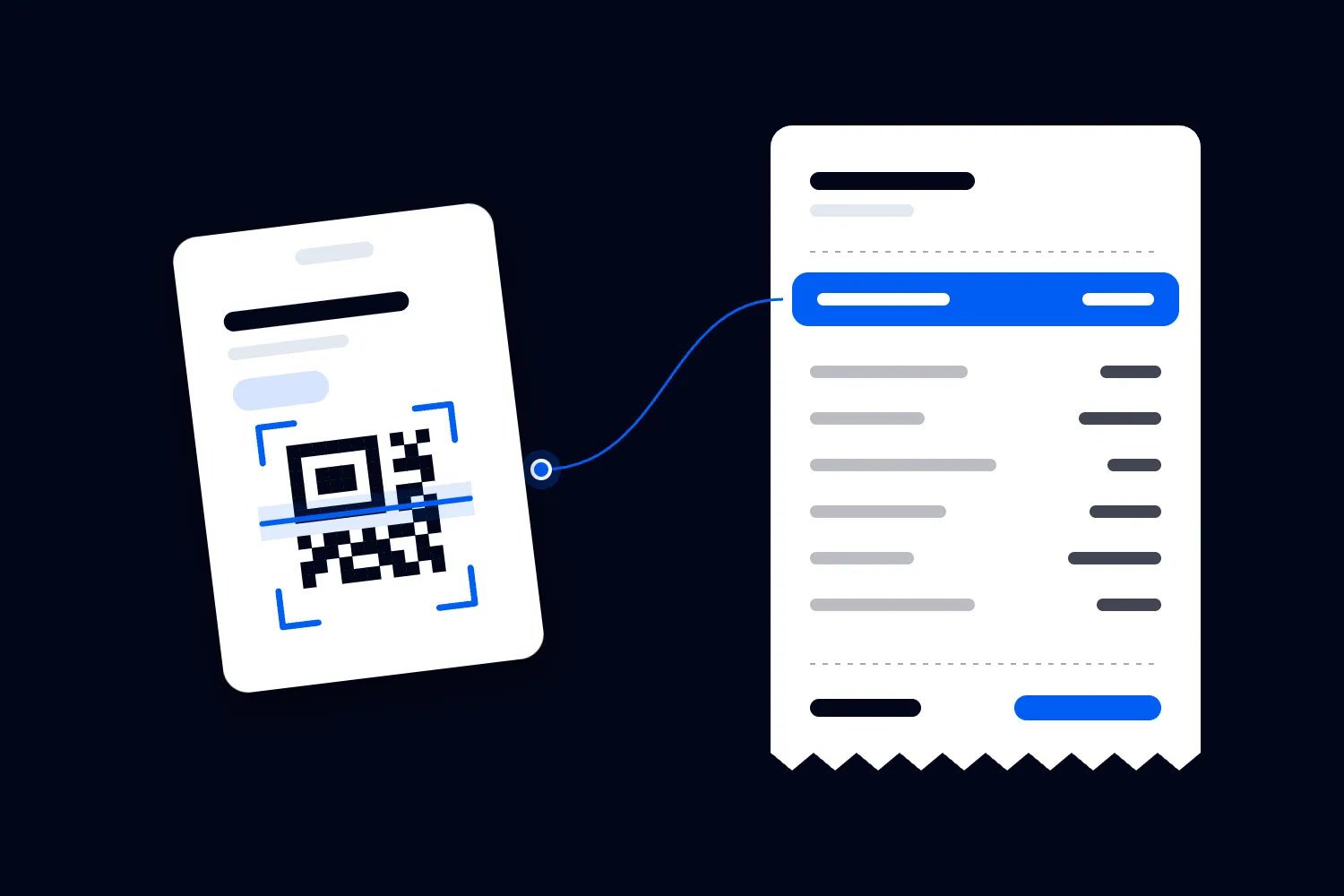
A QR code is simply a way to open information or a link. Its appearance doesn't tell an attendee who controls the destination. Print a readable address beside event access codes, test the destination on a phone, and assign staff to check signs for replacement stickers or alterations during venue rounds.
The main issue isn't whether the code looks professional. In our fictional conference, someone could cover a foyer sign's code while leaving the event branding visible. An attendee might then reach a different login page and assume the organiser provided it. Staff need to know the approved destination and how to report an altered sign.
Keep personal invitation codes separate from public installation signs. Ask the provider whether a code merely locates the event or grants access to private information. If it grants access, manage it accordingly and establish what happens when it is forwarded or photographed.
Confirm the venue's official network name with its technical team and communicate it accurately. Separate staff operational connectivity from attendee access where the venue supports that arrangement. Test capacity and coverage as well, because a connection that repeatedly fails can push staff towards improvised ways of moving attendee information.
Agree who may change installation instructions or network information during the event. A late supplier request to add a new download or install a device profile needs verification through your technical lead. Front desk staff should have a clear contact when a supposedly helpful instruction differs from the briefing.
Be accurate about public Wi-Fi
Telling attendees that every public network exposes all their passwords isn't helpful or accurate. The FTC's advice on public Wi-Fi explains that widespread website encryption makes public Wi-Fi use usually safe. It also warns that a fraudulent website can use encryption. An encrypted connection doesn't prove the person running the destination is trustworthy.
For your event, confirm with the provider how the app protects its connections. For browser access, attendees should use the verified address and heed security warnings. Don't train people to dismiss certificate errors or bypass warnings because "the venue Wi-Fi does that". Ask the venue and provider to investigate the fault.
Offer clear help when a venue login page fails. People shouldn't need to enter their event account password into an unrelated network form. If a network prompt requests unfamiliar software or unusual permissions, staff should escalate it instead of reassuring everyone that it must be normal.
For organiser administration, use the connectivity and device arrangements approved by your technical adviser. A trusted mobile connection can be a practical alternative when the venue network is unreliable, subject to coverage and your plan. It doesn't make an unsafe device or a fraudulent page safe.
If your business requires a virtual private network, or VPN, use its approved service and instructions. A VPN protects the connection between the device and the VPN service; it doesn't establish that every website opened through it is legitimate. Avoid recommending random free software to attendees as an event security measure.
Brief attendees without handing them a security manual
Your attendees are coming for the programme and the people. Most won't read a long security document before installing an app, so put the useful instructions into the moments where they need them. The invitation should identify the official access route and support contact. The help desk briefing should explain what staff will never ask an attendee to disclose.
For the fictional conference, you could write, "Use the app link on your booking information to open the conference. Our help desk can explain the sign-in steps, but won't ask you to tell us your password or verification code. If you lose access, contact the conference support address shown on your booking."
Check every promise in that wording against your operation. If your provider sends invitations, name the expected sender accurately. If support moves after the event, explain the new route. You want attendees to recognise the normal process, including who is helping, without making them depend on a logo or a familiar display name.
Give exhibitors a separate briefing. Explain which account belongs to which representative, what contact information they can receive and how they report unexpected access. If someone leaves the stand team halfway through the conference, the exhibitor lead should know who removes that person's access. Don't assume the organiser hears about staffing changes automatically.
Keep the support conversation private enough for the task. Ask attendees to enter credentials themselves and look away while they do. If a screen shows another person's message or contact details, avoid reading it aloud. A busy public help desk needs habits that protect information as well as a working reset button.
Prepare for a lost phone during the event
Imagine Maya comes to the help desk because her phone disappeared during lunch. She was signed into the app and had private meeting messages. Your team needs to help her protect the account while still giving her the conference access she bought.
Start with the approved identity and recovery procedure. Ask the provider to end the missing device's sessions where supported, or guide the attendee through doing so from a trusted device. Record the time and action without copying private messages into a shared support log. Help Maya obtain her remaining schedule through the agreed alternative.
Device locking is a separate action from app account protection. Apple's lost iPhone and iPad guidance explains how Find My can mark a device as lost and lock it, provided Find My was enabled beforehand. Other devices have their own supported procedures. Direct the attendee to the manufacturer's official instructions and let them control their personal account.
For a missing staff phone, notify the person responsible for business devices immediately. Follow the agreed process for protecting work accounts and use any authorised device-management controls. Ask the app provider what remains available offline. Removing account access doesn't establish that a previously exported file has disappeared from the phone.
Avoid promises about remote wiping or automatic deletion unless the actual arrangement supports them. Those actions have prerequisites and consequences. Your technical lead should decide how business controls apply, while the owner handles their personal device through the appropriate official process.
Rehearse this situation before opening. Who contacts the provider, who covers the staff member's job, and how does the attendee continue their day? A working answer reduces the temptation to lend someone an administrator account while the help desk tries to sort things out.
Contain suspicious access and keep the event working
A lost device isn't your only possible incident. An exhibitor might report seeing an unexpected contact list, or an attendee might receive messages apparently sent by someone who denies sending them. Take the report seriously without announcing a cause you haven't established.
Name an incident lead and backup before the event. They should have the provider's verified support details, authority to restrict access and a route to qualified technical help. Put those arrangements into your event contingency plan, including a copy available if the app itself becomes inaccessible.
When a report arrives, record what was observed, when it happened and which accounts or functions appear affected. Ask the provider to preserve relevant records and help contain the access. Restrict the affected account or function where appropriate, following the agreed process. Don't ask a volunteer to investigate by opening other people's private information.
Keep the operational response specific. If networking messages are paused, tell attendees how to get programme updates. If the app cannot be used safely, switch essential information to the agreed alternative and brief staff. Closing the entire event isn't automatically the right response to an isolated app issue, but continuing unchanged also needs justification.
Have one person approve attendee updates using confirmed facts. Explain the affected function, the action people should take and the verified support route. Get appropriate advice on any reporting or notification obligations. Avoid claims that no information was accessed until the investigation supports them.
Close temporary access after the show
Before contractors leave, confirm which accounts end immediately and which remain necessary for agreed follow-up work. Remove access through the supported controls, end sessions where appropriate and check the result. Keep business ownership of the organiser account even if an agency configured the app.
Review integrations, export permissions and files held outside the app. Deleting an account doesn't automatically delete a spreadsheet already downloaded by an authorised user. Follow your agreed retention and deletion arrangements with the provider and suppliers, while preserving records that your business still needs to keep.
Record unresolved security questions alongside the event review. If your team couldn't end a lost phone's access without waiting for support, that should affect the next procurement decision. If temporary staff had more permissions than their jobs required, resolve that before issuing the next invitations.
Before you renew the app, ask the provider to repeat the access-removal and recovery demonstrations using your planned setup. You'll have a much clearer buying decision when you know how those tasks work during your event, who handles them and where the limits remain.

Author: By the Loopyah Content Team
The Loopyah Content Team shares expert insights, practical guides, and industry updates to help event organizers create unforgettable experiences and stay ahead in the event planning world.