· 21 min read
How to run a hands-on skills lab within a paid conference
You've booked a room for a practical session at your conference. The instructor has a presentation ready, the programme says "hands-on", and registrations look healthy. Then you count the equipment. There are enough chairs for everyone, but will each person actually get a turn?
A conference skills lab needs a narrower promise than a talk. Choose a task attendees can practise themselves, build time for feedback and another attempt, then limit places to what your equipment and teaching team can support. Fit that plan into the conference timetable before you sell access to it.
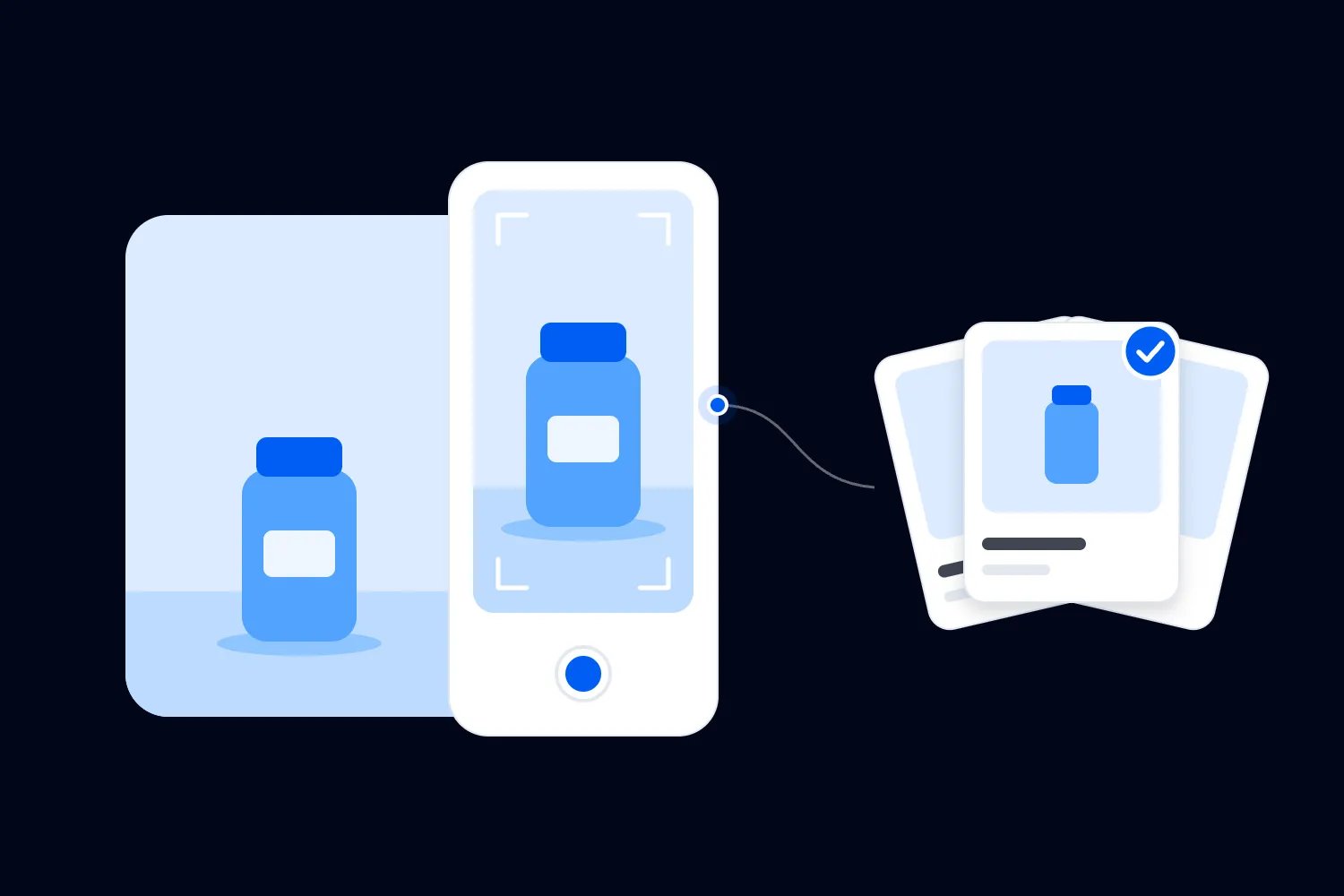
We'll work through an illustrative lab for a paid conference serving small business marketers. Attendees will practise recording and improving a short product video using a shared lighting and microphone setup. The lab has 24 places, 12 workstations and two trained facilitators. These are planning assumptions for the example, not staffing or teaching benchmarks.
The interesting part is how those decisions affect each other. A shared station changes your running order. Your running order changes the number of people you can support. That number changes what the lab costs per place and what you can honestly promise buyers.
Choose one task that belongs in a lab
Start with something attendees need to do themselves to learn it. Setting up a microphone, checking a recording and correcting an audio problem makes sense. Listening to someone explain why video matters could happen in a talk with a much larger audience.
For our example, the promise is that each attendee will set up the microphone and light, record a short product explanation, review it against the supplied criteria and make a second attempt. They leave with their own recording and the steps needed to repeat the setup.
Cornell's Center for Teaching Innovation recommends observable learning outcomes that guide the activities and assessment. Apply that principle to the programme description. "Improve your video skills" doesn't tell a buyer what they'll actually practise. "Record and review a product explanation using a shared lighting and microphone setup" does.
Keep the task small enough for the conference slot. You're working around keynotes, lunch, room changes and attendees who may need to leave promptly. If the instructor needs half the session to explain prerequisites, either narrow the task or offer it to a more experienced group.
A lab can complement a main-stage session without repeating it. The talk might explain how to plan useful product content. The lab lets people practise the recording step with help nearby. Make that relationship clear, including whether attending the talk first is necessary.
If you're planning a separate event with its own audience, venue and promotion, our guide to organising a paid workshop covers that wider job. Here, the harder question is how you deliver individual practice within an existing conference and its competing commitments.
The short recording task also gives you a way to check whether the lab is necessary. If attendees could reach the same result by downloading a checklist, you need to explain what the room adds. In this case, they can try the equipment, hear the difference a correction makes and get help applying it to their own recording. That is a credible reason to offer a limited practical session. It doesn't require claiming that everyone will become a confident presenter after one afternoon. Keep the promise within the time and support you actually control.
Decide what each person will do at a shared station
Sharing equipment can work well, provided everyone has a defined turn. Don't assume two people beside a camera both get the same practice. One confident attendee can operate everything while the other watches and nods.
At our lab, each pair has an operator and an observer. The operator sets up and records. The observer follows the review sheet, checks whether the instruction is clear and notes a specific improvement. Then they swap roles. Both people later make their own second recording.
Explain the swap before the exercise starts and prompt it when the agreed time arrives. Give the observer a useful job that doesn't involve taking over. "Tell your partner what you noticed about the sound" works better than letting them silently fix the microphone.
You also need a plan for uneven numbers. If one attendee doesn't arrive, their partner can work independently with a facilitator checking the review. Don't automatically add a third person to another station. That changes how much practice everyone there receives.
Cornell's active learning guidance connects practical activity with timely feedback. That's a useful design principle here, although university teaching guidance doesn't establish a guaranteed outcome for your conference. The organiser's job is to make the practice and correction possible within the session people booked.
Ask the instructor to demonstrate the exact participant task during rehearsal. Time the setup, first attempt, review and swap. If the sequence already fills the available time when nothing goes wrong, simplify it. Attendees will need time to find controls and ask questions.
Set capacity using equipment and feedback time
Room capacity is only one limit. Count working stations, usable space, available practice time and the number of people facilitators can help. Your published limit has to respect whichever of those permits the fewest participants.
Our example uses two attendees at each of 12 stations, giving 24 places. That's appropriate only because both can complete the promised turns in the planned time. If a different exercise needs continuous individual equipment use, those same stations may support only 12 participants.
Now check feedback. We have two facilitators, each responsible for six stations and 12 attendees. During the first practice block, each facilitator visits their stations, checks progress and spots problems. They need enough time to watch the actual task, offer a correction and return when necessary.
There isn't a universal facilitator ratio you can apply across software, craft, technical and clinical labs. A task involving unfamiliar equipment needs a different arrangement from a familiar process on attendees' own laptops. Test the staffing against your task and participants' starting ability.
Account for reserved places too. If an instructor's guest or sponsor representative participates, they use the same equipment and teaching time as a paying delegate. Include them within capacity. An extra chair doesn't create another microphone, another workstation or another feedback visit.
For repeated labs, capacity applies to each session separately. Two sessions of 24 create 48 available bookings, but only if the team can reset the room and deliver the second session properly. Keep a reserve for equipment failure rather than planning to use every spare device as another sellable place.
Put the lab into the conference timetable
A conference timetable can make a well-designed lab impossible. Someone books the practical session straight after a keynote in another building, arrives late and misses the equipment demonstration. Now a facilitator must repeat the introduction while other attendees wait for help.
Allow travel time using the route attendees will actually take, including lifts and busy corridors. Check what happens when the preceding session overruns. The lab host needs authority to start on time and a clear process for admitting late arrivals without interrupting the whole room.
For our example, the teaching session lasts 90 minutes. The room remains unavailable for another 30 minutes afterwards while the team resets equipment and prepares for the next group. These timings are illustrative and need rehearsal against the real task.
A workable first version of the teaching plan is:
Minutes 0 to 10: explain the task, check preparation and demonstrate the station safely.
Minutes 10 to 20: demonstrate the recording and review, including a common mistake.
Minutes 20 to 45: first attempts, partner swaps and facilitator visits.
Minutes 45 to 50: pause, answer a shared question and prepare the second exercise.
Minutes 50 to 75: second attempts, partner swaps and targeted corrections.
Minutes 75 to 85: each attendee checks and saves their recording, with help where needed.
Minutes 85 to 90: explain the take-home instructions and next steps, then finish on time.
That totals 90 minutes. It protects two practice blocks and a proper finish. If the instructor adds another demonstration, ask which activity they propose shortening and whether the advertised result still holds.
Add the host's cues and responsibilities to your conference run of show. Include when doors open, when standby places may be released and who confirms that the room is ready for the next session. The public agenda needs less detail than the delivery team does.
Check prerequisites before attendees reach the room
A skills lab can lose its first exercise to setup problems. Someone needs an account, another has the wrong device, and a third can't download the practice file on conference Wi-Fi. Those are predictable problems you can address earlier.
Write prerequisites as actions people can check. For our video lab, attendees need a charged smartphone with enough storage, permission to use its camera and an accessible way to save the finished recording. The organiser supplies compatible shared microphones, lights and a sample product.
Don't ask buyers to purchase something after they've paid unless the requirement and cost were clear beforehand. If a particular device or software version is essential, state that before booking. Offer a contact route for people who aren't sure whether their equipment is suitable.
Send a short readiness check ahead of the conference. Ask attendees to make and play back a test recording, open the instructions and confirm any required setup. Explain what happens if they can't complete it. A loan device or earlier support appointment may solve the issue if you've planned one.
Keep the check proportionate. You're trying to establish whether someone can participate, not collect their whole professional history. Ask the instructor which answers will change the teaching plan. If an answer won't affect preparation, support or access, you probably don't need the question.
Prepare an alternative task for a device failure that still practises the relevant skill. In our example, a tested loan phone can preserve individual recording. Watching a partner for the whole session would change the experience, so explain any limitation before treating it as an adequate substitute.
Also rehearse what happens if the internet connection fails. Our recording exercise can continue locally once attendees have the instructions and enough device storage. Saving or sharing files afterwards may need to wait, so explain that distinction before the group starts. A software lab that depends on a remote service needs a different fallback, tested with the instructor. Downloading a slide deck won't preserve an exercise that requires a live account. Choose a version of the task people can still perform, or decide when the session would have to stop. Put that decision in the host's instructions so the team doesn't spend the whole practice block trying to restore a connection while attendees sit beside equipment they cannot use during their session.
Make the workstation usable for the activity
Walk through the task at the least convenient station. Can you reach the controls, read the instructions, hear the recording and see the demonstration? A classroom layout that suits note-taking may be awkward once everyone handles equipment and swaps positions.
For our lab, leave enough table space for the phone, light, microphone, product and personal belongings. Keep bags away from circulation routes. Check the actual cable lengths and where charging equipment will go. Ask the venue to confirm the layout before you set the final ticket limit.
The UK's Health and Safety Executive includes circulation, exits and site arrangements in its venue guidance. Use it as a planning reference, then confirm the requirements relevant to your location and activity with the venue and appropriate professionals. A video exercise and an industrial equipment lab need very different controls.
Accessibility requires checking the task itself. A person may be able to enter the room but struggle to reach a fixed microphone, follow spoken instructions or operate the supplied software. Ask about support needs privately and agree the practical arrangement with the attendee.
W3C's accessible events checklist covers advance materials, accessible formats, communication and timing. For this lab, supply instructions people can read on their own device, explain relevant visual details aloud and preserve an accessible working position. Don't make access depend entirely on seeing a projected screen.
Our event accessibility checklist helps you review the wider conference journey. Include the route between sessions, registration and breaks. An accessible workstation doesn't resolve a schedule that leaves someone insufficient time to reach it.
Sound is a particular concern for this example. Twelve pairs recording in the same room may make it difficult to hear the result, even with suitable microphones. Test several stations working at once. You may need quieter recording positions, headphones for playback or staggered turns across the room. Count any movement between positions within the practice block. If the rehearsal shows that the room can't support simultaneous recording, change the exercise or layout before selling 24 places. A microphone test in an empty room won't reveal what happens when the whole group starts speaking.
Give facilitators a useful way to judge the work
Feedback needs to tell someone what to try next. "Looks good" may feel encouraging, but it doesn't help an attendee whose voice is difficult to hear. Agree the review criteria with the instructor before writing the lab description.
For the video example, each attendee checks whether the voice is audible, the product is visible and the explanation communicates the intended point. The facilitator helps identify one correction for the next attempt. The criteria match the advertised beginner task without pretending to assess professional production ability.
Cornell's guidance on using rubrics explains how explicit criteria can support assessment and feedback. You don't need a complicated scoring system for this conference lab. A short shared review sheet helps facilitators describe the same standards and attendees understand what they're trying to improve.
Rehearse feedback as well as the demonstration. Ask both facilitators to review the same sample recording and compare their advice. If one focuses on advanced editing while the other checks basic microphone placement, attendees may receive conflicting instructions during a short session.
Keep personal feedback private unless the attendee agrees to share. A public demonstration can use an instructor's prepared example. Don't surprise someone by projecting their unfinished work to the room or using it later in a sponsor presentation.
Be careful with certificates. Attendance confirms that someone attended. A documented completion check can confirm the task they performed under the conditions you assessed. Neither automatically establishes professional competence or an accredited qualification. Describe what you actually verified and involve the relevant accrediting organisation if you plan a formal credential.
For the first attempt, a facilitator might ask the attendee to play a short section, point out that the microphone is rubbing against clothing and help reposition it. The attendee then records again and compares the sound. That exchange is specific, quick to test and connected to the promised skill. It also makes the staffing problem visible. If each correction takes longer than the rehearsal allowed, the instructor needs to simplify the task or provide more help. Telling facilitators to "keep moving" won't create enough teaching time for everyone who paid to participate.
Sell access without promising unlimited availability
Decide whether the lab is included in a conference pass, sold separately or reserved for a defined ticket group. The answer affects the booking page, confirmation and room entrance. Buyers shouldn't discover the restriction when they try to join.
An included lab still has limited capacity. Say whether delegates must reserve a place, when reservations open and whether places are guaranteed. If the conference has many more delegates than lab seats, avoid presenting the lab as something every ticket holder will definitely experience.
A paid add-on needs an equally clear description. State the session time, prerequisites, shared equipment arrangement and what the extra payment includes. Explain whether a conference pass is also required. A buyer comparing options needs to understand the total purchase before committing.
Our guide to conference session registration covers reservations across the programme. For the lab, the important delivery record is who has a confirmed place in which session. A general conference registration alone doesn't answer that question.
Loopyah's ticket-selling tools support ticket types and quantities, with confirmation emails linking to QR tickets. Those capabilities help you sell a defined allocation. You still need to check how your conference and lab access rules will operate together before advertising the offer.
Test the combinations your buyers will use. What happens when someone buys for colleagues, transfers their conference place or cancels a lab booking? Who receives preparation instructions? The attendee operating the equipment needs them, even when their employer or assistant made the purchase.
Decide your standby process before the conference. Give confirmed attendees a published arrival deadline and explain what happens after it. Release a place only when your stated rules allow it, then update the attendance record. Don't admit someone because a station briefly looks empty.
Write down what happens if the organiser cancels just the lab while the conference continues. A failed equipment delivery should trigger a clear response for the people affected. For a separately priced session, check the refund terms you've provided and the rules that apply to your sale. For an included session, explain the available alternative and its limitations. Don't describe a replacement talk as equivalent individual practice. The lab lead should know who can approve a change, who contacts buyers and how the entrance team will recognise the revised arrangement.
Budget for delivery across every session
A lab can attract strong interest and still cost more than you've allowed. Small capacity, equipment hire, preparation and extra room access all matter. Build the budget around delivering the promised task, then decide how the conference will pay for it.
Separate costs that apply once from costs that repeat with each session or participant. Preparing the teaching materials may be a single expense. Consumables, facilitator hours and room reset may increase when you add another session. Equipment hire can change if a longer booking crosses the supplier's charging period.
Here's a deliberately simple illustration in USD. Suppose one lab session has $900 in fixed delivery costs and $10 in consumables per participant. At 24 paid places, the direct cost is $1,140. That is $47.50 per place before any ticket fees, taxes, refunds, allocated conference overhead or profit.
If the net amount retained per place were $70 after applicable deductions, each attendee would contribute $60 towards the fixed costs once their $10 consumables were covered. You would need 15 paid places to cover the $900 fixed amount. Those are example inputs and arithmetic, not recommended prices or expected sales.
| Label | Net after consumables | Fixed delivery costs |
|---|---|---|
| 0 | 0 | 900 |
| 3 | 180 | 900 |
| 6 | 360 | 900 |
| 9 | 540 | 900 |
| 12 | 720 | 900 |
| 15 | 900 | 900 |
| 18 | 1080 | 900 |
| 21 | 1260 | 900 |
| 24 | 1440 | 900 |
For an included lab, agree which part of the conference budget covers it. You can't count an invented add-on sale as income. You might choose to subsidise the session because it strengthens the programme, but name the amount and the reason before approving the expense.
A sponsor may cover equipment or delivery. Agree what they receive in return and protect the teaching promise. If every facilitator visit becomes a product pitch, attendees lose the practical help they booked. Keep sales conversations optional and separate from completing the task.
Before adding another session, confirm the extra cost and available team time. The existing equipment may be reusable, but the facilitator, host and reset crew still have work to do. Ask suppliers for the actual revised quote instead of assuming a repeat costs almost nothing.
Keep sponsor reporting proportionate to the arrangement. You can report how many booked and attended without handing over participants' recordings or contact details. If a sponsor wants leads or permission to use work created in the session, resolve that separately and explain it to attendees. The practical exercise shouldn't depend on agreeing to an unrelated sales call. Use a prepared sample product and fictional business details where possible, so nobody needs to expose confidential client information just to complete the task. Tell facilitators what to do if a participant brings sensitive material anyway.
Rehearse the reset between groups
Repeated labs need a written reset process. After the first group leaves, someone must return each station to its starting condition. Otherwise the next attendee begins with missing equipment, changed settings or a previous participant's unfinished work.
For our example, the team checks microphones and lights, reconnects charging leads, replaces used materials and clears the sample workspace. Attendees save recordings on their own phones. If anyone uses a loan phone, the host checks their file transfer and follows the agreed deletion procedure before reuse.
Assign a person to each reset task and someone to sign off the room. A shared assumption that "the venue will handle it" is unlikely to cover microphone settings or practice accounts. Confirm what the venue, equipment supplier and teaching team each provide.
Rehearse the reset immediately after a trial session. Time how long it takes when a cable is missing or a device needs replacing. If you need the full 30-minute buffer in the example, don't let the programme team sell that period as networking time inside the room.
Keep a labelled spare kit ready and decide when a faulty station must close. If a replacement can't restore the advertised practice, involve the lab lead and explain the options to affected attendees. Don't quietly squeeze them into another pair and reduce everybody's turns.
Use the same final check before every group enters. Count usable stations, test the demonstration, confirm materials and check that the facilitators are ready. A successful morning session doesn't prove the afternoon room is still set up correctly.
Run arrivals without interrupting the teaching
The host handles access and practical questions while the facilitators teach. That separation matters when the first person can't find their reservation and the next wants to change sessions. Without a host, those enquiries consume the time you've allocated to practice.
At the entrance, check the lab reservation and direct attendees to a station. Confirm essential preparation quietly, rather than asking people to announce support requirements to the room. Explain the finish time and the rule for storing bags so the working area stays usable.
Give late arrivals a brief route into the session. A host can explain instructions that don't require specialist teaching. If they missed a safety briefing or prerequisite demonstration, a qualified person needs to cover it before participation. Plan that support, or state the latest admission time in advance.
During practice, facilitators should look for people who haven't started, partners who haven't swapped and stations where the same problem keeps returning. If several attendees misunderstand a step, pause for a short shared explanation. Keep individual problems with the relevant station when possible.
Finish by checking each person's saved result before the equipment disappears into cases. Someone who completed the exercise but can't find their file still needs help. Protect that final check when earlier activities run late, and shorten an optional discussion instead.
Follow up on the task and review the next session
Send the promised instructions and resources when you said you would. Include the process attendees practised and any correction the instructor wants everyone to have. Don't promise ongoing individual coaching unless somebody has agreed to provide it and you've covered the cost.
Loopyah's attendee email tools let you select audiences and schedule messages. Check the recipient list against the actual lab participants and the purpose of the message. Someone who bought a conference pass but didn't attend the lab shouldn't receive a completion claim.
Review learning and delivery separately. Ask whether attendees completed both attempts and received useful feedback. Then look at attendance, unused reservations, equipment problems, reset time and actual costs. A high satisfaction score won't tell you whether half the room missed its second turn.
Ask one follow-up question about using the skill afterwards. For example, did the attendee repeat the recording process at work, and what stopped them if they didn't? That can reveal a missing instruction or an equipment assumption you overlooked. Keep the answer in context. A voluntary reply from a few participants doesn't establish that the whole conference changed its working practices. It does give the instructor useful material for improving the next lab. Combine that feedback with observations from the room rather than using enthusiastic comments as your only evidence of success.
If you repeat the lab, change the part that caused the problem. You might simplify preparation, adjust the swap prompt or reduce capacity. Before opening the next booking allocation, walk the instructor through the revised plan and confirm that every attendee can still complete the task you've promised.

Author: By the Loopyah Content Team
The Loopyah Content Team shares expert insights, practical guides, and industry updates to help event organizers create unforgettable experiences and stay ahead in the event planning world.