· 27 min read
How do you manage event email preferences across cities?
So you run events in a few cities, and your mailing list has grown with the business. Someone joins for a live music night in Bristol. A few months later, they're getting workshop announcements in Leeds, reminders for Cardiff, and a newsletter explaining everything else you're putting on. Each email makes sense to the person who wrote it. For the subscriber, it's getting harder to find the events they actually want.
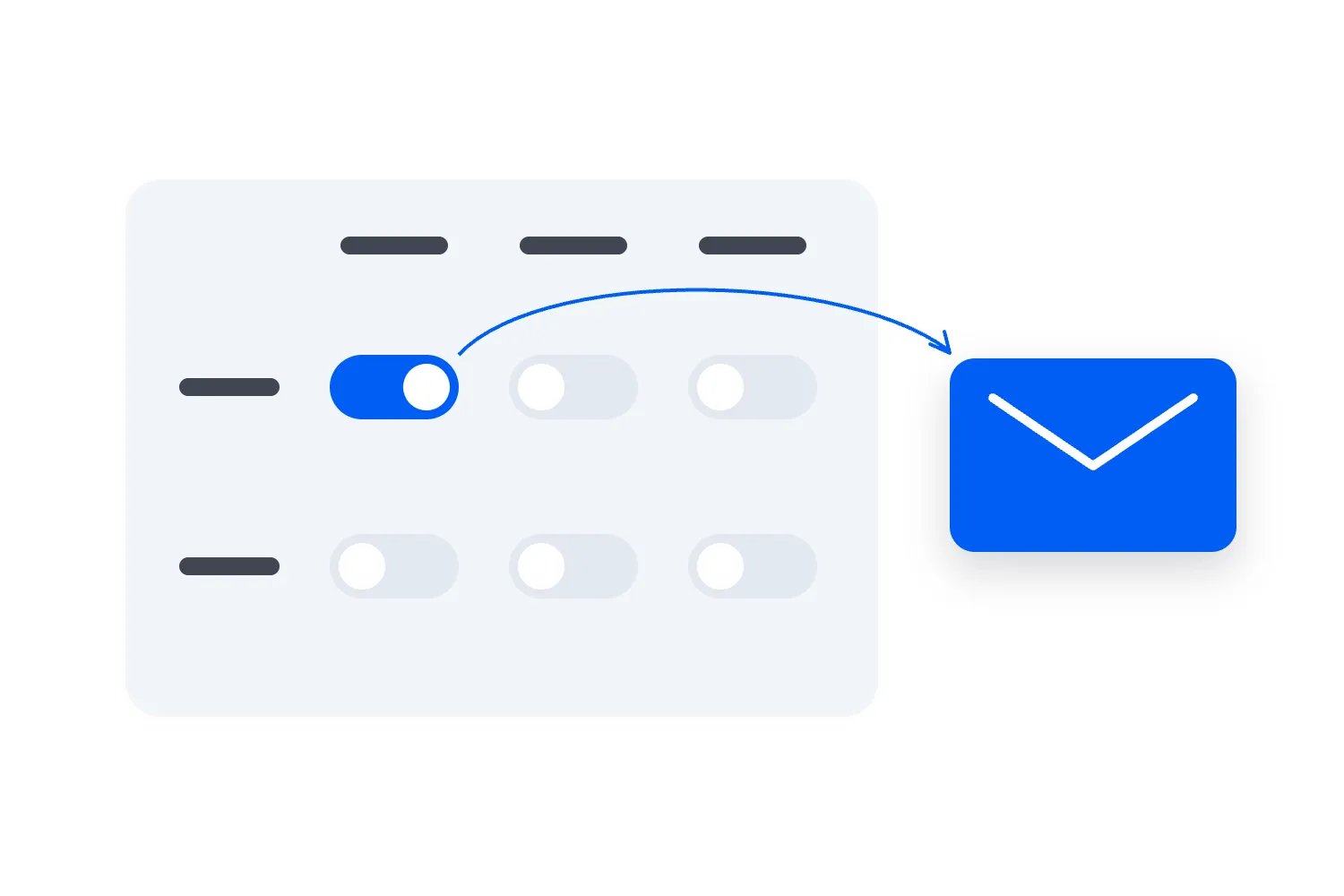
An event email preference centre lets people choose which parts of your programme they hear about. Start with choices that change what you send, such as city and event format. Keep an obvious option to stop all marketing emails, and make sure the choices affect scheduled campaigns as well as the next newsletter. Someone shouldn't have to leave your entire mailing list just to stop hearing about a city they no longer visit.
The work starts before you build the form. You need to decide what each choice means, how it combines with other choices, and who checks that the right people receive each message. Otherwise, you've added another page without changing the emails.
This guide walks through those decisions for a paid event business. We'll use a fictional organizer running live music and creative workshops in Bristol, Cardiff and Leeds. The names, audience records and financial examples are invented to explain the process. They aren't customer results or expected improvements.
Your wider event email marketing strategy still matters. A preference centre helps you choose the audience for a useful offer. It won't make an unclear programme, inconvenient date or overpriced ticket more appealing.
Start with the choices you can actually honour
The first thing you want to do is look at your upcoming programme. Which differences would make someone want one announcement and ignore another? For our fictional business, called Common Room Events, city is an obvious choice. A subscriber might travel between Bristol and Cardiff but have no interest in a weekday evening in Leeds.
Format matters too. A person who likes small concerts might not want a printmaking class. Someone who comes to workshops could be interested in several subjects without wanting late music nights. Those differences give you a useful starting point because they change the ticket offer, travel decision and explanation in the email.
Don't ask subscribers to choose every category your team uses internally. Your production budget might separate acoustic shows, amplified shows, touring bookings and local bookings. The audience may simply want live music. If you can't explain how two options produce meaningfully different emails, combine them until there's a reason to separate them.
A small programme may need less machinery. If you run one monthly concert in one venue, a clear subscription and easy unsubscribe could be enough. Building a preference centre with a dozen choices for that business creates work without giving the subscriber much control. Add choices when your programme has become varied enough that a reasonable person would want some announcements and decline others.
Be equally careful with promises about frequency. "One monthly roundup" is a commitment your team can understand. "Occasional news" leaves everyone guessing. If you offer a monthly roundup and separate launch announcements, explain the difference and let people choose. Don't call a subscription monthly and then decide every launch is an exception.
You also need someone to maintain each option. When Leeds workshops pause for a season, what will subscribers see? If a format disappears permanently, who removes it from new signups and explains the change to people who selected it? An abandoned choice can leave someone waiting for emails you'll never send, while a replacement choice can subscribe them to something they never asked for.
Start with the smallest set that matches your confirmed programme. You can learn from replies and later add a category people repeatedly request. It's much easier to explain one new, useful option than to untangle a form full of distinctions your team stopped using.
Keep permission and interests as separate decisions
A preference tells you what someone wants to hear about. You still need a valid basis to send the marketing email. Don't treat a city selection, an old ticket order or an imported interest tag as proof that the person agreed to future promotions from your business.
For UK individual subscribers, the ICO's electronic mail marketing guidance explains the consent requirements and a limited exception called the commercial soft opt-in. This can allow marketing about your own similar products or services following a sale or sales negotiation, when all its conditions are met. A previous purchase alone doesn't settle it. The ICO also says consent needs a positive action and that people must be able to change their minds. Check the rules that apply to your recipients and business before deciding who is eligible.
If your team needs to fix the initial invitation, work through collecting event email marketing consent at checkout first. A better preference form can't repair an unclear signup history by quietly turning everyone into a subscriber.
For Common Room Events, imagine three separate records. Maya has agreed to marketing and selected Bristol live music. Sam has a ticket for a Cardiff workshop but has declined marketing. Jo has agreed to marketing but hasn't supplied city or format choices. These people should produce different decisions before anyone writes a subject line.
Maya can be considered for relevant Bristol music promotions. Sam needs information about the workshop they bought, but a future workshop offer is a separate marketing decision. Jo belongs in the audience described by their original subscription, if that subscription remains valid. You shouldn't pretend Jo selected every new category just because the preference page has since become more detailed.
Make that distinction visible to colleagues. A record saying "Bristol, live music" is incomplete without the marketing status and where the information came from. Likewise, "marketing allowed" doesn't mean every event is a good match. One check establishes whether you can market to the person; the other helps decide whether this particular promotion belongs in their inbox.
Keep a simple history of changes so support can explain what happened. Record the choices made, when they changed and whether the person made the change themselves or asked a colleague to do it. Keep access limited to people who need it, and follow your retention policy. You need enough information to operate and explain the choice, rather than an expanding collection of personal details that never changes a send.
Decide how cities and formats combine
Here's where a preference centre can get confusing surprisingly quickly. Suppose Maya selects Bristol and Cardiff, then selects live music and creative workshops. Does that mean every combination of those cities and formats? Or does she want music in Bristol and workshops in Cardiff?
A form with two independent groups normally can't express that second request clearly. If you intend the selections to combine, say so next to the choices. For example, "We'll email you about your chosen event types in any of your selected cities." Then Maya knows that Cardiff music and Bristol workshops are included too.
For the Common Room example, start with that simple combined rule. A promotion has to match at least one chosen city and at least one chosen format. Choosing Bristol and live music matches a Bristol concert. It doesn't match a Leeds concert or a Bristol workshop. Choosing Bristol and Cardiff, with live music, matches concerts in either selected city.
You can offer "All our cities" and "All event types" when people really do want the whole programme. Make those explicit choices. A blank city field shouldn't silently mean anywhere, and leaving every format unticked shouldn't become a request for everything. Explain what happens when a required group is empty before someone saves.
For new signups using this model, ask for a city choice and a format choice alongside the separate marketing invitation. If the person doesn't want to choose, an explicitly described whole-programme subscription is another option. For existing subscribers with missing preferences, preserve the scope they actually joined for until they choose differently. Don't force incomplete records into a broader audience just to make the numbers look tidy.
What if subscribers want specific city and format pairs? If that's a common need, offer named subscriptions such as "Bristol live music" and "Cardiff creative workshops" instead. That gives people the control they asked for, but the number of options grows as you add locations and programmes. Choose the approach your audience needs and your team can keep accurate.
The wording must follow the actual rule. A form saying "Pick the programmes you follow" suggests individually chosen programmes. A form saying "Pick cities and event types" can support independent selections if you explain how they combine. Don't use one description while the campaign system applies the other.
Online events need their own treatment. Someone who chose Bristol hasn't necessarily asked for online workshops, and someone who likes online sessions may not want to travel. If online events are a real part of your programme, offer them clearly. You may also need to explain the time zone on each offer. "Online" answers the travel question; it doesn't answer whether the session happens during someone's working day.
Multi-city announcements require a little thought too. If one email promotes Bristol and Leeds concerts, a Bristol-only subscriber shouldn't have to read through an unrelated Leeds sales pitch. Send the relevant version or include only matching events in their roundup. The preference should improve the actual content, not merely decide whether someone gets the same crowded newsletter as everyone else.
Write a form people can finish without guessing
You don't need clever copy here. People are trying to tell you what they want. Use the name they recognise from your events and emails, then explain the result of saving their choices. If several brands operate under the same company, be clear about which sender the page controls.
A working draft for Common Room Events could begin, "Choose which Common Room Events announcements you receive. We'll use your selected cities and event types together. You can change these choices whenever you like, or stop all marketing emails below." That tells the reader what they can do without making them read a policy before understanding the form.
The city group could contain Bristol, Cardiff, Leeds and an explicit all-cities option. The format group could contain live music, creative workshops and all event types. Label the groups in ordinary words. If choosing all replaces individual selections, make that behaviour clear rather than leaving people with contradictory boxes.
Use a separate frequency choice only if your sending process can deliver it. For example, "Monthly roundup" and "Launch announcements and monthly roundup" are understandable options. Explain that launch announcements arrive when relevant events go on sale. Don't promise a maximum number unless the team can enforce that maximum across every campaign and automated promotion.
The save action should describe what it does, such as "Save email preferences". The confirmation should repeat the important result. "Saved. You'll receive Bristol and Cardiff live music announcements and our monthly roundup for those choices" is more useful than a generic success message. If saving fails, say so and keep the person's selections available so they can retry.
Accessibility belongs in the brief before the page is built. W3C's guidance on form labels explains that controls need descriptive, associated labels. A properly connected checkbox label also gives someone a larger area to select. Ask the person building the page to make the choices usable with a keyboard and assistive technology, then test the finished form rather than judging it from a screenshot.
For the practical review, try the page on a phone. Can you tell which choices are selected? Is the explanation near the group it describes? Can you save without hunting beneath promotional banners? Can someone who wants to leave find the unsubscribe action immediately? Keep the ticket-sales pitch off this page while the person is trying to control your messages.
Saving interests also needs a clear relationship with the marketing status. If a person has already unsubscribed, choosing Cardiff workshops must not silently turn their marketing back on. Keep those choices available if useful, but require a clear, separate resubscription before treating the person as eligible again. For example, show "You are currently unsubscribed from Common Room Events marketing" and offer an optional, unticked invitation explaining what resubscribing means. Don't make saving a city choice do both jobs.
Opening the preference page shouldn't change the subscription by itself. The person should be able to inspect their current choices before saving a different selection. If you're asking a provider to build or configure the page, include that requirement in the brief and check it yourself. A page that merely looks right isn't enough.
Make stopping all marketing straightforward
Offer category choices because they're useful, while keeping a clear way to stop every marketing email from the sender. Someone who has decided to leave shouldn't have to work through your cities, formats and frequency options first. They also shouldn't need to explain why they're leaving before the request takes effect.
In the US, the FTC's CAN-SPAM compliance guide explicitly allows a menu for opting out of particular message types, while requiring an option to stop all marketing messages. It also sets limits on what you can require to honour an opt-out and requires requests to be honoured within 10 business days. Those are US rules, not a worldwide deadline to build your process around.
For your operating process, aim to apply an unsubscribe as soon as it's received. The UK ICO guidance linked above says to act promptly and advises against making people create an account or log in to unsubscribe or change preferences. Don't add an account requirement just because it's convenient for the rest of your website.
There is also a difference between a preference page and the email provider's one-click unsubscribe mechanism. Google's sender guidelines explain the one-click requirement for marketing and subscribed messages when a sender sends more than 5,000 messages per day to personal Gmail accounts. A page for reviewing individual lists doesn't replace that mechanism. Ask your sending provider to confirm the requirement is met and demonstrate the result in a received message.
For Common Room Events, "Stop all Common Room Events marketing emails" should mean the same thing to the subscriber, support team and campaign owner. It shouldn't stop Bristol messages while leaving the company newsletter active under another list. If a genuinely separate sender is involved, explain the scope accurately instead of making a promise your setup can't fulfil.
Don't confuse this with cancelling a ticket. Someone can decline future promotions and still need a door-time change for the concert they've bought. Explain that distinction in the confirmation using plain wording. The subscriber is changing marketing choices, not giving up access to their booking or agreeing to lose important event information.
Turn the choices into rules for every send
The form is only useful when your campaigns honour it. Write a short audience rule before each promotion. For a Bristol workshop launch, it might be, "People eligible for Common Room Events marketing who chose Bristol and creative workshops, excluding anyone who has already bought this workshop and anyone who has since opted out."
That sentence does several jobs. It names the sender, the relevance choices and the current purchase status. It also makes the team check the latest withdrawal rather than relying on a file prepared last week. A colleague should be able to read it and identify a person who belongs in the audience and a person who doesn't.
Use subscriber choices to correct your assumptions from purchase history. If someone attended music in Leeds once but now selects only Cardiff workshops, their stated preference should guide the next relevant promotion. The old order still belongs in their history. It doesn't need to dictate what they hear about forever.
When someone selects several matching categories, send them the campaign once. Imagine a combined creative evening that legitimately includes both a workshop and a live performance. A person who chose both formats shouldn't receive two identical announcements because they qualified through two lists. Combine the matching audiences and remove duplicate recipients before the message leaves.
A broad newsletter needs the same discipline. Calling it "news" doesn't give you a reason to ignore the preferences you offered. Either build the roundup around each person's chosen programme or describe a separate whole-business newsletter clearly and let them choose it. The easiest newsletter for your team to assemble may be the least useful one for a subscriber following one city.
Check automations too. Someone can leave Leeds promotions while an old Leeds follow-up sequence is still running. The next step in that sequence needs to respect the current choice. Ask your provider whether audiences and exclusions are checked again before scheduled messages and automated steps send, then test the actual behaviour. Don't assume a change on the contact page reaches every queue immediately.
Loopyah's event email marketing connects contacts with purchases and marketing permission, supports audiences based on what people bought, and removes opt-outs from promotional sends. It also distinguishes promotions from event updates. Those capabilities handle important parts of audience selection. A subscriber-facing city-and-format preference centre has its own requirements, so verify support for the exact choices and sending rules you plan to offer before promising them.
Choose the setup that can honour the promise with the least ongoing work. If your current tools can't reliably apply six independent preferences across several sends, simplify the subscription choices or resolve that limitation before launch. A smaller, accurate choice is more useful than a detailed form whose settings the campaign team has to remember manually.
Move existing subscribers without inventing their choices
An existing mailing list rarely arrives with clean preferences. Some people joined a particular event's interest list. Others subscribed to a whole venue programme. You may have imported records from an older tool, collected addresses through ticket purchases, or added contacts after a conversation. Those records need different treatment.
Before switching anything, separate known choices from missing information. For each group, establish what you can show about the original subscription and whether the current marketing status is reliable. If you don't have evidence of permission or another applicable basis, leave those contacts out of promotional sends while you resolve their status. A migration isn't a fresh opportunity to contact everybody.
For subscribers you can already market to, introduce the preference page within a relevant email that fits their existing subscription. Explain the new control without turning it into a threat. "We now run events in several cities. You can choose which city and event-type announcements you receive" makes sense. "Update today or miss everything" is hard to justify unless you're genuinely retiring a subscription and have explained what happens next.
Don't send that invitation as a disguised service message to people who already opted out. You're asking them about future marketing. If someone later visits your website and wants to subscribe again, give them a clear route to make that choice. An old unsubscribe shouldn't disappear because you uploaded a newer spreadsheet containing the same address.
For Common Room Events, subscribers who originally joined for Bristol music can stay within that known scope while you offer clearer controls. A general-programme subscriber can stay within their documented general subscription until they choose more specific preferences. A record with no trustworthy subscription scope belongs in a separate review group. These decisions depend on the evidence you hold, rather than which audience would produce the biggest send.
Purchase history can help you identify records worth investigating, but label it honestly. "Bought a Bristol workshop ticket" is an observed fact. "Wants Bristol workshop marketing" is a different statement. Don't copy the first into a field that claims the customer selected the second. You can use buying behaviour appropriately within a valid marketing relationship without pretending the subscriber explicitly chose an interest they never supplied.
Check duplicates before importing. A suppression list records addresses excluded from marketing. If the same address appears there and in an active list, investigate and preserve the withdrawal unless there is a clear, valid later resubscription. Don't let the import order decide which status wins. Keep the original suppression records available to the people responsible for screening future imports.
A new email address needs care too. Someone asking to change their address is asking you to update a contact route, not necessarily to start a broader subscription. Use your provider's supported process to verify the change and carry across the appropriate choices. Keep booking contact changes and marketing changes clear so a request about concert tickets doesn't accidentally alter unrelated newsletter records.
Once the migration is complete, take a small sample from each starting group and check the result. You should be able to explain why each contact has their current subscription. If that explanation depends on a guess someone made during the import, fix the record before building campaigns around it.
Keep purchased-event information outside the interest filter
Imagine Sam declined all marketing, but still has a ticket for a Cardiff workshop. The workshop's entrance changes because building work blocks the usual door. Sam needs that information. Their marketing preference isn't a reason to leave them out of a necessary message about the event they purchased.
The opposite mistake is adding a future workshop offer to that entrance-change email. In its UK guidance, the ICO distinguishes purely administrative service messages from direct marketing. It says adding promotional material makes the message direct marketing. Keep the entrance instructions focused on the booking, with the event details and a useful contact route.
For your team's working process, define the audience for essential event information from current bookings. Check who holds the ticket now, rather than who originally joined a city list. Refunds and transfers can change who needs a message. Group orders also need attention because the purchaser and the people attending may be different people.
The wording on the preference page should make this understandable without suggesting every email is unavoidable. "These choices control marketing emails. We'll still send necessary information about tickets you've bought" is a useful starting point. Then make the messages match that promise. A monthly programme newsletter doesn't become necessary booking information because the reader once purchased a ticket.
This separation is particularly useful when someone moves. Maya might stop Bristol promotions after relocating to Cardiff, while still planning to travel back for a concert she already booked. Her next-event interests have changed. The existing booking hasn't. Applying one filter to both messages would either send irrelevant advertising or withhold information she needs for the concert.
Handle changes before the next message leaves
A subscriber's preference can change between the day you plan a campaign and the day it sends. Decide how that update reaches the final audience. This is worth checking during setup because a busy team will otherwise assume the system handles it, especially when the scheduled send still shows the old recipient count.
Consider a fictional Tuesday Bristol concert campaign. At 9am, Maya is eligible and appears in the planned audience. At 11am, she changes her choices to Cardiff workshops only. The campaign is due to send at 2pm. The result you want is simple: Maya doesn't get the Bristol promotion. Establish how your tool delivers that result before scheduling the campaign.
Test a full unsubscribe in the same situation. Also test a purchase after the audience was prepared, because a buyer should leave a sequence whose purpose is selling them that same ticket. These are separate reasons for exclusion, and one working correctly doesn't prove the others work.
If your provider fixes the audience when you schedule, find its supported way to refresh recipients or cancel and rebuild the send. If automated steps don't check current preferences, change the workflow or reduce what you promise. Don't launch a control that depends on someone remembering to inspect every queued message whenever a subscriber saves a form.
Frequency choices create another responsibility. Someone on a monthly roundup subscription may qualify for several city announcements, but that shouldn't quietly turn into several launch emails. Review the total the person receives across campaigns. Our guide to event email frequency explains how to plan around the recipient when different promotions overlap.
If you offer a temporary pause, state exactly what it pauses and when it ends. Show the end date in the confirmation and explain whether the earlier city and format choices return automatically. Only offer the pause if your system supports it reliably. A permanent unsubscribe should remain available without asking someone to accept a temporary break instead.
Watch time zones when the page shows dates or when campaigns serve several regions. For a UK-only programme, a clear UK date and time may be sufficient. For international or online events, specify the time zone where it changes the meaning. "Tomorrow" can become confusing when the subscriber reads a confirmation later than you expected.
Rehearse the page and the campaign together
Testing the form alone tells you that a choice was saved. You need to establish that the choice changes what arrives in an inbox. Use controlled test contacts rather than real subscribers, and give each record a specific starting position so the results are easy to understand.
Create one Bristol music subscriber, one Cardiff workshop subscriber, one person following both cities and both formats, and one person who has stopped marketing but holds a current ticket. Add a contact with missing choices, then a previously unsubscribed address that appears again in an import. Adapt these examples to the choices you offer and the way your campaigns send.
Run a Bristol music promotion through the same process you'd use for a real send. The Bristol subscriber should qualify. The Cardiff workshop subscriber shouldn't. The person who follows both cities and both formats should receive one copy. The opted-out ticket holder should receive no promotion. The missing-choice record should follow its documented subscription scope, rather than an invented default.
Next, prepare the campaign and change a matching contact's preferences before it sends. Inspect the final recipients and the received messages. Repeat with an unsubscribe. If your tool has a test mode that bypasses exclusions, use a supported controlled-send method that actually exercises them. Ask the provider how to do that before treating a successful design preview as evidence that audience selection works.
Check an essential booking update separately. The ticket holder who stopped marketing still needs the relevant event information. Someone who subscribed to Cardiff workshops but has no ticket for that particular workshop shouldn't receive a message implying that they have a booking. Look at the words as well as the address list.
Try an empty selection, a failed save and a return visit. Does the page show the latest saved choices? Does a failed attempt leave the old subscription unchanged and explain the problem? Does stopping all marketing give an unambiguous confirmation? Ask a colleague unfamiliar with the setup to complete these tasks and explain what they expect to receive afterwards.
Record the failures in terms of the subscriber's experience. "Cardiff-only contact received Bristol launch" tells the campaign owner what is wrong. A vague note saying the form is buggy doesn't help anyone decide whether the next send is safe to release. Fix the cause and repeat the affected case, including any other sends that use the same rule.
Keep a short record of the final checks and who completed them. Repeat the relevant cases when you change the form, import process, email provider or automation rules. When you change the sending setup, check that it still honours the choices subscribers already made.
Judge the result by useful sales and fewer wrong messages
A preference centre has an operating cost. Someone writes the choices, configures the page, checks the sending rules and maintains them as the programme changes. The commercial question is whether the clearer audience choices help your business enough to justify that work. Don't assume a larger number of form completions means the project has paid for itself.
Start by checking whether the promise works. Look for wrong-city replies, complaints that an unchecked format still arrives, duplicate sends and unsubscribes that fail to reach another list. Those are failures to fix even if the campaign also sells tickets. A high click rate doesn't make an ignored preference acceptable.
Then review purchases from the relevant campaigns alongside the costs. Compare similar offers and record what else changed. A popular artist, better date, lower ticket price or larger advertising campaign can all affect sales. If you launch the preference centre at the same time, you won't know how much of the difference came from the new choices.
Here's a deliberately small fictional budget, in USD. Suppose setup costs $240 and the maintenance work for the review period costs $60, for $300 in total. Each genuinely additional ticket leaves $24 after taxes, transaction charges and the variable cost of serving that attendee, before this project's cost and the event's fixed costs. You need 13 additional tickets to cover the $300, because 12 leave $288 and 13 leave $312.
That is a way to assess the decision, not a prediction that the form will sell 13 tickets. A ticket reported against a preference-based campaign might have sold anyway. You also need spare sellable capacity and demand for the relevant event. If only eight tickets remain, their combined $192 cannot cover the full $300 from that event alone under these assumptions.
The same setup could support later events, but include later maintenance costs when reviewing the wider period. Don't repeatedly claim the original setup cost has been recovered while ignoring the hours spent maintaining increasingly complicated categories. Equally, don't count every later ticket as an extra sale caused by the preference centre.
Look at useful non-sales evidence too. If subscribers can change cities without asking support, record whether relevant support requests actually fall and whether the saving is meaningful. If a smaller, more relevant send produces fewer wrong-city replies, that's useful operating evidence. Keep it separate from a claim about extra ticket revenue until you have a sound reason to connect the two.
Avoid making unsubscribe reduction the only target. Some people want to leave, and your page should let them. Review whether people can keep the subscriptions they want and stop the ones they don't. A process that makes leaving harder may produce fewer recorded unsubscribes while making the subscriber's experience worse.
Give the team a short brief they can keep using
Before your next relevant campaign, write down the sender, the subscription choices, their meaning and the audience rule. Include how missing choices are handled, how a full unsubscribe applies, and who checks the effect on scheduled messages. Keep the brief somewhere the people preparing campaigns can actually find it.
For Common Room Events, that brief could say, "Cities and event types combine. A promotion must match the subscriber's current selected city and format. Only people who haven't supplied those choices continue under their documented original subscription scope. A narrower new choice replaces the old scope. Current marketing withdrawals override old audience files. Purchasers leave promotions for the same ticket. Necessary booking messages use the current booking audience. Each person receives a campaign once."
Then name who maintains the programme options and who handles a customer asking why they received an email. When a new city launches, add the choice deliberately and decide how existing subscribers can discover it within their current subscription. Don't automatically expand a Bristol-only selection because your business has expanded.
Choose one upcoming campaign and follow a few test contacts all the way through. Start with what they chose, inspect the final audience, and read the message that arrives. If those three things agree, you have something useful to release. If they don't, fix the specific rule before inviting more subscribers to rely on it.

Author: By the Loopyah Content Team
The Loopyah Content Team shares expert insights, practical guides, and industry updates to help event organizers create unforgettable experiences and stay ahead in the event planning world.