· 27 min read
Event Operations Best Practices: A Guide To Winning Events
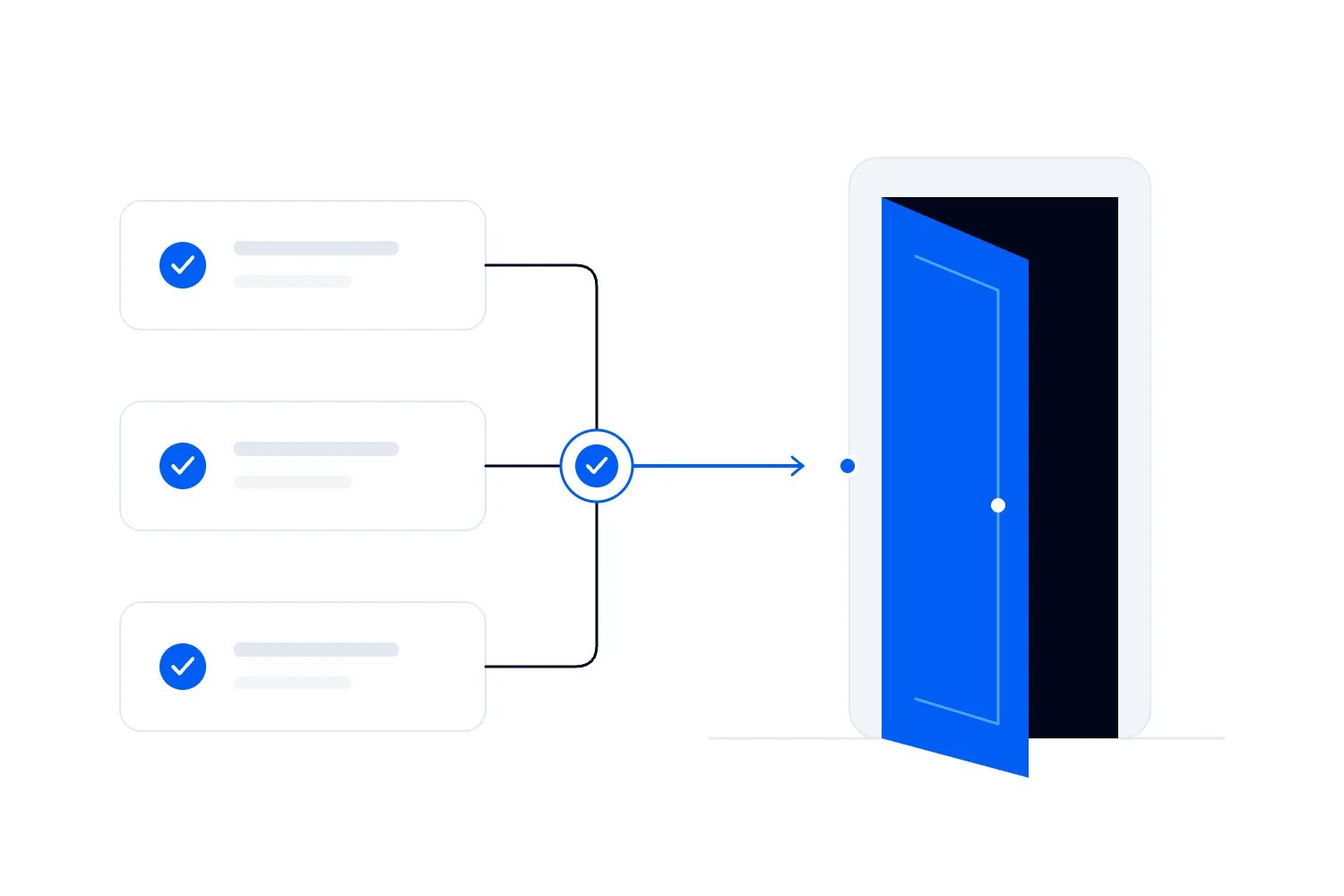
At a paid event, an operations mistake can become a customer service problem within minutes. The door team has yesterday's entry instructions. A supplier needs access through a route that is already in use. The session is ready to start, but nobody has confirmed whether the people waiting outside have made it in.
Good event operations means giving each part of the event an owner, checking that the next team can use what they deliver, and agreeing who can change the plan when conditions change. Your ticketing, venue, production and customer service decisions have to work together before you open the doors.
This guide explains how to build that working plan for a paid, ticketed event. It covers preparation, opening checks, admissions, staffing, live changes and the work after the last attendee leaves. The aim is to give your team clear decisions to make, rather than another document that nobody opens on event day.
Start with the experience people have paid for
An attendee judges the event through what happens to them. They need to find the entrance, get their ticket checked, reach the right place and receive the experience you sold. A good lineup cannot fix a ticket problem that nobody owns.
Loopyah's 2025 survey of 500 US event attendees, fielded on November 11, asked respondents which event frustrations bothered them most. They could select up to three answers. These were the respondent counts for every option in that question.
| Label | Respondents |
|---|---|
| Long lines / waiting times | 285 |
| Poor sound or visibility | 184 |
| Overcrowding | 313 |
| Expensive food & drinks | 279 |
| Poor communication / unclear info | 55 |
| Safety concerns | 70 |
The chart shows what this sample selected. It does not measure incident frequency, establish a safe crowd size or tell you which safety controls to fund. Multiple answers were allowed, so the counts do not form a single total of 500.
Use the findings to ask concrete questions about your delivery. Where might people wait without an explanation? Can attendees see and hear what their ticket promises? Will a buyer understand additional charges before arriving? These questions connect the operating plan to the experience someone is buying, while safety planning follows its own professional requirements.
What belongs in an event operations plan?
Your event operations plan should tell the people delivering the event what must happen, where it happens, who owns it and what to do when the expected conditions change. Its detail should match the event. A seated workshop and a multi-stage outdoor event need different plans, people and specialist input.
Keep a shared current version with an obvious event name, date, version and owner. Staff should know how to access the parts they need when the venue connection is poor. An old attachment on someone's phone should not be able to pass for the latest plan.
The working plan needs these elements:
The ticket offer, event schedule and delivery commitments.
The venue arrangements, access requirements and approved operating limits.
Named leads, supplier responsibilities and contact routes.
Setup milestones, opening checks, live timings and pack-down arrangements.
Admissions procedures, customer service decisions and spending permissions.
Links to the relevant safety, emergency and incident procedures.
The records needed to settle finances and improve the next event.
You do not need to copy every specialist document into the same file. Reference the current approved versions and make sure the relevant teams have them. Your operations plan should help someone find the right instruction quickly, without creating competing versions of it.
Agree the commercial promise before assigning tasks
Start with what you have sold. Write down ticket types, inclusions, access times, allocated seating where relevant, age restrictions and any upgrade promises. Check that the event page, confirmation email and staff instructions describe the same offer. A VIP ticket with an advertised early entry benefit creates a staffing and access requirement before general admission begins.
Then connect those promises to the budget. A cheaper supplier quote can become expensive if it requires venue overtime, another delivery or extra crew. Look at the full cost of the proposed arrangement before approving it. Your event budget should identify who can authorize additional spending and where the actual cost will be recorded.
For each delivery commitment, name a lead and ask what evidence shows it is ready. "Production arranged" leaves too much room for interpretation. "Production lead has completed the agreed checks and confirmed the session can start" tells the next person what they can rely on.
Keep event objectives usable at this level. If your event strategy depends on returning customers, admissions and complaint handling deserve attention alongside ticket revenue. If an expensive ticket includes close access to a performer or instructor, the room arrangement and access rules have to support that promise.
Set a decision date for changes that affect other teams. A new ticket package introduced shortly before the event may require updated customer messages, wristbands, staffing and signage. The person approving it should see those consequences before sales begin. Otherwise the first person to explain the offer may be a door assistant who has never heard of it.
Assign owners and make handovers explicit
A responsibility list helps only if the people involved agree where their work ends. "Venue handles access" could mean supplier loading, attendee entry, accessible routes or all of them. Ask the venue lead to confirm the precise areas and times covered, then give the event team the same information.
A useful handover names what is being delivered, who receives it and how they accept it. For example, the production lead confirms the agreed sound check is complete. The event lead confirms that the result meets the session's needs. Admissions then receives an opening decision from the person authorized to make it. Nobody infers readiness from the fact that another team has stopped working.
This also exposes dependencies while you can still change the plan. A room cannot be checked in its final arrangement if furniture delivery is late. Staff cannot rehearse a ticket exception if their permissions have not been set up. Give those dependencies deadlines before the handover they affect.
Keep a short record of unresolved issues with an owner and the next decision time. "Waiting on supplier" tells the team very little. Record what the supplier must confirm, when the answer is needed and what the event lead will do if it does not arrive. Escalate a missed deadline while there is still time to choose another arrangement.
Choose one route for approving changes that affect several teams. A supplier can answer a technical question directly, but a change to opening time needs coordination. The event lead should understand its effect on the venue, staffing, customers and cost before circulating the revised instruction.
For a smaller event, one person may hold several roles. Write that down too. If the same person is running production and making the opening decision, arrange cover for the moments when those duties compete. Giving someone two titles does not give them twice the attention.
Supplier acceptance deserves the same precision. Agree what the supplier will provide, when someone will inspect or test it, and how defects get reported. If hired equipment arrives with a missing component, record the problem and contact the supplier before treating the delivery as complete. Keep the delivery note, agreed change and any authorized extra charge together. At invoice time, the person approving payment should be able to see whether the business received what it ordered, without asking exhausted crew members to reconstruct a conversation from event day.
Plan for disruption with the people responsible for safety
Separate ordinary operating problems from incidents that require the event's safety or emergency procedures. A missing printed sign and a blocked emergency route cannot share the same casual "we'll sort it" response. Staff need to know when to stop routine work and contact the responsible lead.
Start with the venue and the qualified people responsible for the relevant risks. Confirm which plans already exist, which duties belong to your event business and how supplier plans fit together. A generic checklist cannot establish the safe capacity, crowd arrangements, medical provision or emergency response for your particular site. Use your event risk assessment to record the decisions and the people competent to make them.
Safe Work Australia's emergency planning guidance covers response, evacuation, communications, assistance, testing and training. It emphasizes planning for the workplace and its circumstances. Use it as a planning reference and check the rules that apply in the state or territory where you operate.
For US workplaces, OSHA's emergency action plan standard sets requirements when another OSHA standard requires that plan. It addresses worker responsibilities and procedures. It is not, by itself, a complete public attendee safety plan for every event. Confirm the obligations that apply to your event with the responsible specialists and authorities.
For ordinary disruption, agree fallback decisions before the pressure arrives. If a supplier is delayed, who can approve an alternative? If the ticketing connection fails, what verified procedure can admissions use, and how will records be reconciled? A fallback should have an owner, a trigger and a way to confirm it has worked.
Outdoor events need specific weather planning. The US National Weather Service's lightning planning guidance explains the need for a designated monitor and clear decisions about stopping activity, moving to safety and resuming. Build those decisions into the event's professionally prepared plan. Do not leave them to whoever happens to notice a forecast while doing another job.
Brief the team on the procedures they must actually use. Reading a contact number once is not the same as knowing who answers it, what information to give and how to get help if that person is unavailable.
Walk the venue as an attendee and as a supplier
Use the final event arrangement when checking the venue. A clear room during a sales visit does not show what happens once production equipment, furniture, catering and queues occupy the same space. Walk the intended routes with the venue lead and resolve conflicts against the approved site arrangements.
Check the attendee journey from arrival to departure. Confirm the advertised entrance, ticket checking point, accessible routes, seating or activity areas, toilets and customer service location. Ask where someone goes if they arrive early, need assistance or have a ticket that requires investigation. The answer should not depend on finding the organizer in a crowd.
Accessibility needs to match both the venue and the booking process. For US events with assigned seating, the ADA guidance on ticket sales explains requirements for selling accessible seats and providing information about them. Check the applicable requirements with the venue and your ticketing arrangements. Train staff to give accurate access information rather than make promises they cannot deliver.
Keep your event accessibility checklist connected to named tasks. If a customer requests an adjustment, agree who replies, who confirms the arrangement and who needs the information on the day. Share personal information only with the people who need it to do their work.
Walk supplier access separately. Agree arrival windows, unloading arrangements, storage, power requirements and removal times. Confirm which venue areas require permission and who provides it. A delivery arriving during attendee entry needs a resolved arrangement, not an improvised route through waiting customers.
Before leaving the walkthrough, record changes in the current plan and send each affected lead their actions. A photograph or marked plan can clarify a location, but it should identify the current arrangement and avoid becoming an unofficial replacement for the venue's approved plans.
Decide what must be ready before doors open
Opening time is a commitment to customers, but it is also a decision that someone must make from actual conditions. Set a readiness check before the advertised time, leaving enough time to address issues or communicate a delay. Ask each lead for confirmation of their assigned checks, rather than a general impression that the room looks ready.
The venue's required checks and the event's safety arrangements determine the conditions that prevent opening. The event lead should know who has authority over those conditions and how an issue gets resolved. An unresolved safety concern cannot become acceptable because people are waiting outside.
Your own delivery checks might include staff in position, the right ticket event loaded, customer service ready, required accessibility arrangements confirmed, and production prepared for the advertised opening activity. Test the actual devices and staff accounts you will use. A check completed on the organizer's phone does not establish that another staff member can perform the same task.
Keep a record of the opening decision and any limits attached to it. If one area remains unavailable, the responsible leads must agree whether the rest of the event can operate under the approved arrangements. Tell admissions exactly what to say and do. They should not discover a restriction when the first attendee asks for access.
If opening will be delayed, coordinate the message across the entrance, customer support and any relevant digital channels. Explain what people should do next and when they will hear more. Do not announce a revised time until the people delivering it have confirmed it is realistic.
Design admissions around ordinary entry and exceptions
A working ticket should move through an ordinary entry process without waiting behind a complicated customer service case. Plan a separate way to investigate exceptions where the venue layout and approved arrangements allow it. This is a division of work, not a suggestion to create lanes or barriers without the venue's approval.
Decide which questions door staff can resolve and which require a lead. A customer may have the wrong date, a transferred ticket, an email they cannot find or a ticket already marked as used. Each case needs an agreed procedure. Staff should verify the record and involve the appropriate person, rather than accept a screenshot as proof of a new purchase or invent a refund promise.
Loopyah supports QR scanning and name search for attendee check-in. Give staff the appropriate accounts and permissions, then practise both methods with the team. Customer records belong in the ticketing system. Do not create a competing handwritten list for routine admissions when the supported check-in process already does the job.
Plan on-site sales separately from ticket checks. The person taking payment needs to know which tickets remain available, how the purchase creates a valid ticket and how it enters the admission process. Ticket inventory is a commercial record. The venue's occupancy controls must also account for the people and movements covered by its approved plan.
Agree how re-entry works before the first person asks to step outside. A cumulative check-in total does not show how many people are physically inside when exits and re-entry are involved. Staff, suppliers and performers may also be present without attendee tickets. Do not use attendee scans as a substitute for the venue's required occupancy procedures.
Use your check-in staffing plan to cover busy arrival periods and breaks. If exceptions build up, the lead needs to understand the cause before moving people or changing the process. More scanners will not resolve a ticket policy question that nobody has authority to answer.
Give staff authority they can actually use
Write role instructions around decisions. "Help at the door" is weaker than an instruction that identifies which ticket problems the person can resolve, which lead they contact and what they should tell the customer while waiting. Include where the role is based and how cover works when the person steps away.
Brief the people doing the work before the public arrives. Walk through the entry process, the schedule, accessibility arrangements, communication channels and relevant incident procedures. Let staff ask questions using realistic cases. You may discover that two leads have given different answers about the same ticket benefit.
Have people test their equipment and permissions during that briefing. Confirm devices have power, chargers are available and the team knows the supported connection and fallback arrangements. Each staff member should use their own authorized access. Sharing an organizer login creates avoidable confusion about who can view records or make changes.
Plan breaks and relief with the same care as the start of the shift. A role is not covered because the person assigned to it is somewhere in the building. The replacement needs to know what has changed and which cases remain unresolved. Hand over those cases without sharing unnecessary customer details on an open channel.
Keep ordinary customer service decisions within clear bounds. You might authorize a lead to correct an administrative ticket problem under the agreed policy. That does not authorize a staff member to alter emergency routes, occupancy controls or technical equipment outside their competence.
For repeat events, update your event staff instructions after each debrief. Staff should receive a concise, current brief for their role. Requiring everyone to read every supplier document can obscure the instructions they need to act on under pressure.
Run the show from one current schedule
The public programme tells customers what to expect. The run of show tells the delivery team what must happen to make that programme possible. Your event run of show needs setup checks, cues, responsible leads and the dependencies between activities, as well as the session times.
Make timings specific enough to coordinate work. A production lead needs to know when a presenter is ready for a check, while admissions needs to know whether late arrivals can enter during an activity. Write down the agreed instruction rather than expecting one team to interpret another team's timing.
A change to one session can affect more than its presenter. Consider a fictional workshop whose demonstration starts ten minutes late. The event lead first checks the effect on the next session, room turnaround, venue access and staff finish times. They then approve a revised schedule or choose another option with the responsible leads. The ten-minute delay does not disappear because a new start time was announced.
Circulate changes through the agreed channel and ask affected leads to acknowledge them. A message marked as sent does not tell you whether the person running the next cue has read it. If the change is urgent, use the communication method agreed for that situation, then update the written schedule so the next shift sees the same instruction.
Keep attendee-facing messages consistent with the decision. If a session moves rooms, update the relevant signs and brief staff where people are likely to ask. Do not make attendees reconstruct the change from different versions of the programme.
Record the reason for a significant change and any extra cost. This gives the post-event review something more useful than "we ran late". It may reveal that setup was scheduled too tightly, a supplier arrived outside the agreed window or a presenter never received a clear call time.
Agree a concise way to request a routine decision. A useful message identifies the sender, the location, the problem and the decision needed. "Admissions lead at the main entrance. Several buyers have confirmation emails for tomorrow's workshop. Please confirm the policy before we advise them" gives the event lead something to act on. Keep customer names and payment details out of a shared channel. Emergency messages follow the event's specific procedures, and everyone needs to recognize the difference.
Use event software for shared records and controlled access
Technology helps when the people making decisions can see the same current information. It becomes a problem when staff copy that information into private lists and then argue about which version is right. Decide which system owns ticket sales, attendee check-in and customer records, and keep routine work there.
Loopyah's event management software connects ticketing, customer records and door operations, with individual team accounts and role permissions. Door staff can check tickets without needing the same access to sales information as an event owner. Set up those roles before the event and verify the tasks each person must perform.
Use the platform's supported sales and check-in records instead of asking someone to manually reconstruct them during the event. The organizer still owns the decisions about access policies, exception handling and the relationship between tickets sold and venue operating limits. A system record is useful only when the team understands what it counts.
Keep operational documents alongside the systems that own the records, with clear links where staff need them. A ticketing platform does not replace your venue's emergency procedures or the production team's run of show. Avoid promising that a single screen can resolve every kind of live event decision.
Check the practical conditions too. Confirm devices, charging, connectivity and account access at the venue, and agree a supported fallback with the relevant providers. If staff use an approved offline procedure, define who reconciles those records before the final attendance report is accepted.
Limit exports and access to the people who need them. If a supplier only needs delivery instructions, they do not need the buyer list. After the event, review temporary team access and handle downloaded records under your business's retention and privacy requirements. Repeating an event should not mean leaving every former contractor with access indefinitely.
Close the event with a proper handover
The public finish time is the start of another operating phase. Attendees may still need assistance while suppliers want to remove equipment and staff want to leave. Agree the sequence with the venue and the relevant leads before the event, including who authorizes access to areas during pack-down.
Confirm who remains responsible until the final handover. A supplier's contract may end at a different time from the venue booking, and a staff shift may finish before equipment collection. Resolve those gaps while you can arrange cover. The last person on site should know exactly what they are accepting responsibility for.
Record unresolved customer cases, incidents, lost property and supplier issues through the appropriate channels. Use the event incident report template to support consistent records where it fits your procedures. Keep factual notes, separate observation from assumption and restrict sensitive records to the people responsible for them.
Before staff disperse, capture urgent issues that would otherwise be forgotten. Leave the longer review until people can refer to records and give it proper attention. A quick conversation at the loading area cannot replace the venue handover, financial reconciliation or a considered investigation of an incident.
Ask for feedback that can change a decision
Send a short post-event survey while the experience is still clear to attendees. Ask about the parts of delivery you can act on, such as finding the entrance, getting help and receiving the advertised experience. A general satisfaction score will not tell you which team needs to change its process.
Read comments alongside operational records. If people mention a long queue, check the arrival pattern, staff coverage and exception cases before choosing a fix. The cause could be missing information, a payment issue or an entrance arrangement. Adding more staff to the same unclear process may leave the problem intact.
Distinguish confirmed attendees from people whose tickets have no recorded admission. The second group may contain genuine no-shows, missed scans or records still awaiting reconciliation. Do not send a confident "sorry you missed it" message until the underlying attendance data supports it. Your post-event email should reflect what you know about the recipient.
Collect staff and supplier feedback separately. They can identify the late approval or missing instruction that attendees never saw. Ask what happened, what decision would have helped and who should own the change. Thanking the team is worthwhile, but a debrief also needs room for someone to say that the plan did not work.
Reconcile orders, tickets, attendance and money separately
An order, a ticket and an admission measure different things. One buyer can purchase several tickets. A complimentary ticket can produce an admission without ticket revenue. A refund may change the financial position and the valid ticket inventory. Keep those meanings clear before reporting event performance.
Consider a fictional event that offers 300 attendee tickets as its commercial inventory. This is an example of ticket accounting, not a statement of the venue's safe occupancy. The event records 180 paid orders containing 270 valid paid tickets after refunds, plus 10 complimentary tickets. That gives it 280 valid tickets and 20 unallocated places in the ticket inventory.
After the event, its records show 248 paid tickets and eight complimentary tickets admitted, for 256 recorded admissions. Another 24 valid tickets have no recorded admission. Those 24 are not automatically confirmed no-shows. First check late entries, manual records and any fallback admissions that still need to be reconciled.
The 256 recorded admissions also cannot establish current physical occupancy. People may have left, re-entered or attended in roles that do not use attendee tickets. Apply the venue's approved counting procedures for the people and movements they cover. Keep that distinction explicit if you share a dashboard with someone who did not run admissions.
Reconcile money on its own terms. Compare sales, refunds, fees and settlement records for the same reporting period. Confirm whether a figure includes tax, whether a charge is paid by the buyer or your business, and whether a payout is still pending. An event can sell well and still have a short-term cash gap before settlement.
Then compare actual costs with the approved budget. Capture additional labour, supplier changes, venue overtime and unresolved invoices. Assign an owner and expected resolution date to missing amounts. Do not report a final margin while known costs remain outside the calculation.
Choose event KPIs that answer the business's questions, and state their definitions in the report. Ticket revenue per paid ticket needs a different denominator from revenue per attendee. A clear definition makes next month's comparison useful; a precise-looking number without one can mislead the team.
Keep outstanding customer cases in the same closing process. An unresolved refund request may affect the eventual result even if the payout has arrived. Record the case, the person authorized to decide it and the next action under your published policy. When a supplier invoice or customer adjustment changes a provisional result, update the report and identify the revised version. The team should not be comparing a final cost figure with an earlier sales total copied into a presentation.
Turn the debrief into changes with owners
Hold the review when the relevant leads can bring records, rather than waiting until nobody remembers the detail. Circulate the operating issues, customer feedback and provisional financial results in advance. Mark figures that are still awaiting reconciliation so the team does not treat them as settled facts.
Work through a small number of concrete problems in enough detail to understand them. Suppose the help point became busy shortly before the first session. Establish when it happened, which ticket cases drove the demand, what staff were told to do and what customers experienced. That gives you a basis for deciding whether to change booking information, training, staffing or the on-site arrangement.
Agree each improvement as an action with an owner and a deadline. "Improve communication" is not ready to assign. "Admissions lead adds the transferred-ticket procedure to the staff brief before the next event rehearsal" describes a change someone can complete and another person can check.
Update the documents people will actually reuse. A lesson buried in a debrief file will not help the next door team. Revise the relevant brief, schedule or supplier instruction, retire the old version and tell the owner of the next event what changed. Where a change affects safety or venue arrangements, involve the responsible qualified people before adopting it.
Keep successful decisions as well. If a customer service procedure resolved cases accurately without blocking ordinary entry, retain it and explain why. The purpose of the review is to make the next event easier to deliver with the same clarity, including when some staff or suppliers are new.
Make sustainability decisions before placing orders
Sustainability work becomes more practical when it changes a purchase or operating decision. Ask what materials you need, what the venue already provides, what can be reused and who will handle the remaining waste. Those questions are easier to resolve before a supplier has produced a custom item or booked a collection.
Give the relevant lead a measurable task and a source for the result. If you want to report waste, agree what the provider can measure and what each category means. If you want reusable signage, plan storage, collection and the next use. A product described as reusable can still become waste if nobody has responsibility for keeping it.
ISO 20121:2024 provides an event sustainability management framework covering environmental, social and economic considerations. It can help structure the work. Reading the standard or applying a few practices does not make an event certified, and your public claims should reflect what you have actually verified.
Connect your sustainable event procurement decisions to the operating budget. A different item may change transport, cleaning, staffing or storage costs. Compare the full arrangement rather than approving a claim on a supplier's sales sheet.
Afterward, report the action and the evidence you have. Saying you hired reusable equipment is a specific purchasing statement. Claiming an overall environmental benefit requires a suitable basis for that comparison. Keep the distinction clear, especially if the information will appear in attendee communications or sponsor reporting.
A worked example of an operations change
Imagine a paid workshop where the venue, production and admissions leads have completed their opening checks. The authorized event lead approves opening, and the door team uses the agreed ticket process. Customer service handles exceptions separately so a missing confirmation email does not hold up every valid ticket.
Shortly before the afternoon demonstration, the production lead reports a setup delay. The presenter can start ten minutes later. That answer settles only the presenter's availability. The event lead also checks the next activity, room turnaround, staffing cover and venue finish time with the relevant owners.
If the revised arrangement works within the approved operating conditions, the event lead issues the change. Production, admissions and the presenter acknowledge the new instruction. Customer-facing messages explain the revised start and where people should wait under the venue's arrangements. The schedule now shows the same decision that staff are communicating.
If the delay creates another problem, the lead resolves that before promising a new time. They may need a different programme arrangement, an authorized cost decision or advice from the people responsible for the affected conditions. "Only ten minutes" is not enough information to choose.
After the event, the team records the reason for the delay and any additional cost. They compare that account with customer comments and the run of show. If setup needed access earlier, the next supplier instruction and schedule should contain that change. If the issue came from a late programme request, the organizer may need an earlier change deadline.
This is the work an operations plan should support. It gives the team a way to identify the problem, involve the people whose work is affected, communicate a decision and improve the next event. You can apply that sequence without pretending every disruption has the same answer.
Put the plan to work before the event
Take your next paid event and test the plan with its leads. Ask each person what they need before they can start, what they hand over and who decides when the expected conditions change. Use realistic ticket problems, supplier delays and schedule changes to find gaps while you still have time to resolve them.
Keep the existing Event Planning Checklist as a starting document and adapt it to your event. Assign owners, add the relevant deadlines and link the current venue and specialist plans. The checklist becomes useful when the people delivering the event can use it to confirm what is ready and identify what still needs a decision.
Download the checklist below, then review it with the people responsible for your next opening, admissions process and venue handover.
Download the Event Planning Checklist
Author: By the Loopyah Content Team
The Loopyah Content Team shares expert insights, practical guides, and industry updates to help event organizers create unforgettable experiences and stay ahead in the event planning world.