· 21 min read
How to offer pre-booked one-to-one meetings at a conference
You've sold a conference ticket that includes the chance to meet useful people. Your attendee finds someone they'd like to speak to, sends a request, and hears nothing. On the day, neither person knows whether they're supposed to meet. That's a fairly expensive way to leave an introduction unfinished.
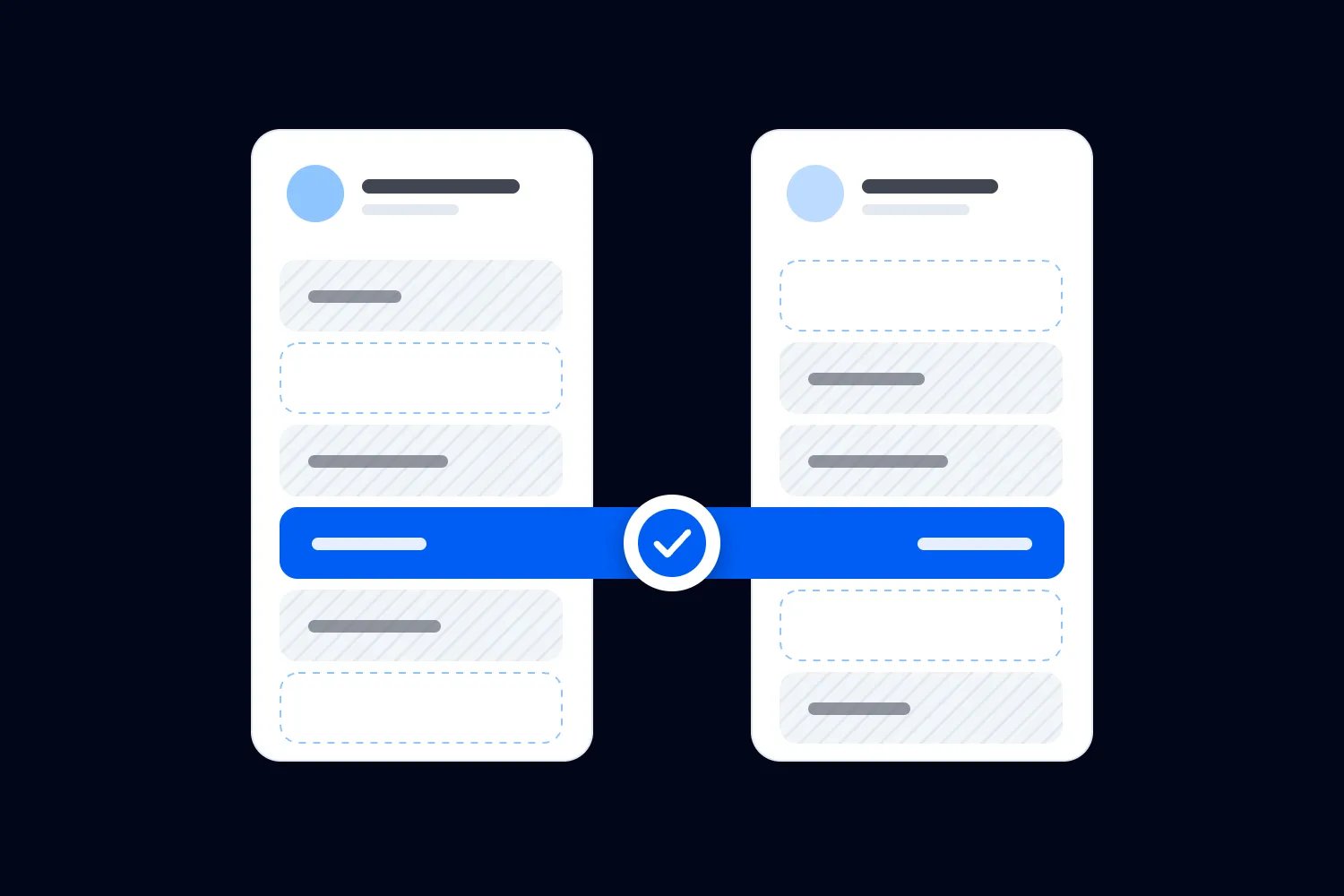
Pre-booked one-to-one meetings at a conference need a clear agreement between the people attending. Let participants describe what they want to discuss, choose whom to approach, and accept or decline requests. Then confirm a time and place that both can use, with someone responsible for cancellations and changes.
This booking process matters because you're selling people's time alongside your programme. A delegate might justify the ticket to their employer partly because they expect relevant conversations. You don't need to guarantee a commercial result. You do need to explain what the meeting offer includes and deliver the arrangements you've promised.
Here's how we'd build that service for a paid conference, including the rules that are easy to overlook when the first bookings look encouraging.
Decide what a booked meeting actually includes
Start by writing the offer as an attendee would understand it. Can they browse participating delegates and request a conversation? Will your team suggest introductions? Are appointments included in every pass, or restricted to a particular ticket? Can someone take part without appearing in a searchable directory?
A request service and a guaranteed appointment are different commitments. If the other person can decline, your ticket page should say that meetings depend on mutual acceptance and availability. Don't sell access to a named speaker unless that speaker has agreed to participate and you've defined how requests will be allocated.
Give the meeting a purpose. At a paid operations conference, a delegate might want to compare approaches to opening a second site, find a potential distribution partner, or discuss a specific purchasing requirement. Those are enough to begin a conversation. They don't require everyone to disclose a procurement budget or pretend they're ready to buy.
Keep peer introductions distinct from supplier appointments in the description. Someone looking for an honest conversation with another operator shouldn't discover that every suggested contact has paid to sell to them. Disclose commercial participation where it affects the choice.
If you're still deciding which conversations your conference should encourage, our guide to planning hosted conference networking covers that broader programme. Here, we're dealing with the practical work of getting two consenting people into the same appointment.
Choose a booking model your team can maintain
For a first programme, we'd usually let participants request meetings and let recipients accept them. Your team can suggest suitable contacts and help people who struggle to find a match. The participant still decides whether the conversation makes sense.
Another option is a curated programme. Participants describe their interests, your coordinator proposes pairs, and both sides agree before a booking becomes final. This can suit a small, specialist audience where the organiser understands the subject well. It also creates work before the event, especially when someone rejects a proposed introduction.
Some conferences use fixed appointment rotations. Everyone follows an assigned timetable, perhaps after expressing preferences. Explain that arrangement before people join. A rotation cannot offer the same freedom as an open request system, and participants need to know whether declining a proposed match is possible.
Don't combine these models without explaining the difference. An attendee shouldn't have to guess whether a suggested meeting is a recommendation, an unanswered invitation, or an obligation attached to their ticket.
Whichever model you choose, name the person who maintains the schedule. Give them authority to correct booking mistakes and a clear route for decisions about refunds, behaviour complaints, or promised benefits your team cannot deliver. A shared inbox is useful only if somebody owns the answer.
For a paid programme, also decide what happens when demand is weak. If too few suitable people join, your coordinator needs time to contact participants and explain the remaining choices. Set that review before the point where travel and other commitments make a disappointing offer expensive to change. A smaller programme can work well when everybody understands who is participating and what is available.
Ask for profiles that help people choose
A job title rarely tells you enough to judge a meeting. Two operations directors could work in completely different businesses, with little they can help each other solve. Ask participants what they want to discuss and what experience or capability they can contribute.
For a peer programme, a useful profile might describe the organisation, the person's responsibilities, a current question, and subjects they're happy to discuss. For supplier meetings, service territory or relevant project requirements may matter. Choose fields because they change a meeting decision.
Here's an illustrative profile for a fictional participant: "I run operations for a regional training business. We're considering a second location and I'd like to compare how other operators staffed their launch. Happy to share how we handle instructor scheduling." Someone reading it can judge relevance without needing private financial information.
Let people edit their profiles. A delegate may change jobs, resolve the problem they originally described, or discover a more useful question after seeing the programme. Set a review point before requests open so early bookers aren't choosing from unfinished entries.
Avoid making every profile sound like an advert. Prompt people to describe a specific conversation instead of pasting a company introduction. If your coordinator rewrites a description for clarity, get the participant's agreement before publishing a different account of what they offer.
Separate meeting participation from ticket ownership
The person who pays for a conference ticket may not be the person attending. A company administrator could purchase several passes, while each delegate needs an individual meeting profile and schedule. Ask for the actual participant's details before opening their booking access.
This distinction becomes especially important when somebody transfers a ticket. The replacement delegate inherits admission under your ticket rules. They shouldn't silently inherit the previous person's private conversations, pending requests, or appointments. Ask meeting partners whether they want to meet the replacement, and confirm any new agreement separately.
Define what happens after a cancelled registration, too. The meeting coordinator needs to know that the delegate has withdrawn so their appointments can be cancelled and the other parties notified. Check how that information reaches the coordinator, including when your ticketing and meeting systems are separate.
Group bookings need the same care. A company may want to change which colleague attends a particular appointment. Confirm who is coming and whether the other participant accepts the change. An agreement to meet a technical specialist isn't automatically satisfied by sending a salesperson.
Our guide to conference group registration explains the buyer and delegate distinction in the wider booking process. For meetings, use a named person as the appointment owner and keep their contact details current.
Give requests an explicit status and deadline
Participants need to know what has happened to each request. Use ordinary words that describe the position accurately. A suggested introduction hasn't been requested. A sent request hasn't been accepted. An accepted conversation may still need a mutually available time before it becomes a confirmed appointment.
Decide whether requests propose a specific time or ask for agreement first. Proposing a time can reduce exchanges when availability is reliable. Agreeing the purpose first can help a curated programme, but someone must then arrange the slot. Don't let accepted conversations accumulate without confirmed times.
Set a response deadline that fits your booking period, tell people when it expires, and release unanswered requests under that rule. If pending requests temporarily hold capacity, make that visible. Otherwise, one person can block several desirable slots while deciding which invitations to accept.
Ask requesters to explain the purpose briefly. "I'd like to discuss how you staffed your second location" helps the recipient decide. "Let's connect" leaves them doing the work of finding a reason.
Make declining straightforward and private. People should be able to reject an unsuitable request without composing a defence or worrying about a public rating. A coordinator can help with repeated confusion, but shouldn't pressure someone to accept merely to improve the programme's booking count.
Don't open unlimited requests simply because the software permits them. Set an initial limit your coordinator can monitor, then review whether people receive relevant replies. If one participant sends the same pitch to everyone, intervene under the programme rules. The recipient shouldn't have to manage an inbox full of irrelevant approaches to use a benefit included in their ticket.
You should also make a distinction between declining one conversation and leaving the programme. Someone can reject a supplier request while still wanting peer meetings. Keep those choices separate in the instructions and check that your staff won't remove a participant's availability after a single refusal.
Build meeting time around the conference agenda
Before inviting bookings, block the times participants cannot use. That includes sessions they've committed to, speaking duties, meal arrangements, arrival times and departure plans. A speaker leaving the stage cannot instantly appear in a meeting area on another floor.
Protect some appointment time in the published programme where the audience needs it. If your most relevant session overlaps every available meeting slot, delegates have to choose which promised benefit to miss. Review the conference agenda as a whole before finalising the meeting timetable.
Use one consistent rule for the time an appointment occupies. That means the conversation plus the changeover needed to finish, find the next table and settle in. For a fictional planning example, suppose you allow twenty minutes of conversation within a thirty minute slot. The remaining ten minutes are for changeover. Those are planning assumptions to test with your venue and audience, rather than an industry standard.
| Label | Minutes |
|---|---|
| Conversation | 20 |
| Changeover | 10 |
Keep breaks available. A person with an empty calendar isn't necessarily free for another meeting. They may need food, medication, a quiet interval or time to prepare. Let participants limit their own availability instead of making them explain every unbooked period.
Check the longest route someone might need to take. Walk it during realistic conditions, including queues and lifts. If the route doesn't fit your changeover allowance, move the location or change the schedule before people start booking.
Check capacity before you promise access
Meeting capacity depends on available participants as well as tables. An empty table cannot create another appointment with an in-demand speaker who is already booked. Look at the people receiving requests and the periods when they're actually willing to meet.
Using the fictional thirty minute slots, a two hour block contains four appointments per table. Six tables would provide twenty-four possible appointments across that block if both parties are available. That means forty-eight participant places, since each appointment needs two people. It doesn't mean forty-eight different delegates will meet, or that all possible appointments will be wanted.
Treat that calculation as a ceiling for that example. Late arrivals, access adjustments and uneven demand may reduce what you can deliver. Keep some time available for repairs instead of selling every possible minute and hoping nothing changes.
Watch for concentration. Several attendees might all request the same well known person while other relevant participants receive nothing. Explain booking limits before requests open, and use your coordinator to suggest alternatives with the participants' permission.
If you offer priority booking with a paid pass, define the advantage precisely. Earlier access is something you can deliver. An assurance that someone will accept every request is much harder to support. Keep the price attached to a benefit your team controls.
Work through demand by topic as well as by person. If participants want advice on opening another location, check how many experienced operators have offered to discuss it. Those operators may have their own meetings to attend. Ask what time they can genuinely contribute before describing that subject as widely available.
Keep speaker participation separate from a speaking contract unless you've agreed otherwise. A speaker may be willing to join a small number of appointments, or none. Publish that availability accurately and resist filling an empty slot on their behalf.
Confirm the appointment in one dependable place
Once the purpose, participants, time and location are agreed, send a confirmation both people can find again. Include the other person's approved profile, the meeting purpose, the start and finish time, and the exact location. Add clear instructions for changing or cancelling the appointment.
Choose which schedule is authoritative. A calendar entry, a printed itinerary and an event app may all show the booking, but your team needs one current record to resolve disagreements. Tell participants where to check the latest details after a change.
Offer calendar support and test it. The IETF's iCalendar standard defines event identifiers and ways to express times with time zone information. Your practical check is whether an invitation arrives at the right time and a later update changes the existing appointment as intended.
A downloaded calendar file can be a static copy. It won't necessarily receive later changes. If you offer a subscription or connected calendar, verify how updates and cancellations reach it, rather than assuming the original export stays current. Tell participants when to check their meeting schedule directly.
Test with the calendar services your audience uses, including a phone configured for a different home time zone. For an in-person conference, state the venue's local time clearly. A travelling delegate needs to understand the schedule before and after their device changes zones.
Don't email a public spreadsheet containing everyone's appointments. Send people their own schedules through the agreed channel. Staff resolving a booking problem need appropriate access; every attendee doesn't need the same view.
Explain privacy before publishing the directory
A meeting profile can reveal more than a badge. It might identify someone's current commercial problem, the suppliers they're considering, or the fact that they're exploring a new market. Tell participants which fields others can see before they provide that information.
Collect what the programme needs. The UK Information Commissioner's Office explains data minimisation as keeping personal information sufficient for its purpose while avoiding unnecessary collection. For your meeting form, ask whether each field helps arrange the conversation or deliver the service.
You can ask about a discussion topic without demanding confidential contract values. Give people a private route to ask for access support, rather than making that information part of a visible profile. Restrict staff access according to the job they need to perform.
Explain how the directory, appointment information and contact details will be used, including who receives them and how long you'll retain them. The ICO's guidance on privacy information describes the information required under the UK GDPR. The ICO notes that this guidance is under review following changes in UK law. The requirements applying to your event depend on its circumstances and jurisdiction.
Keep meeting administration separate from permission for unrelated marketing. Agreeing to a conversation doesn't by itself settle every later use of someone's information. Review sponsor access, exports and follow-up permissions with whoever owns privacy for your event.
Make the route and conversation accessible
Ask participants what they need before assigning rooms and times. A longer appointment, accessible route, interpreter or quieter location may change the schedule. Deal with those requirements while you still have options.
The W3C accessible events checklist advises organisers to consider accessible facilities, participant requirements, scheduling and background noise. Apply that to the whole meeting experience, including the booking instructions and the route from the previous session.
Check the room while nearby activities are operating. A meeting table beside an empty coffee station may seem fine during setup and become unusable when service starts. People need to hear each other without discussing private matters at a shout.
Use consistent room and table names in signs, confirmations and staff instructions. Put a help point somewhere participants can find without entering a meeting in progress. Staff should know the accessible route and how to arrange the support already agreed.
For online appointments, test the booking and joining process with keyboard navigation and the required access tools. The US government's guidance for accessible federal meetings covers access to meeting controls and materials. A working video link alone doesn't establish that everyone can participate.
Offer human help when the booking process causes difficulty. Keep that route available before the conference, so the first opportunity to repair the problem isn't at the meeting's scheduled start.
Send instructions that lead to a booking
Your launch email should explain the benefit, who can participate, and what to do first. Link directly to the profile or booking page and tell people the stated response deadline. Avoid asking them to read a long software manual before they can request a conversation.
Show a short worked request in the instructions. Use the fictional operations example if it fits your audience, or write one around a question participants actually bring. Explain that the recipient can accept or decline, and that an unanswered request isn't a booking.
Send different reminders for different jobs. Someone with an incomplete profile needs help finishing it. Someone holding a pending request needs to make a decision. A confirmed participant needs their time, location and cancellation instructions. Repeating the launch message won't solve all of those problems.
Loopyah's attendee email tools let you send event updates to ticket holders and schedule communications. Use them for the conference instructions your ticket holders need. Keep individual meeting status and confirmations in the appointment process you've set up; the meeting coordinator must check that the information agrees.
Test every link as a participant, including someone who hasn't previously signed in. Then follow the instructions on a phone. If the route fails there, repair it before sending a reminder that directs more people into the same problem.
Late registrations need a deliberate invitation, too. Tell a new delegate whether requests remain open and whether they still have time to receive replies. If the schedule is closed, explain what support is available instead of sending the original launch email with deadlines that have already passed. Keep that message consistent with what the ticket page currently promises.
Rehearse the changes people will make
A successful test includes more than creating an appointment. Ask two colleagues to request, accept, decline, cancel and reschedule meetings as participants. Check what each person sees after every change and whether the coordinator can explain the current status.
Try a conflict deliberately. Have someone accept overlapping requests, change availability after sending a request, and propose a slot that has already filled. Your process should prevent the clash or clearly return the booking for correction. A hidden conflict becomes a queue at your help desk.
Test the ticket changes as well. Cancel a test participant's attendance and replace another delegate with a colleague. Confirm which appointments need cancelling, which can be offered to the replacement, and how your team tells the other parties.
For virtual meetings, rehearse with separate devices and accounts. Check the waiting room, joining permissions, captions where required and the support route if someone can't enter. Keep private appointment links away from the public programme.
Write down the failures you found and fix them before opening booking. Then repeat the affected test. Your coordinator needs confidence in what the participant sees, because "it should have sent a notification" won't help someone waiting for a missing partner.
Give the coordinator a fallback for a lost connection at the venue. That might be a restricted staff copy of confirmed appointments exported before the block begins. Record when it was produced, keep personal information protected, and mark any changes made while you're offline. Once access returns, reconcile those changes with the current schedule before sending more confirmations. A fallback is useful only when the team knows its limits and avoids creating two competing versions of the afternoon.
Handle cancellations without surprising the other person
Publish a cancellation rule people can follow. Tell them where to cancel and what happens next. A participant should be able to release a meeting without finding the organiser's personal number or explaining themselves in a public chat.
When a booking changes, notify both parties and update the current schedule. If your team proposes a different time, confirm that both still agree. Don't assume the person with the unchanged availability has accepted a new appointment merely because you found an empty table.
Keep a short list of people who have asked for help finding relevant meetings, with their permission. You can offer a newly available opportunity to someone suitable. Ask the remaining participant before introducing a replacement; the original agreement concerned a particular person and purpose.
Distinguish a genuine withdrawal from a request for help. Someone who can't find the location may still attend if a host guides them. Someone who has left the conference needs their remaining appointments reviewed. Give staff a way to record that difference.
If a cancellation breaks a paid commitment, use your stated terms and the applicable requirements to decide the remedy. Avoid inventing a substitute benefit on the spot. The coordinator should know who can authorise a refund or another resolution.
Give no-shows a practical response
Decide how long someone should wait before asking for help and explain that rule beforehand. Choose a period that fits your appointment length and venue. Your host needs a clear action when the waiting participant arrives at the desk.
Check the current schedule first. The appointment may have moved, the cancellation may not have reached the person, or both participants may be waiting in different locations. Contact the missing person through the agreed route without publishing their details to everyone nearby.
If they arrive late, explain how much time remains and protect the next booking. Let both people choose whether a shortened conversation is worthwhile. If it isn't, offer a repair slot where one exists or help them arrange an agreed later call.
Record the missed appointment accurately. A cancellation sent in advance, a venue navigation problem and an unexplained absence require different fixes. Don't quietly count them all as attended because the calendar contained a booking.
For repeated unexplained absences, your published participation rules should determine whether further bookings are restricted. Give the participant a chance to explain. Staff shouldn't make public accusations or turn a scheduling problem into an argument at the help point.
Let the waiting person decide what recovery would help. They may prefer a break to another hurried introduction, especially if they prepared for a specific conversation. Explain the options available and avoid promising that the missing person will accept a later call. Follow up after the event if your team still owes an answer.
Review the service before selling it again
Count requests, accepted appointments, cancellations and meetings reported as held separately. State how you established attendance. An app check-in, a host's observation and a participant survey provide different evidence, and none automatically tells you that a sale followed.
Ask both parties whether the conversation matched its description and whether they'd choose that meeting again. Offer space for a specific problem, such as an irrelevant profile or insufficient privacy. You need the reason behind the answer to improve the next programme.
Review your own delivery cost, including coordinator time before the event and support during it. Compare that with any meeting-related income and the benefit participants actually reported. Don't claim that appointments caused ticket renewals unless your evidence supports that conclusion.
Keep the measurement small enough that people will answer. After a meeting, you can ask whether it happened and whether the person wants to continue the conversation. Let them decline to share the subject. A request for detailed deal information can feel intrusive when the organiser only needs to know whether the appointment service worked.
When you report results to a sponsor, define exactly what each count represents. Count an appointment as one meeting. Counting its two participants separately gives a different measure. Report the method consistently and include unanswered surveys in your explanation of what remains unknown. Avoid naming participants or disclosing their meeting topics unless you have an appropriate basis to share them.
Ask your coordinator which problems consumed the most time. Repeatedly correcting the same confusing confirmation may be more expensive than the booking tool itself. Fixing that message before the next launch can be a better use of your budget than adding another meeting format to the programme.
Before opening the next edition, decide what changes. You might narrow participation to a better defined audience, allow fewer requests at once, protect more changeover time, or remove a paid promise you couldn't reliably deliver. Tell returning participants what you've fixed, then test the revised booking process with real requests before inviting everyone back.

Author: By the Loopyah Content Team
The Loopyah Content Team shares expert insights, practical guides, and industry updates to help event organizers create unforgettable experiences and stay ahead in the event planning world.