· 28 min read
Event micro-moments: 10 ways to make your event feel premium
You've booked the venue, confirmed the programme and spent real money making the room look good. Then an attendee reaches the entrance and nobody can tell them which queue to join. Their first experience of your event is a problem they have to solve.
Event micro-moments are the brief interactions that make up the wider experience of attending. Someone points you towards your seat without making you feel lost. A menu answers your question before you order. A member of staff notices that your ticket won't load and helps you retrieve it. These details can make an event feel premium because they show that someone has thought about what happens to you, personally, once you arrive.
The McKinsey study on customer delight discusses why thoughtful service can strengthen an already satisfactory customer experience. It covers several industries, rather than measuring the effect of these ten ideas at paid events. Use it as support for taking service seriously, not as a promise that a particular welcome drink will produce repeat ticket sales.
For a paid event business, the useful question is which details deserve your time and budget. Start with the moments that affect access, comfort and the experience you sold. Once those work, you can decide whether an unexpected extra would make the occasion more enjoyable. Buying more decoration while your guests struggle to find water is a poor use of money.
This guide works through ten moments across an attendee's visit, with examples you can adapt for concerts, conferences, food festivals and other ticketed events. Use it to decide:
Which practical problems to fix before buying extras.
How your team will deliver a particular interaction during a busy event.
What you can observe afterwards to decide whether the change helped.
1. The arrival experience: help people get inside
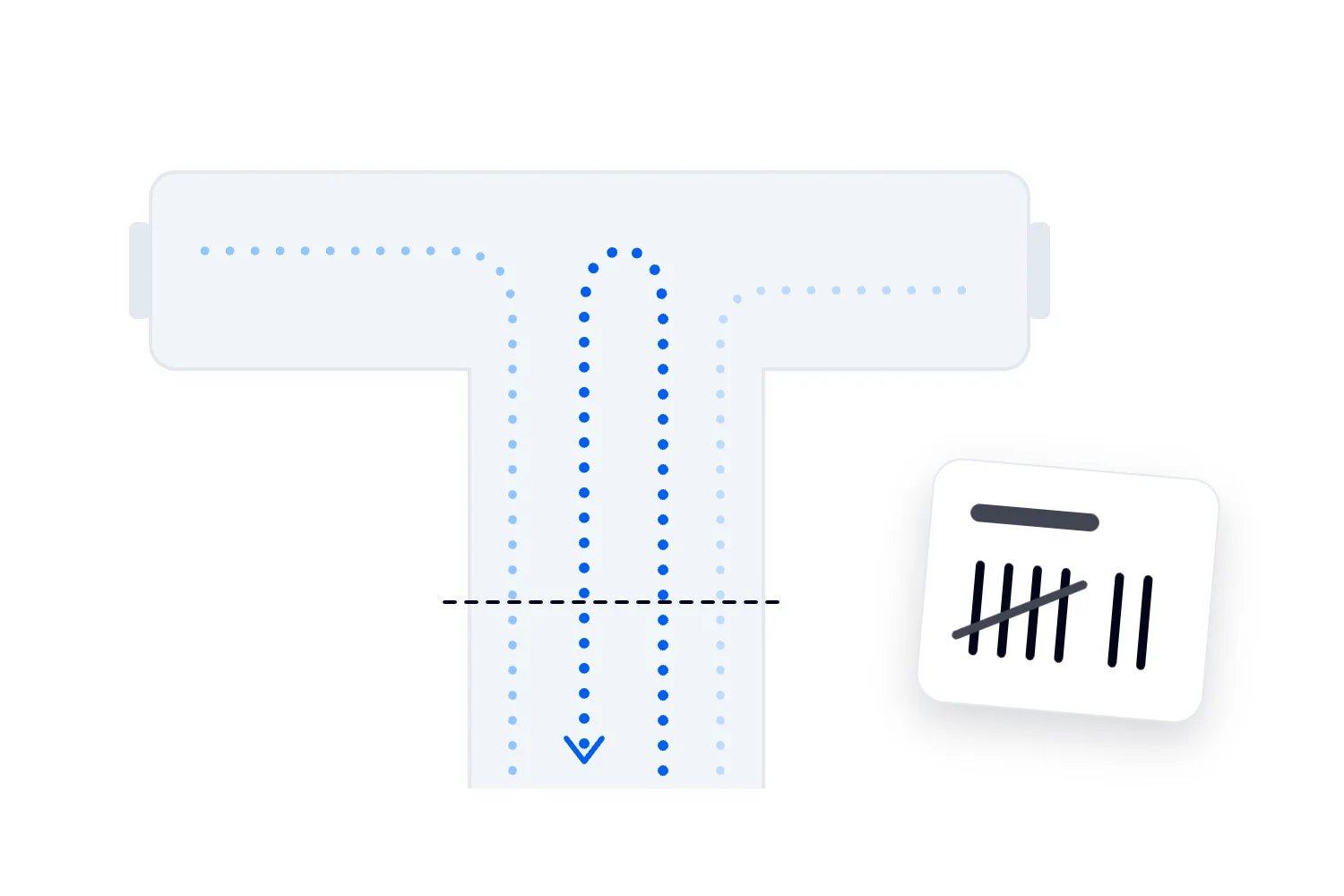
Arrival starts before the ticket scanner. It starts when someone gets off the bus, leaves the car park or turns down the street and tries to identify your entrance. Walk that route with someone who hasn't attended before. Ask them to lead you without prompting. You'll soon discover whether your directions assume knowledge that only the production team has.
At a seated show, the important detail might be a sign explaining which entrance serves the balcony. At a conference, it might be a steward who separates badge collection from registration problems. Both save the attendee from standing in the wrong place and starting again. The greeting works because the person can help, rather than because you've written a particularly warm welcome script.
Loopyah's US Event Attendee Study gives a useful starting point. In its November 2025 Pollfish survey of 500 respondents, 62.6% selected overcrowding and 57% selected long lines or waiting times among their biggest event frustrations. Respondents could choose up to three answers.
| Label | Respondents |
|---|---|
| Crowding | 62.6 |
| Waiting | 57 |
| Food prices | 55.8 |
| Sound/view | 36.8 |
| Safety | 14 |
| Information | 11 |
Source: Loopyah Event Attendee Insights Report, Q16, Pollfish survey of 500 respondents fielded November 11, 2025. These are unweighted shares of respondents, who could select up to three frustrations. The bars cover all six answer options and do not add to 100%. They show reported frustrations, not the measured effect of fixing them at your event.
The chart uses shorter labels for readability. Crowding means overcrowding. Waiting means long lines or waiting times. Food prices means expensive food and drinks. Sound/view means poor sound or visibility. Safety means safety concerns. Information means poor communication or unclear information.
The chart helps put spending decisions in perspective. Before adding a welcome installation, check whether people can enter without a long wait and move through the space comfortably. Use your own venue observations and attendee feedback to choose the actual fix. A survey covering different event types can't tell you whether your particular entrance needs another scanner or a clearer sign.
The strongest arrival improvements are usually quite practical:
Put directions where people make a choice, before the wrong turn or queue.
Keep ticket problems out of the scanning lane, with a clearly identified person to resolve them.
Brief everyone at the entrance on accessible routes, toilets and the first programme activity.
Make any welcome drink optional and easy to collect without blocking people who want to go straight inside.
Watch the entrance during the busiest arrival period and note where people stop, ask for help or leave a queue. Our guide to event operations explains the wider planning work behind the door. The welcome team needs a defined way to deal with exceptions, including missing tickets, incorrect names and access requests.
The UK's Health and Safety Executive treats crowd management as a planned responsibility, with clear roles, risk assessment, controls and monitoring in its event crowd-management guidance. Your welcome plan needs to work within the venue's safety arrangements. A friendly queue host cannot compensate for an entrance layout that directs arriving guests into people trying to leave.
For a practical rehearsal, give a colleague a real test ticket and ask them to arrive without contacting the organiser. Then try a second journey with a ticket issue. Observe both, including the time spent looking for help. You aren't trying to produce an impressive average. You're trying to discover whether the awkward case holds up everyone else and whether the attendee knows what happens next.
2. Ambiance: make each area comfortable to use
A room can look beautiful in the production photos and still be uncomfortable to spend time in. If people can't hear each other near the bar, read a menu or see a change in floor level, the visual concept needs adjusting. Check the space while it's doing its actual job, with people moving through it and the programme running.
Start with the activity. A networking area needs light that lets people recognise each other and sound levels that allow a conversation. A performance space needs attention directed towards the act. The route between them needs to be obvious. You can create different moods without making attendees guess where they are allowed to go or what happens in each room.
Be careful with scent. A fragrance you find pleasant may be uncomfortable for someone else, and it can clash with food or an existing venue smell. You don't need a signature scent to make an event feel considered. Clean facilities, suitable ventilation and a comfortable temperature are more useful starting points.
Before you approve the room, try the activities an attendee will actually perform:
Read the smallest text on a menu from the ordering position.
Hold a conversation where you expect people to network.
Walk from the main room to the toilets without using your phone for light.
Sit in the seats furthest from the stage and check what you can hear and see.
Here's a useful example. You're running a ticketed conversation with a drinks reception afterwards. During the talk, the main room needs good speech clarity and attention towards the speakers. At the reception, guests need to hear each other. If the reception uses the same room, include the change of lighting and background audio in the running order. Assign it to someone who is still working when the talk finishes.
Build the room check into the event itself. An open entrance can create a draught. A bar queue can obscure a sign. The space that felt calm during setup may fill with overlapping music from a neighbouring area. Give a member of the team permission to raise these issues with the relevant technician or venue manager. Otherwise everyone may notice the problem and assume someone else is dealing with it.
Listen to attendees' descriptions after the event. A comment such as 'we went outside because we couldn't talk' is more actionable than a general rating for atmosphere. It tells you which activity the room failed to support. Ask where it happened and when, then decide whether the fix is a sound adjustment, a different layout or a different space.
3. Interactive installations: make participation worthwhile
An interactive installation needs a reason for someone to use it. That reason could be enjoyment, curiosity, a conversation with another attendee or a useful result to take away. Adding a screen and a hashtag doesn't create participation by itself. If someone has to read a page of instructions before they understand what to do, simplify the activity.
Choose something that suits the event and the time people have available:
At a paid workshop, let people add a small piece to a shared demonstration and see how it changes the result.
At a music event, offer a short listening or recording activity that relates to the performers.
At a food festival, let people record a tasting preference without making a purchase or joining a mailing list.
In Q19 of the same November 2025 survey, 45.6% of the 500 respondents selected friends attending and 40.6% selected exciting visuals or clips when asked what event content was most likely to make them click buy. The US Event Attendee Study 2025-2026 contains the full results. These are self-reported preferences in a multiple-selection question, not measured sales from an installation or a forecast of your campaign.
Participation can also begin before arrival. With Loopyah's interactive seat charts, buyers can choose an exact seat and see what they are purchasing. That is useful when the seating decision matters to the experience. You still need an accurate layout and clear ticket descriptions so the real venue matches the choice people made.
For an installation, think through the experience of the next person waiting. Can they understand what happens by watching? Can they leave without losing something they have already started? If the activity takes several minutes and only one person can use it, a queue may build just as the main programme is about to begin. You might need multiple stations, shorter interactions or a different activity.
A sponsor can support the cost, but agree the attendee experience before selling the package. If the activity is advertised as a creative exercise, don't reveal halfway through that the result is available only after a sales conversation. Explain any data collection and make the next action clear. A sponsor gets a better opportunity when the attendee understands the exchange and chooses to participate.
Have a working fallback. A physical contribution board can sometimes preserve the purpose of a failed digital display. A staff-led demonstration may replace an unavailable interactive screen. If the installation is incidental to the ticket offer, closing it may be the sensible choice. If it was a central advertised attraction, the issue needs a clear response from the event team, including accurate information about what is available instead.
4. Food and beverages: make ordering feel fair
A food or drink purchase can change someone's opinion of the event very quickly. They see a price, decide whether the portion is worth it, wait to order and then try to carry the result back to their friends. Look at that whole sequence before spending money on an elaborate serving concept.
In Q16 of Loopyah's November 2025 attendee survey, 55.8% of the 500 respondents selected expensive food and drinks among their main event frustrations. This is a reported frustration across the events they knew, not a test of a particular menu or a universal price ceiling. For your event, it is a reason to make the price and the portion clear before someone joins the queue.
A considered food offer might include:
A manageable menu that the supplier can serve consistently during a rush.
A non-alcoholic option that receives the same care as the alcoholic drinks.
A portion people can carry and eat in the space available.
Ingredient and allergen information that staff can confirm accurately.
Imagine a ticketed evening of talks where most guests arrive directly from work. A beautiful small tasting plate may leave them hungry, while a straightforward substantial option solves the problem. At a tasting event, the opposite may be true. Small portions can be appropriate if the ticket description explained the format and attendees can move easily between vendors.
Discuss that expectation with your supplier before confirming the menu. Ask how many portions they can serve at the busiest point, which equipment they need and what happens when a dish runs out. If a substitute costs more or contains different ingredients, the person taking orders needs to know before serving it.
For non-prepacked food, the UK's Food Standards Agency recommends written information supported by a conversation in its allergen guidance for food businesses. Its rules and guidance have a defined jurisdiction, so confirm the requirements where your event operates. The useful service lesson is straightforward: an attendee should receive an accurate answer, rather than a confident guess from someone who hasn't checked.
Keep the buying process clear as well. Show prices where they can be read before ordering, identify what is included and explain where to collect the purchase. If food is included in the ticket, make redemption easy to understand. A voucher with an unexplained restriction can create an argument at the counter that neither the attendee nor the vendor expected.
Review the food area after the first rush. Look for abandoned queues, overflowing bins, people balancing plates on equipment and vendors repeatedly explaining the same thing. These observations tell you what needs fixing while there is still time. You can ask about food value afterwards, but you don't need to wait for a survey to move a bin or clarify a menu.
5. Surprise and delight: choose an extra you can deliver
An unexpected extra can be lovely once the event is running properly. It can also become another promise your team struggles to fulfil. Choose a surprise that fits why people bought a ticket, works for the people receiving it and stays manageable when the event gets busy.
For example, you might arrange:
A short additional demonstration by a workshop tutor, provided it doesn't shorten the advertised teaching time.
A small print or recording connected to the performance, with the artist's agreement.
A complimentary refreshment at a suitable break, with an equivalent option for people who can't use the main offer.
Think about who misses out. A surprise alcoholic drink excludes some guests unless a suitable alternative is available. A late extra performance might be impossible for people who need to catch the last train. An unannounced move into a different space may be difficult for someone who planned their route. You can keep the pleasant part unexpected while still publishing the information people need to attend comfortably.
Random upgrades need particular care at a paid event. Someone who bought access at full price may be unhappy to see that access distributed casually, and a group of friends can be split when only some receive the offer. Use spare capacity thoughtfully, keep the promised paid benefits intact and avoid announcing a reward in a way that embarrasses people who didn't receive it.
Price the whole idea before approving it. Include preparation, delivery, storage, waste and the person who will hand it over. A small gift with complicated name matching may require more labour than you expect. A thoughtful note attached to a promised resource may be easier to deliver consistently. Neither has a guaranteed financial return, so keep the spend proportionate to the event budget.
Also decide what happens if the surprise can't go ahead. Staff should know whether to omit it, replace it or explain a change. If you have already advertised it, it is part of the offer and needs treating accordingly. You can't call a promised benefit a surprise when you want permission to drop it.
6. Comfortable lounges: let people take a proper break
At a longer event, people need somewhere to sit, lower the noise around them and decide what to do next. A lounge helps only if they can find it and use it. A few chairs behind an unmarked door won't help someone who has already walked around the venue looking for a rest.
Plan the area around the different ways people may use it. Someone charging a phone may welcome conversation. Someone recovering from a loud performance may want quiet. A guest with limited stamina may need a seat close to the main programme rather than a distant retreat.
Identify resting areas on your map and on physical signs.
Keep routes and furniture arrangements usable for people with mobility aids.
Separate conversation and quiet areas where the venue allows it.
Give someone responsibility for checking water, waste and the condition of the space.
Try sitting there during the sound check. Can you still hear the main stage at full volume? Is the chair comfortable enough for a break? Does the person using a mobility aid have a place alongside their friends, or have the sofas created a barrier? This is where a small change in furniture position can be more helpful than upgrading the furniture itself.
Charging can be useful, but establish how it will work. If attendees need to bring a cable, say so. Keep cables out of routes, and have the venue or appropriate supplier approve the power arrangement. Don't describe a charger as a secure storage service unless someone is actually responsible for keeping devices safe.
A quiet area also needs an explanation that staff can repeat. Tell people where it is, what to expect and who to speak to if they need help. Avoid presenting a quieter room as a replacement for accessibility throughout the event. People should still be able to participate in the programme they paid to attend, with the arrangements that your event has committed to provide.
If you sell a VIP lounge, state the difference clearly before purchase. Reserved seating, a particular food offer or a staffed service may justify the upgrade for some buyers. Basic access, drinking water and a reasonable place to seek help should be planned across the event. Making the general experience uncomfortable is a poor way to make an upgrade look attractive.
For a small event with limited room, you may not have space for a separate lounge. You can still protect a few suitable seats, lower background music during breaks and identify somewhere staff can direct a person who needs assistance. Discuss the limitations with the venue early, so your ticket page describes what you can actually provide.
7. Personalized interactions: use information respectfully
Personalization works when it helps the person in front of you. A returning attendee might appreciate being recognised. A first-time guest might prefer clear directions and a little privacy. You can't assume everyone wants their name announced, their attendance history mentioned or their work displayed on a badge.
Start with the information needed to deliver the ticket and any service the attendee requested. Then decide whether an additional detail would be helpful, whether you have an appropriate reason to use it and whether the guest can choose how it appears.
Let attendees check the name that will appear on a badge.
Make optional interest or role labels a choice, rather than an assumption.
Ask what help someone needs without requiring a public explanation of personal circumstances.
Brief staff to use ticket information discreetly when resolving a problem.
For example, a conference attendee may have registered with a legal name but use another name professionally. A badge preview gives them a chance to correct it before the print run. That is a useful personalised interaction because it solves a likely problem. Printing a detailed purchase history on the badge would add information without helping the attendee.
Consider a guest who selected a dietary requirement. The relevant catering team needs the information required to serve the right meal. A welcome volunteer usually doesn't need to announce it. Decide who needs access, how the information is communicated and how the attendee can correct it. Keep the process proportionate to the service you are providing.
Staff can also personalise an interaction without using stored data. Someone asks where the next talk is. Instead of pointing vaguely down a corridor, the volunteer checks which talk they mean and tells them the room and route. Someone arrives alone at a workshop. The host can explain how tables are organised and ask whether they'd like help finding a place. Neither interaction needs a profile of the attendee.
If you organise a series, keep your own notes about recurring service problems separate from unnecessary personal details about guests. Recording that badge collection needs an additional help point is useful for planning. Recording speculative comments about a particular attendee's behaviour can be intrusive and misleading. Gather the information you need to improve the service and avoid collecting more simply because a form makes it possible.
The same restraint applies to follow-up messages. A message relevant to the ticket someone purchased is easier to understand than an overly familiar email that implies a relationship you don't have. Use the language you would use if you were helping that attendee at the venue, with a clear reason for contacting them.
8. Technology: make the next step easy to complete
Technology earns its cost when it makes a useful task easier for the attendee or the team. Work through the actual purchase, ticket retrieval and entry process on a phone. A polished interface still needs clear information, a working connection and someone who can help when the normal path fails.
Loopyah's event software connects ticketing with the door workflow. Door staff can receive check-in access and scan QR tickets using their phones. This supports a clear arrival process, but your team still needs to test the venue connection, prepare staff devices and agree how ticket problems will be handled.
Check the moments where a guest needs to complete something:
Can they find the ticket from the confirmation email?
Do the ticket and arrival instructions use the same entrance names as your signs?
Can someone find the schedule without creating another account?
Does a person who cannot complete the digital step know where to get help?
A backup plan matters because the most awkward cases happen in front of a queue. If a phone has no battery, can an authorised colleague locate the order and check the information needed to admit the guest? If a scanner reports that a ticket was already used, who investigates? Keep the decision with a designated person rather than asking each volunteer to invent a response.
Test the information pages as carefully as the ticket scanner. The World Wide Web Consortium explains how meaningful headings help people understand and navigate a page in its web accessibility guidance on headings. An attendee looking for access information should find a clearly named section, rather than hunting through a long block of promotional text. That helps people using assistive technology and people trying to find an answer quickly on a phone.
Avoid requiring a separate app for information you could make readily available on a mobile page. An app may be appropriate when its capabilities are important to the event, but downloading and signing in are additional tasks. Check whether attendees will have the connection, time and inclination to complete them. Explain the requirement before arrival if it is necessary.
During the event, keep one agreed version of the schedule and location names. If a session moves, someone needs to update the information attendees read and brief the staff giving directions. Sending a message without updating the old sign can leave two apparently authoritative answers. The software can deliver information, but the organiser decides what is correct and who changes it.
9. Photo-worthy backdrops: make a useful space for photos
A photo area can help attendees record something they enjoyed and share it with friends. Its value depends on whether people want the photo and whether taking it fits naturally into their visit. Start with the event itself. A well-lit view of a distinctive set may be more appealing than a generic wall covered in logos.
The attendee survey discussed earlier suggests that visuals and friend attendance can matter to purchase interest, but it doesn't tell us how many tickets a photo backdrop will sell. Treat the backdrop as a service and a content opportunity you can evaluate. Use your own attendance and content results to decide whether to repeat the spend.
When choosing the position and treatment, consider:
Whether people can stop without obstructing entrances, exits or a queue.
Whether the background relates clearly to this event.
Whether the lighting works on an ordinary phone camera.
Whether a group can take a photo without excluding a friend who uses a mobility aid.
If you hire a photographer, brief them on the people and activities that explain the event, as well as the posed photo area. Our event photography guide covers planning the shoot. Make the photography arrangements clear to attendees and establish how someone can ask a question or raise a concern about being photographed.
Rehearse the photo with a phone before the event opens. Have someone stand where attendees will stand, including at the edges of a group. Look for faces in shadow, a logo hidden behind heads, reflections and a background that cuts awkwardly through the frame. A small lighting adjustment can help more than a more expensive graphic.
Then watch how people actually use the area. If friends repeatedly step into a busy route to fit everyone in the shot, change the arrangement. If the area is empty, ask whether people noticed it and whether it offers anything they want to photograph. Don't pressure the welcome team to push every guest towards it simply because you paid for the build.
Make sharing optional. Guests may enjoy a photo without wanting it on your marketing channels. Explain any arrangement where a photographer collects contact details to deliver images, and distinguish delivery from signing up for unrelated messages. If you want to reuse an attendee's post in an advert, establish the appropriate permission rather than treating a public hashtag as blanket approval.
For evaluation, record what you can actually observe. Use of the area, requests for photos and comments about the experience can tell you whether it was appreciated. A tracked link attached to approved content can help you follow resulting visits or purchases, but it won't capture every influence on a buyer. Avoid assigning all sales after the event to a backdrop simply because it produced the most visible content.
10. A thoughtful farewell: help people leave well
Research on the peak-end rule examines how particular moments affect retrospective judgments. The paper Evaluations of pleasurable experiences: The peak-end rule tested responses to receiving material goods, rather than the experience of attending a whole event. It's a reason to consider how an experience finishes, with limits. It doesn't establish that a polished goodbye cancels out a poor programme, an unsafe crowd or hours of waiting.
Include departure in the event plan, with named staff and the information attendees need to get home.
A useful farewell can include:
Signs and staff directing attendees towards the correct exit and transport options.
A clear collection process for coats, purchases or any promised parting item.
A genuine thank-you that doesn't hold up the people leaving.
A place to report a problem or ask for help before the team closes down.
Afterwards, send a follow-up when you have something useful ready, such as promised resources, an album or information about a purchase. Our post-event email examples can help you structure it. Keep support instructions visible, and don't make a guest search through a sales pitch to resolve something that went wrong.
Plan departure before the team starts breaking down. Someone still needs to answer questions while equipment is being packed and suppliers are asking for access. Confirm who stays at the exit, who deals with lost property and when the public areas close. People leaving early may need the same help as the main departing crowd.
Transport information needs to be specific enough to use. If a shuttle is included, tell attendees where it leaves, what the final service is and what to do if they miss it. If you provide information about public transport, check it for the event date and make clear where live service updates can be found. Don't promise a journey you don't control.
The follow-up is another service moment. Deliver the recording or resource when you said you would. If it is delayed, explain the delay and provide a realistic next update. Loopyah's attendee email tools let organisers choose audience segments and send messages to relevant ticket buyers, which is useful when different ticket types include different follow-up materials.
When you ask for feedback, make the questions easy to answer and connected to decisions. Ask where arrival became confusing, whether someone could find a seat when they needed one or what prevented them from using a paid benefit. Leave space for something you didn't anticipate. The purpose is to learn what you should change, including problems your own team never saw.
Choose the moments your team can improve next
You don't need to implement ten new projects for your next event. Start with one recurring frustration and one thoughtful detail that suits the experience you sell. The frustration deserves attention first because it affects whether people can enjoy the event at all.
Suppose you're planning a paid evening conference. Previous guests complained about finding the entrance and struggled to hear conversations during the break. You could spend the available budget on another branded installation. I'd first improve the directions and change the sound arrangement in the networking area. Then I'd consider a small extra connected to the programme, if the money and team capacity remain.
Write down the attendee situation, the change, the person responsible and the moment when they'll check it. For the entrance, that might mean a revised arrival email, signs placed before the turn and a steward ready when doors open. For the break, it might mean an agreed sound level and a quieter area that remains available throughout. The plan becomes useful when the responsible people know what they can change without waiting for the organiser.
Afterwards, compare what you observed with the problem you intended to solve. Did people still arrive at the wrong door? Did staff need to repeat the same directions? Did the quieter area remain usable? Comments and observations can help you decide what to retain. Repeat bookings and revenue matter to the business, but a change between two events doesn't prove that one service detail caused the difference. The programme, price and audience may have changed too.
Put a number against the proposed improvement as well. As an illustrative budget, spending $300 on a change at an event with 300 paid tickets adds $1 per ticket before any other effect on costs or revenue. That doesn't tell you whether the change is worthwhile. It helps you compare it with another use of the same money and keeps a small-looking purchase visible in the event budget.
Include staff time even when you aren't hiring another person. If the welcome gesture needs a volunteer who would otherwise resolve ticket problems, the plan has an operational cost. Ask what that person will stop doing, and whether the remaining team can handle the busiest period. You may decide to simplify the gesture, move it to a quieter point or leave it out. A smaller idea that works throughout the event is a better choice than an elaborate service that disappears as soon as the team gets busy.
Connect the changes to your wider event strategy. If the reason people return is an excellent performance in an intimate room, protect the view, the sound and the way people move through that room. If you sell practical learning, protect access to the teaching and the materials promised with the ticket.
Choose event software around the tasks your team needs to complete, then rehearse those tasks before doors open. At the end of the event, ask the people working each area what repeatedly got in the attendee's way. Start the next plan with those answers.

Author: By the Loopyah Content Team
The Loopyah Content Team shares expert insights, practical guides, and industry updates to help event organizers create unforgettable experiences and stay ahead in the event planning world.